A CLI tool for managing multiple Claude Code API providers.
一个用于管理多个 Claude Code API 商家配置的命令行工具。
npm install -g @claude-cli/ccs- Auto-import current Claude Code config on first run / 首次运行自动导入当前 Claude Code 配置
- Backup before switching / 切换前自动备份
- Bilingual support (English/Chinese) / 中英双语支持
- Quota tracking and display / 额度用量跟踪与显示
- Beautiful table display with borders / 美观的带边框表格显示
| Command | Alias | Description (EN) | 描述 (中文) |
|---|---|---|---|
ccs | - | Interactive switch | 交互式切换商家 |
ccs list | ccs ls | List all providers | 列出所有商家 |
ccs add | ccs a | Add a new provider | 添加新商家 |
ccs edit [name] | ccs e [name] | Edit a provider | 编辑商家配置 |
ccs use [name] | ccs u [name] | Switch to a provider | 快速切换商家 |
ccs remove [name] | ccs rm [name] | Remove a provider | 删除商家 |
ccs current | ccs c | Show current config | 显示当前配置 |
ccs refresh [name] | ccs r [name] | Refresh quota info | 刷新额度信息 |
ccs lang | - | Switch language | 切换语言(中/英) |
ccs --version | ccs -v | Show version | 显示版本号 |
ccs --help | ccs -h | Show help | 显示帮助信息 |
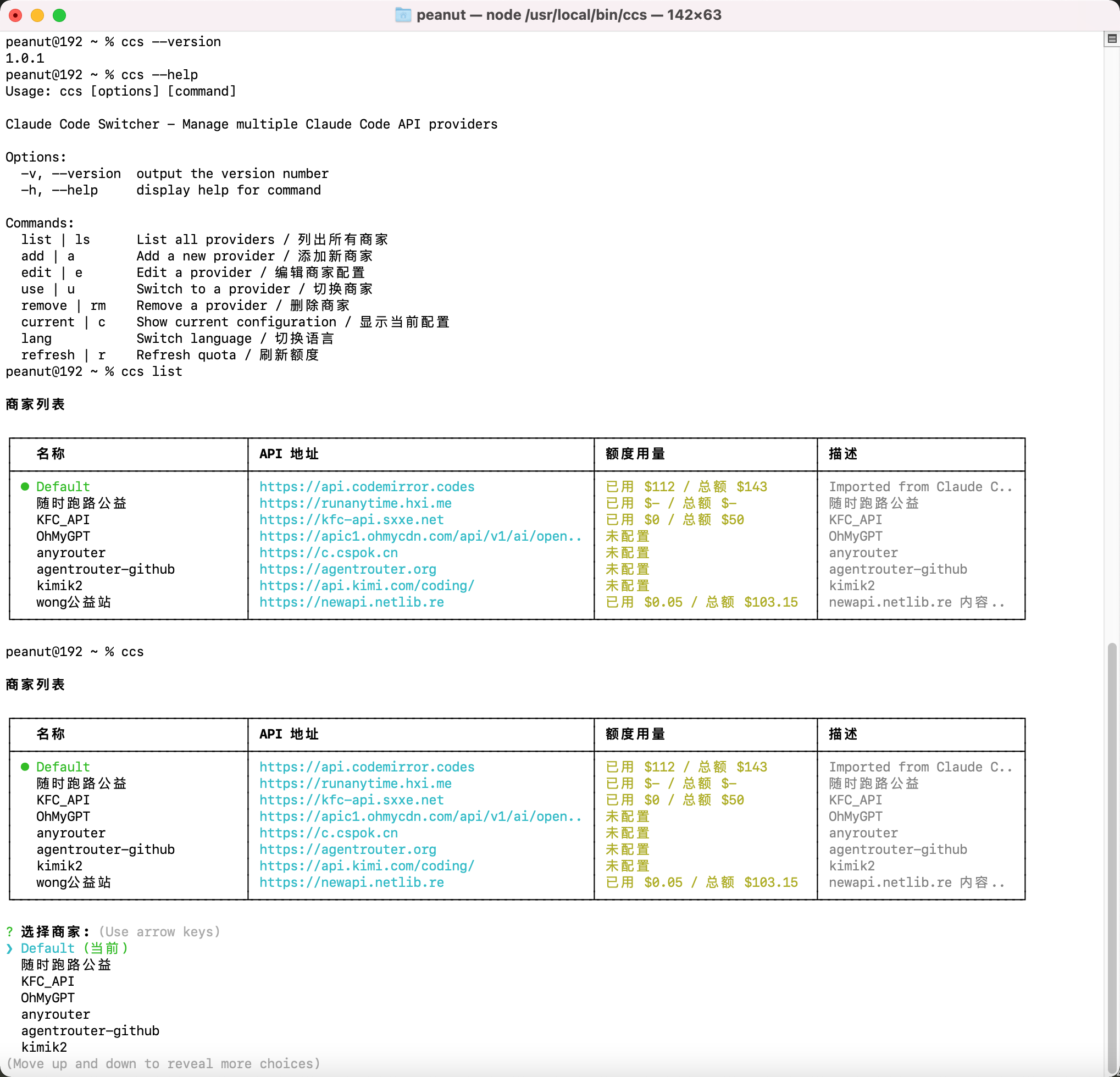
When adding or editing a provider, you can optionally configure quota display:
添加或编辑商家时,可以选择配置额度显示:
- User ID - Found in provider's settings page / 在商家设置页面查看
- Access Token - Found in Settings → Security Settings / 在设置-安全设置中获取
Once configured, run ccs refresh to update quota info, or it will auto-fetch when adding/editing.
配置完成后,运行 ccs refresh 刷新额度信息,或在添加/编辑时自动获取。
~/.ccs.json
{
"lang": "zh",
"current": "a1b2c3d4-e5f6-7890-abcd-ef1234567890",
"providers": [
{
"id": "a1b2c3d4-e5f6-7890-abcd-ef1234567890",
"name": "OpenRouter",
"description": "Main provider, cheap",
"baseURL": "https://openrouter.ai/api/v1",
"apiKey": "sk-or-xxx",
"balanceConfig": {
"enabled": true,
"userId": "12345",
"accessToken": "your-access-token"
},
"usedBalance": 12.5,
"totalBalance": 100
},
{
"id": "b2c3d4e5-f6a7-8901-bcde-f12345678901",
"name": "OneAPI",
"description": "Company internal API",
"baseURL": "https://api.example.com/v1",
"apiKey": "sk-xxx"
}
]
}| Field | Required | Description (EN) | 描述 (中文) |
|---|---|---|---|
id | Yes | UUID identifier | UUID 标识符 |
name | Yes | Provider name | 商家名称 |
description | No | Description/notes | 描述/备注 |
baseURL | Yes | API base URL | API 地址 |
apiKey | Yes | API key | API 密钥 |
balanceConfig | No | Quota config object | 额度配置对象 |
balanceConfig.enabled | No | Enable quota display | 启用额度显示 |
balanceConfig.userId | No | User ID for API | 用户 ID |
balanceConfig.accessToken | No | Access token for API | 访问令牌 |
usedBalance | No | Used quota (USD) | 已用额度 (美元) |
totalBalance | No | Total quota (USD) | 总额度 (美元) |
When switching providers / 切换商家时:
- Backup
~/.claude/settings.json→~/.claude/settings.json.backup - Write
ANTHROPIC_BASE_URLandANTHROPIC_AUTH_TOKENto~/.claude/settings.json
- Commander.js - Command parsing / 命令解析
- Inquirer.js - Interactive prompts / 交互式提示
- Chalk - Terminal styling / 终端美化
MIT