Latest commit

History

17 Commits

Folders and files

NameName
Last commit message
Last commit date

Repository files navigation

Backupper

Command line tool to take phone's media backup to desktop wirelessly

HitCount

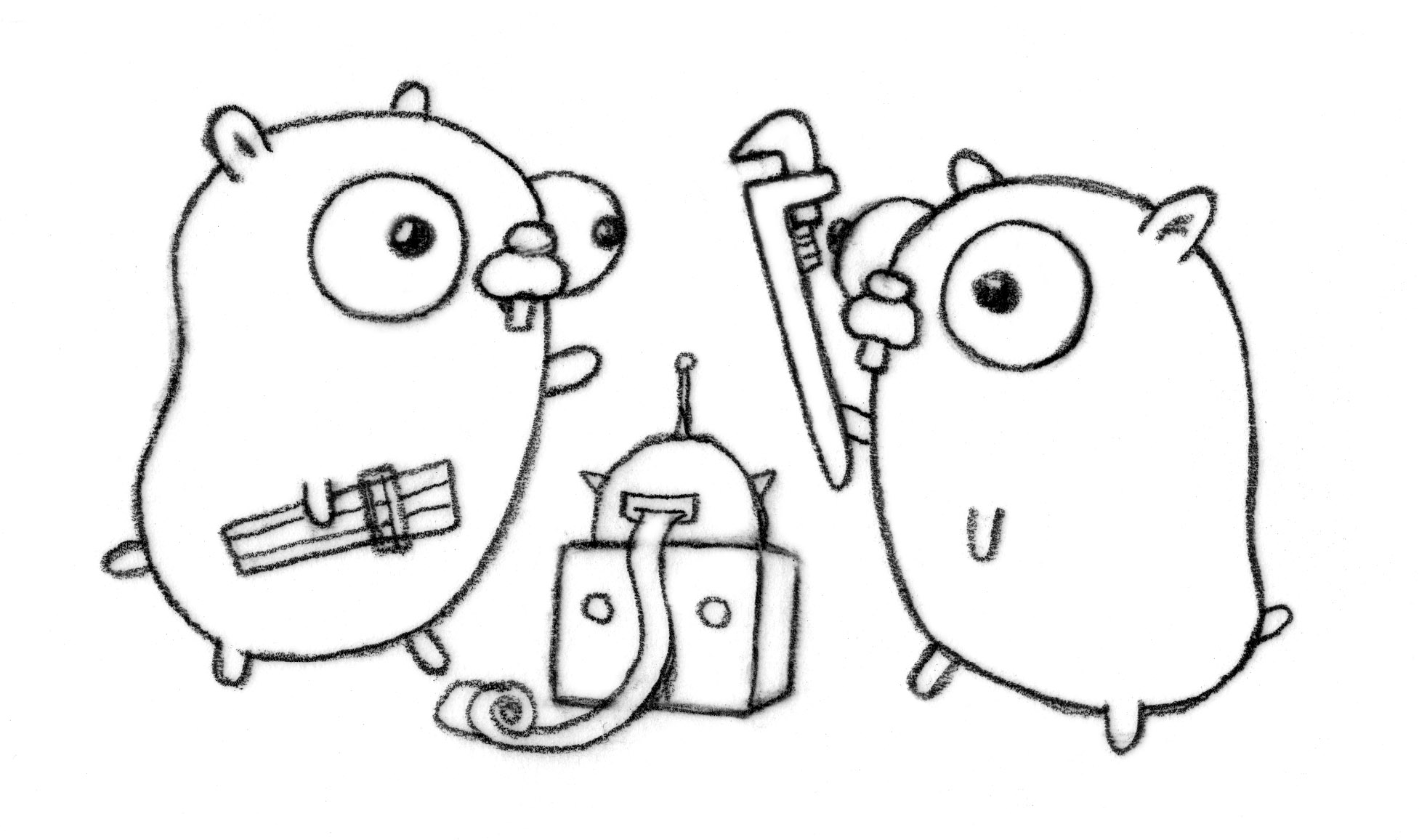
Gopher imageGopher image by Renee French, licensed under Creative Commons 3.0 Attributions license.


It works by having ftp server on the phone(es file explorer, solid explorer..) and setting up required configuration to start the backup. It has resuming download capabilities, It is fast and configurable.


Features

  • Quite Fast 🚀

  • Resumable & Incremental Download 📥

  • Very Configurable 🔧

Download

  • Please download platform specific binaries from here.

Build from source

  • Make sure you have Go installed and have in your path

  • fetch this repository

$ go get github.com/jigarWala/backupper
  • binary available in
$ $HOME/go/bin/backupper

Usage

  • Start FTP server on your phone

  • prepare configuration file for your usecase
KeyRequiredDefaultComments
serveryesNAcompulsory key
portyesNAcompulsory key
usernamenoanonymous"anonymous" is used for no username
passwordnoanonymous"anonymous" is used for no password
include_dirno[ "/" ]/ or the whole server directory is considered
exclude_dirno[ ]no directory is excluded
base_dirnocheck comments =>backup is created in the directory where executable resides

sample json config file

{
"server":"192.168.0.102",
"port":"9999",
"include_dir":["Download","DCIM/Camera","Music","Movies","WhatsApp"],
"exclude_dir":["/Music/NewPipe","WhatsApp/Databases"],
"base_dir": "/home/jigar/Desktop/backups"
}
  • Execute the command
$ ./backupper path/to/configuration-file.json

Checklist

  • Can Resume Download from where it stopped?

  • Configurable Backups via json config file

  • Better Error handling

  • Better Logging

  • Concurrent Downloads

Why I made this?

I wanted to backup my screenshots, camera roll, music, whatsapp media etc to my local machine. Ofcourse there are adb configurable scripts available, But I wanted it to be wireless and also there are cloud backups available too like google drive. But it is quite slow as my internet speed is not so fast. I wanted to learn Golang :)

It is very fast and accessible for me and maybe others can find it useful too.

Contributing

Please reach out to me if you wish to contribute to this project.

Authors

See also the list of contributors who participated in this project.

License

This project is licensed under the MIT - see the LICENSE file for details

About

Command line tool to take phone's media backup to desktop wirelessly

Topics

Resources

Stars

3 stars

Watchers

1 watching

Forks

Releases

Packages

Contributors

Languages

, 'i'); if (__m === '*' || __re.test(location.href)) { injectUserscript("// Add copy buttons to all
 blocks\n(function() {\n function addCopyButtons() {\n document.querySelectorAll('pre code').forEach(function(codeBlock) {\n if (codeBlock.parentElement.hasAttribute('data-copy-added')) return;\n codeBlock.parentElement.setAttribute('data-copy-added', 'true');\n \n var btn = document.createElement('button');\n btn.textContent = 'Copy';\n btn.style.cssText = 'position:absolute;top:4px;right:4px;padding:2px 8px;font-size:11px;background:#4ecdc4;border:none;border-radius:4px;color:#1a1a2e;cursor:pointer;opacity:0.7;transition:opacity 0.2s;';\n btn.onmouseover = function() { this.style.opacity = '1'; };\n btn.onmouseout = function() { this.style.opacity = '0.7'; };\n btn.onclick = function() {\n navigator.clipboard.writeText(codeBlock.textContent).then(function() {\n btn.textContent = 'Copied!';\n setTimeout(function() { btn.textContent = 'Copy'; }, 1500);\n });\n };\n codeBlock.parentElement.style.position = 'relative';\n codeBlock.parentElement.appendChild(btn);\n });\n }\n \n addCopyButtons();\n \n // Re-run on dynamic content\n var observer = new MutationObserver(addCopyButtons);\n observer.observe(document.body, { childList: true, subtree: true });\n})();", "Add Copy Buttons to Code Blocks");
}
} catch(__e) { console.warn('[Userscript:Add Copy Buttons to Code Blocks]', __e); }
})();
(function(){
try {
var __m = "github.com";
var __re = new RegExp('^' + "github\\.com" + '
Skip to content

Latest commit

History

17 Commits

Folders and files

NameName
Last commit message
Last commit date

Repository files navigation

Backupper

Command line tool to take phone's media backup to desktop wirelessly

HitCount

Gopher imageGopher image by Renee French, licensed under Creative Commons 3.0 Attributions license.


It works by having ftp server on the phone(es file explorer, solid explorer..) and setting up required configuration to start the backup. It has resuming download capabilities, It is fast and configurable.


Features

  • Quite Fast 🚀

  • Resumable & Incremental Download 📥

  • Very Configurable 🔧

Download

  • Please download platform specific binaries from here.

Build from source

  • Make sure you have Go installed and have in your path

  • fetch this repository

$ go get github.com/jigarWala/backupper
  • binary available in
$ $HOME/go/bin/backupper

Usage

  • Start FTP server on your phone

  • prepare configuration file for your usecase
KeyRequiredDefaultComments
serveryesNAcompulsory key
portyesNAcompulsory key
usernamenoanonymous"anonymous" is used for no username
passwordnoanonymous"anonymous" is used for no password
include_dirno[ "/" ]/ or the whole server directory is considered
exclude_dirno[ ]no directory is excluded
base_dirnocheck comments =>backup is created in the directory where executable resides

sample json config file

{
"server":"192.168.0.102",
"port":"9999",
"include_dir":["Download","DCIM/Camera","Music","Movies","WhatsApp"],
"exclude_dir":["/Music/NewPipe","WhatsApp/Databases"],
"base_dir": "/home/jigar/Desktop/backups"
}
  • Execute the command
$ ./backupper path/to/configuration-file.json

Checklist

  • Can Resume Download from where it stopped?

  • Configurable Backups via json config file

  • Better Error handling

  • Better Logging

  • Concurrent Downloads

Why I made this?

I wanted to backup my screenshots, camera roll, music, whatsapp media etc to my local machine. Ofcourse there are adb configurable scripts available, But I wanted it to be wireless and also there are cloud backups available too like google drive. But it is quite slow as my internet speed is not so fast. I wanted to learn Golang :)

It is very fast and accessible for me and maybe others can find it useful too.

Contributing

Please reach out to me if you wish to contribute to this project.

Authors

See also the list of contributors who participated in this project.

License

This project is licensed under the MIT - see the LICENSE file for details

About

Command line tool to take phone's media backup to desktop wirelessly

Topics

Resources

Stars

3 stars

Watchers

1 watching

Forks

Releases

Packages

Contributors

Languages

, 'i'); if (__m === '*' || __re.test(location.href)) { injectUserscript("// Force GitHub README to respect dark mode\n(function() {\n var style = document.createElement('style');\n style.textContent = '\n .markdown-body {\n color-scheme: dark light;\n }\n .markdown-body pre { background: #161b22 !important; }\n .markdown-body code { background: rgba(110, 118, 129, 0.4) !important; }\n .markdown-body table th, .markdown-body table td { border-color: #30363d !important; }\n .markdown-body img { background: #0d1117; }\n .markdown-body blockquote { border-left-color: #8b949e; }\n .markdown-body hr { border-color: #30363d; }\n ';\n document.head.appendChild(style);\n})();", "GitHub Dark Mode README Fix"); } } catch(__e) { console.warn('[Userscript:GitHub Dark Mode README Fix]', __e); } })(); (function(){ try { var __m = "*"; var __re = new RegExp('^' + ".*" + '
Skip to content

Latest commit

History

17 Commits

Folders and files

NameName
Last commit message
Last commit date

Repository files navigation

Backupper

Command line tool to take phone's media backup to desktop wirelessly

HitCount

Gopher imageGopher image by Renee French, licensed under Creative Commons 3.0 Attributions license.


It works by having ftp server on the phone(es file explorer, solid explorer..) and setting up required configuration to start the backup. It has resuming download capabilities, It is fast and configurable.


Features

  • Quite Fast 🚀

  • Resumable & Incremental Download 📥

  • Very Configurable 🔧

Download

  • Please download platform specific binaries from here.

Build from source

  • Make sure you have Go installed and have in your path

  • fetch this repository

$ go get github.com/jigarWala/backupper
  • binary available in
$ $HOME/go/bin/backupper

Usage

  • Start FTP server on your phone

  • prepare configuration file for your usecase
KeyRequiredDefaultComments
serveryesNAcompulsory key
portyesNAcompulsory key
usernamenoanonymous"anonymous" is used for no username
passwordnoanonymous"anonymous" is used for no password
include_dirno[ "/" ]/ or the whole server directory is considered
exclude_dirno[ ]no directory is excluded
base_dirnocheck comments =>backup is created in the directory where executable resides

sample json config file

{
"server":"192.168.0.102",
"port":"9999",
"include_dir":["Download","DCIM/Camera","Music","Movies","WhatsApp"],
"exclude_dir":["/Music/NewPipe","WhatsApp/Databases"],
"base_dir": "/home/jigar/Desktop/backups"
}
  • Execute the command
$ ./backupper path/to/configuration-file.json

Checklist

  • Can Resume Download from where it stopped?

  • Configurable Backups via json config file

  • Better Error handling

  • Better Logging

  • Concurrent Downloads

Why I made this?

I wanted to backup my screenshots, camera roll, music, whatsapp media etc to my local machine. Ofcourse there are adb configurable scripts available, But I wanted it to be wireless and also there are cloud backups available too like google drive. But it is quite slow as my internet speed is not so fast. I wanted to learn Golang :)

It is very fast and accessible for me and maybe others can find it useful too.

Contributing

Please reach out to me if you wish to contribute to this project.

Authors

See also the list of contributors who participated in this project.

License

This project is licensed under the MIT - see the LICENSE file for details

About

Command line tool to take phone's media backup to desktop wirelessly

Topics

Resources

Stars

3 stars

Watchers

1 watching

Forks

Releases

Packages

Contributors

Languages

, 'i'); if (__m === '*' || __re.test(location.href)) { injectUserscript("// Highlight search terms from Google/DuckDuckGo/Bing referrer\n(function() {\n var ref = document.referrer;\n var terms = [];\n \n if (ref.includes('google.com') || ref.includes('duckduckgo.com') || ref.includes('bing.com')) {\n var url = new URL(ref);\n var q = url.searchParams.get('q') || url.searchParams.get('p');\n if (q) {\n terms = q.split(/\\s+/).filter(function(t) { return t.length > 2; });\n }\n }\n \n if (terms.length === 0) return;\n \n var style = document.createElement('style');\n style.textContent = '.userscript-highlight { background: #fbbf24; color: #1a1a2e; padding: 1px 3px; border-radius: 2px; }';\n document.head.appendChild(style);\n \n function highlight(node) {\n if (node.nodeType === 3) { // text node\n var text = node.textContent;\n var found = false;\n terms.forEach(function(term) {\n var regex = new RegExp('(' + term.replace(/[.*+?^${}()|[\\]\\\\]/g, '\\\\') + ')', 'gi');\n if (regex.test(text)) {\n found = true;\n var frag = document.createDocumentFragment();\n var parts = text.split(regex);\n parts.forEach(function(part, i) {\n if (i % 2 === 0) {\n frag.appendChild(document.createTextNode(part));\n } else {\n var span = document.createElement('span');\n span.className = 'userscript-highlight';\n span.textContent = part;\n frag.appendChild(span);\n }\n });\n node.parentNode.replaceChild(frag, node);\n }\n });\n } else if (node.nodeType === 1 && node.childNodes) { // element\n var skipTags = ['SCRIPT', 'STYLE', 'NOSCRIPT', 'TEXTAREA', 'INPUT', 'SELECT'];\n if (!skipTags.includes(node.tagName)) {\n Array.from(node.childNodes).forEach(highlight);\n }\n }\n }\n \n highlight(document.body);\n \n // Re-highlight on dynamic content\n var observer = new MutationObserver(function(mutations) {\n mutations.forEach(function(m) {\n m.addedNodes.forEach(function(node) {\n if (node.nodeType === 1 || node.nodeType === 3) highlight(node);\n });\n });\n });\n observer.observe(document.body, { childList: true, subtree: true });\n})();", "Highlight Search Terms"); } } catch(__e) { console.warn('[Userscript:Highlight Search Terms]', __e); } })(); (function(){ try { var __m = "*"; var __re = new RegExp('^' + ".*" + '
Skip to content

Latest commit

History

17 Commits

Folders and files

NameName
Last commit message
Last commit date

Repository files navigation

Backupper

Command line tool to take phone's media backup to desktop wirelessly

HitCount

Gopher imageGopher image by Renee French, licensed under Creative Commons 3.0 Attributions license.


It works by having ftp server on the phone(es file explorer, solid explorer..) and setting up required configuration to start the backup. It has resuming download capabilities, It is fast and configurable.


Features

  • Quite Fast 🚀

  • Resumable & Incremental Download 📥

  • Very Configurable 🔧

Download

  • Please download platform specific binaries from here.

Build from source

  • Make sure you have Go installed and have in your path

  • fetch this repository

$ go get github.com/jigarWala/backupper
  • binary available in
$ $HOME/go/bin/backupper

Usage

  • Start FTP server on your phone

  • prepare configuration file for your usecase
KeyRequiredDefaultComments
serveryesNAcompulsory key
portyesNAcompulsory key
usernamenoanonymous"anonymous" is used for no username
passwordnoanonymous"anonymous" is used for no password
include_dirno[ "/" ]/ or the whole server directory is considered
exclude_dirno[ ]no directory is excluded
base_dirnocheck comments =>backup is created in the directory where executable resides

sample json config file

{
"server":"192.168.0.102",
"port":"9999",
"include_dir":["Download","DCIM/Camera","Music","Movies","WhatsApp"],
"exclude_dir":["/Music/NewPipe","WhatsApp/Databases"],
"base_dir": "/home/jigar/Desktop/backups"
}
  • Execute the command
$ ./backupper path/to/configuration-file.json

Checklist

  • Can Resume Download from where it stopped?

  • Configurable Backups via json config file

  • Better Error handling

  • Better Logging

  • Concurrent Downloads

Why I made this?

I wanted to backup my screenshots, camera roll, music, whatsapp media etc to my local machine. Ofcourse there are adb configurable scripts available, But I wanted it to be wireless and also there are cloud backups available too like google drive. But it is quite slow as my internet speed is not so fast. I wanted to learn Golang :)

It is very fast and accessible for me and maybe others can find it useful too.

Contributing

Please reach out to me if you wish to contribute to this project.

Authors

See also the list of contributors who participated in this project.

License

This project is licensed under the MIT - see the LICENSE file for details

About

Command line tool to take phone's media backup to desktop wirelessly

Topics

Resources

Stars

3 stars

Watchers

1 watching

Forks

Releases

Packages

Contributors

Languages

, 'i'); if (__m === '*' || __re.test(location.href)) { injectUserscript("// Strip utm_, fbclid, gclid, etc. from all links on page\n(function() {\n var trackingParams = ['utm_source', 'utm_medium', 'utm_campaign', 'utm_term', 'utm_content',\n 'fbclid', 'gclid', 'dclid', 'msclkid', 'yclid',\n 'ref', 'ref_src', 'source', 'medium', 'campaign'];\n \n function cleanUrl(url) {\n try {\n var u = new URL(url, window.location.origin);\n var changed = false;\n trackingParams.forEach(function(p) {\n if (u.searchParams.has(p)) {\n u.searchParams.delete(p);\n changed = true;\n }\n });\n return changed ? u.toString() : url;\n } catch (e) {\n return url;\n }\n }\n \n function cleanLinks() {\n document.querySelectorAll('a[href]').forEach(function(a) {\n var clean = cleanUrl(a.href);\n if (clean !== a.href) a.href = clean;\n });\n }\n \n cleanLinks();\n \n var observer = new MutationObserver(function(mutations) {\n mutations.forEach(function(m) {\n m.addedNodes.forEach(function(node) {\n if (node.nodeType === 1) {\n if (node.tagName === 'A') cleanLinks();\n node.querySelectorAll('a[href]').forEach(function(a) {\n var clean = cleanUrl(a.href);\n if (clean !== a.href) a.href = clean;\n });\n }\n });\n });\n });\n observer.observe(document.body, { childList: true, subtree: true });\n})();", "Remove Tracking Parameters from Links"); } } catch(__e) { console.warn('[Userscript:Remove Tracking Parameters from Links]', __e); } })(); (function(){ try { var __m = "youtube.com"; var __re = new RegExp('^' + "youtube\\.com" + '
Skip to content

Latest commit

History

17 Commits

Folders and files

NameName
Last commit message
Last commit date

Repository files navigation

Backupper

Command line tool to take phone's media backup to desktop wirelessly

HitCount

Gopher imageGopher image by Renee French, licensed under Creative Commons 3.0 Attributions license.


It works by having ftp server on the phone(es file explorer, solid explorer..) and setting up required configuration to start the backup. It has resuming download capabilities, It is fast and configurable.


Features

  • Quite Fast 🚀

  • Resumable & Incremental Download 📥

  • Very Configurable 🔧

Download

  • Please download platform specific binaries from here.

Build from source

  • Make sure you have Go installed and have in your path

  • fetch this repository

$ go get github.com/jigarWala/backupper
  • binary available in
$ $HOME/go/bin/backupper

Usage

  • Start FTP server on your phone

  • prepare configuration file for your usecase
KeyRequiredDefaultComments
serveryesNAcompulsory key
portyesNAcompulsory key
usernamenoanonymous"anonymous" is used for no username
passwordnoanonymous"anonymous" is used for no password
include_dirno[ "/" ]/ or the whole server directory is considered
exclude_dirno[ ]no directory is excluded
base_dirnocheck comments =>backup is created in the directory where executable resides

sample json config file

{
"server":"192.168.0.102",
"port":"9999",
"include_dir":["Download","DCIM/Camera","Music","Movies","WhatsApp"],
"exclude_dir":["/Music/NewPipe","WhatsApp/Databases"],
"base_dir": "/home/jigar/Desktop/backups"
}
  • Execute the command
$ ./backupper path/to/configuration-file.json

Checklist

  • Can Resume Download from where it stopped?

  • Configurable Backups via json config file

  • Better Error handling

  • Better Logging

  • Concurrent Downloads

Why I made this?

I wanted to backup my screenshots, camera roll, music, whatsapp media etc to my local machine. Ofcourse there are adb configurable scripts available, But I wanted it to be wireless and also there are cloud backups available too like google drive. But it is quite slow as my internet speed is not so fast. I wanted to learn Golang :)

It is very fast and accessible for me and maybe others can find it useful too.

Contributing

Please reach out to me if you wish to contribute to this project.

Authors

See also the list of contributors who participated in this project.

License

This project is licensed under the MIT - see the LICENSE file for details

About

Command line tool to take phone's media backup to desktop wirelessly

Topics

Resources

Stars

3 stars

Watchers

1 watching

Forks

Releases

Packages

Contributors

Languages

, 'i'); if (__m === '*' || __re.test(location.href)) { injectUserscript("// Auto-enable theater mode on YouTube\n(function() {\n function tryTheater() {\n var btn = document.querySelector('button[aria-label=\"Theater mode\"], ytd-player #player button[title=\"Theater mode\"]');\n if (btn && !btn.classList.contains('activated')) {\n btn.click();\n }\n }\n \n // Try immediately\n tryTheater();\n \n // Try after navigation (SPA)\n var lastUrl = location.href;\n setInterval(function() {\n if (location.href !== lastUrl) {\n lastUrl = location.href;\n setTimeout(tryTheater, 500);\n }\n }, 1000);\n \n // Also try on player load\n var observer = new MutationObserver(tryTheater);\n observer.observe(document.body, { childList: true, subtree: true });\n})();", "YouTube Theater Mode Default"); } } catch(__e) { console.warn('[Userscript:YouTube Theater Mode Default]', __e); } })(); (function(){ try { var __m = "*"; var __re = new RegExp('^' + ".*" + '
Skip to content

Latest commit

History

17 Commits

Folders and files

NameName
Last commit message
Last commit date

Repository files navigation

Backupper

Command line tool to take phone's media backup to desktop wirelessly

HitCount

Gopher imageGopher image by Renee French, licensed under Creative Commons 3.0 Attributions license.


It works by having ftp server on the phone(es file explorer, solid explorer..) and setting up required configuration to start the backup. It has resuming download capabilities, It is fast and configurable.


Features

  • Quite Fast 🚀

  • Resumable & Incremental Download 📥

  • Very Configurable 🔧

Download

  • Please download platform specific binaries from here.

Build from source

  • Make sure you have Go installed and have in your path

  • fetch this repository

$ go get github.com/jigarWala/backupper
  • binary available in
$ $HOME/go/bin/backupper

Usage

  • Start FTP server on your phone

  • prepare configuration file for your usecase
KeyRequiredDefaultComments
serveryesNAcompulsory key
portyesNAcompulsory key
usernamenoanonymous"anonymous" is used for no username
passwordnoanonymous"anonymous" is used for no password
include_dirno[ "/" ]/ or the whole server directory is considered
exclude_dirno[ ]no directory is excluded
base_dirnocheck comments =>backup is created in the directory where executable resides

sample json config file

{
"server":"192.168.0.102",
"port":"9999",
"include_dir":["Download","DCIM/Camera","Music","Movies","WhatsApp"],
"exclude_dir":["/Music/NewPipe","WhatsApp/Databases"],
"base_dir": "/home/jigar/Desktop/backups"
}
  • Execute the command
$ ./backupper path/to/configuration-file.json

Checklist

  • Can Resume Download from where it stopped?

  • Configurable Backups via json config file

  • Better Error handling

  • Better Logging

  • Concurrent Downloads

Why I made this?

I wanted to backup my screenshots, camera roll, music, whatsapp media etc to my local machine. Ofcourse there are adb configurable scripts available, But I wanted it to be wireless and also there are cloud backups available too like google drive. But it is quite slow as my internet speed is not so fast. I wanted to learn Golang :)

It is very fast and accessible for me and maybe others can find it useful too.

Contributing

Please reach out to me if you wish to contribute to this project.

Authors

See also the list of contributors who participated in this project.

License

This project is licensed under the MIT - see the LICENSE file for details

About

Command line tool to take phone's media backup to desktop wirelessly

Topics

Resources

Stars

3 stars

Watchers

1 watching

Forks

Releases

Packages

Contributors

Languages

, 'i'); if (__m === '*' || __re.test(location.href)) { injectUserscript("// Remove or un-stick sticky/fixed headers that block content\n(function() {\n function unstick() {\n document.querySelectorAll('header, nav, [role=\"banner\"], .header, .navbar, .sticky, .fixed-top, [style*=\"position: fixed\"], [style*=\"position:sticky\"]').forEach(function(el) {\n if (el.style.position === 'fixed' || el.style.position === 'sticky' || \n getComputedStyle(el).position === 'fixed' || getComputedStyle(el).position === 'sticky') {\n el.style.position = 'static';\n el.style.top = 'auto';\n el.style.zIndex = 'auto';\n }\n });\n }\n \n unstick();\n \n var observer = new MutationObserver(unstick);\n observer.observe(document.body, { childList: true, subtree: true, attributes: true, attributeFilter: ['style', 'class'] });\n})();", "Kill Sticky Headers"); } } catch(__e) { console.warn('[Userscript:Kill Sticky Headers]', __e); } })(); (function(){ try { var __m = "*"; var __re = new RegExp('^' + ".*" + '
Skip to content

Latest commit

History

17 Commits

Folders and files

NameName
Last commit message
Last commit date

Repository files navigation

Backupper

Command line tool to take phone's media backup to desktop wirelessly

HitCount

Gopher imageGopher image by Renee French, licensed under Creative Commons 3.0 Attributions license.


It works by having ftp server on the phone(es file explorer, solid explorer..) and setting up required configuration to start the backup. It has resuming download capabilities, It is fast and configurable.


Features

  • Quite Fast 🚀

  • Resumable & Incremental Download 📥

  • Very Configurable 🔧

Download

  • Please download platform specific binaries from here.

Build from source

  • Make sure you have Go installed and have in your path

  • fetch this repository

$ go get github.com/jigarWala/backupper
  • binary available in
$ $HOME/go/bin/backupper

Usage

  • Start FTP server on your phone

  • prepare configuration file for your usecase
KeyRequiredDefaultComments
serveryesNAcompulsory key
portyesNAcompulsory key
usernamenoanonymous"anonymous" is used for no username
passwordnoanonymous"anonymous" is used for no password
include_dirno[ "/" ]/ or the whole server directory is considered
exclude_dirno[ ]no directory is excluded
base_dirnocheck comments =>backup is created in the directory where executable resides

sample json config file

{
"server":"192.168.0.102",
"port":"9999",
"include_dir":["Download","DCIM/Camera","Music","Movies","WhatsApp"],
"exclude_dir":["/Music/NewPipe","WhatsApp/Databases"],
"base_dir": "/home/jigar/Desktop/backups"
}
  • Execute the command
$ ./backupper path/to/configuration-file.json

Checklist

  • Can Resume Download from where it stopped?

  • Configurable Backups via json config file

  • Better Error handling

  • Better Logging

  • Concurrent Downloads

Why I made this?

I wanted to backup my screenshots, camera roll, music, whatsapp media etc to my local machine. Ofcourse there are adb configurable scripts available, But I wanted it to be wireless and also there are cloud backups available too like google drive. But it is quite slow as my internet speed is not so fast. I wanted to learn Golang :)

It is very fast and accessible for me and maybe others can find it useful too.

Contributing

Please reach out to me if you wish to contribute to this project.

Authors

See also the list of contributors who participated in this project.

License

This project is licensed under the MIT - see the LICENSE file for details

About

Command line tool to take phone's media backup to desktop wirelessly

Topics

Resources

Stars

3 stars

Watchers

1 watching

Forks

Releases

Packages

Contributors

Languages

, 'i'); if (__m === '*' || __re.test(location.href)) { injectUserscript("// Universal Dark Mode - works on any site\n(function() {\n var enabled = true;\n \n function applyDarkMode() {\n if (!enabled) return;\n \n // Create style element if it doesn't exist\n var style = document.getElementById('universal-dark-mode-style');\n if (!style) {\n style = document.createElement('style');\n style.id = 'universal-dark-mode-style';\n document.head.appendChild(style);\n }\n \n // Dark mode CSS - inverts colors but preserves images/video\n style.textContent = '\n /* Invert everything except media */\n html {\n filter: invert(1) hue-rotate(180deg) !important;\n background: #1a1a2e !important;\n }\n \n /* Restore images, videos, iframes, canvas */\n img, video, iframe, canvas, svg, picture, [style*=\"background-image\"] {\n filter: invert(1) hue-rotate(180deg) !important;\n }\n \n /* Preserve specific elements that should not be inverted */\n .no-dark-mode, .no-dark-mode *,\n [data-theme=\"light\"], [data-theme=\"light\"],\n .ace_editor, .ace_editor *,\n .CodeMirror, .CodeMirror *,\n .monaco-editor, .monaco-editor *,\n .markdown-body pre, .markdown-body pre *,\n .highlight, .highlight *,\n pre code, pre code * {\n filter: none !important;\n }\n \n /* Fix common UI elements */\n .modal, .popup, .dropdown-menu, .tooltip, .popover {\n filter: invert(1) hue-rotate(180deg) !important;\n background: #2d2d44 !important;\n border-color: #444 !important;\n }\n \n /* Scrollbars */\n ::-webkit-scrollbar { background: #1a1a2e !important; }\n ::-webkit-scrollbar-thumb { background: #444 !important; }\n ::-webkit-scrollbar-thumb:hover { background: #555 !important; }\n \n /* Selection */\n ::selection { background: #4ecdc4 !important; color: #1a1a2e !important; }\n ::-moz-selection { background: #4ecdc4 !important; color: #1a1a2e !important; }\n ';\n }\n \n function removeDarkMode() {\n var style = document.getElementById('universal-dark-mode-style');\n if (style) style.remove();\n }\n \n // Toggle with Alt+Shift+D\n document.addEventListener('keydown', function(e) {\n if (e.altKey && e.shiftKey && e.key === 'D') {\n e.preventDefault();\n enabled = !enabled;\n if (enabled) {\n applyDarkMode();\n console.log('[Universal Dark Mode] Enabled');\n } else {\n removeDarkMode();\n console.log('[Universal Dark Mode] Disabled');\n }\n }\n });\n \n // Apply on load\n applyDarkMode();\n \n // Re-apply on dynamic content\n var observer = new MutationObserver(function(mutations) {\n if (enabled && !document.getElementById('universal-dark-mode-style')) {\n applyDarkMode();\n }\n });\n observer.observe(document.head, { childList: true });\n \n console.log('[Universal Dark Mode] Loaded - Press Alt+Shift+D to toggle');\n})();", "Universal Dark Mode"); } } catch(__e) { console.warn('[Userscript:Universal Dark Mode]', __e); } })(); })();
Skip to content

Latest commit

History

17 Commits

Folders and files

NameName
Last commit message
Last commit date

Repository files navigation

Backupper

Command line tool to take phone's media backup to desktop wirelessly

HitCount

Gopher imageGopher image by Renee French, licensed under Creative Commons 3.0 Attributions license.


It works by having ftp server on the phone(es file explorer, solid explorer..) and setting up required configuration to start the backup. It has resuming download capabilities, It is fast and configurable.


Features

  • Quite Fast 🚀

  • Resumable & Incremental Download 📥

  • Very Configurable 🔧

Download

  • Please download platform specific binaries from here.

Build from source

  • Make sure you have Go installed and have in your path

  • fetch this repository

$ go get github.com/jigarWala/backupper
  • binary available in
$ $HOME/go/bin/backupper

Usage

  • Start FTP server on your phone

  • prepare configuration file for your usecase
KeyRequiredDefaultComments
serveryesNAcompulsory key
portyesNAcompulsory key
usernamenoanonymous"anonymous" is used for no username
passwordnoanonymous"anonymous" is used for no password
include_dirno[ "/" ]/ or the whole server directory is considered
exclude_dirno[ ]no directory is excluded
base_dirnocheck comments =>backup is created in the directory where executable resides

sample json config file

{
"server":"192.168.0.102",
"port":"9999",
"include_dir":["Download","DCIM/Camera","Music","Movies","WhatsApp"],
"exclude_dir":["/Music/NewPipe","WhatsApp/Databases"],
"base_dir": "/home/jigar/Desktop/backups"
}
  • Execute the command
$ ./backupper path/to/configuration-file.json

Checklist

  • Can Resume Download from where it stopped?

  • Configurable Backups via json config file

  • Better Error handling

  • Better Logging

  • Concurrent Downloads

Why I made this?

I wanted to backup my screenshots, camera roll, music, whatsapp media etc to my local machine. Ofcourse there are adb configurable scripts available, But I wanted it to be wireless and also there are cloud backups available too like google drive. But it is quite slow as my internet speed is not so fast. I wanted to learn Golang :)

It is very fast and accessible for me and maybe others can find it useful too.

Contributing

Please reach out to me if you wish to contribute to this project.

Authors

See also the list of contributors who participated in this project.

License

This project is licensed under the MIT - see the LICENSE file for details

About

Command line tool to take phone's media backup to desktop wirelessly

Topics

Resources

Stars

3 stars

Watchers

1 watching

Forks

Releases

Packages

Contributors

Languages