
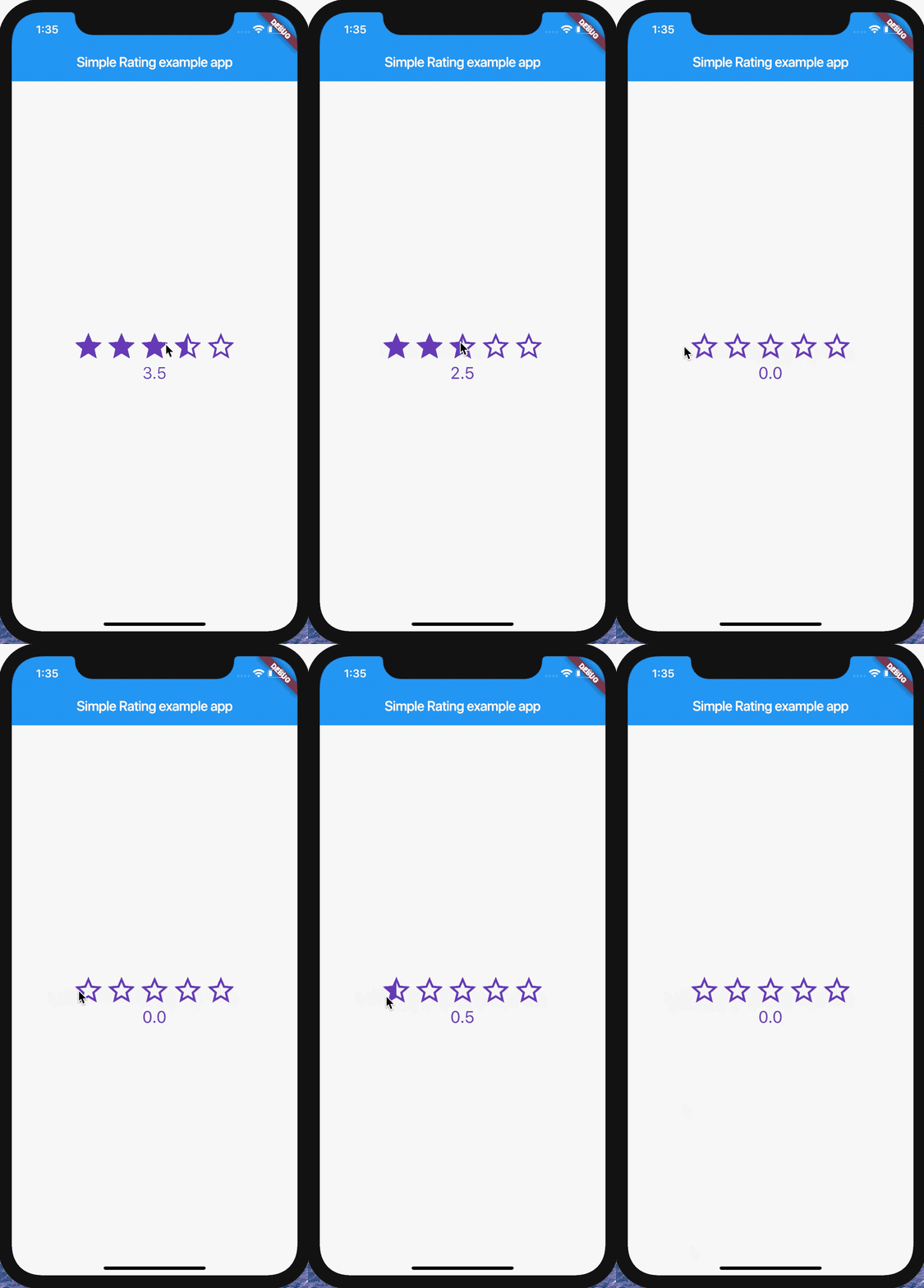
This plugin is rating widget that is using Icons.
Add the module to your project pubspec.yaml:
...
dependencies:
...simple_rating: ^0.0.1
...
And install it using flutter packages get on your project folder. After that, just import the module and use it:
import'package:flutter/material.dart';
import'package:simple_rating/simple_rating.dart';
voidmain() =>runApp(MyApp());
classMyAppextendsStatefulWidget {
@override_MyAppStatecreateState() =>_MyAppState();
}
class_MyAppStateextendsState<MyApp> {
double _rating =0.0;
@overridevoidinitState() {
super.initState();
}
@overrideWidgetbuild(BuildContext context) {
returnMaterialApp(
home:Scaffold(
appBar:AppBar(
title:constText('Simple Rating example app'),
),
body:Center(
child:Column(
mainAxisAlignment:MainAxisAlignment.center,
children:<Widget>[
SimpleRating(
useHalfRating:true,
onChanged: (v) {
setState(() {
this._rating = v;
});
},
starCount:5,
rating: _rating,
size:48,
color:Colors.deepPurple,
borderColor:Colors.deepPurple,
spacing:0.0,
),
Text(
"${this._rating}",
style:TextStyle(fontSize:24, color:Colors.deepPurple),
)
],
),
),
),
);
}
}
Enjoy!
useHalfRating - Whether to use half rating
onChanged - Rating changed callback
starCount - The maximum amount of stars
rating - The current value of rating
size - The size of a single star
color - The body color of star
borderColor - The border color of star
spacing - Spacing between stars(default is 0.0)
icons - Icon set of Empty, Full, Half
Developed by Jace Shim (심천보)
Feel free to help!