

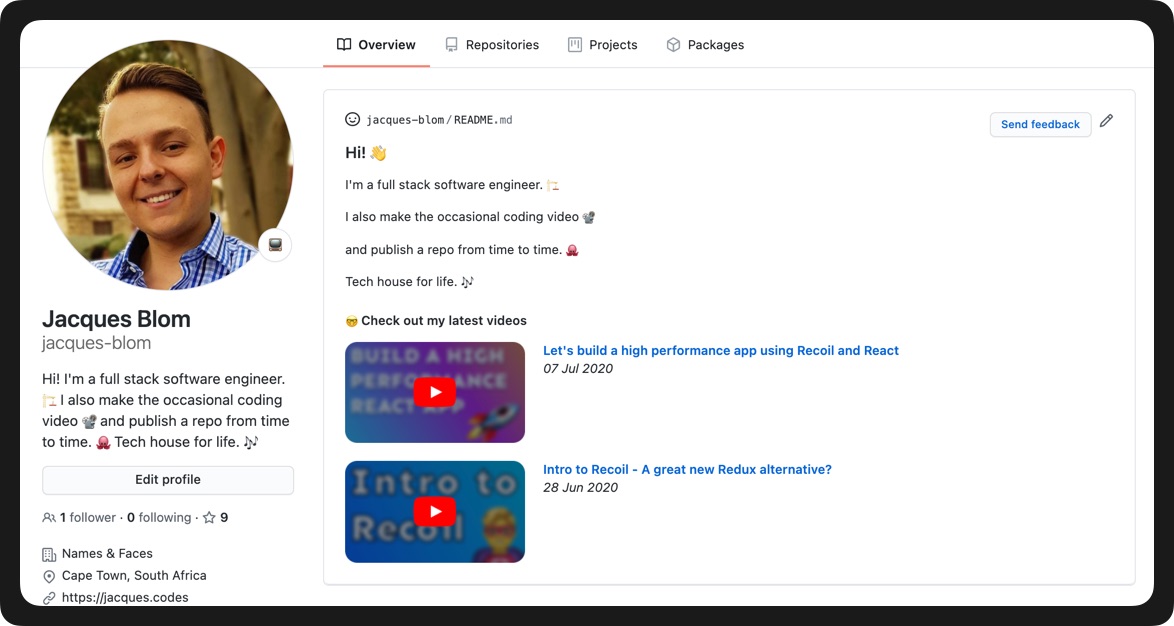
A Netlify function that updates your GitHub profile repo with your latest YouTube videos. This can be adapted to other types of content, like blog posts, as well.
I created this to make my GitHub profile a bit more dynamic and interesting, and also used it as an opportunity to learn more about Netlify Functions.
Check out the video for a run-through of the code, and setup instructions:

Fork this repository
If you haven't yet, create a new repo and name it the same as your username
Create a README.md to that repo, and add the following wherever you want the videos to be displayed
<!-- YT LIST START --><!-- YT LIST END -->Deploy the forked repo to Netlify (full walkthrough in the video)
Set the following environment variables in your Netlify project settings (more info on how to create these in the video)
GITHUB_REPO=your-username/your-username
GITHUB_USERNAME=your-bot-username
GITHUB_ACCESS_TOKEN=your-bot-personal-access-token
YOUTUBE_CHANNEL_ID=your-youtube-channel-id
GOOGLE_API_KEY=your-google-api-key
Call the function using something like Postman, to verify it's working
Set up a YouTube webhook using Google's PubSubHubbub service
Use the following for Topic URL:
https://www.youtube.com/feeds/videos.xml?channel_id=XXXXXEt voilà! ✨