



PyFEM is a Python-based finite element code designed for educational and research purposes in computational solid mechanics. The code emphasizes clarity and readability, making it ideal for learning, teaching, and prototyping finite element methods for nonlinear analysis.
- Comprehensive Element Library: Continuum elements (2D/3D, small and finite strain), beam elements, plate elements, interface elements
- Material Models: Linear elastic, plasticity with hardening, cohesive zone models for fracture
- Nonlinear Solvers: Newton-Raphson, arc-length (Riks), explicit dynamics
- I/O Capabilities: VTK output for ParaView, HDF5, text-based formats
- Python API: Programmatic control for custom analyses and workflows
- Multi-scale Modeling: RVE (Representative Volume Element) with periodic boundary conditions
- Well-Documented: Extensive documentation with examples and developer guides
PyFEM accompanies the textbook:
R. de Borst, M.A. Crisfield, J.J.C. Remmers and C.V. Verhoosel
Non-Linear Finite Element Analysis of Solids and Structures
John Wiley and Sons, 2012, ISBN 978-0470666449
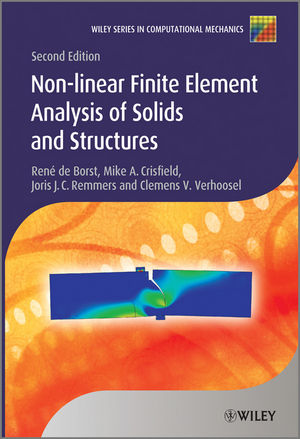
The code is open source and intended for educational and scientific purposes. If you use PyFEM in your research, please cite the book in your publications.
- Python 3.9 or higher
- pip package manager
- Git (for cloning the repository)
# Clone the repository
git clone https://github.com/jjcremmers/PyFEM.git
cd PyFEM
# Install with pip
pip install .
The base installation includes VTK output support for ParaView. The graphical user interface dependency is optional.
For the GUI, install:
pip install ".[gui]"To install all optional dependencies:
pip install ".[all]"For developers who want to make changes and test immediately:
git clone https://github.com/jjcremmers/PyFEM.git
cd PyFEM
pip install -e ".[dev]"
For development with the GUI as well, use pip install -e ".[dev,all]".
# Create and activate virtual environment
python3 -m venv pyfem-env
source pyfem-env/bin/activate # Linux/macOS# or
pyfem-env\Scripts\activate # Windows# Install PyFEM
pip install .
For detailed installation instructions including platform-specific notes, see the Installation Guide.
Run a PyFEM analysis from the command line:
# Navigate to examplescd examples/ch02
# Run an example
pyfem PatchTest8.pro
Useful command-line options:
pyfem --help # Show help
pyfem --version # Show installed PyFEM version
pyfem -i input.pro # Specify input file
pyfem -d state.dump # Restart from dump file
pyfem -p param=value # Override parameter
View results in ParaView:
paraview PatchTest8.pvd- Installation Guide - Complete installation instructions
- Quick Start Tutorial - Get started with PyFEM
- Elements - Available element formulations
- Materials - Material model documentation
- Solvers - Solution algorithms
- I/O Modules - Input/output capabilities
- Models - Special models (RVE, contact)
- Examples - Collection of example analyses
For contributors and those extending PyFEM:
- Developer's Overview - Getting started with development
- Implementing Elements - Creating new element formulations
- Implementing Materials - Developing material models
- Implementing Solvers - Creating solution algorithms
- Implementing I/O Modules - Adding input/output capabilities
- API Documentation - Python API reference
- Documentation Index - Full documentation table of contents
PyFEM includes numerous examples organized by chapter from the book:
examples/
├── ch02/ # Linear elasticity and patch tests
├── ch03/ # Nonlinear analysis
├── ch04/ # Isoparametric elements
├── ch05/ # Element technology
├── ch06/ # Plasticity
├── ch09/ # Dynamics
├── ch13/ # Contact mechanics
├── ch15/ # Damage and fracture
├── elements/ # Element-specific examples
├── materials/ # Material model examples
├── models/ # Special models (RVE)
└── plate/ # Plate and shell examples
Each directory contains input files (.pro), mesh files (.dat), and generates output files for visualization.
Contributions are welcome. Please read CONTRIBUTING.md before reporting a bug, proposing a feature, or submitting a pull request.
PyFEM is distributed under the MIT License. See LICENSE for details.
- Issues: GitHub Issues
- Discussions: GitHub Discussions
- Email: Contact through GitHub
If PyFEM contributes to a publication, please cite:
Software:
J.J.C. Remmers (2026). PyFEM - A Python Finite Element Code.
https://github.com/jjcremmers/PyFEM
Textbook:
R. de Borst, M.A. Crisfield, J.J.C. Remmers and C.V. Verhoosel (2012).
Non-Linear Finite Element Analysis of Solids and Structures, 2nd Edition.
John Wiley & Sons, ISBN 978-0470666449.
PyFEM is developed and maintained by:
- Joris Remmers - Eindhoven University of Technology
- Contributors and users from the computational mechanics community
The code accompanies the textbook by de Borst, Crisfield, Remmers, and Verhoosel, which provides the theoretical foundation for the implemented methods.