This project is given a starting page Here:
- Crawl all the child pages contents
- Build indexes in database
- Search query using the indexes
- Create a frontend for accepting user query

| Frontend | Python Backend | Java Backend | |
|---|---|---|---|
| URL | https://search.johnnyip.com/ | - | - |
| Libraries | React.js | Flask | Spring Boot |
| Mantine (UI) | pymongo | htmlparser | |
| Axios | sqlite3 | gson | |
| sentence_transformers | spring-boot-starter-data-redis | ||
| NLTK | jsoup | ||
| numpy | sqlite-jdbc |
!!! Performance of Crawling is much slower (~30 minutes) under Docker environment. Performance in local is much faster (~2 minutes).
!!! DB file in backend-java is a blank template. It is used for future data update during initialization.
In case any error occurs, please remove all files and run docker compose again.
Before you begin, make sure you have Docker client installed
Make sure the
compose.yamlfile is inside the folderOpen Terminal (Mac/Linux), or cmd in Windows, and enter the following commands
cd <path_to_your_folder>
docker compose up -d
After those necessary docker images are downloaded, it will be up and running.
3 Folders will be created
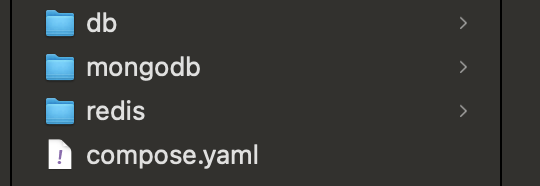
dbfolder contains the SQLite filemongodbfolder contains data of MongoDBredisfolder contains data of Redis DB