


Trimmer is a Sublime Text plug-in for cleaning up whitespace.
- Trim whitespace at the end of each line.
- Trim whitespace at the start of each line.
- Trim whitespace at the start and end of each line.
- Trim whitespace from selection(s).
- Delete empty, whitespace only lines.
- Collapse multiple consecutive empty lines into one empty line.
- Collapse multiple consecutive spaces into one space.
- Trim empty, whitespace only lines at the beginning and end of file.
- Remove blank space characters.
- Normalize spaces (consecutive spaces reduced, empty lines removed and lines trimmed).
- Tokenize a string by collapsing consecutive spaces, and trimming leading and trailing spaces.
- Delete empty, whitespace only HTML and XML tags.
- Remove code comments and collapse lines.
- Delete adjacent duplicate lines.
A Replace Smart Characters command that performs the following actions:
- Smart single quotes:
’to' - Smart double quotes:
“to" - Prime:
′to' - Double Prime:
″to" - German quotes:
„to"and‚to' - Ellipsis:
…to... - Em dash:
—to--- - En dash:
–to-- - Bullet:
•to* - Middle dot:
·to- - Em spaceto three spaces
- En spaceto two spaces
- Non-breaking spaceto one space
- Thin spaceto one space
- Hair spaceto one space
- Left angle quote:
«to<< - Right angle quote:
»to>> - Copyright symbol:
©to(C) - Trademark symbol:
™to(T) - Registered trademark symbol:
®to(R)
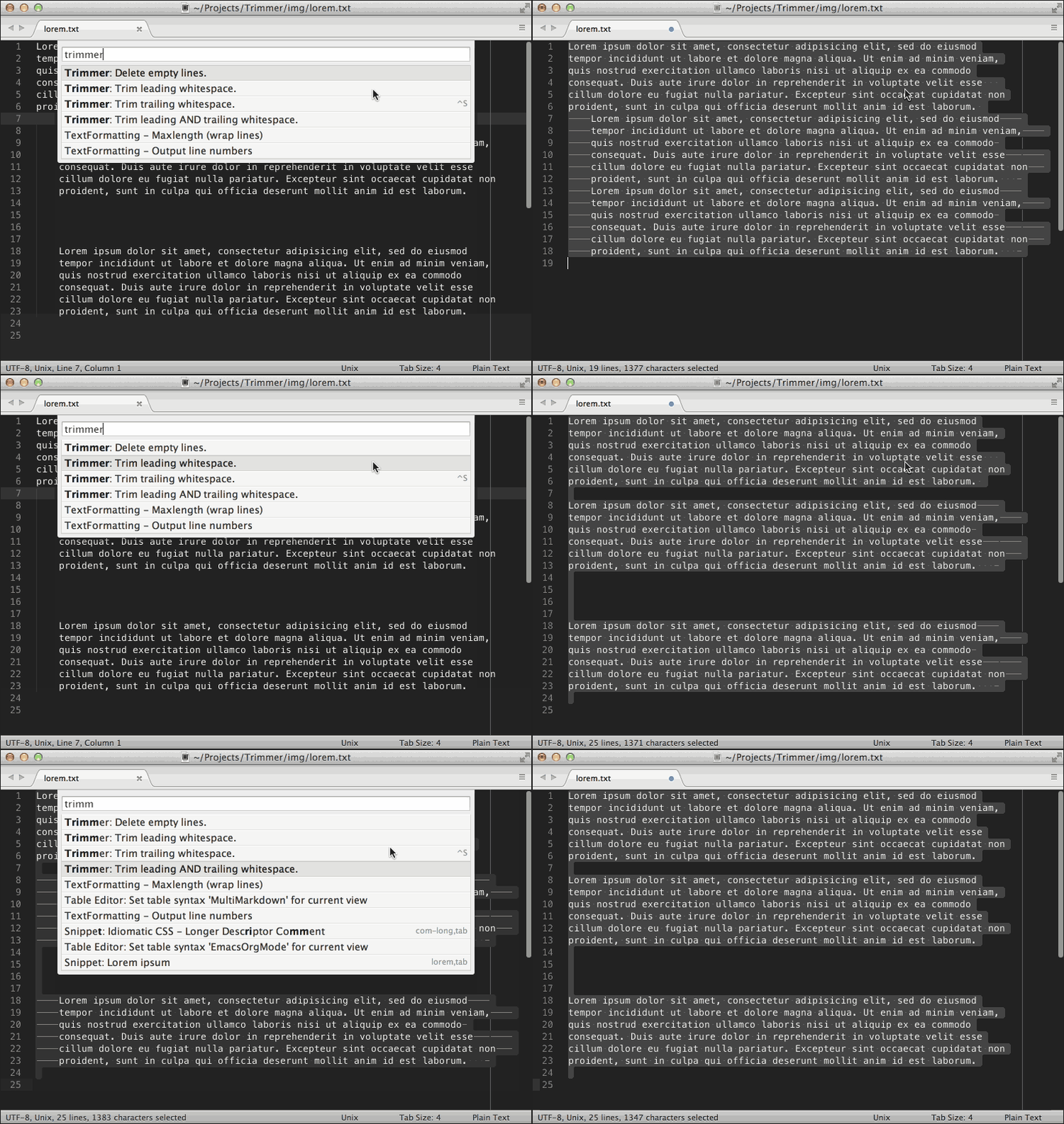
Watch a Quick Demo
Trimmer is compatible with both Sublime Text 2 and 3 and all supported Operating Systems.
The easiest, and recommended way to install Trimmer is using Package Control.
From the main application menu, navigate to:
Tools->Command Palette...->Package Control: Install Package, type the word Trimmer, then select it to complete installation.
To install Trimmer using Git, change to your Sublime Text Packages directory and clone the Trimmer repository.
For example, on OS X... start a new Terminal session and enter the following commands:
$ cd~/Library/Application\ Support/Sublime\ Text\ 3/Packages/
$ git clone https://github.com/jonlabelle/TrimmerDownload and extract the zip or tarball to your Sublime Text packages directory.
Default Sublime Text Packages Paths:
- OS X:
~/Library/Application Support/Sublime Text [2|3]/Packages - Linux:
~/.Sublime Text [2|3]/Packages - Windows:
%APPDATA%/Sublime Text [2|3]/Packages
NOTE Replace the
[2|3]part with the appropriate Sublime Text version for your installation.
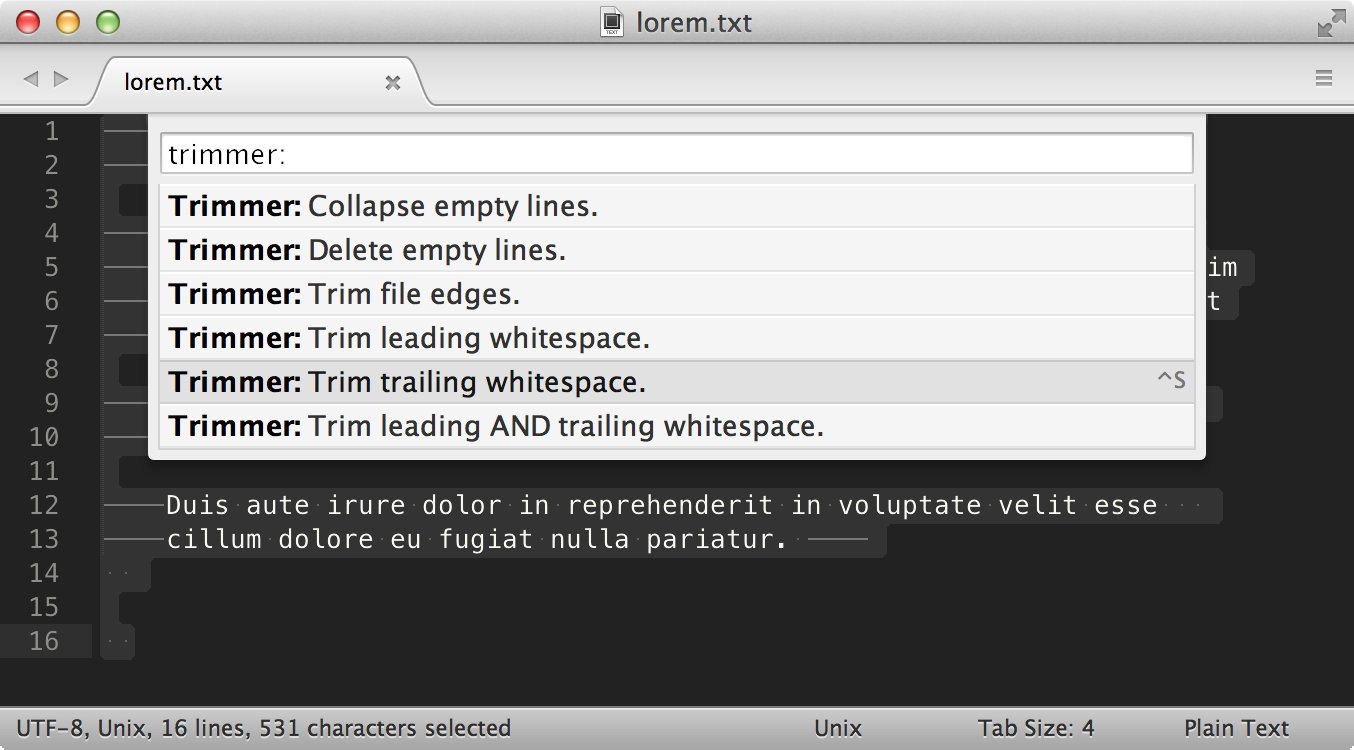
All commands are accessible from the Command Palette using prefix
Trimmer, and in the Main Menu under Edit -> Line -> Trimmer command.
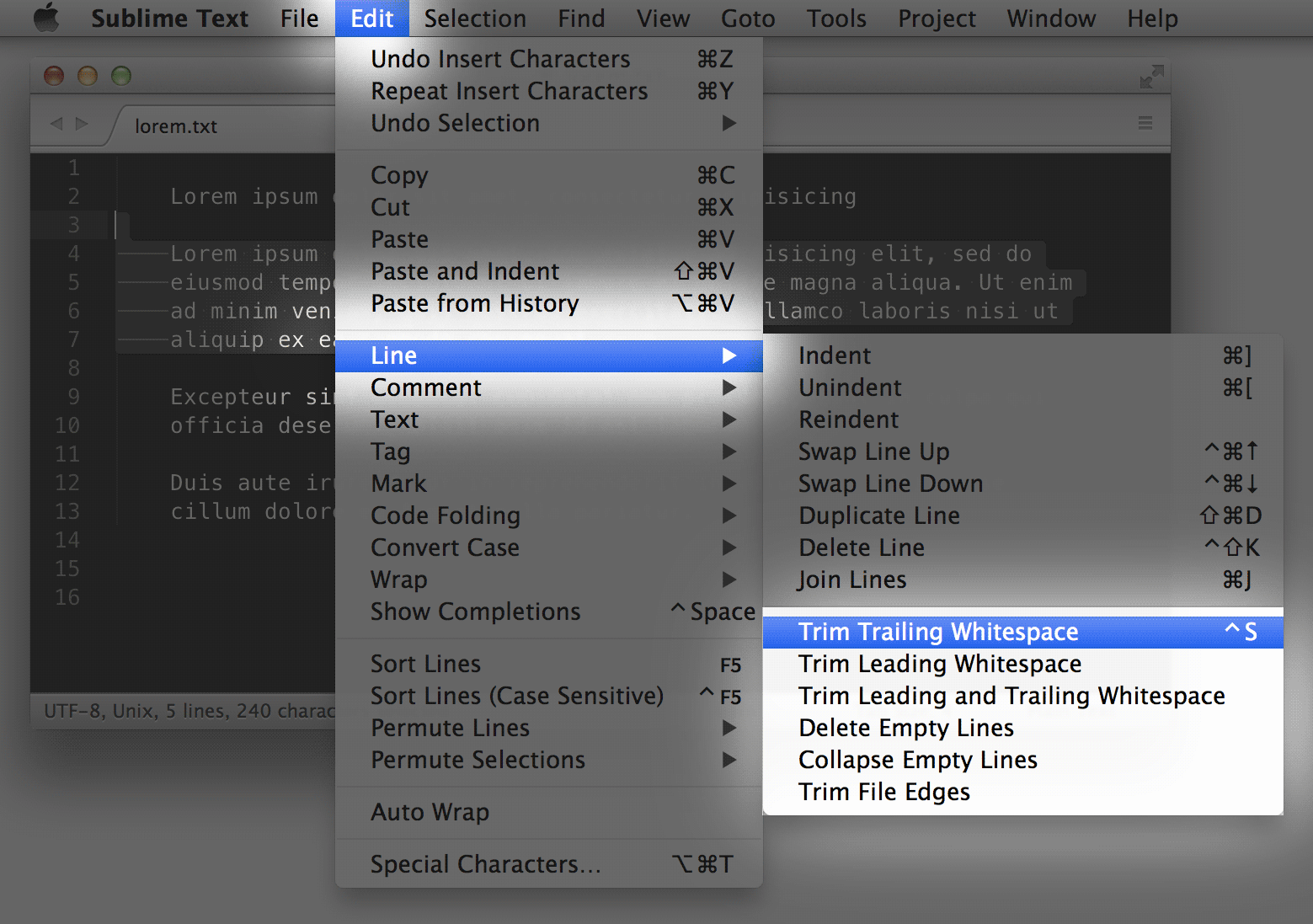
The default key binding will trim trailing whitespace at the end of each of line (entire file).
- OS X:
Ctrl + S - Linux:
Ctrl + Alt + S - Windows:
Ctrl + Alt + S
| Command | Description | Context |
|---|---|---|
trimmer | trim whitespace at the end of each line | entire file |
trim_leading_whitespace | trim whitespace at the start of each line | selection, or entire file |
trim_leading_trailing_whitespace | trim whitespace at the start and end of each line | selection, or entire file |
trim_selections | trim whitespace from selection(s) | selection |
delete_empty_lines | delete empty, whitespace only lines | selection, or entire file |
collapse_lines | collapse multiple consecutive empty lines into one empty line | selection, or entire file |
collapse_spaces | collapse multiple consecutive spaces into one space | selection, or entire file |
trim_edges | trim empty, whitespace only lines at the beginning and end of the file | entire file |
remove_blank_spaces | remove all blank space characters (tab, cr, ff, vt, space) | selection, or entire file |
normalize_spaces | consecutive spaces reduced, empty lines removed and lines trimmed | selection, or entire file |
replace_smart_characters | replace smart characters (smart quotes, em/en dash, ellipsis, nbsp) | selection, or entire file |
tokenize_string | convert a string to a token by collapsing consecutive spaces, and trimming leading and trailing spaces | selection, or entire file |
delete_empty_tags | delete empty, whitespace only html and xml tags | selection, or entire file |
remove_comments | remove code comments and collapse lines | selection, or entire file |
delete_adjacent_duplicate_lines | delete adjacent duplicate lines | selection, or entire file |
Trimmer is licensed under the MIT license.