Bottom Sheet component is designed to handle any content, including a scrolling one.
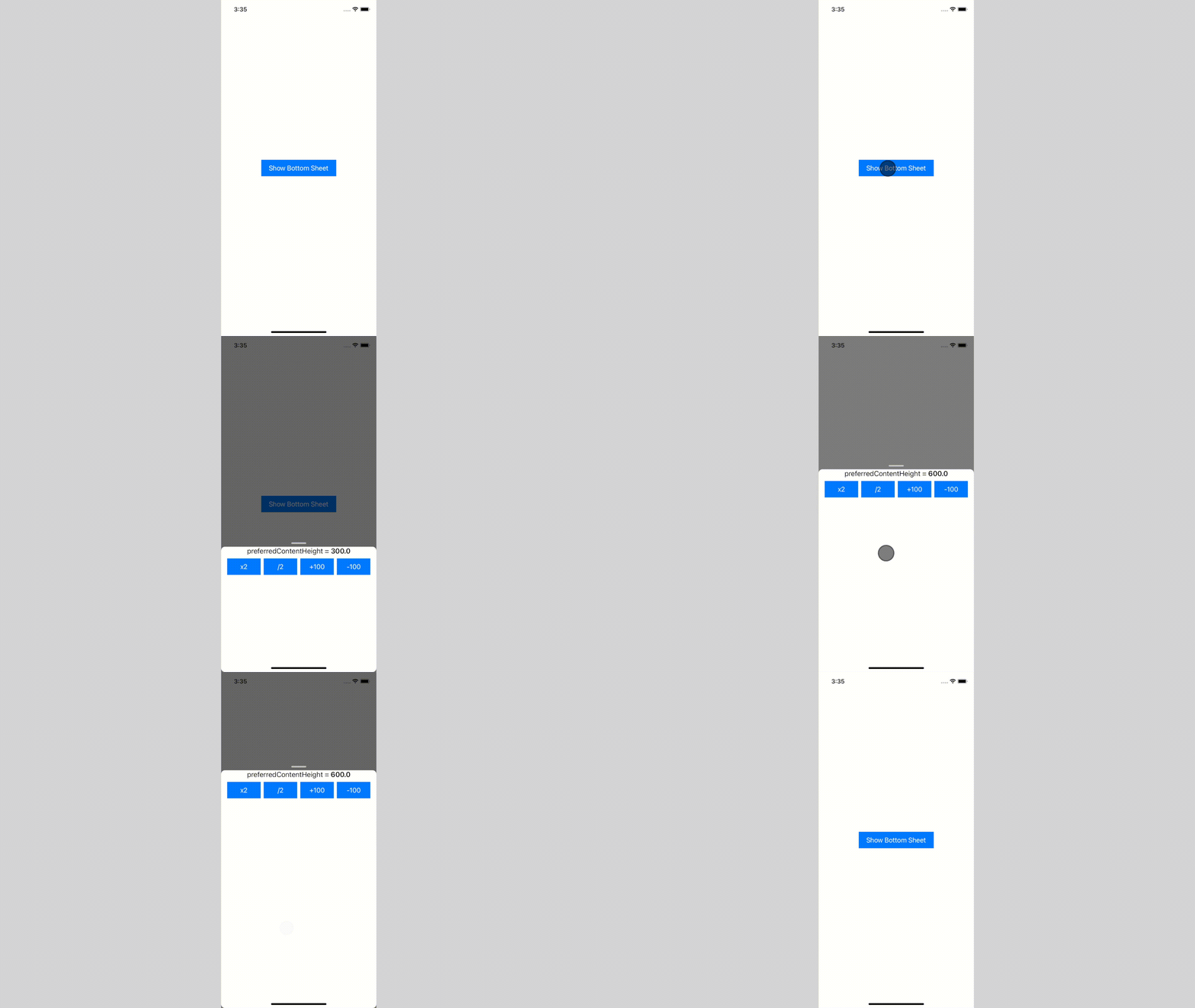
- ✅ use any content size, and it will adapt
- ✅ use scrollable content:
UICollectionView,UITableVieworUIScrollView - ✅ dismiss interactively by swipe-down or just tapping on an empty space
- ✅ build flows inside using
BottomSheetNavigationController- ✅ supports all system transitions: push and (interactive) pop
- ✅ transition animated between different content sizes
- ✅ Customize appearance:
- pull bar visibility
- corner radius
- shadow background color
| Adapts to content size | Interactive dismissal |
|---|---|
 |  |
| Push and pop transitions | Interactive pop transition |
|---|---|
 |  |
To integrate Bottom Sheet into your Xcode project using Swift Package Manager, add it to the dependencies value of your Package.swift:
dependencies:[.package(url:"https://github.com/joomcode/BottomSheet", from:"2.0.0")]CocoaPods is a dependency manager for Cocoa projects. You can install it with the following command:
$ bundle installTo integrate BottomSheet into your Xcode project using CocoaPods, specify it in your Podfile:
source'https://github.com/CocoaPods/Specs.git'use_frameworks!target'<Your Target Name>'dopod'BottomSheet',:git=>'https://github.com/joomcode/BottomSheet'endThis repo contains demo, which can be a great start for understanding Bottom Sheet usage, but here are simple steps to follow:
- Create
UIViewControllerto present and set content's size by preferredContentSize property - (optional) Conform to ScrollableBottomSheetPresentedController if your view controller is list-based
- Present by using presentBottomSheet(viewController:configuration:)
If you want to build flows, use BottomSheetNavigationController
presentBottomSheetInsideNavigationController(
viewController: viewControllerToPresent,
configuration:.default
)
You can customize appearance passing configuration parameter
presentBottomSheet(
viewController: viewControllerToPresent,
configuration:BottomSheetConfiguration(
cornerRadius:10,
pullBarConfiguration:.visible(.init(height:20)),
shadowConfiguration:.init(backgroundColor:UIColor.black.withAlphaComponent(0.6))),
canBeDismissed:{
// return `true` or `false` based on your business logic
true},
dismissCompletion:{
// handle bottom sheet dismissal completion
})Read the article on Medium for betting understanding of how it works under the hood