Latest commit
Folders and files
| Name | Name | Last commit date | ||
|---|---|---|---|---|
Repository files navigation
My vim REPO
====================
Installation
====================
git clone https://github.com/justrajdeep/dotvim.git ~/.vim
OR
git clone git@github.com:justrajdeep/dotvim.git ~/.vim
OR (FOR READ-ONLY ACCESS)
git clone git://github.com/justrajdeep/dotvim.git ~/.vim
====================
Symbolic Links
====================
ln -fs ~/.vim/vimrcNV ~/.vimrc
make sure you have cloned pathogen first
ln -fs ~/.vim/bundle/pathogen/autoload/pathogen.vim ~/.vim/autoload/pathogen.vim
ln -fs ~/.vim/bundle/plug/plug.vim ~/.vim/autoload/plug.vim
====================
Plugins Install
====================
git submodule add -b <branch> <path-to git repo> <local submodle-path>
git config -f .gitmodules submodule.<submodule-path>.update rebase
git add .gitmodules == this will add the submodule
This will create a file .gitmodules commit it by
git commit -m "Installing <plugin name> plugin"
git push
====================
Updating the submodule
====================
git submodule update --init
git submodule foreach --recursive git pull origin master
git submodule foreach --recursive git submodule update --init
git pull && git submodule init && git pull --recurse-submodules && git submodule update --recursive
git submodule update --recursive
git submodule foreach --recursive git reset --hard
or
cd into the submodule folder
git checkout master
git pull
====================
Cloning
====================
git pull
====================
Add the submodule
====================
git submodule init
====================
Get the submodule
====================
git submodule update
============================
git update empty submodules
============================
git submodule update --init --recursive
#if something in submodule
#git submodule update --init
----------------------------------------
GIT:
If you get certificate error add
git config --global http.sslVerify false
if you get login
git config --global push.default simple
to go with the login
git config --global push.default matching
Other git configuration
git config --global user.name "Rajdeep"
git config --global user.email rmondal@nvidia.com
git config --global color.ui auto
====================
Removing Submodule +
====================
Remove the submodule's entry in the .gitmodules file.
Remove the submodule's entry in the .git/config
Remove the path created for the submodule (dont include trailing slash)
git rm --cached <path>
rm -rf .git/modules/submodule_name
rm -rf <path to submodule>
///ALTERNATE
git submodule deinit <path>
git rm -r <path>
Installing Monaco Font
the font is also available in --> wget -q http://www.gringod.com/wp-upload/software/Fonts/Monaco_Linux.ttf
cp Monaco_Linux.ttf to ~/.fonts (if dir is not there create one)
$ cd ~/.fonts
$ mkfontscale
$ mkfontdir
$ ttmkfdir -o fonts.dir
$ fc-cache -f -v ~/.fonts
$ fc-cache -f -v
$ fc-match NonExistingFont
Install Powerline
pip -v install --user git+https://github.com/Lokaltog/powerline
pip install -e --user {path_to_powerline}
ln -s {path_to_powerline}/scripts/powerline ~/.local/bin
cd ~/.fonts && wget https://github.com/Lokaltog/powerline/raw/develop/font/PowerlineSymbols.otf && fc-cache -vf ~/.fonts
cd ~/.config/fontconfig/conf.d && wget https://github.com/Lokaltog/powerline/raw/develop/font/10-powerline-symbols.conf
install patched fonts from https://github.com/Lokaltog/powerline-fonts
copy fonts/10-powerline-symbols.conf to ~/.fonts.conf.d/ and ~/.config/fontconfig/conf.d/ (if dir is not present create one)
Check if it is installed correctly
$ fc-list | grep Monaco
---------------------------
Adding viva support
---------------------------
ln -fs /home/vim-nv/plugins/viva ~/.vim/bundle/viva
USING vim-plug
curl -fLo ~/.vim/autoload/plug.vim --create-dirs https://raw.githubusercontent.com/junegunn/vim-plug/master/plug.vim
USING NEOBUNDLE
git clone https://github.com/Shougo/neobundle.vim neobundle_bundle/neobundle
cd bundle
ln -fs /home/vim-nv nvidia
ln -fs /home/vim-nv/plugins/nvbug nvbug
Then install
===========
Help on Git
===========
Git initialization
git init
git add .
git commit -m "Initial commit"
git config --global user.name "Your Name Here"
git config --global user.email "your_email@example.com"
git remote add origin https://github.com/username/Hello-World.git
git push -u origin master
Debugging VIM
-V9myVimLog
================
GOOD vim sources
================
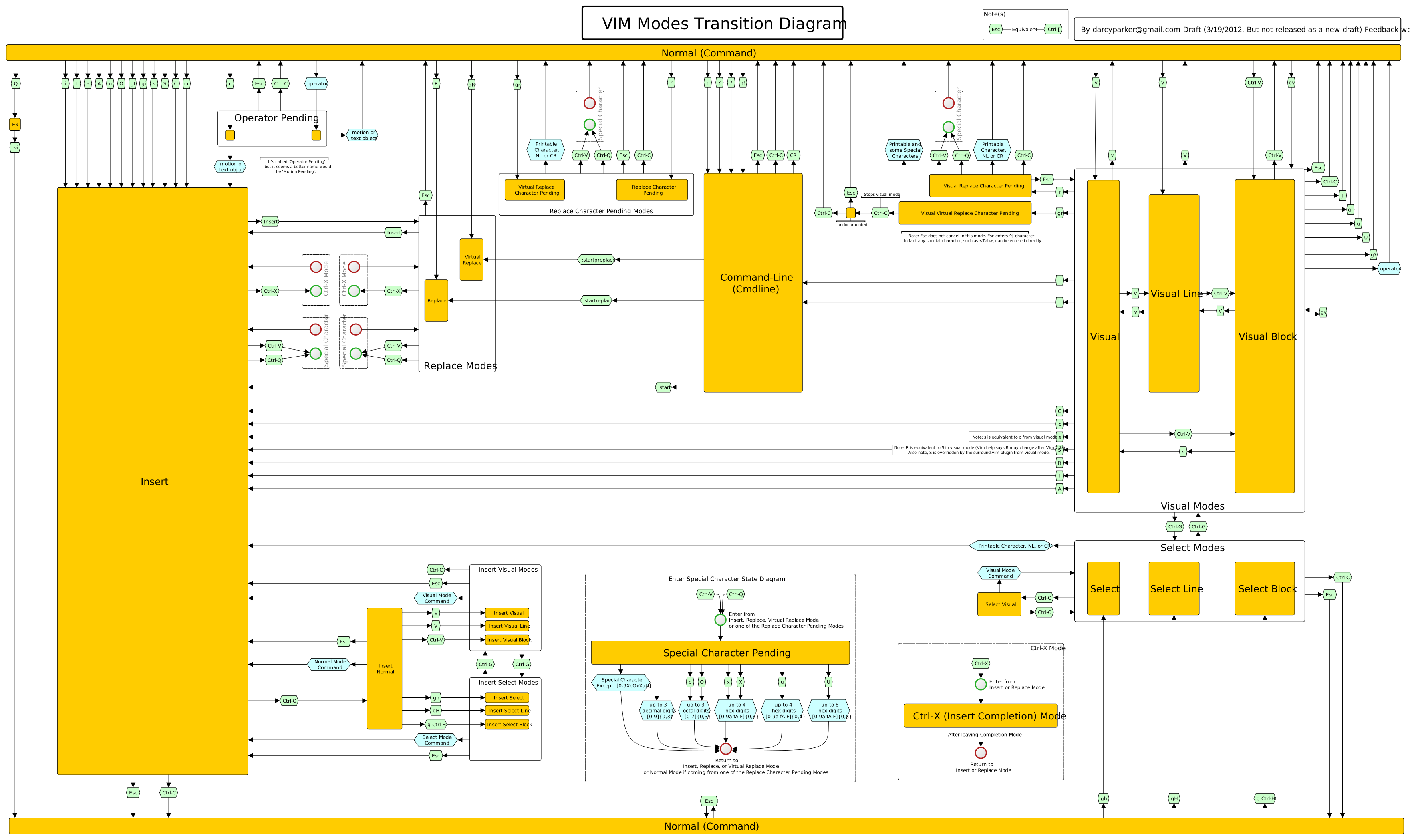
https://github.com/uhub/awesome-vimlhttps://github.com/svermeulen/VimDriverhttps://github.com/terryma/dotfileshttps://github.com/venkatapraveenr/dotvim2https://github.com/joedicastro/dotfileshttp://bling.github.io/blog/2013/06/02/unite-dot-vim-the-plugin-you-didnt-know-you-need/https://github.com/bling/dotvimhttp://dysfunctionalprogramming.co.uk/blog/2013/08/15/fight-with-tools/https://github.com/tpope/tpopehttps://github.com/robertmeta/vim-fileshttps://github.com/square/maximum-awesomehttps://github.com/SirVer/ultisnipshttps://vimcolorschemetest.googlecode.com/svn/html/index-c.htmlhttp://vimcolorschemetest.googlecode.com/svn/html/index-html.htmlhttps://github.com/thoughtstream/Damian-Conway-s-Vim-Setuphttps://github.com/aaronbieber/dotvimhttps://github.com/L0stSoul/vim-confighttps://github.com/justinmk/config/blob/master/http://sheerun.net/2014/03/21/how-to-boost-your-vim-productivity/https://github.com/mutewinter/dot_vimhttps://bitbucket.org/sjl/dotfiles/src/tip/vim/vimrchttps://github.com/carlhuda/janushttps://bitbucket.org/sjl/dotfiles/src/e6f6389e598f33a32e75069d7b3cfafb597a4d82/vim/vimrc#cl-2291https://github.com/xavierartot/code-useful/blob/master/dot/.vimrchttps://github.com/inkarkat/vimrchttp://vimconf.vim-jp.org/2014/reports/https://github.com/rdlugosz/dotfiles/blob/master/vimrchttps://rawgit.com/darcyparker/1886716/raw/eab57dfe784f016085251771d65a75a471ca22d4/vimModeStateDiagram.svghttp://www.vimbits.com/bitshttps://github.com/dbakker/vimfileshttp://got-ravings.blogspot.ie/2008/08/vim-pr0n-making-statuslines-that-own.htmlhttp://hjortland.org/files/cheatball.pdfhttps://vim.zeef.com/andrew.krawchykhttp://got-ravings.blogspot.in/2008/08/vim-pr0n-making-statuslines-that-own.htmlhttps://sunaku.github.io/switching-from-jedit-to-vim.htmlhttp://paulherron.com/blog/vim_cheatsheet/https://github.com/martin-svk/dot-fileshttps://www.reddit.com/r/vim/comments/4dlacf/vim_essentials_articles_videos_ressources/https://github.com/zolrath/dot_vimhttp://howivim.com/https://github.com/jeromedalbert/dotfiles/blob/master/.vim/init.vim
=======
Windows
=======
https://bintray.com/veegee/generic/vim_x64/view
ftp://ftp.vim.org/pub/vim/pc/
http://cream.sourceforge.net/https://tuxproject.de/projects/vim/
======
colors
======
http://vimcolors.com/http://cocopon.me/app/vim-color-gallery/
NVIDIA specific installs
=========================
cd ~/.vim/bundle
ln -fs /home/vim-nv nvidia
ln -fs /home/vim-nv/plugins/nvbug nvbug
mkdir -p ~/.vim/nvbug
touch ~/.vim/nvbug/bug_history
===================
INSTALL VIM LOCALLY
===================
use mercurial to clone the TOT
mkdir -p ~/vim_latest
hg clone https://code.google.com/p/vim/ ~/vim_latest
cd ~/vim_latest
cp ~/.vim/my_config .
\make clean
./my_config
\make
\make install
------------------------
update to latest version
------------------------
cd ~/vim_latest
hg pull
hg update
========================
installing youcompleteme
========================
if you get an error saying that PYTHON libs are missing or something like that
open install.sh search for "function install"
add the python_finder to the else cmake line also.
=================================
GIT how to list all tracked files
=================================
git ls-tree -r master --name-only
===========================
git how to make a submodule
===========================
Get a fresh copy of the repository to split.
$ git clone <git repository A url>
$ cd <git repository A directory>
The current folder will be the new repository so remove the current remote.
$ git remote rm origin
Extract history of the desired folder and commit it
$ git filter-branch --subdirectory-filter <directory 1> -- --all
Create your repository online and push your new repository!
$ git remote add origin <git repository B url>
$ git push -u origin master
Now we want to delete traces (files and commit history) of <git repository B> from <git repository A>.
$ git filter-branch --force --index-filter 'git rm --cached --ignore-unmatch <directory 1> -r' --prune-empty --tag-name-filter cat -- --all
===================================
git how to get a list of submodules
===================================
git config -f .gitmodules --list
==========
| neovim |
==========
\make distclean
env CC=/home/utils/gcc-4.8.2/bin/gcc CXX=/home/utils/gcc-4.8.2/bin/g++ \make CMAKE_EXTRA_FLAGS="-DCMAKE_INSTALL_PREFIX:PATH=$HOME"
\make install
# vim: set filetype=README syntax=git: