
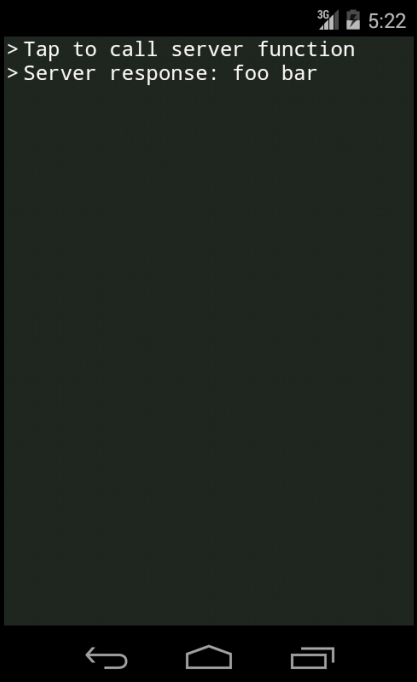
See repository for completed demo.
Download and install JXcore, then install cordova:
jx install -g cordova
Then create basic cordova application and name it "jxcore-tutorial-angular":
cordova create jxcore-tutorial-angular
Next step is to add jxcore plugin to project. Install download-cli:
jx install -g download-cli
Download jxcore-cordova binary into your Cordova/Phonegap project:
cd jxcore-tutorial-angular
download https://github.com/jxcore/jxcore-cordova-release/raw/master/0.0.4/io.jxcore.node.jx
Extract it:
jx io.jxcore.node.jx
Add plugin:
cordova plugins add io.jxcore.node/
All html/js/css files are stored in www folder. When app is started, www/index.html file is displayed (you can change this from config.xml). Let's empty www folder and create new index.html file with following content:
<html><head><title>Hello Angular</title></head><body><scripttype="text/javascript" src="cordova.js"></script><scripttype="text/javascript" src="jxcore.js"></script><scripttype="text/javascript"
src="https://ajax.googleapis.com/ajax/libs/angularjs/1.4.4/angular.min.js"></script><scripttype="text/javascript" src="js/index.js"></script></body></html>
There you have all the necessary files are in place. Let’s create js/index.js main file where the core of angular application resides:
// create main angular modulevarapp=angular.module('app',[]);//...// start angular after jxcore is ready(functioncheck(){if(typeofjxcore==='undefined'){setTimeout(check,5);}else{jxcore.isReady(function(){jxcore('app.js').loadMainFile(function(ret,err){if(err){alert(err);}else{angular.bootstrap(document,[app.name]);}});});}})();On the first line, we create angular module named "app" with empty dependency list. Then we are loading app.js file, which is JXcore main file located in www/jxcore folder. After that we are ready to start angular manually with angular.bootstrap method. Now let's add logic to the application, creating factory and controller:
Factory called "jxcoreSrvc" that is used to call server side functions:
app.factory('jxcoreSrvc',['$q',function(q){return{callAsyncFunction: function(name,data){vardefered=q.defer();jxcore(name).call(data,function(result,err){if(err){defered.reject(err);}else{defered.resolve(result);}});returndefered.promise;}};}]);Controller where server function is called on button click with jxcoreSrvc service created before, passing "foo" as a parameter:
app.controller('indexCtrl',['$scope','jxcoreSrvc',function(scope,jxcoreSrvc){scope.callServerFunction=function(){jxcoreSrvc.callAsyncFunction('serverFunction','foo').then(function(result){scope.result=result;},function(err){alert(err);});};}]);Add angular template html to index.html body:
<divng-controller="indexCtrl"><buttontype="button" ng-click="callServerFunction()"> Call server function </button><divng-if="result">
Response: {{result}}
</div></div>
Now let's add jxcore file jxcore/app.js:
Mobile('serverFunction').registerAsync(function(message,callback){setTimeout(function(){callback(message+' bar');},500);});Add platforms:
cordova platforms add android
cordova platforms add ios
Run:
cordova run android
or
cordova run ios