customizable multi-action-button component for react-native
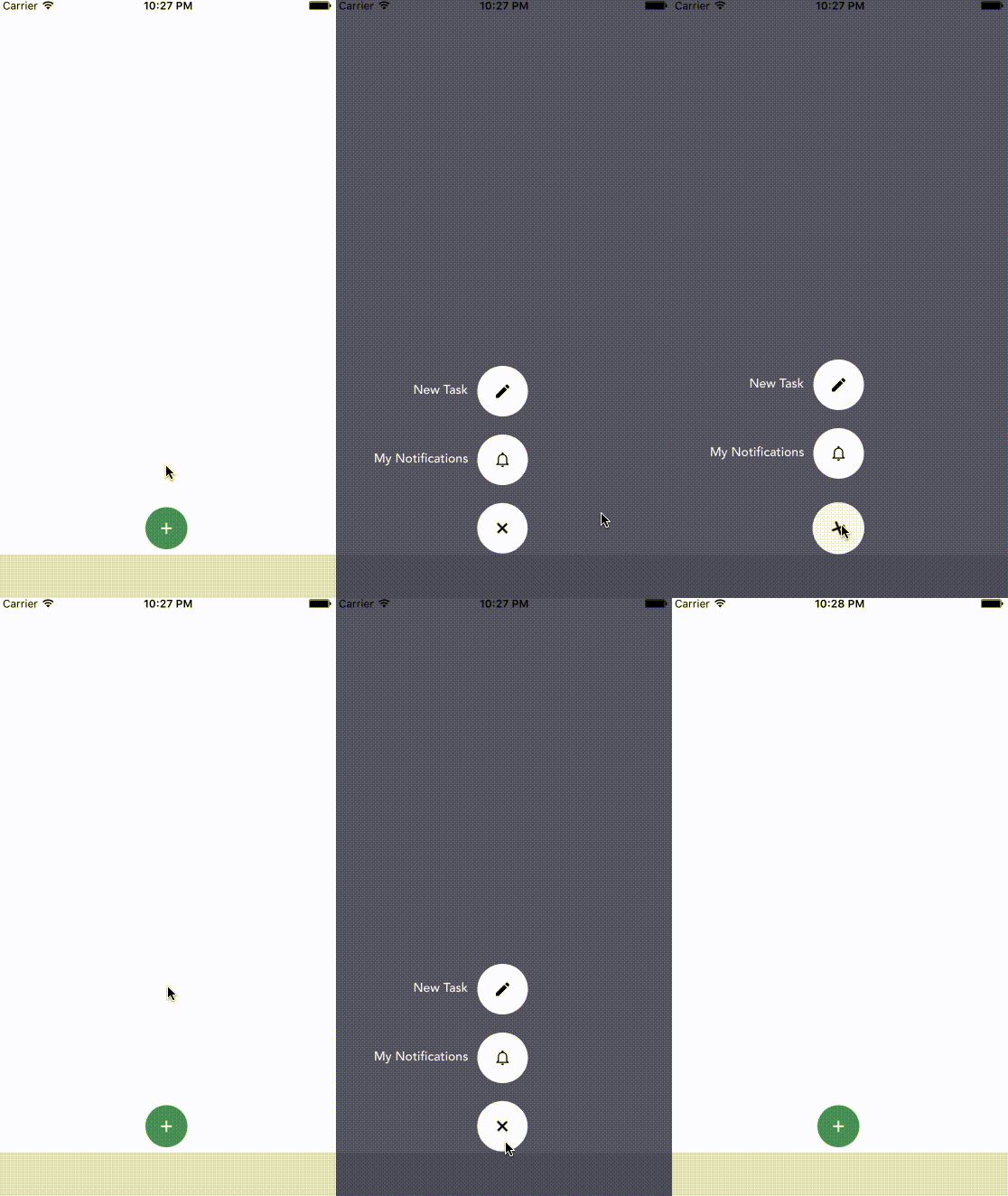
npm i react-native-action-button --saveFirst, require it from your app's JavaScript files with:
var ActionButton = require('react-native-action-button');ActionButton component is the main component which wraps everything and provides a couple of props (see Config below).
ActionButton.Item specifies an Action Button. You have to include at least 1 ActionButton.Item.
varReact=require('react-native');var{ Component, Stylesheet, View,}=React;varActionButton=require('react-native-action-button'),Icon=require('react-native-vector-icons/Ionicons');classAppextendsComponent{constructor(props){super(props);}render(){return(<Viewstyle={{flex:1}}><ActionButtonbgColor="rgba(23, 9, 107, 0.75)"buttonColor="rgba(63,159,107,1)"><ActionButton.Itemtitle="New Task"onPress={()=>console.log("new task tapped!")}><Iconname="android-create"style={styles.actionButtonIcon}/></ActionButton.Item><ActionButton.Itemtitle="My Notifications"onPress={()=>{}}><Iconname="android-notifications-none"style={styles.actionButtonIcon}/></ActionButton.Item></ActionButton></View>);}}varstyles=StyleSheet.create({actionButtonIcon: {fontSize: 20,height: 22,color: 'black',},});This will create a floating Button in the bottom right corner with 2 action buttons.
Also this example uses react-native-vector-icons for the button Icons.
| Property | Type | Default | Description |
|---|---|---|---|
| active | boolean | false | action buttons visible or not |
| type | string | "float" | either float (bigger btns) or tab (smaller btns) + position changes |
| position | string | "right" / "center" | one of: leftcenter and right |
| bgColor | string | "transparent" | background color when ActionButtons are visible |
| buttonColor | string | "rgba(0,0,0,1)" | background color of the +Button (must be rgba value!) |
| spacing | number | 20 | spacing between the ActionButton.Items |
| offsetX | number | 10 / 30 | offset to the sides of the screen |
| offsetY | number | 4 / 30 | offset to the bottom of the screen |
| Property | Type | Default | Description |
|---|---|---|---|
| title | string | undefined | the title shown next to the button |
| onPress | func | null | required function, triggers when a button is tapped |
| buttonColor | string | "white" | background color of the Button |