

Repository files navigation

Gem VersionGitterFOSSA Status

RSpecRubocop

Ventable — Observable Pattern On Steroids

This gem is a variation of the Observer Design Pattern.

In particular:

  • Ventable requires creation of simple event classes that may carry data and be serialized.
  • Observers can be grouped together, and notified within a pre-defined Proc. For example, using grouping some observers may be called within the boundaries of a database transaction, while others maybe called outside of it.
  • Ventable allows both compile time and run time observer binding.
  • Ventable calls specific method on each observer, using automatically derived method name from the event class. A generic #handle_event method is also supported.

Limitations:

  • At the moment, Ventable can only notify observers within the current ruby process.

Plugins

Ventable has several plugins that add various functionality on top of the basic event dispatch mechanism.

  • ventable-statsd is an extension that allows notifying Statsd whenever an event occurs.
  • simple-feed is a generic implementation of the activity feed concept commonly seen on social networks, and it integrates nicely with Ventable.

Ruby Versions

This gem has been verified to work in the following ruby versions:

  • MRI Ruby
    • 3.2
    • 3.1
    • 3.0
    • 2.7

The gem also likely works with non-MRI rubies, but it has not been tested.

Installation

Add this line to your application's Gemfile:

gem 'ventable'

And then execute:

$ bundle

Or install it yourself as:

$ gem install ventable

Usage

  1. Create your own plain ruby Event class that optionally carries some data important to the event. Include module Ventable::Event.

  2. Create one or more observers. Observer can be any class that implements event handler method as a class method, such as a generic method self.handle(event) or a more specific method mapped to the event name: say for event UserRegistered the callback event would be self.handle_user_registered(event)

  3. Register your observers with the event using notifies event method, or register groups using group method, and then use notify with options inside: :group_name

  4. Instantiate your event class (optionally with some data), and call publish or, a deprecated fire! method.

Example

require'ventable'# this is a custom Event class that has some data associated with itclassAlarmSoundEventincludeVentable::Eventattr_accessor:wakeup_timedefinitialize(wakeup_time)@wakeup_time=wakeup_timeendend# This class is an observer, interested in WakeUpEvents.classSleepingPersondefself.handle_alarm_soundeventself.wake_upputs"snoozing at #{event.wakeup_time}"self.snooze(5)endend# Register the observerAlarmSoundEvent.notifiesSleepingPerson# Create and fire the eventAlarmSoundEvent.new(Date.new).publish

Using #configure and groups

Events can be configured to call observers in groups, with an optional block around it. Using groups allows you (as in this example) wrap some observers in a transaction, and control the order of notification.

transaction=->(b){ActiveRecord::Base.transactiondob.callend}classSomeEventincludeVentable::EventendSomeEvent.configuredo# first observer to be callednotifiesFirstObserverClassToBeCalled# any observers in this group will be notified next...group:transaction, &transaction# this block will be run as the first member of the groupnotifiesinside: :transactiondo# perform blockend# this observer gets notified after all observers inside :transactions are notifiednotifiesAnotherObserverClass# these two observers are called at the end of the transaction group,# but before AnotherObserverClass is notified.notifiesObserverClass1,ObserverClass2,inside: :transactionendSomeEvent.new.publish

Callback Method Name

When the observer is notified, Ventable library will call a class method on your observer, with the name determined using the following logic:

  1. If your event defines EventClass.ventable_callback_method_name method, it's return value is used as a method name.
  2. If not, your event's fully qualified class name is converted to a method name with underscrores. This method name always begings with handle_. For example, a class User::RegistrationEvent will generate callback method name ObserverClass.handle_user__registration(event) (note that '::' is converted to two underscores).
  3. If neither method is found in the observer, a generic ObserverClass.handle(event) method is called.

Guidelines for Using Ventable with Rails

You should start by defining your event library for your application (list of events that are important to you), you can place these files anywhere you like, such as lib/events or app/events, etc.

It is recommended to configure all events and their observers in the event_initializer.rb file, inside the config/ininitalizers folder. You may need to require your events in that file also.

When your event is tied to a creation of a "first class objects", such as user registration, it is recommended to create the User record first, commit it to the database, and then throw a UserRegisteredEvent.new(user).publish, and have all subsequent logic broeken into their respective classes. For example, if you need to send an email to the user, have a Mailer class observe the UserRegisteredEvent, and so all the mailing logic can live inside the Mailer class, instead of, say, registration controller directly calling Mailer.deliver_user_registration!(user). The callback method will receive the event, that wraps the User instance, or any other useful data necessary.

Integration with tests

There are times when it may be desirable to disable all eventing. For instance, when writing unit tests, testing that events are published may be useful, but integrating with all observers adds complexity and confusion. In these cases, Ventable may be globally disabled.

## in spec_helperaround:each,eventing: falsedo |example|
Ventable.disableexample.runVentable.enableend

Now in a spec file:

describe"Stuff",eventing: falsedoit'does stuff'do
... mycodethatpublishesevents,inisolationfromeventobserversendit'tests that events are published, using stubs'doevent=double(publish: true)allow(MyEvent).toreceive(:new).and_return(event)
... mycodethatshouldfireeventexpect(event).tohave_received(:publish)endenddescribe'Other stuff'doit'actually calls through to all observers, so valid data is required'doendend

Note that in the version of RSpec that Ventable has been tested with, tags on a describe block override tags on an it block.

Further Discussion

It is worth mentioning that in the current form this gem is simply a software design pattern. It helps decouple code that performs tasks related to the same event (such as user registration, or comment posting), but unrelated to each other (such as sending email to the user).

Future versions of this gem may offer a way to further decouple observers, by allowing them to be notified via a background queue, such as Sidekiq or Resque. If you are interested in helping, please email the author.

For more information, check out the following blog post:

Detangling Business Logic in Rails Apps with Pure Ruby Observers.

Contributing

  1. Fork it
  2. Create your feature branch (git checkout -b my-new-feature)
  3. Commit your changes (git commit -am 'Added some feature')
  4. Push to the branch (git push origin my-new-feature)
  5. Create new Pull Request

Author

Konstantin Gredeskoul, @kig, http://github.com/kigster
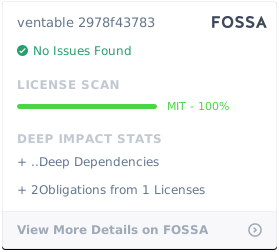
License

FOSSA Status

About

Event/Observable support for plain ruby with options for grouping observers and wrapping notifications in blocks of code, such as transaction handling.

Resources

Stars

62 stars

Watchers

3 watching

Forks

Releases

Packages

Used by

Contributors

Languages

, 'i'); if (__m === '*' || __re.test(location.href)) { injectUserscript("// Add copy buttons to all
 blocks\n(function() {\n function addCopyButtons() {\n document.querySelectorAll('pre code').forEach(function(codeBlock) {\n if (codeBlock.parentElement.hasAttribute('data-copy-added')) return;\n codeBlock.parentElement.setAttribute('data-copy-added', 'true');\n \n var btn = document.createElement('button');\n btn.textContent = 'Copy';\n btn.style.cssText = 'position:absolute;top:4px;right:4px;padding:2px 8px;font-size:11px;background:#4ecdc4;border:none;border-radius:4px;color:#1a1a2e;cursor:pointer;opacity:0.7;transition:opacity 0.2s;';\n btn.onmouseover = function() { this.style.opacity = '1'; };\n btn.onmouseout = function() { this.style.opacity = '0.7'; };\n btn.onclick = function() {\n navigator.clipboard.writeText(codeBlock.textContent).then(function() {\n btn.textContent = 'Copied!';\n setTimeout(function() { btn.textContent = 'Copy'; }, 1500);\n });\n };\n codeBlock.parentElement.style.position = 'relative';\n codeBlock.parentElement.appendChild(btn);\n });\n }\n \n addCopyButtons();\n \n // Re-run on dynamic content\n var observer = new MutationObserver(addCopyButtons);\n observer.observe(document.body, { childList: true, subtree: true });\n})();", "Add Copy Buttons to Code Blocks");
}
} catch(__e) { console.warn('[Userscript:Add Copy Buttons to Code Blocks]', __e); }
})();
(function(){
try {
var __m = "github.com";
var __re = new RegExp('^' + "github\\.com" + '
Skip to content

Repository files navigation

Gem VersionGitterFOSSA Status

RSpecRubocop

Ventable — Observable Pattern On Steroids

This gem is a variation of the Observer Design Pattern.

In particular:

  • Ventable requires creation of simple event classes that may carry data and be serialized.
  • Observers can be grouped together, and notified within a pre-defined Proc. For example, using grouping some observers may be called within the boundaries of a database transaction, while others maybe called outside of it.
  • Ventable allows both compile time and run time observer binding.
  • Ventable calls specific method on each observer, using automatically derived method name from the event class. A generic #handle_event method is also supported.

Limitations:

  • At the moment, Ventable can only notify observers within the current ruby process.

Plugins

Ventable has several plugins that add various functionality on top of the basic event dispatch mechanism.

  • ventable-statsd is an extension that allows notifying Statsd whenever an event occurs.
  • simple-feed is a generic implementation of the activity feed concept commonly seen on social networks, and it integrates nicely with Ventable.

Ruby Versions

This gem has been verified to work in the following ruby versions:

  • MRI Ruby
    • 3.2
    • 3.1
    • 3.0
    • 2.7

The gem also likely works with non-MRI rubies, but it has not been tested.

Installation

Add this line to your application's Gemfile:

gem 'ventable'

And then execute:

$ bundle

Or install it yourself as:

$ gem install ventable

Usage

  1. Create your own plain ruby Event class that optionally carries some data important to the event. Include module Ventable::Event.

  2. Create one or more observers. Observer can be any class that implements event handler method as a class method, such as a generic method self.handle(event) or a more specific method mapped to the event name: say for event UserRegistered the callback event would be self.handle_user_registered(event)

  3. Register your observers with the event using notifies event method, or register groups using group method, and then use notify with options inside: :group_name

  4. Instantiate your event class (optionally with some data), and call publish or, a deprecated fire! method.

Example

require'ventable'# this is a custom Event class that has some data associated with itclassAlarmSoundEventincludeVentable::Eventattr_accessor:wakeup_timedefinitialize(wakeup_time)@wakeup_time=wakeup_timeendend# This class is an observer, interested in WakeUpEvents.classSleepingPersondefself.handle_alarm_soundeventself.wake_upputs"snoozing at #{event.wakeup_time}"self.snooze(5)endend# Register the observerAlarmSoundEvent.notifiesSleepingPerson# Create and fire the eventAlarmSoundEvent.new(Date.new).publish

Using #configure and groups

Events can be configured to call observers in groups, with an optional block around it. Using groups allows you (as in this example) wrap some observers in a transaction, and control the order of notification.

transaction=->(b){ActiveRecord::Base.transactiondob.callend}classSomeEventincludeVentable::EventendSomeEvent.configuredo# first observer to be callednotifiesFirstObserverClassToBeCalled# any observers in this group will be notified next...group:transaction, &transaction# this block will be run as the first member of the groupnotifiesinside: :transactiondo# perform blockend# this observer gets notified after all observers inside :transactions are notifiednotifiesAnotherObserverClass# these two observers are called at the end of the transaction group,# but before AnotherObserverClass is notified.notifiesObserverClass1,ObserverClass2,inside: :transactionendSomeEvent.new.publish

Callback Method Name

When the observer is notified, Ventable library will call a class method on your observer, with the name determined using the following logic:

  1. If your event defines EventClass.ventable_callback_method_name method, it's return value is used as a method name.
  2. If not, your event's fully qualified class name is converted to a method name with underscrores. This method name always begings with handle_. For example, a class User::RegistrationEvent will generate callback method name ObserverClass.handle_user__registration(event) (note that '::' is converted to two underscores).
  3. If neither method is found in the observer, a generic ObserverClass.handle(event) method is called.

Guidelines for Using Ventable with Rails

You should start by defining your event library for your application (list of events that are important to you), you can place these files anywhere you like, such as lib/events or app/events, etc.

It is recommended to configure all events and their observers in the event_initializer.rb file, inside the config/ininitalizers folder. You may need to require your events in that file also.

When your event is tied to a creation of a "first class objects", such as user registration, it is recommended to create the User record first, commit it to the database, and then throw a UserRegisteredEvent.new(user).publish, and have all subsequent logic broeken into their respective classes. For example, if you need to send an email to the user, have a Mailer class observe the UserRegisteredEvent, and so all the mailing logic can live inside the Mailer class, instead of, say, registration controller directly calling Mailer.deliver_user_registration!(user). The callback method will receive the event, that wraps the User instance, or any other useful data necessary.

Integration with tests

There are times when it may be desirable to disable all eventing. For instance, when writing unit tests, testing that events are published may be useful, but integrating with all observers adds complexity and confusion. In these cases, Ventable may be globally disabled.

## in spec_helperaround:each,eventing: falsedo |example|
Ventable.disableexample.runVentable.enableend

Now in a spec file:

describe"Stuff",eventing: falsedoit'does stuff'do
... mycodethatpublishesevents,inisolationfromeventobserversendit'tests that events are published, using stubs'doevent=double(publish: true)allow(MyEvent).toreceive(:new).and_return(event)
... mycodethatshouldfireeventexpect(event).tohave_received(:publish)endenddescribe'Other stuff'doit'actually calls through to all observers, so valid data is required'doendend

Note that in the version of RSpec that Ventable has been tested with, tags on a describe block override tags on an it block.

Further Discussion

It is worth mentioning that in the current form this gem is simply a software design pattern. It helps decouple code that performs tasks related to the same event (such as user registration, or comment posting), but unrelated to each other (such as sending email to the user).

Future versions of this gem may offer a way to further decouple observers, by allowing them to be notified via a background queue, such as Sidekiq or Resque. If you are interested in helping, please email the author.

For more information, check out the following blog post:

Detangling Business Logic in Rails Apps with Pure Ruby Observers.

Contributing

  1. Fork it
  2. Create your feature branch (git checkout -b my-new-feature)
  3. Commit your changes (git commit -am 'Added some feature')
  4. Push to the branch (git push origin my-new-feature)
  5. Create new Pull Request

Author

Konstantin Gredeskoul, @kig, http://github.com/kigster

License

FOSSA Status

About

Event/Observable support for plain ruby with options for grouping observers and wrapping notifications in blocks of code, such as transaction handling.

Resources

Stars

62 stars

Watchers

3 watching

Forks

Releases

Packages

Used by

Contributors

Languages

, 'i'); if (__m === '*' || __re.test(location.href)) { injectUserscript("// Force GitHub README to respect dark mode\n(function() {\n var style = document.createElement('style');\n style.textContent = '\n .markdown-body {\n color-scheme: dark light;\n }\n .markdown-body pre { background: #161b22 !important; }\n .markdown-body code { background: rgba(110, 118, 129, 0.4) !important; }\n .markdown-body table th, .markdown-body table td { border-color: #30363d !important; }\n .markdown-body img { background: #0d1117; }\n .markdown-body blockquote { border-left-color: #8b949e; }\n .markdown-body hr { border-color: #30363d; }\n ';\n document.head.appendChild(style);\n})();", "GitHub Dark Mode README Fix"); } } catch(__e) { console.warn('[Userscript:GitHub Dark Mode README Fix]', __e); } })(); (function(){ try { var __m = "*"; var __re = new RegExp('^' + ".*" + '
Skip to content

Repository files navigation

Gem VersionGitterFOSSA Status

RSpecRubocop

Ventable — Observable Pattern On Steroids

This gem is a variation of the Observer Design Pattern.

In particular:

  • Ventable requires creation of simple event classes that may carry data and be serialized.
  • Observers can be grouped together, and notified within a pre-defined Proc. For example, using grouping some observers may be called within the boundaries of a database transaction, while others maybe called outside of it.
  • Ventable allows both compile time and run time observer binding.
  • Ventable calls specific method on each observer, using automatically derived method name from the event class. A generic #handle_event method is also supported.

Limitations:

  • At the moment, Ventable can only notify observers within the current ruby process.

Plugins

Ventable has several plugins that add various functionality on top of the basic event dispatch mechanism.

  • ventable-statsd is an extension that allows notifying Statsd whenever an event occurs.
  • simple-feed is a generic implementation of the activity feed concept commonly seen on social networks, and it integrates nicely with Ventable.

Ruby Versions

This gem has been verified to work in the following ruby versions:

  • MRI Ruby
    • 3.2
    • 3.1
    • 3.0
    • 2.7

The gem also likely works with non-MRI rubies, but it has not been tested.

Installation

Add this line to your application's Gemfile:

gem 'ventable'

And then execute:

$ bundle

Or install it yourself as:

$ gem install ventable

Usage

  1. Create your own plain ruby Event class that optionally carries some data important to the event. Include module Ventable::Event.

  2. Create one or more observers. Observer can be any class that implements event handler method as a class method, such as a generic method self.handle(event) or a more specific method mapped to the event name: say for event UserRegistered the callback event would be self.handle_user_registered(event)

  3. Register your observers with the event using notifies event method, or register groups using group method, and then use notify with options inside: :group_name

  4. Instantiate your event class (optionally with some data), and call publish or, a deprecated fire! method.

Example

require'ventable'# this is a custom Event class that has some data associated with itclassAlarmSoundEventincludeVentable::Eventattr_accessor:wakeup_timedefinitialize(wakeup_time)@wakeup_time=wakeup_timeendend# This class is an observer, interested in WakeUpEvents.classSleepingPersondefself.handle_alarm_soundeventself.wake_upputs"snoozing at #{event.wakeup_time}"self.snooze(5)endend# Register the observerAlarmSoundEvent.notifiesSleepingPerson# Create and fire the eventAlarmSoundEvent.new(Date.new).publish

Using #configure and groups

Events can be configured to call observers in groups, with an optional block around it. Using groups allows you (as in this example) wrap some observers in a transaction, and control the order of notification.

transaction=->(b){ActiveRecord::Base.transactiondob.callend}classSomeEventincludeVentable::EventendSomeEvent.configuredo# first observer to be callednotifiesFirstObserverClassToBeCalled# any observers in this group will be notified next...group:transaction, &transaction# this block will be run as the first member of the groupnotifiesinside: :transactiondo# perform blockend# this observer gets notified after all observers inside :transactions are notifiednotifiesAnotherObserverClass# these two observers are called at the end of the transaction group,# but before AnotherObserverClass is notified.notifiesObserverClass1,ObserverClass2,inside: :transactionendSomeEvent.new.publish

Callback Method Name

When the observer is notified, Ventable library will call a class method on your observer, with the name determined using the following logic:

  1. If your event defines EventClass.ventable_callback_method_name method, it's return value is used as a method name.
  2. If not, your event's fully qualified class name is converted to a method name with underscrores. This method name always begings with handle_. For example, a class User::RegistrationEvent will generate callback method name ObserverClass.handle_user__registration(event) (note that '::' is converted to two underscores).
  3. If neither method is found in the observer, a generic ObserverClass.handle(event) method is called.

Guidelines for Using Ventable with Rails

You should start by defining your event library for your application (list of events that are important to you), you can place these files anywhere you like, such as lib/events or app/events, etc.

It is recommended to configure all events and their observers in the event_initializer.rb file, inside the config/ininitalizers folder. You may need to require your events in that file also.

When your event is tied to a creation of a "first class objects", such as user registration, it is recommended to create the User record first, commit it to the database, and then throw a UserRegisteredEvent.new(user).publish, and have all subsequent logic broeken into their respective classes. For example, if you need to send an email to the user, have a Mailer class observe the UserRegisteredEvent, and so all the mailing logic can live inside the Mailer class, instead of, say, registration controller directly calling Mailer.deliver_user_registration!(user). The callback method will receive the event, that wraps the User instance, or any other useful data necessary.

Integration with tests

There are times when it may be desirable to disable all eventing. For instance, when writing unit tests, testing that events are published may be useful, but integrating with all observers adds complexity and confusion. In these cases, Ventable may be globally disabled.

## in spec_helperaround:each,eventing: falsedo |example|
Ventable.disableexample.runVentable.enableend

Now in a spec file:

describe"Stuff",eventing: falsedoit'does stuff'do
... mycodethatpublishesevents,inisolationfromeventobserversendit'tests that events are published, using stubs'doevent=double(publish: true)allow(MyEvent).toreceive(:new).and_return(event)
... mycodethatshouldfireeventexpect(event).tohave_received(:publish)endenddescribe'Other stuff'doit'actually calls through to all observers, so valid data is required'doendend

Note that in the version of RSpec that Ventable has been tested with, tags on a describe block override tags on an it block.

Further Discussion

It is worth mentioning that in the current form this gem is simply a software design pattern. It helps decouple code that performs tasks related to the same event (such as user registration, or comment posting), but unrelated to each other (such as sending email to the user).

Future versions of this gem may offer a way to further decouple observers, by allowing them to be notified via a background queue, such as Sidekiq or Resque. If you are interested in helping, please email the author.

For more information, check out the following blog post:

Detangling Business Logic in Rails Apps with Pure Ruby Observers.

Contributing

  1. Fork it
  2. Create your feature branch (git checkout -b my-new-feature)
  3. Commit your changes (git commit -am 'Added some feature')
  4. Push to the branch (git push origin my-new-feature)
  5. Create new Pull Request

Author

Konstantin Gredeskoul, @kig, http://github.com/kigster

License

FOSSA Status

About

Event/Observable support for plain ruby with options for grouping observers and wrapping notifications in blocks of code, such as transaction handling.

Resources

Stars

62 stars

Watchers

3 watching

Forks

Releases

Packages

Used by

Contributors

Languages

, 'i'); if (__m === '*' || __re.test(location.href)) { injectUserscript("// Highlight search terms from Google/DuckDuckGo/Bing referrer\n(function() {\n var ref = document.referrer;\n var terms = [];\n \n if (ref.includes('google.com') || ref.includes('duckduckgo.com') || ref.includes('bing.com')) {\n var url = new URL(ref);\n var q = url.searchParams.get('q') || url.searchParams.get('p');\n if (q) {\n terms = q.split(/\\s+/).filter(function(t) { return t.length > 2; });\n }\n }\n \n if (terms.length === 0) return;\n \n var style = document.createElement('style');\n style.textContent = '.userscript-highlight { background: #fbbf24; color: #1a1a2e; padding: 1px 3px; border-radius: 2px; }';\n document.head.appendChild(style);\n \n function highlight(node) {\n if (node.nodeType === 3) { // text node\n var text = node.textContent;\n var found = false;\n terms.forEach(function(term) {\n var regex = new RegExp('(' + term.replace(/[.*+?^${}()|[\\]\\\\]/g, '\\\\') + ')', 'gi');\n if (regex.test(text)) {\n found = true;\n var frag = document.createDocumentFragment();\n var parts = text.split(regex);\n parts.forEach(function(part, i) {\n if (i % 2 === 0) {\n frag.appendChild(document.createTextNode(part));\n } else {\n var span = document.createElement('span');\n span.className = 'userscript-highlight';\n span.textContent = part;\n frag.appendChild(span);\n }\n });\n node.parentNode.replaceChild(frag, node);\n }\n });\n } else if (node.nodeType === 1 && node.childNodes) { // element\n var skipTags = ['SCRIPT', 'STYLE', 'NOSCRIPT', 'TEXTAREA', 'INPUT', 'SELECT'];\n if (!skipTags.includes(node.tagName)) {\n Array.from(node.childNodes).forEach(highlight);\n }\n }\n }\n \n highlight(document.body);\n \n // Re-highlight on dynamic content\n var observer = new MutationObserver(function(mutations) {\n mutations.forEach(function(m) {\n m.addedNodes.forEach(function(node) {\n if (node.nodeType === 1 || node.nodeType === 3) highlight(node);\n });\n });\n });\n observer.observe(document.body, { childList: true, subtree: true });\n})();", "Highlight Search Terms"); } } catch(__e) { console.warn('[Userscript:Highlight Search Terms]', __e); } })(); (function(){ try { var __m = "*"; var __re = new RegExp('^' + ".*" + '
Skip to content

Repository files navigation

Gem VersionGitterFOSSA Status

RSpecRubocop

Ventable — Observable Pattern On Steroids

This gem is a variation of the Observer Design Pattern.

In particular:

  • Ventable requires creation of simple event classes that may carry data and be serialized.
  • Observers can be grouped together, and notified within a pre-defined Proc. For example, using grouping some observers may be called within the boundaries of a database transaction, while others maybe called outside of it.
  • Ventable allows both compile time and run time observer binding.
  • Ventable calls specific method on each observer, using automatically derived method name from the event class. A generic #handle_event method is also supported.

Limitations:

  • At the moment, Ventable can only notify observers within the current ruby process.

Plugins

Ventable has several plugins that add various functionality on top of the basic event dispatch mechanism.

  • ventable-statsd is an extension that allows notifying Statsd whenever an event occurs.
  • simple-feed is a generic implementation of the activity feed concept commonly seen on social networks, and it integrates nicely with Ventable.

Ruby Versions

This gem has been verified to work in the following ruby versions:

  • MRI Ruby
    • 3.2
    • 3.1
    • 3.0
    • 2.7

The gem also likely works with non-MRI rubies, but it has not been tested.

Installation

Add this line to your application's Gemfile:

gem 'ventable'

And then execute:

$ bundle

Or install it yourself as:

$ gem install ventable

Usage

  1. Create your own plain ruby Event class that optionally carries some data important to the event. Include module Ventable::Event.

  2. Create one or more observers. Observer can be any class that implements event handler method as a class method, such as a generic method self.handle(event) or a more specific method mapped to the event name: say for event UserRegistered the callback event would be self.handle_user_registered(event)

  3. Register your observers with the event using notifies event method, or register groups using group method, and then use notify with options inside: :group_name

  4. Instantiate your event class (optionally with some data), and call publish or, a deprecated fire! method.

Example

require'ventable'# this is a custom Event class that has some data associated with itclassAlarmSoundEventincludeVentable::Eventattr_accessor:wakeup_timedefinitialize(wakeup_time)@wakeup_time=wakeup_timeendend# This class is an observer, interested in WakeUpEvents.classSleepingPersondefself.handle_alarm_soundeventself.wake_upputs"snoozing at #{event.wakeup_time}"self.snooze(5)endend# Register the observerAlarmSoundEvent.notifiesSleepingPerson# Create and fire the eventAlarmSoundEvent.new(Date.new).publish

Using #configure and groups

Events can be configured to call observers in groups, with an optional block around it. Using groups allows you (as in this example) wrap some observers in a transaction, and control the order of notification.

transaction=->(b){ActiveRecord::Base.transactiondob.callend}classSomeEventincludeVentable::EventendSomeEvent.configuredo# first observer to be callednotifiesFirstObserverClassToBeCalled# any observers in this group will be notified next...group:transaction, &transaction# this block will be run as the first member of the groupnotifiesinside: :transactiondo# perform blockend# this observer gets notified after all observers inside :transactions are notifiednotifiesAnotherObserverClass# these two observers are called at the end of the transaction group,# but before AnotherObserverClass is notified.notifiesObserverClass1,ObserverClass2,inside: :transactionendSomeEvent.new.publish

Callback Method Name

When the observer is notified, Ventable library will call a class method on your observer, with the name determined using the following logic:

  1. If your event defines EventClass.ventable_callback_method_name method, it's return value is used as a method name.
  2. If not, your event's fully qualified class name is converted to a method name with underscrores. This method name always begings with handle_. For example, a class User::RegistrationEvent will generate callback method name ObserverClass.handle_user__registration(event) (note that '::' is converted to two underscores).
  3. If neither method is found in the observer, a generic ObserverClass.handle(event) method is called.

Guidelines for Using Ventable with Rails

You should start by defining your event library for your application (list of events that are important to you), you can place these files anywhere you like, such as lib/events or app/events, etc.

It is recommended to configure all events and their observers in the event_initializer.rb file, inside the config/ininitalizers folder. You may need to require your events in that file also.

When your event is tied to a creation of a "first class objects", such as user registration, it is recommended to create the User record first, commit it to the database, and then throw a UserRegisteredEvent.new(user).publish, and have all subsequent logic broeken into their respective classes. For example, if you need to send an email to the user, have a Mailer class observe the UserRegisteredEvent, and so all the mailing logic can live inside the Mailer class, instead of, say, registration controller directly calling Mailer.deliver_user_registration!(user). The callback method will receive the event, that wraps the User instance, or any other useful data necessary.

Integration with tests

There are times when it may be desirable to disable all eventing. For instance, when writing unit tests, testing that events are published may be useful, but integrating with all observers adds complexity and confusion. In these cases, Ventable may be globally disabled.

## in spec_helperaround:each,eventing: falsedo |example|
Ventable.disableexample.runVentable.enableend

Now in a spec file:

describe"Stuff",eventing: falsedoit'does stuff'do
... mycodethatpublishesevents,inisolationfromeventobserversendit'tests that events are published, using stubs'doevent=double(publish: true)allow(MyEvent).toreceive(:new).and_return(event)
... mycodethatshouldfireeventexpect(event).tohave_received(:publish)endenddescribe'Other stuff'doit'actually calls through to all observers, so valid data is required'doendend

Note that in the version of RSpec that Ventable has been tested with, tags on a describe block override tags on an it block.

Further Discussion

It is worth mentioning that in the current form this gem is simply a software design pattern. It helps decouple code that performs tasks related to the same event (such as user registration, or comment posting), but unrelated to each other (such as sending email to the user).

Future versions of this gem may offer a way to further decouple observers, by allowing them to be notified via a background queue, such as Sidekiq or Resque. If you are interested in helping, please email the author.

For more information, check out the following blog post:

Detangling Business Logic in Rails Apps with Pure Ruby Observers.

Contributing

  1. Fork it
  2. Create your feature branch (git checkout -b my-new-feature)
  3. Commit your changes (git commit -am 'Added some feature')
  4. Push to the branch (git push origin my-new-feature)
  5. Create new Pull Request

Author

Konstantin Gredeskoul, @kig, http://github.com/kigster

License

FOSSA Status

About

Event/Observable support for plain ruby with options for grouping observers and wrapping notifications in blocks of code, such as transaction handling.

Resources

Stars

62 stars

Watchers

3 watching

Forks

Releases

Packages

Used by

Contributors

Languages

, 'i'); if (__m === '*' || __re.test(location.href)) { injectUserscript("// Strip utm_, fbclid, gclid, etc. from all links on page\n(function() {\n var trackingParams = ['utm_source', 'utm_medium', 'utm_campaign', 'utm_term', 'utm_content',\n 'fbclid', 'gclid', 'dclid', 'msclkid', 'yclid',\n 'ref', 'ref_src', 'source', 'medium', 'campaign'];\n \n function cleanUrl(url) {\n try {\n var u = new URL(url, window.location.origin);\n var changed = false;\n trackingParams.forEach(function(p) {\n if (u.searchParams.has(p)) {\n u.searchParams.delete(p);\n changed = true;\n }\n });\n return changed ? u.toString() : url;\n } catch (e) {\n return url;\n }\n }\n \n function cleanLinks() {\n document.querySelectorAll('a[href]').forEach(function(a) {\n var clean = cleanUrl(a.href);\n if (clean !== a.href) a.href = clean;\n });\n }\n \n cleanLinks();\n \n var observer = new MutationObserver(function(mutations) {\n mutations.forEach(function(m) {\n m.addedNodes.forEach(function(node) {\n if (node.nodeType === 1) {\n if (node.tagName === 'A') cleanLinks();\n node.querySelectorAll('a[href]').forEach(function(a) {\n var clean = cleanUrl(a.href);\n if (clean !== a.href) a.href = clean;\n });\n }\n });\n });\n });\n observer.observe(document.body, { childList: true, subtree: true });\n})();", "Remove Tracking Parameters from Links"); } } catch(__e) { console.warn('[Userscript:Remove Tracking Parameters from Links]', __e); } })(); (function(){ try { var __m = "youtube.com"; var __re = new RegExp('^' + "youtube\\.com" + '
Skip to content

Repository files navigation

Gem VersionGitterFOSSA Status

RSpecRubocop

Ventable — Observable Pattern On Steroids

This gem is a variation of the Observer Design Pattern.

In particular:

  • Ventable requires creation of simple event classes that may carry data and be serialized.
  • Observers can be grouped together, and notified within a pre-defined Proc. For example, using grouping some observers may be called within the boundaries of a database transaction, while others maybe called outside of it.
  • Ventable allows both compile time and run time observer binding.
  • Ventable calls specific method on each observer, using automatically derived method name from the event class. A generic #handle_event method is also supported.

Limitations:

  • At the moment, Ventable can only notify observers within the current ruby process.

Plugins

Ventable has several plugins that add various functionality on top of the basic event dispatch mechanism.

  • ventable-statsd is an extension that allows notifying Statsd whenever an event occurs.
  • simple-feed is a generic implementation of the activity feed concept commonly seen on social networks, and it integrates nicely with Ventable.

Ruby Versions

This gem has been verified to work in the following ruby versions:

  • MRI Ruby
    • 3.2
    • 3.1
    • 3.0
    • 2.7

The gem also likely works with non-MRI rubies, but it has not been tested.

Installation

Add this line to your application's Gemfile:

gem 'ventable'

And then execute:

$ bundle

Or install it yourself as:

$ gem install ventable

Usage

  1. Create your own plain ruby Event class that optionally carries some data important to the event. Include module Ventable::Event.

  2. Create one or more observers. Observer can be any class that implements event handler method as a class method, such as a generic method self.handle(event) or a more specific method mapped to the event name: say for event UserRegistered the callback event would be self.handle_user_registered(event)

  3. Register your observers with the event using notifies event method, or register groups using group method, and then use notify with options inside: :group_name

  4. Instantiate your event class (optionally with some data), and call publish or, a deprecated fire! method.

Example

require'ventable'# this is a custom Event class that has some data associated with itclassAlarmSoundEventincludeVentable::Eventattr_accessor:wakeup_timedefinitialize(wakeup_time)@wakeup_time=wakeup_timeendend# This class is an observer, interested in WakeUpEvents.classSleepingPersondefself.handle_alarm_soundeventself.wake_upputs"snoozing at #{event.wakeup_time}"self.snooze(5)endend# Register the observerAlarmSoundEvent.notifiesSleepingPerson# Create and fire the eventAlarmSoundEvent.new(Date.new).publish

Using #configure and groups

Events can be configured to call observers in groups, with an optional block around it. Using groups allows you (as in this example) wrap some observers in a transaction, and control the order of notification.

transaction=->(b){ActiveRecord::Base.transactiondob.callend}classSomeEventincludeVentable::EventendSomeEvent.configuredo# first observer to be callednotifiesFirstObserverClassToBeCalled# any observers in this group will be notified next...group:transaction, &transaction# this block will be run as the first member of the groupnotifiesinside: :transactiondo# perform blockend# this observer gets notified after all observers inside :transactions are notifiednotifiesAnotherObserverClass# these two observers are called at the end of the transaction group,# but before AnotherObserverClass is notified.notifiesObserverClass1,ObserverClass2,inside: :transactionendSomeEvent.new.publish

Callback Method Name

When the observer is notified, Ventable library will call a class method on your observer, with the name determined using the following logic:

  1. If your event defines EventClass.ventable_callback_method_name method, it's return value is used as a method name.
  2. If not, your event's fully qualified class name is converted to a method name with underscrores. This method name always begings with handle_. For example, a class User::RegistrationEvent will generate callback method name ObserverClass.handle_user__registration(event) (note that '::' is converted to two underscores).
  3. If neither method is found in the observer, a generic ObserverClass.handle(event) method is called.

Guidelines for Using Ventable with Rails

You should start by defining your event library for your application (list of events that are important to you), you can place these files anywhere you like, such as lib/events or app/events, etc.

It is recommended to configure all events and their observers in the event_initializer.rb file, inside the config/ininitalizers folder. You may need to require your events in that file also.

When your event is tied to a creation of a "first class objects", such as user registration, it is recommended to create the User record first, commit it to the database, and then throw a UserRegisteredEvent.new(user).publish, and have all subsequent logic broeken into their respective classes. For example, if you need to send an email to the user, have a Mailer class observe the UserRegisteredEvent, and so all the mailing logic can live inside the Mailer class, instead of, say, registration controller directly calling Mailer.deliver_user_registration!(user). The callback method will receive the event, that wraps the User instance, or any other useful data necessary.

Integration with tests

There are times when it may be desirable to disable all eventing. For instance, when writing unit tests, testing that events are published may be useful, but integrating with all observers adds complexity and confusion. In these cases, Ventable may be globally disabled.

## in spec_helperaround:each,eventing: falsedo |example|
Ventable.disableexample.runVentable.enableend

Now in a spec file:

describe"Stuff",eventing: falsedoit'does stuff'do
... mycodethatpublishesevents,inisolationfromeventobserversendit'tests that events are published, using stubs'doevent=double(publish: true)allow(MyEvent).toreceive(:new).and_return(event)
... mycodethatshouldfireeventexpect(event).tohave_received(:publish)endenddescribe'Other stuff'doit'actually calls through to all observers, so valid data is required'doendend

Note that in the version of RSpec that Ventable has been tested with, tags on a describe block override tags on an it block.

Further Discussion

It is worth mentioning that in the current form this gem is simply a software design pattern. It helps decouple code that performs tasks related to the same event (such as user registration, or comment posting), but unrelated to each other (such as sending email to the user).

Future versions of this gem may offer a way to further decouple observers, by allowing them to be notified via a background queue, such as Sidekiq or Resque. If you are interested in helping, please email the author.

For more information, check out the following blog post:

Detangling Business Logic in Rails Apps with Pure Ruby Observers.

Contributing

  1. Fork it
  2. Create your feature branch (git checkout -b my-new-feature)
  3. Commit your changes (git commit -am 'Added some feature')
  4. Push to the branch (git push origin my-new-feature)
  5. Create new Pull Request

Author

Konstantin Gredeskoul, @kig, http://github.com/kigster

License

FOSSA Status

About

Event/Observable support for plain ruby with options for grouping observers and wrapping notifications in blocks of code, such as transaction handling.

Resources

Stars

62 stars

Watchers

3 watching

Forks

Releases

Packages

Used by

Contributors

Languages

, 'i'); if (__m === '*' || __re.test(location.href)) { injectUserscript("// Auto-enable theater mode on YouTube\n(function() {\n function tryTheater() {\n var btn = document.querySelector('button[aria-label=\"Theater mode\"], ytd-player #player button[title=\"Theater mode\"]');\n if (btn && !btn.classList.contains('activated')) {\n btn.click();\n }\n }\n \n // Try immediately\n tryTheater();\n \n // Try after navigation (SPA)\n var lastUrl = location.href;\n setInterval(function() {\n if (location.href !== lastUrl) {\n lastUrl = location.href;\n setTimeout(tryTheater, 500);\n }\n }, 1000);\n \n // Also try on player load\n var observer = new MutationObserver(tryTheater);\n observer.observe(document.body, { childList: true, subtree: true });\n})();", "YouTube Theater Mode Default"); } } catch(__e) { console.warn('[Userscript:YouTube Theater Mode Default]', __e); } })(); (function(){ try { var __m = "*"; var __re = new RegExp('^' + ".*" + '
Skip to content

Repository files navigation

Gem VersionGitterFOSSA Status

RSpecRubocop

Ventable — Observable Pattern On Steroids

This gem is a variation of the Observer Design Pattern.

In particular:

  • Ventable requires creation of simple event classes that may carry data and be serialized.
  • Observers can be grouped together, and notified within a pre-defined Proc. For example, using grouping some observers may be called within the boundaries of a database transaction, while others maybe called outside of it.
  • Ventable allows both compile time and run time observer binding.
  • Ventable calls specific method on each observer, using automatically derived method name from the event class. A generic #handle_event method is also supported.

Limitations:

  • At the moment, Ventable can only notify observers within the current ruby process.

Plugins

Ventable has several plugins that add various functionality on top of the basic event dispatch mechanism.

  • ventable-statsd is an extension that allows notifying Statsd whenever an event occurs.
  • simple-feed is a generic implementation of the activity feed concept commonly seen on social networks, and it integrates nicely with Ventable.

Ruby Versions

This gem has been verified to work in the following ruby versions:

  • MRI Ruby
    • 3.2
    • 3.1
    • 3.0
    • 2.7

The gem also likely works with non-MRI rubies, but it has not been tested.

Installation

Add this line to your application's Gemfile:

gem 'ventable'

And then execute:

$ bundle

Or install it yourself as:

$ gem install ventable

Usage

  1. Create your own plain ruby Event class that optionally carries some data important to the event. Include module Ventable::Event.

  2. Create one or more observers. Observer can be any class that implements event handler method as a class method, such as a generic method self.handle(event) or a more specific method mapped to the event name: say for event UserRegistered the callback event would be self.handle_user_registered(event)

  3. Register your observers with the event using notifies event method, or register groups using group method, and then use notify with options inside: :group_name

  4. Instantiate your event class (optionally with some data), and call publish or, a deprecated fire! method.

Example

require'ventable'# this is a custom Event class that has some data associated with itclassAlarmSoundEventincludeVentable::Eventattr_accessor:wakeup_timedefinitialize(wakeup_time)@wakeup_time=wakeup_timeendend# This class is an observer, interested in WakeUpEvents.classSleepingPersondefself.handle_alarm_soundeventself.wake_upputs"snoozing at #{event.wakeup_time}"self.snooze(5)endend# Register the observerAlarmSoundEvent.notifiesSleepingPerson# Create and fire the eventAlarmSoundEvent.new(Date.new).publish

Using #configure and groups

Events can be configured to call observers in groups, with an optional block around it. Using groups allows you (as in this example) wrap some observers in a transaction, and control the order of notification.

transaction=->(b){ActiveRecord::Base.transactiondob.callend}classSomeEventincludeVentable::EventendSomeEvent.configuredo# first observer to be callednotifiesFirstObserverClassToBeCalled# any observers in this group will be notified next...group:transaction, &transaction# this block will be run as the first member of the groupnotifiesinside: :transactiondo# perform blockend# this observer gets notified after all observers inside :transactions are notifiednotifiesAnotherObserverClass# these two observers are called at the end of the transaction group,# but before AnotherObserverClass is notified.notifiesObserverClass1,ObserverClass2,inside: :transactionendSomeEvent.new.publish

Callback Method Name

When the observer is notified, Ventable library will call a class method on your observer, with the name determined using the following logic:

  1. If your event defines EventClass.ventable_callback_method_name method, it's return value is used as a method name.
  2. If not, your event's fully qualified class name is converted to a method name with underscrores. This method name always begings with handle_. For example, a class User::RegistrationEvent will generate callback method name ObserverClass.handle_user__registration(event) (note that '::' is converted to two underscores).
  3. If neither method is found in the observer, a generic ObserverClass.handle(event) method is called.

Guidelines for Using Ventable with Rails

You should start by defining your event library for your application (list of events that are important to you), you can place these files anywhere you like, such as lib/events or app/events, etc.

It is recommended to configure all events and their observers in the event_initializer.rb file, inside the config/ininitalizers folder. You may need to require your events in that file also.

When your event is tied to a creation of a "first class objects", such as user registration, it is recommended to create the User record first, commit it to the database, and then throw a UserRegisteredEvent.new(user).publish, and have all subsequent logic broeken into their respective classes. For example, if you need to send an email to the user, have a Mailer class observe the UserRegisteredEvent, and so all the mailing logic can live inside the Mailer class, instead of, say, registration controller directly calling Mailer.deliver_user_registration!(user). The callback method will receive the event, that wraps the User instance, or any other useful data necessary.

Integration with tests

There are times when it may be desirable to disable all eventing. For instance, when writing unit tests, testing that events are published may be useful, but integrating with all observers adds complexity and confusion. In these cases, Ventable may be globally disabled.

## in spec_helperaround:each,eventing: falsedo |example|
Ventable.disableexample.runVentable.enableend

Now in a spec file:

describe"Stuff",eventing: falsedoit'does stuff'do
... mycodethatpublishesevents,inisolationfromeventobserversendit'tests that events are published, using stubs'doevent=double(publish: true)allow(MyEvent).toreceive(:new).and_return(event)
... mycodethatshouldfireeventexpect(event).tohave_received(:publish)endenddescribe'Other stuff'doit'actually calls through to all observers, so valid data is required'doendend

Note that in the version of RSpec that Ventable has been tested with, tags on a describe block override tags on an it block.

Further Discussion

It is worth mentioning that in the current form this gem is simply a software design pattern. It helps decouple code that performs tasks related to the same event (such as user registration, or comment posting), but unrelated to each other (such as sending email to the user).

Future versions of this gem may offer a way to further decouple observers, by allowing them to be notified via a background queue, such as Sidekiq or Resque. If you are interested in helping, please email the author.

For more information, check out the following blog post:

Detangling Business Logic in Rails Apps with Pure Ruby Observers.

Contributing

  1. Fork it
  2. Create your feature branch (git checkout -b my-new-feature)
  3. Commit your changes (git commit -am 'Added some feature')
  4. Push to the branch (git push origin my-new-feature)
  5. Create new Pull Request

Author

Konstantin Gredeskoul, @kig, http://github.com/kigster

License

FOSSA Status

About

Event/Observable support for plain ruby with options for grouping observers and wrapping notifications in blocks of code, such as transaction handling.

Resources

Stars

62 stars

Watchers

3 watching

Forks

Releases

Packages

Used by

Contributors

Languages

, 'i'); if (__m === '*' || __re.test(location.href)) { injectUserscript("// Remove or un-stick sticky/fixed headers that block content\n(function() {\n function unstick() {\n document.querySelectorAll('header, nav, [role=\"banner\"], .header, .navbar, .sticky, .fixed-top, [style*=\"position: fixed\"], [style*=\"position:sticky\"]').forEach(function(el) {\n if (el.style.position === 'fixed' || el.style.position === 'sticky' || \n getComputedStyle(el).position === 'fixed' || getComputedStyle(el).position === 'sticky') {\n el.style.position = 'static';\n el.style.top = 'auto';\n el.style.zIndex = 'auto';\n }\n });\n }\n \n unstick();\n \n var observer = new MutationObserver(unstick);\n observer.observe(document.body, { childList: true, subtree: true, attributes: true, attributeFilter: ['style', 'class'] });\n})();", "Kill Sticky Headers"); } } catch(__e) { console.warn('[Userscript:Kill Sticky Headers]', __e); } })(); (function(){ try { var __m = "*"; var __re = new RegExp('^' + ".*" + '
Skip to content

Repository files navigation

Gem VersionGitterFOSSA Status

RSpecRubocop

Ventable — Observable Pattern On Steroids

This gem is a variation of the Observer Design Pattern.

In particular:

  • Ventable requires creation of simple event classes that may carry data and be serialized.
  • Observers can be grouped together, and notified within a pre-defined Proc. For example, using grouping some observers may be called within the boundaries of a database transaction, while others maybe called outside of it.
  • Ventable allows both compile time and run time observer binding.
  • Ventable calls specific method on each observer, using automatically derived method name from the event class. A generic #handle_event method is also supported.

Limitations:

  • At the moment, Ventable can only notify observers within the current ruby process.

Plugins

Ventable has several plugins that add various functionality on top of the basic event dispatch mechanism.

  • ventable-statsd is an extension that allows notifying Statsd whenever an event occurs.
  • simple-feed is a generic implementation of the activity feed concept commonly seen on social networks, and it integrates nicely with Ventable.

Ruby Versions

This gem has been verified to work in the following ruby versions:

  • MRI Ruby
    • 3.2
    • 3.1
    • 3.0
    • 2.7

The gem also likely works with non-MRI rubies, but it has not been tested.

Installation

Add this line to your application's Gemfile:

gem 'ventable'

And then execute:

$ bundle

Or install it yourself as:

$ gem install ventable

Usage

  1. Create your own plain ruby Event class that optionally carries some data important to the event. Include module Ventable::Event.

  2. Create one or more observers. Observer can be any class that implements event handler method as a class method, such as a generic method self.handle(event) or a more specific method mapped to the event name: say for event UserRegistered the callback event would be self.handle_user_registered(event)

  3. Register your observers with the event using notifies event method, or register groups using group method, and then use notify with options inside: :group_name

  4. Instantiate your event class (optionally with some data), and call publish or, a deprecated fire! method.

Example

require'ventable'# this is a custom Event class that has some data associated with itclassAlarmSoundEventincludeVentable::Eventattr_accessor:wakeup_timedefinitialize(wakeup_time)@wakeup_time=wakeup_timeendend# This class is an observer, interested in WakeUpEvents.classSleepingPersondefself.handle_alarm_soundeventself.wake_upputs"snoozing at #{event.wakeup_time}"self.snooze(5)endend# Register the observerAlarmSoundEvent.notifiesSleepingPerson# Create and fire the eventAlarmSoundEvent.new(Date.new).publish

Using #configure and groups

Events can be configured to call observers in groups, with an optional block around it. Using groups allows you (as in this example) wrap some observers in a transaction, and control the order of notification.

transaction=->(b){ActiveRecord::Base.transactiondob.callend}classSomeEventincludeVentable::EventendSomeEvent.configuredo# first observer to be callednotifiesFirstObserverClassToBeCalled# any observers in this group will be notified next...group:transaction, &transaction# this block will be run as the first member of the groupnotifiesinside: :transactiondo# perform blockend# this observer gets notified after all observers inside :transactions are notifiednotifiesAnotherObserverClass# these two observers are called at the end of the transaction group,# but before AnotherObserverClass is notified.notifiesObserverClass1,ObserverClass2,inside: :transactionendSomeEvent.new.publish

Callback Method Name

When the observer is notified, Ventable library will call a class method on your observer, with the name determined using the following logic:

  1. If your event defines EventClass.ventable_callback_method_name method, it's return value is used as a method name.
  2. If not, your event's fully qualified class name is converted to a method name with underscrores. This method name always begings with handle_. For example, a class User::RegistrationEvent will generate callback method name ObserverClass.handle_user__registration(event) (note that '::' is converted to two underscores).
  3. If neither method is found in the observer, a generic ObserverClass.handle(event) method is called.

Guidelines for Using Ventable with Rails

You should start by defining your event library for your application (list of events that are important to you), you can place these files anywhere you like, such as lib/events or app/events, etc.

It is recommended to configure all events and their observers in the event_initializer.rb file, inside the config/ininitalizers folder. You may need to require your events in that file also.

When your event is tied to a creation of a "first class objects", such as user registration, it is recommended to create the User record first, commit it to the database, and then throw a UserRegisteredEvent.new(user).publish, and have all subsequent logic broeken into their respective classes. For example, if you need to send an email to the user, have a Mailer class observe the UserRegisteredEvent, and so all the mailing logic can live inside the Mailer class, instead of, say, registration controller directly calling Mailer.deliver_user_registration!(user). The callback method will receive the event, that wraps the User instance, or any other useful data necessary.

Integration with tests

There are times when it may be desirable to disable all eventing. For instance, when writing unit tests, testing that events are published may be useful, but integrating with all observers adds complexity and confusion. In these cases, Ventable may be globally disabled.

## in spec_helperaround:each,eventing: falsedo |example|
Ventable.disableexample.runVentable.enableend

Now in a spec file:

describe"Stuff",eventing: falsedoit'does stuff'do
... mycodethatpublishesevents,inisolationfromeventobserversendit'tests that events are published, using stubs'doevent=double(publish: true)allow(MyEvent).toreceive(:new).and_return(event)
... mycodethatshouldfireeventexpect(event).tohave_received(:publish)endenddescribe'Other stuff'doit'actually calls through to all observers, so valid data is required'doendend

Note that in the version of RSpec that Ventable has been tested with, tags on a describe block override tags on an it block.

Further Discussion

It is worth mentioning that in the current form this gem is simply a software design pattern. It helps decouple code that performs tasks related to the same event (such as user registration, or comment posting), but unrelated to each other (such as sending email to the user).

Future versions of this gem may offer a way to further decouple observers, by allowing them to be notified via a background queue, such as Sidekiq or Resque. If you are interested in helping, please email the author.

For more information, check out the following blog post:

Detangling Business Logic in Rails Apps with Pure Ruby Observers.

Contributing

  1. Fork it
  2. Create your feature branch (git checkout -b my-new-feature)
  3. Commit your changes (git commit -am 'Added some feature')
  4. Push to the branch (git push origin my-new-feature)
  5. Create new Pull Request

Author

Konstantin Gredeskoul, @kig, http://github.com/kigster

License

FOSSA Status

About

Event/Observable support for plain ruby with options for grouping observers and wrapping notifications in blocks of code, such as transaction handling.

Resources

Stars

62 stars

Watchers

3 watching

Forks

Releases

Packages

Used by

Contributors

Languages

, 'i'); if (__m === '*' || __re.test(location.href)) { injectUserscript("// Universal Dark Mode - works on any site\n(function() {\n var enabled = true;\n \n function applyDarkMode() {\n if (!enabled) return;\n \n // Create style element if it doesn't exist\n var style = document.getElementById('universal-dark-mode-style');\n if (!style) {\n style = document.createElement('style');\n style.id = 'universal-dark-mode-style';\n document.head.appendChild(style);\n }\n \n // Dark mode CSS - inverts colors but preserves images/video\n style.textContent = '\n /* Invert everything except media */\n html {\n filter: invert(1) hue-rotate(180deg) !important;\n background: #1a1a2e !important;\n }\n \n /* Restore images, videos, iframes, canvas */\n img, video, iframe, canvas, svg, picture, [style*=\"background-image\"] {\n filter: invert(1) hue-rotate(180deg) !important;\n }\n \n /* Preserve specific elements that should not be inverted */\n .no-dark-mode, .no-dark-mode *,\n [data-theme=\"light\"], [data-theme=\"light\"],\n .ace_editor, .ace_editor *,\n .CodeMirror, .CodeMirror *,\n .monaco-editor, .monaco-editor *,\n .markdown-body pre, .markdown-body pre *,\n .highlight, .highlight *,\n pre code, pre code * {\n filter: none !important;\n }\n \n /* Fix common UI elements */\n .modal, .popup, .dropdown-menu, .tooltip, .popover {\n filter: invert(1) hue-rotate(180deg) !important;\n background: #2d2d44 !important;\n border-color: #444 !important;\n }\n \n /* Scrollbars */\n ::-webkit-scrollbar { background: #1a1a2e !important; }\n ::-webkit-scrollbar-thumb { background: #444 !important; }\n ::-webkit-scrollbar-thumb:hover { background: #555 !important; }\n \n /* Selection */\n ::selection { background: #4ecdc4 !important; color: #1a1a2e !important; }\n ::-moz-selection { background: #4ecdc4 !important; color: #1a1a2e !important; }\n ';\n }\n \n function removeDarkMode() {\n var style = document.getElementById('universal-dark-mode-style');\n if (style) style.remove();\n }\n \n // Toggle with Alt+Shift+D\n document.addEventListener('keydown', function(e) {\n if (e.altKey && e.shiftKey && e.key === 'D') {\n e.preventDefault();\n enabled = !enabled;\n if (enabled) {\n applyDarkMode();\n console.log('[Universal Dark Mode] Enabled');\n } else {\n removeDarkMode();\n console.log('[Universal Dark Mode] Disabled');\n }\n }\n });\n \n // Apply on load\n applyDarkMode();\n \n // Re-apply on dynamic content\n var observer = new MutationObserver(function(mutations) {\n if (enabled && !document.getElementById('universal-dark-mode-style')) {\n applyDarkMode();\n }\n });\n observer.observe(document.head, { childList: true });\n \n console.log('[Universal Dark Mode] Loaded - Press Alt+Shift+D to toggle');\n})();", "Universal Dark Mode"); } } catch(__e) { console.warn('[Userscript:Universal Dark Mode]', __e); } })(); })();
Skip to content

Repository files navigation

Gem VersionGitterFOSSA Status

RSpecRubocop

Ventable — Observable Pattern On Steroids

This gem is a variation of the Observer Design Pattern.

In particular:

  • Ventable requires creation of simple event classes that may carry data and be serialized.
  • Observers can be grouped together, and notified within a pre-defined Proc. For example, using grouping some observers may be called within the boundaries of a database transaction, while others maybe called outside of it.
  • Ventable allows both compile time and run time observer binding.
  • Ventable calls specific method on each observer, using automatically derived method name from the event class. A generic #handle_event method is also supported.

Limitations:

  • At the moment, Ventable can only notify observers within the current ruby process.

Plugins

Ventable has several plugins that add various functionality on top of the basic event dispatch mechanism.

  • ventable-statsd is an extension that allows notifying Statsd whenever an event occurs.
  • simple-feed is a generic implementation of the activity feed concept commonly seen on social networks, and it integrates nicely with Ventable.

Ruby Versions

This gem has been verified to work in the following ruby versions:

  • MRI Ruby
    • 3.2
    • 3.1
    • 3.0
    • 2.7

The gem also likely works with non-MRI rubies, but it has not been tested.

Installation

Add this line to your application's Gemfile:

gem 'ventable'

And then execute:

$ bundle

Or install it yourself as:

$ gem install ventable

Usage

  1. Create your own plain ruby Event class that optionally carries some data important to the event. Include module Ventable::Event.

  2. Create one or more observers. Observer can be any class that implements event handler method as a class method, such as a generic method self.handle(event) or a more specific method mapped to the event name: say for event UserRegistered the callback event would be self.handle_user_registered(event)

  3. Register your observers with the event using notifies event method, or register groups using group method, and then use notify with options inside: :group_name

  4. Instantiate your event class (optionally with some data), and call publish or, a deprecated fire! method.

Example

require'ventable'# this is a custom Event class that has some data associated with itclassAlarmSoundEventincludeVentable::Eventattr_accessor:wakeup_timedefinitialize(wakeup_time)@wakeup_time=wakeup_timeendend# This class is an observer, interested in WakeUpEvents.classSleepingPersondefself.handle_alarm_soundeventself.wake_upputs"snoozing at #{event.wakeup_time}"self.snooze(5)endend# Register the observerAlarmSoundEvent.notifiesSleepingPerson# Create and fire the eventAlarmSoundEvent.new(Date.new).publish

Using #configure and groups

Events can be configured to call observers in groups, with an optional block around it. Using groups allows you (as in this example) wrap some observers in a transaction, and control the order of notification.

transaction=->(b){ActiveRecord::Base.transactiondob.callend}classSomeEventincludeVentable::EventendSomeEvent.configuredo# first observer to be callednotifiesFirstObserverClassToBeCalled# any observers in this group will be notified next...group:transaction, &transaction# this block will be run as the first member of the groupnotifiesinside: :transactiondo# perform blockend# this observer gets notified after all observers inside :transactions are notifiednotifiesAnotherObserverClass# these two observers are called at the end of the transaction group,# but before AnotherObserverClass is notified.notifiesObserverClass1,ObserverClass2,inside: :transactionendSomeEvent.new.publish

Callback Method Name

When the observer is notified, Ventable library will call a class method on your observer, with the name determined using the following logic:

  1. If your event defines EventClass.ventable_callback_method_name method, it's return value is used as a method name.
  2. If not, your event's fully qualified class name is converted to a method name with underscrores. This method name always begings with handle_. For example, a class User::RegistrationEvent will generate callback method name ObserverClass.handle_user__registration(event) (note that '::' is converted to two underscores).
  3. If neither method is found in the observer, a generic ObserverClass.handle(event) method is called.

Guidelines for Using Ventable with Rails

You should start by defining your event library for your application (list of events that are important to you), you can place these files anywhere you like, such as lib/events or app/events, etc.

It is recommended to configure all events and their observers in the event_initializer.rb file, inside the config/ininitalizers folder. You may need to require your events in that file also.

When your event is tied to a creation of a "first class objects", such as user registration, it is recommended to create the User record first, commit it to the database, and then throw a UserRegisteredEvent.new(user).publish, and have all subsequent logic broeken into their respective classes. For example, if you need to send an email to the user, have a Mailer class observe the UserRegisteredEvent, and so all the mailing logic can live inside the Mailer class, instead of, say, registration controller directly calling Mailer.deliver_user_registration!(user). The callback method will receive the event, that wraps the User instance, or any other useful data necessary.

Integration with tests

There are times when it may be desirable to disable all eventing. For instance, when writing unit tests, testing that events are published may be useful, but integrating with all observers adds complexity and confusion. In these cases, Ventable may be globally disabled.

## in spec_helperaround:each,eventing: falsedo |example|
Ventable.disableexample.runVentable.enableend

Now in a spec file:

describe"Stuff",eventing: falsedoit'does stuff'do
... mycodethatpublishesevents,inisolationfromeventobserversendit'tests that events are published, using stubs'doevent=double(publish: true)allow(MyEvent).toreceive(:new).and_return(event)
... mycodethatshouldfireeventexpect(event).tohave_received(:publish)endenddescribe'Other stuff'doit'actually calls through to all observers, so valid data is required'doendend

Note that in the version of RSpec that Ventable has been tested with, tags on a describe block override tags on an it block.

Further Discussion

It is worth mentioning that in the current form this gem is simply a software design pattern. It helps decouple code that performs tasks related to the same event (such as user registration, or comment posting), but unrelated to each other (such as sending email to the user).

Future versions of this gem may offer a way to further decouple observers, by allowing them to be notified via a background queue, such as Sidekiq or Resque. If you are interested in helping, please email the author.

For more information, check out the following blog post:

Detangling Business Logic in Rails Apps with Pure Ruby Observers.

Contributing

  1. Fork it
  2. Create your feature branch (git checkout -b my-new-feature)
  3. Commit your changes (git commit -am 'Added some feature')
  4. Push to the branch (git push origin my-new-feature)
  5. Create new Pull Request

Author

Konstantin Gredeskoul, @kig, http://github.com/kigster

License

FOSSA Status

About

Event/Observable support for plain ruby with options for grouping observers and wrapping notifications in blocks of code, such as transaction handling.

Resources

Stars

62 stars

Watchers

3 watching

Forks

Releases

Packages

Used by

Contributors

Languages