CLI for bootstraping component folder structure for TypeScript React projects that use SCSS Modules for styling and React Cosmos for visual testing
npm i -D @lr0pb/componentUse npx c to create component in the current working directory:
$ npx c ui/Button
|
v
src/ui/components/Button
It uses the next pattern for the component path:
$ npx c [folders]/[name]
|
v
[sourceDir]/[folders]/components/[name]
You could switch source directory by --source-dir [dir] flag and you could remove adding nested components/ folder by --exact-path (-e) flag
Using next flags you could tweak what files will have your next component:
 --no-types Separated types file
-s, --styles Style files (default: false)
--no-fixture Fixtures object file
-f, --single-fixture Single fixture file (default: false)
-d, --decorator Cosmos decorator (default: false)
-e, --exact-path Create exact folder (default: false)
All them you can apply via multi select interface:
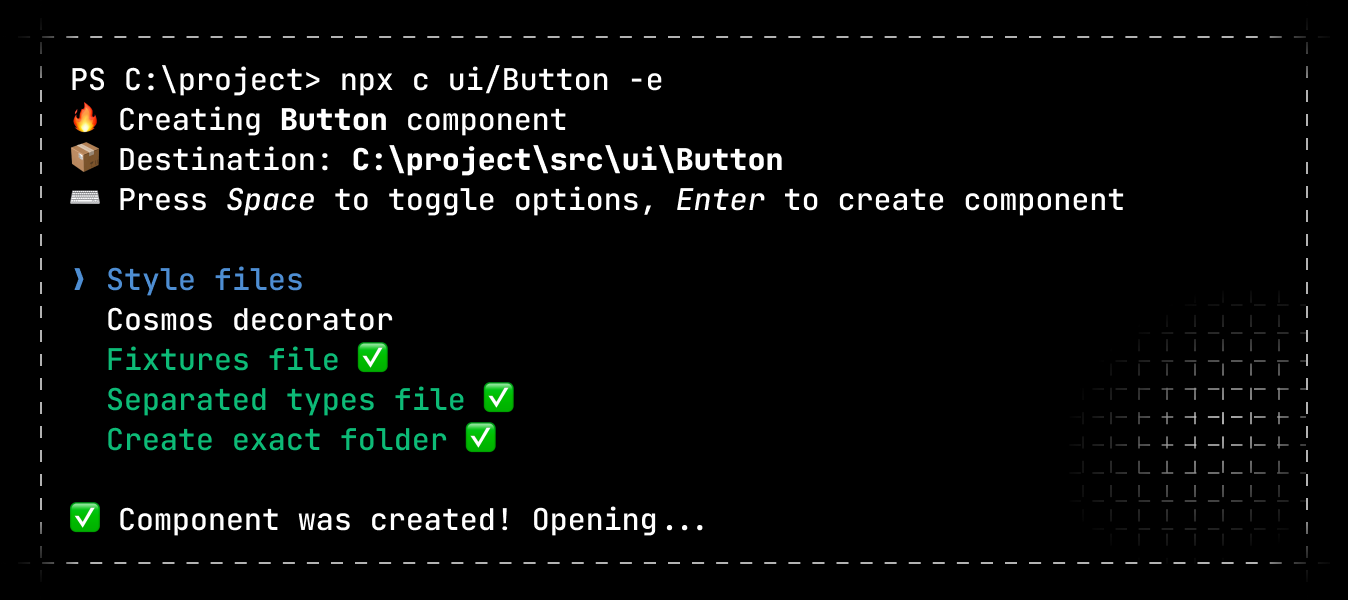
Use -y flag to create component immediatelly without operating with select interface
Component have next file structure:
Button
├ Button.tsx base file
├ Button.fixture.tsx --no-fixture to opt out
├ Button.module.scss --styles
├ Button.module.scss.d.ts --styles
├ Button.types.ts --no-types to opt out
├ cosmos.decorator.tsx --decorator
└ index.ts base file
Types declaration file for styles is the same you get from Typed CSS Modules with --namedExports flag