


Simple, Customizable notification panel,
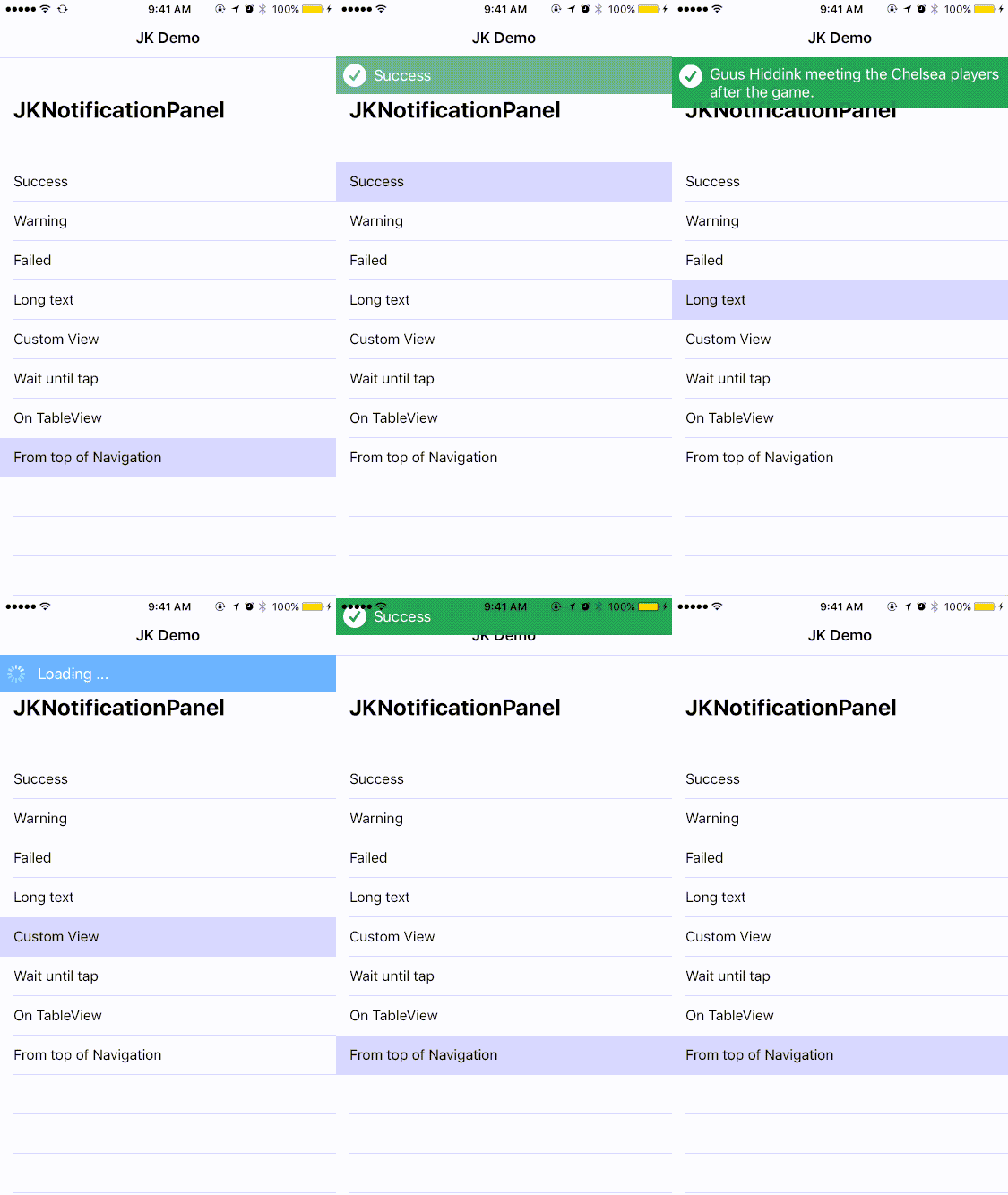
- Swift 3 ( Swift 2.3 use version 0.2 )
- Xcode 6
- iOS 8.0 or above
JKNotificationPanel is available through CocoaPods and Carthage.
To install it, simply add the following line to your Podfile:
use_frameworks!pod"JKNotificationPanel"JKNotificationPanel written in Swift, you must explicitly include use_frameworks! to your Podfile or target to opt into using frameworks.
Create a Cartfile in your project directory and add the following line.
github"macfeteria/JKNotificationPanel"Run carthage update This will build the framework. The framework will be within Carthage/build/JKNotificationPanel.framework.
Using JKNotification panel is very easy.
First of all you need to create JKNotifictionPanel
letpanel=JKNotificationPanel()panel.showNotify(withStatus:.success, inView:self.view, title:"Success to upload all images.")panel.showNotify(withStatus:.warning, belowNavigation:self.navigationController!)panel.showNotify(withStatus:.warning, belowNavigation:self.navigationController!, title:"Chelsea Football Club", message:"Chelsea 4 - 2 Leicester")letnib=UINib(nibName:"CustomNotificationView", bundle:Bundle(for:type(of:self)))letcustomView= nib.instantiate(withOwner:nil, options:nil).first as!UIViewletwidth:CGFloat=UIScreen.main.bounds.size.width
customView.frame =CGRect(x:0, y:0, width: width, height:42)
panel.showNotify(withView: customView, belowNavigation:self.navigationController!)panel.timeUntilDismiss =0 // zero for wait forever
panel.enableTapDismiss =true
panel.showNotify(withStatus:.success, belowNavigation:self.navigationController!, title:"Tap me to dismiss")func notificationPanelDidDismiss ()func notificationPanelDidTap()If you don't want to use delegate you can also use tap action instead.
panel.timeUntilDismiss =0 // zero for wait forever
panel.enableTapDismiss =false
panel.addPanelDidTapAction(){self.notificationPanelDidTap()}
panel.showNotify(withStatus:.success, belowNavigation:self.navigationController!, title:"Tap me to show alert")JKNotificationPanel support orientation. Just call method 'transitionToSize' in ViewController
overridefunc viewWillTransition(to size:CGSize, with coordinator:UIViewControllerTransitionCoordinator){
super.viewWillTransition(to: size, with: coordinator)
coordinator.animate(alongsideTransition:{(context)inself.panel.transitionTo(size:self.view.frame.size)}, completion:nil)}Ter, http://www.macfeteria.com
JKNotificationPanel is available under the MIT license. See the LICENSE file for more info.