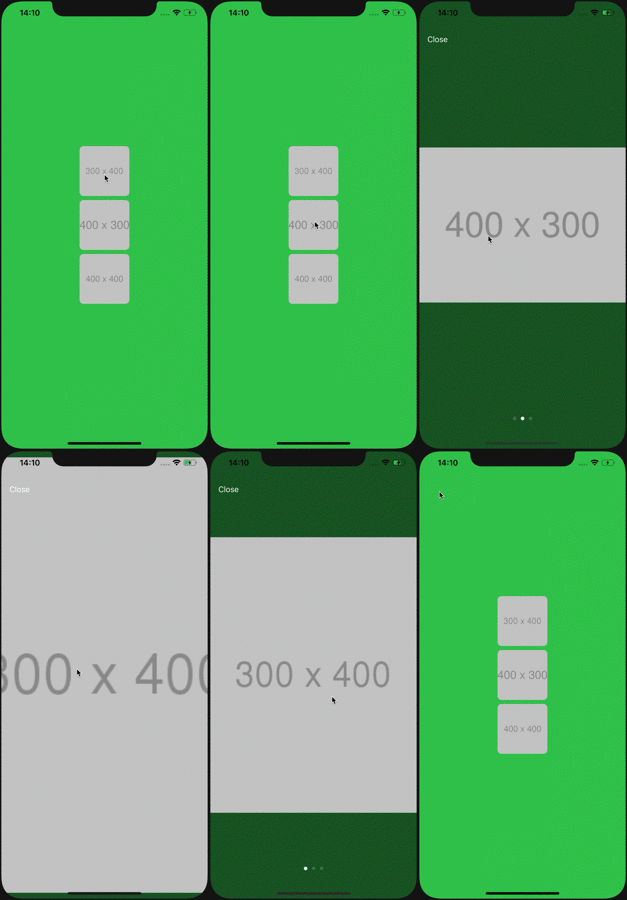
import UIKit
import FocusableImageView
class ViewController : UIViewController { @IBOutlet private weak var stackView : UIStackView ! private let manager = FocusableImageViewManager ( ) private var imageViews : [ FocusableImageView ] { stackView. arrangedSubviews as! [ FocusableImageView ] } override func viewDidLoad( ) {
super. viewDidLoad ( )
manager. register ( parentViewController: self , imageViews: imageViews) } } On Xcode, click File > Swift Packages > Add Package Dependency... Input https://github.com/malt03/FocusableImageView.git Insert github "malt03/FocusableImageView" to your Cartfile. Run carthage update. Link your app with FocusableImageView.framework in Carthage/Build. Insert pod 'FocusableImageView' to your Podfile. Run pod install. Access to inner UIImageView imageView. inner. kf. setImage ( url) // Set Image URL with Kingfisher Additional Animation for ImageView manager. delegate = self extension ViewController : FocusableImageViewDelegate { func selectableImageViewPresentAnimation( views: [ FocusableImageView ] ) {
views. forEach { $0. inner. layer. cornerRadius = 0 } } func selectableImageViewDismissAnimation( views: [ FocusableImageView ] ) {
views. forEach { $0. inner. layer. cornerRadius = 8 } } } manager. configuration = . init(
backgroundColor: . init( white: 0 , alpha: 0.5 ) ,
animationDuration: 0.5 ,
pageControlConfiguration: . init( hidesForSinglePage: false , pageIndicatorTintColor: nil , currentPageIndicatorTintColor: nil ) ,
maximumZoomScale: 2 ,
createDismissButton: { ( parentView) -> UIButton in let button = UIButton ( )
button. translatesAutoresizingMaskIntoConstraints = false
button. setTitle ( " Close " , for: . normal)
button. setTitleColor ( . white, for: . normal)
button. titleLabel? . font = UIFont . systemFont ( ofSize: 16 )
parentView. addSubview ( button) NSLayoutConstraint . activate ( [
button. leadingAnchor. constraint ( equalTo: parentView. leadingAnchor, constant: 16 ) ,
button. topAnchor. constraint ( equalTo: parentView. safeAreaLayoutGuide. topAnchor, constant: 16 ) , ] ) return button
} ) FocusableImageViewConfiguration . default = configuration