Just Another Buffer Switcher is a minimal buffer switcher window for Neovim written in Lua.
JABS shows exactly what you would expect to see with :buffers or :ls, but in a prettier and interactive way.
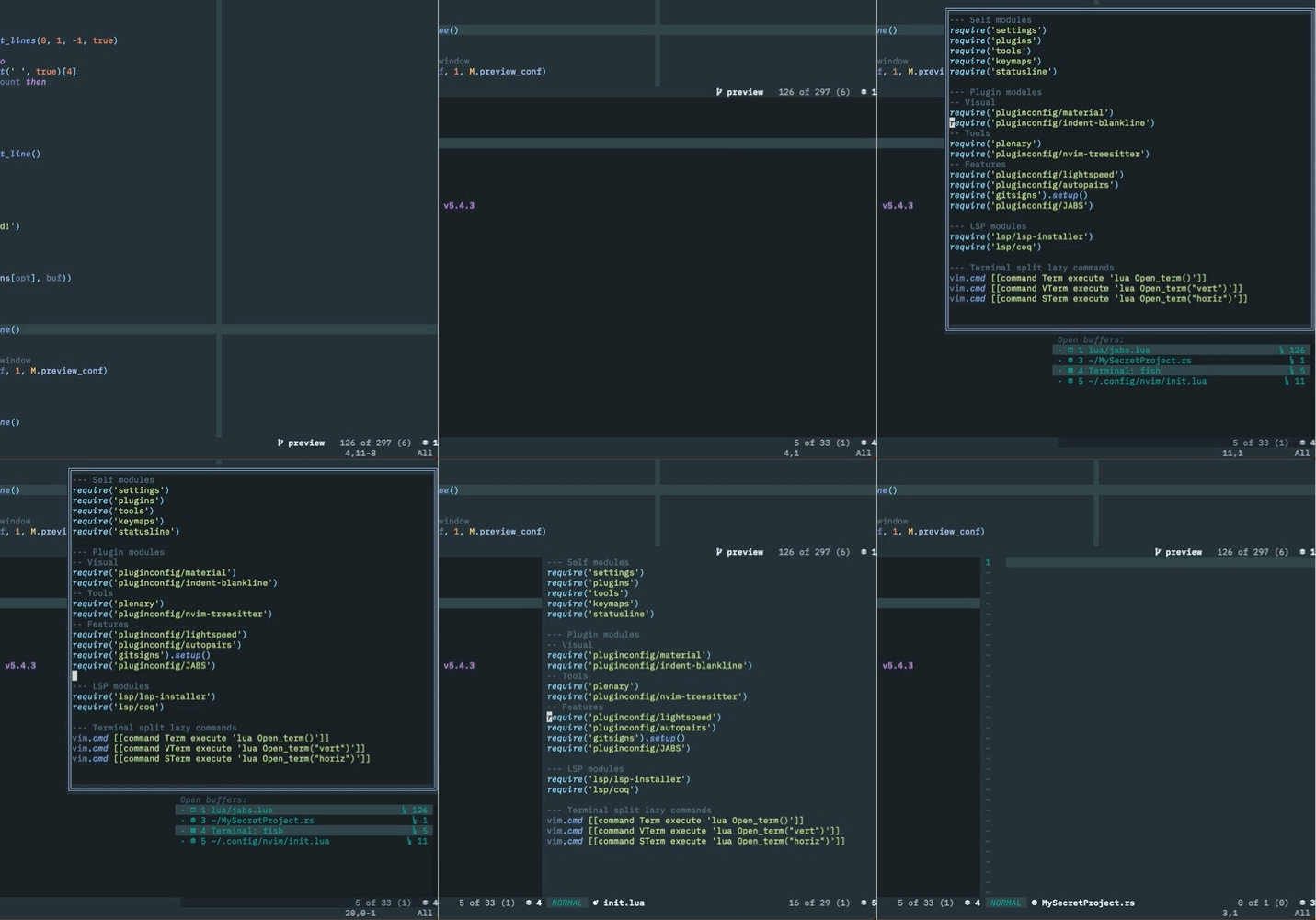
- Neovim ≥ v0.5
- A patched nerd font for the buffer icons
- nvim-web-devicons for filetype icons (recommended)
You can install JABS with your plugin manager of choice. If you use packer.nvim, simply add to your plugin list:
use'matbme/JABS.nvim'As previously mentioned, JABS only has one command: :JABSOpen, which opens JABS' window.
By default, you can navigate between buffers with j and k as well as <Tab> and <S-Tab>, and jump to a buffer with <CR>. When switching buffers the window closes automatically, but it can also be closed with <Esc> or q.
You can also open a preview window for the buffer selected under the cursor with <S-p>, which by default appears above JABS' window. See below how to change its default behavior.
All configuration happens within the setup function, which you must call inside your init.lua file even if you want to stick with the defaut values. Alternatively, you can redefine a number of parameters to tweak JABS to your liking such as the window's size, border, and placement.
A minimal configuration keeping all the defaults would look like this:
require'jabs'.setup {}A more complex config changing every default value would look like this:
require'jabs'.setup {
-- Options for the main windowposition= {'center', 'top'}, -- position = {'<position_x>', '<position_y>'} | <position_x> left, center, right,-- <position_y> top, center, bottom-- Default {'right', 'bottom'}relative='editor', -- win, editor, cursor. Default winclip_popup_size=false, -- clips the popup size to the win (or editor) size. Default truewidth=80, -- default 50height=20, -- default 10border='single', -- none, single, double, rounded, solid, shadow, (or an array or chars). Default shadowoffset= { -- window position offsettop=2, -- default 0bottom=2, -- default 0left=2, -- default 0right=2, -- default 0
},
sort_mru=true-- Sort buffers by most recently used (true or false). Default falsesplit_filename=true-- Split filename into separate components for name and path. Default falsesplit_filename_path_width=20-- If split_filename is true, how wide the column for the path is supposed to be, Default 0 (don't show path)-- Options for preview windowpreview_position='left', -- top, bottom, left, right. Default toppreview= {
width=40, -- default 70height=60, -- default 30border='single', -- none, single, double, rounded, solid, shadow, (or an array or chars). Default double
},
-- Default highlights (must be a valid :highlight)highlight= {
current="Title", -- default StatusLinehidden="StatusLineNC", -- default ModeMsgsplit="WarningMsg", -- default StatusLinealternate="StatusLine" -- default WarningMsg
},
-- Default symbolssymbols= {
current="C", -- default split="S", -- default alternate="A", -- default hidden="H", -- default locked="L", -- default ro="R", -- default edited="E", -- default terminal="T", -- default default_file="D", -- Filetype icon if not present in nvim-web-devicons. Default terminal_symbol=">_" -- Filetype icon for a terminal split. Default
},
-- Keymapskeymap= {
close="<c-d>", -- Close buffer. Default Djump="<space>", -- Jump to buffer. Default <cr>h_split="h", -- Horizontally split buffer. Default sv_split="v", -- Vertically split buffer. Default vpreview="p", -- Open buffer preview. Default P
},
-- Whether to use nvim-web-devicons next to filenamesuse_devicons=false-- true or false. Default true
}| Key | Action |
|---|---|
j or <Tab> | navigate down |
k or <S-Tab> | navigate up |
| D | close buffer |
<CR> | jump to buffer |
| s | open buffer in horizontal split |
| v | open buffer in vertical split |
<S-p> | open preview for buffer |
If you don't feel like manually navigating to the buffer you want to open, you can type its number before <CR>, s, or v to quickly split or switch to it.

JABS is in its infancy and there's still a lot to be done. Here's the currently planned features:
- Switch to buffer by typing its number
- Preview buffer
- Close buffer with keymap (huge thanks to @garymjr)
- Open buffer in split
- Sort modes (maybe visible and alternate on top)
- Custom keymaps (thanks, @MaxVerevkin
Suggestions are always welcome 🙂!