A native SwiftUI SDK for rendering interactive human body muscle maps with highlighting, heatmaps, multi-select, zoom, gesture-rich interaction, and UIKit support.
Supports male & female body models with front & back views. Works with both SwiftUI and UIKit.
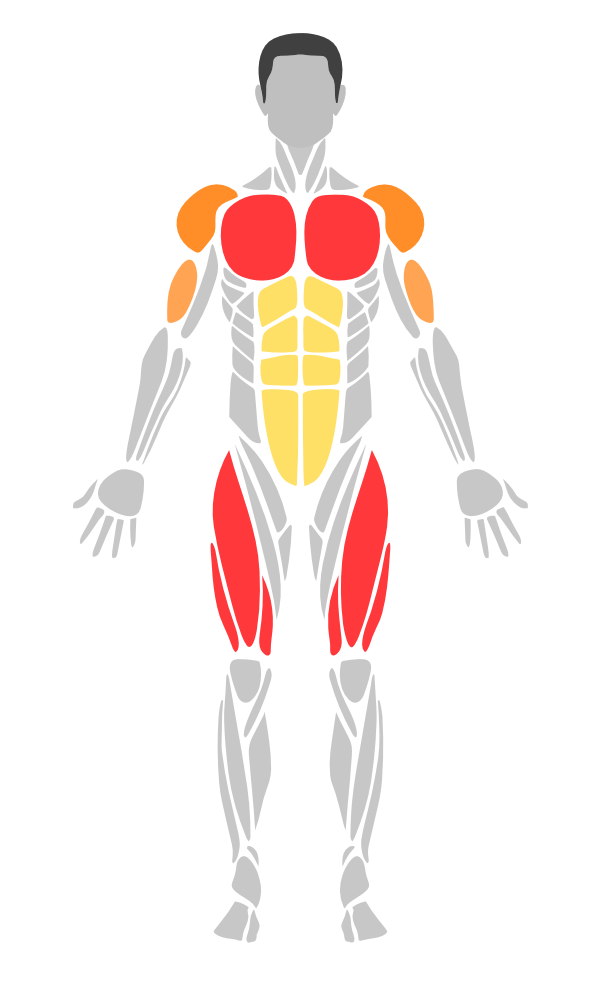
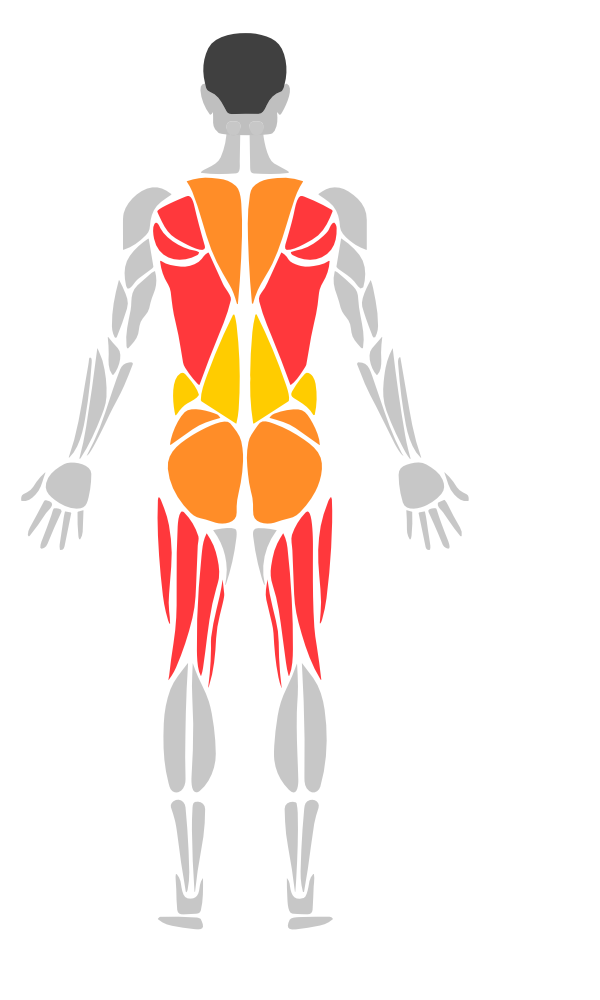
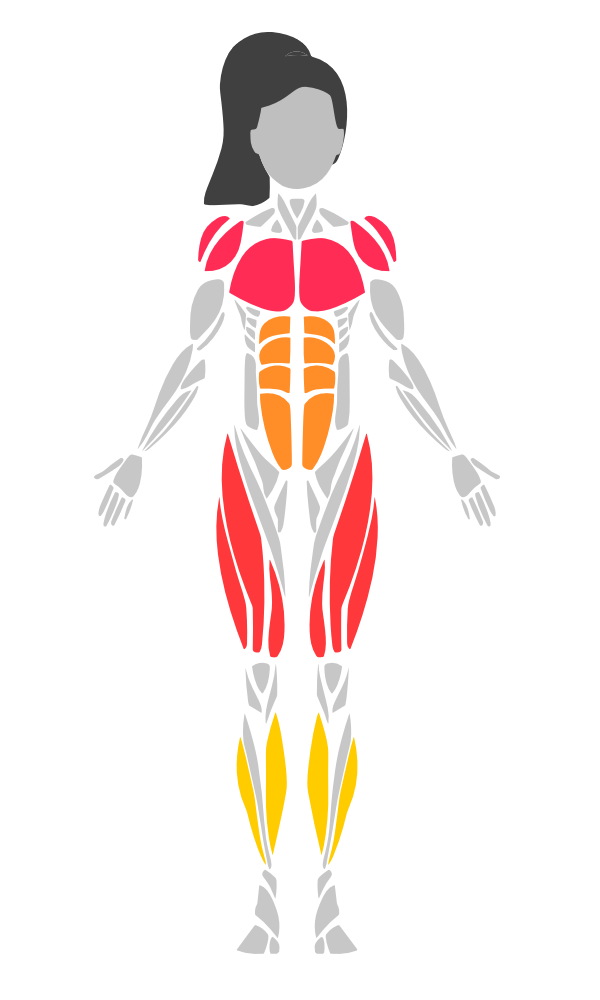
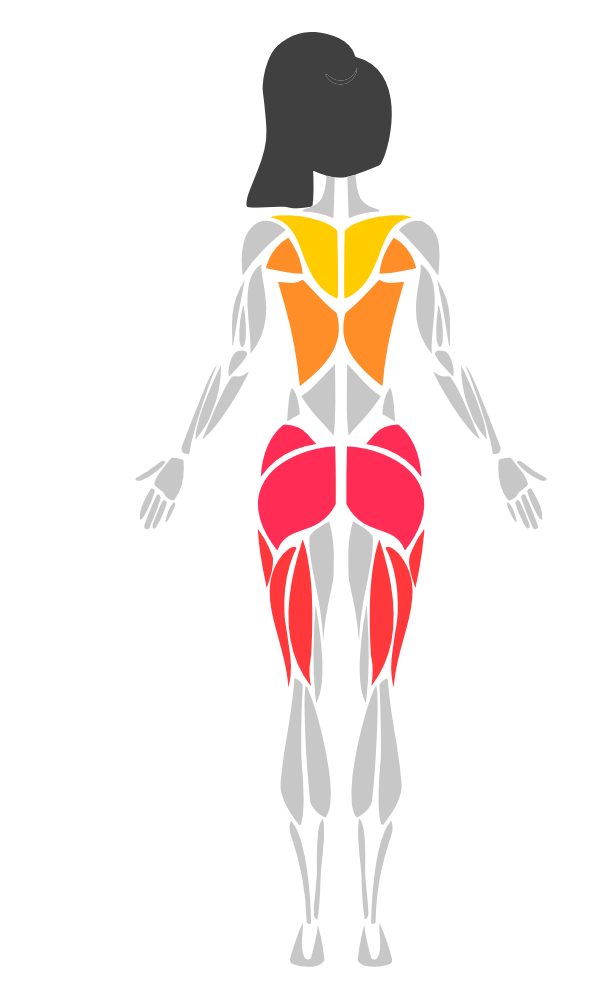
- SVG-based body rendering via SwiftUI
Canvas - 36 muscle groups (22 base + 14 sub-groups) with left/right side detection
- Muscle sub-groups with parent/child inheritance and priority hit testing
- Always-visible sub-groups (ankles, adductors, neck) — rendered by default, tap returns parent
- Heatmap visualization with customizable color scales
- Tap-to-select with hit testing
- Multi-select (select multiple muscles at once)
- Long press gesture (with configurable duration)
- Drag-to-select (paint muscles by dragging)
- Pinch-to-zoom & pan (with double-tap to reset)
- Tooltips (custom content positioned above selected muscles)
- Undo/redo (selection history tracking)
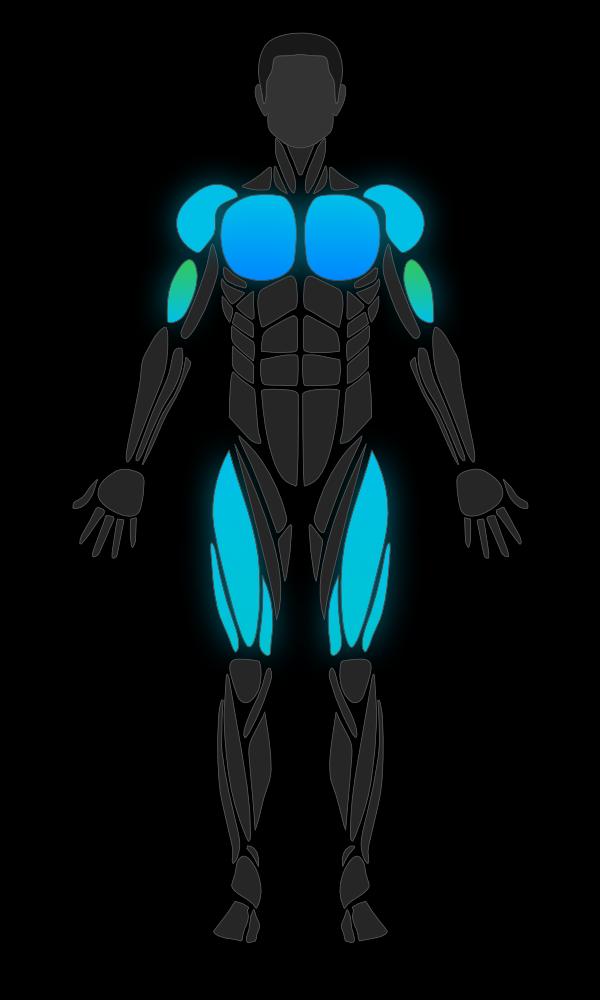
- 4 preset styles (default, minimal, neon, medical)
- Gradient fills (linear & radial gradients)
- Transition animations (fade in/out on highlight changes)
- Pulse/glow animation (for selected muscles)
- Shadow/drop shadow support
- UIKit wrappers (
MuscleMapView,HeatmapLegendUIView) - Accessibility (VoiceOver support with localized muscle names)
- Localization (11 languages: EN, TR, DE, ES, FR, JA, ZH, KO, AR, PT-BR, RU)
- DocC documentation catalog
- Zero external dependencies
- iOS 17+ / macOS 14+
Add to your Package.swift:
dependencies:[.package(url:"https://github.com/melihcolpan/MuscleMap.git", from:"1.6.4")]Or in Xcode: File > Add Package Dependencies and paste the repository URL.
Add to your Podfile:
pod'MuscleMap','~> 1.6.4'Then run pod install.
import SwiftUI
import MuscleMap
structContentView:View{varbody:someView{BodyView(gender:.male, side:.front).highlight(.chest, color:.red).highlight(.biceps, color:.orange, opacity:0.8).frame(height:400)}}BodyView(gender:.male, side:.front).highlight(.chest, color:.red).highlight(.abs, color:.yellow, opacity:0.6).highlight([.quadriceps,.calves], color:.orange)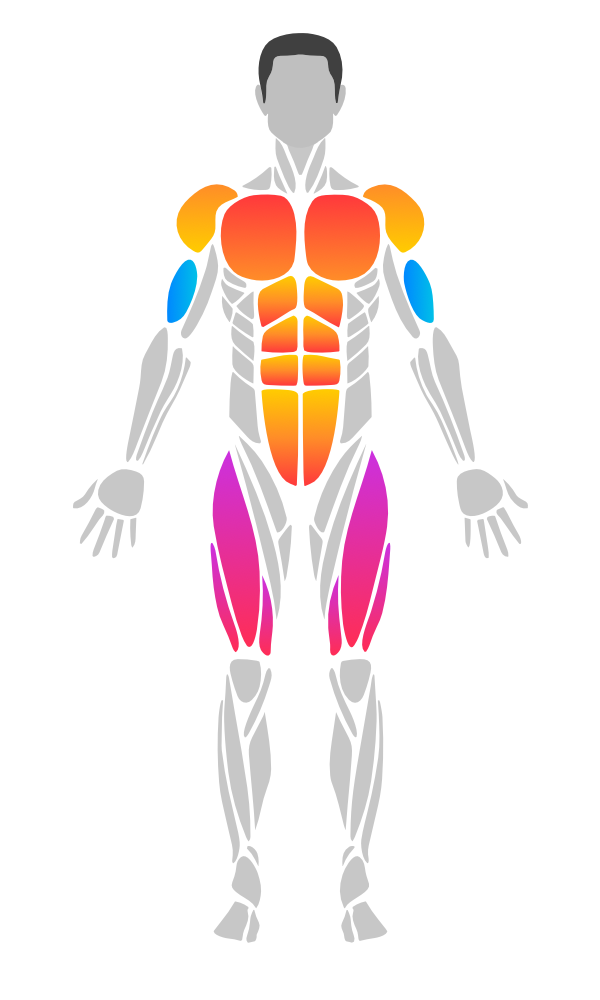
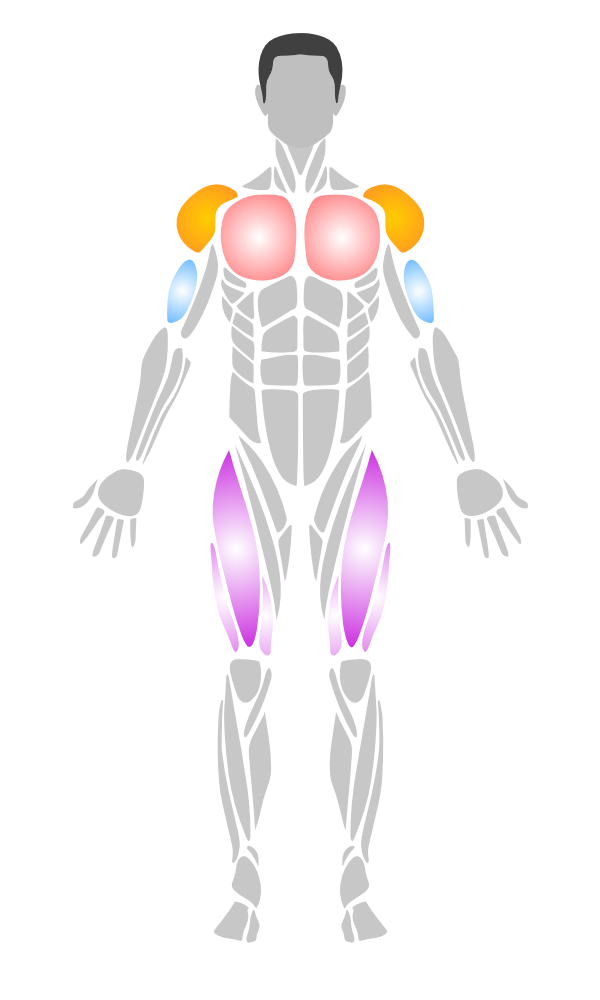
// Linear gradient (top to bottom)
BodyView(gender:.male, side:.front).highlight(.chest, linearGradient:[.red,.orange], startPoint:.top, endPoint:.bottom)
// Radial gradient (center outward)
.highlight(.biceps, radialGradient:[.white,.blue], center:.center, endRadius:40)
// Mix gradients and solid colors
.highlight(.quadriceps, color:.purple)BodyView(gender:.female, side:.front).onMuscleSelected{ muscle, side inprint("\(muscle.displayName) (\(side))")}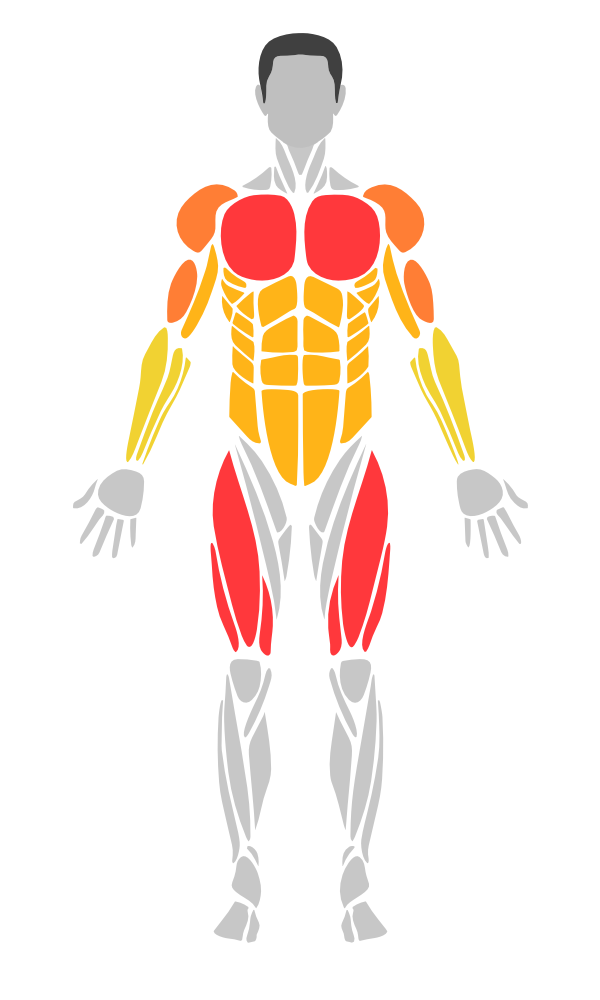
// Integer scale (0-4, like workout trackers)
BodyView(gender:.male, side:.front).intensities([.chest:3,.biceps:2,.quadriceps:4,.abs:1])
// Custom intensity data (0.0 - 1.0)
letdata=[MuscleIntensity(muscle:.chest, intensity:0.8),MuscleIntensity(muscle:.biceps, intensity:0.5, side:.left),MuscleIntensity(muscle:.abs, intensity:0.3, color:.purple)]BodyView(gender:.male, side:.front).heatmap(data, colorScale:.thermal)| Scale | Colors |
|---|---|
.workout | gray -> yellow -> orange -> red |
.thermal | blue -> green -> yellow -> red |
.medical | green -> yellow -> red |
.monochrome | light gray -> dark |
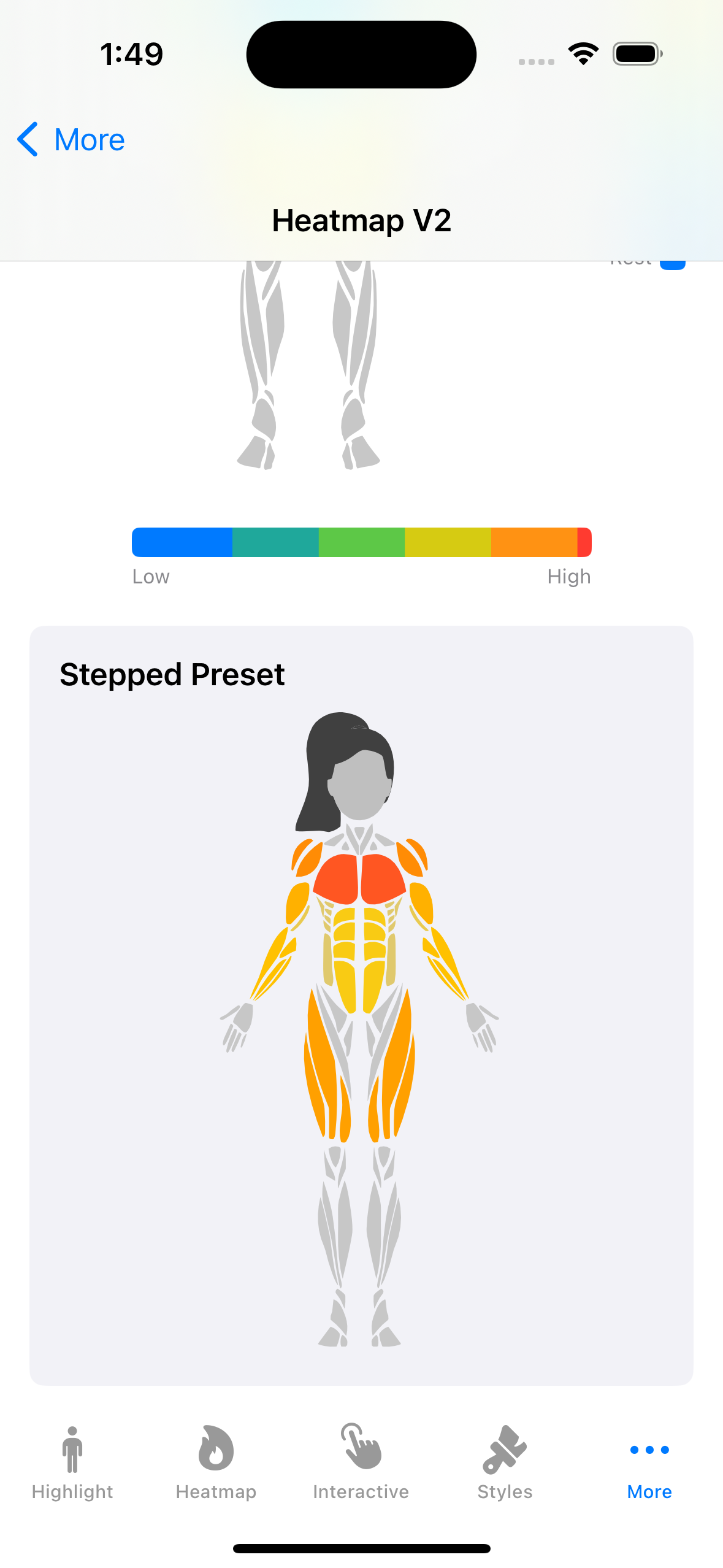
.workoutStepped | workout with 5 discrete steps |
.thermalSmooth | thermal with ease-in-out curve |
Custom:
letcustom=HeatmapColorScale(colors:[.blue,.purple,.pink])Control how intensity values map to colors across the scale:
// Ease-in-out for smoother transitions
BodyView(gender:.male, side:.front).heatmap(data, colorScale:.thermal).heatmapInterpolation(.easeInOut)
// Stepped (discrete levels)
BodyView(gender:.male, side:.front).heatmap(data, colorScale:.workoutStepped) // built-in 5-step preset
// Custom curve
.heatmapInterpolation(.custom { t in t * t * t })
Available interpolations: .linear, .easeIn, .easeOut, .easeInOut, .step(count:), .custom()
Hide muscles below a minimum intensity:
BodyView(gender:.male, side:.front).heatmap(data).heatmapThreshold(0.2) // muscles with intensity < 0.2 are hidden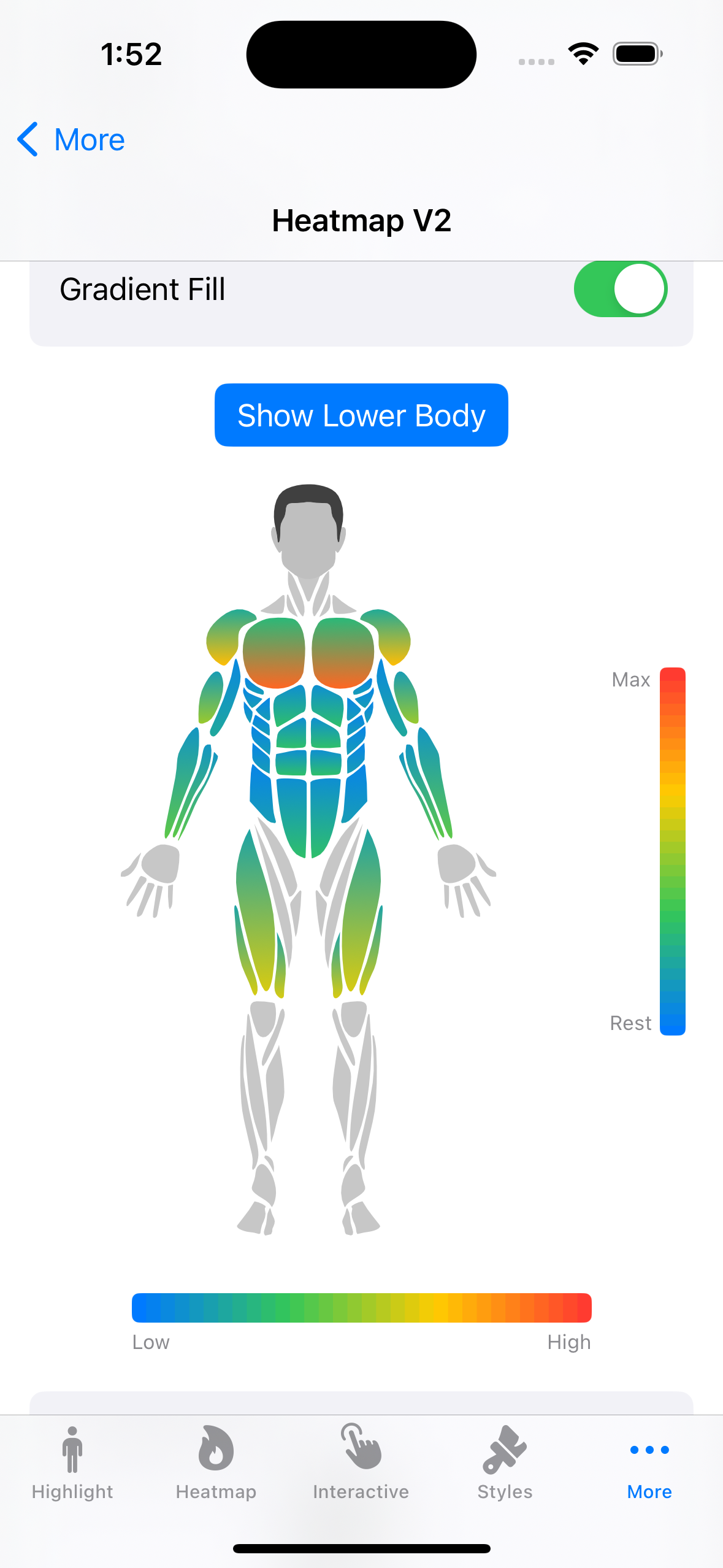
Apply intra-muscle gradients based on intensity (low-to-high color within each muscle):
BodyView(gender:.male, side:.front).heatmap(data, colorScale:.thermal).heatmapGradient(direction:.topToBottom, lowFactor:0.3)Directions: .topToBottom, .bottomToTop, .leftToRight, .rightToLeft
Combine all heatmap settings in a single configuration:
letconfig=HeatmapConfiguration(
colorScale:.thermal,
interpolation:.easeInOut,
threshold:0.2,
isGradientFillEnabled:true,
gradientDirection:.topToBottom,
gradientLowIntensityFactor:0.3)BodyView(gender:.male, side:.front).heatmap(data, configuration: config)Display a color bar legend alongside the body view:
// Horizontal legend
HeatmapLegendView(colorScale:.workout).frame(width:200)
// Vertical legend with custom labels
HeatmapLegendView(
colorScale:.thermal,
interpolation:.easeInOut,
orientation:.vertical,
barThickness:20,
labelMin:"Rest",
labelMax:"Max").frame(width:60, height:200)When using .animated(), color transitions between heatmap states are now smoothly interpolated:
BodyView(gender:.male, side:.front).heatmap(currentData, colorScale:.thermal).animated(duration:0.5)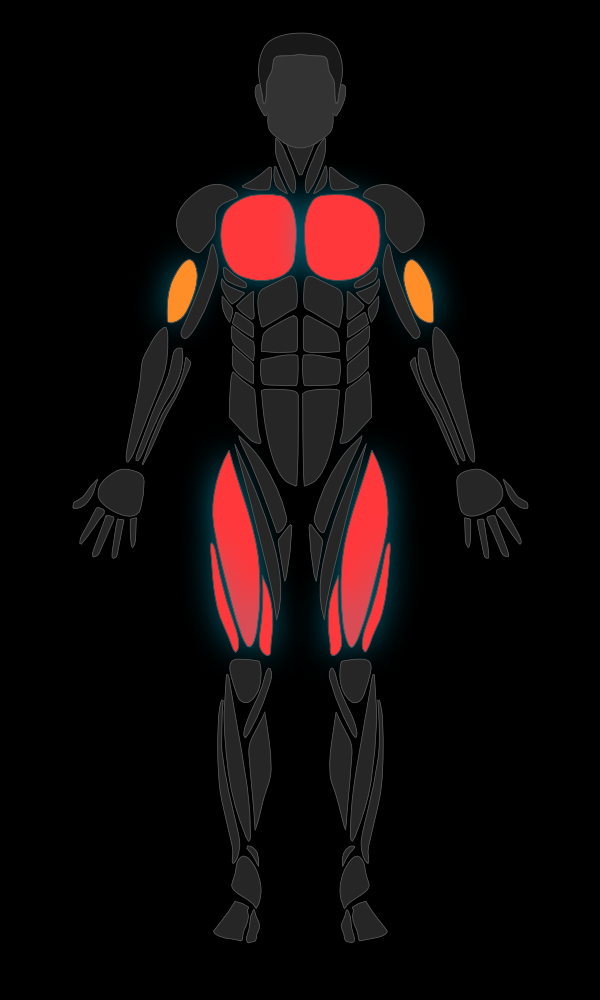
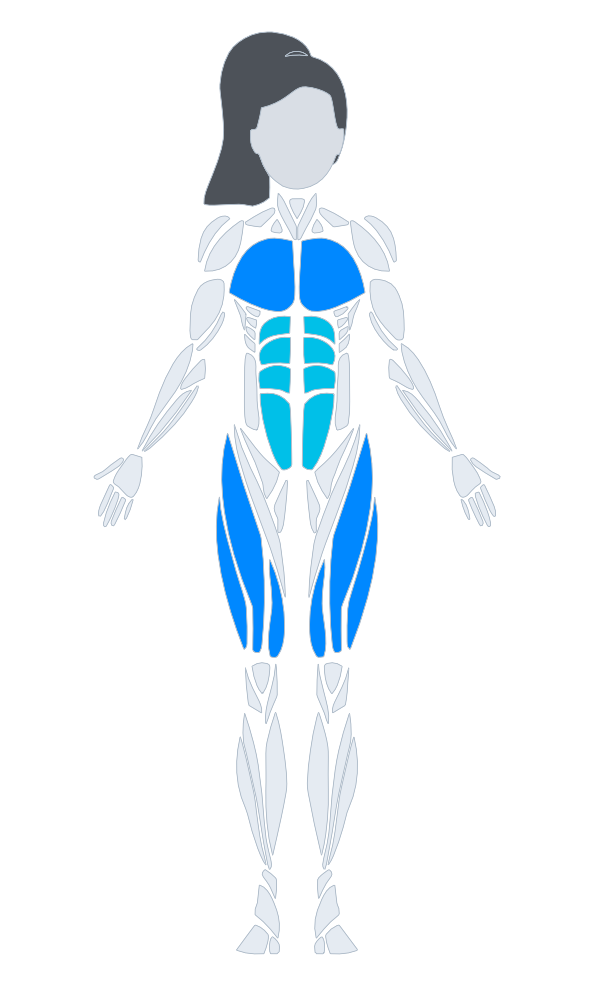
BodyView(gender:.male, side:.front).bodyStyle(.neon)| Style | Description |
|---|---|
.default | Gray fill, green selection |
.minimal | Subtle fill, thin strokes |
.neon | Dark background, cyan selection, glow shadow |
.medical | Clinical blue-gray tones |
Custom:
letstyle=BodyViewStyle(
defaultFillColor:.gray,
strokeColor:.white,
strokeWidth:1,
selectionColor:.yellow,
selectionStrokeColor:.yellow,
selectionStrokeWidth:3,
headColor:.gray,
hairColor:.black,
shadowColor:.blue.opacity(0.5),
shadowRadius:6,
shadowOffset:CGSize(width:0, height:2))Smooth fade-in/fade-out when highlights change:
BodyView(gender:.male, side:.front).highlight(.chest, color:.red).animated(duration:0.3)Pulsing glow effect on the selected muscle:
@Stateprivatevarselected:Muscle?BodyView(gender:.male, side:.front).highlight(.chest, color:.red).selected(selected).pulseSelected(speed:1.5, range:0.6...1.0).onMuscleSelected{ muscle, _ in
selected = muscle
}// Single selection (backward compatible)
@Stateprivatevarselected:Muscle?BodyView(gender:.male, side:.front).selected(selected).onMuscleSelected{ muscle, _ in
selected = muscle
}@StateprivatevarselectedMuscles:Set<Muscle>=[]BodyView(gender:.male, side:.front).selected(selectedMuscles).onMuscleSelected{ muscle, _ inif selectedMuscles.contains(muscle){
selectedMuscles.remove(muscle)}else{
selectedMuscles.insert(muscle)}}BodyView(gender:.male, side:.front).onMuscleLongPressed(duration:0.5){ muscle, side inprint("Long pressed: \(muscle.displayName)")}BodyView(gender:.male, side:.front).onMuscleDragged({ muscle, side in
selectedMuscles.insert(muscle)}, onEnded:{print("Drag ended")})BodyView(gender:.male, side:.front).zoomable(minScale:1.0, maxScale:4.0)BodyView(gender:.male, side:.front).selected(selectedMuscles).tooltip{ muscle, side inText(muscle.displayName).font(.caption).padding(4).background(.ultraThinMaterial)}@Stateprivatevarhistory=SelectionHistory()BodyView(gender:.male, side:.front).undoable(history)Button("Undo"){iflet state = history.undo(){ selectedMuscles = state }}.disabled(!history.canUndo)Button("Redo"){iflet state = history.redo(){ selectedMuscles = state }}.disabled(!history.canRedo)Sub-groups provide finer control over muscle regions. They inherit the parent muscle's highlight when no specific highlight is set, and take priority in hit testing.
Always-visible sub-groups (ankles, adductors, neck) are rendered by default but return their parent muscle on tap — so tapping the ankle area returns .feet, tapping the neck returns .head, etc.
// Highlight parent and sub-group with different intensities
BodyView(gender:.male, side:.front).highlight(.chest, color:.red, opacity:0.4) // parent (dimmer)
.highlight(.upperChest, color:.red, opacity:0.9) // sub-group (brighter)
.highlight(.quadriceps, color:.blue, opacity:0.4).highlight(.innerQuad, color:.blue, opacity:0.9)
Query sub-group relationships:
Muscle.chest.subGroups // [.upperChest, .lowerChest]
Muscle.upperChest.parentGroup // .chest
Muscle.upperChest.isSubGroup // true
// Always-visible sub-groups
Muscle.ankles.isAlwaysVisibleSubGroup // true
Muscle.ankles.parentGroup // .feetBodyView(gender:.male, side:.front) // Male front
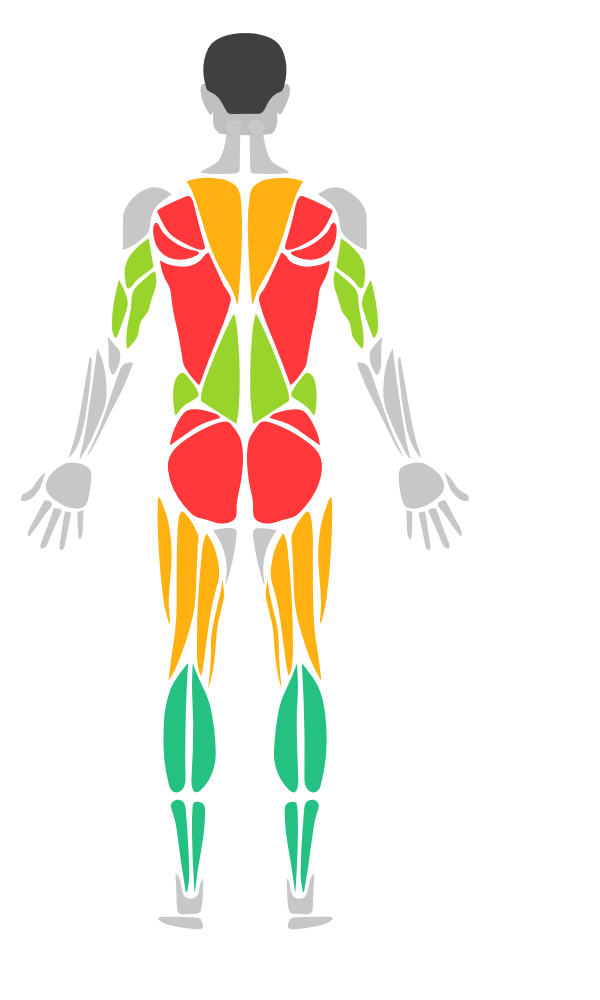
BodyView(gender:.male, side:.back) // Male back
BodyView(gender:.female, side:.front) // Female front
BodyView(gender:.female, side:.back) // Female back| Muscle | Key |
|---|---|
| Abs | .abs |
| Biceps | .biceps |
| Calves | .calves |
| Chest | .chest |
| Deltoids | .deltoids |
| Feet | .feet |
| Forearm | .forearm |
| Gluteal | .gluteal |
| Hamstring | .hamstring |
| Hands | .hands |
| Head | .head |
| Knees | .knees |
| Lower Back | .lowerBack |
| Obliques | .obliques |
| Quadriceps | .quadriceps |
| Rhomboids | .rhomboids |
| Rotator Cuff | .rotatorCuff |
| Serratus | .serratus |
| Tibialis | .tibialis |
| Trapezius | .trapezius |
| Triceps | .triceps |
| Upper Back | .upperBack |
| Sub-Group | Key | Parent | Always Visible |
|---|---|---|---|
| Upper Chest | .upperChest | .chest | |
| Lower Chest | .lowerChest | .chest | |
| Upper Abs | .upperAbs | .abs | |
| Lower Abs | .lowerAbs | .abs | |
| Inner Quad | .innerQuad | .quadriceps | |
| Outer Quad | .outerQuad | .quadriceps | |
| Hip Flexors | .hipFlexors | .quadriceps | |
| Front Deltoid | .frontDeltoid | .deltoids | |
| Rear Deltoid | .rearDeltoid | .deltoids | |
| Upper Trapezius | .upperTrapezius | .trapezius | |
| Lower Trapezius | .lowerTrapezius | .trapezius | |
| Ankles | .ankles | .feet | Yes |
| Adductors | .adductors | .hamstring | Yes |
| Neck | .neck | .head | Yes |
Drop-in UIView wrapper for UIKit-based projects:
import MuscleMap
classViewController:UIViewController{overridefunc viewDidLoad(){
super.viewDidLoad()letmuscleMap=MuscleMapView(gender:.male, side:.front)
muscleMap.highlight(.chest, color:.systemRed)
muscleMap.highlight(.biceps, color:.systemOrange, opacity:0.8)
muscleMap.onMuscleSelected ={ muscle, side inprint("\(muscle.displayName) tapped")}
view.addSubview(muscleMap)
muscleMap.translatesAutoresizingMaskIntoConstraints =falseNSLayoutConstraint.activate([
muscleMap.centerXAnchor.constraint(equalTo: view.centerXAnchor),
muscleMap.centerYAnchor.constraint(equalTo: view.centerYAnchor),
muscleMap.widthAnchor.constraint(equalToConstant:300),
muscleMap.heightAnchor.constraint(equalToConstant:500)])}}UIKit wrapper for the heatmap legend:
letlegend=HeatmapLegendUIView(colorScale:.thermal)
legend.orientation =.vertical
legend.labelMin ="Rest"
legend.labelMax ="Max"
view.addSubview(legend)MuscleMap includes full VoiceOver support. Each muscle region is exposed as an accessibility element with:
- Localized muscle name as the accessibility label
- Selection state ("Selected" / "Not selected")
- Tap and long press hints
- Top-to-bottom traversal order (anatomical navigation)
Cosmetic parts (e.g., head) are excluded from the accessibility tree.
// Accessibility works automatically — no extra configuration needed
BodyView(gender:.male, side:.front).highlight(.chest, color:.red).onMuscleSelected{ muscle, side in
// VoiceOver users can double-tap to select
}All muscle names, side labels, and accessibility strings are localized in 11 languages:
| Language | Code |
|---|---|
| English | en |
| Turkish | tr |
| German | de |
| Spanish | es |
| French | fr |
| Japanese | ja |
| Chinese (Simplified) | zh-Hans |
| Korean | ko |
| Arabic | ar |
| Portuguese (Brazil) | pt-BR |
| Russian | ru |
Localized names are available via displayName:
// Returns localized name based on user's device language
Muscle.chest.displayName // "Chest" (EN), "Göğüs" (TR), "Brust" (DE)
MuscleSide.left.displayName // "Left" (EN), "Sol" (TR), "Links" (DE)
BodySide.front.displayName // "Front" (EN), "Ön" (TR), "Vorderseite" (DE)
BodyGender.male.displayName // "Male" (EN), "Erkek" (TR), "Männlich" (DE)A demo app is included in the Example/ directory. Open Example/MuscleMapDemoApp.xcodeproj in Xcode to explore all features interactively.
- iOS 17.0+
- macOS 14.0+
- Swift 5.9+
MIT License. See LICENSE for details.