主要用于日常格式化文本分析,包括分隔符文件,JSON文件,以及分隔符JSON混排文件。项目没有额外Jar包依赖,代码简洁,功能强大。可作为日常分析小工具使用。支持多种形式的数据采集格式,如JSON,分隔符,正则分隔,自定JavaScript分隔,自定Format.class分隔等。
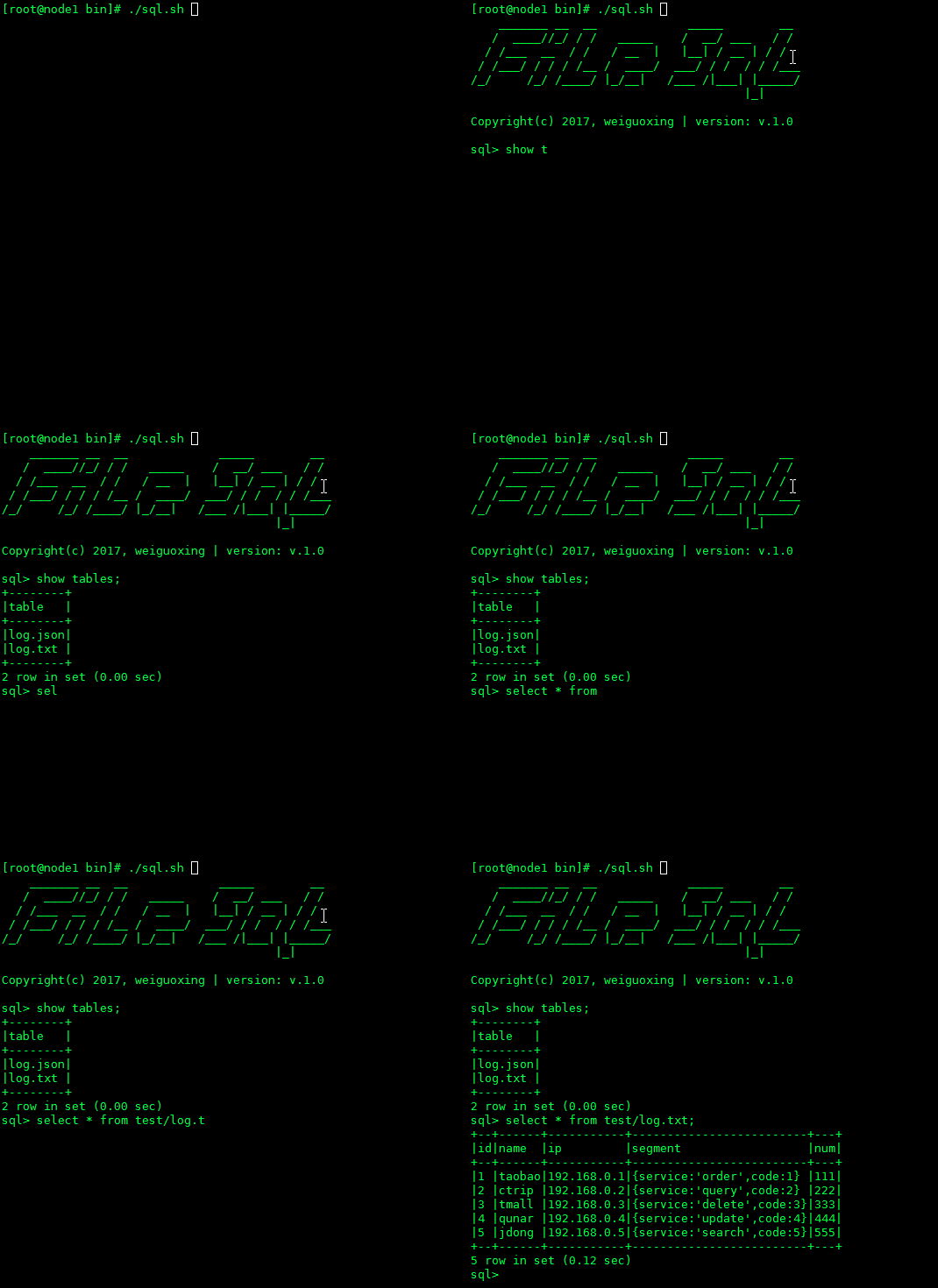
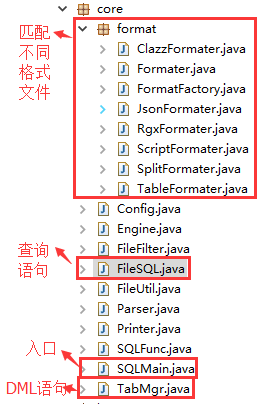
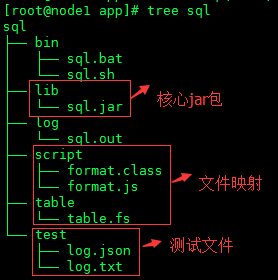
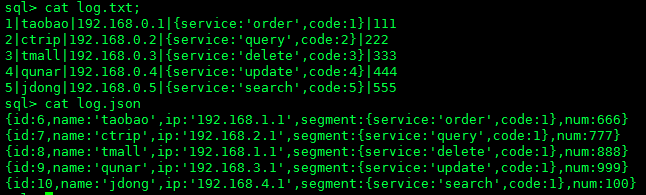
测试文件内容如下:
## 分隔符createtablelog.txt (id,name,ip,segment,num) fmt |;
## JSON格式createtablelog.json (id,name,ip,segment,num) fmt json;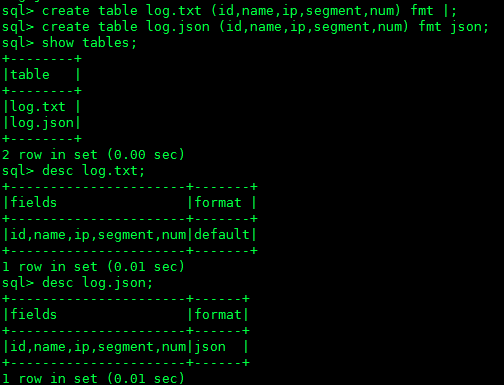
## Java类提取update table log.txt (id,name,ip,segment,num) fmt format.class;
desclog.txt;
select*fromlog.txt;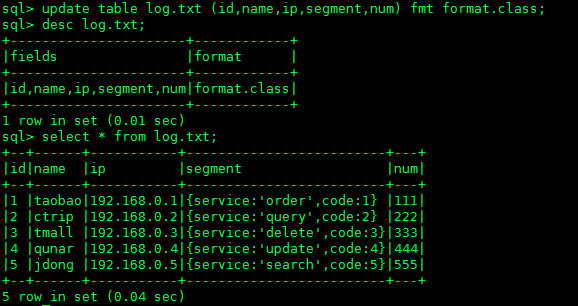
## JavaScript脚本提取update table log.txt (id,name,ip,segment,num) fmt format.js;
desclog.txt;
select*fromlog.txt;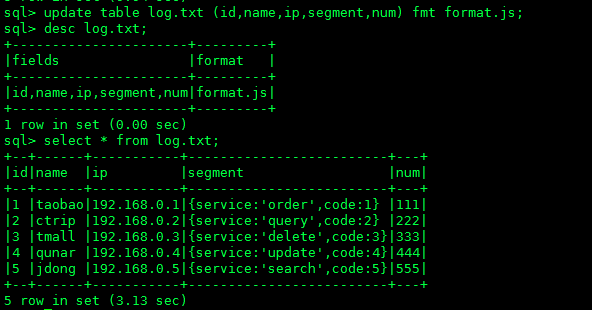
## 正则提取update table log.txt (id,name,ip,segment,num) fmt ~(.*?)|(.*?)|(.*?)|(.*?)|(.*);
desclog.txt more;
select*fromlog.txt;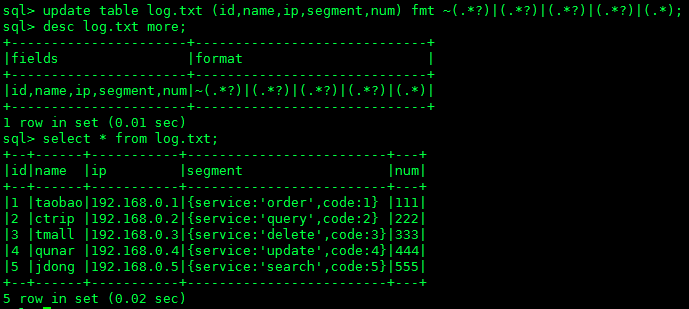
# 简单查询select name,ip fromlog.txt;
select name,ip fromlog.json;
select name,ip from log.{txt,json}; 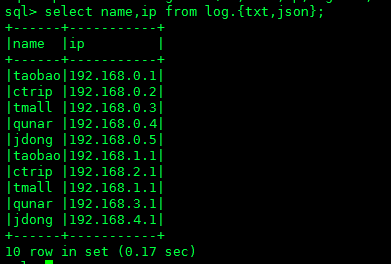
# JSON提取select name,json_path(segment,$.service) fromlog.txt;
select name,json_path(segment,$.service) fromlog.json;
select name,json_path(segment,$.service) from log.{json,txt};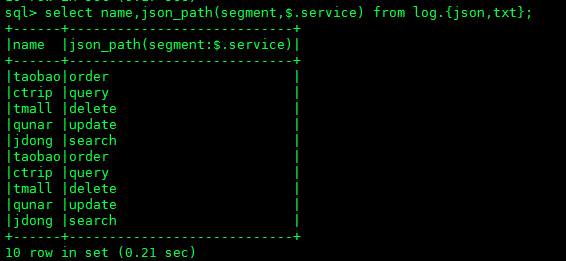
select*fromlog.txtwhere name='taobao'or name='ctrip';
select*fromlog.jsonwhere name='taobao'or name='ctrip';
select*from log.{txt,json} where name='taobao'or name='ctrip';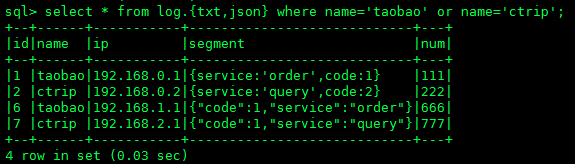
select name,sum(num) as total,avg(num),max(num),min(num),count(num) fromlog.txtgroup by name;
select name,sum(num) as total,avg(num),max(num),min(num),count(num) fromlog.jsongroup by name;
select name,sum(num) as total,avg(num),max(num),min(num),count(num) from log.{txt,json} group by name;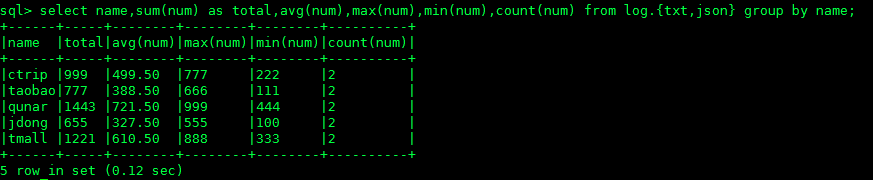
select name,ip,num fromlog.txt into tmp.tb;
select name,ip,num fromtmp.tbwhere name='taobao';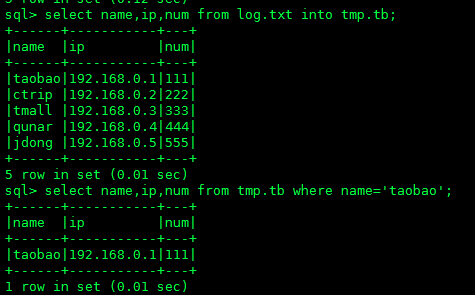
droptablelog.txt;
droptablelog.json;