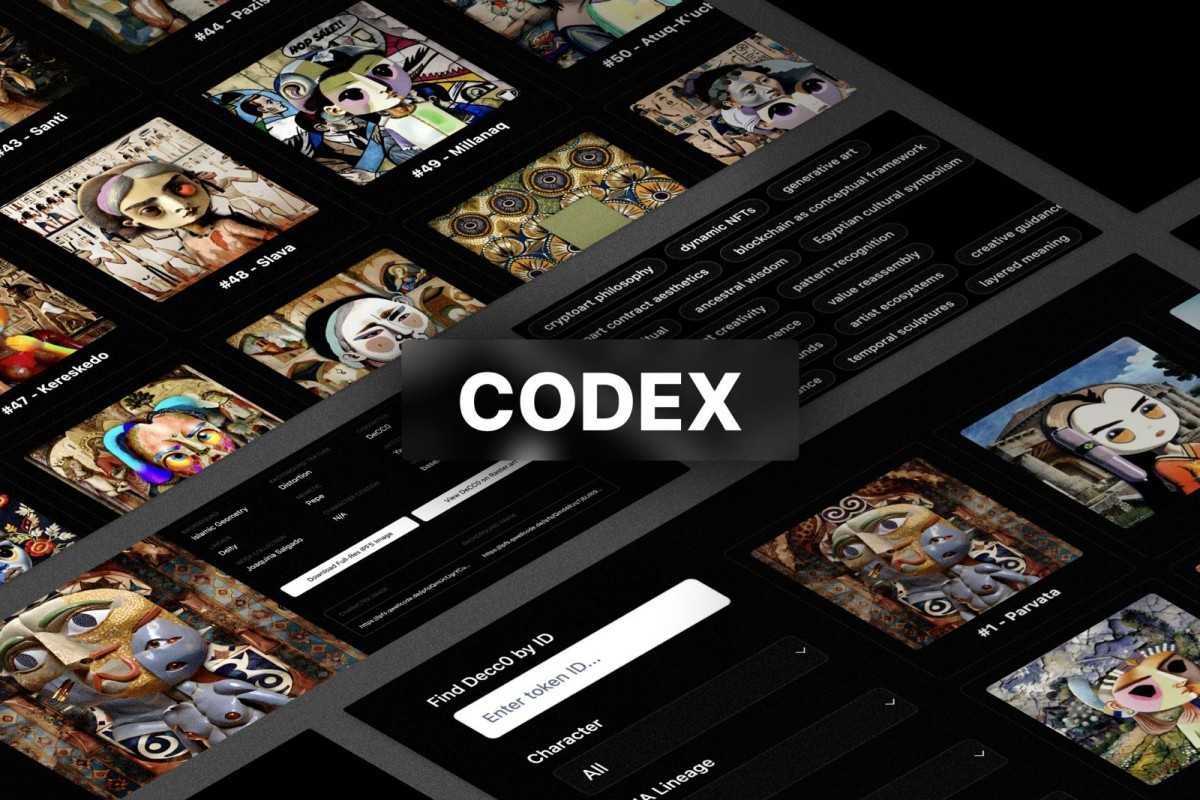
Art DeCC0s aren't just NFTs—they're living characters, each carrying fragments of art history, crypto culture, and human personality into a new creative commons. Born from the Museum of Crypto Art's mission to preserve and celebrate the crypto art movement, these 10,000 entities represent something unprecedented: fully open, richly characterized, AI-ready digital beings that anyone can use, remix, and build with.
Each DeCC0 is a composite identity—blending a character silhouette with masterworks from MOCA's collection, creating unique personas that reference everything from Slovenian kings to crypto Twitter memes, from Byzantine aesthetics to the artists who pioneered crypto art. They speak in distinct voices, have favorite colors and books, dislike certain art movements, and carry biographical depth that rivals traditional literature.
What started as a simple collection browser evolved into an immersive art-centric experience designed for exploration and discovery. We wanted builders, artists, and collectors to feel the magic of these characters—to hover over a DeCC0 and watch the background fade away, revealing just the character. To zoom from a bird's-eye view of all 10,000 down to a single soul filling the screen. To dive deep into who they are, what they believe, and how they speak.
The result? A blazing-fast, feature-rich explorer that loads the entire collection in seconds, lets you swap between composite and character-only views with a hover, adjust quality from web-friendly to 4K, and enter an immersive museum mode that takes over your entire screen. It's part gallery, part database, part easter egg hunt—and it's all CC0, meaning every piece of code, every character, every image belongs to everyone.
The Museum of Crypto Art isn't just archiving the past—it's seeding the future. Art DeCC0s are designed to be:
- AI Agent Characters - Complete with Moltbot files (SOUL.md/IDENTITY.md) and ElizaOS profiles with system prompts and conversation examples
- Storytelling Tools - Rich biographies and personalities for writers and worldbuilders
- Art Assets - Layered components (character + background) for remixing
- Cultural References - Deep metadata connecting crypto art history with broader culture
- Community Commons - Free to use by anyone, for anything, forever
We're building in public, releasing features as we discover them, and inviting you to build with us. Whether you're creating AI agents, writing stories, building games, or simply exploring art history through a new lens—these 10,000 characters are yours to discover.
🔗 External Resources
- API Documentation: docs.decc0s.com
- Codex Backend: github.com/mocaOS/codex
- Live Application: codex.decc0s.com
- 10,000 Art DeCC0s displayed in a responsive grid layout
- Instant infinite scroll with virtual pagination
- Three sort modes: Ascending, Descending, and True Random (client-side sorting)
- Dynamic zoom control - 0% to 100% zoom slider (10 columns to 1 column)
- Quality selector - Switch between 256p, 1024p, and 4K (full IPFS resolution)
- Sticky control bar - Controls stay visible while scrolling for quick adjustments
- Filter toggle - Show/hide sidebar in both normal and museum modes
- Optimized image delivery via Directus asset transformations and IPFS gateway
- Zero-refetch architecture - loads entire collection once, then instant filtering with zero API calls
✨ Hover Mode (Easter Egg):
- Hover over decc0s to swap between full composite and character-only views
- Click sparkles icon to toggle this feature on/off
- Purple border indicates images in character-only mode
🖥️ Museum Mode
- Full browser fullscreen experience
- Immersive viewing with floating controls
- Smart zoom adjustment maintains consistent decc0 size
- Access zoom and quality controls
- Exit with ESC key or close button
📐 Smart Zoom System
- Real-time grid adjustment (0%-100%)
- Automatically adapts to fullscreen for optimal viewing
- Remembers your preferred zoom level
- 5 columns default (55% zoom)
- Smart search bar - searches by Token ID (exact match) or Character Name (partial match)
- Multi-select checkboxes with occurrence counts displayed
- Real-time trait filtering across 9 categories:
- Character Type (7 types including ultra-rare Alien & Ape)
- Background Style (16 art movements)
- Background Texture (7 textures)
- Mood (3 emotional states)
- DNA Lineage (17 historical collectors)
- DNA Memetic (17 crypto culture references)
- DNA Artist Self-Portrait (20 famous artists)
- DNA MOCA Collection (71 artists from MOCA Genesis)
- Owner (Ethereum wallet addresses with ENS name resolution)
- ENS Integration - Automatic resolution and display of ENS names for wallet addresses
- Search by both Ethereum address and ENS name
- ENS names displayed instead of shortened addresses where available
- Automatic batched resolution using Viem multicall for optimal performance
- Real-time ENS lookup indicator
- Addresses sorted by holder count, with ENS names updating in place as they resolve
- Smart OR/AND Logic:
- Within a category (OR): Selecting multiple options shows tokens matching ANY selection
- Example: Character "Alien + Ape" = 33 results (9 + 24)
- Between categories (AND): Must match selections from all active categories
- Example: Character "Alien" AND Background "Surrealism" = only Alien DeCC0s with Surrealism backgrounds
- Within a category (OR): Selecting multiple options shows tokens matching ANY selection
- Client-side filtering for instant results (no loading delays)
- Rarity-sorted options - rarest traits appear first in each dropdown
- Live result counter - shows exact match count with animated loading state
Each Art DeCC0 includes extensive metadata:
- Biography & Story - Detailed character backstories and confessions
- Visual Appearance - Character summaries and paired art descriptions
- Identity & Philosophy - Cultural affiliations, ancestors, self-identity
- Artistic Preferences - Loved/liked/disliked art styles, crypto art focus
- Favorite Things - Books, crypto artists, colors, animals
- Writing Behavior - Communication style, metaphor domains, unique vocabulary
Each Art DeCC0 detail page includes a dedicated Agent Frameworks section with AI-ready character files:
- Quick Access - "Integrate" button in header jumps directly to agent configuration
- Moltbot Files (open by default):
- IDENTITY.md - Name, emoji, self-identity, residence, and characterization details
- SOUL.md - Character personality, core temperament, voice rules, and behavior guidelines
- One-Click Copy - Copy entire markdown files to clipboard instantly
- One-Click Download - Download as IDENTITY.md or SOUL.md files
- Version Indicator - Shows current moltbot version (e.g., v0.1)
- ElizaOS Agent Profile - Complete AI agent configuration including system prompts, bio, topics, knowledge, adjectives, style guidelines, and conversation examples
- Server-Side Rendering - Nuxt 3 SSR with Vue 3 Composition API for instant page shells
- Client-Only Data Fetching - API calls happen in browser for optimal server performance
- Optimized Data Loading - Fetches all 10k items in one call (~2-3 seconds), cached permanently
- Virtual Pagination - Displays 36 items at a time, increases on scroll
- Zero-Refetch Architecture - Static query key ensures no unnecessary API calls on filter/sort changes
- Instant Client-Side Filtering - Optimized Set-based filtering for real-time results
- ENS Name Resolution - Viem-powered ENS resolution with automatic multicall batching
- Resolves ENS names for all unique wallet addresses in the background
- Caches results for instant display throughout the session
- Supports searching by both address and ENS name
- Batches up to 100 calls per request for optimal RPC usage
- Responsive Design - Works seamlessly on desktop, tablet, and mobile
- Direct IPFS Access - Download full-resolution images and access component layers
- Interactive Grid - Real-time zoom, quality switching, and hover effects
- Fullscreen API Integration - Native browser fullscreen for immersive viewing
- Smart State Management - Synchronized controls across normal and museum modes
- Multi-Resolution Support - Dynamic asset loading from 256p to 4K
- Node.js 18+
- npm
# Clone the repository
git clone https://github.com/your-org/codex-explorer.git
cd codex-explorer
# Install dependencies
npm installStart the development server on http://localhost:3000:
npm run devPerformance Note: On first load, the page becomes interactive in ~400ms, then loads all 10,000 tokens in the background (~2-3 seconds). After initial load, all filtering/sorting happens instantly with zero API calls.
This application uses Nuxt 3 with Server-Side Rendering (SSR) for optimal performance and SEO.
# Build for production (SSR)
npm run build
# Preview production build locally
npm run preview
# Start production server
node .output/server/index.mjs
The SSR build generates a Node.js server in .output/server/ that handles both server-side rendering and API routes. Deploy this to any Node.js-compatible hosting platform (Vercel, Netlify, DigitalOcean, AWS, etc.).
- Server-Side Rendering: Server renders page shell instantly (no data fetching during SSR)
- Client Hydration: Vue app becomes interactive in ~400ms after page load
- Data Fetching: Single API call to
https://api.decc0s.com/items/codexfetches all 10,000 items with complete metadata (thumbnails for full composite, character-only, and background layers) - Permanent Caching: Data stored in TanStack Query cache with static key - never refetches during session
- Client-Side Processing: All filtering, sorting, and searching happens in-browser using optimized algorithms
- Virtual Rendering: Only visible items (36 at a time) are rendered to the DOM
- Infinite Scroll: Display count increases by 36 as user scrolls
- Dynamic Asset Loading: Images load at current quality setting (256p/1024p/4K) with lazy loading
- Interactive State Management: Hover states, zoom levels, and quality preferences managed client-side
- Fullscreen Integration: Browser Fullscreen API triggered for Museum Mode with state synchronization
- Framework: Nuxt 3 with Server-Side Rendering (SSR) for instant page shells
- UI Components: Custom components with Tailwind CSS
- State Management: Vue 3 Composition API with reactive refs and computed memoization
- Data Fetching: TanStack Query (Vue Query) configured for zero-refetch performance
- API Client: Axios
- Blockchain Integration: Viem for ENS name resolution with automatic multicall batching
- Image Processing: Directus asset transformations
- Performance: Client-side data loading, Set-based filtering, virtual pagination
pages/index.vue- Gallery view with filtering, zoom, quality, and interactive featurespages/[tokenId].vue- Detailed character profile page with:- Codex Data section (biography, visual appearance, favorites, writing behavior)
- Agent Frameworks section (Moltbot files + ElizaOS profiles)
- "Integrate" quick-link button to Agent Frameworks
- Copy/download functionality for IDENTITY.md and SOUL.md
- ENS-resolved owner display
components/filters/FilterSidebar.vue- Filter controls and search with multi-select checkboxes and ENS name displaycomponents/ui/*- Reusable UI components (Table, Button, Input, Skeleton)composables/useEnsResolver.ts- ENS resolution composable with caching and batch resolutionlayouts/default.vue- App layout with fullscreen state managementplugins/vue-query.ts- TanStack Query configuration optimized for performance
The gallery includes a comprehensive control bar with:
- Zoom Slider: Real-time grid density adjustment (0%-100%)
- Quality Toggle: Switch between 256p, 1024p, and 4K quality
- Museum Mode (🖥️): Enter fullscreen immersive viewing
- Sort Dropdown: Ascending, Descending, or Random order
- Filter Toggle: Show/hide filter sidebar
In Museum Mode, controls appear as floating overlay at the top center.
The Codex Explorer achieves exceptional performance by:
- Client-side data fetching - API call only happens in browser (not during SSR) for fast page loads
- Single 10k item fetch - One API call (~2-3 seconds) loads entire collection with all metadata
- Static query key - Data cached permanently per session, zero refetches on filter/sort changes
- Virtual pagination - Only renders visible items (36 at a time), increases on scroll
- Pure client-side filtering - Instant results using optimized Set lookups and single-pass filtering
- Dynamic quality loading - Starts at 256p for fast initial load, upgradeable to 4K on-demand
- Optimized asset delivery - Uses Directus transformations (256px, 1024px) and IPFS for 4K
- Smart zoom adaptation - Automatically adjusts grid density for fullscreen mode
- Reactive state management - All interactive features update instantly without re-renders
- Batched ENS resolution - Viem multicall resolves up to 100 addresses per RPC request, with automatic caching
- Gallery View: Browse all Art DeCC0s in a responsive grid
- Zoom Control: Adjust slider (0%-100%) to change grid density
- 0% = Maximum density (10 columns)
- 55% = Default balanced view (5 columns)
- 100% = Maximum size (1 column)
- Quality Toggle: Click to cycle through 256p → 1024p → 4K
- Sort Options: Choose Ascending, Descending, or Random order
- Infinite Scroll: Scroll down to load more items automatically
- 🖥️ Museum Mode:
- Click fullscreen icon to enter immersive viewing mode
- Browser goes fullscreen with floating controls
- Zoom automatically adjusts to maintain decc0 size
- Exit with ESC key or close button
- By ID: Type a number (e.g.,
420) to find exact token - By Name: Type text (e.g.,
Chayachi) to find all matching names - By Owner:
- Paste Ethereum address (e.g.,
0x614a...) - Type ENS name (e.g.,
vitalik.eth) - Search works with both full addresses and ENS names
- Paste Ethereum address (e.g.,
- Search results update instantly as you type
- Filter sidebar is visible by default on desktop (toggle on mobile)
- Select any combination of traits across 9 categories
- Use the Owner filter search bar to paste Ethereum addresses
- Results update instantly
- Click "Reset Filters" to clear all selections
- Click any Art DeCC0 in the gallery
- View comprehensive character information in the Codex Data section
- Explore biography, personality, visual appearance, and writing behavior
- Download full-resolution IPFS images
- View component layers (character and background)
- Access external links (Raster.art marketplace)
- Click "Integrate" button (top right) to jump to Agent Frameworks section
- Moltbot accordion (open by default):
- View IDENTITY.md and SOUL.md content in formatted code blocks
- Click "Copy" to copy markdown to clipboard
- Click "Download" to save as IDENTITY.md or SOUL.md file
- ElizaOS accordion:
- View complete agent profile with system prompts
- Explore bio, adjectives, topics, style, and knowledge
- Browse example conversations
- ESC - Exit Museum Mode and fullscreen
- Scroll - Trigger infinite loading of more items
- Quality Management: Start at 256p for fast browsing, switch to 4K when you find favorites
- Museum Mode: Perfect for presentations or deep exploration - go fullscreen and adjust zoom to your preference
- Owner Filtering: Paste any Ethereum address or type ENS names to see all DeCC0s owned by that wallet
- ENS Names: Addresses with ENS names are displayed with their human-readable names automatically
- Multi-Select: Combine multiple filters to find specific trait combinations
- Agent Integration: Use the "Integrate" button to quickly access Moltbot and ElizaOS files for AI agent setup
- Moltbot Files: Download SOUL.md and IDENTITY.md with one click for use in AI agent frameworks
This frontend consumes the MOCA Codex API built on Directus. For comprehensive API documentation, field definitions, and backend architecture:
- API Documentation: docs.decc0s.com
- Backend Repository: github.com/mocaOS/codex
- OpenAPI Spec: See
oas.jsonin this repository for complete endpoint details
GET /items/codex- Fetch all Art DeCC0 metadata with nested thumbnail objects (full composite, character-only, background)GET /items/codex/{id}- Fetch single Art DeCC0 by token ID including:- Owner information and all thumbnails
moltbot- Versioned soul and identity markdown files (e.g.,moltbot.v0.1.soul,moltbot.v0.1.identity)agent_profiles- ElizaOS agent configuration
GET /assets/{id}?key={preset}- Fetch optimized images with Directus transformations?key=s256- 256px preset (default quality)?key=s512- 512px preset?key=s1024- 1024px preset (high quality)
- IPFS Gateway - Full resolution images for 4K quality mode
This repository includes comprehensive documentation files optimized for AI-powered development, all downloaded from docs.decc0s.com and kept in sync with the latest API.
oas.json - Full OpenAPI 3.0 specification (structured)
- Complete API endpoint documentation with schemas
- Request/response formats and examples
- Parameter definitions and validation rules
- Error response structures
- Authentication schemes
- Size: ~1MB (structured JSON)
- Best for: AI code generation, API client scaffolding, type generation
- Context window: Medium (works with most AI models)
llms-full.txt - Complete natural language documentation (~2,427 lines)
- Full human-readable endpoint descriptions with embedded examples
- Comprehensive query syntax and filtering guides
- Complete usage patterns and best practices
- All examples and use cases inline
- Step-by-step tutorials for complex operations
- Size: ~140KB (full text)
- Best for: Deep technical understanding, complex query building, comprehensive reference
- Context window: Large (requires 200K+ token models like Claude Sonnet, GPT-4 Turbo)
llms.txt - Lightweight documentation index (~28 lines)
- Table of contents with section links
- Quick reference to documentation structure
- Minimal context footprint
- Size: ~2KB (index only)
- Best for: Quick lookups, small context windows, navigation reference
- Context window: Tiny (works with any AI model, even small ones)
Use llms.txt when:
- Working with small context window models (< 32K tokens)
- Need quick reference to available documentation sections
- Want minimal context usage for simple queries
- Combining with other large files in your prompt
Use llms-full.txt when:
- Working with large context window models (Claude Sonnet, GPT-4 Turbo)
- Building complex query logic with multiple filters
- Need comprehensive examples and detailed explanations
- Want all documentation embedded for deep technical tasks
Use oas.json when:
- Generating TypeScript types or API clients
- Building structured request/response handlers
- Need exact schema validation rules
- Working with tools that parse OpenAPI specs
Attach these files to your AI coding sessions (Cursor, GitHub Copilot, Claude, etc.) for:
- Accurate API Integration - AI generates correct endpoint calls with proper parameters
- Type-Safe Code - Schema definitions ensure proper TypeScript/JavaScript types
- Query Building - Filter/sort syntax examples for complex queries
- Error Handling - Proper error response handling patterns
- Documentation - Instant answers about API capabilities without context switching
Example workflow:
# Small task with limited context? Use llms.txt:# "What endpoints are available for querying codex items?"# Complex query building? Use llms-full.txt:# "Generate a TypeScript function to query DeCC0s by character type# with pagination, sorting by timestamp, and field selection"# Type generation? Use oas.json:# "Generate TypeScript interfaces for all Codex API responses"# Maximum power? Combine them:# Attach: oas.json + llms-full.txt# "Build a complete API client with type safety and error handling"The AI will reference these files to provide accurate, working code based on the actual API specification.
- Cursor/VS Code: Drag files into chat or use
@llms.txt/@llms-full.txt/@oas.json - Claude Projects: Upload all three files for comprehensive API knowledge
- Token budget:
llms.txt(~2KB) →oas.json(~1MB) →llms-full.txt(~140KB) - Update frequency: Re-download from docs.decc0s.com when API updates
The application uses two data files for filtering functionality:
assets/data/unique-traits.json- Contains lists of all possible trait values (except owners, which are extracted dynamically)assets/data/trait-counts.json- Contains occurrence counts for each trait (generated by script)
Note: Owner addresses are extracted dynamically from the API and do not need manual updating.
To refresh trait counts with the latest API data:
# Install Python dependencies (if needed)
pip3 install requests
# Run the trait count generator script
python3 scripts/generate-trait-counts.py
This script:
- Fetches all 10,000 Art DeCC0 tokens from the API
- Counts occurrences of each trait value across all categories
- Generates
assets/data/trait-counts.jsonwith counts for display in filters - Handles the special case where Alien/Ape are in
background_categorybut displayed as Characters - Prints a summary of the rarest traits
The filter dropdowns automatically display counts next to each option (e.g., "Alien (9)", "Ape (24)").
Important Note for Forkers: There is an intentional data inconsistency in how Alien and Ape tokens are handled.
In the MOCA Codex API, tokens have two relevant fields:
decc0_type- Stores character types: "DeCC0", "Pixel DeCC0", "Toter DeCC0", "Trad. Art DeCC0", "XCOPY DeCC0"background_category- Stores background art movements AND the special "Alien"/"Ape" character types
Alien (9 tokens) and Ape (24 tokens) are ultra-rare and stored in background_category, not decc0_type.
Because Aliens and Apes are character types (not background art movements) and incredibly rare, we made the UX decision to:
- Display them in the Character filter dropdown (not Background)
- Sort all filters by rarity, putting them at the top where collectors can find them easily
- Allow multi-select with OR logic - selecting "Alien + Ape + XCOPY DeCC0" shows all 53 tokens (9 + 24 + 20)
The Character filter uses OR logic within the category:
- Selecting one: Shows only that character type
- Selecting multiple: Shows tokens matching ANY of the selected types (additive)
- Example: Alien (9) + Ape (24) = 33 total results
- Example: Alien (9) + Ape (24) + XCOPY DeCC0 (20) = 53 total results
This applies to ALL filter categories. Selections within the same category use OR logic, while filters across different categories use AND logic.
Special handling code exists in two places:
1. Frontend Filtering (pages/index.vue, lines ~597-611):
if(characterSet){// Check if token matches ANY of the selected characters (OR logic)constmatchesAlien=characterSet.has('Alien')&&token.background_category==='Alien';constmatchesApe=characterSet.has('Ape')&&token.background_category==='Ape';constmatchesNormalChar=characterSet.has(token.decc0_type);// Token must match at least one selected characterif(!matchesAlien&&!matchesApe&&!matchesNormalChar){returnfalse;}}2. Trait Count Generation (scripts/generate-trait-counts.py, lines ~74-81):
bg_value=token.get("background_category")
ifbg_value:
# Special case: Alien and Ape go to characters, not backgroundsifbg_valuein ["Alien", "Ape"]:
counts["characters"][bg_value] +=1else:
counts["backgrounds"][bg_value] +=1If you fork this project and want standard filtering that matches the raw API fields:
Step 1: Move Alien/Ape back to backgrounds in assets/data/unique-traits.json:
{
"backgrounds": [
"Abstract Expressionism",
"African Textile",
"Alien", // ← Add back here"Ape", // ← Add back here"Architecture",
...
],
"characters": [
"DeCC0",
"Pixel DeCC0",
"Toter DeCC0",
"Trad. Art DeCC0",
"XCOPY DeCC0"// Remove Alien and Ape
]
}
Step 2: Remove special case from pages/index.vue (~line 597):
// Replace the character filter block:if(characterSet){// Check if token matches ANY of the selected characters (OR logic)constmatchesAlien=characterSet.has('Alien')&&token.background_category==='Alien';constmatchesApe=characterSet.has('Ape')&&token.background_category==='Ape';constmatchesNormalChar=characterSet.has(token.decc0_type);if(!matchesAlien&&!matchesApe&&!matchesNormalChar){returnfalse;}}// With standard filtering (no Alien/Ape special case):if(characterSet&&!characterSet.has(token.decc0_type))returnfalse;Step 3: Remove special case from scripts/generate-trait-counts.py (~line 74):
# Replace this:bg_value=token.get("background_category")
ifbg_value:
ifbg_valuein ["Alien", "Ape"]:
counts["characters"][bg_value] +=1else:
counts["backgrounds"][bg_value] +=1# With standard counting:bg_value=token.get("background_category")
ifbg_value:
counts["backgrounds"][bg_value] +=1
Step 4: Regenerate trait counts:
python3 scripts/generate-trait-counts.pyThis will restore standard API field mapping where Alien/Ape appear as background options.
The Codex Explorer features seamless ENS (Ethereum Name Service) integration powered by Viem for displaying human-readable names for wallet addresses.
- Automatic Resolution - All unique owner addresses automatically resolved to ENS names in the background
- Smart Display - ENS names shown instead of shortened addresses where available
- Dual Search - Search by both Ethereum address (
0x614a...) and ENS name (vitalik.eth) - Priority Batching - Biggest holders (on-screen) resolve first (~1s), smaller holders below fold
- Optimal Performance - Viem multicall batching: ~2 RPC calls for 150 addresses vs 150 individual calls
- Session Caching - Resolved names cached throughout browsing session
- Fallback System - Tries multiple public RPC endpoints automatically
Resolution Flow:
- Gallery loads → Extract unique owners (e.g., 150 addresses)
- Sort by priority → Descending by holder count (most DeCC0s first)
- Initial display → Shortened addresses shown immediately (
0x614a...4f1) - Batch 1 → Top 100 addresses resolve first (~1 second) ← User sees this!
- Batch 2+ → Remaining addresses resolve below fold (~2 seconds)
- Progressive updates → ENS names replace addresses as they resolve
- Search enabled → Filter by address or ENS name instantly
Why Priority Matters: The top of the owner filter shows the biggest holders, which are most likely visible on screen. By resolving them first, users see ENS names appear immediately without scrolling. Smaller holders update invisibly below the fold.
Example Console Output:
📊 150 unique owners (sorted by holder count)
🔍 Resolving ENS names for 150 unique addresses (2 batches)...
⏳ Batch 1/2: Resolving 100 addresses...
✓ Batch 1/2 complete (67 ENS names found)
⏳ Batch 2/2: Resolving 50 addresses...
✓ Batch 2/2 complete (22 ENS names found)
✓ ENS resolution complete (89 ENS names total)
Visual Example:
Time 0s: 0x614a...4f1 (150) ← Biggest holder, visible
0x742d...35e4 (85)
0x1234...5678 (42)
... more below fold
Time 1s: vitalik.eth (150) ← Batch 1 complete! ✨
mocaverse.eth (85)
decc0s.eth (42)
... resolving below
Time 2s: vitalik.eth (150) ← All done
mocaverse.eth (85)
decc0s.eth (42)
0x9999...1111 (1) ← No ENS found
Key Components:
composables/useEnsResolver.ts- ENS resolution logic with cachingpages/index.vue- Gallery with prioritized batch resolutionpages/[tokenId].vue- Detail page with ENS displaycomponents/filters/FilterSidebar.vue- Filter UI with ENS names
Viem Configuration:
// Fallback transport (tries multiple endpoints)constpublicClient=createPublicClient({chain: mainnet,transport: fallback([http('https://rpc.ankr.com/eth'),http('https://ethereum-rpc.publicnode.com'),http('https://eth.llamarpc.com'),http('https://cloudflare-eth.com'),]),batch: {multicall: {batchSize: 100,// 100 addresses per callwait: 100,// 100ms collection window},},});Sequential Batch Processing:
// Process in order: biggest holders firstfor(letbatchofbatches){awaitPromise.all(batch.map(addr=>publicClient.getEnsName({address: addr})));// UI updates after each batch completes}Default Behavior: The code tries 4 public endpoints in order (Ankr → PublicNode → LlamaRPC → Cloudflare). If one fails or has CORS issues, it automatically tries the next.
CORS Troubleshooting:
If you see CORS errors in console, you have two options:
Option 1: Use Your Own RPC (Recommended for Production)
Get a free API key from:
- Alchemy: https://www.alchemy.com (Recommended - 300M requests/month free)
- Infura: https://infura.io (Free tier available)
Edit composables/useEnsResolver.ts:
constgetTransport=()=>{// Replace fallback with your endpointreturnhttp('https://eth-mainnet.g.alchemy.com/v2/YOUR_API_KEY',{batch: {multicall: {batchSize: 100,wait: 100}},});};Option 2: Try Different Public Endpoints
Edit the fallback list in composables/useEnsResolver.ts:
transport: fallback([http('https://YOUR_PREFERRED_ENDPOINT'),http('https://rpc.ankr.com/eth'),// ... more fallbacks]),Why Not Server-Side? Server-side resolution would centralize all RPC calls to your server, quickly hitting rate limits with many users and increasing costs. Client-side resolution distributes load across users' browsers, staying within free tiers.
Searching by Address:
Input: "0x614a"
Result: Shows all tokens owned by 0x614a...4f1 (or vitalik.eth if resolved)
Searching by ENS Name:
Input: "vitalik"
Result: Shows all tokens owned by vitalik.eth
Searching by Pattern:
Input: ".eth"
Result: Shows all tokens owned by addresses with .eth ENS names
Before ENS Integration:
- Owner filter: Shortened addresses only (
0x614a...4f1) - Search: Address matching only
- UX: Cryptic wallet addresses
After ENS Integration:
- Initial Load: Unchanged (~400ms)
- ENS Resolution: +1-3 seconds (background, non-blocking)
- RPC Calls: ~2 calls for 150 addresses (vs 150 individual calls)
- Memory: ~10KB for 150 cached names
- Search: Matches both addresses and ENS names
- UX: Human-readable names throughout
RPC Efficiency:
- Without multicall: 150 calls → ~15 seconds + rate limit risk
- With multicall: 2 calls → ~2 seconds + no rate limits
ENS Names Not Resolving:
Check browser console for errors:
- ✅
🔍 Resolving ENS names...→ Resolution started - ✅
✓ Batch 1/2 complete→ First batch done - ✅
✓ ENS resolution complete→ All done - ❌
🚨 RPC CORS Error→ Need custom RPC (see above)
Common Issues:
- CORS Error - Use your own Alchemy/Infura endpoint (free)
- Network Issues - Check internet connection
- Invalid Addresses - Verify address format
- RPC Rate Limit - Switch to authenticated endpoint
Testing Your Setup:
npm run dev
# Open http://localhost:3000# Open browser DevTools → Console# Watch for resolution progress messagesAdjust Batch Size:
// In composables/useEnsResolver.tsbatchSize: 200,// Larger batches (max ~1000)wait: 50,// Faster resolutionAdd Custom RPC via Environment (Optional):
// nuxt.config.tsexportdefaultdefineNuxtConfig({runtimeConfig: {public: {ethRpcUrl: process.env.NUXT_PUBLIC_ETH_RPC_URL||''}}})// .envNUXT_PUBLIC_ETH_RPC_URL=https://eth-mainnet.g.alchemy.com/v2/YOUR_KEYPotential improvements for ENS integration:
- Persistent cache (localStorage) for faster subsequent visits
- ENS avatar images next to names
- ENS metadata (registration date, expiry)
- Support for L2 ENS names (Base, Optimism)
- Reverse resolution (ENS → address lookup)
- ENS content hash display (IPFS links)
We're building in public and we need you! Whether you're fixing a typo or adding a major feature, every contribution helps make the Codex Explorer better for everyone.
- 🐛 Report bugs - Found something broken? Let us know!
- 💡 Suggest features - Have an idea for better UX? Share it!
- 🎨 Improve design - Make it more beautiful or accessible
- ⚡ Optimize performance - Help us go even faster
- 📝 Improve docs - Better explanations help everyone
- 🔧 Submit PRs - Code speaks louder than words
- Follow Vue 3 Composition API patterns - Keep it clean and reactive
- Use TypeScript - Type safety prevents bugs
- Component-first - Reusable, focused, testable
- Test everywhere - Desktop, tablet, mobile—all should shine
- Performance matters - 10k items should feel instant
- Ship features - Beta mindset: build, test, iterate, improve
We're not just building a collection browser—we're creating a playground for exploration. Every interaction should feel magical. Every feature should serve the art and the characters. If it excites you, it'll probably excite others too.
Built with ❤️ for the Museum of Crypto Art community by builders who believe in the power of creative commons and open culture.
- Art DeCC0s Collection + Codex: Museum of Crypto Art
- Community: All DeCC0 holders, artists, and contributors
- Inspiration: Every crypto artist who pioneered this movement
- You: For discovering these characters and building with them
The Codex Explorer is just the beginning. We're building in public and shipping features as we discover them. Want to contribute? Have ideas for new interactions? Building something with Art DeCC0s?
- Open an Issue: Share bugs, ideas, or feature requests
- Submit a PR: Improve the code, add features, fix things
- Build with DeCC0s: Use these characters in your projects—they're CC0!
- Share Your Creations: Show us what you build with these 10,000 souls
Questions or feedback? Visit docs.decc0s.com or open an issue on GitHub.
Built by builders, for builders. Art DeCC0s are CC0—use them, remix them, build with them. 🎨✨