A collection of useful Ruby scripts to help automate the building, calibrating and running of models in InfoWorks.
For a complete, end-to-end example of building a model directly from GIS data, see the Automated GIS-Model Pipeline.
Have a script to share? Submit a pull request, open an issue or send me an email - luke@matrado.ca
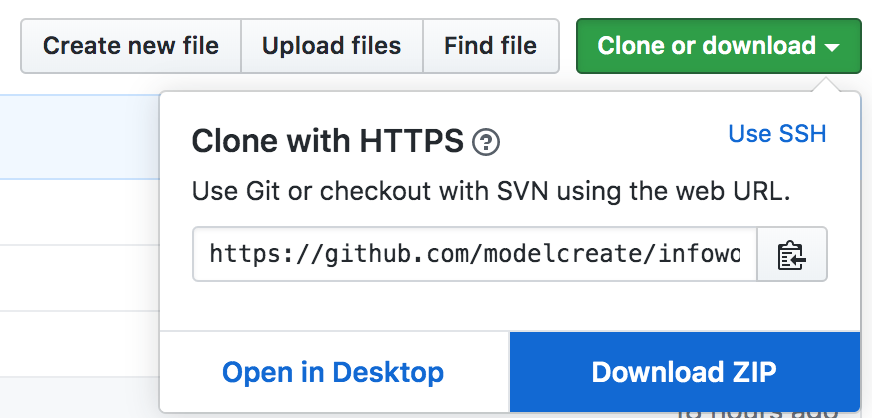
The simplest way to get all the scripts is to download the whole collection as a zip from GitHub.
Click Clone or download and then Download Zip.
To run a Ruby script in InfoWorks, click Network > Run Ruby Script in the toolbar and then select a .rb file.
If you have an idea for a script that you want developed, please open an issue or send me an email - luke@matrado.ca
If you are a beginner and just learning Ruby these scripts can be used as a reference to learn how to automate simple tasks.
Each of these scripts will only complete a single task and the code within will be commented to provide context for those not familiar with coding in Ruby.
| Name | Purpose |
|---|---|
| Modify Network Data | Update pipe diameters based on information in the user text fields |
| Create Network Objects | Create new network objects |
| Modify Structured Data | Update structured data, these fields are displayed as tables within InfoWorks, such as depth/volume for reservoirs |
| Set Material Using Lookup | Update material field on pipes using a Ruby hash as a lookup table |
| Expand Short Links | Expands links to be a minimum size |
| Trace Network | From a single pipe, use Ruby to trace a distribution network finding pipes of the same size or smaller |
| Validate Network | Run a network validation from Ruby |
Intermediate scripts attempt to automate realistic modelling tasks using Ruby. These scripts will contain multiple tasks that flow from each other. High-level comments are provided, though some experience with coding would be expected to modify or extend the scripts.
Config variables are generally added to the top of the script to allow some level of customisation and running the scripts directly by the end-user with minimal modification.
| Name | Purpose |
|---|---|
| Open Data Import Centre | Automate the import multiple of shape files, including filtering assets |
| Demand Allocation - Exchange | Allocate customer points using Exchange |
| Name | Purpose |
|---|---|
| Convert Network to GeoJSON | Converts an InfoWorks network or simulation into a GeoJSON file |
| Split pipes with nodes | Similar to proximity trace, finds overlapping nodes or interesections and splits the pipe |
| Create Selection Lists from Areas | Reads the area codes from within a model and create selection lists for each area. |
| Set elevations using Ordnance Survey NTF | Calculate the elevation of point objects within Great Britain using Ordance Survey NTF files |
| Demand Allocation - Custom | Allocate customer points to the nearest pipe |
| Exchange Full Model Build and Run Example | Create and run a model from raw data in the command line using Infoworks Exchange. |
This is a complete, end-to-end example of a model build pipeline. It takes raw GIS data from a corporate utilities GIS system, cleans it, processes it, and builds a InfoWorks WS Pro model without any manual preprocessing. It serves as a reference for complex, multi-stage automation tasks.