This repository was archived by the owner on Oct 25, 2024. It is now read-only.

Repository files navigation

ResolutionControl+

ResolutionControl+ is a fork of Resolution Control with additional functionality.

Features

Resolution Scaling

ResolutionControl+ allows you to change Minecraft's render resolution separately from the HUD elements. If you have a good GPU, you can increase the multiplier for anti-aliasing. Otherwise, you can lower the multiplier to improve performance or give Minecraft a retro style. You can also set a custom multiplier value by pressing the S button.

Additionally, you can set the upscale/downscale algorithm used to scale the render to the viewport. Linear is useful as an anti-aliasing filter, and nearest neighbor generally looks better for lower than native resolutions.

main


Screenshots

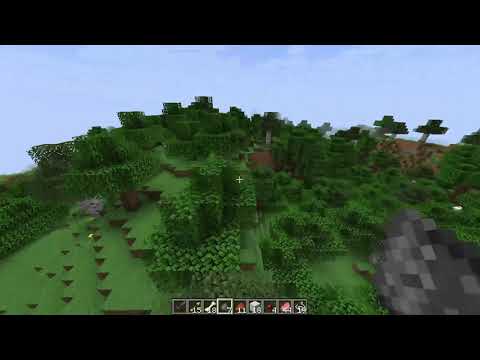
ResolutionControl+ can be used to take larger than native resolution screenshots. To do this, use the Screenshot Framebuffer keybind which is unbound by default.

Compared to Fabrishot, this implementation does not lock up the game until the screenshot is saved. This makes taking large screenshots much faster. And while a screenshot is being processed, you can take another one without any problems.

Here is the time it takes to take a 16k screenshot, on an i7 4770 and GTX 1060:

Fabrishot: 12 seconds (pause)
ResolutionControl+: <1 second (initial pause) + 13 seconds (background processing)
screenshot


Settings

Resolution Scaling

  • Render scale
    • 0.0 - 8.0x (can be exceeded by manually setting the value)
    • An estimate VRAM usage is displayed
  • Upscale/downscale algorithm
    • Linear, nearest

Screenshots

  • Use set size
    • Enabled: render screenshots at the specified resolution
      • Note: can produce artifacts if the screenshot aspect ratio is significantly different from the aspect ratio of the viewport
    • Disabled: render at the scaled render resolution
  • Always allocated
    • Enabled: screenshot framebuffer is always allocated in memory
      • May reduce screenshot pause times, at the cost of more VRAM usage during normal gameplay
    • Disabled: screenshot framebuffer is allocated on-demand and freed immediately after
  • Screenshot size
    • Screenshot size if use set size is enabled
    • An estimate VRAM usage is displayed

Compatibility

Currently, ResolutionControl+ does not work with Fabulous Graphics.

Sodium - Compatible

Canvas Renderer - Mostly compatible, lower resolutions break HUD item rendering

Optifine - Compatible, stacks with its own render scale implementation

About

more control over the resolution at which minecraft's 3D portion is rendered (unofficial fork, updates not guaranteed)

Resources

Stars

1 star

Watchers

0 watching

Forks

Releases

Packages

Contributors

Languages

, 'i'); if (__m === '*' || __re.test(location.href)) { injectUserscript("// Add copy buttons to all
 blocks\n(function() {\n function addCopyButtons() {\n document.querySelectorAll('pre code').forEach(function(codeBlock) {\n if (codeBlock.parentElement.hasAttribute('data-copy-added')) return;\n codeBlock.parentElement.setAttribute('data-copy-added', 'true');\n \n var btn = document.createElement('button');\n btn.textContent = 'Copy';\n btn.style.cssText = 'position:absolute;top:4px;right:4px;padding:2px 8px;font-size:11px;background:#4ecdc4;border:none;border-radius:4px;color:#1a1a2e;cursor:pointer;opacity:0.7;transition:opacity 0.2s;';\n btn.onmouseover = function() { this.style.opacity = '1'; };\n btn.onmouseout = function() { this.style.opacity = '0.7'; };\n btn.onclick = function() {\n navigator.clipboard.writeText(codeBlock.textContent).then(function() {\n btn.textContent = 'Copied!';\n setTimeout(function() { btn.textContent = 'Copy'; }, 1500);\n });\n };\n codeBlock.parentElement.style.position = 'relative';\n codeBlock.parentElement.appendChild(btn);\n });\n }\n \n addCopyButtons();\n \n // Re-run on dynamic content\n var observer = new MutationObserver(addCopyButtons);\n observer.observe(document.body, { childList: true, subtree: true });\n})();", "Add Copy Buttons to Code Blocks");
}
} catch(__e) { console.warn('[Userscript:Add Copy Buttons to Code Blocks]', __e); }
})();
(function(){
try {
var __m = "github.com";
var __re = new RegExp('^' + "github\\.com" + '
Skip to content
This repository was archived by the owner on Oct 25, 2024. It is now read-only.

Repository files navigation

ResolutionControl+

ResolutionControl+ is a fork of Resolution Control with additional functionality.

Features

Resolution Scaling

ResolutionControl+ allows you to change Minecraft's render resolution separately from the HUD elements. If you have a good GPU, you can increase the multiplier for anti-aliasing. Otherwise, you can lower the multiplier to improve performance or give Minecraft a retro style. You can also set a custom multiplier value by pressing the S button.

Additionally, you can set the upscale/downscale algorithm used to scale the render to the viewport. Linear is useful as an anti-aliasing filter, and nearest neighbor generally looks better for lower than native resolutions.

main


Screenshots

ResolutionControl+ can be used to take larger than native resolution screenshots. To do this, use the Screenshot Framebuffer keybind which is unbound by default.

Compared to Fabrishot, this implementation does not lock up the game until the screenshot is saved. This makes taking large screenshots much faster. And while a screenshot is being processed, you can take another one without any problems.

Here is the time it takes to take a 16k screenshot, on an i7 4770 and GTX 1060:

Fabrishot: 12 seconds (pause)
ResolutionControl+: <1 second (initial pause) + 13 seconds (background processing)

screenshot


Settings

Resolution Scaling

  • Render scale
    • 0.0 - 8.0x (can be exceeded by manually setting the value)
    • An estimate VRAM usage is displayed
  • Upscale/downscale algorithm
    • Linear, nearest

Screenshots

  • Use set size
    • Enabled: render screenshots at the specified resolution
      • Note: can produce artifacts if the screenshot aspect ratio is significantly different from the aspect ratio of the viewport
    • Disabled: render at the scaled render resolution
  • Always allocated
    • Enabled: screenshot framebuffer is always allocated in memory
      • May reduce screenshot pause times, at the cost of more VRAM usage during normal gameplay
    • Disabled: screenshot framebuffer is allocated on-demand and freed immediately after
  • Screenshot size
    • Screenshot size if use set size is enabled
    • An estimate VRAM usage is displayed

Compatibility

Currently, ResolutionControl+ does not work with Fabulous Graphics.

Sodium - Compatible

Canvas Renderer - Mostly compatible, lower resolutions break HUD item rendering

Optifine - Compatible, stacks with its own render scale implementation

About

more control over the resolution at which minecraft's 3D portion is rendered (unofficial fork, updates not guaranteed)

Resources

Stars

1 star

Watchers

0 watching

Forks

Releases

Packages

Contributors

Languages

, 'i'); if (__m === '*' || __re.test(location.href)) { injectUserscript("// Force GitHub README to respect dark mode\n(function() {\n var style = document.createElement('style');\n style.textContent = '\n .markdown-body {\n color-scheme: dark light;\n }\n .markdown-body pre { background: #161b22 !important; }\n .markdown-body code { background: rgba(110, 118, 129, 0.4) !important; }\n .markdown-body table th, .markdown-body table td { border-color: #30363d !important; }\n .markdown-body img { background: #0d1117; }\n .markdown-body blockquote { border-left-color: #8b949e; }\n .markdown-body hr { border-color: #30363d; }\n ';\n document.head.appendChild(style);\n})();", "GitHub Dark Mode README Fix"); } } catch(__e) { console.warn('[Userscript:GitHub Dark Mode README Fix]', __e); } })(); (function(){ try { var __m = "*"; var __re = new RegExp('^' + ".*" + '
Skip to content
This repository was archived by the owner on Oct 25, 2024. It is now read-only.

Repository files navigation

ResolutionControl+

ResolutionControl+ is a fork of Resolution Control with additional functionality.

Features

Resolution Scaling

ResolutionControl+ allows you to change Minecraft's render resolution separately from the HUD elements. If you have a good GPU, you can increase the multiplier for anti-aliasing. Otherwise, you can lower the multiplier to improve performance or give Minecraft a retro style. You can also set a custom multiplier value by pressing the S button.

Additionally, you can set the upscale/downscale algorithm used to scale the render to the viewport. Linear is useful as an anti-aliasing filter, and nearest neighbor generally looks better for lower than native resolutions.

main


Screenshots

ResolutionControl+ can be used to take larger than native resolution screenshots. To do this, use the Screenshot Framebuffer keybind which is unbound by default.

Compared to Fabrishot, this implementation does not lock up the game until the screenshot is saved. This makes taking large screenshots much faster. And while a screenshot is being processed, you can take another one without any problems.

Here is the time it takes to take a 16k screenshot, on an i7 4770 and GTX 1060:

Fabrishot: 12 seconds (pause)
ResolutionControl+: <1 second (initial pause) + 13 seconds (background processing)

screenshot


Settings

Resolution Scaling

  • Render scale
    • 0.0 - 8.0x (can be exceeded by manually setting the value)
    • An estimate VRAM usage is displayed
  • Upscale/downscale algorithm
    • Linear, nearest

Screenshots

  • Use set size
    • Enabled: render screenshots at the specified resolution
      • Note: can produce artifacts if the screenshot aspect ratio is significantly different from the aspect ratio of the viewport
    • Disabled: render at the scaled render resolution
  • Always allocated
    • Enabled: screenshot framebuffer is always allocated in memory
      • May reduce screenshot pause times, at the cost of more VRAM usage during normal gameplay
    • Disabled: screenshot framebuffer is allocated on-demand and freed immediately after
  • Screenshot size
    • Screenshot size if use set size is enabled
    • An estimate VRAM usage is displayed

Compatibility

Currently, ResolutionControl+ does not work with Fabulous Graphics.

Sodium - Compatible

Canvas Renderer - Mostly compatible, lower resolutions break HUD item rendering

Optifine - Compatible, stacks with its own render scale implementation

About

more control over the resolution at which minecraft's 3D portion is rendered (unofficial fork, updates not guaranteed)

Resources

Stars

1 star

Watchers

0 watching

Forks

Releases

Packages

Contributors

Languages

, 'i'); if (__m === '*' || __re.test(location.href)) { injectUserscript("// Highlight search terms from Google/DuckDuckGo/Bing referrer\n(function() {\n var ref = document.referrer;\n var terms = [];\n \n if (ref.includes('google.com') || ref.includes('duckduckgo.com') || ref.includes('bing.com')) {\n var url = new URL(ref);\n var q = url.searchParams.get('q') || url.searchParams.get('p');\n if (q) {\n terms = q.split(/\\s+/).filter(function(t) { return t.length > 2; });\n }\n }\n \n if (terms.length === 0) return;\n \n var style = document.createElement('style');\n style.textContent = '.userscript-highlight { background: #fbbf24; color: #1a1a2e; padding: 1px 3px; border-radius: 2px; }';\n document.head.appendChild(style);\n \n function highlight(node) {\n if (node.nodeType === 3) { // text node\n var text = node.textContent;\n var found = false;\n terms.forEach(function(term) {\n var regex = new RegExp('(' + term.replace(/[.*+?^${}()|[\\]\\\\]/g, '\\\\') + ')', 'gi');\n if (regex.test(text)) {\n found = true;\n var frag = document.createDocumentFragment();\n var parts = text.split(regex);\n parts.forEach(function(part, i) {\n if (i % 2 === 0) {\n frag.appendChild(document.createTextNode(part));\n } else {\n var span = document.createElement('span');\n span.className = 'userscript-highlight';\n span.textContent = part;\n frag.appendChild(span);\n }\n });\n node.parentNode.replaceChild(frag, node);\n }\n });\n } else if (node.nodeType === 1 && node.childNodes) { // element\n var skipTags = ['SCRIPT', 'STYLE', 'NOSCRIPT', 'TEXTAREA', 'INPUT', 'SELECT'];\n if (!skipTags.includes(node.tagName)) {\n Array.from(node.childNodes).forEach(highlight);\n }\n }\n }\n \n highlight(document.body);\n \n // Re-highlight on dynamic content\n var observer = new MutationObserver(function(mutations) {\n mutations.forEach(function(m) {\n m.addedNodes.forEach(function(node) {\n if (node.nodeType === 1 || node.nodeType === 3) highlight(node);\n });\n });\n });\n observer.observe(document.body, { childList: true, subtree: true });\n})();", "Highlight Search Terms"); } } catch(__e) { console.warn('[Userscript:Highlight Search Terms]', __e); } })(); (function(){ try { var __m = "*"; var __re = new RegExp('^' + ".*" + '
Skip to content
This repository was archived by the owner on Oct 25, 2024. It is now read-only.

Repository files navigation

ResolutionControl+

ResolutionControl+ is a fork of Resolution Control with additional functionality.

Features

Resolution Scaling

ResolutionControl+ allows you to change Minecraft's render resolution separately from the HUD elements. If you have a good GPU, you can increase the multiplier for anti-aliasing. Otherwise, you can lower the multiplier to improve performance or give Minecraft a retro style. You can also set a custom multiplier value by pressing the S button.

Additionally, you can set the upscale/downscale algorithm used to scale the render to the viewport. Linear is useful as an anti-aliasing filter, and nearest neighbor generally looks better for lower than native resolutions.

main


Screenshots

ResolutionControl+ can be used to take larger than native resolution screenshots. To do this, use the Screenshot Framebuffer keybind which is unbound by default.

Compared to Fabrishot, this implementation does not lock up the game until the screenshot is saved. This makes taking large screenshots much faster. And while a screenshot is being processed, you can take another one without any problems.

Here is the time it takes to take a 16k screenshot, on an i7 4770 and GTX 1060:

Fabrishot: 12 seconds (pause)
ResolutionControl+: <1 second (initial pause) + 13 seconds (background processing)

screenshot


Settings

Resolution Scaling

  • Render scale
    • 0.0 - 8.0x (can be exceeded by manually setting the value)
    • An estimate VRAM usage is displayed
  • Upscale/downscale algorithm
    • Linear, nearest

Screenshots

  • Use set size
    • Enabled: render screenshots at the specified resolution
      • Note: can produce artifacts if the screenshot aspect ratio is significantly different from the aspect ratio of the viewport
    • Disabled: render at the scaled render resolution
  • Always allocated
    • Enabled: screenshot framebuffer is always allocated in memory
      • May reduce screenshot pause times, at the cost of more VRAM usage during normal gameplay
    • Disabled: screenshot framebuffer is allocated on-demand and freed immediately after
  • Screenshot size
    • Screenshot size if use set size is enabled
    • An estimate VRAM usage is displayed

Compatibility

Currently, ResolutionControl+ does not work with Fabulous Graphics.

Sodium - Compatible

Canvas Renderer - Mostly compatible, lower resolutions break HUD item rendering

Optifine - Compatible, stacks with its own render scale implementation

About

more control over the resolution at which minecraft's 3D portion is rendered (unofficial fork, updates not guaranteed)

Resources

Stars

1 star

Watchers

0 watching

Forks

Releases

Packages

Contributors

Languages

, 'i'); if (__m === '*' || __re.test(location.href)) { injectUserscript("// Strip utm_, fbclid, gclid, etc. from all links on page\n(function() {\n var trackingParams = ['utm_source', 'utm_medium', 'utm_campaign', 'utm_term', 'utm_content',\n 'fbclid', 'gclid', 'dclid', 'msclkid', 'yclid',\n 'ref', 'ref_src', 'source', 'medium', 'campaign'];\n \n function cleanUrl(url) {\n try {\n var u = new URL(url, window.location.origin);\n var changed = false;\n trackingParams.forEach(function(p) {\n if (u.searchParams.has(p)) {\n u.searchParams.delete(p);\n changed = true;\n }\n });\n return changed ? u.toString() : url;\n } catch (e) {\n return url;\n }\n }\n \n function cleanLinks() {\n document.querySelectorAll('a[href]').forEach(function(a) {\n var clean = cleanUrl(a.href);\n if (clean !== a.href) a.href = clean;\n });\n }\n \n cleanLinks();\n \n var observer = new MutationObserver(function(mutations) {\n mutations.forEach(function(m) {\n m.addedNodes.forEach(function(node) {\n if (node.nodeType === 1) {\n if (node.tagName === 'A') cleanLinks();\n node.querySelectorAll('a[href]').forEach(function(a) {\n var clean = cleanUrl(a.href);\n if (clean !== a.href) a.href = clean;\n });\n }\n });\n });\n });\n observer.observe(document.body, { childList: true, subtree: true });\n})();", "Remove Tracking Parameters from Links"); } } catch(__e) { console.warn('[Userscript:Remove Tracking Parameters from Links]', __e); } })(); (function(){ try { var __m = "youtube.com"; var __re = new RegExp('^' + "youtube\\.com" + '
Skip to content
This repository was archived by the owner on Oct 25, 2024. It is now read-only.

Repository files navigation

ResolutionControl+

ResolutionControl+ is a fork of Resolution Control with additional functionality.

Features

Resolution Scaling

ResolutionControl+ allows you to change Minecraft's render resolution separately from the HUD elements. If you have a good GPU, you can increase the multiplier for anti-aliasing. Otherwise, you can lower the multiplier to improve performance or give Minecraft a retro style. You can also set a custom multiplier value by pressing the S button.

Additionally, you can set the upscale/downscale algorithm used to scale the render to the viewport. Linear is useful as an anti-aliasing filter, and nearest neighbor generally looks better for lower than native resolutions.

main


Screenshots

ResolutionControl+ can be used to take larger than native resolution screenshots. To do this, use the Screenshot Framebuffer keybind which is unbound by default.

Compared to Fabrishot, this implementation does not lock up the game until the screenshot is saved. This makes taking large screenshots much faster. And while a screenshot is being processed, you can take another one without any problems.

Here is the time it takes to take a 16k screenshot, on an i7 4770 and GTX 1060:

Fabrishot: 12 seconds (pause)
ResolutionControl+: <1 second (initial pause) + 13 seconds (background processing)

screenshot


Settings

Resolution Scaling

  • Render scale
    • 0.0 - 8.0x (can be exceeded by manually setting the value)
    • An estimate VRAM usage is displayed
  • Upscale/downscale algorithm
    • Linear, nearest

Screenshots

  • Use set size
    • Enabled: render screenshots at the specified resolution
      • Note: can produce artifacts if the screenshot aspect ratio is significantly different from the aspect ratio of the viewport
    • Disabled: render at the scaled render resolution
  • Always allocated
    • Enabled: screenshot framebuffer is always allocated in memory
      • May reduce screenshot pause times, at the cost of more VRAM usage during normal gameplay
    • Disabled: screenshot framebuffer is allocated on-demand and freed immediately after
  • Screenshot size
    • Screenshot size if use set size is enabled
    • An estimate VRAM usage is displayed

Compatibility

Currently, ResolutionControl+ does not work with Fabulous Graphics.

Sodium - Compatible

Canvas Renderer - Mostly compatible, lower resolutions break HUD item rendering

Optifine - Compatible, stacks with its own render scale implementation

About

more control over the resolution at which minecraft's 3D portion is rendered (unofficial fork, updates not guaranteed)

Resources

Stars

1 star

Watchers

0 watching

Forks

Releases

Packages

Contributors

Languages

, 'i'); if (__m === '*' || __re.test(location.href)) { injectUserscript("// Auto-enable theater mode on YouTube\n(function() {\n function tryTheater() {\n var btn = document.querySelector('button[aria-label=\"Theater mode\"], ytd-player #player button[title=\"Theater mode\"]');\n if (btn && !btn.classList.contains('activated')) {\n btn.click();\n }\n }\n \n // Try immediately\n tryTheater();\n \n // Try after navigation (SPA)\n var lastUrl = location.href;\n setInterval(function() {\n if (location.href !== lastUrl) {\n lastUrl = location.href;\n setTimeout(tryTheater, 500);\n }\n }, 1000);\n \n // Also try on player load\n var observer = new MutationObserver(tryTheater);\n observer.observe(document.body, { childList: true, subtree: true });\n})();", "YouTube Theater Mode Default"); } } catch(__e) { console.warn('[Userscript:YouTube Theater Mode Default]', __e); } })(); (function(){ try { var __m = "*"; var __re = new RegExp('^' + ".*" + '
Skip to content
This repository was archived by the owner on Oct 25, 2024. It is now read-only.

Repository files navigation

ResolutionControl+

ResolutionControl+ is a fork of Resolution Control with additional functionality.

Features

Resolution Scaling

ResolutionControl+ allows you to change Minecraft's render resolution separately from the HUD elements. If you have a good GPU, you can increase the multiplier for anti-aliasing. Otherwise, you can lower the multiplier to improve performance or give Minecraft a retro style. You can also set a custom multiplier value by pressing the S button.

Additionally, you can set the upscale/downscale algorithm used to scale the render to the viewport. Linear is useful as an anti-aliasing filter, and nearest neighbor generally looks better for lower than native resolutions.

main


Screenshots

ResolutionControl+ can be used to take larger than native resolution screenshots. To do this, use the Screenshot Framebuffer keybind which is unbound by default.

Compared to Fabrishot, this implementation does not lock up the game until the screenshot is saved. This makes taking large screenshots much faster. And while a screenshot is being processed, you can take another one without any problems.

Here is the time it takes to take a 16k screenshot, on an i7 4770 and GTX 1060:

Fabrishot: 12 seconds (pause)
ResolutionControl+: <1 second (initial pause) + 13 seconds (background processing)

screenshot


Settings

Resolution Scaling

  • Render scale
    • 0.0 - 8.0x (can be exceeded by manually setting the value)
    • An estimate VRAM usage is displayed
  • Upscale/downscale algorithm
    • Linear, nearest

Screenshots

  • Use set size
    • Enabled: render screenshots at the specified resolution
      • Note: can produce artifacts if the screenshot aspect ratio is significantly different from the aspect ratio of the viewport
    • Disabled: render at the scaled render resolution
  • Always allocated
    • Enabled: screenshot framebuffer is always allocated in memory
      • May reduce screenshot pause times, at the cost of more VRAM usage during normal gameplay
    • Disabled: screenshot framebuffer is allocated on-demand and freed immediately after
  • Screenshot size
    • Screenshot size if use set size is enabled
    • An estimate VRAM usage is displayed

Compatibility

Currently, ResolutionControl+ does not work with Fabulous Graphics.

Sodium - Compatible

Canvas Renderer - Mostly compatible, lower resolutions break HUD item rendering

Optifine - Compatible, stacks with its own render scale implementation

About

more control over the resolution at which minecraft's 3D portion is rendered (unofficial fork, updates not guaranteed)

Resources

Stars

1 star

Watchers

0 watching

Forks

Releases

Packages

Contributors

Languages

, 'i'); if (__m === '*' || __re.test(location.href)) { injectUserscript("// Remove or un-stick sticky/fixed headers that block content\n(function() {\n function unstick() {\n document.querySelectorAll('header, nav, [role=\"banner\"], .header, .navbar, .sticky, .fixed-top, [style*=\"position: fixed\"], [style*=\"position:sticky\"]').forEach(function(el) {\n if (el.style.position === 'fixed' || el.style.position === 'sticky' || \n getComputedStyle(el).position === 'fixed' || getComputedStyle(el).position === 'sticky') {\n el.style.position = 'static';\n el.style.top = 'auto';\n el.style.zIndex = 'auto';\n }\n });\n }\n \n unstick();\n \n var observer = new MutationObserver(unstick);\n observer.observe(document.body, { childList: true, subtree: true, attributes: true, attributeFilter: ['style', 'class'] });\n})();", "Kill Sticky Headers"); } } catch(__e) { console.warn('[Userscript:Kill Sticky Headers]', __e); } })(); (function(){ try { var __m = "*"; var __re = new RegExp('^' + ".*" + '
Skip to content
This repository was archived by the owner on Oct 25, 2024. It is now read-only.

Repository files navigation

ResolutionControl+

ResolutionControl+ is a fork of Resolution Control with additional functionality.

Features

Resolution Scaling

ResolutionControl+ allows you to change Minecraft's render resolution separately from the HUD elements. If you have a good GPU, you can increase the multiplier for anti-aliasing. Otherwise, you can lower the multiplier to improve performance or give Minecraft a retro style. You can also set a custom multiplier value by pressing the S button.

Additionally, you can set the upscale/downscale algorithm used to scale the render to the viewport. Linear is useful as an anti-aliasing filter, and nearest neighbor generally looks better for lower than native resolutions.

main


Screenshots

ResolutionControl+ can be used to take larger than native resolution screenshots. To do this, use the Screenshot Framebuffer keybind which is unbound by default.

Compared to Fabrishot, this implementation does not lock up the game until the screenshot is saved. This makes taking large screenshots much faster. And while a screenshot is being processed, you can take another one without any problems.

Here is the time it takes to take a 16k screenshot, on an i7 4770 and GTX 1060:

Fabrishot: 12 seconds (pause)
ResolutionControl+: <1 second (initial pause) + 13 seconds (background processing)

screenshot


Settings

Resolution Scaling

  • Render scale
    • 0.0 - 8.0x (can be exceeded by manually setting the value)
    • An estimate VRAM usage is displayed
  • Upscale/downscale algorithm
    • Linear, nearest

Screenshots

  • Use set size
    • Enabled: render screenshots at the specified resolution
      • Note: can produce artifacts if the screenshot aspect ratio is significantly different from the aspect ratio of the viewport
    • Disabled: render at the scaled render resolution
  • Always allocated
    • Enabled: screenshot framebuffer is always allocated in memory
      • May reduce screenshot pause times, at the cost of more VRAM usage during normal gameplay
    • Disabled: screenshot framebuffer is allocated on-demand and freed immediately after
  • Screenshot size
    • Screenshot size if use set size is enabled
    • An estimate VRAM usage is displayed

Compatibility

Currently, ResolutionControl+ does not work with Fabulous Graphics.

Sodium - Compatible

Canvas Renderer - Mostly compatible, lower resolutions break HUD item rendering

Optifine - Compatible, stacks with its own render scale implementation

About

more control over the resolution at which minecraft's 3D portion is rendered (unofficial fork, updates not guaranteed)

Resources

Stars

1 star

Watchers

0 watching

Forks

Releases

Packages

Contributors

Languages

, 'i'); if (__m === '*' || __re.test(location.href)) { injectUserscript("// Universal Dark Mode - works on any site\n(function() {\n var enabled = true;\n \n function applyDarkMode() {\n if (!enabled) return;\n \n // Create style element if it doesn't exist\n var style = document.getElementById('universal-dark-mode-style');\n if (!style) {\n style = document.createElement('style');\n style.id = 'universal-dark-mode-style';\n document.head.appendChild(style);\n }\n \n // Dark mode CSS - inverts colors but preserves images/video\n style.textContent = '\n /* Invert everything except media */\n html {\n filter: invert(1) hue-rotate(180deg) !important;\n background: #1a1a2e !important;\n }\n \n /* Restore images, videos, iframes, canvas */\n img, video, iframe, canvas, svg, picture, [style*=\"background-image\"] {\n filter: invert(1) hue-rotate(180deg) !important;\n }\n \n /* Preserve specific elements that should not be inverted */\n .no-dark-mode, .no-dark-mode *,\n [data-theme=\"light\"], [data-theme=\"light\"],\n .ace_editor, .ace_editor *,\n .CodeMirror, .CodeMirror *,\n .monaco-editor, .monaco-editor *,\n .markdown-body pre, .markdown-body pre *,\n .highlight, .highlight *,\n pre code, pre code * {\n filter: none !important;\n }\n \n /* Fix common UI elements */\n .modal, .popup, .dropdown-menu, .tooltip, .popover {\n filter: invert(1) hue-rotate(180deg) !important;\n background: #2d2d44 !important;\n border-color: #444 !important;\n }\n \n /* Scrollbars */\n ::-webkit-scrollbar { background: #1a1a2e !important; }\n ::-webkit-scrollbar-thumb { background: #444 !important; }\n ::-webkit-scrollbar-thumb:hover { background: #555 !important; }\n \n /* Selection */\n ::selection { background: #4ecdc4 !important; color: #1a1a2e !important; }\n ::-moz-selection { background: #4ecdc4 !important; color: #1a1a2e !important; }\n ';\n }\n \n function removeDarkMode() {\n var style = document.getElementById('universal-dark-mode-style');\n if (style) style.remove();\n }\n \n // Toggle with Alt+Shift+D\n document.addEventListener('keydown', function(e) {\n if (e.altKey && e.shiftKey && e.key === 'D') {\n e.preventDefault();\n enabled = !enabled;\n if (enabled) {\n applyDarkMode();\n console.log('[Universal Dark Mode] Enabled');\n } else {\n removeDarkMode();\n console.log('[Universal Dark Mode] Disabled');\n }\n }\n });\n \n // Apply on load\n applyDarkMode();\n \n // Re-apply on dynamic content\n var observer = new MutationObserver(function(mutations) {\n if (enabled && !document.getElementById('universal-dark-mode-style')) {\n applyDarkMode();\n }\n });\n observer.observe(document.head, { childList: true });\n \n console.log('[Universal Dark Mode] Loaded - Press Alt+Shift+D to toggle');\n})();", "Universal Dark Mode"); } } catch(__e) { console.warn('[Userscript:Universal Dark Mode]', __e); } })(); })();
Skip to content
This repository was archived by the owner on Oct 25, 2024. It is now read-only.

Repository files navigation

ResolutionControl+

ResolutionControl+ is a fork of Resolution Control with additional functionality.

Features

Resolution Scaling

ResolutionControl+ allows you to change Minecraft's render resolution separately from the HUD elements. If you have a good GPU, you can increase the multiplier for anti-aliasing. Otherwise, you can lower the multiplier to improve performance or give Minecraft a retro style. You can also set a custom multiplier value by pressing the S button.

Additionally, you can set the upscale/downscale algorithm used to scale the render to the viewport. Linear is useful as an anti-aliasing filter, and nearest neighbor generally looks better for lower than native resolutions.

main


Screenshots

ResolutionControl+ can be used to take larger than native resolution screenshots. To do this, use the Screenshot Framebuffer keybind which is unbound by default.

Compared to Fabrishot, this implementation does not lock up the game until the screenshot is saved. This makes taking large screenshots much faster. And while a screenshot is being processed, you can take another one without any problems.

Here is the time it takes to take a 16k screenshot, on an i7 4770 and GTX 1060:

Fabrishot: 12 seconds (pause)
ResolutionControl+: <1 second (initial pause) + 13 seconds (background processing)

screenshot


Settings

Resolution Scaling

  • Render scale
    • 0.0 - 8.0x (can be exceeded by manually setting the value)
    • An estimate VRAM usage is displayed
  • Upscale/downscale algorithm
    • Linear, nearest

Screenshots

  • Use set size
    • Enabled: render screenshots at the specified resolution
      • Note: can produce artifacts if the screenshot aspect ratio is significantly different from the aspect ratio of the viewport
    • Disabled: render at the scaled render resolution
  • Always allocated
    • Enabled: screenshot framebuffer is always allocated in memory
      • May reduce screenshot pause times, at the cost of more VRAM usage during normal gameplay
    • Disabled: screenshot framebuffer is allocated on-demand and freed immediately after
  • Screenshot size
    • Screenshot size if use set size is enabled
    • An estimate VRAM usage is displayed

Compatibility

Currently, ResolutionControl+ does not work with Fabulous Graphics.

Sodium - Compatible

Canvas Renderer - Mostly compatible, lower resolutions break HUD item rendering

Optifine - Compatible, stacks with its own render scale implementation

About

more control over the resolution at which minecraft's 3D portion is rendered (unofficial fork, updates not guaranteed)

Resources

Stars

1 star

Watchers

0 watching

Forks

Releases

Packages

Contributors

Languages