#Beautystack.js
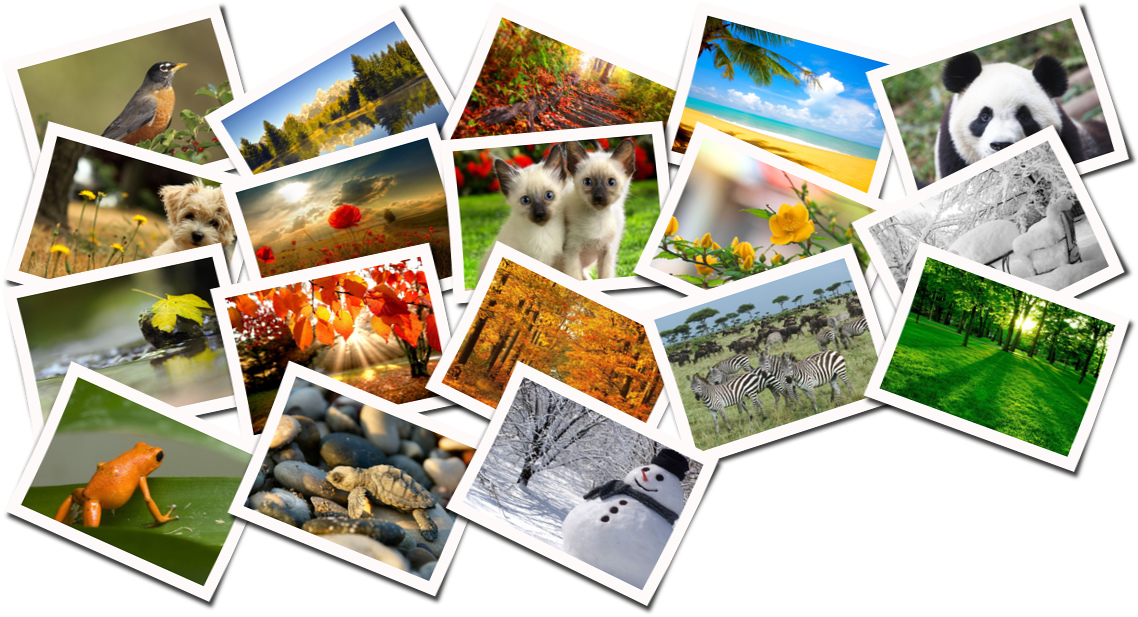
A node.js module to make beautiful stacks of photos. It utilizes Imagemagick polaroid feature and gives you simple and node.js ready solution to generate images stacks like this:
##Features
- Supports background color, image or trancparency
- Has many customization parameters like spacing, rotation, quality
- Supports directory or array of files for input
- Works asynchroniously, supports simultanious conversions of images
- Has event for tracking progress of conversion in percents
- Makes loseless autorotations of original images
##Installation For this module only ImageMagick and jhead are needed to be installed.
###For Ubuntu and Debian apt-get install imagemagick apt-get install jhead
###For Mac OS X brew install imagemagick brew install jhead
###Instalation of module Via npm:
npm install beautystack
Or clone repo:
npm install git://github.com/bagdonas/beautystack.git
##Getting Started The bare minimum code needed to start conversion:
varbeautystack=require('beautystack');varbs=newbeautystack;varconfig={source: 'images/',output: 'output/example1.png',};bs.process(config,function(err,data){if(err){console.log('Beautystack processing error: '+err);return;}console.log('Photos processed! Check out your new beautiful stack of photos: '+data.output);});To track the progress of conversion:
bs.on('progress',function(data){console.log("Percent: "+data.percent);});More configuration examples:
varconfig={source: [//now source is the list of image paths, in example above it was directory'images/Yellow-leaf.jpg','images/Winter-wallpaper-by-cool-wallpapers-15.jpg','images/winter-accident.jpg','images/wallpapers-nature-animals.jpg','images/Spring-starts.jpg'],output: 'output/example1.png',//where to put file after conversion, also you can choose file type by changing extensionwidth: 200,//width of all those small imagesheight: 140,//heightcolumns: 4,//columns of small images in output imagerotation: 30,//max rotation angle in degrees, it varties randomly between minus and plus of this valuebackground: 'transparent',//could be some color like 'white', 'red' or image ***STILL WORKING ON THISquality: 96//quality of output image};Important. Keep attention when selecting output file type and background, because for example jpeg doesn't support transparency. Most other formats supports it.
##Todo
- Make everything faster
- Add more options to customize a stack
- Fully implement all kinds of background types
- Make it work with buffers
- Better control 'the flow' of module, because image conversions is really strainful for cpu
- Limit simultanious conversions respecting the speed of computer or VM
- Better utilize multicore systems
- Monitor server load and schedule conversation tasks accordingly
- Distribute conversion tasks on multiple servers
##Author Martynas Bagdonas
Check out some other interesting projects on my blog.
##License MIT