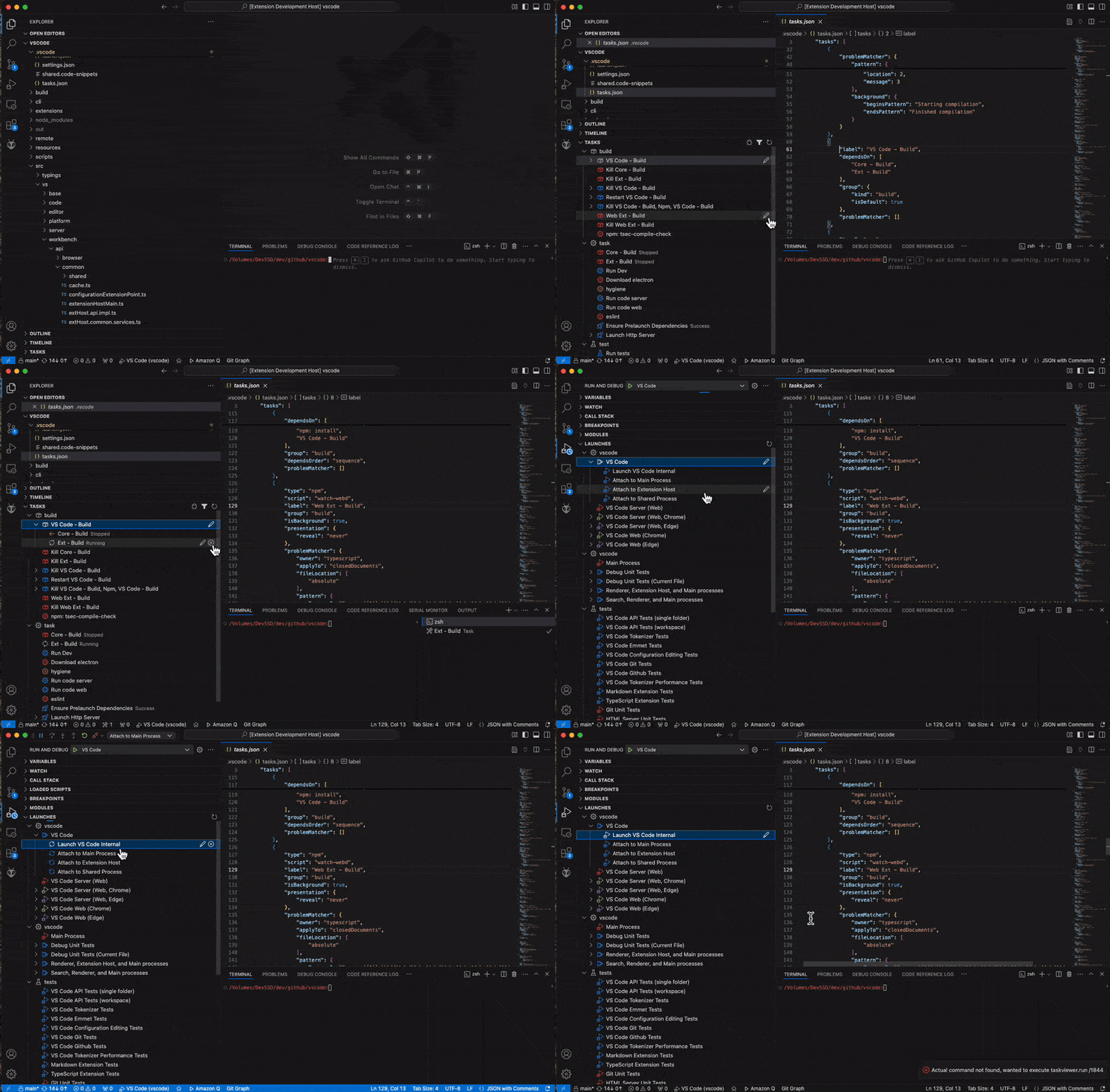
Provides quick access to your workspace tasks and/or launch scripts from the explorer or debug view.
If you enjoy this extension, consider buying me a cup of tea to support future updates!
- Tasks grouped by task group
- Full support for multi-root workspaces, and optional grouping by folder
- Task icons based on task name, with colors based on task type
- View all tasks, or only configured tasks (found in tasks.json)
- Launch scripts optionally shown in task view
- Separate Launch script view in debug pane, grouped by presentation group
- Task and Launch script execution on click from the explorer view
- Task and Launch script editing (opens in appropriate tasks.json or launch.json)
- Visual status updates for running, successful, or failed tasks
- Stop button for running tasks or active debug sessions (
 )
)

Theme icons are associated with strings found in task or launch script names, and can be customized using the setting taskviewer.icons. The default associations are:
- clean: trash (
 )
) - build: package (
 )
) - rebuild: package ()
- test: beaker (
 )
) - debug: bug (
 )
) - launch: rocket (
 )
) - terminal: terminal (
 )
) - watch: eye (
 )
) - deploy: cloud-upload (
 )
) - start: play (
 )
) - stop: debug-stop (
 )
) - publish: cloud (
 )
) - default: gear (
 )
)


Theme colors are associated with task or launch script types, and can be customized using the setting taskviewer.colors. The default associations are:
- npm: chart.red
- shell: chart.blue
- typescript: chart.purple
- gulp: chart.orange
- grunt: chart.yellow
- node: chart.red
- extensionHost: chart.blue
- chrome: chart.green
- msedge: chart.purple
- compound: chart.blue
- default: chart.yellow
This extension provides an extension mechanism of its own to allow customisation by task type, and to extend the list of items shown.
interfaceTypeHandler{makeItem(id: string,task: vscode.Task|undefined,def: vscode.TaskDefinition,workspace?: vscode.WorkspaceFolder): CustomItem|void;}interfaceTaskProvider{provideItems(): Promise<CustomItem[]>;}interfaceCustomItem{title: string;// item title displayed in treegroup?: string;// optional group for grouped placement in treeicon?: vscode.ThemeIcon;// optional icon displayed in treetooltip?: vscode.MarkdownString;run?(): void;// called when user tries to run this itemedit?(): void;// called when user tries to edit this itemchildren?(): Promise<CustomItem[]>;// optional child nodes displayed in tree}//APIregisterType(type: string,handler: TypeHandler){this.types[type]=handler;}registerProvider(handler: TaskProvider){this.providers.push(handler);}To use, first obtain the api from this extension, then use registerType to override the items displayed for a specific task type, and/or use registerProvider to create custom items.
importtype{exportsastaskviewerExports,CustomItem}from'<path to extensions>/isopodlabs.taskview-0.5.1/out/extension';//in activate
...
consttaskview=vscode.extensions.getExtension('isopodlabs.taskviewer');if(taskview){taskview.activate().then(()=>{constapi=taskview.exportsastaskviewerExports;api.registerType('myTaskType',{makeItem(id,task,def,workspace){return{title: 'My amazing task',
...
}}});api.registerProvider({asyncprovideItems(){constitems: CustomItem[]=[];//make some itemsreturnitems;}});---})}
...
Please ask on github for more details.