Repository to upload config file for NikGapps ecosystem to create a custom build for you


- Working knowledge of NikGapps configuration file
- That's it. No server, No core Gapps knowledge, No other cost!
- Yes, if you want to skip reading and jump to video tutorial. Here is the video tutorial that you should follow to create a custom build.
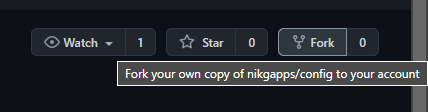
Fork this repository: Click on the fork icon at the top right corner of the repository page.

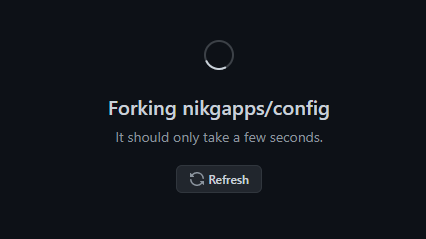
Wait for the forking to finish.

Download the latest version of the nikgapps.config.
Copy the downloaded file to the specific target Android version folder (e.g., place the config file in the '10' folder if you want to create a build targeting Android 10).
Note: Do not reuse, modify, or delete any existing '.config' files from any of the folders to avoid issues during building and troubleshooting.
Rename the config file: Set the name you want for your custom NikGapps build. For example, renaming to
xyz.configwill createNikGapps-xyz-arm64-androidversion-date-signed.zip.Configure your config file: Set
AppSet=1or>>Package=1to include it in your package, or set it to0to exclude it.- You can also set packages to
2to include them in your package and prevent the AOSP package from being removed when your package is installed. - Example:
YouTube=1,PixelLauncher=1,>>PixelTips=1will include these packages in your custom Gapps build, whileDrive=0will skip the package. Any other values will be ignored.
- You can also set packages to
Commit the config file to your forked repository. Ensure the name is unique and ends with '.config'.
Send a pull request to merge your config file into this repository.
Wait for the pull request to be merged: This should take less than 30 minutes.
Once merged, the NikGapps ecosystem will build your custom Gapps.
After the build, your config file will be moved to the archive with '_date' appended to it.
Find your build: Look for the date folder in Config-Releases, where you will find your build.
- Follow above steps again as once the custom build is created, config file will be moved to archive
For More information on this repository, refer nikgapps blog