Lightweight and totally customizable. Create and present it the way you do with UIAlertController.


- Demo
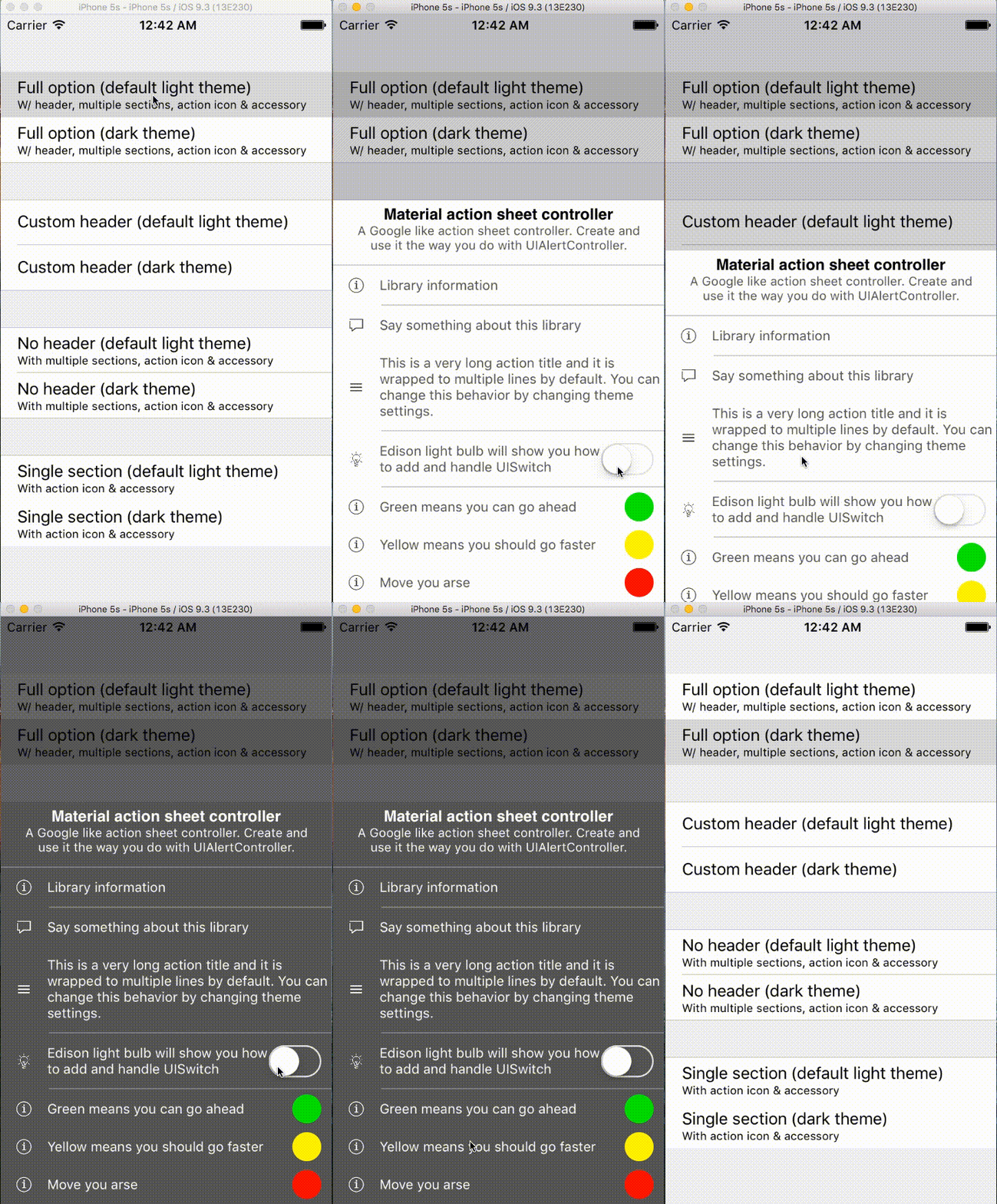
| Default light theme | Dark theme | Custom header |
|---|---|---|---|---|
|  |
|  |
|  |
|
- Using closures to configure actions
- Action with optional icon and accessory view
- Handling touch on accessory view
- Separate long action list in sections
- Using closures to callback when controller is about to dismiss
- 2 built-in themes: light & dark
- Customizable header
- Swift 3 compliant
- Present on iPad as a pop-up
- Documenting
- iOS 8.0+
- Xcode 8
- Swift 3
MaterialActionSheetController is available through CocoaPods. To install it, simply add the following line to your Podfile:
pod'MaterialActionSheetController'Add MaterialActionSheetController.swift to your project
// Import MaterialActionSheetController if you're using CocoaPods
import MaterialActionSheetController
// Create an action
letlightBulbAction=MaterialAction(
icon:UIImage(named:"lightbulb"),
title:"Action with UISwitch as an accessory view", handler:{[unowned self](accessoryView)inself.doSomething()}, accessoryView:UISwitch(), dismissOnAccessoryTouch:true, accessoryHandler:{[unowned self](accessoryView)iniflet lightBulbSwitch = accessoryView as?UISwitch{if accessoryView.on {print("Light is ON!")}else{print("Light is OFF!")}}self.doSomeOtherThing()})// Then create your MaterialActionSheetController
// parameter sections is a variadic which take a flexible list of section
letmaterialActionSheetController=MaterialActionSheetController(
title:"A nice title",
message:"A friendly message",
actionSections:[aCoolAction, anotherCoolAction],[cancelAction])// Or create letmaterialActionSheetController=MaterialActionSheetController()
materialActionSheetController.title ="A nice title"
materialActionSheetController.message ="A friendly message"
materialActionSheetController.actionSections.append([aCoolAction, anotherCoolAction])
materialActionSheetController.actionSections.append([cancelAction])// Customize theme
materialActionSheetController.theme =MaterialActionSheetTheme.dark()
// Custom header view
letimageView=UIImageView(image:UIImage(named:"myimage"))
imageView.bounds =CGRect(origin:CGPoint.zero, size:CGSize(width:300, height:100))
materialActionSheetController.customHeaderView = imageView
// Handler on "will dismiss" and "did dismiss" event
materialActionSheetController.willDismiss ={[unowned self]inprint("I will dismiss.")self.doSomething()}
// Finally present it
materialActionSheetController.didDismiss ={[unowned self]inprint("I did dismiss.")self.doSomething()}presentViewController(materialActionSheetController, animated:true, completion:nil)See code in demo for more detailed examples.
Feel free to make PR, contributions are warmly welcome and appreciated.
MaterialActionSheetController is available under the MIT license. See the LICENSE file for more info.