

DOWNLOAD HERE - TI MSP430 Bootloader (BSL) .NET Cross-Platform Toolchain
| Release | OS | Architecture | Framework | Last Stable |
|---|---|---|---|---|
| BSL430.NET | WinNT, Linux | x86, amd64 | net461, netstandard2.0 | v1.3.4 |
| BSL430.NET.FirmwareTools | any | any | net40, net45, net461, netstandard2.0 | v1.3.4 |
| BSL430.NET.Console | WinNT, Linux | x86, amd64 | netcoreapp3.0 | v1.3.2 |
| BSL430.NET.WPF (GUI) | WinNT | x86, amd64 | net461, (netcoreapp3.0) | v1.3.2, Store |
- Wiki
- Main Features
- GUI App (Windows)
- Console App (Windows, Linux)
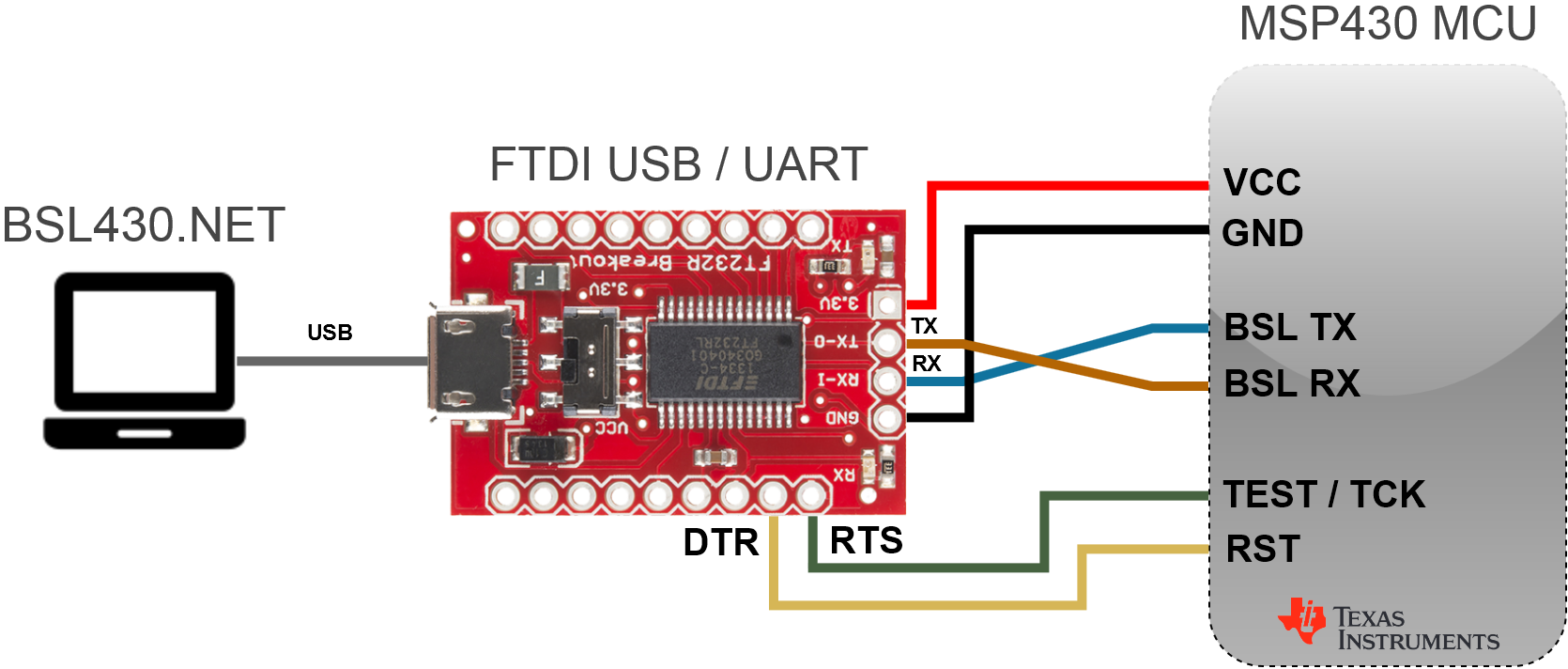
- Wiring diagrams
- Library
- References
- Firmware Tools
- Replace expensive original MSP FET programmer with cheap FTDI FT232 or Serial COM port
- Upload, Download or Erase MSP430 MCU memory with minimal effort via generic UART converter
- Fexible way how to upgrade device firmware with .NET library, integrable into any app (also production)
- Most common firmware format support: TI-TXT, Intel-HEX, SREC, ELF
- Original C# code implementing TI bootloader protocols 5xx/6xx and 1xx/2xx/4xx(TI doc)
Note: USB mode not tested yet.
Warning: Old 1xx/2xx/4xx bootloader protocol handle Erase or incorrectly entered password as complete memory wipe including Info A (with calibration data), if LOCK A bit is not set!
BSL430.NET project started back in 2016, when I worked on my Wireless Weather Station project based on CC430 MCU (F5xx),
connected on PCB to FT232. And I wanted to implement automatic firmware upgrade feature, while PC control app was already
written in C# (WPF). So I started to study TI docs and coding, but soon I realized, that there is nothing like this (except
C++ TI BS430 library or Python MSP430 Tools), that is both versatile and scalable. So today, after weather station
project already have finished, I changed my direction to BSL430.NET, and want to encourage other developers and enthusiasts
to use this app/library, which I had completely open-sourced, and moreover I made some nice Win GUI App for simple use.
This library can now be integrated into any MSP430 based project, even commercial, to enable automatic firmware upgrades.
More intel here: Wiki Homepage, Wiki Library,
Wiki GUI App, Wiki Console App or
Wiki Firmware Tools
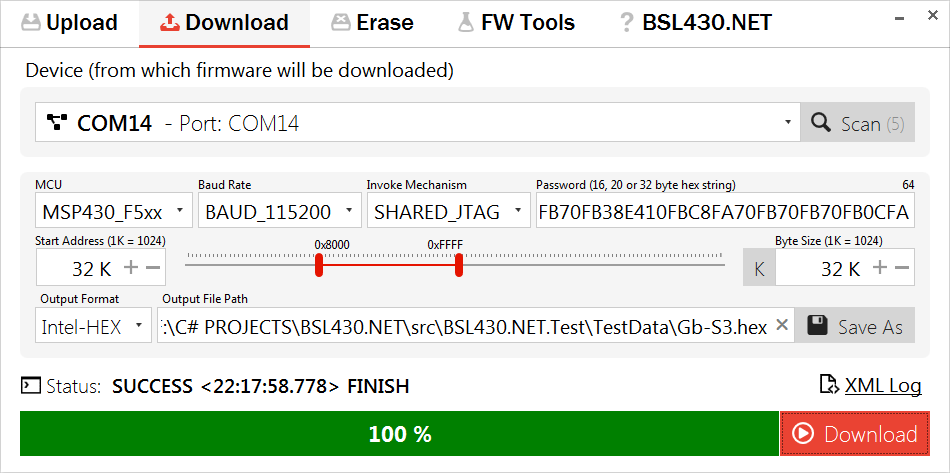
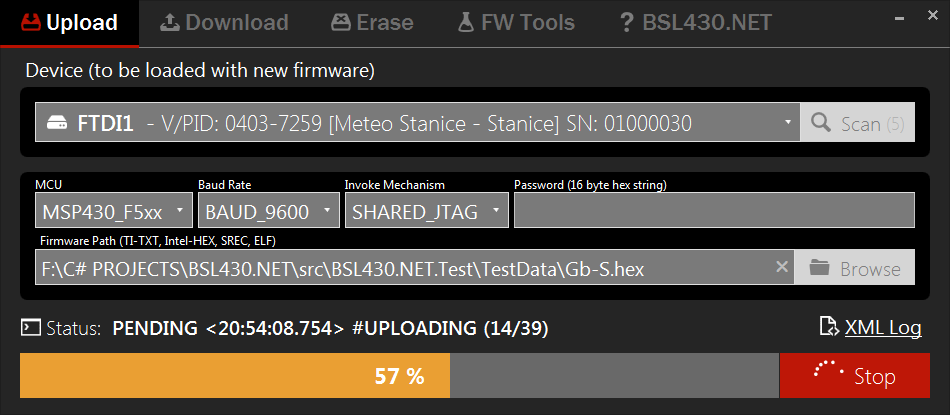
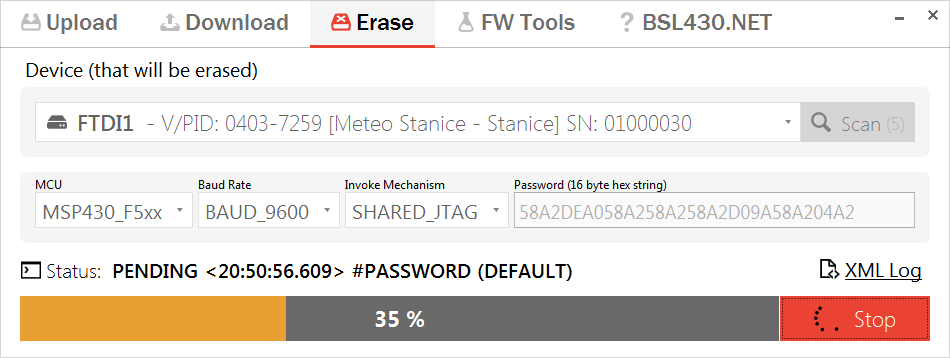
Wiki docs - First start quick go-through for ease of use
Download code from MCU:

Upload firmware to MCU (Dark Mode):

Erase whole MCU:

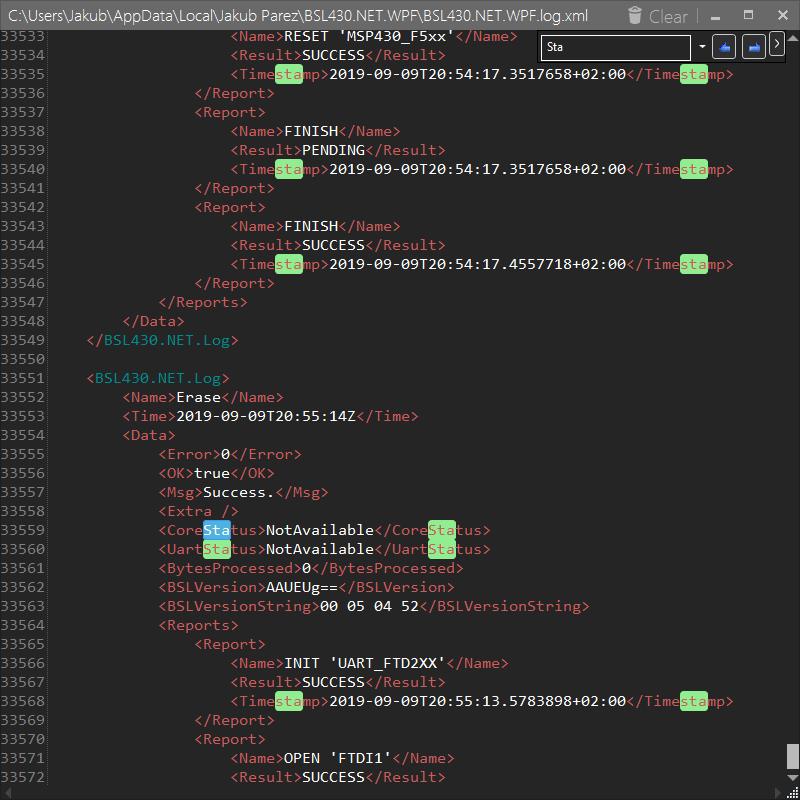
XML Log (Dark Mode):

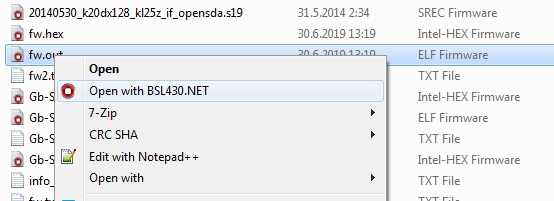
Shell Extension & Association:

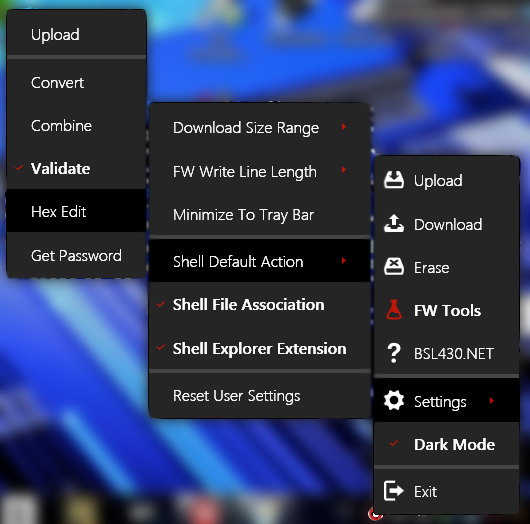
Tray Icon Settings (Dark Mode):

Wiki docs - Tutorials how to use console app
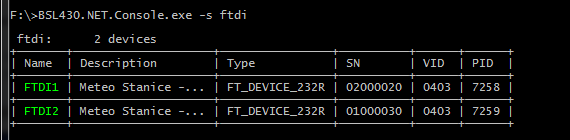
Scan for devices (FTDI):

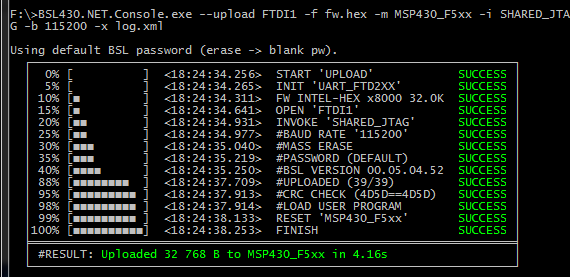
Upload firmware to MCU:

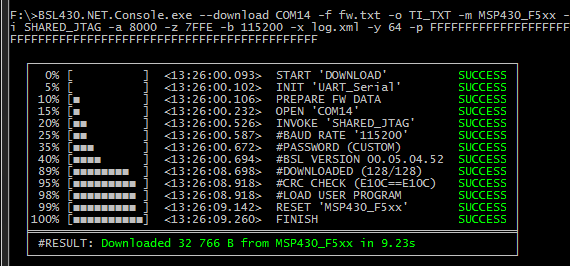
Download firmware from MCU:

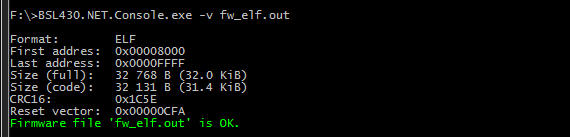
Firmware Tools - Validate:

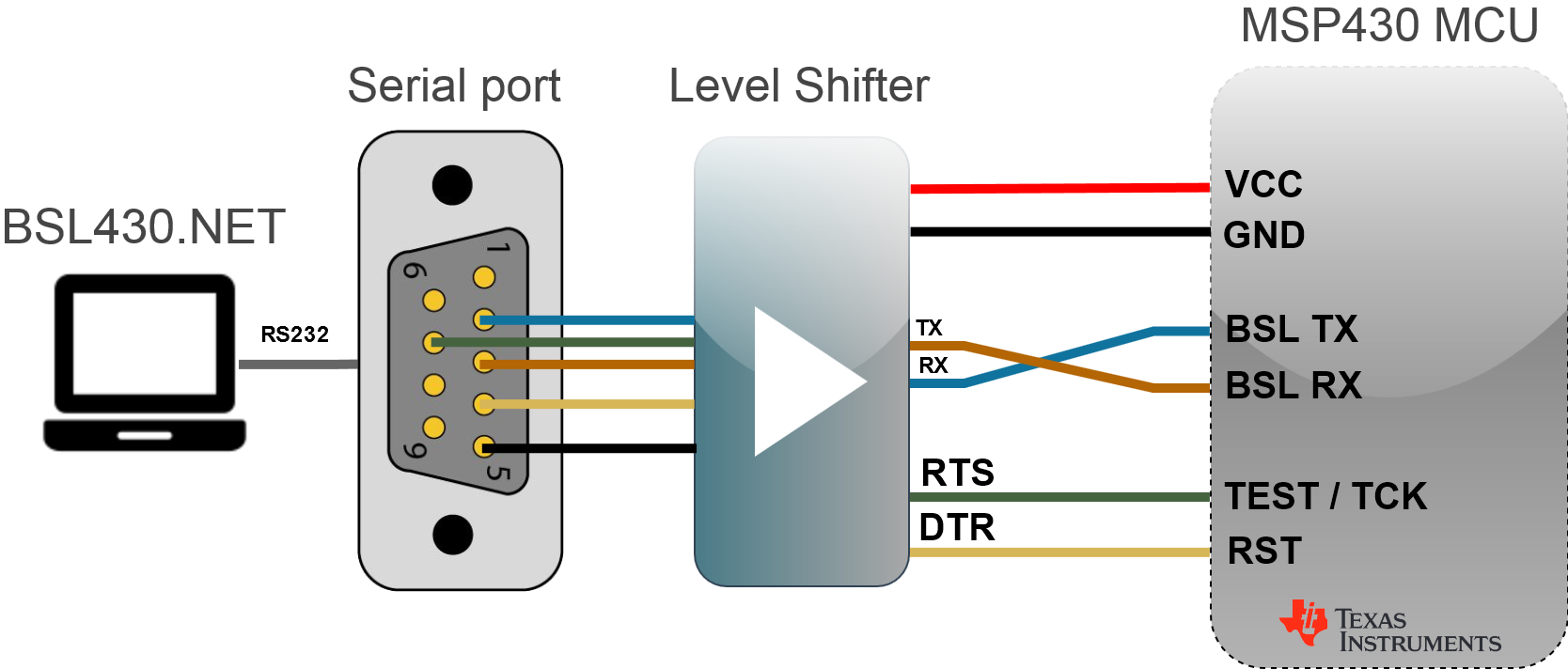
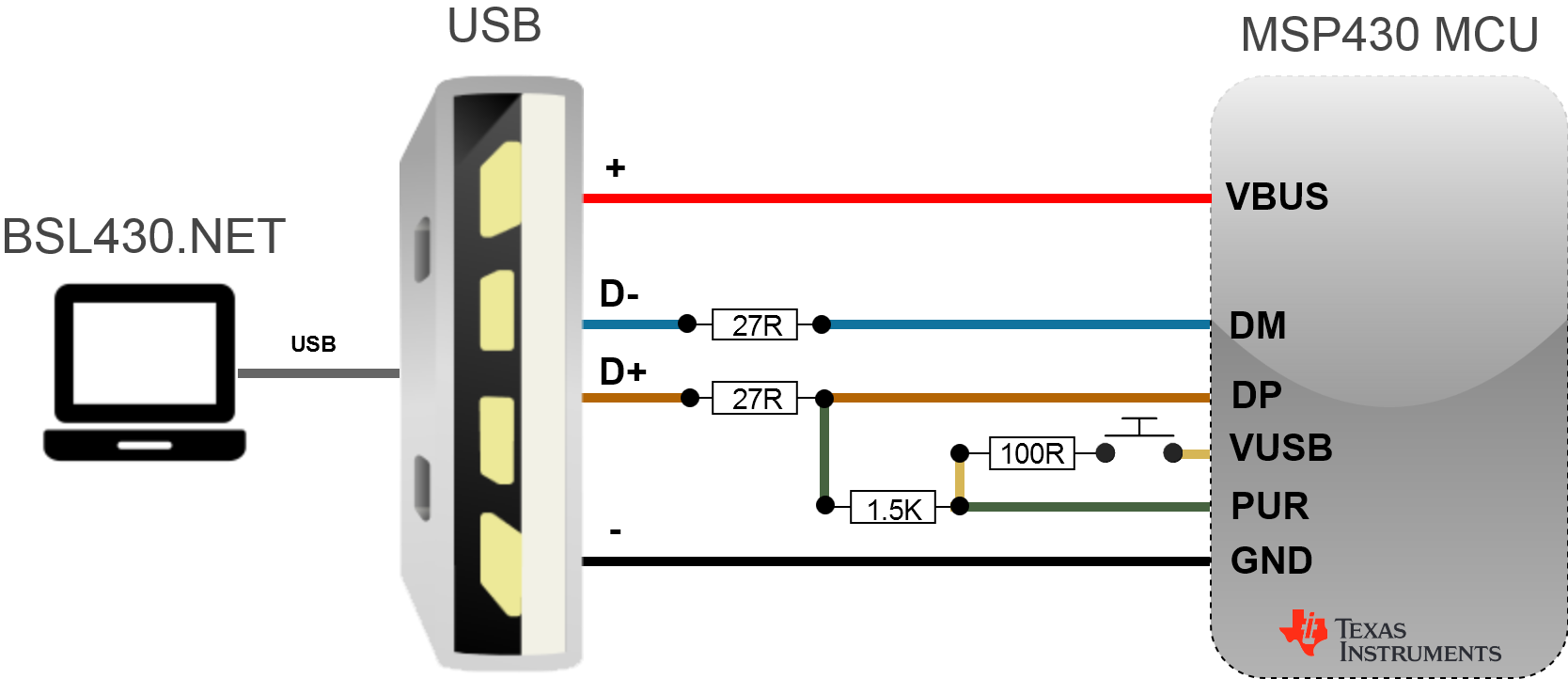
Wiki docs - Documentation and code samples for easy start and copy & paste
publicinterfaceIBsl430Net{ScanAllResultScanAllEx(ScanOptionsScanOpt);ScanResult<Bsl430NetDevice>ScanAll(ScanOptionsScanOpt);ScanResult<Tdev>Scan<Tdev>(ScanOptionsScanOpt)whereTdev:Bsl430NetDevice;StatusExErase(Bsl430NetDeviceDevice);StatusExErase(stringDeviceName);StatusExUpload(stringFirmwarePath,Bsl430NetDeviceDevice,byte[]Password);StatusExUpload(stringFirmwarePath,stringDeviceName,byte[]Password);StatusExDownload(byte[]Password,intAddrStart,intDataSize,outList<byte>Data,Bsl430NetDeviceDevice);StatusExDownload(byte[]Password,intAddrStart,intDataSize,outList<byte>Data,stringDeviceName);StatusSetBaudRate(BaudRateBaudRate);StatusSetInvokeMechanism(InvokeMechanismInvokeMechanism);StatusSetMCU(MCUMcu);BaudRateGetBaudRate();InvokeMechanismGetInvokeMechanism();MCUGetMCU();ModeGetMode();}I would like to say thank you to each of these developers (or companies), because this project use all of them in some kind of way and without them, there will be no BSL430.NET:
- Texas Instruments
- MahApps.Metro
- MahApps.IconPack
- Caliburn.Micro
- Config.Net
- Newtonsoft.Json
- Fody.Costura
- Hardcodet.NotifyIcon
- AvalonEdit
- WpfHexEditor
- HidSharp
- LibUsbDotNet
- SerialPortStream
- FTD2XX
- libftdi
- libusb



DOWNLOAD HERE - Firmware Tools as BSL430.NET sub package
- Multiple firmware format support: TI-TXT, Intel-HEX, SREC, ELF
- Parse (read from file) and Create (write to file or string)
- Convert, Combine and Compare between any of these formats
- Validate firmware file and get information like addresses, CRC, sizes..
- [MSP430 only]Get BSL password used to correctly download fw by BSL430.NET
BSL430.NET.FirmwareTools is Cross-Platform library created as a part of BSL430.NET and then, after growing a little bit, made standalone sub package. First motivation to create Firmware Tools was when I needed to unify parsing methods which precede Erase, Download and Upload blocks in BSL430.NET. Intel-HEX and TI-TXT was supported from the begining, SREC and ELF was added a while after. Today this library offers basic firmare manipulation with few, but powerful, static methods.
Wiki docs - BSL430.NET GUI App docs and tutorials
Note: BSL430.NET and Firmware Tools are integrated into single GUI and Console Apps!
Firmware Tools (Dark Mode):

Validate:

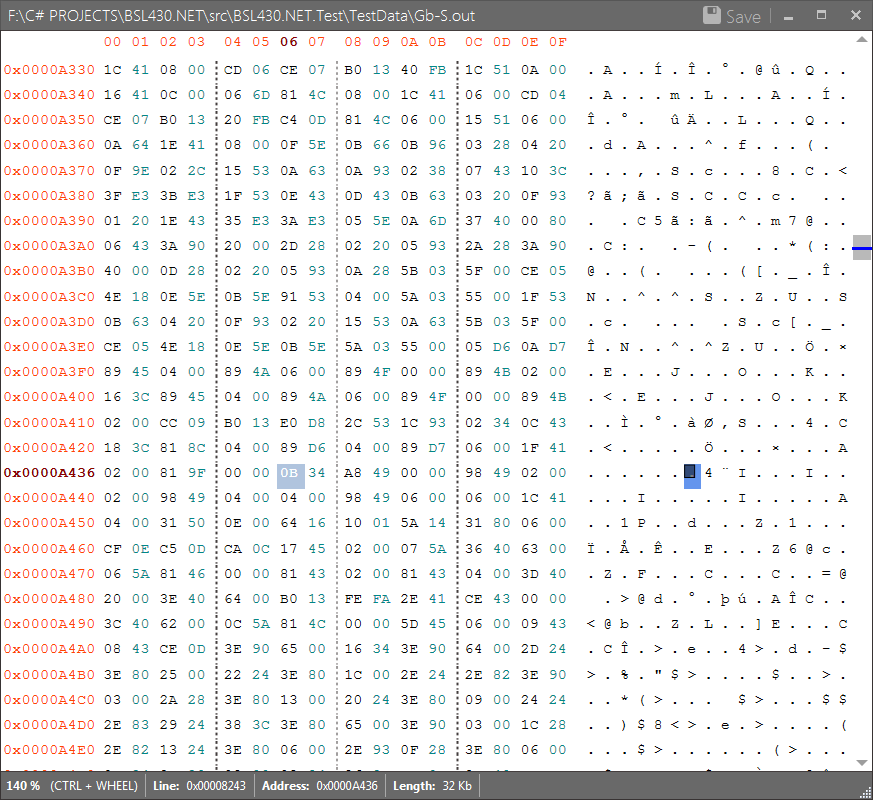
Hex-Edit:

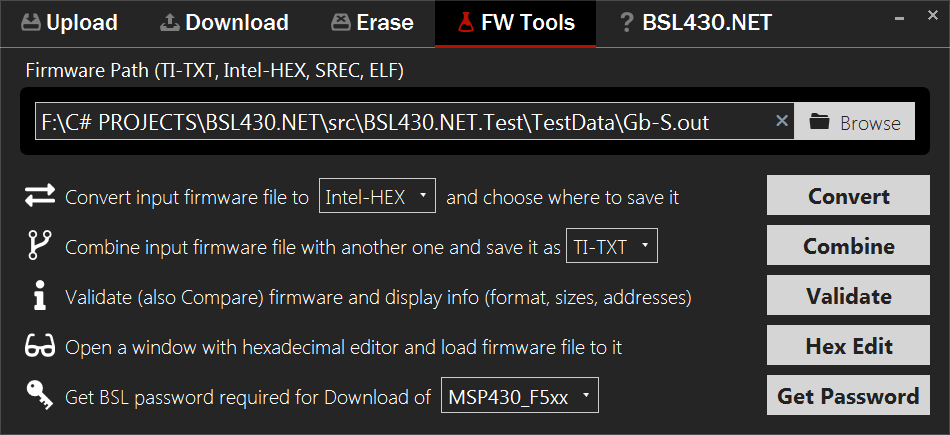
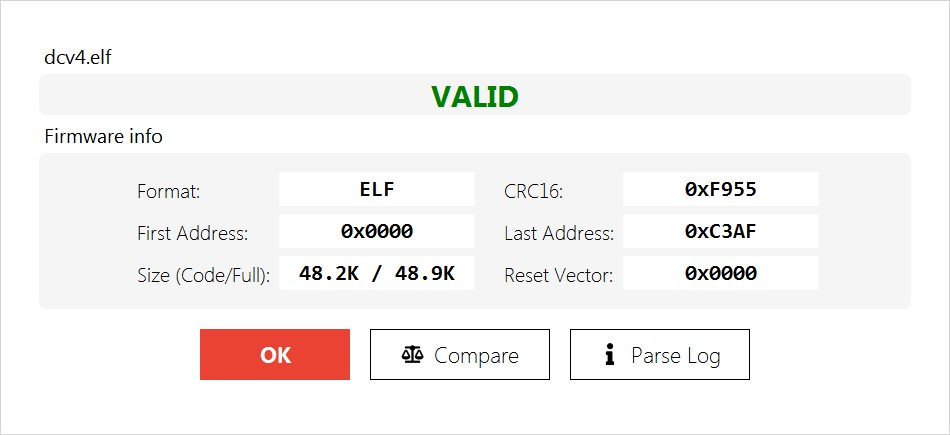
Wiki docs - Ready to use code samples and tutorials
publicstaticFirmwareParse(stringFirmwarePath,FwFormatFormat,boolFillFF,StringWriterLog);publicstaticstringCreate(FirmwareFirmware,FwFormatFormat,intLineLength);publicstaticstringCreate(IEnumerable<byte>Data,intAddrStart,FwFormatFormat,intLineLength);publicstaticstringCreate(ICollection<FwNode>Data,FwFormatFormat,intLineLength);publicstatic(stringFw,FwFormatFormat)Convert(stringFirmwarePath,FwFormatFormat,boolFillFF,intLineLength);publicstatic(stringFw,FwFormatFormat1,FwFormatFormat2)Combine(stringFirmwarePath1,stringFirmwarePath2,FwFormatFormat,boolFillFF,intLineLength);publicstaticBslPasswordsGetPassword(stringFirmwarePath);publicstaticFwInfoValidate(stringFirmwarePath,StringWriterLog);publicstatic(boolEqual,doubleMatch,intBytesDiff)Compare(stringFirmwarePath1,stringFirmwarePath2);publicstatic(boolEqual,doubleMatch,intBytesDiff)Compare(FirmwareFirmware1,FirmwareFirmware2);Note: Author is not responsible for any kind of damage, that could arise from wrong use or misuse of this library or apps!