



Terminal string styling for Swift
Colors is a clean and focused solution for string styling in Swift.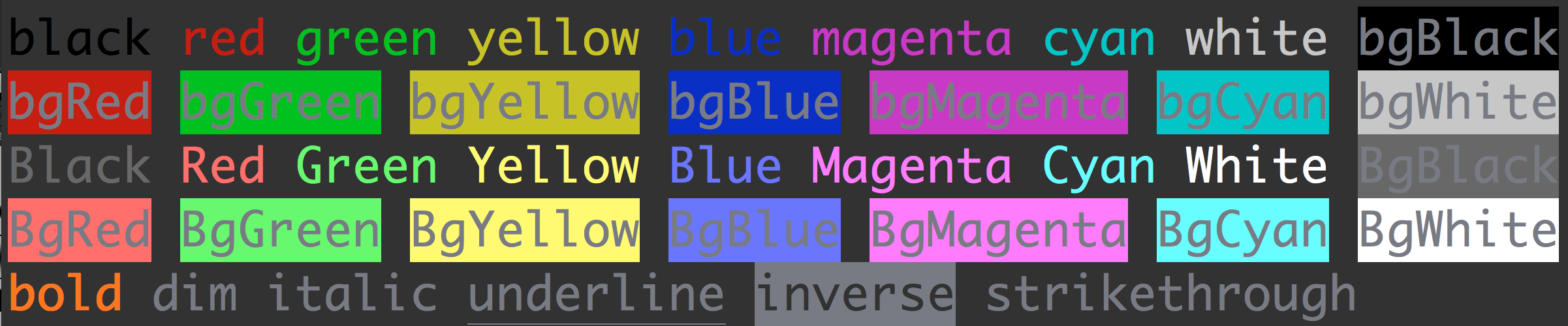
import Colors
print(Colors.blue("Blue string"))print(Colors.Blue("Bright blue string"))
Addtionaly, you can compose modifiers:
print(Colors.blue(Colors.bgRed("Blue string with red background")))Or define compositions for convenince:
infix operator >>>{ associativity left }func>>><A, B, C>(f:B->C, g:A->B)->A->C{return{ x inf(g(x))}}varerror=Colors.bold >>>Colors.red >>>Colors.underline
print(error("There was an error"))Install cocoapods:
sudo gem install cocoapodsThen specify Colors in your Podfile:
pod'Colors','~> 0.1'Finally run:
pod installBlack/blackRed/redGreen/greenYellow/yellowBlue/blueMagenta/magentaCyan/cyanWhite/white
BgBlack/bgBlackBgRed/bgRedBgGreen/bgGreenBgYellow/bgYellowBgBlue/bgBlueBgMagenta/bgMagentaBgCyan/bgCyanBgWhite/bgWhite
blinkbolddimitalicunderlineinversehiddenstrikethrough
##API
Applies the specified <style> to the given text. For a list of styles check the styles section above.
Colors.underline("Underlined text")Requires 8-bit color support from the console.
Colors the letters of the given text with the specified color. color must be an integer from 0-255 representing an 8-bit color. For a list of 8-bit colors check here.
Generally useful if you want to color the text with very specific colors.
foriin0...255{print(Colors.colorText("a", color: i), terminator:"")}Outputs:
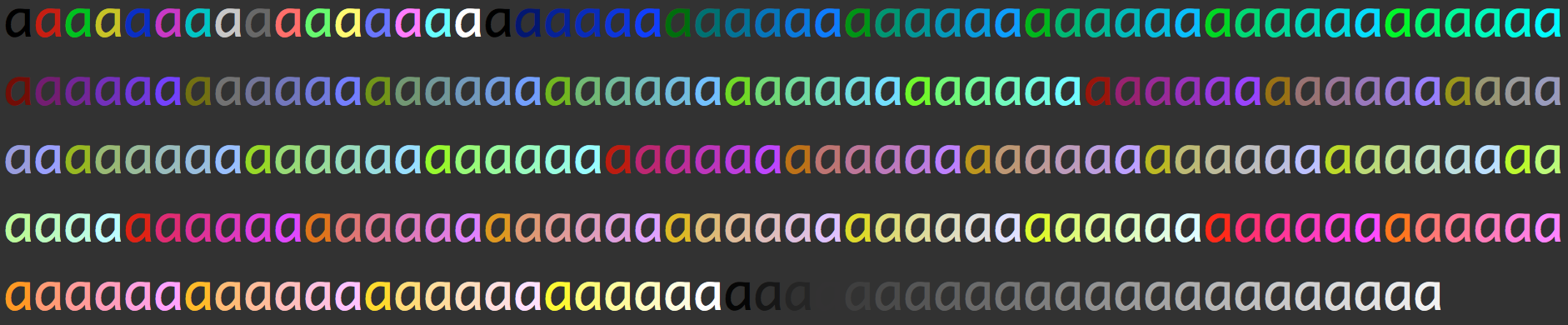
Requires 8-bit color support from the console.
Colors the background of the given text with the specified color. color must be an integer from 0-255 representing an 8-bit color. For a list of 8-bit colors check here.
Generally useful if you want to color the background with very specific colors.
foriin0...255{print(Colors.colorBg("", color: i), terminator:"")}Outputs:
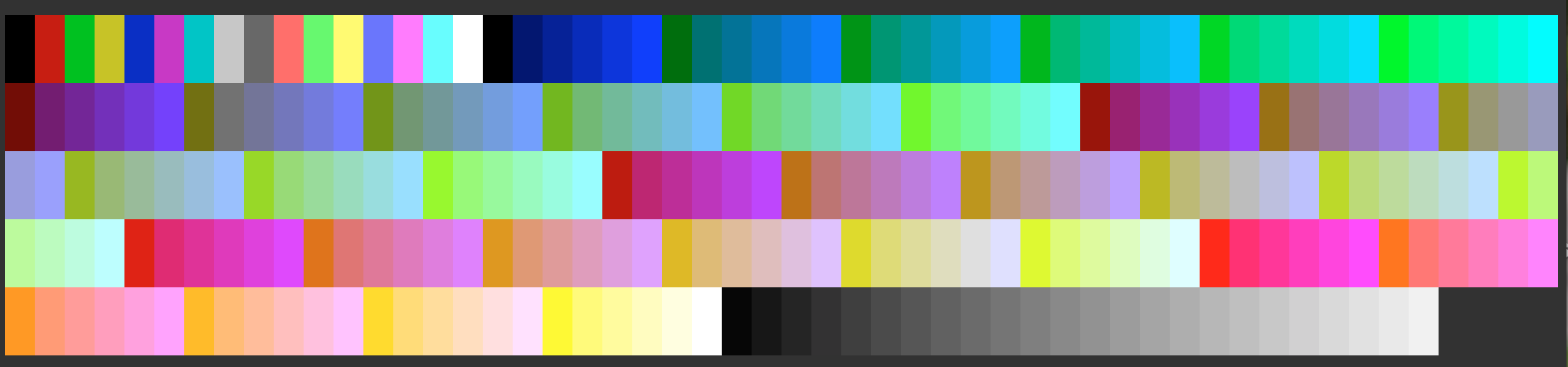
Requires 8-bit color support from the console.
Returns a colorer function that will color the characters of the input string with the specified color.
Useful for defining your own style compositions with 8-bit colors.
infix operator >>>{ associativity left }func>>><A, B, C>(f:B->C, g:A->B)->A->C{return{ x inf(g(x))}}letwarning=Colors.getTextColorer(23)>>>Colors.underline >>>Colors.BgRed
print(error("Some Warning"))Requires 8-bit color support from the console.
Returns a colorer function that will color the background of the input string with the specified color.
Useful for defining your own style compositions with 8-bit colors.
infix operator >>>{ associativity left }func>>><A, B, C>(f:B->C, g:A->B)->A->C{return{ x inf(g(x))}}letinfo=Colors.getBgColorer(23)>>>Colors.underline >>>Colors.Red
print(info("Some Warning"))MIT © Paulo Tanaka