Lightweight JS calendar (~18KB gzipped). Zero dependencies. Works in React, Vue, Angular, or vanilla JS out of the box. Month, week, day, and list views. Built-in date & range picker. No FullCalendar bloat.



- Zero Dependencies - Pure vanilla JavaScript, no external libraries
- Four View Modes - Month, week, day, and list views with smooth transitions
- Picker Modes - Built-in date picker and date range picker modes for date selection
- Full Internationalization - Built on Intl.DateTimeFormat API for native locale support
- Framework Wrappers - Official React, Vue 3, and Angular components included
- Module System Support - Works as UMD (CommonJS, AMD, ES modules, or browser global)
- Dark Mode Ready - Automatic dark theme detection and support
- Async Event Loading - Fetch events dynamically with
async/awaitsupport - Drag & Drop - Move and resize events with mouse or touch
- Responsive Design - Adapts to any screen size
- Customizable Styling - CSS custom properties for easy theming
- Accessible - Semantic HTML with proper ARIA attributes
- Small Bundle Size - ~45KB minified JS + ~22KB CSS (~18KB total gzipped)
| SimpleCalendarJS | FullCalendar | React Big Calendar | |
|---|---|---|---|
| Gzipped size | ~18KB (JS+CSS) | ~77KB+ (JS only) | ~52KB (JS only) |
| Dependencies | 0 | ships Preact | 16 |
| Framework | Any | Any | React only |
| Views | Month, Week, Day, List | Month, Week, Day, List | Month, Week, Day |
| Date & Range Picker | Built-in | Plugin | No |
| Price | Free / Commercial | Free / Premium | Free (MIT) |
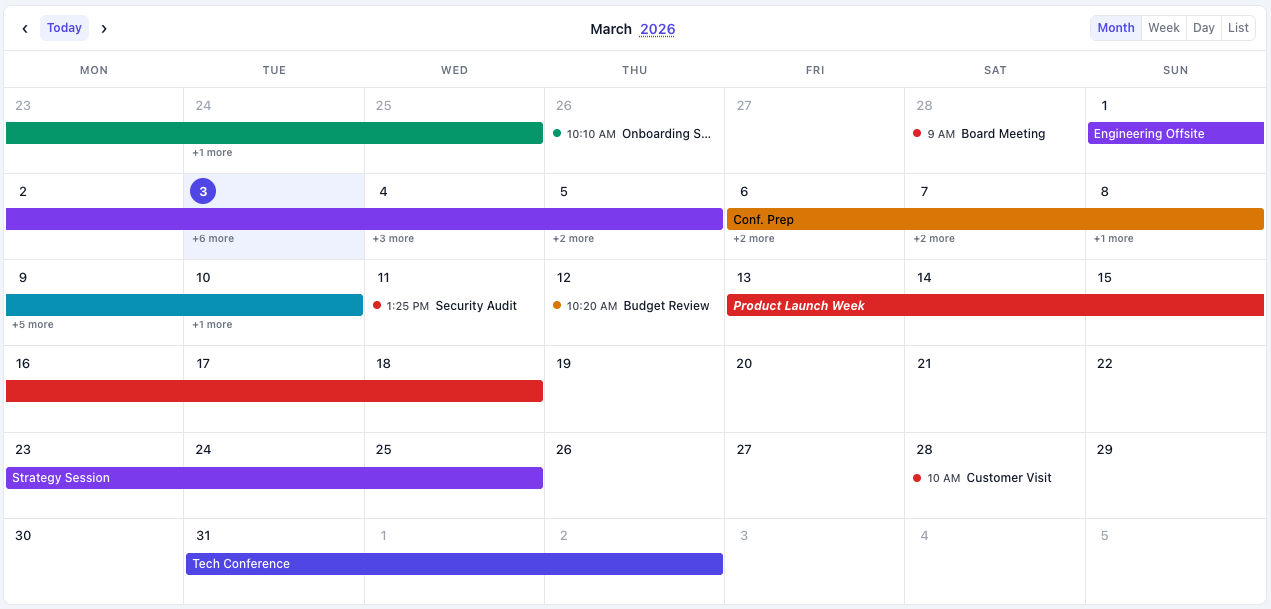 Month View |  Week View |
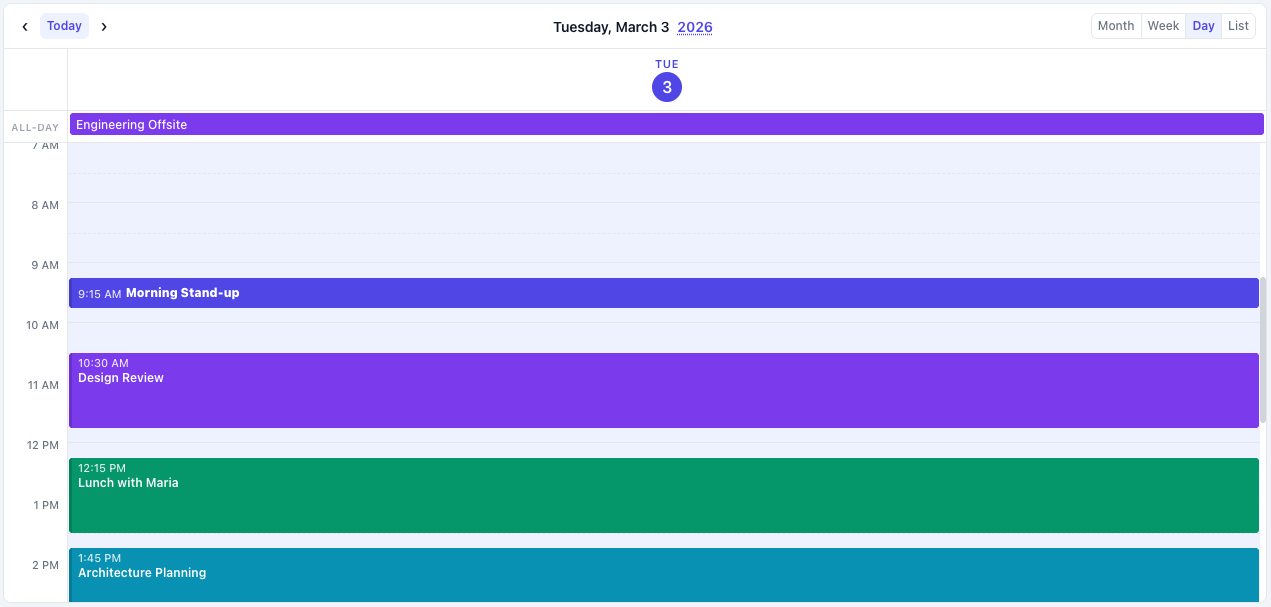 Day View | 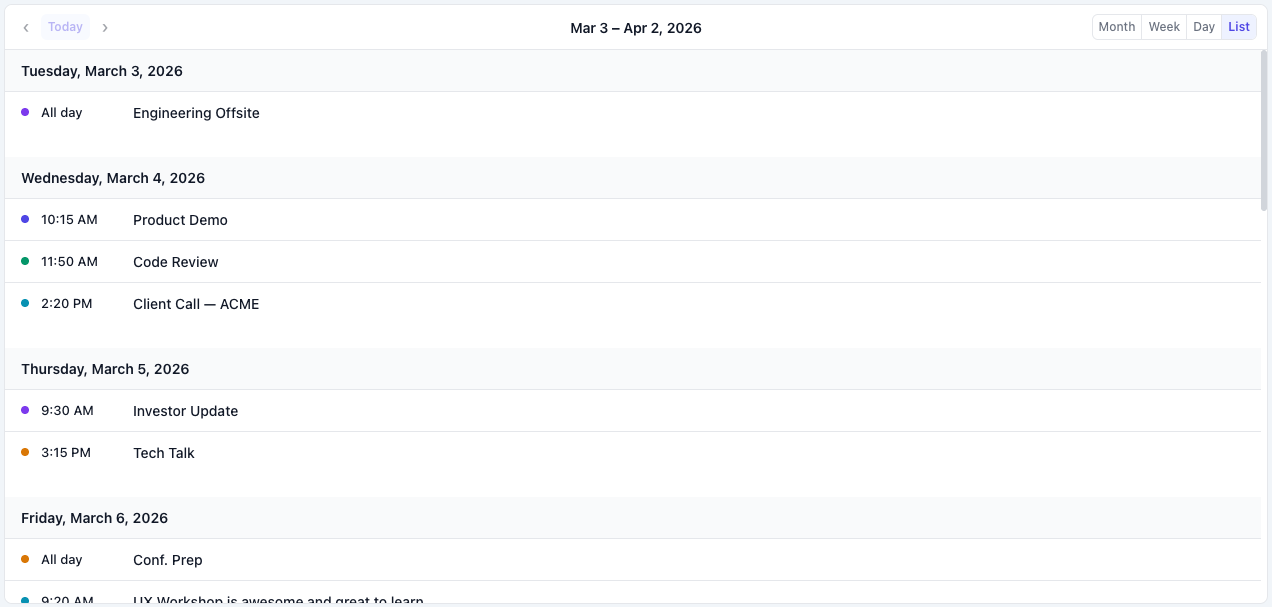 List View |
 Drag & Drop Events | 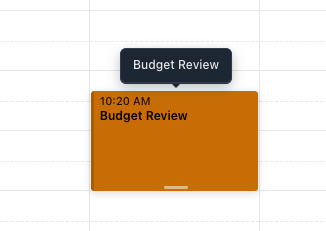 Resize Events |
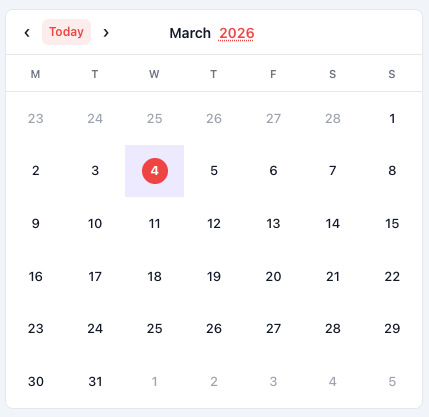 Date Picker Mode |  Range Picker Mode |
npm install simple-calendar-js<linkrel="stylesheet" href="https://unpkg.com/simple-calendar-js/dist/simple-calendar-js.min.css"><scriptsrc="https://unpkg.com/simple-calendar-js/dist/simple-calendar-js.min.js"></script>Download the files from the dist/ folder and include them in your project.
License: Free for personal and open source use. Commercial projects require a license → simplecalendarjs.com/#pricing
<!DOCTYPE html><html><head><linkrel="stylesheet" href="simple-calendar-js.css"></head><body><divid="calendar"></div><scriptsrc="simple-calendar-js.js"></script><script>constcalendar=newSimpleCalendarJs('#calendar',{defaultView: 'month',locale: 'en-US',fetchEvents: async(startDate,endDate)=>{// Fetch events from your APIconstresponse=awaitfetch(`/api/events?start=${startDate}&end=${endDate}`);returnawaitresponse.json();},onEventClick: (event,mouseEvent)=>{console.log('Event clicked:',event);}});</script></body></html>importSimpleCalendarJsReactfrom'simple-calendar-js/frameworks/simple-calendar-js-react.jsx';import'simple-calendar-js/dist/simple-calendar-js.min.css';functionMyCalendar(){constfetchEvents=async(startDate,endDate)=>{constres=awaitfetch(`/api/events?start=${startDate}&end=${endDate}`);returnawaitres.json();};return(<SimpleCalendarJsReactdefaultView="month"locale="en-US"fetchEvents={fetchEvents}onEventClick={(event)=>console.log(event)}style={{height: '600px'}}/>);}<template>
<SimpleCalendarJsVue
:defaultView="'month'"
:locale="'en-US'"
:fetchEvents="fetchEvents"
@eventClick="handleEventClick"
:style="{ height: '600px' }"
/>
</template>
<script>importSimpleCalendarJsVuefrom'simple-calendar-js/frameworks/simple-calendar-js-vue.js';import'simple-calendar-js/dist/simple-calendar-js.min.css';exportdefault { components: { SimpleCalendarJsVue }, methods: {asyncfetchEvents(startDate, endDate) {constres=awaitfetch(`/api/events?start=${startDate}&end=${endDate}`);returnawaitres.json(); },handleEventClick(event) {console.log('Event clicked:', event); } }}</script>import{Component}from'@angular/core';
@Component({selector: 'app-calendar',template: ` <simple-calendar-js [defaultView]="'month'" [locale]="'en-US'" [fetchEvents]="fetchEvents" (eventClick)="handleEventClick($event)" [style.height.px]="600" ></simple-calendar-js> `})exportclassCalendarComponent{asyncfetchEvents(startDate: Date,endDate: Date){constres=awaitfetch(`/api/events?start=${startDate}&end=${endDate}`);returnawaitres.json();}handleEventClick(event: any){console.log('Event clicked:',event);}}Here are some of the most commonly used configuration options:
constcalendar=newSimpleCalendarJs('#calendar',{// View SettingsdefaultView: 'month',// 'month', 'week', 'day', 'list'// Picker Modesmode: 'calendar',// 'calendar', 'date-picker', 'range-picker'// Internationalizationlocale: 'en-US',// Any valid locale (e.g., 'es-ES', 'fr-FR', 'ja-JP')firstDayOfWeek: 0,// 0 = Sunday, 1 = Monday// EventsfetchEvents: async(start,end)=>{/* ... */},events: [],// Static events array// InteractionsenableDragDrop: false,// Enable drag & dropenableResize: false,// Enable event resizing// CallbacksonEventClick: (event,mouseEvent)=>{},onDateClick: (date,mouseEvent)=>{},onEventDrop: (event,newStart,newEnd)=>{},onEventResize: (event,newStart,newEnd)=>{},onDateSelect: (date)=>{},// For date-picker modeonRangeSelect: (start,end)=>{},// For range-picker mode// StylingdarkMode: 'auto',// 'auto', 'light', 'dark'enableHtmlInTitles: true,// Allow HTML in event titles// Advancedtimezone: 'local',// 'local', 'UTC', or IANA timezonemonthViewTimedEventStyle: 'list',// 'list' or 'block'});// Navigationcalendar.goToDate(newDate());calendar.next();calendar.prev();calendar.today();// View Managementcalendar.changeView('week');calendar.getCurrentView();// Eventscalendar.addEvent(event);calendar.updateEvent(eventId,updates);calendar.deleteEvent(eventId);calendar.refetchEvents();// Picker Mode (date-picker/range-picker)calendar.setSelectedDate(date);calendar.getSelectedDate();calendar.setSelectedRange(startDate,endDate);calendar.getSelectedRange();calendar.clearSelection();// Cleanupcalendar.destroy();For complete documentation including:
- Detailed configuration options
- Event object format and timezone handling
- Drag & drop and resize features
- Tooltips and HTML content
- Theming and dark mode
- Internationalization examples
- Advanced usage patterns
Visit the full documentation at: https://www.simplecalendarjs.com/docs
- Chrome 60+
- Firefox 60+
- Safari 12+
- Edge 79+
Found a bug or have a feature request? Please open an issue on GitHub Issues.
When reporting bugs, please include:
- Steps to reproduce
- Expected vs actual behavior
- Browser and version
- Code snippets or examples
Development is maintained by a single author to ensure quality and licensing integrity — but contributions are very welcome via issues and feedback.
However, you can help by:
- Reporting bugs via GitHub Issues
- Suggesting features
- Helping other users in discussions
- Sharing your implementation examples
See CONTRIBUTING.md for more details.
This project is available for personal, educational, and non-commercial use.
Commercial use requires a separate license. See LICENSE file for full terms.
For commercial licensing inquiries: simplecalendarjs@gmail.com or visit www.simplecalendarjs.com/#pricing