This project is heavily inspired by CBStoreHouseRefreshControl which is Objective-C implemented. SurfingRefreshControl provides you a chance to use pure Swift alternative in your next app.
You can customize any desired shape through plist file like below two shapes:
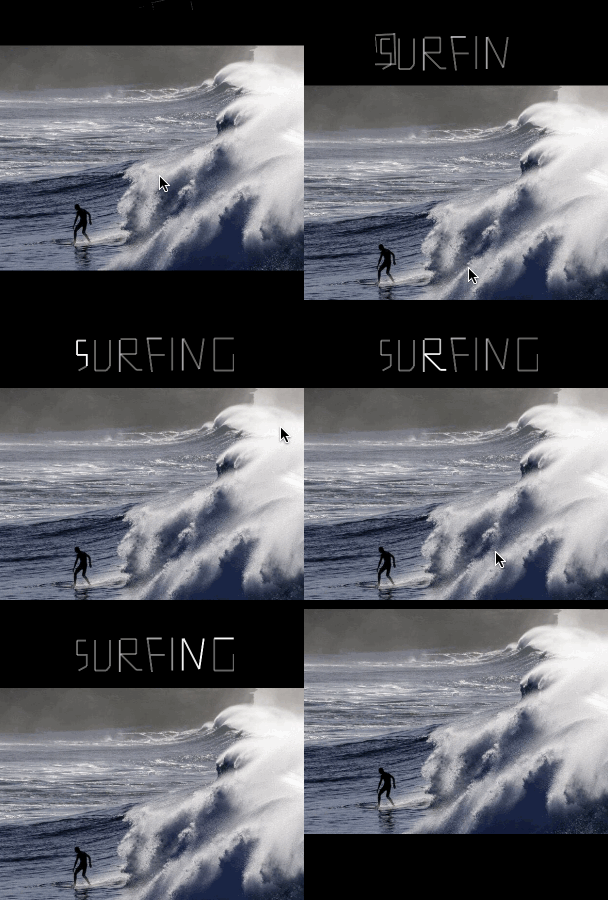
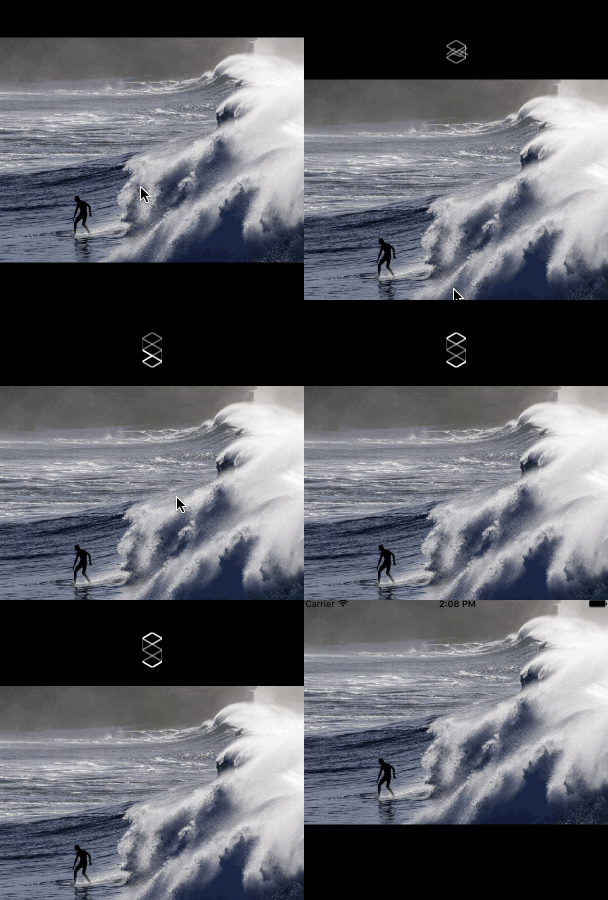
You can attach it to any UIScrollView ( like UITableViewUICollectionView) :
classfunc attachToScrollView(
scrollView:UIScrollView,
target:AnyObject,
refreshAction:Selector,
plist:String,
color:UIColor=UIColor.blackColor(),
lineWidth:CGFloat=2,
dropHeight:CGFloat=80,
scale:CGFloat=1,
horizontalRandomness:Int=150,
reverseLoadingAnimation:Bool=false,
internalAnimationFactor:CGFloat=1.0)->SurfingRefreshControl
For instance:
self.surfingRefreshControl =SurfingRefreshControl.attachToScrollView(tableView, target:self,refreshAction:#selector(DemoViewController.refreshTriggered), plist:"surfing", color:UIColor.whiteColor(),lineWidth:1.5, dropHeight:120, scale:1.0, horizontalRandomness:100, reverseLoadingAnimation:false, internalAnimationFactor:0.8)Implement UIScrollViewDelegate in your UIViewController to notify SurfingRefreshControl your scrollView's movements:
overridefunc scrollViewDidScroll(scrollView:UIScrollView){self.surfingRefreshControl.scrollViewDidScroll(scrollView)}overridefunc scrollViewDidEndDragging(scrollView:UIScrollView, willDecelerate decelerate:Bool){self.surfingRefreshControl.scrollViewDidEndDragging(scrollView, willDecelerate: decelerate)}When you're done with surfing,simply call
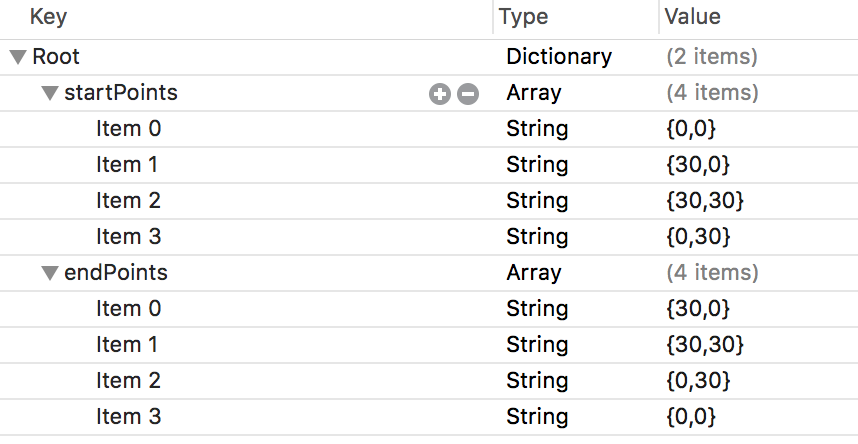
self.surfingRefreshControl.finishLoading()SurfingRefreshControl make use of SurfingBarItem which actually is a UIView subclass, made of start point and end point to form a line.Imagine a squre need 4 line,thus need 4 SurfingBarItem,which equal to 4 start points and 4 end points.In conclusion,a square surfing refresh control would need a plist file of 4 start points and 4 end points,as shown below:
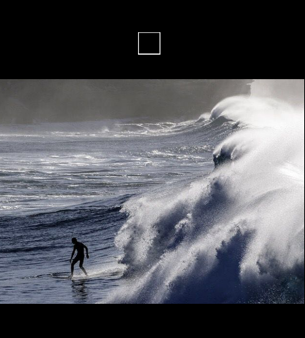
Square SurfingRefreshControl output is:
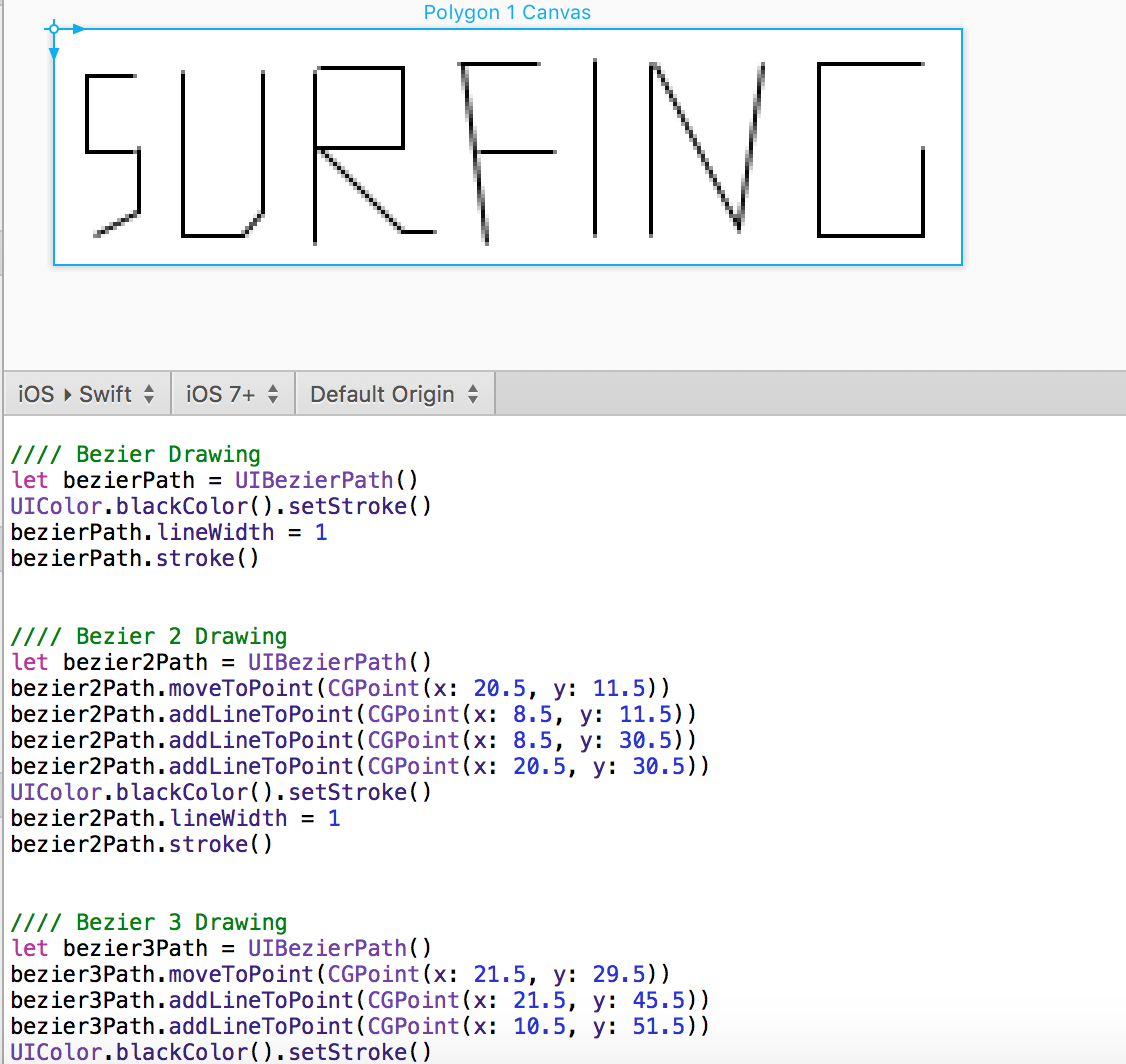
PaintCode to generate your startpoints and endpoints without too much hassle:
Peiwei Chen
peiwei233@gmail.com
Blog
Copyright (c) 2016 Peiwei Chen peiwei233@gmail.com. See the LICENSE file for license rights and limitations (MIT).