This repository was archived by the owner on Nov 24, 2025. It is now read-only.
Sign docker image with cosign - #96
Merged
Merged
Conversation
Signed-off-by: Jeroen Knoops <jeroen.knoops@philips.com>
Signed-off-by: Jeroen Knoops <jeroen.knoops@philips.com>
Jeroen Knoops (JeroenKnoops)
requested review from
Brend Smits (Brend-Smits) and
Bart Golsteijn (bartgolsteijn)
January 26, 2022 16:40
Member
Author
Brend Smits (Brend-Smits)
approved these changes
Jan 26, 2022
This file contains hidden or bidirectional Unicode text that may be interpreted or compiled differently than what appears below. To review, open the file in an editor that reveals hidden Unicode characters.
Learn more about bidirectional Unicode characters
Sign up for free
to subscribe to this conversation on GitHub.
Already have an account?
Sign in.
2 participants
Add this suggestion to a batch that can be applied as a single commit.This suggestion is invalid because no changes were made to the code.Suggestions cannot be applied while the pull request is closed.Suggestions cannot be applied while viewing a subset of changes.Only one suggestion per line can be applied in a batch.Add this suggestion to a batch that can be applied as a single commit.Applying suggestions on deleted lines is not supported.You must change the existing code in this line in order to create a valid suggestion.Outdated suggestions cannot be applied.This suggestion has been applied or marked resolved.Suggestions cannot be applied from pending reviews.Suggestions cannot be applied on multi-line comments.Suggestions cannot be applied while the pull request is queued to merge.Suggestion cannot be applied right now. Please check back later.
Change
When added an argument (
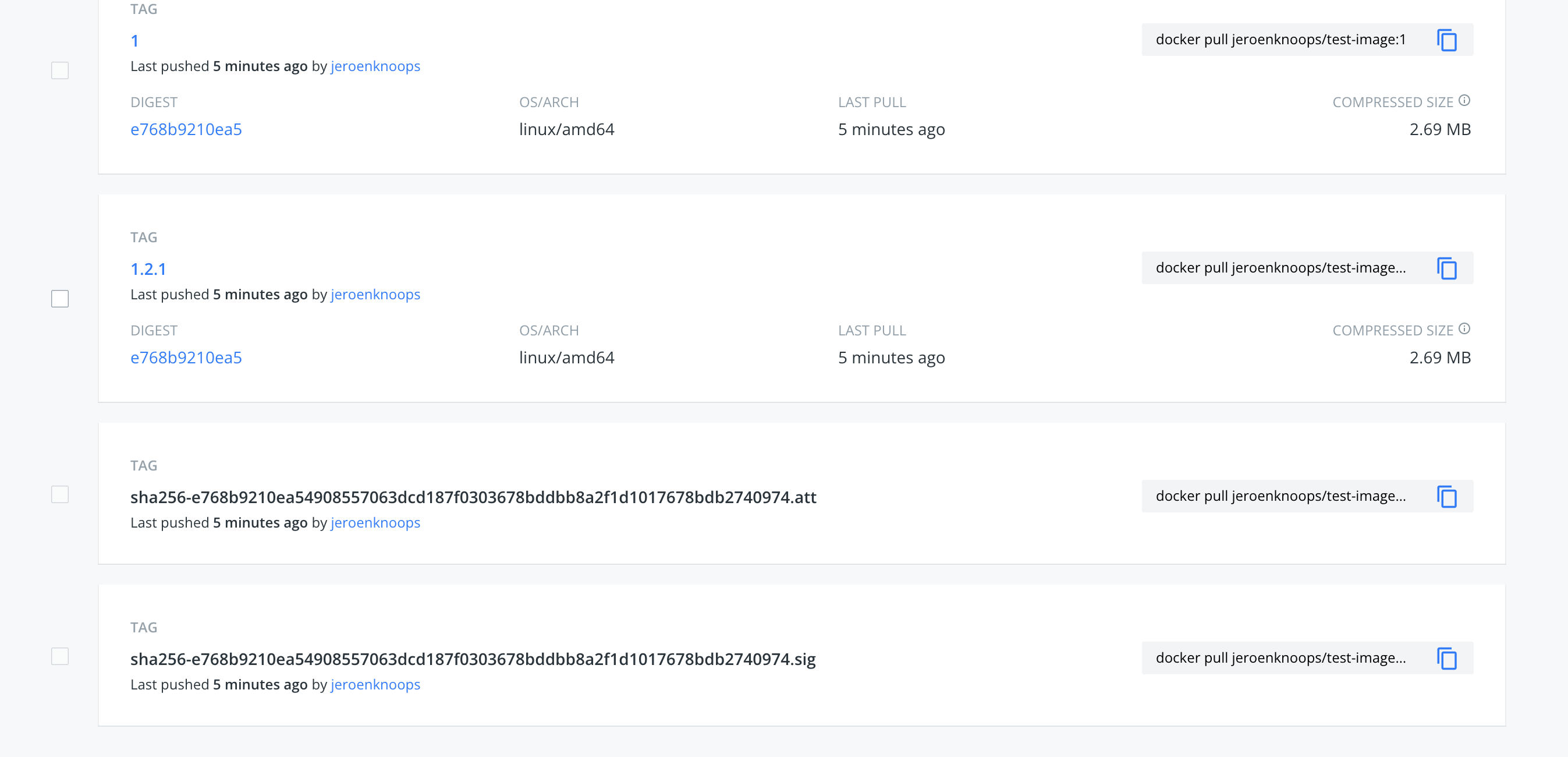
sign: true) it will sign the image with Cosign.Cosign key-pair
You need to provide the COSIGN environment variables in order to actually sign it.
You can create a key pair by installing Cosign on your local machine and run:
Store the content of
cosign.pub,cosign.keyand the password in GitHub Secrets.Workflow
Now you can use it in a workflow:
Verify image
Now you can verify the image:
You will get a result when the image is valid and an error if not.
Breaking change
Previously a SLSA Provenance file was attached when the environment variable
COSIGN_PRIVATE_KEYwas set. This has been changed, now it only attaches the file to the image when the argumentSIGN: trueis set.Related issue
Closes #78