


A minimalist Vim plugin manager.
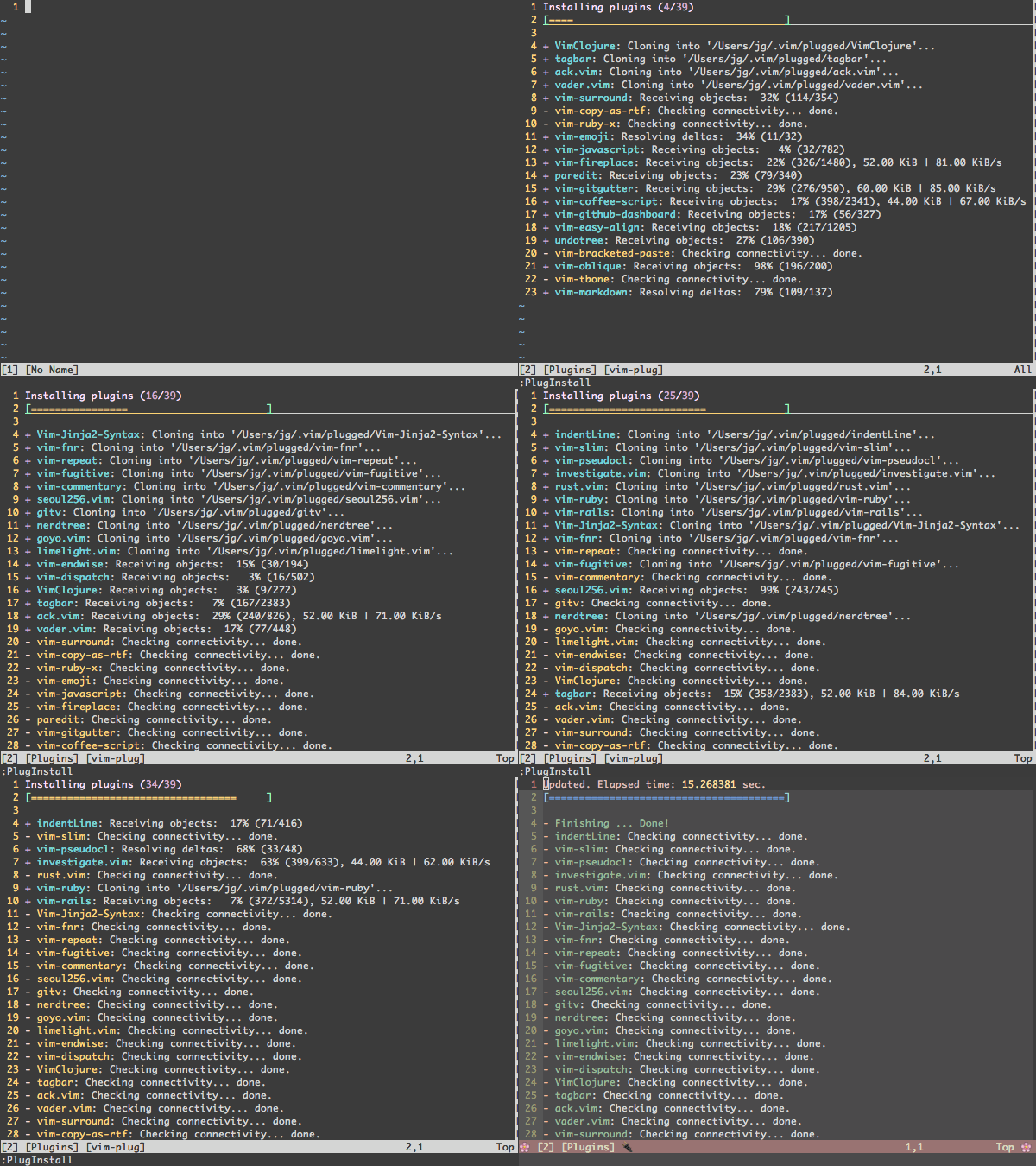
- Easier to setup: Single file. No boilerplate code required.
- Easier to use: Concise, intuitive syntax
- Super-fast parallel installation/update
(with any of
+python,+python3,+ruby, or Neovim) - Creates shallow clones to minimize disk space usage and download time
- On-demand loading for faster startup time
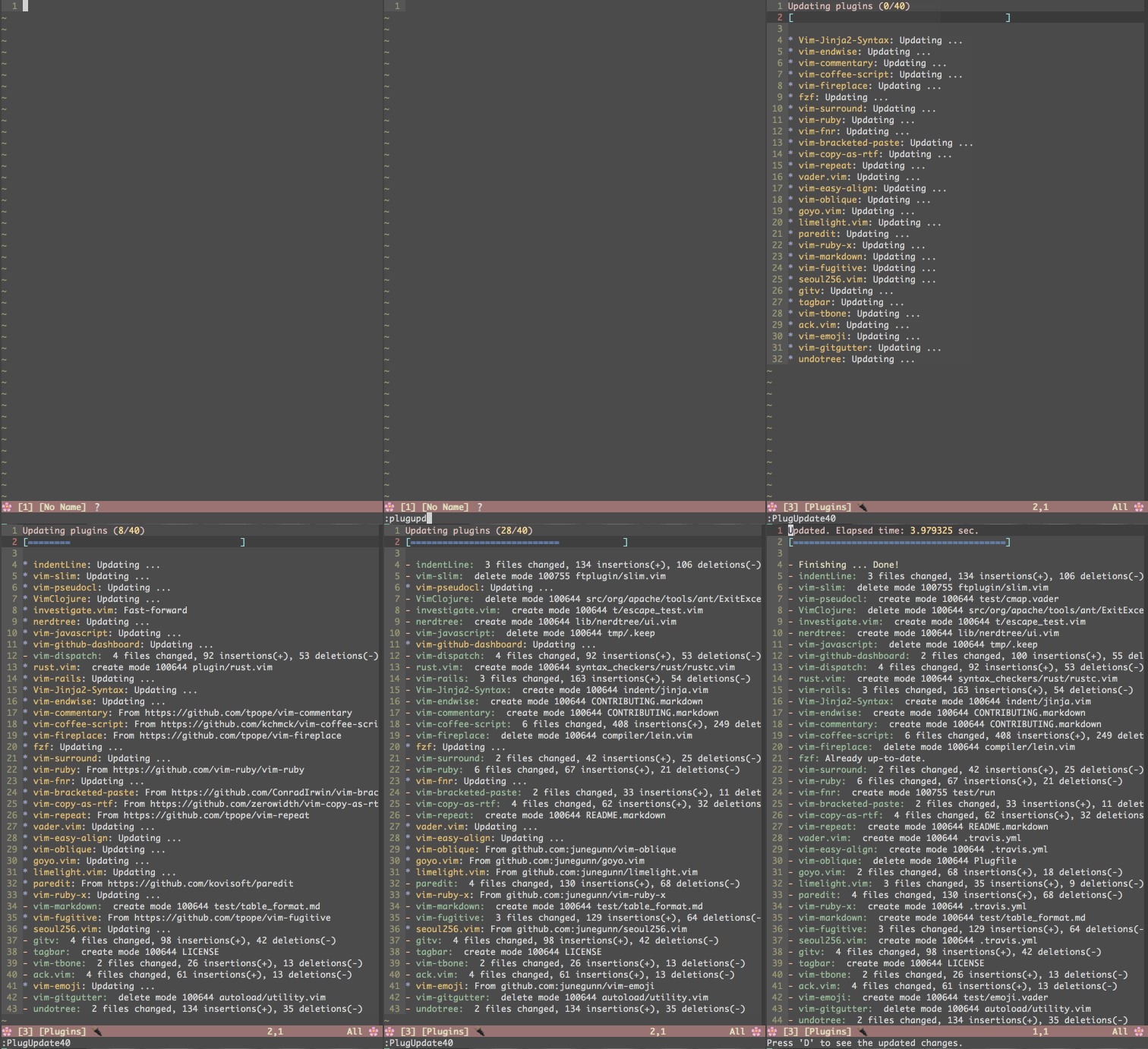
- Can review and rollback updates
- Branch/tag/commit support
- Post-update hooks
- Support for externally managed plugins

Download plug.vim and put it in the "autoload" directory.
curl -fLo ~/.vim/autoload/plug.vim --create-dirs \
https://raw.githubusercontent.com/junegunn/vim-plug/master/plug.vimcurl -fLo ~/.config/nvim/autoload/plug.vim --create-dirs \
https://raw.githubusercontent.com/junegunn/vim-plug/master/plug.vimmd ~\vimfiles\autoload
$uri='https://raw.githubusercontent.com/junegunn/vim-plug/master/plug.vim'
(New-Object Net.WebClient).DownloadFile($uri,$ExecutionContext.SessionState.Path.GetUnresolvedProviderPathFromPSPath("~\vimfiles\autoload\plug.vim"))- See the requirements page for debugging information & tested configurations.
- See the FAQ for common problems and questions.
- Create an issue.
Add a vim-plug section to your ~/.vimrc (or ~/.config/nvim/init.vim for Neovim):
- Begin the section with
call plug#begin() - List the plugins with
Plugcommands call plug#end()to update&runtimepathand initialize plugin system
callplug#begin('~/.vim/plugged')
" Make sure you use single quotes" Shorthand notation; fetches https://github.com/junegunn/vim-easy-align
Plug 'junegunn/vim-easy-align'" Any valid git URL is allowed
Plug 'https://github.com/junegunn/vim-github-dashboard.git'" Group dependencies, vim-snippets depends on ultisnips
Plug 'SirVer/ultisnips' | Plug 'honza/vim-snippets'" On-demand loading
Plug 'scrooloose/nerdtree', { 'on': 'NERDTreeToggle' }
Plug 'tpope/vim-fireplace', { 'for': 'clojure' }
" Using a non-master branch
Plug 'rdnetto/YCM-Generator', { 'branch': 'stable' }
" Using a tagged release; wildcard allowed (requires git 1.9.2 or above)
Plug 'fatih/vim-go', { 'tag': '*' }
" Plugin options
Plug 'nsf/gocode', { 'tag': 'v.20150303', 'rtp': 'vim' }
" Plugin outside ~/.vim/plugged with post-update hook
Plug 'junegunn/fzf', { 'dir': '~/.fzf', 'do': './install --all' }
" Unmanaged plugin (manually installed and updated)
Plug '~/my-prototype-plugin'" Add plugins to &runtimepathcallplug#end()
Reload .vimrc and :PlugInstall to install plugins.
| Command | Description |
|---|---|
PlugInstall [name ...] [#threads] | Install plugins |
PlugUpdate [name ...] [#threads] | Install or update plugins |
PlugClean[!] | Remove unused directories (bang version will clean without prompt) |
PlugUpgrade | Upgrade vim-plug itself |
PlugStatus | Check the status of plugins |
PlugDiff | Examine changes from the previous update and the pending changes |
PlugSnapshot[!] [output path] | Generate script for restoring the current snapshot of the plugins |
| Option | Description |
|---|---|
branch/tag/commit | Branch/tag/commit of the repository to use |
rtp | Subdirectory that contains Vim plugin |
dir | Custom directory for the plugin |
as | Use different name for the plugin |
do | Post-update hook (string or funcref) |
on | On-demand loading: Commands or <Plug>-mappings |
for | On-demand loading: File types |
frozen | Do not update unless explicitly specified |
| Flag | Default | Description |
|---|---|---|
g:plug_threads | 16 | Default number of threads to use |
g:plug_timeout | 60 | Time limit of each task in seconds (Ruby & Python) |
g:plug_retries | 2 | Number of retries in case of timeout (Ruby & Python) |
g:plug_shallow | 1 | Use shallow clone |
g:plug_window | vertical topleft new | Command to open plug window |
g:plug_pwindow | above 12new | Command to open preview window in PlugDiff |
g:plug_url_format | https://git::@github.com/%s.git | printf format to build repo URL (Only applies to the subsequent Plug commands) |
D-PlugDiffS-PlugStatusR- Retry failed update or installation tasksU- Update plugins in the selected rangeq- Close the window:PlugStatusL- Load plugin
:PlugDiffX- Revert the update
Example: A small sensible Vim configuration
callplug#begin()
Plug 'tpope/vim-sensible'callplug#end()" NERD tree will be loaded on the first invocation of NERDTreeToggle command
Plug 'scrooloose/nerdtree', { 'on': 'NERDTreeToggle' }
" Multiple commands
Plug 'junegunn/vim-github-dashboard', { 'on': ['GHDashboard', 'GHActivity'] }
" Loaded when clojure file is opened
Plug 'tpope/vim-fireplace', { 'for': 'clojure' }
" Multiple file types
Plug 'kovisoft/paredit', { 'for': ['clojure', 'scheme'] }
" On-demand loading on both conditions
Plug 'junegunn/vader.vim', { 'on': 'Vader', 'for': 'vader' }
" Code to execute when the plugin is lazily loaded on demand
Plug 'junegunn/goyo.vim', { 'for': 'markdown' }
autocmd!User goyo.vimechom'Goyo is now loaded!'for option is generally not needed as most plugins for specific file types
usually don't have too much code in plugin directory. You might want to
examine the output of vim --startuptime before applying the option.
There are some plugins that require extra steps after installation or update.
In that case, use do option to describe the task to be performed.
Plug 'Shougo/vimproc.vim', { 'do': 'make' }
Plug 'Valloric/YouCompleteMe', { 'do': './install.py' }
If the value starts with :, it will be recognized as a Vim command.
Plug 'fatih/vim-go', { 'do': ':GoInstallBinaries' }If you need more control, you can pass a reference to a Vim function that takes a single argument.
function!BuildYCM(info)
" info is a dictionary with 3 fields" - name: name of the plugin" - status: 'installed', 'updated', or 'unchanged'" - force: set on PlugInstall! or PlugUpdate!ifa:info.status =='installed'||a:info.force
!./install.pyendifendfunction
Plug 'Valloric/YouCompleteMe', { 'do': function('BuildYCM') }
Both forms of post-update hook are executed inside the directory of the plugin
and only run when the repository has changed, but you can force it to run
unconditionally with the bang-versions of the commands: PlugInstall! and
PlugUpdate!.
Make sure to escape BARs and double-quotes when you write do option inline
as they are mistakenly recognized as command separator or the start of the
trailing comment.
Plug 'junegunn/fzf', { 'do': 'yes \| ./install' }But you can avoid the escaping if you extract the inline specification using a variable (or any Vimscript expression) as follows:
letg:fzf_install='yes | ./install'
Plug 'junegunn/fzf', { 'do': g:fzf_install }The installer takes the following steps when installing/updating a plugin:
git cloneorgit fetchfrom its origin- Check out branch, tag, or commit and optionally
git mergeremote branch - If the plugin was updated (or installed for the first time)
- Update submodules
- Execute post-update hooks
The commands with ! suffix ensure that all steps are run unconditionally.
- Writing my own Vim plugin manager
- Vim plugins and startup time
Thoughts on Vim plugin dependency- Support for Plugfile has been removed since 0.5.0
MIT