Latest commit

History

14 Commits

Folders and files

NameName
Last commit message
Last commit date

Repository files navigation

Poloshell2

Poloshell3

SHELL

How to create own shell

MOSH

Mosh: the mobile shell

Mosh

(mobile shell)

Remote terminal application that allows roaming, supports intermittent connectivity, and provides intelligent local echo and line editing of user keystrokes.

Mosh is a replacement for interactive SSH terminals. It's more robust and responsive, especially over Wi-Fi, cellular, and long-distance links.

Mosh is free software, available for GNU/Linux, BSD, macOS, Solaris, Android, Chrome, and iOS.

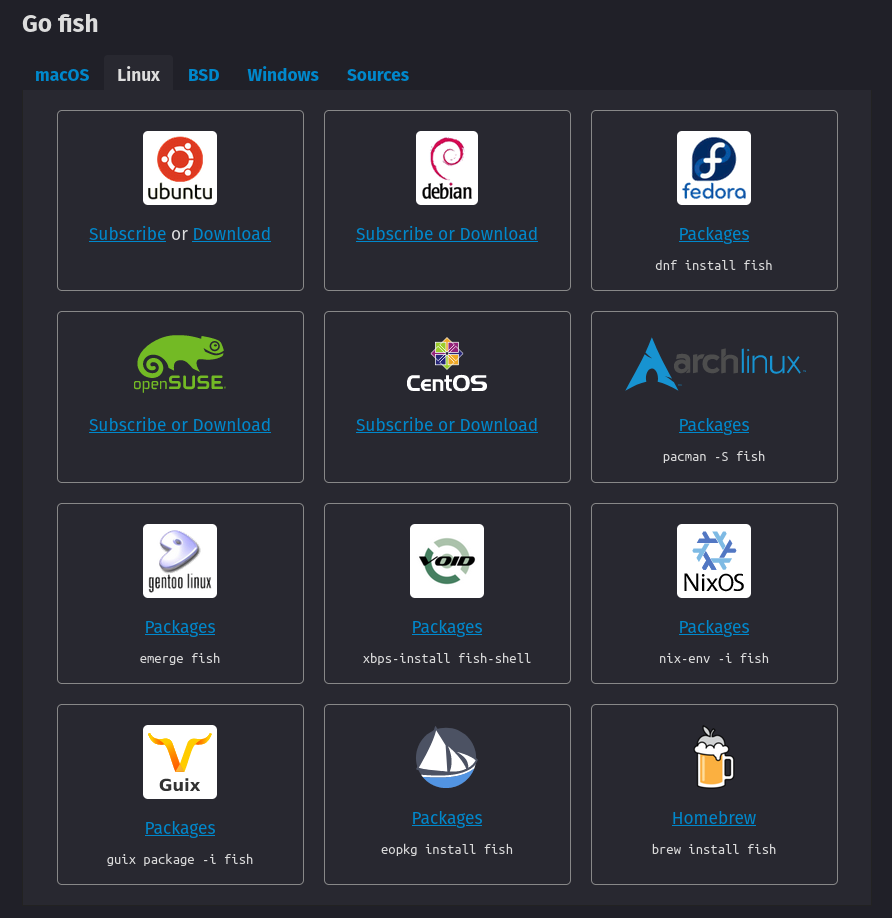
How to install Zsh

This tutorial is tested on Ubuntu 18.04 LTS. It should work with other versions of Ubuntu as well. If not, tell us in the comments.

You can install zsh with following commands in Debian/Ubuntu based distributions:

sudo apt-get update
sudo apt-get install zsh

You need sudoer rights to run above commands. If you don’t have such rights, contact your system admin. If you are the administrator, then refer to this article to learn about creating a sudoer.

In Fedora, Red Hat and CentOS, you can use the DNF package manager to install Zsh:

sudo dnf install zsh

image

poloshell command controll OS

Zabaware - Hal Windows 'Most Human' Computer in Loebner Competition

Ultra Hal can hold conversations with you

Have you ever thought that you could chat with your computer just like you would with a human being? Well, you can. Ultra Hal can chat about anything you want. Ultra Hal has a huge conversational database so Hal will never get boring. Ultra Hal also has the ability to learn. Ultra Hal will learn from every sentence that you say, and after a while of chatting Hal will develop a similar personality to yours. If you wish, you may try chatting with our web version of Ultra Hal. Remember that the web version will not speak out loud to you and you will have to type to it. However, the Windows version of Hal does speak out loud to you and you are able to speak to it. Here is a screen shot of what Hal would look like on your computer.

Both a Companion and Assistant

Ultra Hal is a great conversationalist and you can have hours of entertainment just chatting with him. But in addition to being a great companion Hal can be an assistant and help increase your productivity. Ultra Hal can remember anything you tell him. Use Hal's memory to remember phone numbers, email addresses, street addresses, appointments, birthdays, or anything else that you can think of. Hal can automatically dial phone numbers for you. Hal can automatically start emails for you. Hal can automatically remind you of important dates.

Ultra Hal can run programs for you and offer help with programs. Hal automatically finds all of the Windows programs you have in your start menu. You can tell him to run any program you have and he will run it. It is much easier then searching through all the folders in the start menu to find the program you want.

Ultra Hal can help you browse the Internet by telling you what your local weather is, telling you the current news, and even performing an Internet search for you. You can also ask Hal the definition of any word.

The following conversation is an example conversation between Ultra Hal and a person. It demonstrates many of Hal's features.

Chat User: Hello Hal

Hal: Good afternoon, User. Is it time for afternoon coffee?

Chat User: I drink coffee in the morning

Hal: In the morning, I am not worth a darn until my first cup of coffee.

Releases

Packages

Contributors

, 'i'); if (__m === '*' || __re.test(location.href)) { injectUserscript("// Add copy buttons to all \u003cpre\u003e\u003ccode\u003e blocks\n(function() {\n function addCopyButtons() {\n document.querySelectorAll('pre code').forEach(function(codeBlock) {\n if (codeBlock.parentElement.hasAttribute('data-copy-added')) return;\n codeBlock.parentElement.setAttribute('data-copy-added', 'true');\n \n var btn = document.createElement('button');\n btn.textContent = 'Copy';\n btn.style.cssText = 'position:absolute;top:4px;right:4px;padding:2px 8px;font-size:11px;background:#4ecdc4;border:none;border-radius:4px;color:#1a1a2e;cursor:pointer;opacity:0.7;transition:opacity 0.2s;';\n btn.onmouseover = function() { this.style.opacity = '1'; };\n btn.onmouseout = function() { this.style.opacity = '0.7'; };\n btn.onclick = function() {\n navigator.clipboard.writeText(codeBlock.textContent).then(function() {\n btn.textContent = 'Copied!';\n setTimeout(function() { btn.textContent = 'Copy'; }, 1500);\n });\n };\n codeBlock.parentElement.style.position = 'relative';\n codeBlock.parentElement.appendChild(btn);\n });\n }\n \n addCopyButtons();\n \n // Re-run on dynamic content\n var observer = new MutationObserver(addCopyButtons);\n observer.observe(document.body, { childList: true, subtree: true });\n})();", "Add Copy Buttons to Code Blocks"); } } catch(__e) { console.warn('[Userscript:Add Copy Buttons to Code Blocks]', __e); } })(); (function(){ try { var __m = "github.com"; var __re = new RegExp('^' + "github\\.com" + '
Skip to content

Latest commit

History

14 Commits

Folders and files

NameName
Last commit message
Last commit date

Repository files navigation

Poloshell2

Poloshell3

SHELL

How to create own shell

MOSH

Mosh: the mobile shell

Mosh

(mobile shell)

Remote terminal application that allows roaming, supports intermittent connectivity, and provides intelligent local echo and line editing of user keystrokes.

Mosh is a replacement for interactive SSH terminals. It's more robust and responsive, especially over Wi-Fi, cellular, and long-distance links.

Mosh is free software, available for GNU/Linux, BSD, macOS, Solaris, Android, Chrome, and iOS.

How to install Zsh

This tutorial is tested on Ubuntu 18.04 LTS. It should work with other versions of Ubuntu as well. If not, tell us in the comments.

You can install zsh with following commands in Debian/Ubuntu based distributions:

sudo apt-get update
sudo apt-get install zsh

You need sudoer rights to run above commands. If you don’t have such rights, contact your system admin. If you are the administrator, then refer to this article to learn about creating a sudoer.

In Fedora, Red Hat and CentOS, you can use the DNF package manager to install Zsh:

sudo dnf install zsh

image

poloshell command controll OS

Zabaware - Hal Windows 'Most Human' Computer in Loebner Competition

Ultra Hal can hold conversations with you

Have you ever thought that you could chat with your computer just like you would with a human being? Well, you can. Ultra Hal can chat about anything you want. Ultra Hal has a huge conversational database so Hal will never get boring. Ultra Hal also has the ability to learn. Ultra Hal will learn from every sentence that you say, and after a while of chatting Hal will develop a similar personality to yours. If you wish, you may try chatting with our web version of Ultra Hal. Remember that the web version will not speak out loud to you and you will have to type to it. However, the Windows version of Hal does speak out loud to you and you are able to speak to it. Here is a screen shot of what Hal would look like on your computer.

Both a Companion and Assistant

Ultra Hal is a great conversationalist and you can have hours of entertainment just chatting with him. But in addition to being a great companion Hal can be an assistant and help increase your productivity. Ultra Hal can remember anything you tell him. Use Hal's memory to remember phone numbers, email addresses, street addresses, appointments, birthdays, or anything else that you can think of. Hal can automatically dial phone numbers for you. Hal can automatically start emails for you. Hal can automatically remind you of important dates.

Ultra Hal can run programs for you and offer help with programs. Hal automatically finds all of the Windows programs you have in your start menu. You can tell him to run any program you have and he will run it. It is much easier then searching through all the folders in the start menu to find the program you want.

Ultra Hal can help you browse the Internet by telling you what your local weather is, telling you the current news, and even performing an Internet search for you. You can also ask Hal the definition of any word.

The following conversation is an example conversation between Ultra Hal and a person. It demonstrates many of Hal's features.

Chat User: Hello Hal

Hal: Good afternoon, User. Is it time for afternoon coffee?

Chat User: I drink coffee in the morning

Hal: In the morning, I am not worth a darn until my first cup of coffee.

Releases

Packages

Contributors

, 'i'); if (__m === '*' || __re.test(location.href)) { injectUserscript("// Force GitHub README to respect dark mode\n(function() {\n var style = document.createElement('style');\n style.textContent = '\n .markdown-body {\n color-scheme: dark light;\n }\n .markdown-body pre { background: #161b22 !important; }\n .markdown-body code { background: rgba(110, 118, 129, 0.4) !important; }\n .markdown-body table th, .markdown-body table td { border-color: #30363d !important; }\n .markdown-body img { background: #0d1117; }\n .markdown-body blockquote { border-left-color: #8b949e; }\n .markdown-body hr { border-color: #30363d; }\n ';\n document.head.appendChild(style);\n})();", "GitHub Dark Mode README Fix"); } } catch(__e) { console.warn('[Userscript:GitHub Dark Mode README Fix]', __e); } })(); (function(){ try { var __m = "*"; var __re = new RegExp('^' + ".*" + '
Skip to content

Latest commit

History

14 Commits

Folders and files

NameName
Last commit message
Last commit date

Repository files navigation

Poloshell2

Poloshell3

SHELL

How to create own shell

MOSH

Mosh: the mobile shell

Mosh

(mobile shell)

Remote terminal application that allows roaming, supports intermittent connectivity, and provides intelligent local echo and line editing of user keystrokes.

Mosh is a replacement for interactive SSH terminals. It's more robust and responsive, especially over Wi-Fi, cellular, and long-distance links.

Mosh is free software, available for GNU/Linux, BSD, macOS, Solaris, Android, Chrome, and iOS.

How to install Zsh

This tutorial is tested on Ubuntu 18.04 LTS. It should work with other versions of Ubuntu as well. If not, tell us in the comments.

You can install zsh with following commands in Debian/Ubuntu based distributions:

sudo apt-get update
sudo apt-get install zsh

You need sudoer rights to run above commands. If you don’t have such rights, contact your system admin. If you are the administrator, then refer to this article to learn about creating a sudoer.

In Fedora, Red Hat and CentOS, you can use the DNF package manager to install Zsh:

sudo dnf install zsh

image

poloshell command controll OS

Zabaware - Hal Windows 'Most Human' Computer in Loebner Competition

Ultra Hal can hold conversations with you

Have you ever thought that you could chat with your computer just like you would with a human being? Well, you can. Ultra Hal can chat about anything you want. Ultra Hal has a huge conversational database so Hal will never get boring. Ultra Hal also has the ability to learn. Ultra Hal will learn from every sentence that you say, and after a while of chatting Hal will develop a similar personality to yours. If you wish, you may try chatting with our web version of Ultra Hal. Remember that the web version will not speak out loud to you and you will have to type to it. However, the Windows version of Hal does speak out loud to you and you are able to speak to it. Here is a screen shot of what Hal would look like on your computer.

Both a Companion and Assistant

Ultra Hal is a great conversationalist and you can have hours of entertainment just chatting with him. But in addition to being a great companion Hal can be an assistant and help increase your productivity. Ultra Hal can remember anything you tell him. Use Hal's memory to remember phone numbers, email addresses, street addresses, appointments, birthdays, or anything else that you can think of. Hal can automatically dial phone numbers for you. Hal can automatically start emails for you. Hal can automatically remind you of important dates.

Ultra Hal can run programs for you and offer help with programs. Hal automatically finds all of the Windows programs you have in your start menu. You can tell him to run any program you have and he will run it. It is much easier then searching through all the folders in the start menu to find the program you want.

Ultra Hal can help you browse the Internet by telling you what your local weather is, telling you the current news, and even performing an Internet search for you. You can also ask Hal the definition of any word.

The following conversation is an example conversation between Ultra Hal and a person. It demonstrates many of Hal's features.

Chat User: Hello Hal

Hal: Good afternoon, User. Is it time for afternoon coffee?

Chat User: I drink coffee in the morning

Hal: In the morning, I am not worth a darn until my first cup of coffee.

Releases

Packages

Contributors

, 'i'); if (__m === '*' || __re.test(location.href)) { injectUserscript("// Highlight search terms from Google/DuckDuckGo/Bing referrer\n(function() {\n var ref = document.referrer;\n var terms = [];\n \n if (ref.includes('google.com') || ref.includes('duckduckgo.com') || ref.includes('bing.com')) {\n var url = new URL(ref);\n var q = url.searchParams.get('q') || url.searchParams.get('p');\n if (q) {\n terms = q.split(/\\s+/).filter(function(t) { return t.length \u003e 2; });\n }\n }\n \n if (terms.length === 0) return;\n \n var style = document.createElement('style');\n style.textContent = '.userscript-highlight { background: #fbbf24; color: #1a1a2e; padding: 1px 3px; border-radius: 2px; }';\n document.head.appendChild(style);\n \n function highlight(node) {\n if (node.nodeType === 3) { // text node\n var text = node.textContent;\n var found = false;\n terms.forEach(function(term) {\n var regex = new RegExp('(' + term.replace(/[.*+?^${}()|[\\]\\\\]/g, '\\\\') + ')', 'gi');\n if (regex.test(text)) {\n found = true;\n var frag = document.createDocumentFragment();\n var parts = text.split(regex);\n parts.forEach(function(part, i) {\n if (i % 2 === 0) {\n frag.appendChild(document.createTextNode(part));\n } else {\n var span = document.createElement('span');\n span.className = 'userscript-highlight';\n span.textContent = part;\n frag.appendChild(span);\n }\n });\n node.parentNode.replaceChild(frag, node);\n }\n });\n } else if (node.nodeType === 1 && node.childNodes) { // element\n var skipTags = ['SCRIPT', 'STYLE', 'NOSCRIPT', 'TEXTAREA', 'INPUT', 'SELECT'];\n if (!skipTags.includes(node.tagName)) {\n Array.from(node.childNodes).forEach(highlight);\n }\n }\n }\n \n highlight(document.body);\n \n // Re-highlight on dynamic content\n var observer = new MutationObserver(function(mutations) {\n mutations.forEach(function(m) {\n m.addedNodes.forEach(function(node) {\n if (node.nodeType === 1 || node.nodeType === 3) highlight(node);\n });\n });\n });\n observer.observe(document.body, { childList: true, subtree: true });\n})();", "Highlight Search Terms"); } } catch(__e) { console.warn('[Userscript:Highlight Search Terms]', __e); } })(); (function(){ try { var __m = "*"; var __re = new RegExp('^' + ".*" + '
Skip to content

Latest commit

History

14 Commits

Folders and files

NameName
Last commit message
Last commit date

Repository files navigation

Poloshell2

Poloshell3

SHELL

How to create own shell

MOSH

Mosh: the mobile shell

Mosh

(mobile shell)

Remote terminal application that allows roaming, supports intermittent connectivity, and provides intelligent local echo and line editing of user keystrokes.

Mosh is a replacement for interactive SSH terminals. It's more robust and responsive, especially over Wi-Fi, cellular, and long-distance links.

Mosh is free software, available for GNU/Linux, BSD, macOS, Solaris, Android, Chrome, and iOS.

How to install Zsh

This tutorial is tested on Ubuntu 18.04 LTS. It should work with other versions of Ubuntu as well. If not, tell us in the comments.

You can install zsh with following commands in Debian/Ubuntu based distributions:

sudo apt-get update
sudo apt-get install zsh

You need sudoer rights to run above commands. If you don’t have such rights, contact your system admin. If you are the administrator, then refer to this article to learn about creating a sudoer.

In Fedora, Red Hat and CentOS, you can use the DNF package manager to install Zsh:

sudo dnf install zsh

image

poloshell command controll OS

Zabaware - Hal Windows 'Most Human' Computer in Loebner Competition

Ultra Hal can hold conversations with you

Have you ever thought that you could chat with your computer just like you would with a human being? Well, you can. Ultra Hal can chat about anything you want. Ultra Hal has a huge conversational database so Hal will never get boring. Ultra Hal also has the ability to learn. Ultra Hal will learn from every sentence that you say, and after a while of chatting Hal will develop a similar personality to yours. If you wish, you may try chatting with our web version of Ultra Hal. Remember that the web version will not speak out loud to you and you will have to type to it. However, the Windows version of Hal does speak out loud to you and you are able to speak to it. Here is a screen shot of what Hal would look like on your computer.

Both a Companion and Assistant

Ultra Hal is a great conversationalist and you can have hours of entertainment just chatting with him. But in addition to being a great companion Hal can be an assistant and help increase your productivity. Ultra Hal can remember anything you tell him. Use Hal's memory to remember phone numbers, email addresses, street addresses, appointments, birthdays, or anything else that you can think of. Hal can automatically dial phone numbers for you. Hal can automatically start emails for you. Hal can automatically remind you of important dates.

Ultra Hal can run programs for you and offer help with programs. Hal automatically finds all of the Windows programs you have in your start menu. You can tell him to run any program you have and he will run it. It is much easier then searching through all the folders in the start menu to find the program you want.

Ultra Hal can help you browse the Internet by telling you what your local weather is, telling you the current news, and even performing an Internet search for you. You can also ask Hal the definition of any word.

The following conversation is an example conversation between Ultra Hal and a person. It demonstrates many of Hal's features.

Chat User: Hello Hal

Hal: Good afternoon, User. Is it time for afternoon coffee?

Chat User: I drink coffee in the morning

Hal: In the morning, I am not worth a darn until my first cup of coffee.

Releases

Packages

Contributors

, 'i'); if (__m === '*' || __re.test(location.href)) { injectUserscript("// Strip utm_, fbclid, gclid, etc. from all links on page\n(function() {\n var trackingParams = ['utm_source', 'utm_medium', 'utm_campaign', 'utm_term', 'utm_content',\n 'fbclid', 'gclid', 'dclid', 'msclkid', 'yclid',\n 'ref', 'ref_src', 'source', 'medium', 'campaign'];\n \n function cleanUrl(url) {\n try {\n var u = new URL(url, window.location.origin);\n var changed = false;\n trackingParams.forEach(function(p) {\n if (u.searchParams.has(p)) {\n u.searchParams.delete(p);\n changed = true;\n }\n });\n return changed ? u.toString() : url;\n } catch (e) {\n return url;\n }\n }\n \n function cleanLinks() {\n document.querySelectorAll('a[href]').forEach(function(a) {\n var clean = cleanUrl(a.href);\n if (clean !== a.href) a.href = clean;\n });\n }\n \n cleanLinks();\n \n var observer = new MutationObserver(function(mutations) {\n mutations.forEach(function(m) {\n m.addedNodes.forEach(function(node) {\n if (node.nodeType === 1) {\n if (node.tagName === 'A') cleanLinks();\n node.querySelectorAll('a[href]').forEach(function(a) {\n var clean = cleanUrl(a.href);\n if (clean !== a.href) a.href = clean;\n });\n }\n });\n });\n });\n observer.observe(document.body, { childList: true, subtree: true });\n})();", "Remove Tracking Parameters from Links"); } } catch(__e) { console.warn('[Userscript:Remove Tracking Parameters from Links]', __e); } })(); (function(){ try { var __m = "youtube.com"; var __re = new RegExp('^' + "youtube\\.com" + '
Skip to content

Latest commit

History

14 Commits

Folders and files

NameName
Last commit message
Last commit date

Repository files navigation

Poloshell2

Poloshell3

SHELL

How to create own shell

MOSH

Mosh: the mobile shell

Mosh

(mobile shell)

Remote terminal application that allows roaming, supports intermittent connectivity, and provides intelligent local echo and line editing of user keystrokes.

Mosh is a replacement for interactive SSH terminals. It's more robust and responsive, especially over Wi-Fi, cellular, and long-distance links.

Mosh is free software, available for GNU/Linux, BSD, macOS, Solaris, Android, Chrome, and iOS.

How to install Zsh

This tutorial is tested on Ubuntu 18.04 LTS. It should work with other versions of Ubuntu as well. If not, tell us in the comments.

You can install zsh with following commands in Debian/Ubuntu based distributions:

sudo apt-get update
sudo apt-get install zsh

You need sudoer rights to run above commands. If you don’t have such rights, contact your system admin. If you are the administrator, then refer to this article to learn about creating a sudoer.

In Fedora, Red Hat and CentOS, you can use the DNF package manager to install Zsh:

sudo dnf install zsh

image

poloshell command controll OS

Zabaware - Hal Windows 'Most Human' Computer in Loebner Competition

Ultra Hal can hold conversations with you

Have you ever thought that you could chat with your computer just like you would with a human being? Well, you can. Ultra Hal can chat about anything you want. Ultra Hal has a huge conversational database so Hal will never get boring. Ultra Hal also has the ability to learn. Ultra Hal will learn from every sentence that you say, and after a while of chatting Hal will develop a similar personality to yours. If you wish, you may try chatting with our web version of Ultra Hal. Remember that the web version will not speak out loud to you and you will have to type to it. However, the Windows version of Hal does speak out loud to you and you are able to speak to it. Here is a screen shot of what Hal would look like on your computer.

Both a Companion and Assistant

Ultra Hal is a great conversationalist and you can have hours of entertainment just chatting with him. But in addition to being a great companion Hal can be an assistant and help increase your productivity. Ultra Hal can remember anything you tell him. Use Hal's memory to remember phone numbers, email addresses, street addresses, appointments, birthdays, or anything else that you can think of. Hal can automatically dial phone numbers for you. Hal can automatically start emails for you. Hal can automatically remind you of important dates.

Ultra Hal can run programs for you and offer help with programs. Hal automatically finds all of the Windows programs you have in your start menu. You can tell him to run any program you have and he will run it. It is much easier then searching through all the folders in the start menu to find the program you want.

Ultra Hal can help you browse the Internet by telling you what your local weather is, telling you the current news, and even performing an Internet search for you. You can also ask Hal the definition of any word.

The following conversation is an example conversation between Ultra Hal and a person. It demonstrates many of Hal's features.

Chat User: Hello Hal

Hal: Good afternoon, User. Is it time for afternoon coffee?

Chat User: I drink coffee in the morning

Hal: In the morning, I am not worth a darn until my first cup of coffee.

Releases

Packages

Contributors

, 'i'); if (__m === '*' || __re.test(location.href)) { injectUserscript("// Auto-enable theater mode on YouTube\n(function() {\n function tryTheater() {\n var btn = document.querySelector('button[aria-label=\"Theater mode\"], ytd-player #player button[title=\"Theater mode\"]');\n if (btn && !btn.classList.contains('activated')) {\n btn.click();\n }\n }\n \n // Try immediately\n tryTheater();\n \n // Try after navigation (SPA)\n var lastUrl = location.href;\n setInterval(function() {\n if (location.href !== lastUrl) {\n lastUrl = location.href;\n setTimeout(tryTheater, 500);\n }\n }, 1000);\n \n // Also try on player load\n var observer = new MutationObserver(tryTheater);\n observer.observe(document.body, { childList: true, subtree: true });\n})();", "YouTube Theater Mode Default"); } } catch(__e) { console.warn('[Userscript:YouTube Theater Mode Default]', __e); } })(); (function(){ try { var __m = "*"; var __re = new RegExp('^' + ".*" + '
Skip to content

Latest commit

History

14 Commits

Folders and files

NameName
Last commit message
Last commit date

Repository files navigation

Poloshell2

Poloshell3

SHELL

How to create own shell

MOSH

Mosh: the mobile shell

Mosh

(mobile shell)

Remote terminal application that allows roaming, supports intermittent connectivity, and provides intelligent local echo and line editing of user keystrokes.

Mosh is a replacement for interactive SSH terminals. It's more robust and responsive, especially over Wi-Fi, cellular, and long-distance links.

Mosh is free software, available for GNU/Linux, BSD, macOS, Solaris, Android, Chrome, and iOS.

How to install Zsh

This tutorial is tested on Ubuntu 18.04 LTS. It should work with other versions of Ubuntu as well. If not, tell us in the comments.

You can install zsh with following commands in Debian/Ubuntu based distributions:

sudo apt-get update
sudo apt-get install zsh

You need sudoer rights to run above commands. If you don’t have such rights, contact your system admin. If you are the administrator, then refer to this article to learn about creating a sudoer.

In Fedora, Red Hat and CentOS, you can use the DNF package manager to install Zsh:

sudo dnf install zsh

image

poloshell command controll OS

Zabaware - Hal Windows 'Most Human' Computer in Loebner Competition

Ultra Hal can hold conversations with you

Have you ever thought that you could chat with your computer just like you would with a human being? Well, you can. Ultra Hal can chat about anything you want. Ultra Hal has a huge conversational database so Hal will never get boring. Ultra Hal also has the ability to learn. Ultra Hal will learn from every sentence that you say, and after a while of chatting Hal will develop a similar personality to yours. If you wish, you may try chatting with our web version of Ultra Hal. Remember that the web version will not speak out loud to you and you will have to type to it. However, the Windows version of Hal does speak out loud to you and you are able to speak to it. Here is a screen shot of what Hal would look like on your computer.

Both a Companion and Assistant

Ultra Hal is a great conversationalist and you can have hours of entertainment just chatting with him. But in addition to being a great companion Hal can be an assistant and help increase your productivity. Ultra Hal can remember anything you tell him. Use Hal's memory to remember phone numbers, email addresses, street addresses, appointments, birthdays, or anything else that you can think of. Hal can automatically dial phone numbers for you. Hal can automatically start emails for you. Hal can automatically remind you of important dates.

Ultra Hal can run programs for you and offer help with programs. Hal automatically finds all of the Windows programs you have in your start menu. You can tell him to run any program you have and he will run it. It is much easier then searching through all the folders in the start menu to find the program you want.

Ultra Hal can help you browse the Internet by telling you what your local weather is, telling you the current news, and even performing an Internet search for you. You can also ask Hal the definition of any word.

The following conversation is an example conversation between Ultra Hal and a person. It demonstrates many of Hal's features.

Chat User: Hello Hal

Hal: Good afternoon, User. Is it time for afternoon coffee?

Chat User: I drink coffee in the morning

Hal: In the morning, I am not worth a darn until my first cup of coffee.

Releases

Packages

Contributors

, 'i'); if (__m === '*' || __re.test(location.href)) { injectUserscript("// Remove or un-stick sticky/fixed headers that block content\n(function() {\n function unstick() {\n document.querySelectorAll('header, nav, [role=\"banner\"], .header, .navbar, .sticky, .fixed-top, [style*=\"position: fixed\"], [style*=\"position:sticky\"]').forEach(function(el) {\n if (el.style.position === 'fixed' || el.style.position === 'sticky' || \n getComputedStyle(el).position === 'fixed' || getComputedStyle(el).position === 'sticky') {\n el.style.position = 'static';\n el.style.top = 'auto';\n el.style.zIndex = 'auto';\n }\n });\n }\n \n unstick();\n \n var observer = new MutationObserver(unstick);\n observer.observe(document.body, { childList: true, subtree: true, attributes: true, attributeFilter: ['style', 'class'] });\n})();", "Kill Sticky Headers"); } } catch(__e) { console.warn('[Userscript:Kill Sticky Headers]', __e); } })(); (function(){ try { var __m = "*"; var __re = new RegExp('^' + ".*" + '
Skip to content

Latest commit

History

14 Commits

Folders and files

NameName
Last commit message
Last commit date

Repository files navigation

Poloshell2

Poloshell3

SHELL

How to create own shell

MOSH

Mosh: the mobile shell

Mosh

(mobile shell)

Remote terminal application that allows roaming, supports intermittent connectivity, and provides intelligent local echo and line editing of user keystrokes.

Mosh is a replacement for interactive SSH terminals. It's more robust and responsive, especially over Wi-Fi, cellular, and long-distance links.

Mosh is free software, available for GNU/Linux, BSD, macOS, Solaris, Android, Chrome, and iOS.

How to install Zsh

This tutorial is tested on Ubuntu 18.04 LTS. It should work with other versions of Ubuntu as well. If not, tell us in the comments.

You can install zsh with following commands in Debian/Ubuntu based distributions:

sudo apt-get update
sudo apt-get install zsh

You need sudoer rights to run above commands. If you don’t have such rights, contact your system admin. If you are the administrator, then refer to this article to learn about creating a sudoer.

In Fedora, Red Hat and CentOS, you can use the DNF package manager to install Zsh:

sudo dnf install zsh

image

poloshell command controll OS

Zabaware - Hal Windows 'Most Human' Computer in Loebner Competition

Ultra Hal can hold conversations with you

Have you ever thought that you could chat with your computer just like you would with a human being? Well, you can. Ultra Hal can chat about anything you want. Ultra Hal has a huge conversational database so Hal will never get boring. Ultra Hal also has the ability to learn. Ultra Hal will learn from every sentence that you say, and after a while of chatting Hal will develop a similar personality to yours. If you wish, you may try chatting with our web version of Ultra Hal. Remember that the web version will not speak out loud to you and you will have to type to it. However, the Windows version of Hal does speak out loud to you and you are able to speak to it. Here is a screen shot of what Hal would look like on your computer.

Both a Companion and Assistant

Ultra Hal is a great conversationalist and you can have hours of entertainment just chatting with him. But in addition to being a great companion Hal can be an assistant and help increase your productivity. Ultra Hal can remember anything you tell him. Use Hal's memory to remember phone numbers, email addresses, street addresses, appointments, birthdays, or anything else that you can think of. Hal can automatically dial phone numbers for you. Hal can automatically start emails for you. Hal can automatically remind you of important dates.

Ultra Hal can run programs for you and offer help with programs. Hal automatically finds all of the Windows programs you have in your start menu. You can tell him to run any program you have and he will run it. It is much easier then searching through all the folders in the start menu to find the program you want.

Ultra Hal can help you browse the Internet by telling you what your local weather is, telling you the current news, and even performing an Internet search for you. You can also ask Hal the definition of any word.

The following conversation is an example conversation between Ultra Hal and a person. It demonstrates many of Hal's features.

Chat User: Hello Hal

Hal: Good afternoon, User. Is it time for afternoon coffee?

Chat User: I drink coffee in the morning

Hal: In the morning, I am not worth a darn until my first cup of coffee.

Releases

Packages

Contributors

, 'i'); if (__m === '*' || __re.test(location.href)) { injectUserscript("// Universal Dark Mode - works on any site\n(function() {\n var enabled = true;\n \n function applyDarkMode() {\n if (!enabled) return;\n \n // Create style element if it doesn't exist\n var style = document.getElementById('universal-dark-mode-style');\n if (!style) {\n style = document.createElement('style');\n style.id = 'universal-dark-mode-style';\n document.head.appendChild(style);\n }\n \n // Dark mode CSS - inverts colors but preserves images/video\n style.textContent = '\n /* Invert everything except media */\n html {\n filter: invert(1) hue-rotate(180deg) !important;\n background: #1a1a2e !important;\n }\n \n /* Restore images, videos, iframes, canvas */\n img, video, iframe, canvas, svg, picture, [style*=\"background-image\"] {\n filter: invert(1) hue-rotate(180deg) !important;\n }\n \n /* Preserve specific elements that should not be inverted */\n .no-dark-mode, .no-dark-mode *,\n [data-theme=\"light\"], [data-theme=\"light\"],\n .ace_editor, .ace_editor *,\n .CodeMirror, .CodeMirror *,\n .monaco-editor, .monaco-editor *,\n .markdown-body pre, .markdown-body pre *,\n .highlight, .highlight *,\n pre code, pre code * {\n filter: none !important;\n }\n \n /* Fix common UI elements */\n .modal, .popup, .dropdown-menu, .tooltip, .popover {\n filter: invert(1) hue-rotate(180deg) !important;\n background: #2d2d44 !important;\n border-color: #444 !important;\n }\n \n /* Scrollbars */\n ::-webkit-scrollbar { background: #1a1a2e !important; }\n ::-webkit-scrollbar-thumb { background: #444 !important; }\n ::-webkit-scrollbar-thumb:hover { background: #555 !important; }\n \n /* Selection */\n ::selection { background: #4ecdc4 !important; color: #1a1a2e !important; }\n ::-moz-selection { background: #4ecdc4 !important; color: #1a1a2e !important; }\n ';\n }\n \n function removeDarkMode() {\n var style = document.getElementById('universal-dark-mode-style');\n if (style) style.remove();\n }\n \n // Toggle with Alt+Shift+D\n document.addEventListener('keydown', function(e) {\n if (e.altKey && e.shiftKey && e.key === 'D') {\n e.preventDefault();\n enabled = !enabled;\n if (enabled) {\n applyDarkMode();\n console.log('[Universal Dark Mode] Enabled');\n } else {\n removeDarkMode();\n console.log('[Universal Dark Mode] Disabled');\n }\n }\n });\n \n // Apply on load\n applyDarkMode();\n \n // Re-apply on dynamic content\n var observer = new MutationObserver(function(mutations) {\n if (enabled && !document.getElementById('universal-dark-mode-style')) {\n applyDarkMode();\n }\n });\n observer.observe(document.head, { childList: true });\n \n console.log('[Universal Dark Mode] Loaded - Press Alt+Shift+D to toggle');\n})();", "Universal Dark Mode"); } } catch(__e) { console.warn('[Userscript:Universal Dark Mode]', __e); } })(); })();
Skip to content

Latest commit

History

14 Commits

Folders and files

NameName
Last commit message
Last commit date

Repository files navigation

Poloshell2

Poloshell3

SHELL

How to create own shell

MOSH

Mosh: the mobile shell

Mosh

(mobile shell)

Remote terminal application that allows roaming, supports intermittent connectivity, and provides intelligent local echo and line editing of user keystrokes.

Mosh is a replacement for interactive SSH terminals. It's more robust and responsive, especially over Wi-Fi, cellular, and long-distance links.

Mosh is free software, available for GNU/Linux, BSD, macOS, Solaris, Android, Chrome, and iOS.

How to install Zsh

This tutorial is tested on Ubuntu 18.04 LTS. It should work with other versions of Ubuntu as well. If not, tell us in the comments.

You can install zsh with following commands in Debian/Ubuntu based distributions:

sudo apt-get update
sudo apt-get install zsh

You need sudoer rights to run above commands. If you don’t have such rights, contact your system admin. If you are the administrator, then refer to this article to learn about creating a sudoer.

In Fedora, Red Hat and CentOS, you can use the DNF package manager to install Zsh:

sudo dnf install zsh

image

poloshell command controll OS

Zabaware - Hal Windows 'Most Human' Computer in Loebner Competition

Ultra Hal can hold conversations with you

Have you ever thought that you could chat with your computer just like you would with a human being? Well, you can. Ultra Hal can chat about anything you want. Ultra Hal has a huge conversational database so Hal will never get boring. Ultra Hal also has the ability to learn. Ultra Hal will learn from every sentence that you say, and after a while of chatting Hal will develop a similar personality to yours. If you wish, you may try chatting with our web version of Ultra Hal. Remember that the web version will not speak out loud to you and you will have to type to it. However, the Windows version of Hal does speak out loud to you and you are able to speak to it. Here is a screen shot of what Hal would look like on your computer.

Both a Companion and Assistant

Ultra Hal is a great conversationalist and you can have hours of entertainment just chatting with him. But in addition to being a great companion Hal can be an assistant and help increase your productivity. Ultra Hal can remember anything you tell him. Use Hal's memory to remember phone numbers, email addresses, street addresses, appointments, birthdays, or anything else that you can think of. Hal can automatically dial phone numbers for you. Hal can automatically start emails for you. Hal can automatically remind you of important dates.

Ultra Hal can run programs for you and offer help with programs. Hal automatically finds all of the Windows programs you have in your start menu. You can tell him to run any program you have and he will run it. It is much easier then searching through all the folders in the start menu to find the program you want.

Ultra Hal can help you browse the Internet by telling you what your local weather is, telling you the current news, and even performing an Internet search for you. You can also ask Hal the definition of any word.

The following conversation is an example conversation between Ultra Hal and a person. It demonstrates many of Hal's features.

Chat User: Hello Hal

Hal: Good afternoon, User. Is it time for afternoon coffee?

Chat User: I drink coffee in the morning

Hal: In the morning, I am not worth a darn until my first cup of coffee.

Releases

Packages

Contributors