Skip to content

Repository files navigation

NotesBuddy : A Nextjs + Sanity based notes sharing platform.

Welcome to Notes Buddy, a web platform designed for students to read and share college notes easily. Built with a modern tech stack, it ensures an easy-to-use, visually appealing, and responsive experience.
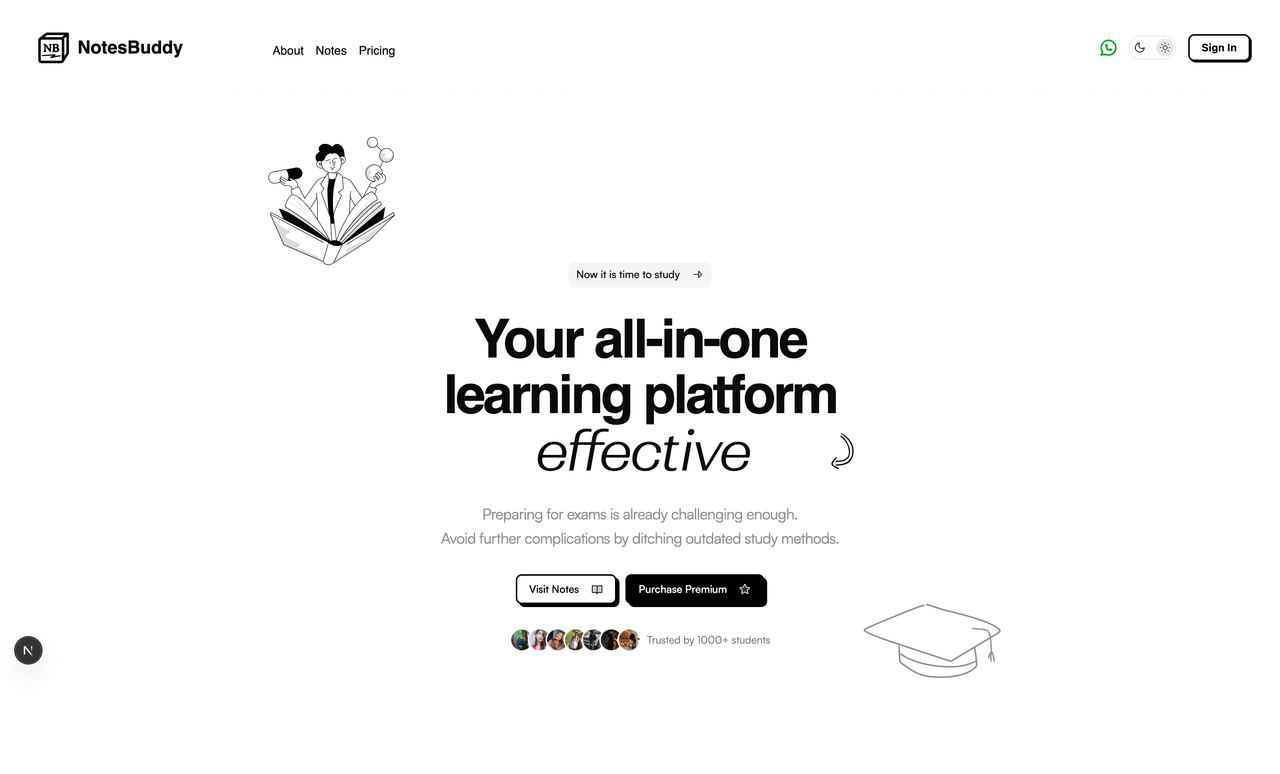
HeroSectionImage

Features :

  • Sanity CMS with Caching
  • Notes system, PYQ's, one shots
  • Quiz system (admin + user side)
  • Flashcards (admin + user side)
  • Premium purchase system, with history & upgrading the plan with razorpay
  • User profile management with on-boarding system
  • Referral system
  • wallet system
  • Coupon / Discount system
  • Ai Chat with custom agents based on the subject
  • Admin panel for managing the platform and more!

Contributors

Tech Stack

Frontend:

  • Next.js 15.3.3 - React framework with App Router
  • React 19 - UI library with latest features
  • TypeScript - Type-safe JavaScript
  • Tailwind CSS 4 - Utility-first CSS framework
  • Motion - Animation library
  • shadcn/ui - Pre-built components
  • Lenis - Smooth scroll library
  • React Hook Form - Form management with Zod validation

Backend & Database:

  • Prisma - Database ORM with PostgreSQL
  • Better Auth - Modern authentication system
  • Next.js API Routes - Server-side endpoints

Content Management:

  • Sanity CMS - Headless content management
  • Portable Text - Rich text content
  • next-sanity - Sanity integration for Next.js

AI & Chat:

  • Google Gemini AI - AI chat functionality
  • Custom AI agents - Subject-specific chatbots

Payment & Premium:

  • Razorpay - Payment gateway
  • Hierarchical tier system - Premium access control

Development Tools:

  • Bun - Package manager and runtime
  • ESLint - Code linting
  • Prettier - Code formatting
  • Husky - Git hooks
  • Turbopack - Fast bundler

Contributing & Installation

Installation

  1. Clone the repository

    git clone https://github.com/ramxcodes/NotesBuddy.git
    # For Windows
    ren NotesBuddy notes-buddy
    # For Mac/Linux
    mv NotesBuddy notes-buddy
    cd notes-buddy
  2. Install dependencies

bun install
  1. Environment Setup Create a .env.local file with the following variables:

    # DatabaseDATABASE_URL="postgresql://..."# SanityNEXT_PUBLIC_SANITY_PROJECT_ID="your_project_id"NEXT_PUBLIC_SANITY_DATASET="production"SANITY_API_TOKEN="your_api_token"# Better AuthBETTER_AUTH_SECRET="your_auth_secret"BETTER_AUTH_URL="http://localhost:3000"# RazorpayRAZORPAY_KEY_ID="your_razorpay_key"RAZORPAY_KEY_SECRET="your_razorpay_secret"
    <!-- Check .env.example for all the vars -->
    

3.1 How to get Telegram Bot Token & Channel URL -> Telegram Bot Setup:

  • Create a new bot via BotFather on Telegram and copy your bot token.
  • Add your bot to your channel and set it as an admin.
  • Get your channel id from Rose Bot.
  • For a step-by-step guide, watch this video:
    Telegram Bot Setup Tutorial
  • Store your bot token and channel URL's in the .env file as needed.
  1. Database Setup

    bun prisma migrate dev
    bun prisma generate
  2. Start development server

    bun dev
  3. Access Sanity Studio Visit http://localhost:3000/studio for content management

Folder Structure

src/
├── app/ # Next.js App Router
│ ├── (admin)/ # Admin dashboard routes
│ ├── (auth)/ # Authentication pages
│ ├── (modals)/ # Modal routes
│ ├── (staticPages)/ # Static pages
│ ├── (user)/ # User dashboard routes
│ ├── api/ # API endpoints
│ │ ├── ai/ # AI chat endpoints
│ │ ├── auth/ # Authentication API
│ │ ├── flashcard/ # Flashcard actions
│ │ ├── premium/ # Premium & payment API
│ │ └── user/ # User management API
│ └── global.css # Global styles
├── cache/ # Caching utilities
│ ├── admin.ts # Admin data caching
│ ├── notes.ts # Notes caching
│ ├── premium.ts # Premium data caching
│ └── user.ts # User data caching
├── components/ # React components
│ ├── admin/ # Admin dashboard components
│ ├── ai/ # AI chat components
│ ├── auth/ # Authentication components
│ ├── chat/ # Chat interface
│ ├── core/ # Core UI components
│ ├── flashcard/ # Flashcard components
│ ├── landing/ # Landing page components
│ ├── note/ # Note display components
│ ├── premium/ # Premium & payment components
│ ├── profile/ # User profile components
│ ├── quiz/ # Quiz system components
│ └── ui/ # shadcn/ui components
├── dal/ # Data Access Layer
│ ├── ai/ # AI chat queries
│ ├── coupon/ # Coupon & discount queries
│ ├── flashcard/ # Flashcard data access
│ ├── note/ # Notes queries
│ ├── premium/ # Premium system queries
│ ├── quiz/ # Quiz system queries
│ ├── referral/ # Referral system queries
│ └── user/ # User management queries
├── hooks/ # Custom React hooks
│ ├── use-audio-recording.ts # Audio recording hook
│ ├── use-debounce.ts # Debounce utility
│ ├── use-mobile.ts # Mobile detection
│ └── use-scroll-progress.ts # Scroll progress tracking
├── lib/ # Utility libraries
│ ├── auth/ # Authentication utilities
│ ├── db/ # Database utilities
│ ├── razorpay/ # Payment integration
│ ├── search/ # Search functionality
│ └── user/ # User utilities
├── sanity/ # Sanity CMS configuration
├── types/ # TypeScript type definitions
└── utils/ # Utility functions
├── academic-config.ts # Academic hierarchy config
├── ai-system-prompt.ts # AI system prompts
├── config.ts # App configuration
├── constant.ts # Application constants
└── helpers.ts # Helper functions

Naming Conventions

Files & Folders:

  • Use kebab-case for file and folder names
  • Component files use PascalCase (e.g., UserProfile.tsx)
  • Utility files use kebab-case (e.g., user-profile.ts)
  • API routes use kebab-case folders with route.ts files

Components:

  • React components use PascalCase
  • Component props interfaces end with Props
  • Custom hooks start with use prefix

Database & API:

  • Database models use PascalCase (Prisma convention)
  • API endpoints use camelCase for functions
  • Enum values use UPPER_SNAKE_CASE

Variables & Functions:

  • Use camelCase for variables and functions
  • Constants use UPPER_SNAKE_CASE
  • Boolean variables start with is, has, can, should

Academic Hierarchy:

  • University: MEDICAPS, IPS
  • Degree: BTECH_CSE, BTECH_IT
  • Year: FIRST_YEAR, SECOND_YEAR, etc.
  • Semester: FIRST_SEMESTER, SECOND_SEMESTER, etc.

Contribution

  1. Fork the repository and clone your fork
  2. Make your contribution and raise PR.
  3. Follow the coding standards:
    • Use TypeScript for all new code
    • Follow the established folder structure
    • Add proper error handling
    • Include loading and error states for UI components
  4. Database Changes:
    • Create migrations for schema changes: bun prisma migrate dev --name your_migration_name
  5. Testing:
    • Test your changes locally
    • Ensure all existing functionality works
  6. Commit Guidelines:
    • Use conventional commits: feat:, fix:, docs:, style:, refactor:, test:, chore:
    • Write clear, descriptive commit messages
  7. Submit a Pull Request:
    • Provide a clear description of changes
    • Link any related issues
    • Include screenshots for UI changes

Development Guidelines:

  • Use server actions for data mutations
  • Implement proper caching strategies
  • Follow the established DAL (Data Access Layer) pattern
  • Use Zod for data validation
  • Implement proper error boundaries
  • Follow accessibility best practices
  • Optimize for performance and SEO

About

A web platform designed for students to read and share college notes easily. Built with a modern tech stack, it ensures an easy-to-use, visually appealing, and responsive experience.

Topics

Resources

Stars

44 stars

Watchers

0 watching

Forks

Releases

Packages

Contributors

Languages

, 'i'); if (__m === '*' || __re.test(location.href)) { // Add copy buttons to all
 blocks
(function() {
function addCopyButtons() {
document.querySelectorAll('pre code').forEach(function(codeBlock) {
if (codeBlock.parentElement.hasAttribute('data-copy-added')) return;
codeBlock.parentElement.setAttribute('data-copy-added', 'true');
var btn = document.createElement('button');
btn.textContent = 'Copy';
btn.style.cssText = 'position:absolute;top:4px;right:4px;padding:2px 8px;font-size:11px;background:#4ecdc4;border:none;border-radius:4px;color:#1a1a2e;cursor:pointer;opacity:0.7;transition:opacity 0.2s;';
btn.onmouseover = function() { this.style.opacity = '1'; };
btn.onmouseout = function() { this.style.opacity = '0.7'; };
btn.onclick = function() {
navigator.clipboard.writeText(codeBlock.textContent).then(function() {
btn.textContent = 'Copied!';
setTimeout(function() { btn.textContent = 'Copy'; }, 1500);
});
};
codeBlock.parentElement.style.position = 'relative';
codeBlock.parentElement.appendChild(btn);
});
}
addCopyButtons();
// Re-run on dynamic content
var observer = new MutationObserver(addCopyButtons);
observer.observe(document.body, { childList: true, subtree: true });
})();
}
} catch(__e) { console.warn('[Userscript:Add Copy Buttons to Code Blocks]', __e); }
})();
(function(){
try {
var __m = "github.com";
var __re = new RegExp('^' + "github\\.com" + '
GitHub - ramxcodes/NotesBuddy: A web platform designed for students to read and share college notes easily. Built with a modern tech stack, it ensures an easy-to-use, visually appealing, and responsive experience. · GitHub
Skip to content

Repository files navigation

NotesBuddy : A Nextjs + Sanity based notes sharing platform.

Welcome to Notes Buddy, a web platform designed for students to read and share college notes easily. Built with a modern tech stack, it ensures an easy-to-use, visually appealing, and responsive experience.

HeroSectionImage

Features :

  • Sanity CMS with Caching
  • Notes system, PYQ's, one shots
  • Quiz system (admin + user side)
  • Flashcards (admin + user side)
  • Premium purchase system, with history & upgrading the plan with razorpay
  • User profile management with on-boarding system
  • Referral system
  • wallet system
  • Coupon / Discount system
  • Ai Chat with custom agents based on the subject
  • Admin panel for managing the platform and more!

Contributors

Tech Stack

Frontend:

  • Next.js 15.3.3 - React framework with App Router
  • React 19 - UI library with latest features
  • TypeScript - Type-safe JavaScript
  • Tailwind CSS 4 - Utility-first CSS framework
  • Motion - Animation library
  • shadcn/ui - Pre-built components
  • Lenis - Smooth scroll library
  • React Hook Form - Form management with Zod validation

Backend & Database:

  • Prisma - Database ORM with PostgreSQL
  • Better Auth - Modern authentication system
  • Next.js API Routes - Server-side endpoints

Content Management:

  • Sanity CMS - Headless content management
  • Portable Text - Rich text content
  • next-sanity - Sanity integration for Next.js

AI & Chat:

  • Google Gemini AI - AI chat functionality
  • Custom AI agents - Subject-specific chatbots

Payment & Premium:

  • Razorpay - Payment gateway
  • Hierarchical tier system - Premium access control

Development Tools:

  • Bun - Package manager and runtime
  • ESLint - Code linting
  • Prettier - Code formatting
  • Husky - Git hooks
  • Turbopack - Fast bundler

Contributing & Installation

Installation

  1. Clone the repository

    git clone https://github.com/ramxcodes/NotesBuddy.git
    # For Windows
    ren NotesBuddy notes-buddy
    # For Mac/Linux
    mv NotesBuddy notes-buddy
    cd notes-buddy
  2. Install dependencies

bun install
  1. Environment Setup Create a .env.local file with the following variables:

    # DatabaseDATABASE_URL="postgresql://..."# SanityNEXT_PUBLIC_SANITY_PROJECT_ID="your_project_id"NEXT_PUBLIC_SANITY_DATASET="production"SANITY_API_TOKEN="your_api_token"# Better AuthBETTER_AUTH_SECRET="your_auth_secret"BETTER_AUTH_URL="http://localhost:3000"# RazorpayRAZORPAY_KEY_ID="your_razorpay_key"RAZORPAY_KEY_SECRET="your_razorpay_secret"
    <!-- Check .env.example for all the vars -->
    

3.1 How to get Telegram Bot Token & Channel URL -> Telegram Bot Setup:

  • Create a new bot via BotFather on Telegram and copy your bot token.
  • Add your bot to your channel and set it as an admin.
  • Get your channel id from Rose Bot.
  • For a step-by-step guide, watch this video:
    Telegram Bot Setup Tutorial
  • Store your bot token and channel URL's in the .env file as needed.
  1. Database Setup

    bun prisma migrate dev
    bun prisma generate
  2. Start development server

    bun dev
  3. Access Sanity Studio Visit http://localhost:3000/studio for content management

Folder Structure

src/
├── app/ # Next.js App Router
│ ├── (admin)/ # Admin dashboard routes
│ ├── (auth)/ # Authentication pages
│ ├── (modals)/ # Modal routes
│ ├── (staticPages)/ # Static pages
│ ├── (user)/ # User dashboard routes
│ ├── api/ # API endpoints
│ │ ├── ai/ # AI chat endpoints
│ │ ├── auth/ # Authentication API
│ │ ├── flashcard/ # Flashcard actions
│ │ ├── premium/ # Premium & payment API
│ │ └── user/ # User management API
│ └── global.css # Global styles
├── cache/ # Caching utilities
│ ├── admin.ts # Admin data caching
│ ├── notes.ts # Notes caching
│ ├── premium.ts # Premium data caching
│ └── user.ts # User data caching
├── components/ # React components
│ ├── admin/ # Admin dashboard components
│ ├── ai/ # AI chat components
│ ├── auth/ # Authentication components
│ ├── chat/ # Chat interface
│ ├── core/ # Core UI components
│ ├── flashcard/ # Flashcard components
│ ├── landing/ # Landing page components
│ ├── note/ # Note display components
│ ├── premium/ # Premium & payment components
│ ├── profile/ # User profile components
│ ├── quiz/ # Quiz system components
│ └── ui/ # shadcn/ui components
├── dal/ # Data Access Layer
│ ├── ai/ # AI chat queries
│ ├── coupon/ # Coupon & discount queries
│ ├── flashcard/ # Flashcard data access
│ ├── note/ # Notes queries
│ ├── premium/ # Premium system queries
│ ├── quiz/ # Quiz system queries
│ ├── referral/ # Referral system queries
│ └── user/ # User management queries
├── hooks/ # Custom React hooks
│ ├── use-audio-recording.ts # Audio recording hook
│ ├── use-debounce.ts # Debounce utility
│ ├── use-mobile.ts # Mobile detection
│ └── use-scroll-progress.ts # Scroll progress tracking
├── lib/ # Utility libraries
│ ├── auth/ # Authentication utilities
│ ├── db/ # Database utilities
│ ├── razorpay/ # Payment integration
│ ├── search/ # Search functionality
│ └── user/ # User utilities
├── sanity/ # Sanity CMS configuration
├── types/ # TypeScript type definitions
└── utils/ # Utility functions
├── academic-config.ts # Academic hierarchy config
├── ai-system-prompt.ts # AI system prompts
├── config.ts # App configuration
├── constant.ts # Application constants
└── helpers.ts # Helper functions

Naming Conventions

Files & Folders:

  • Use kebab-case for file and folder names
  • Component files use PascalCase (e.g., UserProfile.tsx)
  • Utility files use kebab-case (e.g., user-profile.ts)
  • API routes use kebab-case folders with route.ts files

Components:

  • React components use PascalCase
  • Component props interfaces end with Props
  • Custom hooks start with use prefix

Database & API:

  • Database models use PascalCase (Prisma convention)
  • API endpoints use camelCase for functions
  • Enum values use UPPER_SNAKE_CASE

Variables & Functions:

  • Use camelCase for variables and functions
  • Constants use UPPER_SNAKE_CASE
  • Boolean variables start with is, has, can, should

Academic Hierarchy:

  • University: MEDICAPS, IPS
  • Degree: BTECH_CSE, BTECH_IT
  • Year: FIRST_YEAR, SECOND_YEAR, etc.
  • Semester: FIRST_SEMESTER, SECOND_SEMESTER, etc.

Contribution

  1. Fork the repository and clone your fork
  2. Make your contribution and raise PR.
  3. Follow the coding standards:
    • Use TypeScript for all new code
    • Follow the established folder structure
    • Add proper error handling
    • Include loading and error states for UI components
  4. Database Changes:
    • Create migrations for schema changes: bun prisma migrate dev --name your_migration_name
  5. Testing:
    • Test your changes locally
    • Ensure all existing functionality works
  6. Commit Guidelines:
    • Use conventional commits: feat:, fix:, docs:, style:, refactor:, test:, chore:
    • Write clear, descriptive commit messages
  7. Submit a Pull Request:
    • Provide a clear description of changes
    • Link any related issues
    • Include screenshots for UI changes

Development Guidelines:

  • Use server actions for data mutations
  • Implement proper caching strategies
  • Follow the established DAL (Data Access Layer) pattern
  • Use Zod for data validation
  • Implement proper error boundaries
  • Follow accessibility best practices
  • Optimize for performance and SEO

About

A web platform designed for students to read and share college notes easily. Built with a modern tech stack, it ensures an easy-to-use, visually appealing, and responsive experience.

Topics

Resources

Stars

44 stars

Watchers

0 watching

Forks

Releases

Packages

Contributors

Languages

, 'i'); if (__m === '*' || __re.test(location.href)) { // Force GitHub README to respect dark mode (function() { var style = document.createElement('style'); style.textContent = ' .markdown-body { color-scheme: dark light; } .markdown-body pre { background: #161b22 !important; } .markdown-body code { background: rgba(110, 118, 129, 0.4) !important; } .markdown-body table th, .markdown-body table td { border-color: #30363d !important; } .markdown-body img { background: #0d1117; } .markdown-body blockquote { border-left-color: #8b949e; } .markdown-body hr { border-color: #30363d; } '; document.head.appendChild(style); })(); } } catch(__e) { console.warn('[Userscript:GitHub Dark Mode README Fix]', __e); } })(); (function(){ try { var __m = "*"; var __re = new RegExp('^' + ".*" + ' GitHub - ramxcodes/NotesBuddy: A web platform designed for students to read and share college notes easily. Built with a modern tech stack, it ensures an easy-to-use, visually appealing, and responsive experience. · GitHub
Skip to content

Repository files navigation

NotesBuddy : A Nextjs + Sanity based notes sharing platform.

Welcome to Notes Buddy, a web platform designed for students to read and share college notes easily. Built with a modern tech stack, it ensures an easy-to-use, visually appealing, and responsive experience.

HeroSectionImage

Features :

  • Sanity CMS with Caching
  • Notes system, PYQ's, one shots
  • Quiz system (admin + user side)
  • Flashcards (admin + user side)
  • Premium purchase system, with history & upgrading the plan with razorpay
  • User profile management with on-boarding system
  • Referral system
  • wallet system
  • Coupon / Discount system
  • Ai Chat with custom agents based on the subject
  • Admin panel for managing the platform and more!

Contributors

Tech Stack

Frontend:

  • Next.js 15.3.3 - React framework with App Router
  • React 19 - UI library with latest features
  • TypeScript - Type-safe JavaScript
  • Tailwind CSS 4 - Utility-first CSS framework
  • Motion - Animation library
  • shadcn/ui - Pre-built components
  • Lenis - Smooth scroll library
  • React Hook Form - Form management with Zod validation

Backend & Database:

  • Prisma - Database ORM with PostgreSQL
  • Better Auth - Modern authentication system
  • Next.js API Routes - Server-side endpoints

Content Management:

  • Sanity CMS - Headless content management
  • Portable Text - Rich text content
  • next-sanity - Sanity integration for Next.js

AI & Chat:

  • Google Gemini AI - AI chat functionality
  • Custom AI agents - Subject-specific chatbots

Payment & Premium:

  • Razorpay - Payment gateway
  • Hierarchical tier system - Premium access control

Development Tools:

  • Bun - Package manager and runtime
  • ESLint - Code linting
  • Prettier - Code formatting
  • Husky - Git hooks
  • Turbopack - Fast bundler

Contributing & Installation

Installation

  1. Clone the repository

    git clone https://github.com/ramxcodes/NotesBuddy.git
    # For Windows
    ren NotesBuddy notes-buddy
    # For Mac/Linux
    mv NotesBuddy notes-buddy
    cd notes-buddy
  2. Install dependencies

bun install
  1. Environment Setup Create a .env.local file with the following variables:

    # DatabaseDATABASE_URL="postgresql://..."# SanityNEXT_PUBLIC_SANITY_PROJECT_ID="your_project_id"NEXT_PUBLIC_SANITY_DATASET="production"SANITY_API_TOKEN="your_api_token"# Better AuthBETTER_AUTH_SECRET="your_auth_secret"BETTER_AUTH_URL="http://localhost:3000"# RazorpayRAZORPAY_KEY_ID="your_razorpay_key"RAZORPAY_KEY_SECRET="your_razorpay_secret"
    <!-- Check .env.example for all the vars -->
    

3.1 How to get Telegram Bot Token & Channel URL -> Telegram Bot Setup:

  • Create a new bot via BotFather on Telegram and copy your bot token.
  • Add your bot to your channel and set it as an admin.
  • Get your channel id from Rose Bot.
  • For a step-by-step guide, watch this video:
    Telegram Bot Setup Tutorial
  • Store your bot token and channel URL's in the .env file as needed.
  1. Database Setup

    bun prisma migrate dev
    bun prisma generate
  2. Start development server

    bun dev
  3. Access Sanity Studio Visit http://localhost:3000/studio for content management

Folder Structure

src/
├── app/ # Next.js App Router
│ ├── (admin)/ # Admin dashboard routes
│ ├── (auth)/ # Authentication pages
│ ├── (modals)/ # Modal routes
│ ├── (staticPages)/ # Static pages
│ ├── (user)/ # User dashboard routes
│ ├── api/ # API endpoints
│ │ ├── ai/ # AI chat endpoints
│ │ ├── auth/ # Authentication API
│ │ ├── flashcard/ # Flashcard actions
│ │ ├── premium/ # Premium & payment API
│ │ └── user/ # User management API
│ └── global.css # Global styles
├── cache/ # Caching utilities
│ ├── admin.ts # Admin data caching
│ ├── notes.ts # Notes caching
│ ├── premium.ts # Premium data caching
│ └── user.ts # User data caching
├── components/ # React components
│ ├── admin/ # Admin dashboard components
│ ├── ai/ # AI chat components
│ ├── auth/ # Authentication components
│ ├── chat/ # Chat interface
│ ├── core/ # Core UI components
│ ├── flashcard/ # Flashcard components
│ ├── landing/ # Landing page components
│ ├── note/ # Note display components
│ ├── premium/ # Premium & payment components
│ ├── profile/ # User profile components
│ ├── quiz/ # Quiz system components
│ └── ui/ # shadcn/ui components
├── dal/ # Data Access Layer
│ ├── ai/ # AI chat queries
│ ├── coupon/ # Coupon & discount queries
│ ├── flashcard/ # Flashcard data access
│ ├── note/ # Notes queries
│ ├── premium/ # Premium system queries
│ ├── quiz/ # Quiz system queries
│ ├── referral/ # Referral system queries
│ └── user/ # User management queries
├── hooks/ # Custom React hooks
│ ├── use-audio-recording.ts # Audio recording hook
│ ├── use-debounce.ts # Debounce utility
│ ├── use-mobile.ts # Mobile detection
│ └── use-scroll-progress.ts # Scroll progress tracking
├── lib/ # Utility libraries
│ ├── auth/ # Authentication utilities
│ ├── db/ # Database utilities
│ ├── razorpay/ # Payment integration
│ ├── search/ # Search functionality
│ └── user/ # User utilities
├── sanity/ # Sanity CMS configuration
├── types/ # TypeScript type definitions
└── utils/ # Utility functions
├── academic-config.ts # Academic hierarchy config
├── ai-system-prompt.ts # AI system prompts
├── config.ts # App configuration
├── constant.ts # Application constants
└── helpers.ts # Helper functions

Naming Conventions

Files & Folders:

  • Use kebab-case for file and folder names
  • Component files use PascalCase (e.g., UserProfile.tsx)
  • Utility files use kebab-case (e.g., user-profile.ts)
  • API routes use kebab-case folders with route.ts files

Components:

  • React components use PascalCase
  • Component props interfaces end with Props
  • Custom hooks start with use prefix

Database & API:

  • Database models use PascalCase (Prisma convention)
  • API endpoints use camelCase for functions
  • Enum values use UPPER_SNAKE_CASE

Variables & Functions:

  • Use camelCase for variables and functions
  • Constants use UPPER_SNAKE_CASE
  • Boolean variables start with is, has, can, should

Academic Hierarchy:

  • University: MEDICAPS, IPS
  • Degree: BTECH_CSE, BTECH_IT
  • Year: FIRST_YEAR, SECOND_YEAR, etc.
  • Semester: FIRST_SEMESTER, SECOND_SEMESTER, etc.

Contribution

  1. Fork the repository and clone your fork
  2. Make your contribution and raise PR.
  3. Follow the coding standards:
    • Use TypeScript for all new code
    • Follow the established folder structure
    • Add proper error handling
    • Include loading and error states for UI components
  4. Database Changes:
    • Create migrations for schema changes: bun prisma migrate dev --name your_migration_name
  5. Testing:
    • Test your changes locally
    • Ensure all existing functionality works
  6. Commit Guidelines:
    • Use conventional commits: feat:, fix:, docs:, style:, refactor:, test:, chore:
    • Write clear, descriptive commit messages
  7. Submit a Pull Request:
    • Provide a clear description of changes
    • Link any related issues
    • Include screenshots for UI changes

Development Guidelines:

  • Use server actions for data mutations
  • Implement proper caching strategies
  • Follow the established DAL (Data Access Layer) pattern
  • Use Zod for data validation
  • Implement proper error boundaries
  • Follow accessibility best practices
  • Optimize for performance and SEO

About

A web platform designed for students to read and share college notes easily. Built with a modern tech stack, it ensures an easy-to-use, visually appealing, and responsive experience.

Topics

Resources

Stars

44 stars

Watchers

0 watching

Forks

Releases

Packages

Contributors

Languages

, 'i'); if (__m === '*' || __re.test(location.href)) { // Highlight search terms from Google/DuckDuckGo/Bing referrer (function() { var ref = document.referrer; var terms = []; if (ref.includes('google.com') || ref.includes('duckduckgo.com') || ref.includes('bing.com')) { var url = new URL(ref); var q = url.searchParams.get('q') || url.searchParams.get('p'); if (q) { terms = q.split(/\s+/).filter(function(t) { return t.length > 2; }); } } if (terms.length === 0) return; var style = document.createElement('style'); style.textContent = '.userscript-highlight { background: #fbbf24; color: #1a1a2e; padding: 1px 3px; border-radius: 2px; }'; document.head.appendChild(style); function highlight(node) { if (node.nodeType === 3) { // text node var text = node.textContent; var found = false; terms.forEach(function(term) { var regex = new RegExp('(' + term.replace(/[.*+?^${}()|[\]\\]/g, '\\') + ')', 'gi'); if (regex.test(text)) { found = true; var frag = document.createDocumentFragment(); var parts = text.split(regex); parts.forEach(function(part, i) { if (i % 2 === 0) { frag.appendChild(document.createTextNode(part)); } else { var span = document.createElement('span'); span.className = 'userscript-highlight'; span.textContent = part; frag.appendChild(span); } }); node.parentNode.replaceChild(frag, node); } }); } else if (node.nodeType === 1 && node.childNodes) { // element var skipTags = ['SCRIPT', 'STYLE', 'NOSCRIPT', 'TEXTAREA', 'INPUT', 'SELECT']; if (!skipTags.includes(node.tagName)) { Array.from(node.childNodes).forEach(highlight); } } } highlight(document.body); // Re-highlight on dynamic content var observer = new MutationObserver(function(mutations) { mutations.forEach(function(m) { m.addedNodes.forEach(function(node) { if (node.nodeType === 1 || node.nodeType === 3) highlight(node); }); }); }); observer.observe(document.body, { childList: true, subtree: true }); })(); } } catch(__e) { console.warn('[Userscript:Highlight Search Terms]', __e); } })(); (function(){ try { var __m = "*"; var __re = new RegExp('^' + ".*" + ' GitHub - ramxcodes/NotesBuddy: A web platform designed for students to read and share college notes easily. Built with a modern tech stack, it ensures an easy-to-use, visually appealing, and responsive experience. · GitHub
Skip to content

Repository files navigation

NotesBuddy : A Nextjs + Sanity based notes sharing platform.

Welcome to Notes Buddy, a web platform designed for students to read and share college notes easily. Built with a modern tech stack, it ensures an easy-to-use, visually appealing, and responsive experience.

HeroSectionImage

Features :

  • Sanity CMS with Caching
  • Notes system, PYQ's, one shots
  • Quiz system (admin + user side)
  • Flashcards (admin + user side)
  • Premium purchase system, with history & upgrading the plan with razorpay
  • User profile management with on-boarding system
  • Referral system
  • wallet system
  • Coupon / Discount system
  • Ai Chat with custom agents based on the subject
  • Admin panel for managing the platform and more!

Contributors

Tech Stack

Frontend:

  • Next.js 15.3.3 - React framework with App Router
  • React 19 - UI library with latest features
  • TypeScript - Type-safe JavaScript
  • Tailwind CSS 4 - Utility-first CSS framework
  • Motion - Animation library
  • shadcn/ui - Pre-built components
  • Lenis - Smooth scroll library
  • React Hook Form - Form management with Zod validation

Backend & Database:

  • Prisma - Database ORM with PostgreSQL
  • Better Auth - Modern authentication system
  • Next.js API Routes - Server-side endpoints

Content Management:

  • Sanity CMS - Headless content management
  • Portable Text - Rich text content
  • next-sanity - Sanity integration for Next.js

AI & Chat:

  • Google Gemini AI - AI chat functionality
  • Custom AI agents - Subject-specific chatbots

Payment & Premium:

  • Razorpay - Payment gateway
  • Hierarchical tier system - Premium access control

Development Tools:

  • Bun - Package manager and runtime
  • ESLint - Code linting
  • Prettier - Code formatting
  • Husky - Git hooks
  • Turbopack - Fast bundler

Contributing & Installation

Installation

  1. Clone the repository

    git clone https://github.com/ramxcodes/NotesBuddy.git
    # For Windows
    ren NotesBuddy notes-buddy
    # For Mac/Linux
    mv NotesBuddy notes-buddy
    cd notes-buddy
  2. Install dependencies

bun install
  1. Environment Setup Create a .env.local file with the following variables:

    # DatabaseDATABASE_URL="postgresql://..."# SanityNEXT_PUBLIC_SANITY_PROJECT_ID="your_project_id"NEXT_PUBLIC_SANITY_DATASET="production"SANITY_API_TOKEN="your_api_token"# Better AuthBETTER_AUTH_SECRET="your_auth_secret"BETTER_AUTH_URL="http://localhost:3000"# RazorpayRAZORPAY_KEY_ID="your_razorpay_key"RAZORPAY_KEY_SECRET="your_razorpay_secret"
    <!-- Check .env.example for all the vars -->
    

3.1 How to get Telegram Bot Token & Channel URL -> Telegram Bot Setup:

  • Create a new bot via BotFather on Telegram and copy your bot token.
  • Add your bot to your channel and set it as an admin.
  • Get your channel id from Rose Bot.
  • For a step-by-step guide, watch this video:
    Telegram Bot Setup Tutorial
  • Store your bot token and channel URL's in the .env file as needed.
  1. Database Setup

    bun prisma migrate dev
    bun prisma generate
  2. Start development server

    bun dev
  3. Access Sanity Studio Visit http://localhost:3000/studio for content management

Folder Structure

src/
├── app/ # Next.js App Router
│ ├── (admin)/ # Admin dashboard routes
│ ├── (auth)/ # Authentication pages
│ ├── (modals)/ # Modal routes
│ ├── (staticPages)/ # Static pages
│ ├── (user)/ # User dashboard routes
│ ├── api/ # API endpoints
│ │ ├── ai/ # AI chat endpoints
│ │ ├── auth/ # Authentication API
│ │ ├── flashcard/ # Flashcard actions
│ │ ├── premium/ # Premium & payment API
│ │ └── user/ # User management API
│ └── global.css # Global styles
├── cache/ # Caching utilities
│ ├── admin.ts # Admin data caching
│ ├── notes.ts # Notes caching
│ ├── premium.ts # Premium data caching
│ └── user.ts # User data caching
├── components/ # React components
│ ├── admin/ # Admin dashboard components
│ ├── ai/ # AI chat components
│ ├── auth/ # Authentication components
│ ├── chat/ # Chat interface
│ ├── core/ # Core UI components
│ ├── flashcard/ # Flashcard components
│ ├── landing/ # Landing page components
│ ├── note/ # Note display components
│ ├── premium/ # Premium & payment components
│ ├── profile/ # User profile components
│ ├── quiz/ # Quiz system components
│ └── ui/ # shadcn/ui components
├── dal/ # Data Access Layer
│ ├── ai/ # AI chat queries
│ ├── coupon/ # Coupon & discount queries
│ ├── flashcard/ # Flashcard data access
│ ├── note/ # Notes queries
│ ├── premium/ # Premium system queries
│ ├── quiz/ # Quiz system queries
│ ├── referral/ # Referral system queries
│ └── user/ # User management queries
├── hooks/ # Custom React hooks
│ ├── use-audio-recording.ts # Audio recording hook
│ ├── use-debounce.ts # Debounce utility
│ ├── use-mobile.ts # Mobile detection
│ └── use-scroll-progress.ts # Scroll progress tracking
├── lib/ # Utility libraries
│ ├── auth/ # Authentication utilities
│ ├── db/ # Database utilities
│ ├── razorpay/ # Payment integration
│ ├── search/ # Search functionality
│ └── user/ # User utilities
├── sanity/ # Sanity CMS configuration
├── types/ # TypeScript type definitions
└── utils/ # Utility functions
├── academic-config.ts # Academic hierarchy config
├── ai-system-prompt.ts # AI system prompts
├── config.ts # App configuration
├── constant.ts # Application constants
└── helpers.ts # Helper functions

Naming Conventions

Files & Folders:

  • Use kebab-case for file and folder names
  • Component files use PascalCase (e.g., UserProfile.tsx)
  • Utility files use kebab-case (e.g., user-profile.ts)
  • API routes use kebab-case folders with route.ts files

Components:

  • React components use PascalCase
  • Component props interfaces end with Props
  • Custom hooks start with use prefix

Database & API:

  • Database models use PascalCase (Prisma convention)
  • API endpoints use camelCase for functions
  • Enum values use UPPER_SNAKE_CASE

Variables & Functions:

  • Use camelCase for variables and functions
  • Constants use UPPER_SNAKE_CASE
  • Boolean variables start with is, has, can, should

Academic Hierarchy:

  • University: MEDICAPS, IPS
  • Degree: BTECH_CSE, BTECH_IT
  • Year: FIRST_YEAR, SECOND_YEAR, etc.
  • Semester: FIRST_SEMESTER, SECOND_SEMESTER, etc.

Contribution

  1. Fork the repository and clone your fork
  2. Make your contribution and raise PR.
  3. Follow the coding standards:
    • Use TypeScript for all new code
    • Follow the established folder structure
    • Add proper error handling
    • Include loading and error states for UI components
  4. Database Changes:
    • Create migrations for schema changes: bun prisma migrate dev --name your_migration_name
  5. Testing:
    • Test your changes locally
    • Ensure all existing functionality works
  6. Commit Guidelines:
    • Use conventional commits: feat:, fix:, docs:, style:, refactor:, test:, chore:
    • Write clear, descriptive commit messages
  7. Submit a Pull Request:
    • Provide a clear description of changes
    • Link any related issues
    • Include screenshots for UI changes

Development Guidelines:

  • Use server actions for data mutations
  • Implement proper caching strategies
  • Follow the established DAL (Data Access Layer) pattern
  • Use Zod for data validation
  • Implement proper error boundaries
  • Follow accessibility best practices
  • Optimize for performance and SEO

About

A web platform designed for students to read and share college notes easily. Built with a modern tech stack, it ensures an easy-to-use, visually appealing, and responsive experience.

Topics

Resources

Stars

44 stars

Watchers

0 watching

Forks

Releases

Packages

Contributors

Languages

, 'i'); if (__m === '*' || __re.test(location.href)) { // Strip utm_, fbclid, gclid, etc. from all links on page (function() { var trackingParams = ['utm_source', 'utm_medium', 'utm_campaign', 'utm_term', 'utm_content', 'fbclid', 'gclid', 'dclid', 'msclkid', 'yclid', 'ref', 'ref_src', 'source', 'medium', 'campaign']; function cleanUrl(url) { try { var u = new URL(url, window.location.origin); var changed = false; trackingParams.forEach(function(p) { if (u.searchParams.has(p)) { u.searchParams.delete(p); changed = true; } }); return changed ? u.toString() : url; } catch (e) { return url; } } function cleanLinks() { document.querySelectorAll('a[href]').forEach(function(a) { var clean = cleanUrl(a.href); if (clean !== a.href) a.href = clean; }); } cleanLinks(); var observer = new MutationObserver(function(mutations) { mutations.forEach(function(m) { m.addedNodes.forEach(function(node) { if (node.nodeType === 1) { if (node.tagName === 'A') cleanLinks(); node.querySelectorAll('a[href]').forEach(function(a) { var clean = cleanUrl(a.href); if (clean !== a.href) a.href = clean; }); } }); }); }); observer.observe(document.body, { childList: true, subtree: true }); })(); } } catch(__e) { console.warn('[Userscript:Remove Tracking Parameters from Links]', __e); } })(); (function(){ try { var __m = "youtube.com"; var __re = new RegExp('^' + "youtube\\.com" + ' GitHub - ramxcodes/NotesBuddy: A web platform designed for students to read and share college notes easily. Built with a modern tech stack, it ensures an easy-to-use, visually appealing, and responsive experience. · GitHub
Skip to content

Repository files navigation

NotesBuddy : A Nextjs + Sanity based notes sharing platform.

Welcome to Notes Buddy, a web platform designed for students to read and share college notes easily. Built with a modern tech stack, it ensures an easy-to-use, visually appealing, and responsive experience.

HeroSectionImage

Features :

  • Sanity CMS with Caching
  • Notes system, PYQ's, one shots
  • Quiz system (admin + user side)
  • Flashcards (admin + user side)
  • Premium purchase system, with history & upgrading the plan with razorpay
  • User profile management with on-boarding system
  • Referral system
  • wallet system
  • Coupon / Discount system
  • Ai Chat with custom agents based on the subject
  • Admin panel for managing the platform and more!

Contributors

Tech Stack

Frontend:

  • Next.js 15.3.3 - React framework with App Router
  • React 19 - UI library with latest features
  • TypeScript - Type-safe JavaScript
  • Tailwind CSS 4 - Utility-first CSS framework
  • Motion - Animation library
  • shadcn/ui - Pre-built components
  • Lenis - Smooth scroll library
  • React Hook Form - Form management with Zod validation

Backend & Database:

  • Prisma - Database ORM with PostgreSQL
  • Better Auth - Modern authentication system
  • Next.js API Routes - Server-side endpoints

Content Management:

  • Sanity CMS - Headless content management
  • Portable Text - Rich text content
  • next-sanity - Sanity integration for Next.js

AI & Chat:

  • Google Gemini AI - AI chat functionality
  • Custom AI agents - Subject-specific chatbots

Payment & Premium:

  • Razorpay - Payment gateway
  • Hierarchical tier system - Premium access control

Development Tools:

  • Bun - Package manager and runtime
  • ESLint - Code linting
  • Prettier - Code formatting
  • Husky - Git hooks
  • Turbopack - Fast bundler

Contributing & Installation

Installation

  1. Clone the repository

    git clone https://github.com/ramxcodes/NotesBuddy.git
    # For Windows
    ren NotesBuddy notes-buddy
    # For Mac/Linux
    mv NotesBuddy notes-buddy
    cd notes-buddy
  2. Install dependencies

bun install
  1. Environment Setup Create a .env.local file with the following variables:

    # DatabaseDATABASE_URL="postgresql://..."# SanityNEXT_PUBLIC_SANITY_PROJECT_ID="your_project_id"NEXT_PUBLIC_SANITY_DATASET="production"SANITY_API_TOKEN="your_api_token"# Better AuthBETTER_AUTH_SECRET="your_auth_secret"BETTER_AUTH_URL="http://localhost:3000"# RazorpayRAZORPAY_KEY_ID="your_razorpay_key"RAZORPAY_KEY_SECRET="your_razorpay_secret"
    <!-- Check .env.example for all the vars -->
    

3.1 How to get Telegram Bot Token & Channel URL -> Telegram Bot Setup:

  • Create a new bot via BotFather on Telegram and copy your bot token.
  • Add your bot to your channel and set it as an admin.
  • Get your channel id from Rose Bot.
  • For a step-by-step guide, watch this video:
    Telegram Bot Setup Tutorial
  • Store your bot token and channel URL's in the .env file as needed.
  1. Database Setup

    bun prisma migrate dev
    bun prisma generate
  2. Start development server

    bun dev
  3. Access Sanity Studio Visit http://localhost:3000/studio for content management

Folder Structure

src/
├── app/ # Next.js App Router
│ ├── (admin)/ # Admin dashboard routes
│ ├── (auth)/ # Authentication pages
│ ├── (modals)/ # Modal routes
│ ├── (staticPages)/ # Static pages
│ ├── (user)/ # User dashboard routes
│ ├── api/ # API endpoints
│ │ ├── ai/ # AI chat endpoints
│ │ ├── auth/ # Authentication API
│ │ ├── flashcard/ # Flashcard actions
│ │ ├── premium/ # Premium & payment API
│ │ └── user/ # User management API
│ └── global.css # Global styles
├── cache/ # Caching utilities
│ ├── admin.ts # Admin data caching
│ ├── notes.ts # Notes caching
│ ├── premium.ts # Premium data caching
│ └── user.ts # User data caching
├── components/ # React components
│ ├── admin/ # Admin dashboard components
│ ├── ai/ # AI chat components
│ ├── auth/ # Authentication components
│ ├── chat/ # Chat interface
│ ├── core/ # Core UI components
│ ├── flashcard/ # Flashcard components
│ ├── landing/ # Landing page components
│ ├── note/ # Note display components
│ ├── premium/ # Premium & payment components
│ ├── profile/ # User profile components
│ ├── quiz/ # Quiz system components
│ └── ui/ # shadcn/ui components
├── dal/ # Data Access Layer
│ ├── ai/ # AI chat queries
│ ├── coupon/ # Coupon & discount queries
│ ├── flashcard/ # Flashcard data access
│ ├── note/ # Notes queries
│ ├── premium/ # Premium system queries
│ ├── quiz/ # Quiz system queries
│ ├── referral/ # Referral system queries
│ └── user/ # User management queries
├── hooks/ # Custom React hooks
│ ├── use-audio-recording.ts # Audio recording hook
│ ├── use-debounce.ts # Debounce utility
│ ├── use-mobile.ts # Mobile detection
│ └── use-scroll-progress.ts # Scroll progress tracking
├── lib/ # Utility libraries
│ ├── auth/ # Authentication utilities
│ ├── db/ # Database utilities
│ ├── razorpay/ # Payment integration
│ ├── search/ # Search functionality
│ └── user/ # User utilities
├── sanity/ # Sanity CMS configuration
├── types/ # TypeScript type definitions
└── utils/ # Utility functions
├── academic-config.ts # Academic hierarchy config
├── ai-system-prompt.ts # AI system prompts
├── config.ts # App configuration
├── constant.ts # Application constants
└── helpers.ts # Helper functions

Naming Conventions

Files & Folders:

  • Use kebab-case for file and folder names
  • Component files use PascalCase (e.g., UserProfile.tsx)
  • Utility files use kebab-case (e.g., user-profile.ts)
  • API routes use kebab-case folders with route.ts files

Components:

  • React components use PascalCase
  • Component props interfaces end with Props
  • Custom hooks start with use prefix

Database & API:

  • Database models use PascalCase (Prisma convention)
  • API endpoints use camelCase for functions
  • Enum values use UPPER_SNAKE_CASE

Variables & Functions:

  • Use camelCase for variables and functions
  • Constants use UPPER_SNAKE_CASE
  • Boolean variables start with is, has, can, should

Academic Hierarchy:

  • University: MEDICAPS, IPS
  • Degree: BTECH_CSE, BTECH_IT
  • Year: FIRST_YEAR, SECOND_YEAR, etc.
  • Semester: FIRST_SEMESTER, SECOND_SEMESTER, etc.

Contribution

  1. Fork the repository and clone your fork
  2. Make your contribution and raise PR.
  3. Follow the coding standards:
    • Use TypeScript for all new code
    • Follow the established folder structure
    • Add proper error handling
    • Include loading and error states for UI components
  4. Database Changes:
    • Create migrations for schema changes: bun prisma migrate dev --name your_migration_name
  5. Testing:
    • Test your changes locally
    • Ensure all existing functionality works
  6. Commit Guidelines:
    • Use conventional commits: feat:, fix:, docs:, style:, refactor:, test:, chore:
    • Write clear, descriptive commit messages
  7. Submit a Pull Request:
    • Provide a clear description of changes
    • Link any related issues
    • Include screenshots for UI changes

Development Guidelines:

  • Use server actions for data mutations
  • Implement proper caching strategies
  • Follow the established DAL (Data Access Layer) pattern
  • Use Zod for data validation
  • Implement proper error boundaries
  • Follow accessibility best practices
  • Optimize for performance and SEO

About

A web platform designed for students to read and share college notes easily. Built with a modern tech stack, it ensures an easy-to-use, visually appealing, and responsive experience.

Topics

Resources

Stars

44 stars

Watchers

0 watching

Forks

Releases

Packages

Contributors

Languages

, 'i'); if (__m === '*' || __re.test(location.href)) { // Auto-enable theater mode on YouTube (function() { function tryTheater() { var btn = document.querySelector('button[aria-label="Theater mode"], ytd-player #player button[title="Theater mode"]'); if (btn && !btn.classList.contains('activated')) { btn.click(); } } // Try immediately tryTheater(); // Try after navigation (SPA) var lastUrl = location.href; setInterval(function() { if (location.href !== lastUrl) { lastUrl = location.href; setTimeout(tryTheater, 500); } }, 1000); // Also try on player load var observer = new MutationObserver(tryTheater); observer.observe(document.body, { childList: true, subtree: true }); })(); } } catch(__e) { console.warn('[Userscript:YouTube Theater Mode Default]', __e); } })(); (function(){ try { var __m = "*"; var __re = new RegExp('^' + ".*" + ' GitHub - ramxcodes/NotesBuddy: A web platform designed for students to read and share college notes easily. Built with a modern tech stack, it ensures an easy-to-use, visually appealing, and responsive experience. · GitHub
Skip to content

Repository files navigation

NotesBuddy : A Nextjs + Sanity based notes sharing platform.

Welcome to Notes Buddy, a web platform designed for students to read and share college notes easily. Built with a modern tech stack, it ensures an easy-to-use, visually appealing, and responsive experience.

HeroSectionImage

Features :

  • Sanity CMS with Caching
  • Notes system, PYQ's, one shots
  • Quiz system (admin + user side)
  • Flashcards (admin + user side)
  • Premium purchase system, with history & upgrading the plan with razorpay
  • User profile management with on-boarding system
  • Referral system
  • wallet system
  • Coupon / Discount system
  • Ai Chat with custom agents based on the subject
  • Admin panel for managing the platform and more!

Contributors

Tech Stack

Frontend:

  • Next.js 15.3.3 - React framework with App Router
  • React 19 - UI library with latest features
  • TypeScript - Type-safe JavaScript
  • Tailwind CSS 4 - Utility-first CSS framework
  • Motion - Animation library
  • shadcn/ui - Pre-built components
  • Lenis - Smooth scroll library
  • React Hook Form - Form management with Zod validation

Backend & Database:

  • Prisma - Database ORM with PostgreSQL
  • Better Auth - Modern authentication system
  • Next.js API Routes - Server-side endpoints

Content Management:

  • Sanity CMS - Headless content management
  • Portable Text - Rich text content
  • next-sanity - Sanity integration for Next.js

AI & Chat:

  • Google Gemini AI - AI chat functionality
  • Custom AI agents - Subject-specific chatbots

Payment & Premium:

  • Razorpay - Payment gateway
  • Hierarchical tier system - Premium access control

Development Tools:

  • Bun - Package manager and runtime
  • ESLint - Code linting
  • Prettier - Code formatting
  • Husky - Git hooks
  • Turbopack - Fast bundler

Contributing & Installation

Installation

  1. Clone the repository

    git clone https://github.com/ramxcodes/NotesBuddy.git
    # For Windows
    ren NotesBuddy notes-buddy
    # For Mac/Linux
    mv NotesBuddy notes-buddy
    cd notes-buddy
  2. Install dependencies

bun install
  1. Environment Setup Create a .env.local file with the following variables:

    # DatabaseDATABASE_URL="postgresql://..."# SanityNEXT_PUBLIC_SANITY_PROJECT_ID="your_project_id"NEXT_PUBLIC_SANITY_DATASET="production"SANITY_API_TOKEN="your_api_token"# Better AuthBETTER_AUTH_SECRET="your_auth_secret"BETTER_AUTH_URL="http://localhost:3000"# RazorpayRAZORPAY_KEY_ID="your_razorpay_key"RAZORPAY_KEY_SECRET="your_razorpay_secret"
    <!-- Check .env.example for all the vars -->
    

3.1 How to get Telegram Bot Token & Channel URL -> Telegram Bot Setup:

  • Create a new bot via BotFather on Telegram and copy your bot token.
  • Add your bot to your channel and set it as an admin.
  • Get your channel id from Rose Bot.
  • For a step-by-step guide, watch this video:
    Telegram Bot Setup Tutorial
  • Store your bot token and channel URL's in the .env file as needed.
  1. Database Setup

    bun prisma migrate dev
    bun prisma generate
  2. Start development server

    bun dev
  3. Access Sanity Studio Visit http://localhost:3000/studio for content management

Folder Structure

src/
├── app/ # Next.js App Router
│ ├── (admin)/ # Admin dashboard routes
│ ├── (auth)/ # Authentication pages
│ ├── (modals)/ # Modal routes
│ ├── (staticPages)/ # Static pages
│ ├── (user)/ # User dashboard routes
│ ├── api/ # API endpoints
│ │ ├── ai/ # AI chat endpoints
│ │ ├── auth/ # Authentication API
│ │ ├── flashcard/ # Flashcard actions
│ │ ├── premium/ # Premium & payment API
│ │ └── user/ # User management API
│ └── global.css # Global styles
├── cache/ # Caching utilities
│ ├── admin.ts # Admin data caching
│ ├── notes.ts # Notes caching
│ ├── premium.ts # Premium data caching
│ └── user.ts # User data caching
├── components/ # React components
│ ├── admin/ # Admin dashboard components
│ ├── ai/ # AI chat components
│ ├── auth/ # Authentication components
│ ├── chat/ # Chat interface
│ ├── core/ # Core UI components
│ ├── flashcard/ # Flashcard components
│ ├── landing/ # Landing page components
│ ├── note/ # Note display components
│ ├── premium/ # Premium & payment components
│ ├── profile/ # User profile components
│ ├── quiz/ # Quiz system components
│ └── ui/ # shadcn/ui components
├── dal/ # Data Access Layer
│ ├── ai/ # AI chat queries
│ ├── coupon/ # Coupon & discount queries
│ ├── flashcard/ # Flashcard data access
│ ├── note/ # Notes queries
│ ├── premium/ # Premium system queries
│ ├── quiz/ # Quiz system queries
│ ├── referral/ # Referral system queries
│ └── user/ # User management queries
├── hooks/ # Custom React hooks
│ ├── use-audio-recording.ts # Audio recording hook
│ ├── use-debounce.ts # Debounce utility
│ ├── use-mobile.ts # Mobile detection
│ └── use-scroll-progress.ts # Scroll progress tracking
├── lib/ # Utility libraries
│ ├── auth/ # Authentication utilities
│ ├── db/ # Database utilities
│ ├── razorpay/ # Payment integration
│ ├── search/ # Search functionality
│ └── user/ # User utilities
├── sanity/ # Sanity CMS configuration
├── types/ # TypeScript type definitions
└── utils/ # Utility functions
├── academic-config.ts # Academic hierarchy config
├── ai-system-prompt.ts # AI system prompts
├── config.ts # App configuration
├── constant.ts # Application constants
└── helpers.ts # Helper functions

Naming Conventions

Files & Folders:

  • Use kebab-case for file and folder names
  • Component files use PascalCase (e.g., UserProfile.tsx)
  • Utility files use kebab-case (e.g., user-profile.ts)
  • API routes use kebab-case folders with route.ts files

Components:

  • React components use PascalCase
  • Component props interfaces end with Props
  • Custom hooks start with use prefix

Database & API:

  • Database models use PascalCase (Prisma convention)
  • API endpoints use camelCase for functions
  • Enum values use UPPER_SNAKE_CASE

Variables & Functions:

  • Use camelCase for variables and functions
  • Constants use UPPER_SNAKE_CASE
  • Boolean variables start with is, has, can, should

Academic Hierarchy:

  • University: MEDICAPS, IPS
  • Degree: BTECH_CSE, BTECH_IT
  • Year: FIRST_YEAR, SECOND_YEAR, etc.
  • Semester: FIRST_SEMESTER, SECOND_SEMESTER, etc.

Contribution

  1. Fork the repository and clone your fork
  2. Make your contribution and raise PR.
  3. Follow the coding standards:
    • Use TypeScript for all new code
    • Follow the established folder structure
    • Add proper error handling
    • Include loading and error states for UI components
  4. Database Changes:
    • Create migrations for schema changes: bun prisma migrate dev --name your_migration_name
  5. Testing:
    • Test your changes locally
    • Ensure all existing functionality works
  6. Commit Guidelines:
    • Use conventional commits: feat:, fix:, docs:, style:, refactor:, test:, chore:
    • Write clear, descriptive commit messages
  7. Submit a Pull Request:
    • Provide a clear description of changes
    • Link any related issues
    • Include screenshots for UI changes

Development Guidelines:

  • Use server actions for data mutations
  • Implement proper caching strategies
  • Follow the established DAL (Data Access Layer) pattern
  • Use Zod for data validation
  • Implement proper error boundaries
  • Follow accessibility best practices
  • Optimize for performance and SEO

About

A web platform designed for students to read and share college notes easily. Built with a modern tech stack, it ensures an easy-to-use, visually appealing, and responsive experience.

Topics

Resources

Stars

44 stars

Watchers

0 watching

Forks

Releases

Packages

Contributors

Languages

, 'i'); if (__m === '*' || __re.test(location.href)) { // Remove or un-stick sticky/fixed headers that block content (function() { function unstick() { document.querySelectorAll('header, nav, [role="banner"], .header, .navbar, .sticky, .fixed-top, [style*="position: fixed"], [style*="position:sticky"]').forEach(function(el) { if (el.style.position === 'fixed' || el.style.position === 'sticky' || getComputedStyle(el).position === 'fixed' || getComputedStyle(el).position === 'sticky') { el.style.position = 'static'; el.style.top = 'auto'; el.style.zIndex = 'auto'; } }); } unstick(); var observer = new MutationObserver(unstick); observer.observe(document.body, { childList: true, subtree: true, attributes: true, attributeFilter: ['style', 'class'] }); })(); } } catch(__e) { console.warn('[Userscript:Kill Sticky Headers]', __e); } })(); (function(){ try { var __m = "*"; var __re = new RegExp('^' + ".*" + ' GitHub - ramxcodes/NotesBuddy: A web platform designed for students to read and share college notes easily. Built with a modern tech stack, it ensures an easy-to-use, visually appealing, and responsive experience. · GitHub
Skip to content

Repository files navigation

NotesBuddy : A Nextjs + Sanity based notes sharing platform.

Welcome to Notes Buddy, a web platform designed for students to read and share college notes easily. Built with a modern tech stack, it ensures an easy-to-use, visually appealing, and responsive experience.

HeroSectionImage

Features :

  • Sanity CMS with Caching
  • Notes system, PYQ's, one shots
  • Quiz system (admin + user side)
  • Flashcards (admin + user side)
  • Premium purchase system, with history & upgrading the plan with razorpay
  • User profile management with on-boarding system
  • Referral system
  • wallet system
  • Coupon / Discount system
  • Ai Chat with custom agents based on the subject
  • Admin panel for managing the platform and more!

Contributors

Tech Stack

Frontend:

  • Next.js 15.3.3 - React framework with App Router
  • React 19 - UI library with latest features
  • TypeScript - Type-safe JavaScript
  • Tailwind CSS 4 - Utility-first CSS framework
  • Motion - Animation library
  • shadcn/ui - Pre-built components
  • Lenis - Smooth scroll library
  • React Hook Form - Form management with Zod validation

Backend & Database:

  • Prisma - Database ORM with PostgreSQL
  • Better Auth - Modern authentication system
  • Next.js API Routes - Server-side endpoints

Content Management:

  • Sanity CMS - Headless content management
  • Portable Text - Rich text content
  • next-sanity - Sanity integration for Next.js

AI & Chat:

  • Google Gemini AI - AI chat functionality
  • Custom AI agents - Subject-specific chatbots

Payment & Premium:

  • Razorpay - Payment gateway
  • Hierarchical tier system - Premium access control

Development Tools:

  • Bun - Package manager and runtime
  • ESLint - Code linting
  • Prettier - Code formatting
  • Husky - Git hooks
  • Turbopack - Fast bundler

Contributing & Installation

Installation

  1. Clone the repository

    git clone https://github.com/ramxcodes/NotesBuddy.git
    # For Windows
    ren NotesBuddy notes-buddy
    # For Mac/Linux
    mv NotesBuddy notes-buddy
    cd notes-buddy
  2. Install dependencies

bun install
  1. Environment Setup Create a .env.local file with the following variables:

    # DatabaseDATABASE_URL="postgresql://..."# SanityNEXT_PUBLIC_SANITY_PROJECT_ID="your_project_id"NEXT_PUBLIC_SANITY_DATASET="production"SANITY_API_TOKEN="your_api_token"# Better AuthBETTER_AUTH_SECRET="your_auth_secret"BETTER_AUTH_URL="http://localhost:3000"# RazorpayRAZORPAY_KEY_ID="your_razorpay_key"RAZORPAY_KEY_SECRET="your_razorpay_secret"
    <!-- Check .env.example for all the vars -->
    

3.1 How to get Telegram Bot Token & Channel URL -> Telegram Bot Setup:

  • Create a new bot via BotFather on Telegram and copy your bot token.
  • Add your bot to your channel and set it as an admin.
  • Get your channel id from Rose Bot.
  • For a step-by-step guide, watch this video:
    Telegram Bot Setup Tutorial
  • Store your bot token and channel URL's in the .env file as needed.
  1. Database Setup

    bun prisma migrate dev
    bun prisma generate
  2. Start development server

    bun dev
  3. Access Sanity Studio Visit http://localhost:3000/studio for content management

Folder Structure

src/
├── app/ # Next.js App Router
│ ├── (admin)/ # Admin dashboard routes
│ ├── (auth)/ # Authentication pages
│ ├── (modals)/ # Modal routes
│ ├── (staticPages)/ # Static pages
│ ├── (user)/ # User dashboard routes
│ ├── api/ # API endpoints
│ │ ├── ai/ # AI chat endpoints
│ │ ├── auth/ # Authentication API
│ │ ├── flashcard/ # Flashcard actions
│ │ ├── premium/ # Premium & payment API
│ │ └── user/ # User management API
│ └── global.css # Global styles
├── cache/ # Caching utilities
│ ├── admin.ts # Admin data caching
│ ├── notes.ts # Notes caching
│ ├── premium.ts # Premium data caching
│ └── user.ts # User data caching
├── components/ # React components
│ ├── admin/ # Admin dashboard components
│ ├── ai/ # AI chat components
│ ├── auth/ # Authentication components
│ ├── chat/ # Chat interface
│ ├── core/ # Core UI components
│ ├── flashcard/ # Flashcard components
│ ├── landing/ # Landing page components
│ ├── note/ # Note display components
│ ├── premium/ # Premium & payment components
│ ├── profile/ # User profile components
│ ├── quiz/ # Quiz system components
│ └── ui/ # shadcn/ui components
├── dal/ # Data Access Layer
│ ├── ai/ # AI chat queries
│ ├── coupon/ # Coupon & discount queries
│ ├── flashcard/ # Flashcard data access
│ ├── note/ # Notes queries
│ ├── premium/ # Premium system queries
│ ├── quiz/ # Quiz system queries
│ ├── referral/ # Referral system queries
│ └── user/ # User management queries
├── hooks/ # Custom React hooks
│ ├── use-audio-recording.ts # Audio recording hook
│ ├── use-debounce.ts # Debounce utility
│ ├── use-mobile.ts # Mobile detection
│ └── use-scroll-progress.ts # Scroll progress tracking
├── lib/ # Utility libraries
│ ├── auth/ # Authentication utilities
│ ├── db/ # Database utilities
│ ├── razorpay/ # Payment integration
│ ├── search/ # Search functionality
│ └── user/ # User utilities
├── sanity/ # Sanity CMS configuration
├── types/ # TypeScript type definitions
└── utils/ # Utility functions
├── academic-config.ts # Academic hierarchy config
├── ai-system-prompt.ts # AI system prompts
├── config.ts # App configuration
├── constant.ts # Application constants
└── helpers.ts # Helper functions

Naming Conventions

Files & Folders:

  • Use kebab-case for file and folder names
  • Component files use PascalCase (e.g., UserProfile.tsx)
  • Utility files use kebab-case (e.g., user-profile.ts)
  • API routes use kebab-case folders with route.ts files

Components:

  • React components use PascalCase
  • Component props interfaces end with Props
  • Custom hooks start with use prefix

Database & API:

  • Database models use PascalCase (Prisma convention)
  • API endpoints use camelCase for functions
  • Enum values use UPPER_SNAKE_CASE

Variables & Functions:

  • Use camelCase for variables and functions
  • Constants use UPPER_SNAKE_CASE
  • Boolean variables start with is, has, can, should

Academic Hierarchy:

  • University: MEDICAPS, IPS
  • Degree: BTECH_CSE, BTECH_IT
  • Year: FIRST_YEAR, SECOND_YEAR, etc.
  • Semester: FIRST_SEMESTER, SECOND_SEMESTER, etc.

Contribution

  1. Fork the repository and clone your fork
  2. Make your contribution and raise PR.
  3. Follow the coding standards:
    • Use TypeScript for all new code
    • Follow the established folder structure
    • Add proper error handling
    • Include loading and error states for UI components
  4. Database Changes:
    • Create migrations for schema changes: bun prisma migrate dev --name your_migration_name
  5. Testing:
    • Test your changes locally
    • Ensure all existing functionality works
  6. Commit Guidelines:
    • Use conventional commits: feat:, fix:, docs:, style:, refactor:, test:, chore:
    • Write clear, descriptive commit messages
  7. Submit a Pull Request:
    • Provide a clear description of changes
    • Link any related issues
    • Include screenshots for UI changes

Development Guidelines:

  • Use server actions for data mutations
  • Implement proper caching strategies
  • Follow the established DAL (Data Access Layer) pattern
  • Use Zod for data validation
  • Implement proper error boundaries
  • Follow accessibility best practices
  • Optimize for performance and SEO

About

A web platform designed for students to read and share college notes easily. Built with a modern tech stack, it ensures an easy-to-use, visually appealing, and responsive experience.

Topics

Resources

Stars

44 stars

Watchers

0 watching

Forks

Releases

Packages

Contributors

Languages

, 'i'); if (__m === '*' || __re.test(location.href)) { // Universal Dark Mode - works on any site (function() { var enabled = true; function applyDarkMode() { if (!enabled) return; // Create style element if it doesn't exist var style = document.getElementById('universal-dark-mode-style'); if (!style) { style = document.createElement('style'); style.id = 'universal-dark-mode-style'; document.head.appendChild(style); } // Dark mode CSS - inverts colors but preserves images/video style.textContent = ' /* Invert everything except media */ html { filter: invert(1) hue-rotate(180deg) !important; background: #1a1a2e !important; } /* Restore images, videos, iframes, canvas */ img, video, iframe, canvas, svg, picture, [style*="background-image"] { filter: invert(1) hue-rotate(180deg) !important; } /* Preserve specific elements that should not be inverted */ .no-dark-mode, .no-dark-mode *, [data-theme="light"], [data-theme="light"], .ace_editor, .ace_editor *, .CodeMirror, .CodeMirror *, .monaco-editor, .monaco-editor *, .markdown-body pre, .markdown-body pre *, .highlight, .highlight *, pre code, pre code * { filter: none !important; } /* Fix common UI elements */ .modal, .popup, .dropdown-menu, .tooltip, .popover { filter: invert(1) hue-rotate(180deg) !important; background: #2d2d44 !important; border-color: #444 !important; } /* Scrollbars */ ::-webkit-scrollbar { background: #1a1a2e !important; } ::-webkit-scrollbar-thumb { background: #444 !important; } ::-webkit-scrollbar-thumb:hover { background: #555 !important; } /* Selection */ ::selection { background: #4ecdc4 !important; color: #1a1a2e !important; } ::-moz-selection { background: #4ecdc4 !important; color: #1a1a2e !important; } '; } function removeDarkMode() { var style = document.getElementById('universal-dark-mode-style'); if (style) style.remove(); } // Toggle with Alt+Shift+D document.addEventListener('keydown', function(e) { if (e.altKey && e.shiftKey && e.key === 'D') { e.preventDefault(); enabled = !enabled; if (enabled) { applyDarkMode(); console.log('[Universal Dark Mode] Enabled'); } else { removeDarkMode(); console.log('[Universal Dark Mode] Disabled'); } } }); // Apply on load applyDarkMode(); // Re-apply on dynamic content var observer = new MutationObserver(function(mutations) { if (enabled && !document.getElementById('universal-dark-mode-style')) { applyDarkMode(); } }); observer.observe(document.head, { childList: true }); console.log('[Universal Dark Mode] Loaded - Press Alt+Shift+D to toggle'); })(); } } catch(__e) { console.warn('[Userscript:Universal Dark Mode]', __e); } })(); })(); GitHub - ramxcodes/NotesBuddy: A web platform designed for students to read and share college notes easily. Built with a modern tech stack, it ensures an easy-to-use, visually appealing, and responsive experience. · GitHub
Skip to content

Repository files navigation

NotesBuddy : A Nextjs + Sanity based notes sharing platform.

Welcome to Notes Buddy, a web platform designed for students to read and share college notes easily. Built with a modern tech stack, it ensures an easy-to-use, visually appealing, and responsive experience.

HeroSectionImage

Features :

  • Sanity CMS with Caching
  • Notes system, PYQ's, one shots
  • Quiz system (admin + user side)
  • Flashcards (admin + user side)
  • Premium purchase system, with history & upgrading the plan with razorpay
  • User profile management with on-boarding system
  • Referral system
  • wallet system
  • Coupon / Discount system
  • Ai Chat with custom agents based on the subject
  • Admin panel for managing the platform and more!

Contributors

Tech Stack

Frontend:

  • Next.js 15.3.3 - React framework with App Router
  • React 19 - UI library with latest features
  • TypeScript - Type-safe JavaScript
  • Tailwind CSS 4 - Utility-first CSS framework
  • Motion - Animation library
  • shadcn/ui - Pre-built components
  • Lenis - Smooth scroll library
  • React Hook Form - Form management with Zod validation

Backend & Database:

  • Prisma - Database ORM with PostgreSQL
  • Better Auth - Modern authentication system
  • Next.js API Routes - Server-side endpoints

Content Management:

  • Sanity CMS - Headless content management
  • Portable Text - Rich text content
  • next-sanity - Sanity integration for Next.js

AI & Chat:

  • Google Gemini AI - AI chat functionality
  • Custom AI agents - Subject-specific chatbots

Payment & Premium:

  • Razorpay - Payment gateway
  • Hierarchical tier system - Premium access control

Development Tools:

  • Bun - Package manager and runtime
  • ESLint - Code linting
  • Prettier - Code formatting
  • Husky - Git hooks
  • Turbopack - Fast bundler

Contributing & Installation

Installation

  1. Clone the repository

    git clone https://github.com/ramxcodes/NotesBuddy.git
    # For Windows
    ren NotesBuddy notes-buddy
    # For Mac/Linux
    mv NotesBuddy notes-buddy
    cd notes-buddy
  2. Install dependencies

bun install
  1. Environment Setup Create a .env.local file with the following variables:

    # DatabaseDATABASE_URL="postgresql://..."# SanityNEXT_PUBLIC_SANITY_PROJECT_ID="your_project_id"NEXT_PUBLIC_SANITY_DATASET="production"SANITY_API_TOKEN="your_api_token"# Better AuthBETTER_AUTH_SECRET="your_auth_secret"BETTER_AUTH_URL="http://localhost:3000"# RazorpayRAZORPAY_KEY_ID="your_razorpay_key"RAZORPAY_KEY_SECRET="your_razorpay_secret"
    <!-- Check .env.example for all the vars -->
    

3.1 How to get Telegram Bot Token & Channel URL -> Telegram Bot Setup:

  • Create a new bot via BotFather on Telegram and copy your bot token.
  • Add your bot to your channel and set it as an admin.
  • Get your channel id from Rose Bot.
  • For a step-by-step guide, watch this video:
    Telegram Bot Setup Tutorial
  • Store your bot token and channel URL's in the .env file as needed.
  1. Database Setup

    bun prisma migrate dev
    bun prisma generate
  2. Start development server

    bun dev
  3. Access Sanity Studio Visit http://localhost:3000/studio for content management

Folder Structure

src/
├── app/ # Next.js App Router
│ ├── (admin)/ # Admin dashboard routes
│ ├── (auth)/ # Authentication pages
│ ├── (modals)/ # Modal routes
│ ├── (staticPages)/ # Static pages
│ ├── (user)/ # User dashboard routes
│ ├── api/ # API endpoints
│ │ ├── ai/ # AI chat endpoints
│ │ ├── auth/ # Authentication API
│ │ ├── flashcard/ # Flashcard actions
│ │ ├── premium/ # Premium & payment API
│ │ └── user/ # User management API
│ └── global.css # Global styles
├── cache/ # Caching utilities
│ ├── admin.ts # Admin data caching
│ ├── notes.ts # Notes caching
│ ├── premium.ts # Premium data caching
│ └── user.ts # User data caching
├── components/ # React components
│ ├── admin/ # Admin dashboard components
│ ├── ai/ # AI chat components
│ ├── auth/ # Authentication components
│ ├── chat/ # Chat interface
│ ├── core/ # Core UI components
│ ├── flashcard/ # Flashcard components
│ ├── landing/ # Landing page components
│ ├── note/ # Note display components
│ ├── premium/ # Premium & payment components
│ ├── profile/ # User profile components
│ ├── quiz/ # Quiz system components
│ └── ui/ # shadcn/ui components
├── dal/ # Data Access Layer
│ ├── ai/ # AI chat queries
│ ├── coupon/ # Coupon & discount queries
│ ├── flashcard/ # Flashcard data access
│ ├── note/ # Notes queries
│ ├── premium/ # Premium system queries
│ ├── quiz/ # Quiz system queries
│ ├── referral/ # Referral system queries
│ └── user/ # User management queries
├── hooks/ # Custom React hooks
│ ├── use-audio-recording.ts # Audio recording hook
│ ├── use-debounce.ts # Debounce utility
│ ├── use-mobile.ts # Mobile detection
│ └── use-scroll-progress.ts # Scroll progress tracking
├── lib/ # Utility libraries
│ ├── auth/ # Authentication utilities
│ ├── db/ # Database utilities
│ ├── razorpay/ # Payment integration
│ ├── search/ # Search functionality
│ └── user/ # User utilities
├── sanity/ # Sanity CMS configuration
├── types/ # TypeScript type definitions
└── utils/ # Utility functions
├── academic-config.ts # Academic hierarchy config
├── ai-system-prompt.ts # AI system prompts
├── config.ts # App configuration
├── constant.ts # Application constants
└── helpers.ts # Helper functions

Naming Conventions

Files & Folders:

  • Use kebab-case for file and folder names
  • Component files use PascalCase (e.g., UserProfile.tsx)
  • Utility files use kebab-case (e.g., user-profile.ts)
  • API routes use kebab-case folders with route.ts files

Components:

  • React components use PascalCase
  • Component props interfaces end with Props
  • Custom hooks start with use prefix

Database & API:

  • Database models use PascalCase (Prisma convention)
  • API endpoints use camelCase for functions
  • Enum values use UPPER_SNAKE_CASE

Variables & Functions:

  • Use camelCase for variables and functions
  • Constants use UPPER_SNAKE_CASE
  • Boolean variables start with is, has, can, should

Academic Hierarchy:

  • University: MEDICAPS, IPS
  • Degree: BTECH_CSE, BTECH_IT
  • Year: FIRST_YEAR, SECOND_YEAR, etc.
  • Semester: FIRST_SEMESTER, SECOND_SEMESTER, etc.

Contribution

  1. Fork the repository and clone your fork
  2. Make your contribution and raise PR.
  3. Follow the coding standards:
    • Use TypeScript for all new code
    • Follow the established folder structure
    • Add proper error handling
    • Include loading and error states for UI components
  4. Database Changes:
    • Create migrations for schema changes: bun prisma migrate dev --name your_migration_name
  5. Testing:
    • Test your changes locally
    • Ensure all existing functionality works
  6. Commit Guidelines:
    • Use conventional commits: feat:, fix:, docs:, style:, refactor:, test:, chore:
    • Write clear, descriptive commit messages
  7. Submit a Pull Request:
    • Provide a clear description of changes
    • Link any related issues
    • Include screenshots for UI changes

Development Guidelines:

  • Use server actions for data mutations
  • Implement proper caching strategies
  • Follow the established DAL (Data Access Layer) pattern
  • Use Zod for data validation
  • Implement proper error boundaries
  • Follow accessibility best practices
  • Optimize for performance and SEO

About

A web platform designed for students to read and share college notes easily. Built with a modern tech stack, it ensures an easy-to-use, visually appealing, and responsive experience.

Topics

Resources

Stars

44 stars

Watchers

0 watching

Forks

Releases

Packages

Contributors

Languages