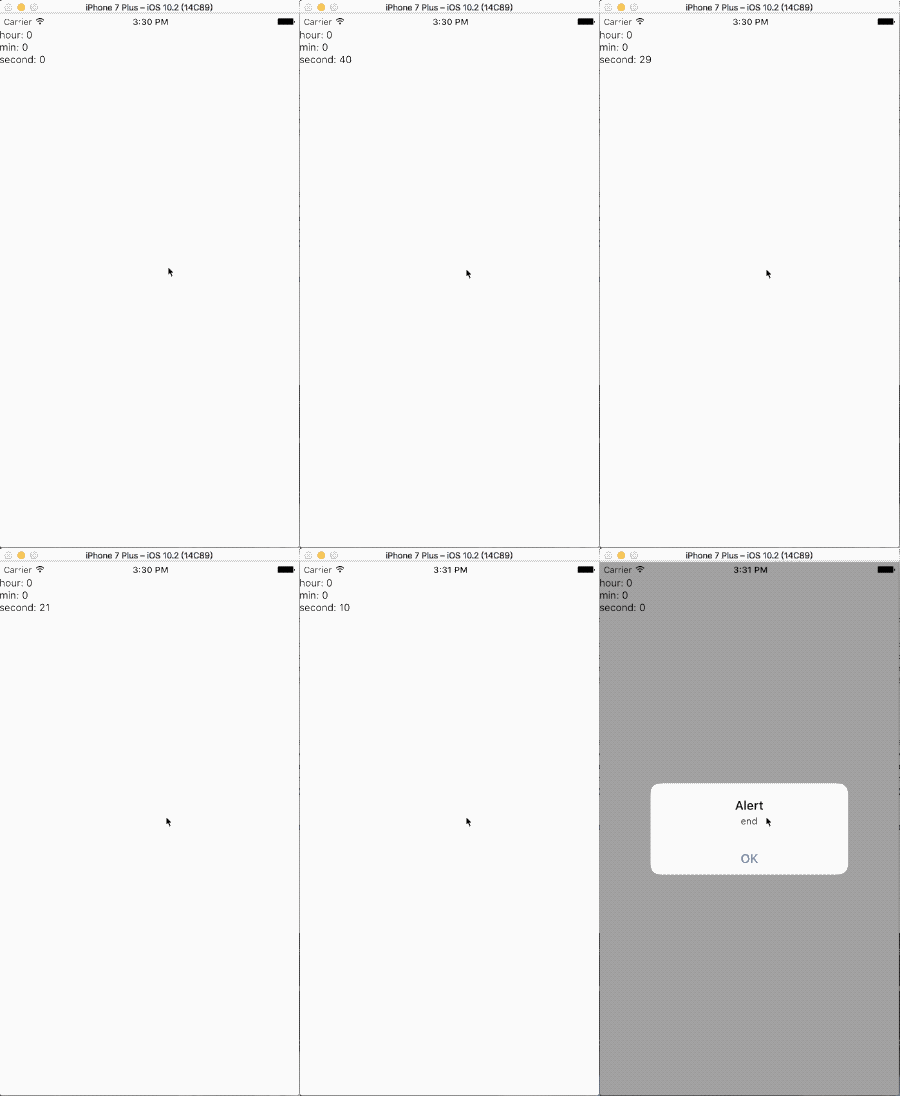
通用定时器组件,子控件可以自定义,由`Timer`来控制计时器的相关功能
本组件**不提供** 任何 UI 样式,只提供定时器功能。$ npm install rn-timer --save
| Props | Type | Optional | default | Description |
|---|---|---|---|---|
| timestamp | number | ❎ | 未来的某个时间戳(计时结束时间戳) | |
| timerStep | number | ✅ | 时间跨度,1000则为1s | |
| timerUnit | number | ✅ | ms | (未启用) |
| binders | object | ✅ | 值映射对 | |
| timerFinishedListener | func | ✅ | 计时器计时结束的回调 |
Class TimerExample
exportdefaultclassTimerExampleextendsComponent{render(){constbinder={// 值-func 映射hour: (date: Date)=>date.getUTCHours(),min: (date: Date)=>date.getMinutes(),second: (date: Date)=>date.getSeconds(),};return(<TimertimerStep={10}binders={binder}timestamp={newDate().getTime()+50000}timerFinishedListener={()=>{alert('end')}}>
// your cusotmer Timer Component
<TimerUI/></Timer>);}}
class TimerUI (Your customer component)
importReact,{Component}from'react';import{StyleSheet,Text,View}from'react-native';exportdefaultclassTimerUIextendsComponent{staticpropTypes: {
hour: React.PropTypes.number,min: React.PropTypes.number,second: React.PropTypes.number,}render(){const{hour, min, second}=this.propsreturn(<Viewstyle={{marginTop: 20,flexDirection: 'column'}}><Text>{`hour: ${hour}`}</Text><Text>{`min: ${min}`}</Text><Text>{`second: ${second}`}</Text></View>);}}