
AlertView A pop-up framework, Can be simple and convenient to join your project.




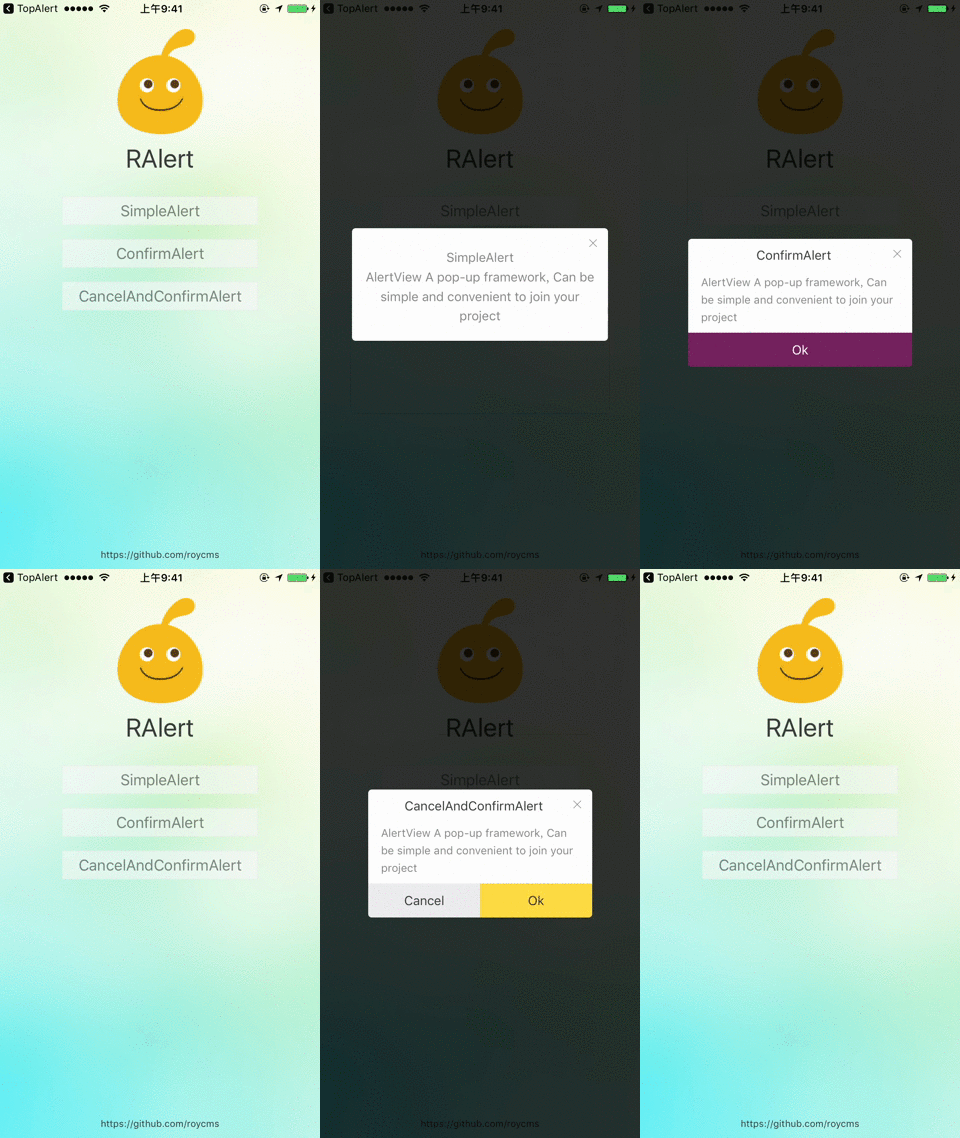
- Depend on the project
MasonryandHexColorsImport#import "Masonry.h"#import "HexColors.h" - Import the main header file:
#import "RAlertView.h"
pod 'RAlertView'
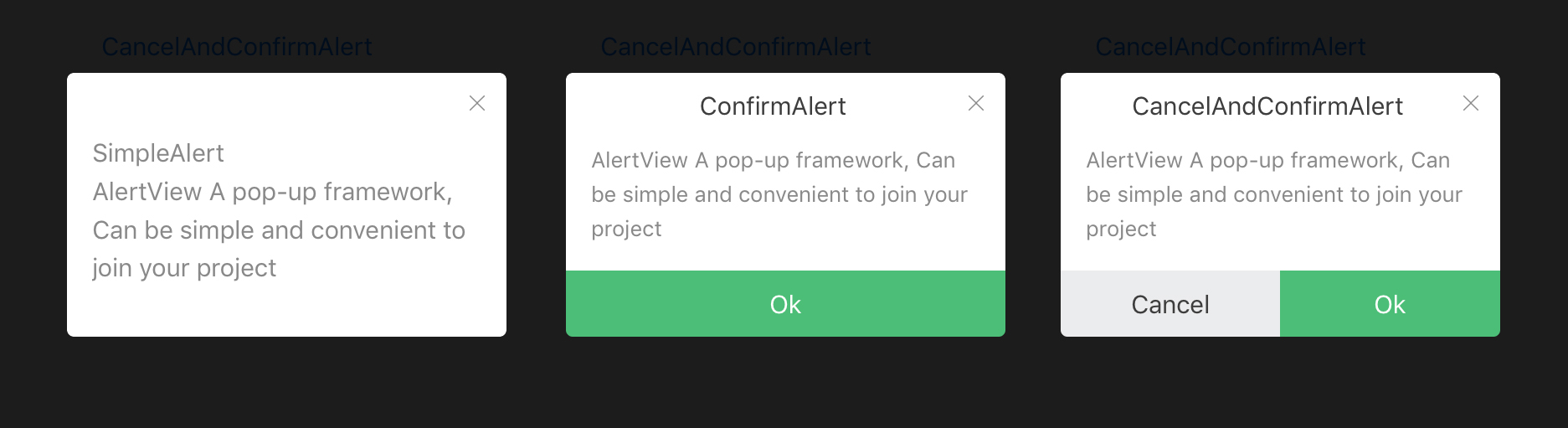
typedefNS_ENUM(NSInteger,AlertStyle) {
SimpleAlert = 0,
ConfirmAlert,
CancelAndConfirmAlert,
};
 RAlertView *alert = [[RAlertView alloc] initWithStyle:CancelAndConfirmAlert];
alert.theme =[UIColor redColor];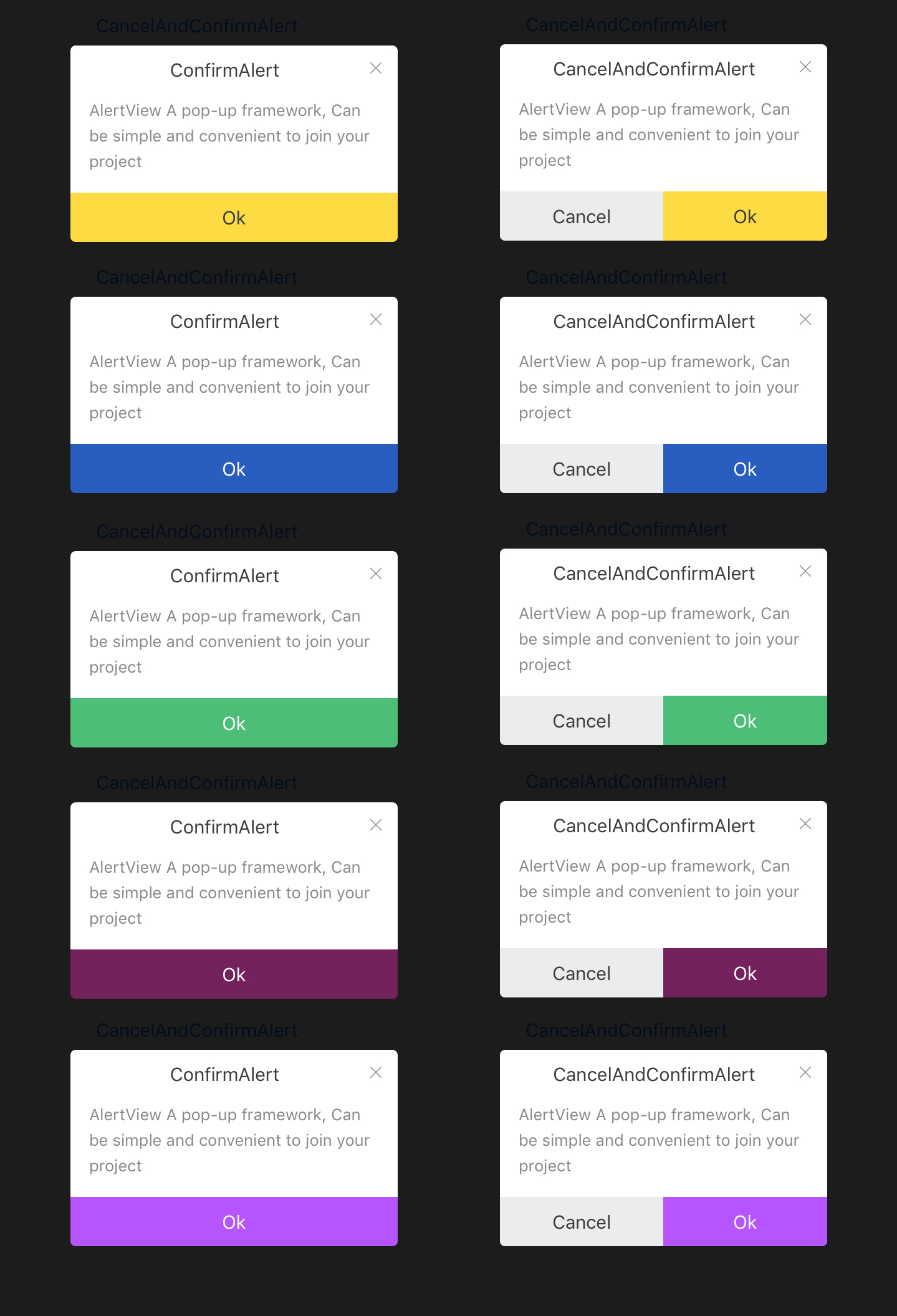

- Click on the background and any position hidden pop-up window
alert.isClickBackgroundCloseWindow = YES;- Set bounced content text center
alert.contentTextLabel.text =@"SimpleAlert \nAlertView A pop-up framework, Can be simple and convenient to join your project";
alert.contentTextLabel.attributedText = [TextHelper attributedStringForString:@"AlertView A pop-up framework, Can be simple and convenient to join your project"lineSpacing:5];- initWithStyle AlertStyle
RAlertView *alert = [[RAlertView alloc] initWithStyle:SimpleAlert];- initWithStyle AlertStyle and width
RAlertView *alert = [[RAlertView alloc] initWithStyle:SimpleAlert width:0.8];RAlertView *alert = [[RAlertView alloc] initWithStyle:SimpleAlert width:0.8];
alert.isClickBackgroundCloseWindow = YES;
alert.contentTextLabel.text =@"SimpleAlert \nAlertView A pop-up framework, Can be simple and convenient to join your project";RAlertView *alert = [[RAlertView alloc] initWithStyle:ConfirmAlert];
alert.headerTitleLabel.text = @"ConfirmAlert";
alert.contentTextLabel.attributedText = [TextHelper attributedStringForString:@"AlertView A pop-up framework, Can be simple and convenient to join your project"lineSpacing:5];
[alert.confirmButton setTitle:@"Ok"forState:UIControlStateNormal];
alert.confirm = ^(){
NSLog(@"Click on the Ok");
};
RAlertView *alert = [[RAlertView alloc] initWithStyle:CancelAndConfirmAlert];
alert.headerTitleLabel.text = @"CancelAndConfirmAlert";
alert.contentTextLabel.attributedText = [TextHelper attributedStringForString:@"AlertView A pop-up framework, Can be simple and convenient to join your project"lineSpacing:5];;
[alert.confirmButton setTitle:@"Ok"forState:UIControlStateNormal];
[alert.cancelButton setTitle:@"Cancel"forState:UIControlStateNormal];
alert.confirm = ^(){
NSLog(@"Click on the Ok");
};
alert.cancel = ^(){
NSLog(@"Click on the Cancel");
};- 增加不同状态图标效果
- 增加弹框内支持输入框,可输入内容
- 增加微信名片
- 如果在使用过程中遇到BUG,希望你能Issues我,谢谢(或者尝试下载最新的框架代码看看BUG修复没有)
- 如果在使用过程中发现功能不够用,希望你能Issues我,我非常想为这个框架增加更多好用的功能,谢谢
- 如果你想为RAlertView输出代码,请拼命Pull Requests我
排版规范参考 https://github.com/sparanoid/chinese-copywriting-guidelines