This repository has been archived and is no longer maintained.
All functionality has been merged into
typiaas built-in namespace modules.
- OpenAPI → LLM function calling:
@typia/utilsHTTP LLM- TypeScript class → LLM function calling:
typia.llm.application()- LLM JSON utilities:
@typia/utilsLLM JSON- MCP integration:
@typia/mcp- Vercel AI SDK:
@typia/vercel- LangChain:
@typia/langchain
flowchart TB
subgraph "OpenAPI Specification"
v20("Swagger v2.0") --upgrades--> emended[["OpenAPI v3.1 (emended)"]]
v30("OpenAPI v3.0") --upgrades--> emended
v31("OpenAPI v3.1") --emends--> emended
end
subgraph "LLM Function Calling"
emended --normalizes--> migration[["Migration Schema"]]
migration --"AI-Ready"--> schema{{"LLM Function Schema"}}
end





Transform OpenAPI documents into LLM function calling applications.
@samchon/openapi converts OpenAPI/Swagger documents into LLM function calling schemas. With full TypeScript type safety, automatic validation, and support for every OpenAPI version, it's the simplest way to make your HTTP backend AI-callable.
- 🌐 Multi-Provider Support: Works with OpenAI, Claude, Qwen, Llama, and other LLM providers
- 📝 Complete OpenAPI Coverage: Swagger 2.0, OpenAPI 3.0, and OpenAPI 3.1 fully supported
- 🔒 Type-Safe Validation: Built-in validation with detailed error feedback for LLM responses
- 🔄 MCP Integration: Compose function calling schemas from Model Context Protocol servers
- 📊 Emended Specification: Standardized OpenAPI v3.1 format that removes ambiguities
- ✅ Production Ready: Battle-tested with 98%+ success rates in real-world LLM applications
Live Demo:
shopping-chat-summary.mp4
Watch how
@samchon/openapipowers an AI shopping chatbot with@agentica
npm install @samchon/openapiTransform your OpenAPI document into an LLM function calling application:
import{HttpLlm,OpenApi}from"@samchon/openapi";// 1. Load and convert your OpenAPI documentconstdocument: OpenApi.IDocument=OpenApi.convert(swagger);// 2. Generate LLM function calling schemasconstapplication: IHttpLlmApplication=HttpLlm.application({
document,});// 3. Find a function to callconstfunc: IHttpLlmFunction|undefined=application.functions.find((f)=>f.path==="/bbs/articles"&&f.method==="post");// 4. Use with any LLM provider (OpenAI, Claude, Qwen, etc.)constcompletion=awaitllm.chat.completions.create({model: "gpt-4o",// or claude-3-5-sonnet, qwen-plus, etc.messages: [...],tools: [{type: "function",function: {name: func.name,description: func.description,parameters: func.parameters,}}],});// 5. Execute with validationconstresult=awaitHttpLlm.execute({connection: {host: "http://localhost:3000"},
application,function: func,input: llmGeneratedArgs,});
That's it! Your HTTP backend is now AI-callable across all major LLM providers.
@samchon/openapi provides complete TypeScript definitions for all OpenAPI versions and introduces an "emended" OpenAPI v3.1 specification that serves as an intermediate format.
flowchart TB
v20(Swagger v2.0) --upgrades--> emended[["<b><u>OpenAPI v3.1 (emended)</u></b>"]]
v30(OpenAPI v3.0) --upgrades--> emended
v31(OpenAPI v3.1) --emends--> emended
emended --downgrades--> v20d(Swagger v2.0)
emended --downgrades--> v30d(OpenAPI v3.0)
Supported Specifications:
- Swagger v2.0
- OpenAPI v3.0
- OpenAPI v3.1
- OpenAPI v3.1 (emended) - Standardized format
The emended specification removes ambiguities and duplications from OpenAPI v3.1, creating a cleaner, more consistent format. All conversions flow through this intermediate format.
Key Improvements:
- Operations: Merges parameters from path and operation levels, resolves all references
- JSON Schema: Eliminates mixed types, unifies nullable handling, standardizes array/tuple representations
- Schema Composition: Consolidates
anyOf,oneOf,allOfpatterns into simpler structures
import{OpenApi}from"@samchon/openapi";// Convert any version to emended formatconstemended: OpenApi.IDocument=OpenApi.convert(swagger);// Swagger 2.0/3.0/3.1// Downgrade to older versions if neededconstv30: OpenApiV3.IDocument=OpenApi.downgrade(emended,"3.0");constv20: SwaggerV2.IDocument=OpenApi.downgrade(emended,"2.0");Use typia for runtime validation with detailed type checking:
import{OpenApi,OpenApiV3,OpenApiV3_1,SwaggerV2}from"@samchon/openapi";importtypiafrom"typia";constdocument: any=awaitfetch("swagger.json").then(r=>r.json());// Validate with detailed error messagesconstresult=typia.validate<SwaggerV2.IDocument|OpenApiV3.IDocument|OpenApiV3_1.IDocument>(document);if(result.success){constemended: OpenApi.IDocument=OpenApi.convert(result.data);}else{console.error(result.errors);// Detailed validation errors}Try it: Type assertion | Detailed validation
Turn your HTTP backend into an AI-callable service. @samchon/openapi converts your OpenAPI document into function calling schemas that work with OpenAI GPT, Claude, Qwen, Llama, and other LLM providers.
Type Definitions:
| Category | Base | HTTP | MCP |
|---|---|---|---|
| Application | ILlmApplication | IHttpLlmApplication | IMcpLlmApplication |
| Function | ILlmFunction | IHttpLlmFunction | IMcpLlmFunction |
| Parameters | ILlmSchema.IParameters | ||
| Schema | ILlmSchema | ||
Here's a full example showing LLM function calling with OpenAI (works identically with Claude, Qwen, etc.):
import{HttpLlm,OpenApi,IHttpLlmApplication,IHttpLlmFunction}from"@samchon/openapi";importOpenAIfrom"openai";// 1. Convert OpenAPI to LLM function calling applicationconstdocument: OpenApi.IDocument=OpenApi.convert(swagger);constapplication: IHttpLlmApplication=HttpLlm.application({
document,});// 2. Find the function by path and methodconstfunc: IHttpLlmFunction|undefined=application.functions.find((f)=>f.path==="/shoppings/sellers/sale"&&f.method==="post");if(!func)thrownewError("Function not found");// 3. Let OpenAI GPT call the functionconstclient: OpenAI=newOpenAI({apiKey: process.env.OPENAI_API_KEY});constcompletion: OpenAI.ChatCompletion=awaitclient.chat.completions.create({model: "gpt-4o",messages: [{role: "system",content: "You are a helpful shopping assistant."},{role: "user",content: "I want to sell Microsoft Surface Pro 9..."}],tools: [{type: "function",function: {name: func.name,description: func.description,parameters: func.parameters,}}],});// 4. Execute the function call on your actual serverconsttoolCall=completion.choices[0].message.tool_calls![0];constresult=awaitHttpLlm.execute({connection: {host: "http://localhost:37001"},
application,function: func,input: JSON.parse(toolCall.function.arguments),});
Works with Any LLM Provider:
// OpenAIconstopenai=newOpenAI({apiKey: "..."});// Anthropic Claudeconstanthropic=newAnthropic({apiKey: "..."});// Alibaba Qwen via DashScopeconstqwen=newOpenAI({apiKey: "...",baseURL: "https://dashscope.aliyuncs.com/compatible-mode/v1",});// All use the same func.parameters schemaThe Problem: LLMs make type errors. A lot.
Even when your schema says Array<string>, GPT might return just "string". In real-world testing with OpenAI GPT-4o-mini on a shopping service:
- 1st attempt: 70% success rate ❌
- 2nd attempt (with validation feedback): 98% success rate ✅
- 3rd attempt: Never failed ✅
The Solution: Validate LLM output and send errors back for correction.
import{HttpLlm,IHttpLlmFunction,IValidation}from"@samchon/openapi";constfunc: IHttpLlmFunction=application.functions[0];// Validate LLM-generated argumentsconstresult: IValidation<unknown>=func.validate(llmArguments);if(result.success===false){// Send detailed error feedback to LLMreturnawaitretryWithFeedback({message: "Type errors detected. Please correct the arguments.",errors: result.errors,// Detailed error information});}else{// Execute the validated functionconstoutput=awaitHttpLlm.execute({connection: {host: "http://localhost:3000"},
application,function: func,input: result.data,});returnoutput;}
The validation uses typia.validate<T>(), which provides the most accurate validation and extremely detailed error messages compared to other validators:
| Components | typia | TypeBox | ajv | io-ts | zod | C.V. |
|---|---|---|---|---|---|---|
| Easy to use | ✅ | ❌ | ❌ | ❌ | ❌ | ❌ |
| Object (simple) | ✔ | ✔ | ✔ | ✔ | ✔ | ✔ |
| Object (hierarchical) | ✔ | ✔ | ✔ | ✔ | ✔ | ✔ |
| Object (recursive) | ✔ | ❌ | ✔ | ✔ | ✔ | ✔ |
| Object (union, implicit) | ✅ | ❌ | ❌ | ❌ | ❌ | ❌ |
| Object (union, explicit) | ✔ | ✔ | ✔ | ✔ | ✔ | ❌ |
| Object (additional tags) | ✔ | ✔ | ✔ | ✔ | ✔ | ✔ |
| Object (template literal) | ✔ | ✔ | ✔ | ❌ | ❌ | ❌ |
| Object (dynamic properties) | ✔ | ✔ | ✔ | ❌ | ❌ | ❌ |
| Array (rest tuple) | ✅ | ❌ | ❌ | ❌ | ❌ | ❌ |
| Array (hierarchical) | ✔ | ✔ | ✔ | ✔ | ✔ | ✔ |
| Array (recursive) | ✔ | ✔ | ✔ | ✔ | ✔ | ❌ |
| Array (R+U, explicit) | ✔ | ✔ | ❌ | ✔ | ✔ | ❌ |
| Array (R+U, implicit) | ✅ | ❌ | ❌ | ❌ | ❌ | ❌ |
| Array (repeated) | ✅ | ❌ | ❌ | ❌ | ❌ | ❌ |
| Array (repeated, union) | ✅ | ❌ | ❌ | ❌ | ❌ | ❌ |
| Ultimate Union Type | ✅ | ❌ | ❌ | ❌ | ❌ | ❌ |
C.V.meansclass-validator
Sometimes you need both human input and AI-generated parameters. Use the separate option to split parameters between LLM and human:
import{HttpLlm,LlmTypeChecker}from"@samchon/openapi";constapplication=HttpLlm.application({
document,options: {separate: (schema)=>LlmTypeChecker.isString(schema)&&!!schema.contentMediaType?.startsWith("image"),},});constfunc=application.functions.find((f)=>f.path==="/shoppings/sellers/sale"&&f.method==="post")!;// func.separated.llm - for AI to fill (text, numbers, etc.)// func.separated.human - for human to provide (file uploads, images)constresult=awaitHttpLlm.execute({connection: {host: "http://localhost:37001"},
application,function: func,input: HttpLlm.mergeParameters({function: func,llm: llmGeneratedArgs,human: {content: {files: [...],// Human provides filesthumbnails: [...],// Human provides images},},}),});flowchart TB
subgraph "JSON Schema Specification"
schemav4("JSON Schema v4 ~ v7") --upgrades--> emended[["OpenAPI v3.1 (emended)"]]
schema2910("JSON Schema 2019-03") --upgrades--> emended
schema2020("JSON Schema 2020-12") --emends--> emended
end
subgraph "AI Ecosystem"
emended --normalizes--> migration[["Migration Schema"]]
migration --AI-Ready--> schema{{"LLM Function Schema"}}
schema --supports--> all("All LLM Providers")
end
@samchon/openapi provides better MCP function calling than using the mcp_servers property directly.
While MCP can execute server functions directly through the mcp_servers property, @samchon/openapi offers significant advantages through validation feedback and selector agent filtering for context optimization.
For example, the GitHub MCP server has 30 functions. Loading all of them via mcp_servers creates huge context that often causes AI agents to crash with hallucinations. Function calling with proper filtering avoids this problem.
2025-04-08.1.48.05.mov
GitHub MCP server via
mcp_serversoften crashes.However, function calling to GitHub MCP with
@agenticaworks properly.
- Function calling demo: https://www.youtube.com/watch?v=rLlHkc24cJs
Creating MCP applications:
Use McpLlm.application() to create function calling schemas from MCP tools. The returned IMcpLlmApplication works across all LLM providers and includes validation feedback.
MCP supports all JSON schema specifications:
- JSON Schema v4, v5, v6, v7
- JSON Schema 2019-03
- JSON Schema 2020-12
import{IMcpLlmApplication,IMcpLlmFunction,IValidation,McpLlm}from"@samchon/openapi";constapplication: IMcpLlmApplication=McpLlm.application({tools: [...],// MCP tools});constfunc: IMcpLlmFunction=application.functions.find((f)=>f.name==="create",)!;// Validate with detailed feedbackconstresult: IValidation<unknown>=func.validate({title: "Hello World",body: "Nice to meet you AI developers",thumbnail: "https://wrtnlabs.io/agentica/thumbnail.jpg",});if(result.success){// Execute validated functionconsole.log("Valid arguments:",result.data);}else{// Send errors back to LLM for correctionconsole.error("Validation errors:",result.errors);}Note
You can also compose ILlmApplication from a TypeScript class using typia.
https://typia.io/docs/llm/application
import{ILlmApplication}from"@samchon/openapi";importtypiafrom"typia";constapp: ILlmApplication=typia.llm.application<YourClassType>();
https://github.com/wrtnlabs/agentica
Agentic AI framework that converts OpenAPI documents into LLM function calling schemas. Uses @samchon/openapi to transform backend REST APIs into callable functions with automatic parameter validation and type-safe remote execution.
import{Agentica,assertHttpController}from"@agentica/core";importOpenAIfrom"openai";importtypiafrom"typia";import{MobileFileSystem}from"./services/MobileFileSystem";constagent=newAgentica({vendor: {api: newOpenAI({apiKey: "********"}),model: "gpt-4o-mini",},controllers: [// Functions from TypeScript classtypia.llm.controller("filesystem",MobileFileSystem(),),// Functions from Swagger/OpenAPI// Uses @samchon/openapi under the hoodassertHttpController({name: "shopping",document: awaitfetch("https://shopping-be.wrtn.ai/editor/swagger.json",).then(r=>r.json()),connection: {host: "https://shopping-be.wrtn.ai",headers: {Authorization: "Bearer ********"},},}),],});awaitagent.conversate("I wanna buy MacBook Pro");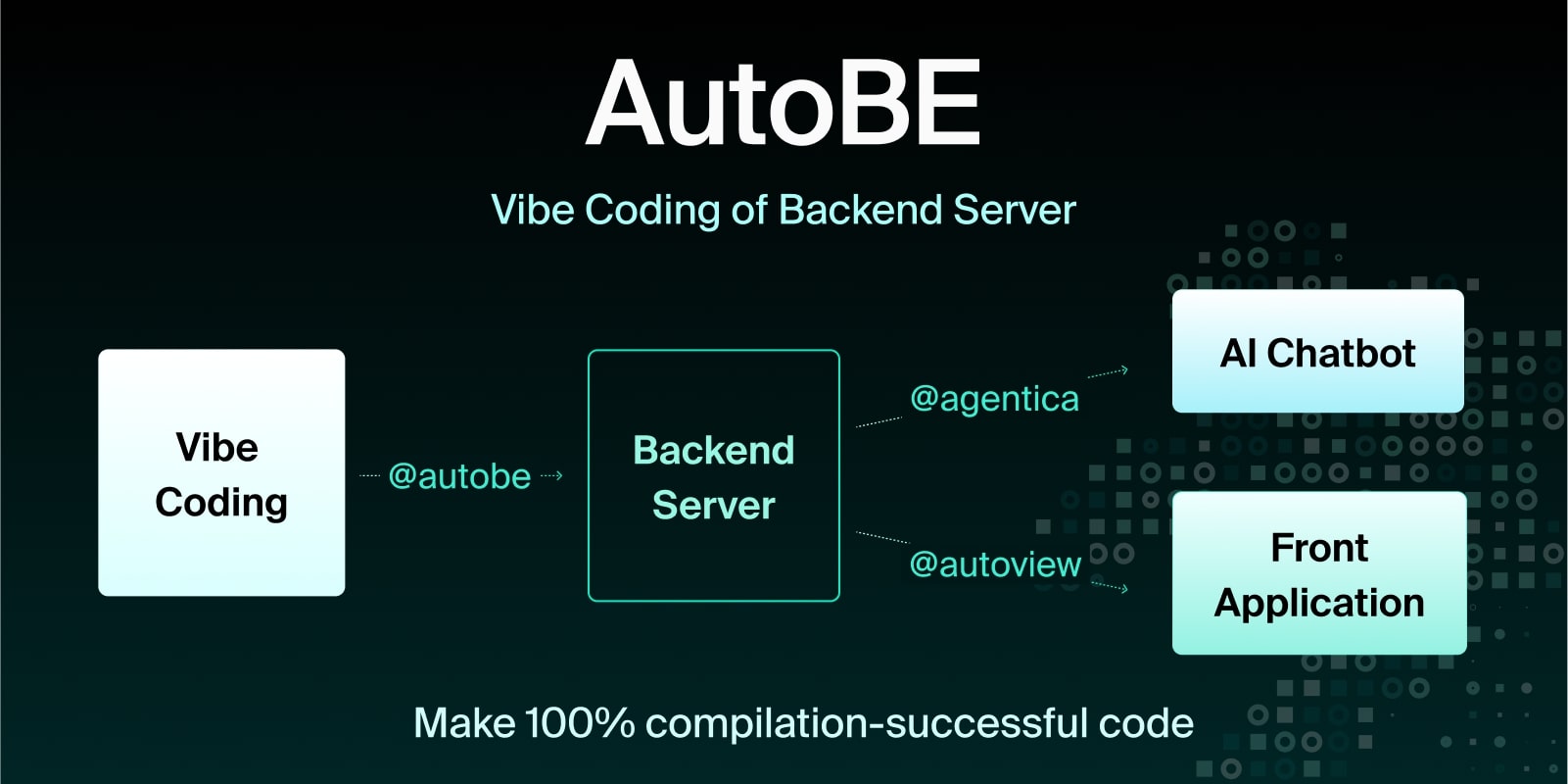
AI backend code generator achieving 100% compilation success by using function calling to construct compiler AST instead of generating code text. For API specification design, uses @samchon/openapi types - AI calls compiler functions to build OpenAPI document structures that define REST endpoints and request/response schemas.
import{MicroAgentica}from"@agentica/core";import{OpenApi}from"@samchon/openapi";constagent=newMicroAgentica({vendor: {api: newOpenAI({apiKey: "********"}),model: "gpt-4o-mini",},controllers: [// Compiler functions that receive/produce OpenApi.IDocumenttypia.llm.controller("api",newOpenApiWriteApplication(),),],});awaitagent.conversate("Design API specification and generate backend app.");classOpenApiWriteApplication{// LLM calls this function with OpenApi.IDocument structurepublicasyncwrite(document: OpenApi.IDocument): Promise<void>{// Compiler validates schema structure before code generation
...
}}MIT License
Copyright (c) 2024 Jeongho Nam
For detailed API documentation, visit: https://samchon.github.io/openapi/api/