

Interactive command-line based application framework for C#
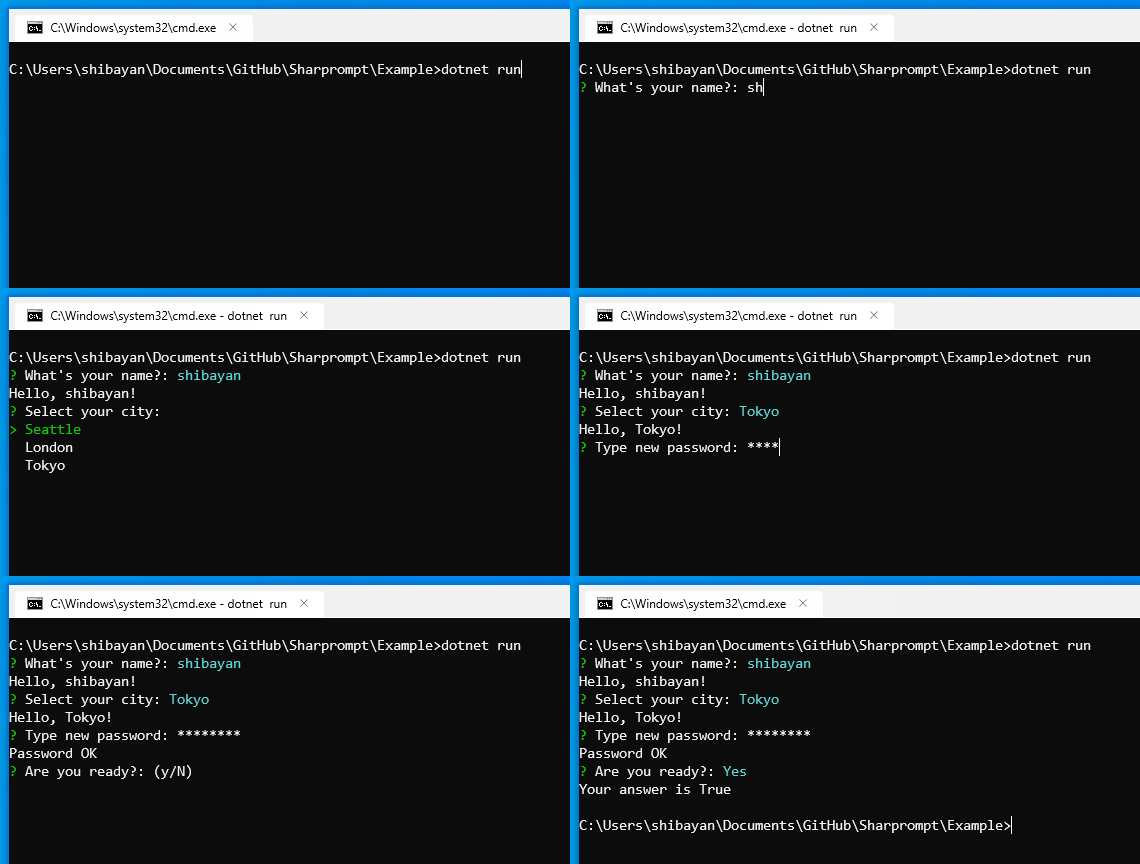
- Multi-platform support
- Supports the popular prompts (
Input/Password/Select/ etc) - Supports model-based prompts
- Validation of input value
- Automatic generation of data source using Enum type
- Customizable symbols and color schema
- Unicode support (Multi-byte characters and Emoji😀🎉)
Install-Package Sharpromptdotnet add package Sharprompt// Simple inputvarname=Prompt.Input<string>("What's your name?");Console.WriteLine($"Hello, {name}!");// Password inputvarsecret=Prompt.Password("Type new password",validators:new[]{Validators.Required(),Validators.MinLength(8)});Console.WriteLine("Password OK");// Confirmationvaranswer=Prompt.Confirm("Are you ready?",defaultValue:true);Console.WriteLine($"Your answer is {answer}");The project in the folder samples/Sharprompt.Example contains all the samples. Please check it.
dotnet run --project samples/Sharprompt.ExampleTakes a generic type parameter and performs type conversion as appropriate.
varname=Prompt.Input<string>("What's your name?");Console.WriteLine($"Hello, {name}!");varnumber=Prompt.Input<int>("Enter any number");Console.WriteLine($"Input = {number}");When a default value is provided, pressing Enter with nothing typed accepts the default. Press Tab to insert the default value for editing, or Backspace to dismiss the default — the prompt then behaves as if no default value was provided, so an empty value can be submitted (subject to the usual required check for non-nullable types and any validators).

varanswer=Prompt.Confirm("Are you ready?");Console.WriteLine($"Your answer is {answer}");
varsecret=Prompt.Password("Type new password");Console.WriteLine("Password OK");
varcity=Prompt.Select("Select your city",new[]{"Seattle","London","Tokyo"});Console.WriteLine($"Hello, {city}!");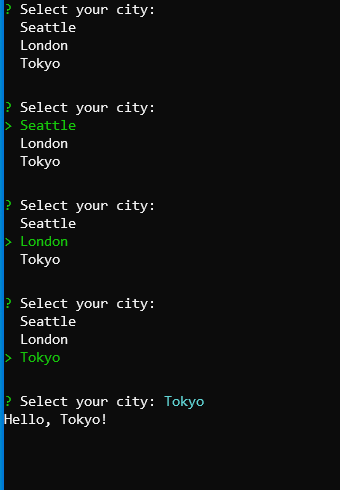
varcities=Prompt.MultiSelect("Which cities would you like to visit?",new[]{"Seattle","London","Tokyo","New York","Singapore","Shanghai"},pageSize:3);Console.WriteLine($"You picked {string.Join(", ",cities)}");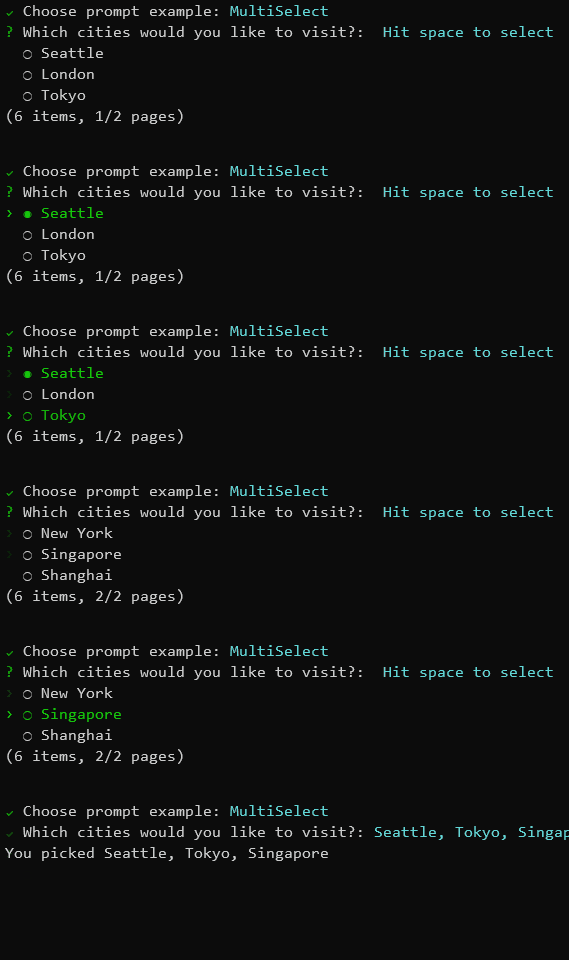
varvalue=Prompt.List<string>("Please add item(s)");Console.WriteLine($"You picked {string.Join(", ",value)}");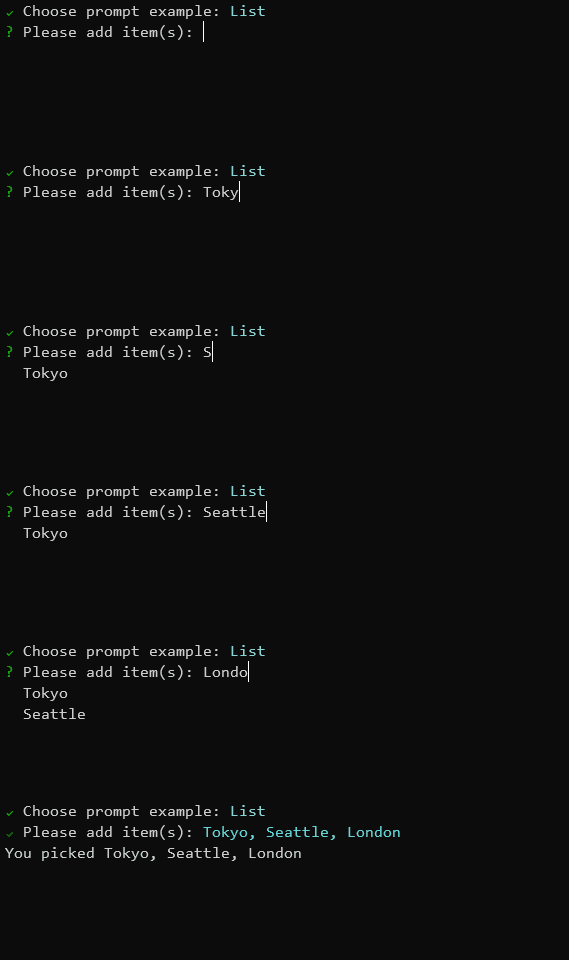
// Input model definitionpublicclassMyFormModel{[Display(Name="What's your name?")][Required]publicstringName{get;set;}[Display(Name="Type new password")][DataType(DataType.Password)][Required][MinLength(8)]publicstringPassword{get;set;}[Display(Name="Select your city")][Required][InlineItems("Seattle","London","Tokyo")]publicstringCity{get;set;}[Display(Name="Are you ready?")]publicbool?Ready{get;set;}}varresult=Prompt.Bind<MyFormModel>();Prompt.Symbols.Prompt=newSymbol("🤔","?");Prompt.Symbols.Done=newSymbol("😎","V");Prompt.Symbols.Error=newSymbol("😱",">>");varname=Prompt.Input<string>("What's your name?");Console.WriteLine($"Hello, {name}!");Prompt.ColorSchema.Answer=ConsoleColor.DarkRed;Prompt.ColorSchema.Select=ConsoleColor.DarkCyan;varname=Prompt.Input<string>("What's your name?");Console.WriteLine($"Hello, {name}!");// Throw an exception when canceling with Ctrl-CPrompt.ThrowExceptionOnCancel=true;try{varname=Prompt.Input<string>("What's your name?");Console.WriteLine($"Hello, {name}!");}catch(PromptCanceledExceptionex){Console.WriteLine("Prompt canceled");}Sharprompt provides built-in validators that can be used with the validators parameter.
varsecret=Prompt.Password("Type new password",validators:new[]{Validators.Required(),Validators.MinLength(8)});| Validator | Description |
|---|---|
Validators.Required() | Ensures the input is not empty |
Validators.MinLength(length) | Ensures the input has at least the specified number of characters |
Validators.MaxLength(length) | Ensures the input does not exceed the specified number of characters |
Validators.RegularExpression(pattern) | Ensures the input matches the specified regular expression |
publicenumMyEnum{[Display(Name="First value")]First,[Display(Name="Second value")]Second,[Display(Name="Third value")]Third}varvalue=Prompt.Select<MyEnum>("Select enum value");Console.WriteLine($"You selected {value}");// Prefer UTF-8 as the output encodingConsole.OutputEncoding=Encoding.UTF8;varname=Prompt.Input<string>("What's your name?");Console.WriteLine($"Hello, {name}!");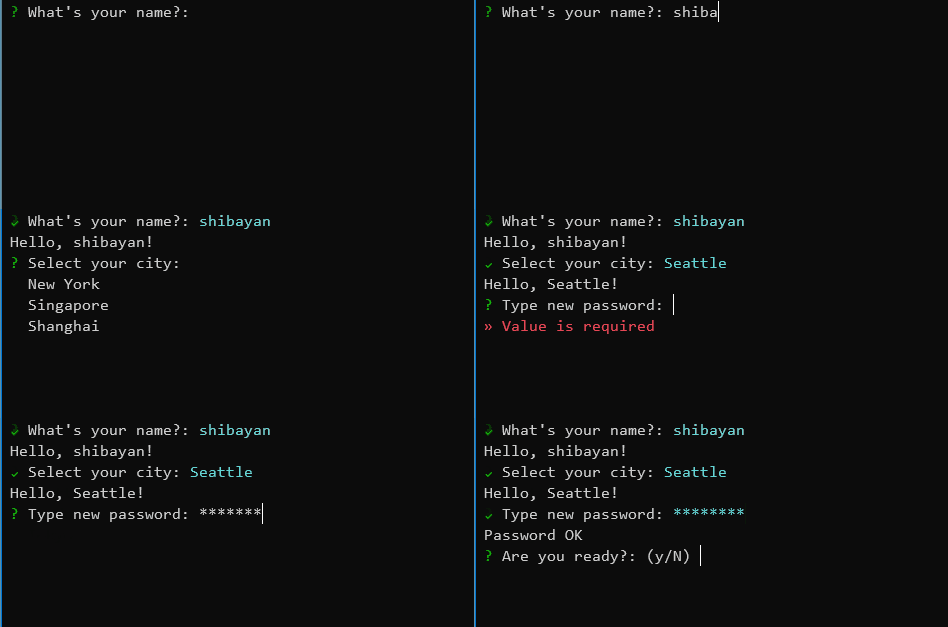
usingSharprompt.Fluent;// Use fluent interfacevarcity=Prompt.Select<string>(o =>o.WithMessage("Select your city").WithItems(new[]{"Seattle","London","Tokyo"}).WithDefaultValue("Seattle"));- Windows
- Command Prompt
- PowerShell
- Windows Terminal
- Linux (Ubuntu, etc)
- Windows Terminal (WSL 2)
- macOS
- Terminal.app
Please see CONTRIBUTING.md for local setup, validation commands, and pull request expectations.
Please see SECURITY.md for how to report vulnerabilities privately.
This project is licensed under the MIT License