





ReactJs component for resizing, dragging and rotating html elements using css transform matrix
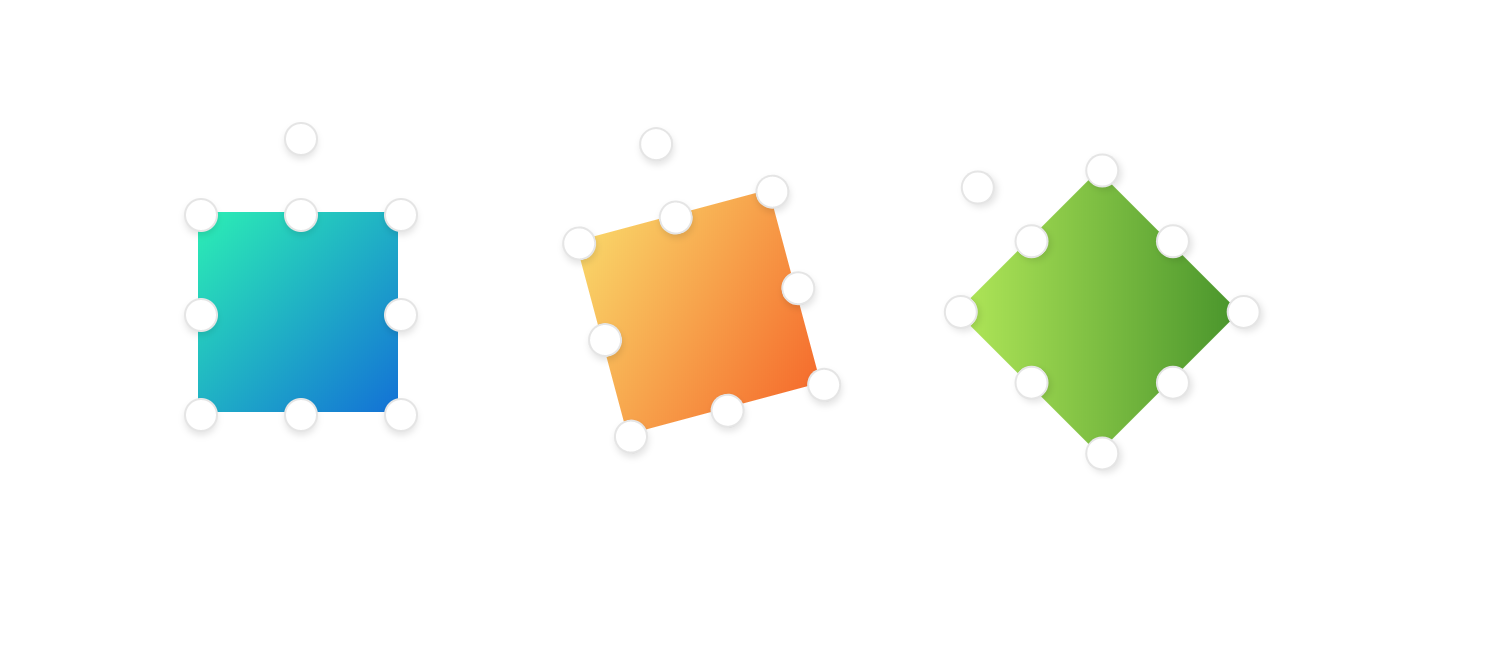
https://codesandbox.io/s/k0nozy8nyo
npm install react-free-transform
importFreeTransformfrom'react-free-transform'<FreeTransformx={0}y={0}width={100}height={100}scaleX={1}scaleY={1}angle={0}onUpdate={({x, y, scaleX, scaleY})=>{}}classPrefix="tr"disableScale={false}><imgsrc="..."/></FreeTransform>.tr-transform__rotator {
top:-45px;
left:calc(50%-7px);
}
.tr-transform__rotator,
.tr-transform__scale-point {
background:#fff;
width:15px;
height:15px;
border-radius:50%;
position: absolute;
box-shadow:02px4px0rgba(0,0,0,0.1);
border:1px solid rgba(0,0,0,0.1);
cursor: pointer;
}
.tr-transform__rotator:hover,
.tr-transform__scale-point:hover{
background:#F1F5F8;
}
.tr-transform__rotator:active,
.tr-transform__scale-point:active{
background:#DAE1E7;
}
.tr-transform__scale-point {
}
.tr-transform__scale-point--tl {
top:-7px;
left:-7px;
}
.tr-transform__scale-point--ml {
top:calc(50%-7px);
left:-7px;
}
.tr-transform__scale-point--tr {
left:calc(100%-7px);
top:-7px;
}
.tr-transform__scale-point--tm {
left:calc(50%-7px);
top:-7px;
}
.tr-transform__scale-point--mr {
left:calc(100%-7px);
top:calc(50%-7px);
}
.tr-transform__scale-point--bl {
left:-7px;
top:calc(100%-7px);
}
.tr-transform__scale-point--bm {
left:calc(50%-7px);
top:calc(100%-7px);
}
.tr-transform__scale-point--br {
left:calc(100%-7px);
top:calc(100%-7px);
}shift for aspect ratio resizing
alt for scaling from center
shift while rotation will snap rotation using 15 degrees