



| User Manual | API Reference | Examples | Blog | Forum |
PlayCanvas is an open-source game engine built on WebGL2 and WebGPU. Use it to create interactive 3D apps, games and visualizations that run in any browser on any device.
npm install playcanvasOr scaffold a full project in seconds with create-playcanvas:
npm create playcanvas@latestHere's a super-simple Hello World example - a spinning cube!
import{Application,Color,Entity,FILLMODE_FILL_WINDOW,RESOLUTION_AUTO}from'playcanvas';constcanvas=document.createElement('canvas');document.body.appendChild(canvas);constapp=newApplication(canvas);// fill the available space at full resolutionapp.setCanvasFillMode(FILLMODE_FILL_WINDOW);app.setCanvasResolution(RESOLUTION_AUTO);// ensure canvas is resized when window changes sizewindow.addEventListener('resize',()=>app.resizeCanvas());// create box entityconstbox=newEntity('cube');box.addComponent('render',{type: 'box'});app.root.addChild(box);// create camera entityconstcamera=newEntity('camera');camera.addComponent('camera',{clearColor: newColor(0.1,0.2,0.3)});app.root.addChild(camera);camera.setPosition(0,0,3);// create directional light entityconstlight=newEntity('light');light.addComponent('light');app.root.addChild(light);light.setEulerAngles(45,0,0);// rotate the box according to the delta time since the last frameapp.on('update',dt=>box.rotate(10*dt,20*dt,30*dt));app.start();Want to play with the code yourself? Edit it on CodePen.
A full guide to setting up a local development environment based on the PlayCanvas Engine can be found here.
PlayCanvas is a fully-featured game engine.
- 🧊 Graphics - Advanced 2D + 3D graphics engine built on WebGL2 & WebGPU
- 💠 Gaussian Splatting - First-class support for loading and rendering 3D Gaussian Splats
- 🥽 XR - Built-in support for immersive AR and VR experiences via WebXR
- ⚛️ Physics - Full integration with 3D rigid-body physics engine ammo.js
- 🏃 Animation - Powerful state-based animations for characters and arbitrary scene properties
- 🎮 Input - Mouse, keyboard, touch and gamepad APIs
- 🔊 Sound - 3D positional sounds built on the Web Audio API
- 📦 Assets - Asynchronous streaming system built on glTF 2.0, Draco and Basis compression
- 📜 Scripts - Write game behaviors in TypeScript or JavaScript
Build with PlayCanvas your way:
| Package | Description |
|---|---|
playcanvas | Core engine (you are here) |
@playcanvas/react | React renderer for PlayCanvas |
@playcanvas/web-components | Declarative 3D via Custom Elements |
create-playcanvas | Project scaffolding CLI |
| PlayCanvas Editor | Browser-based visual editor |
Many games and apps have been published using the PlayCanvas engine. Here is a small selection:

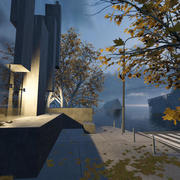







You can see more games on the PlayCanvas website.
PlayCanvas is used by leading companies in video games, advertising and visualization such as:
Animech, Arm, BMW, Disney, Facebook, Famobi, Funday Factory, IGT, King, Miniclip, Leapfrog, Mojiworks, Mozilla, Nickelodeon, Nordeus, NOWWA, PikPok, PlaySide Studios, Polaris, Product Madness, Samsung, Snap, Spry Fox, Zeptolab, Zynga
Ensure you have Node.js 18+ installed. Then, install all of the required Node.js dependencies:
npm installNow you can run various build options:
| Command | Description | Outputs To |
|---|---|---|
npm run build | Build all engine flavors and type declarations | build |
npm run docs | Build engine API reference docs | docs |