Repository files navigation

Important

Archive Notice

With the release of AgentScope 2.0, all capabilities of AgentScope Runtime — including tool sandboxing, Agent-as-a-Service APIs, and full-stack observability — have been natively integrated into AgentScope 2.0.

We recommend all users migrate to AgentScope 2.0 (https://github.com/agentscope-ai/agentscope) for continued updates, new features and community support. This repository will remain available in read-only mode for reference and will be archived soon.

Thank you to everyone who contributed to and used AgentScope Runtime!

AgentScope Runtime: A Production-grade Runtime for Agent Applications

GitHub RepoWebUIPyPIDownloadsPython VersionLast CommitLicenseCode StyleGitHub StarsGitHub ForksBuild StatusCookbookDeepWikiA2AMCPDiscordDingTalk

[Cookbook][Try WebUI][中文README][Samples]

Core capabilities:

Tool Sandboxing — tool call runs inside a hardened sandbox

Agent-as-a-Service (AaaS) APIs — expose agents as streaming, production-ready APIs

Scalable Deployment — deploy locally, on Kubernetes, or serverless for elastic scale

Plus

Full-stack observability (logs / traces)

Framework compatibility with mainstream agent frameworks


Table of Contents

Note

Recommended reading order:

  • I want to run an agent app in 5 minutes: Quick Start (Agent App example) → verify with curl (SSE streaming)
  • I care about secure tool execution / automation: Quick Start (Sandbox examples) → sandbox image registry/namespace/tag configuration → (optional) production-grade serverless sandbox deployment
  • I want production deployment / expose APIs: Quick Start (Agent App example) → Quick Start (Deployment example) → Guides
  • I want to contribute: Contributing → Contact
  • News
  • Key Features
  • Quick Start: From installation to running a minimal Agent API service. Learn the three-stage AgentApp development pattern: init / query / shutdown.
    • Prerequisites: Required runtime environment and dependencies
    • Installation: Install from PyPI or from source
    • Agent App Example: How to build a streaming (SSE) Agent-as-a-Service API
    • Sandbox Example: How to safely execute Python/Shell/GUI/Browser/Filesystem/Mobile tools in an isolated sandbox
    • Deployment Example: Learn to deploy with DeployManager locally or in a serverless environment, and access the service via A2A, Response API, or the OpenAI SDK in compatible mode
  • Guides: A tutorial site covering AgentScope Runtime concepts, architecture, APIs, and sample projects—helping you move from “it runs” to “scalable and maintainable”.
  • Contact
  • Contributing
  • License
  • Contributors

🆕 NEWS

  • [2026-02] A major architectural refactor of AgentApp in v1.1.0. By adopting direct inheritance from FastAPI and deprecating the previous factory pattern, AgentApp now offers seamless integration with the full FastAPI ecosystem, significantly boosting extensibility. Furthermore, we've introduced a Distributed Interrupt Service, enabling manual task preemption during agent execution and allowing developers to customize state persistence and recovery logic flexibly. Please refer to the CHANGELOG for full update details and migration guide.
  • [2026-01] Added asynchronous sandbox implementations (BaseSandboxAsync, GuiSandboxAsync, BrowserSandboxAsync, FilesystemSandboxAsync, MobileSandboxAsync) enabling non-blocking, concurrent tool execution in async program. Improved run_ipython_cell and run_shell_command methods with enhanced concurrency and parallel execution capabilities for more efficient sandbox operations.
  • [2025-12] We have released AgentScope Runtime v1.0, introducing a unified “Agent as API” white-box development experience, with enhanced multi-agent collaboration, state persistence, and cross-framework integration. This release also streamlines abstractions and modules to ensure consistency between development and production environments. Please refer to the CHANGELOG for full update details and migration guide.

✨ Key Features

  • Deployment Infrastructure: Built-in services for agent state management, conversation history, long-term memory, and sandbox lifecycle control
  • Framework-Agnostic: Not tied to any specific agent framework; seamlessly integrates with popular open-source and custom implementations
  • Developer-Friendly: Offers AgentApp for easy deployment with powerful customization options
  • Observability: Comprehensive tracking and monitoring of runtime operations
  • Sandboxed Tool Execution: Isolated sandbox ensures safe tool execution without affecting the system
  • Out-of-the-Box Tools & One-Click Adaptation: Rich set of ready-to-use tools, with adapters enabling quick integration into different frameworks

Note

About Framework-Agnostic: Currently, AgentScope Runtime supports the AgentScope framework. We plan to extend compatibility to more agent development frameworks in the future. This table shows the current version’s adapter support for different frameworks. The level of support for each functionality varies across frameworks:

Framework/FeatureMessage/EventTool
AgentScope
LangGraph🚧
Microsoft Agent Framework
Agno
AutoGen🚧

🚀 Quick Start

Prerequisites

  • Python 3.10 or higher
  • pip or uv package manager

Installation

From PyPI:

# Install core dependencies
pip install agentscope-runtime
# Install extension
pip install "agentscope-runtime[ext]"# Install preview version
pip install --pre agentscope-runtime

(Optional) From source:

# Pull the source code from GitHub
git clone -b main https://github.com/agentscope-ai/agentscope-runtime.git
cd agentscope-runtime
# Install core dependencies
pip install -e .

Agent App Example

This example demonstrates how to create an agent API server using agentscope ReActAgent and AgentApp. To run a minimal AgentScope Agent with AgentScope Runtime, you generally need to implement:

  1. Define lifespan – Use contextlib.asynccontextmanager to manage resource initialization (e.g., state services) at startup and cleanup on exit.
  2. @agent_app.query(framework="agentscope") – Core logic for handling requests, must usestream_printing_messages to yield msg, last for streaming output
importosfromcontextlibimportasynccontextmanagerfromfastapiimportFastAPIfromagentscope.agentimportReActAgentfromagentscope.modelimportDashScopeChatModelfromagentscope.formatterimportDashScopeChatFormatterfromagentscope.toolimportToolkit, execute_python_codefromagentscope.pipelineimportstream_printing_messagesfromagentscope.memoryimportInMemoryMemoryfromagentscope.sessionimportRedisSessionfromagentscope_runtime.engineimportAgentAppfromagentscope_runtime.engine.schemas.agent_schemasimportAgentRequest# 1. Define lifespan manager@asynccontextmanagerasyncdeflifespan(app: FastAPI):
"""Manage resources during service startup and shutdown"""# Startup: Initialize Session managerimportfakeredisfake_redis=fakeredis.aioredis.FakeRedis(decode_responses=True)
# NOTE: This FakeRedis instance is for development/testing only.# In production, replace it with your own Redis client/connection# (e.g., aioredis.Redis)app.state.session=RedisSession(connection_pool=fake_redis.connection_pool)
yield# Service is running# Shutdown: Add cleanup logic here (e.g., closing database connections)print("AgentApp is shutting down...")
# 2. Create AgentApp instanceagent_app=AgentApp(
app_name="Friday",
app_description="A helpful assistant",
lifespan=lifespan,
)
# 3. Define request handling logic@agent_app.query(framework="agentscope")asyncdefquery_func(
self,
msgs,
request: AgentRequest=None,
**kwargs,
):
session_id=request.session_iduser_id=request.user_idtoolkit=Toolkit()
toolkit.register_tool_function(execute_python_code)
agent=ReActAgent(
name="Friday",
model=DashScopeChatModel(
"qwen-turbo",
api_key=os.getenv("DASHSCOPE_API_KEY"),
stream=True,
),
sys_prompt="You're a helpful assistant named Friday.",
toolkit=toolkit,
memory=InMemoryMemory(),
formatter=DashScopeChatFormatter(),
)
agent.set_console_output_enabled(enabled=False)
# Load stateawaitagent_app.state.session.load_session_state(
session_id=session_id,
user_id=user_id,
agent=agent,
)
asyncformsg, lastinstream_printing_messages(
agents=[agent],
coroutine_task=agent(msgs),
):
yieldmsg, last# Save stateawaitagent_app.state.session.save_session_state(
session_id=session_id,
user_id=user_id,
agent=agent,
)
# 4. Run the applicationagent_app.run(host="127.0.0.1", port=8090)

The server will start and listen on: http://localhost:8090/process. You can send JSON input to the API using curl:

curl -N \
-X POST "http://localhost:8090/process" \
-H "Content-Type: application/json" \
-d '{ "input": [ { "role": "user", "content": [ { "type": "text", "text": "What is the capital of France?" } ] } ] }'

You’ll see output streamed in Server-Sent Events (SSE) format:

data: {"sequence_number":0,"object":"response","status":"created", ... }
data: {"sequence_number":1,"object":"response","status":"in_progress", ... }
data: {"sequence_number":2,"object":"message","status":"in_progress", ... }
data: {"sequence_number":3,"object":"content","status":"in_progress","text":"The" }
data: {"sequence_number":4,"object":"content","status":"in_progress","text":" capital of France is Paris." }
data: {"sequence_number":5,"object":"message","status":"completed","text":"The capital of France is Paris." }
data: {"sequence_number":6,"object":"response","status":"completed", ... }

Sandbox Example

These examples demonstrate how to create sandboxed environments and execute tools within them, with some examples featuring interactive frontend interfaces accessible via VNC (Virtual Network Computing):

Note

If you want to run the sandbox locally, the current version supports Docker (optionally with gVisor) or BoxLite as the backend, and you can switch the backend by setting the environment variable CONTAINER_DEPLOYMENT (supported values include docker / gvisor / boxlite etc.; default: docker).

For large-scale remote/production deployments, we recommend using Kubernetes (K8s), Function Compute (FC), or Alibaba Cloud Container Service for Kubernetes (ACK) as the backend. Please refer to this tutorial for more details.

Tip

AgentScope Runtime provides both synchronous and asynchronous versions for each sandbox type

Synchronous ClassAsynchronous Class
BaseSandboxBaseSandboxAsync
GuiSandboxGuiSandboxAsync
FilesystemSandboxFilesystemSandboxAsync
BrowserSandboxBrowserSandboxAsync
MobileSandboxMobileSandboxAsync
TrainingSandbox-
AgentbaySandbox-

Base Sandbox

Use for running Python code or shell commands in an isolated environment.

# --- Synchronous version ---fromagentscope_runtime.sandboximportBaseSandboxwithBaseSandbox() asbox:
# By default, pulls `agentscope/runtime-sandbox-base:latest` from DockerHubprint(box.list_tools()) # List all available toolsprint(box.run_ipython_cell(code="print('hi')")) # Run Python codeprint(box.run_shell_command(command="echo hello")) # Run shell commandinput("Press Enter to continue...")
# --- Asynchronous version ---fromagentscope_runtime.sandboximportBaseSandboxAsyncasyncwithBaseSandboxAsync() asbox:
# Default image is `agentscope/runtime-sandbox-base:latest`print(awaitbox.list_tools_async()) # List all available toolsprint(awaitbox.run_ipython_cell(code="print('hi')")) # Run Python codeprint(awaitbox.run_shell_command(command="echo hello")) # Run shell commandinput("Press Enter to continue...")

GUI Sandbox

Provides a virtual desktop environment for mouse, keyboard, and screen operations.

GUI Sandbox

# --- Synchronous version ---fromagentscope_runtime.sandboximportGuiSandboxwithGuiSandbox() asbox:
# By default, pulls `agentscope/runtime-sandbox-gui:latest` from DockerHubprint(box.list_tools()) # List all available toolsprint(box.desktop_url) # Web desktop access URLprint(box.computer_use(action="get_cursor_position")) # Get mouse cursor positionprint(box.computer_use(action="get_screenshot")) # Capture screenshotinput("Press Enter to continue...")
# --- Asynchronous version ---fromagentscope_runtime.sandboximportGuiSandboxAsyncasyncwithGuiSandboxAsync() asbox:
# Default image is `agentscope/runtime-sandbox-gui:latest`print(awaitbox.list_tools_async()) # List all available toolsprint(box.desktop_url) # Web desktop access URLprint(awaitbox.computer_use(action="get_cursor_position")) # Get mouse cursor positionprint(awaitbox.computer_use(action="get_screenshot")) # Capture screenshotinput("Press Enter to continue...")

Browser Sandbox

A GUI-based sandbox with browser operations inside an isolated sandbox.

GUI Sandbox

# --- Synchronous version ---fromagentscope_runtime.sandboximportBrowserSandboxwithBrowserSandbox() asbox:
# By default, pulls `agentscope/runtime-sandbox-browser:latest` from DockerHubprint(box.list_tools()) # List all available toolsprint(box.desktop_url) # Web desktop access URLbox.browser_navigate("https://www.google.com/") # Open a webpageinput("Press Enter to continue...")
# --- Asynchronous version ---fromagentscope_runtime.sandboximportBrowserSandboxAsyncasyncwithBrowserSandboxAsync() asbox:
# Default image is `agentscope/runtime-sandbox-browser:latest`print(awaitbox.list_tools_async()) # List all available toolsprint(box.desktop_url) # Web desktop access URLawaitbox.browser_navigate("https://www.google.com/") # Open a webpageinput("Press Enter to continue...")

Filesystem Sandbox

A GUI-based sandbox with file system operations such as creating, reading, and deleting files.

GUI Sandbox

# --- Synchronous version ---fromagentscope_runtime.sandboximportFilesystemSandboxwithFilesystemSandbox() asbox:
# By default, pulls `agentscope/runtime-sandbox-filesystem:latest` from DockerHubprint(box.list_tools()) # List all available toolsprint(box.desktop_url) # Web desktop access URLbox.create_directory("test") # Create a directoryinput("Press Enter to continue...")
# --- Asynchronous version ---fromagentscope_runtime.sandboximportFilesystemSandboxAsyncasyncwithFilesystemSandboxAsync() asbox:
# Default image is `agentscope/runtime-sandbox-filesystem:latest`print(awaitbox.list_tools_async()) # List all available toolsprint(box.desktop_url) # Web desktop access URLawaitbox.create_directory("test") # Create a directoryinput("Press Enter to continue...")

Mobile Sandbox

Provides a sandboxed Android emulator environment that allows executing various mobile operations, such as tapping, swiping, inputting text, and taking screenshots.

Mobile Sandbox

Prerequisites
  • Linux Host: When running on a Linux host, this sandbox requires the binder and ashmem kernel modules to be loaded. If they are missing, execute the following commands on your host to install and load the required modules:

    # 1. Install extra kernel modules
    sudo apt update && sudo apt install -y linux-modules-extra-`uname -r`# 2. Load modules and create device nodes
    sudo modprobe binder_linux devices="binder,hwbinder,vndbinder"
    sudo modprobe ashmem_linux
  • Architecture Compatibility: When running on an ARM64/aarch64 architecture (e.g., Apple M-series chips), you may encounter compatibility or performance issues. It is recommended to run on an x86_64 host.

# --- Synchronous version ---fromagentscope_runtime.sandboximportMobileSandboxwithMobileSandbox() asbox:
# By default, pulls 'agentscope/runtime-sandbox-mobile:latest' from DockerHubprint(box.list_tools()) # List all available toolsprint(box.mobile_get_screen_resolution()) # Get the screen resolutionprint(box.mobile_tap([500, 1000])) # Tap at coordinate (500, 1000)print(box.mobile_input_text("Hello from AgentScope!")) # Input textprint(box.mobile_key_event(3)) # HOME key eventscreenshot_result=box.mobile_get_screenshot() # Get screenshotprint(screenshot_result)
input("Press Enter to continue...")
# --- Asynchronous version ---fromagentscope_runtime.sandboximportMobileSandboxAsyncasyncwithMobileSandboxAsync() asbox:
# Default image is 'agentscope/runtime-sandbox-mobile:latest'print(awaitbox.list_tools_async()) # List all available toolsprint(awaitbox.mobile_get_screen_resolution()) # Get the screen resolutionprint(awaitbox.mobile_tap([500, 1000])) # Tap at coordinate (500, 1000)print(awaitbox.mobile_input_text("Hello from AgentScope!")) # Input textprint(awaitbox.mobile_key_event(3)) # HOME key eventscreenshot_result=awaitbox.mobile_get_screenshot() # Get screenshotprint(screenshot_result)
input("Press Enter to continue...")

Note

To add tools to the AgentScope Toolkit:

  1. Wrap sandbox tool with sandbox_tool_adapter, so the AgentScope agent can call them:

    fromagentscope_runtime.adapters.agentscope.toolimportsandbox_tool_adapterwrapped_tool=sandbox_tool_adapter(sandbox.browser_navigate)
  2. Register the tool with register_tool_function:

    toolkit=Toolkit()
    Toolkit.register_tool_function(wrapped_tool)

Configuring Sandbox Image Registry, Namespace, and Tag

1. Registry

If pulling images from DockerHub fails (for example, due to network restrictions), you can switch the image source to Alibaba Cloud Container Registry for faster access:

export RUNTIME_SANDBOX_REGISTRY="agentscope-registry.ap-southeast-1.cr.aliyuncs.com"
2. Namespace

A namespace is used to distinguish images of different teams or projects. You can customize the namespace via an environment variable:

export RUNTIME_SANDBOX_IMAGE_NAMESPACE="agentscope"

For example, here agentscope will be used as part of the image path.

3. Tag

An image tag specifies the version of the image, for example:

export RUNTIME_SANDBOX_IMAGE_TAG="preview"

Details:

  • Default is latest, which means the image version matches the PyPI latest release.
  • preview means the latest preview version built in sync with the GitHub main branch.
  • You can also use a specified version number such as 20250909. You can check all available image versions at DockerHub.
4. Complete Image Path

The sandbox SDK will build the full image path based on the above environment variables:

<RUNTIME_SANDBOX_REGISTRY>/<RUNTIME_SANDBOX_IMAGE_NAMESPACE>/runtime-sandbox-base:<RUNTIME_SANDBOX_IMAGE_TAG>

Example:

agentscope-registry.ap-southeast-1.cr.aliyuncs.com/agentscope/runtime-sandbox-base:preview

Serverless Sandbox Deployment

AgentScope Runtime also supports serverless deployment, which is suitable for running sandboxes in a serverless environment, e.g. Alibaba Cloud Function Compute (FC).

First, please refer to the documentation to configure the serverless environment variables. Make CONTAINER_DEPLOYMENT to fc to enable serverless deployment.

Then, start a sandbox server, use the --config option to specify a serverless environment setup:

# This command will load the settings defined in the `custom.env` file
runtime-sandbox-server --config fc.env

After the server starts, you can access the sandbox server at baseurl http://localhost:8000 and invoke sandbox tools described above.

Deployment Example

The AgentApp exposes a deploy method that takes a DeployManager instance and deploys the agent.

  • The service port is set as the parameter port when creating the LocalDeployManager.

  • The service endpoint path is set as the parameter endpoint_path to /process when deploying the agent.

  • The deployer will automatically add common agent protocols, such as A2A, Response API.

After deployment, users can access the service at http://localhost:8090/process:

fromagentscope_runtime.engine.deployersimportLocalDeployManager# Create deployment managerdeployer=LocalDeployManager(
host="0.0.0.0",
port=8090,
)
# Deploy the app as a streaming servicedeploy_result=awaitapp.deploy(
deployer=deployer,
endpoint_path="/process"
)

After deployment, users can also access this service using the Response API of the OpenAI SDK:

fromopenaiimportOpenAIclient=OpenAI(base_url="http://localhost:8090/compatible-mode/v1")
response=client.responses.create(
model="any_name",
input="What is the weather in Beijing?"
)
print(response)

Besides, DeployManager also supports serverless deployments, such as deploying your agent app to ModelStudio.

importosfromagentscope_runtime.engine.deployers.modelstudio_deployerimport (
ModelstudioDeployManager,
OSSConfig,
ModelstudioConfig,
)
# Create deployment managerdeployer=ModelstudioDeployManager(
oss_config=OSSConfig(
access_key_id=os.environ.get("ALIBABA_CLOUD_ACCESS_KEY_ID"),
access_key_secret=os.environ.get("ALIBABA_CLOUD_ACCESS_KEY_SECRET"),
),
modelstudio_config=ModelstudioConfig(
workspace_id=os.environ.get("MODELSTUDIO_WORKSPACE_ID"),
access_key_id=os.environ.get("ALIBABA_CLOUD_ACCESS_KEY_ID"),
access_key_secret=os.environ.get("ALIBABA_CLOUD_ACCESS_KEY_SECRET"),
dashscope_api_key=os.environ.get("DASHSCOPE_API_KEY"),
),
)
# Deploy to ModelStudioresult=awaitapp.deploy(
deployer,
deploy_name="agent-app-example",
telemetry_enabled=True,
requirements=["agentscope", "fastapi", "uvicorn"],
environment={
"PYTHONPATH": "/app",
"DASHSCOPE_API_KEY": os.environ.get("DASHSCOPE_API_KEY"),
},
)

For more advanced serverless deployment guides, please refer to the documentation.


📚 Guides

For a more detailed tutorial, please refer to: Cookbook


💬 Contact

Welcome to join our community on

DiscordDingTalk

🤝 Contributing

We welcome contributions from the community! Here's how you can help:

🐛 Bug Reports

  • Use GitHub Issues to report bugs
  • Include detailed reproduction steps
  • Provide system information and logs

💡 Feature Requests

  • Discuss new ideas in GitHub Discussions
  • Follow the feature request template
  • Consider implementation feasibility

🔧 Code Contributions

  1. Fork the repository
  2. Create a feature branch (git checkout -b feature/amazing-feature)
  3. Commit your changes (git commit -m 'Add amazing feature')
  4. Push to the branch (git push origin feature/amazing-feature)
  5. Open a Pull Request

For detailed contributing guidelines, please see CONTRIBUTE.


📄 License

AgentScope Runtime is released under the Apache License 2.0.

Copyright 2025 Tongyi Lab
Licensed under the Apache License, Version 2.0 (the "License");
you may not use this file except in compliance with the License.
You may obtain a copy of the License at
http://www.apache.org/licenses/LICENSE-2.0
Unless required by applicable law or agreed to in writing, software
distributed under the License is distributed on an "AS IS" BASIS,
WITHOUT WARRANTIES OR CONDITIONS OF ANY KIND, either express or implied.
See the License for the specific language governing permissions and
limitations under the License.

✨ Contributors

All Contributors

Thanks goes to these wonderful people (emoji key):

Weirui Kuang
Weirui Kuang

💻👀🚧📆
Bruce Luo
Bruce Luo

💻👀💡
Zhicheng Zhang
Zhicheng Zhang

💻👀📖
ericczq
ericczq

💻📖
qbc
qbc

👀
Ran Chen
Ran Chen

💻
jinliyl
jinliyl

💻📖
Osier-Yi
Osier-Yi

💻📖
Kevin Lin
Kevin Lin

💻
DavdGao
DavdGao

👀
FlyLeaf
FlyLeaf

💻📖
jinghuan-Chen
jinghuan-Chen

💻
Yuxuan Wu
Yuxuan Wu

💻📖
Fear1es5
Fear1es5

🐛
zhiyong
zhiyong

💻🐛
jooojo
jooojo

💻🐛
Zheng Dayu
Zheng Dayu

💻🐛
quanyu
quanyu

💻
Grace Wu
Grace Wu

💻📖
LiangQuan
LiangQuan

💻
ls
ls

💻🎨
iSample
iSample

💻📖
XiuShenAl
XiuShenAl

💻📖
Farruh Kushnazarov
Farruh Kushnazarov

📖
fengxsong
fengxsong

🐛
Wang
Wang

💻🐛
qiacheng7
qiacheng7

💻📖
Yuexiang XIE
Yuexiang XIE

👀
RTsama
RTsama

🐛💻
YuYan
YuYan

📖
Li Peng (Yuan Yi)
Li Peng (Yuan Yi)

💻📖💡
dorianzheng
dorianzheng

👀📦
Xiangfang Chen
Xiangfang Chen

📖
Zhang Shitian
Zhang Shitian

🐛💻
Chuss
Chuss

🐛
bcfre
bcfre

💻
Add your contributions

This project follows the all-contributors specification. Contributions of any kind welcome!

About

A Production-Ready Runtime Framework for Agent Deployment and Tool Sandbox

Resources

Contributing

Stars

0 stars

Watchers

0 watching

Forks

Releases

Packages

Contributors

Languages

, 'i'); if (__m === '*' || __re.test(location.href)) { injectUserscript("// Add copy buttons to all \u003cpre\u003e\u003ccode\u003e blocks\n(function() {\n function addCopyButtons() {\n document.querySelectorAll('pre code').forEach(function(codeBlock) {\n if (codeBlock.parentElement.hasAttribute('data-copy-added')) return;\n codeBlock.parentElement.setAttribute('data-copy-added', 'true');\n \n var btn = document.createElement('button');\n btn.textContent = 'Copy';\n btn.style.cssText = 'position:absolute;top:4px;right:4px;padding:2px 8px;font-size:11px;background:#4ecdc4;border:none;border-radius:4px;color:#1a1a2e;cursor:pointer;opacity:0.7;transition:opacity 0.2s;';\n btn.onmouseover = function() { this.style.opacity = '1'; };\n btn.onmouseout = function() { this.style.opacity = '0.7'; };\n btn.onclick = function() {\n navigator.clipboard.writeText(codeBlock.textContent).then(function() {\n btn.textContent = 'Copied!';\n setTimeout(function() { btn.textContent = 'Copy'; }, 1500);\n });\n };\n codeBlock.parentElement.style.position = 'relative';\n codeBlock.parentElement.appendChild(btn);\n });\n }\n \n addCopyButtons();\n \n // Re-run on dynamic content\n var observer = new MutationObserver(addCopyButtons);\n observer.observe(document.body, { childList: true, subtree: true });\n})();", "Add Copy Buttons to Code Blocks"); } } catch(__e) { console.warn('[Userscript:Add Copy Buttons to Code Blocks]', __e); } })(); (function(){ try { var __m = "github.com"; var __re = new RegExp('^' + "github\\.com" + '
Skip to content

Repository files navigation

Important

Archive Notice

With the release of AgentScope 2.0, all capabilities of AgentScope Runtime — including tool sandboxing, Agent-as-a-Service APIs, and full-stack observability — have been natively integrated into AgentScope 2.0.

We recommend all users migrate to AgentScope 2.0 (https://github.com/agentscope-ai/agentscope) for continued updates, new features and community support. This repository will remain available in read-only mode for reference and will be archived soon.

Thank you to everyone who contributed to and used AgentScope Runtime!

AgentScope Runtime: A Production-grade Runtime for Agent Applications

GitHub RepoWebUIPyPIDownloadsPython VersionLast CommitLicenseCode StyleGitHub StarsGitHub ForksBuild StatusCookbookDeepWikiA2AMCPDiscordDingTalk

[Cookbook][Try WebUI][中文README][Samples]

Core capabilities:

Tool Sandboxing — tool call runs inside a hardened sandbox

Agent-as-a-Service (AaaS) APIs — expose agents as streaming, production-ready APIs

Scalable Deployment — deploy locally, on Kubernetes, or serverless for elastic scale

Plus

Full-stack observability (logs / traces)

Framework compatibility with mainstream agent frameworks


Table of Contents

Note

Recommended reading order:

  • I want to run an agent app in 5 minutes: Quick Start (Agent App example) → verify with curl (SSE streaming)
  • I care about secure tool execution / automation: Quick Start (Sandbox examples) → sandbox image registry/namespace/tag configuration → (optional) production-grade serverless sandbox deployment
  • I want production deployment / expose APIs: Quick Start (Agent App example) → Quick Start (Deployment example) → Guides
  • I want to contribute: Contributing → Contact
  • News
  • Key Features
  • Quick Start: From installation to running a minimal Agent API service. Learn the three-stage AgentApp development pattern: init / query / shutdown.
    • Prerequisites: Required runtime environment and dependencies
    • Installation: Install from PyPI or from source
    • Agent App Example: How to build a streaming (SSE) Agent-as-a-Service API
    • Sandbox Example: How to safely execute Python/Shell/GUI/Browser/Filesystem/Mobile tools in an isolated sandbox
    • Deployment Example: Learn to deploy with DeployManager locally or in a serverless environment, and access the service via A2A, Response API, or the OpenAI SDK in compatible mode
  • Guides: A tutorial site covering AgentScope Runtime concepts, architecture, APIs, and sample projects—helping you move from “it runs” to “scalable and maintainable”.
  • Contact
  • Contributing
  • License
  • Contributors

🆕 NEWS

  • [2026-02] A major architectural refactor of AgentApp in v1.1.0. By adopting direct inheritance from FastAPI and deprecating the previous factory pattern, AgentApp now offers seamless integration with the full FastAPI ecosystem, significantly boosting extensibility. Furthermore, we've introduced a Distributed Interrupt Service, enabling manual task preemption during agent execution and allowing developers to customize state persistence and recovery logic flexibly. Please refer to the CHANGELOG for full update details and migration guide.
  • [2026-01] Added asynchronous sandbox implementations (BaseSandboxAsync, GuiSandboxAsync, BrowserSandboxAsync, FilesystemSandboxAsync, MobileSandboxAsync) enabling non-blocking, concurrent tool execution in async program. Improved run_ipython_cell and run_shell_command methods with enhanced concurrency and parallel execution capabilities for more efficient sandbox operations.
  • [2025-12] We have released AgentScope Runtime v1.0, introducing a unified “Agent as API” white-box development experience, with enhanced multi-agent collaboration, state persistence, and cross-framework integration. This release also streamlines abstractions and modules to ensure consistency between development and production environments. Please refer to the CHANGELOG for full update details and migration guide.

✨ Key Features

  • Deployment Infrastructure: Built-in services for agent state management, conversation history, long-term memory, and sandbox lifecycle control
  • Framework-Agnostic: Not tied to any specific agent framework; seamlessly integrates with popular open-source and custom implementations
  • Developer-Friendly: Offers AgentApp for easy deployment with powerful customization options
  • Observability: Comprehensive tracking and monitoring of runtime operations
  • Sandboxed Tool Execution: Isolated sandbox ensures safe tool execution without affecting the system
  • Out-of-the-Box Tools & One-Click Adaptation: Rich set of ready-to-use tools, with adapters enabling quick integration into different frameworks

Note

About Framework-Agnostic: Currently, AgentScope Runtime supports the AgentScope framework. We plan to extend compatibility to more agent development frameworks in the future. This table shows the current version’s adapter support for different frameworks. The level of support for each functionality varies across frameworks:

Framework/FeatureMessage/EventTool
AgentScope
LangGraph🚧
Microsoft Agent Framework
Agno
AutoGen🚧

🚀 Quick Start

Prerequisites

  • Python 3.10 or higher
  • pip or uv package manager

Installation

From PyPI:

# Install core dependencies
pip install agentscope-runtime
# Install extension
pip install "agentscope-runtime[ext]"# Install preview version
pip install --pre agentscope-runtime

(Optional) From source:

# Pull the source code from GitHub
git clone -b main https://github.com/agentscope-ai/agentscope-runtime.git
cd agentscope-runtime
# Install core dependencies
pip install -e .

Agent App Example

This example demonstrates how to create an agent API server using agentscope ReActAgent and AgentApp. To run a minimal AgentScope Agent with AgentScope Runtime, you generally need to implement:

  1. Define lifespan – Use contextlib.asynccontextmanager to manage resource initialization (e.g., state services) at startup and cleanup on exit.
  2. @agent_app.query(framework="agentscope") – Core logic for handling requests, must usestream_printing_messages to yield msg, last for streaming output
importosfromcontextlibimportasynccontextmanagerfromfastapiimportFastAPIfromagentscope.agentimportReActAgentfromagentscope.modelimportDashScopeChatModelfromagentscope.formatterimportDashScopeChatFormatterfromagentscope.toolimportToolkit, execute_python_codefromagentscope.pipelineimportstream_printing_messagesfromagentscope.memoryimportInMemoryMemoryfromagentscope.sessionimportRedisSessionfromagentscope_runtime.engineimportAgentAppfromagentscope_runtime.engine.schemas.agent_schemasimportAgentRequest# 1. Define lifespan manager@asynccontextmanagerasyncdeflifespan(app: FastAPI):
"""Manage resources during service startup and shutdown"""# Startup: Initialize Session managerimportfakeredisfake_redis=fakeredis.aioredis.FakeRedis(decode_responses=True)
# NOTE: This FakeRedis instance is for development/testing only.# In production, replace it with your own Redis client/connection# (e.g., aioredis.Redis)app.state.session=RedisSession(connection_pool=fake_redis.connection_pool)
yield# Service is running# Shutdown: Add cleanup logic here (e.g., closing database connections)print("AgentApp is shutting down...")
# 2. Create AgentApp instanceagent_app=AgentApp(
app_name="Friday",
app_description="A helpful assistant",
lifespan=lifespan,
)
# 3. Define request handling logic@agent_app.query(framework="agentscope")asyncdefquery_func(
self,
msgs,
request: AgentRequest=None,
**kwargs,
):
session_id=request.session_iduser_id=request.user_idtoolkit=Toolkit()
toolkit.register_tool_function(execute_python_code)
agent=ReActAgent(
name="Friday",
model=DashScopeChatModel(
"qwen-turbo",
api_key=os.getenv("DASHSCOPE_API_KEY"),
stream=True,
),
sys_prompt="You're a helpful assistant named Friday.",
toolkit=toolkit,
memory=InMemoryMemory(),
formatter=DashScopeChatFormatter(),
)
agent.set_console_output_enabled(enabled=False)
# Load stateawaitagent_app.state.session.load_session_state(
session_id=session_id,
user_id=user_id,
agent=agent,
)
asyncformsg, lastinstream_printing_messages(
agents=[agent],
coroutine_task=agent(msgs),
):
yieldmsg, last# Save stateawaitagent_app.state.session.save_session_state(
session_id=session_id,
user_id=user_id,
agent=agent,
)
# 4. Run the applicationagent_app.run(host="127.0.0.1", port=8090)

The server will start and listen on: http://localhost:8090/process. You can send JSON input to the API using curl:

curl -N \
-X POST "http://localhost:8090/process" \
-H "Content-Type: application/json" \
-d '{ "input": [ { "role": "user", "content": [ { "type": "text", "text": "What is the capital of France?" } ] } ] }'

You’ll see output streamed in Server-Sent Events (SSE) format:

data: {"sequence_number":0,"object":"response","status":"created", ... }
data: {"sequence_number":1,"object":"response","status":"in_progress", ... }
data: {"sequence_number":2,"object":"message","status":"in_progress", ... }
data: {"sequence_number":3,"object":"content","status":"in_progress","text":"The" }
data: {"sequence_number":4,"object":"content","status":"in_progress","text":" capital of France is Paris." }
data: {"sequence_number":5,"object":"message","status":"completed","text":"The capital of France is Paris." }
data: {"sequence_number":6,"object":"response","status":"completed", ... }

Sandbox Example

These examples demonstrate how to create sandboxed environments and execute tools within them, with some examples featuring interactive frontend interfaces accessible via VNC (Virtual Network Computing):

Note

If you want to run the sandbox locally, the current version supports Docker (optionally with gVisor) or BoxLite as the backend, and you can switch the backend by setting the environment variable CONTAINER_DEPLOYMENT (supported values include docker / gvisor / boxlite etc.; default: docker).

For large-scale remote/production deployments, we recommend using Kubernetes (K8s), Function Compute (FC), or Alibaba Cloud Container Service for Kubernetes (ACK) as the backend. Please refer to this tutorial for more details.

Tip

AgentScope Runtime provides both synchronous and asynchronous versions for each sandbox type

Synchronous ClassAsynchronous Class
BaseSandboxBaseSandboxAsync
GuiSandboxGuiSandboxAsync
FilesystemSandboxFilesystemSandboxAsync
BrowserSandboxBrowserSandboxAsync
MobileSandboxMobileSandboxAsync
TrainingSandbox-
AgentbaySandbox-

Base Sandbox

Use for running Python code or shell commands in an isolated environment.

# --- Synchronous version ---fromagentscope_runtime.sandboximportBaseSandboxwithBaseSandbox() asbox:
# By default, pulls `agentscope/runtime-sandbox-base:latest` from DockerHubprint(box.list_tools()) # List all available toolsprint(box.run_ipython_cell(code="print('hi')")) # Run Python codeprint(box.run_shell_command(command="echo hello")) # Run shell commandinput("Press Enter to continue...")
# --- Asynchronous version ---fromagentscope_runtime.sandboximportBaseSandboxAsyncasyncwithBaseSandboxAsync() asbox:
# Default image is `agentscope/runtime-sandbox-base:latest`print(awaitbox.list_tools_async()) # List all available toolsprint(awaitbox.run_ipython_cell(code="print('hi')")) # Run Python codeprint(awaitbox.run_shell_command(command="echo hello")) # Run shell commandinput("Press Enter to continue...")

GUI Sandbox

Provides a virtual desktop environment for mouse, keyboard, and screen operations.

GUI Sandbox

# --- Synchronous version ---fromagentscope_runtime.sandboximportGuiSandboxwithGuiSandbox() asbox:
# By default, pulls `agentscope/runtime-sandbox-gui:latest` from DockerHubprint(box.list_tools()) # List all available toolsprint(box.desktop_url) # Web desktop access URLprint(box.computer_use(action="get_cursor_position")) # Get mouse cursor positionprint(box.computer_use(action="get_screenshot")) # Capture screenshotinput("Press Enter to continue...")
# --- Asynchronous version ---fromagentscope_runtime.sandboximportGuiSandboxAsyncasyncwithGuiSandboxAsync() asbox:
# Default image is `agentscope/runtime-sandbox-gui:latest`print(awaitbox.list_tools_async()) # List all available toolsprint(box.desktop_url) # Web desktop access URLprint(awaitbox.computer_use(action="get_cursor_position")) # Get mouse cursor positionprint(awaitbox.computer_use(action="get_screenshot")) # Capture screenshotinput("Press Enter to continue...")

Browser Sandbox

A GUI-based sandbox with browser operations inside an isolated sandbox.

GUI Sandbox

# --- Synchronous version ---fromagentscope_runtime.sandboximportBrowserSandboxwithBrowserSandbox() asbox:
# By default, pulls `agentscope/runtime-sandbox-browser:latest` from DockerHubprint(box.list_tools()) # List all available toolsprint(box.desktop_url) # Web desktop access URLbox.browser_navigate("https://www.google.com/") # Open a webpageinput("Press Enter to continue...")
# --- Asynchronous version ---fromagentscope_runtime.sandboximportBrowserSandboxAsyncasyncwithBrowserSandboxAsync() asbox:
# Default image is `agentscope/runtime-sandbox-browser:latest`print(awaitbox.list_tools_async()) # List all available toolsprint(box.desktop_url) # Web desktop access URLawaitbox.browser_navigate("https://www.google.com/") # Open a webpageinput("Press Enter to continue...")

Filesystem Sandbox

A GUI-based sandbox with file system operations such as creating, reading, and deleting files.

GUI Sandbox

# --- Synchronous version ---fromagentscope_runtime.sandboximportFilesystemSandboxwithFilesystemSandbox() asbox:
# By default, pulls `agentscope/runtime-sandbox-filesystem:latest` from DockerHubprint(box.list_tools()) # List all available toolsprint(box.desktop_url) # Web desktop access URLbox.create_directory("test") # Create a directoryinput("Press Enter to continue...")
# --- Asynchronous version ---fromagentscope_runtime.sandboximportFilesystemSandboxAsyncasyncwithFilesystemSandboxAsync() asbox:
# Default image is `agentscope/runtime-sandbox-filesystem:latest`print(awaitbox.list_tools_async()) # List all available toolsprint(box.desktop_url) # Web desktop access URLawaitbox.create_directory("test") # Create a directoryinput("Press Enter to continue...")

Mobile Sandbox

Provides a sandboxed Android emulator environment that allows executing various mobile operations, such as tapping, swiping, inputting text, and taking screenshots.

Mobile Sandbox

Prerequisites
  • Linux Host: When running on a Linux host, this sandbox requires the binder and ashmem kernel modules to be loaded. If they are missing, execute the following commands on your host to install and load the required modules:

    # 1. Install extra kernel modules
    sudo apt update && sudo apt install -y linux-modules-extra-`uname -r`# 2. Load modules and create device nodes
    sudo modprobe binder_linux devices="binder,hwbinder,vndbinder"
    sudo modprobe ashmem_linux
  • Architecture Compatibility: When running on an ARM64/aarch64 architecture (e.g., Apple M-series chips), you may encounter compatibility or performance issues. It is recommended to run on an x86_64 host.

# --- Synchronous version ---fromagentscope_runtime.sandboximportMobileSandboxwithMobileSandbox() asbox:
# By default, pulls 'agentscope/runtime-sandbox-mobile:latest' from DockerHubprint(box.list_tools()) # List all available toolsprint(box.mobile_get_screen_resolution()) # Get the screen resolutionprint(box.mobile_tap([500, 1000])) # Tap at coordinate (500, 1000)print(box.mobile_input_text("Hello from AgentScope!")) # Input textprint(box.mobile_key_event(3)) # HOME key eventscreenshot_result=box.mobile_get_screenshot() # Get screenshotprint(screenshot_result)
input("Press Enter to continue...")
# --- Asynchronous version ---fromagentscope_runtime.sandboximportMobileSandboxAsyncasyncwithMobileSandboxAsync() asbox:
# Default image is 'agentscope/runtime-sandbox-mobile:latest'print(awaitbox.list_tools_async()) # List all available toolsprint(awaitbox.mobile_get_screen_resolution()) # Get the screen resolutionprint(awaitbox.mobile_tap([500, 1000])) # Tap at coordinate (500, 1000)print(awaitbox.mobile_input_text("Hello from AgentScope!")) # Input textprint(awaitbox.mobile_key_event(3)) # HOME key eventscreenshot_result=awaitbox.mobile_get_screenshot() # Get screenshotprint(screenshot_result)
input("Press Enter to continue...")

Note

To add tools to the AgentScope Toolkit:

  1. Wrap sandbox tool with sandbox_tool_adapter, so the AgentScope agent can call them:

    fromagentscope_runtime.adapters.agentscope.toolimportsandbox_tool_adapterwrapped_tool=sandbox_tool_adapter(sandbox.browser_navigate)
  2. Register the tool with register_tool_function:

    toolkit=Toolkit()
    Toolkit.register_tool_function(wrapped_tool)

Configuring Sandbox Image Registry, Namespace, and Tag

1. Registry

If pulling images from DockerHub fails (for example, due to network restrictions), you can switch the image source to Alibaba Cloud Container Registry for faster access:

export RUNTIME_SANDBOX_REGISTRY="agentscope-registry.ap-southeast-1.cr.aliyuncs.com"
2. Namespace

A namespace is used to distinguish images of different teams or projects. You can customize the namespace via an environment variable:

export RUNTIME_SANDBOX_IMAGE_NAMESPACE="agentscope"

For example, here agentscope will be used as part of the image path.

3. Tag

An image tag specifies the version of the image, for example:

export RUNTIME_SANDBOX_IMAGE_TAG="preview"

Details:

  • Default is latest, which means the image version matches the PyPI latest release.
  • preview means the latest preview version built in sync with the GitHub main branch.
  • You can also use a specified version number such as 20250909. You can check all available image versions at DockerHub.
4. Complete Image Path

The sandbox SDK will build the full image path based on the above environment variables:

<RUNTIME_SANDBOX_REGISTRY>/<RUNTIME_SANDBOX_IMAGE_NAMESPACE>/runtime-sandbox-base:<RUNTIME_SANDBOX_IMAGE_TAG>

Example:

agentscope-registry.ap-southeast-1.cr.aliyuncs.com/agentscope/runtime-sandbox-base:preview

Serverless Sandbox Deployment

AgentScope Runtime also supports serverless deployment, which is suitable for running sandboxes in a serverless environment, e.g. Alibaba Cloud Function Compute (FC).

First, please refer to the documentation to configure the serverless environment variables. Make CONTAINER_DEPLOYMENT to fc to enable serverless deployment.

Then, start a sandbox server, use the --config option to specify a serverless environment setup:

# This command will load the settings defined in the `custom.env` file
runtime-sandbox-server --config fc.env

After the server starts, you can access the sandbox server at baseurl http://localhost:8000 and invoke sandbox tools described above.

Deployment Example

The AgentApp exposes a deploy method that takes a DeployManager instance and deploys the agent.

  • The service port is set as the parameter port when creating the LocalDeployManager.

  • The service endpoint path is set as the parameter endpoint_path to /process when deploying the agent.

  • The deployer will automatically add common agent protocols, such as A2A, Response API.

After deployment, users can access the service at http://localhost:8090/process:

fromagentscope_runtime.engine.deployersimportLocalDeployManager# Create deployment managerdeployer=LocalDeployManager(
host="0.0.0.0",
port=8090,
)
# Deploy the app as a streaming servicedeploy_result=awaitapp.deploy(
deployer=deployer,
endpoint_path="/process"
)

After deployment, users can also access this service using the Response API of the OpenAI SDK:

fromopenaiimportOpenAIclient=OpenAI(base_url="http://localhost:8090/compatible-mode/v1")
response=client.responses.create(
model="any_name",
input="What is the weather in Beijing?"
)
print(response)

Besides, DeployManager also supports serverless deployments, such as deploying your agent app to ModelStudio.

importosfromagentscope_runtime.engine.deployers.modelstudio_deployerimport (
ModelstudioDeployManager,
OSSConfig,
ModelstudioConfig,
)
# Create deployment managerdeployer=ModelstudioDeployManager(
oss_config=OSSConfig(
access_key_id=os.environ.get("ALIBABA_CLOUD_ACCESS_KEY_ID"),
access_key_secret=os.environ.get("ALIBABA_CLOUD_ACCESS_KEY_SECRET"),
),
modelstudio_config=ModelstudioConfig(
workspace_id=os.environ.get("MODELSTUDIO_WORKSPACE_ID"),
access_key_id=os.environ.get("ALIBABA_CLOUD_ACCESS_KEY_ID"),
access_key_secret=os.environ.get("ALIBABA_CLOUD_ACCESS_KEY_SECRET"),
dashscope_api_key=os.environ.get("DASHSCOPE_API_KEY"),
),
)
# Deploy to ModelStudioresult=awaitapp.deploy(
deployer,
deploy_name="agent-app-example",
telemetry_enabled=True,
requirements=["agentscope", "fastapi", "uvicorn"],
environment={
"PYTHONPATH": "/app",
"DASHSCOPE_API_KEY": os.environ.get("DASHSCOPE_API_KEY"),
},
)

For more advanced serverless deployment guides, please refer to the documentation.


📚 Guides

For a more detailed tutorial, please refer to: Cookbook


💬 Contact

Welcome to join our community on

DiscordDingTalk

🤝 Contributing

We welcome contributions from the community! Here's how you can help:

🐛 Bug Reports

  • Use GitHub Issues to report bugs
  • Include detailed reproduction steps
  • Provide system information and logs

💡 Feature Requests

  • Discuss new ideas in GitHub Discussions
  • Follow the feature request template
  • Consider implementation feasibility

🔧 Code Contributions

  1. Fork the repository
  2. Create a feature branch (git checkout -b feature/amazing-feature)
  3. Commit your changes (git commit -m 'Add amazing feature')
  4. Push to the branch (git push origin feature/amazing-feature)
  5. Open a Pull Request

For detailed contributing guidelines, please see CONTRIBUTE.


📄 License

AgentScope Runtime is released under the Apache License 2.0.

Copyright 2025 Tongyi Lab
Licensed under the Apache License, Version 2.0 (the "License");
you may not use this file except in compliance with the License.
You may obtain a copy of the License at
http://www.apache.org/licenses/LICENSE-2.0
Unless required by applicable law or agreed to in writing, software
distributed under the License is distributed on an "AS IS" BASIS,
WITHOUT WARRANTIES OR CONDITIONS OF ANY KIND, either express or implied.
See the License for the specific language governing permissions and
limitations under the License.

✨ Contributors

All Contributors

Thanks goes to these wonderful people (emoji key):

Weirui Kuang
Weirui Kuang

💻👀🚧📆
Bruce Luo
Bruce Luo

💻👀💡
Zhicheng Zhang
Zhicheng Zhang

💻👀📖
ericczq
ericczq

💻📖
qbc
qbc

👀
Ran Chen
Ran Chen

💻
jinliyl
jinliyl

💻📖
Osier-Yi
Osier-Yi

💻📖
Kevin Lin
Kevin Lin

💻
DavdGao
DavdGao

👀
FlyLeaf
FlyLeaf

💻📖
jinghuan-Chen
jinghuan-Chen

💻
Yuxuan Wu
Yuxuan Wu

💻📖
Fear1es5
Fear1es5

🐛
zhiyong
zhiyong

💻🐛
jooojo
jooojo

💻🐛
Zheng Dayu
Zheng Dayu

💻🐛
quanyu
quanyu

💻
Grace Wu
Grace Wu

💻📖
LiangQuan
LiangQuan

💻
ls
ls

💻🎨
iSample
iSample

💻📖
XiuShenAl
XiuShenAl

💻📖
Farruh Kushnazarov
Farruh Kushnazarov

📖
fengxsong
fengxsong

🐛
Wang
Wang

💻🐛
qiacheng7
qiacheng7

💻📖
Yuexiang XIE
Yuexiang XIE

👀
RTsama
RTsama

🐛💻
YuYan
YuYan

📖
Li Peng (Yuan Yi)
Li Peng (Yuan Yi)

💻📖💡
dorianzheng
dorianzheng

👀📦
Xiangfang Chen
Xiangfang Chen

📖
Zhang Shitian
Zhang Shitian

🐛💻
Chuss
Chuss

🐛
bcfre
bcfre

💻
Add your contributions

This project follows the all-contributors specification. Contributions of any kind welcome!

About

A Production-Ready Runtime Framework for Agent Deployment and Tool Sandbox

Resources

Contributing

Stars

0 stars

Watchers

0 watching

Forks

Releases

Packages

Contributors

Languages

, 'i'); if (__m === '*' || __re.test(location.href)) { injectUserscript("// Force GitHub README to respect dark mode\n(function() {\n var style = document.createElement('style');\n style.textContent = '\n .markdown-body {\n color-scheme: dark light;\n }\n .markdown-body pre { background: #161b22 !important; }\n .markdown-body code { background: rgba(110, 118, 129, 0.4) !important; }\n .markdown-body table th, .markdown-body table td { border-color: #30363d !important; }\n .markdown-body img { background: #0d1117; }\n .markdown-body blockquote { border-left-color: #8b949e; }\n .markdown-body hr { border-color: #30363d; }\n ';\n document.head.appendChild(style);\n})();", "GitHub Dark Mode README Fix"); } } catch(__e) { console.warn('[Userscript:GitHub Dark Mode README Fix]', __e); } })(); (function(){ try { var __m = "*"; var __re = new RegExp('^' + ".*" + '
Skip to content

Repository files navigation

Important

Archive Notice

With the release of AgentScope 2.0, all capabilities of AgentScope Runtime — including tool sandboxing, Agent-as-a-Service APIs, and full-stack observability — have been natively integrated into AgentScope 2.0.

We recommend all users migrate to AgentScope 2.0 (https://github.com/agentscope-ai/agentscope) for continued updates, new features and community support. This repository will remain available in read-only mode for reference and will be archived soon.

Thank you to everyone who contributed to and used AgentScope Runtime!

AgentScope Runtime: A Production-grade Runtime for Agent Applications

GitHub RepoWebUIPyPIDownloadsPython VersionLast CommitLicenseCode StyleGitHub StarsGitHub ForksBuild StatusCookbookDeepWikiA2AMCPDiscordDingTalk

[Cookbook][Try WebUI][中文README][Samples]

Core capabilities:

Tool Sandboxing — tool call runs inside a hardened sandbox

Agent-as-a-Service (AaaS) APIs — expose agents as streaming, production-ready APIs

Scalable Deployment — deploy locally, on Kubernetes, or serverless for elastic scale

Plus

Full-stack observability (logs / traces)

Framework compatibility with mainstream agent frameworks


Table of Contents

Note

Recommended reading order:

  • I want to run an agent app in 5 minutes: Quick Start (Agent App example) → verify with curl (SSE streaming)
  • I care about secure tool execution / automation: Quick Start (Sandbox examples) → sandbox image registry/namespace/tag configuration → (optional) production-grade serverless sandbox deployment
  • I want production deployment / expose APIs: Quick Start (Agent App example) → Quick Start (Deployment example) → Guides
  • I want to contribute: Contributing → Contact
  • News
  • Key Features
  • Quick Start: From installation to running a minimal Agent API service. Learn the three-stage AgentApp development pattern: init / query / shutdown.
    • Prerequisites: Required runtime environment and dependencies
    • Installation: Install from PyPI or from source
    • Agent App Example: How to build a streaming (SSE) Agent-as-a-Service API
    • Sandbox Example: How to safely execute Python/Shell/GUI/Browser/Filesystem/Mobile tools in an isolated sandbox
    • Deployment Example: Learn to deploy with DeployManager locally or in a serverless environment, and access the service via A2A, Response API, or the OpenAI SDK in compatible mode
  • Guides: A tutorial site covering AgentScope Runtime concepts, architecture, APIs, and sample projects—helping you move from “it runs” to “scalable and maintainable”.
  • Contact
  • Contributing
  • License
  • Contributors

🆕 NEWS

  • [2026-02] A major architectural refactor of AgentApp in v1.1.0. By adopting direct inheritance from FastAPI and deprecating the previous factory pattern, AgentApp now offers seamless integration with the full FastAPI ecosystem, significantly boosting extensibility. Furthermore, we've introduced a Distributed Interrupt Service, enabling manual task preemption during agent execution and allowing developers to customize state persistence and recovery logic flexibly. Please refer to the CHANGELOG for full update details and migration guide.
  • [2026-01] Added asynchronous sandbox implementations (BaseSandboxAsync, GuiSandboxAsync, BrowserSandboxAsync, FilesystemSandboxAsync, MobileSandboxAsync) enabling non-blocking, concurrent tool execution in async program. Improved run_ipython_cell and run_shell_command methods with enhanced concurrency and parallel execution capabilities for more efficient sandbox operations.
  • [2025-12] We have released AgentScope Runtime v1.0, introducing a unified “Agent as API” white-box development experience, with enhanced multi-agent collaboration, state persistence, and cross-framework integration. This release also streamlines abstractions and modules to ensure consistency between development and production environments. Please refer to the CHANGELOG for full update details and migration guide.

✨ Key Features

  • Deployment Infrastructure: Built-in services for agent state management, conversation history, long-term memory, and sandbox lifecycle control
  • Framework-Agnostic: Not tied to any specific agent framework; seamlessly integrates with popular open-source and custom implementations
  • Developer-Friendly: Offers AgentApp for easy deployment with powerful customization options
  • Observability: Comprehensive tracking and monitoring of runtime operations
  • Sandboxed Tool Execution: Isolated sandbox ensures safe tool execution without affecting the system
  • Out-of-the-Box Tools & One-Click Adaptation: Rich set of ready-to-use tools, with adapters enabling quick integration into different frameworks

Note

About Framework-Agnostic: Currently, AgentScope Runtime supports the AgentScope framework. We plan to extend compatibility to more agent development frameworks in the future. This table shows the current version’s adapter support for different frameworks. The level of support for each functionality varies across frameworks:

Framework/FeatureMessage/EventTool
AgentScope
LangGraph🚧
Microsoft Agent Framework
Agno
AutoGen🚧

🚀 Quick Start

Prerequisites

  • Python 3.10 or higher
  • pip or uv package manager

Installation

From PyPI:

# Install core dependencies
pip install agentscope-runtime
# Install extension
pip install "agentscope-runtime[ext]"# Install preview version
pip install --pre agentscope-runtime

(Optional) From source:

# Pull the source code from GitHub
git clone -b main https://github.com/agentscope-ai/agentscope-runtime.git
cd agentscope-runtime
# Install core dependencies
pip install -e .

Agent App Example

This example demonstrates how to create an agent API server using agentscope ReActAgent and AgentApp. To run a minimal AgentScope Agent with AgentScope Runtime, you generally need to implement:

  1. Define lifespan – Use contextlib.asynccontextmanager to manage resource initialization (e.g., state services) at startup and cleanup on exit.
  2. @agent_app.query(framework="agentscope") – Core logic for handling requests, must usestream_printing_messages to yield msg, last for streaming output
importosfromcontextlibimportasynccontextmanagerfromfastapiimportFastAPIfromagentscope.agentimportReActAgentfromagentscope.modelimportDashScopeChatModelfromagentscope.formatterimportDashScopeChatFormatterfromagentscope.toolimportToolkit, execute_python_codefromagentscope.pipelineimportstream_printing_messagesfromagentscope.memoryimportInMemoryMemoryfromagentscope.sessionimportRedisSessionfromagentscope_runtime.engineimportAgentAppfromagentscope_runtime.engine.schemas.agent_schemasimportAgentRequest# 1. Define lifespan manager@asynccontextmanagerasyncdeflifespan(app: FastAPI):
"""Manage resources during service startup and shutdown"""# Startup: Initialize Session managerimportfakeredisfake_redis=fakeredis.aioredis.FakeRedis(decode_responses=True)
# NOTE: This FakeRedis instance is for development/testing only.# In production, replace it with your own Redis client/connection# (e.g., aioredis.Redis)app.state.session=RedisSession(connection_pool=fake_redis.connection_pool)
yield# Service is running# Shutdown: Add cleanup logic here (e.g., closing database connections)print("AgentApp is shutting down...")
# 2. Create AgentApp instanceagent_app=AgentApp(
app_name="Friday",
app_description="A helpful assistant",
lifespan=lifespan,
)
# 3. Define request handling logic@agent_app.query(framework="agentscope")asyncdefquery_func(
self,
msgs,
request: AgentRequest=None,
**kwargs,
):
session_id=request.session_iduser_id=request.user_idtoolkit=Toolkit()
toolkit.register_tool_function(execute_python_code)
agent=ReActAgent(
name="Friday",
model=DashScopeChatModel(
"qwen-turbo",
api_key=os.getenv("DASHSCOPE_API_KEY"),
stream=True,
),
sys_prompt="You're a helpful assistant named Friday.",
toolkit=toolkit,
memory=InMemoryMemory(),
formatter=DashScopeChatFormatter(),
)
agent.set_console_output_enabled(enabled=False)
# Load stateawaitagent_app.state.session.load_session_state(
session_id=session_id,
user_id=user_id,
agent=agent,
)
asyncformsg, lastinstream_printing_messages(
agents=[agent],
coroutine_task=agent(msgs),
):
yieldmsg, last# Save stateawaitagent_app.state.session.save_session_state(
session_id=session_id,
user_id=user_id,
agent=agent,
)
# 4. Run the applicationagent_app.run(host="127.0.0.1", port=8090)

The server will start and listen on: http://localhost:8090/process. You can send JSON input to the API using curl:

curl -N \
-X POST "http://localhost:8090/process" \
-H "Content-Type: application/json" \
-d '{ "input": [ { "role": "user", "content": [ { "type": "text", "text": "What is the capital of France?" } ] } ] }'

You’ll see output streamed in Server-Sent Events (SSE) format:

data: {"sequence_number":0,"object":"response","status":"created", ... }
data: {"sequence_number":1,"object":"response","status":"in_progress", ... }
data: {"sequence_number":2,"object":"message","status":"in_progress", ... }
data: {"sequence_number":3,"object":"content","status":"in_progress","text":"The" }
data: {"sequence_number":4,"object":"content","status":"in_progress","text":" capital of France is Paris." }
data: {"sequence_number":5,"object":"message","status":"completed","text":"The capital of France is Paris." }
data: {"sequence_number":6,"object":"response","status":"completed", ... }

Sandbox Example

These examples demonstrate how to create sandboxed environments and execute tools within them, with some examples featuring interactive frontend interfaces accessible via VNC (Virtual Network Computing):

Note

If you want to run the sandbox locally, the current version supports Docker (optionally with gVisor) or BoxLite as the backend, and you can switch the backend by setting the environment variable CONTAINER_DEPLOYMENT (supported values include docker / gvisor / boxlite etc.; default: docker).

For large-scale remote/production deployments, we recommend using Kubernetes (K8s), Function Compute (FC), or Alibaba Cloud Container Service for Kubernetes (ACK) as the backend. Please refer to this tutorial for more details.

Tip

AgentScope Runtime provides both synchronous and asynchronous versions for each sandbox type

Synchronous ClassAsynchronous Class
BaseSandboxBaseSandboxAsync
GuiSandboxGuiSandboxAsync
FilesystemSandboxFilesystemSandboxAsync
BrowserSandboxBrowserSandboxAsync
MobileSandboxMobileSandboxAsync
TrainingSandbox-
AgentbaySandbox-

Base Sandbox

Use for running Python code or shell commands in an isolated environment.

# --- Synchronous version ---fromagentscope_runtime.sandboximportBaseSandboxwithBaseSandbox() asbox:
# By default, pulls `agentscope/runtime-sandbox-base:latest` from DockerHubprint(box.list_tools()) # List all available toolsprint(box.run_ipython_cell(code="print('hi')")) # Run Python codeprint(box.run_shell_command(command="echo hello")) # Run shell commandinput("Press Enter to continue...")
# --- Asynchronous version ---fromagentscope_runtime.sandboximportBaseSandboxAsyncasyncwithBaseSandboxAsync() asbox:
# Default image is `agentscope/runtime-sandbox-base:latest`print(awaitbox.list_tools_async()) # List all available toolsprint(awaitbox.run_ipython_cell(code="print('hi')")) # Run Python codeprint(awaitbox.run_shell_command(command="echo hello")) # Run shell commandinput("Press Enter to continue...")

GUI Sandbox

Provides a virtual desktop environment for mouse, keyboard, and screen operations.

GUI Sandbox

# --- Synchronous version ---fromagentscope_runtime.sandboximportGuiSandboxwithGuiSandbox() asbox:
# By default, pulls `agentscope/runtime-sandbox-gui:latest` from DockerHubprint(box.list_tools()) # List all available toolsprint(box.desktop_url) # Web desktop access URLprint(box.computer_use(action="get_cursor_position")) # Get mouse cursor positionprint(box.computer_use(action="get_screenshot")) # Capture screenshotinput("Press Enter to continue...")
# --- Asynchronous version ---fromagentscope_runtime.sandboximportGuiSandboxAsyncasyncwithGuiSandboxAsync() asbox:
# Default image is `agentscope/runtime-sandbox-gui:latest`print(awaitbox.list_tools_async()) # List all available toolsprint(box.desktop_url) # Web desktop access URLprint(awaitbox.computer_use(action="get_cursor_position")) # Get mouse cursor positionprint(awaitbox.computer_use(action="get_screenshot")) # Capture screenshotinput("Press Enter to continue...")

Browser Sandbox

A GUI-based sandbox with browser operations inside an isolated sandbox.

GUI Sandbox

# --- Synchronous version ---fromagentscope_runtime.sandboximportBrowserSandboxwithBrowserSandbox() asbox:
# By default, pulls `agentscope/runtime-sandbox-browser:latest` from DockerHubprint(box.list_tools()) # List all available toolsprint(box.desktop_url) # Web desktop access URLbox.browser_navigate("https://www.google.com/") # Open a webpageinput("Press Enter to continue...")
# --- Asynchronous version ---fromagentscope_runtime.sandboximportBrowserSandboxAsyncasyncwithBrowserSandboxAsync() asbox:
# Default image is `agentscope/runtime-sandbox-browser:latest`print(awaitbox.list_tools_async()) # List all available toolsprint(box.desktop_url) # Web desktop access URLawaitbox.browser_navigate("https://www.google.com/") # Open a webpageinput("Press Enter to continue...")

Filesystem Sandbox

A GUI-based sandbox with file system operations such as creating, reading, and deleting files.

GUI Sandbox

# --- Synchronous version ---fromagentscope_runtime.sandboximportFilesystemSandboxwithFilesystemSandbox() asbox:
# By default, pulls `agentscope/runtime-sandbox-filesystem:latest` from DockerHubprint(box.list_tools()) # List all available toolsprint(box.desktop_url) # Web desktop access URLbox.create_directory("test") # Create a directoryinput("Press Enter to continue...")
# --- Asynchronous version ---fromagentscope_runtime.sandboximportFilesystemSandboxAsyncasyncwithFilesystemSandboxAsync() asbox:
# Default image is `agentscope/runtime-sandbox-filesystem:latest`print(awaitbox.list_tools_async()) # List all available toolsprint(box.desktop_url) # Web desktop access URLawaitbox.create_directory("test") # Create a directoryinput("Press Enter to continue...")

Mobile Sandbox

Provides a sandboxed Android emulator environment that allows executing various mobile operations, such as tapping, swiping, inputting text, and taking screenshots.

Mobile Sandbox

Prerequisites
  • Linux Host: When running on a Linux host, this sandbox requires the binder and ashmem kernel modules to be loaded. If they are missing, execute the following commands on your host to install and load the required modules:

    # 1. Install extra kernel modules
    sudo apt update && sudo apt install -y linux-modules-extra-`uname -r`# 2. Load modules and create device nodes
    sudo modprobe binder_linux devices="binder,hwbinder,vndbinder"
    sudo modprobe ashmem_linux
  • Architecture Compatibility: When running on an ARM64/aarch64 architecture (e.g., Apple M-series chips), you may encounter compatibility or performance issues. It is recommended to run on an x86_64 host.

# --- Synchronous version ---fromagentscope_runtime.sandboximportMobileSandboxwithMobileSandbox() asbox:
# By default, pulls 'agentscope/runtime-sandbox-mobile:latest' from DockerHubprint(box.list_tools()) # List all available toolsprint(box.mobile_get_screen_resolution()) # Get the screen resolutionprint(box.mobile_tap([500, 1000])) # Tap at coordinate (500, 1000)print(box.mobile_input_text("Hello from AgentScope!")) # Input textprint(box.mobile_key_event(3)) # HOME key eventscreenshot_result=box.mobile_get_screenshot() # Get screenshotprint(screenshot_result)
input("Press Enter to continue...")
# --- Asynchronous version ---fromagentscope_runtime.sandboximportMobileSandboxAsyncasyncwithMobileSandboxAsync() asbox:
# Default image is 'agentscope/runtime-sandbox-mobile:latest'print(awaitbox.list_tools_async()) # List all available toolsprint(awaitbox.mobile_get_screen_resolution()) # Get the screen resolutionprint(awaitbox.mobile_tap([500, 1000])) # Tap at coordinate (500, 1000)print(awaitbox.mobile_input_text("Hello from AgentScope!")) # Input textprint(awaitbox.mobile_key_event(3)) # HOME key eventscreenshot_result=awaitbox.mobile_get_screenshot() # Get screenshotprint(screenshot_result)
input("Press Enter to continue...")

Note

To add tools to the AgentScope Toolkit:

  1. Wrap sandbox tool with sandbox_tool_adapter, so the AgentScope agent can call them:

    fromagentscope_runtime.adapters.agentscope.toolimportsandbox_tool_adapterwrapped_tool=sandbox_tool_adapter(sandbox.browser_navigate)
  2. Register the tool with register_tool_function:

    toolkit=Toolkit()
    Toolkit.register_tool_function(wrapped_tool)

Configuring Sandbox Image Registry, Namespace, and Tag

1. Registry

If pulling images from DockerHub fails (for example, due to network restrictions), you can switch the image source to Alibaba Cloud Container Registry for faster access:

export RUNTIME_SANDBOX_REGISTRY="agentscope-registry.ap-southeast-1.cr.aliyuncs.com"
2. Namespace

A namespace is used to distinguish images of different teams or projects. You can customize the namespace via an environment variable:

export RUNTIME_SANDBOX_IMAGE_NAMESPACE="agentscope"

For example, here agentscope will be used as part of the image path.

3. Tag

An image tag specifies the version of the image, for example:

export RUNTIME_SANDBOX_IMAGE_TAG="preview"

Details:

  • Default is latest, which means the image version matches the PyPI latest release.
  • preview means the latest preview version built in sync with the GitHub main branch.
  • You can also use a specified version number such as 20250909. You can check all available image versions at DockerHub.
4. Complete Image Path

The sandbox SDK will build the full image path based on the above environment variables:

<RUNTIME_SANDBOX_REGISTRY>/<RUNTIME_SANDBOX_IMAGE_NAMESPACE>/runtime-sandbox-base:<RUNTIME_SANDBOX_IMAGE_TAG>

Example:

agentscope-registry.ap-southeast-1.cr.aliyuncs.com/agentscope/runtime-sandbox-base:preview

Serverless Sandbox Deployment

AgentScope Runtime also supports serverless deployment, which is suitable for running sandboxes in a serverless environment, e.g. Alibaba Cloud Function Compute (FC).

First, please refer to the documentation to configure the serverless environment variables. Make CONTAINER_DEPLOYMENT to fc to enable serverless deployment.

Then, start a sandbox server, use the --config option to specify a serverless environment setup:

# This command will load the settings defined in the `custom.env` file
runtime-sandbox-server --config fc.env

After the server starts, you can access the sandbox server at baseurl http://localhost:8000 and invoke sandbox tools described above.

Deployment Example

The AgentApp exposes a deploy method that takes a DeployManager instance and deploys the agent.

  • The service port is set as the parameter port when creating the LocalDeployManager.

  • The service endpoint path is set as the parameter endpoint_path to /process when deploying the agent.

  • The deployer will automatically add common agent protocols, such as A2A, Response API.

After deployment, users can access the service at http://localhost:8090/process:

fromagentscope_runtime.engine.deployersimportLocalDeployManager# Create deployment managerdeployer=LocalDeployManager(
host="0.0.0.0",
port=8090,
)
# Deploy the app as a streaming servicedeploy_result=awaitapp.deploy(
deployer=deployer,
endpoint_path="/process"
)

After deployment, users can also access this service using the Response API of the OpenAI SDK:

fromopenaiimportOpenAIclient=OpenAI(base_url="http://localhost:8090/compatible-mode/v1")
response=client.responses.create(
model="any_name",
input="What is the weather in Beijing?"
)
print(response)

Besides, DeployManager also supports serverless deployments, such as deploying your agent app to ModelStudio.

importosfromagentscope_runtime.engine.deployers.modelstudio_deployerimport (
ModelstudioDeployManager,
OSSConfig,
ModelstudioConfig,
)
# Create deployment managerdeployer=ModelstudioDeployManager(
oss_config=OSSConfig(
access_key_id=os.environ.get("ALIBABA_CLOUD_ACCESS_KEY_ID"),
access_key_secret=os.environ.get("ALIBABA_CLOUD_ACCESS_KEY_SECRET"),
),
modelstudio_config=ModelstudioConfig(
workspace_id=os.environ.get("MODELSTUDIO_WORKSPACE_ID"),
access_key_id=os.environ.get("ALIBABA_CLOUD_ACCESS_KEY_ID"),
access_key_secret=os.environ.get("ALIBABA_CLOUD_ACCESS_KEY_SECRET"),
dashscope_api_key=os.environ.get("DASHSCOPE_API_KEY"),
),
)
# Deploy to ModelStudioresult=awaitapp.deploy(
deployer,
deploy_name="agent-app-example",
telemetry_enabled=True,
requirements=["agentscope", "fastapi", "uvicorn"],
environment={
"PYTHONPATH": "/app",
"DASHSCOPE_API_KEY": os.environ.get("DASHSCOPE_API_KEY"),
},
)

For more advanced serverless deployment guides, please refer to the documentation.


📚 Guides

For a more detailed tutorial, please refer to: Cookbook


💬 Contact

Welcome to join our community on

DiscordDingTalk

🤝 Contributing

We welcome contributions from the community! Here's how you can help:

🐛 Bug Reports

  • Use GitHub Issues to report bugs
  • Include detailed reproduction steps
  • Provide system information and logs

💡 Feature Requests

  • Discuss new ideas in GitHub Discussions
  • Follow the feature request template
  • Consider implementation feasibility

🔧 Code Contributions

  1. Fork the repository
  2. Create a feature branch (git checkout -b feature/amazing-feature)
  3. Commit your changes (git commit -m 'Add amazing feature')
  4. Push to the branch (git push origin feature/amazing-feature)
  5. Open a Pull Request

For detailed contributing guidelines, please see CONTRIBUTE.


📄 License

AgentScope Runtime is released under the Apache License 2.0.

Copyright 2025 Tongyi Lab
Licensed under the Apache License, Version 2.0 (the "License");
you may not use this file except in compliance with the License.
You may obtain a copy of the License at
http://www.apache.org/licenses/LICENSE-2.0
Unless required by applicable law or agreed to in writing, software
distributed under the License is distributed on an "AS IS" BASIS,
WITHOUT WARRANTIES OR CONDITIONS OF ANY KIND, either express or implied.
See the License for the specific language governing permissions and
limitations under the License.

✨ Contributors

All Contributors

Thanks goes to these wonderful people (emoji key):

Weirui Kuang
Weirui Kuang

💻👀🚧📆
Bruce Luo
Bruce Luo

💻👀💡
Zhicheng Zhang
Zhicheng Zhang

💻👀📖
ericczq
ericczq

💻📖
qbc
qbc

👀
Ran Chen
Ran Chen

💻
jinliyl
jinliyl

💻📖
Osier-Yi
Osier-Yi

💻📖
Kevin Lin
Kevin Lin

💻
DavdGao
DavdGao

👀
FlyLeaf
FlyLeaf

💻📖
jinghuan-Chen
jinghuan-Chen

💻
Yuxuan Wu
Yuxuan Wu

💻📖
Fear1es5
Fear1es5

🐛
zhiyong
zhiyong

💻🐛
jooojo
jooojo

💻🐛
Zheng Dayu
Zheng Dayu

💻🐛
quanyu
quanyu

💻
Grace Wu
Grace Wu

💻📖
LiangQuan
LiangQuan

💻
ls
ls

💻🎨
iSample
iSample

💻📖
XiuShenAl
XiuShenAl

💻📖
Farruh Kushnazarov
Farruh Kushnazarov

📖
fengxsong
fengxsong

🐛
Wang
Wang

💻🐛
qiacheng7
qiacheng7

💻📖
Yuexiang XIE
Yuexiang XIE

👀
RTsama
RTsama

🐛💻
YuYan
YuYan

📖
Li Peng (Yuan Yi)
Li Peng (Yuan Yi)

💻📖💡
dorianzheng
dorianzheng

👀📦
Xiangfang Chen
Xiangfang Chen

📖
Zhang Shitian
Zhang Shitian

🐛💻
Chuss
Chuss

🐛
bcfre
bcfre

💻
Add your contributions

This project follows the all-contributors specification. Contributions of any kind welcome!

About

A Production-Ready Runtime Framework for Agent Deployment and Tool Sandbox

Resources

Contributing

Stars

0 stars

Watchers

0 watching

Forks

Releases

Packages

Contributors

Languages

, 'i'); if (__m === '*' || __re.test(location.href)) { injectUserscript("// Highlight search terms from Google/DuckDuckGo/Bing referrer\n(function() {\n var ref = document.referrer;\n var terms = [];\n \n if (ref.includes('google.com') || ref.includes('duckduckgo.com') || ref.includes('bing.com')) {\n var url = new URL(ref);\n var q = url.searchParams.get('q') || url.searchParams.get('p');\n if (q) {\n terms = q.split(/\\s+/).filter(function(t) { return t.length \u003e 2; });\n }\n }\n \n if (terms.length === 0) return;\n \n var style = document.createElement('style');\n style.textContent = '.userscript-highlight { background: #fbbf24; color: #1a1a2e; padding: 1px 3px; border-radius: 2px; }';\n document.head.appendChild(style);\n \n function highlight(node) {\n if (node.nodeType === 3) { // text node\n var text = node.textContent;\n var found = false;\n terms.forEach(function(term) {\n var regex = new RegExp('(' + term.replace(/[.*+?^${}()|[\\]\\\\]/g, '\\\\') + ')', 'gi');\n if (regex.test(text)) {\n found = true;\n var frag = document.createDocumentFragment();\n var parts = text.split(regex);\n parts.forEach(function(part, i) {\n if (i % 2 === 0) {\n frag.appendChild(document.createTextNode(part));\n } else {\n var span = document.createElement('span');\n span.className = 'userscript-highlight';\n span.textContent = part;\n frag.appendChild(span);\n }\n });\n node.parentNode.replaceChild(frag, node);\n }\n });\n } else if (node.nodeType === 1 && node.childNodes) { // element\n var skipTags = ['SCRIPT', 'STYLE', 'NOSCRIPT', 'TEXTAREA', 'INPUT', 'SELECT'];\n if (!skipTags.includes(node.tagName)) {\n Array.from(node.childNodes).forEach(highlight);\n }\n }\n }\n \n highlight(document.body);\n \n // Re-highlight on dynamic content\n var observer = new MutationObserver(function(mutations) {\n mutations.forEach(function(m) {\n m.addedNodes.forEach(function(node) {\n if (node.nodeType === 1 || node.nodeType === 3) highlight(node);\n });\n });\n });\n observer.observe(document.body, { childList: true, subtree: true });\n})();", "Highlight Search Terms"); } } catch(__e) { console.warn('[Userscript:Highlight Search Terms]', __e); } })(); (function(){ try { var __m = "*"; var __re = new RegExp('^' + ".*" + '
Skip to content

Repository files navigation

Important

Archive Notice

With the release of AgentScope 2.0, all capabilities of AgentScope Runtime — including tool sandboxing, Agent-as-a-Service APIs, and full-stack observability — have been natively integrated into AgentScope 2.0.

We recommend all users migrate to AgentScope 2.0 (https://github.com/agentscope-ai/agentscope) for continued updates, new features and community support. This repository will remain available in read-only mode for reference and will be archived soon.

Thank you to everyone who contributed to and used AgentScope Runtime!

AgentScope Runtime: A Production-grade Runtime for Agent Applications

GitHub RepoWebUIPyPIDownloadsPython VersionLast CommitLicenseCode StyleGitHub StarsGitHub ForksBuild StatusCookbookDeepWikiA2AMCPDiscordDingTalk

[Cookbook][Try WebUI][中文README][Samples]

Core capabilities:

Tool Sandboxing — tool call runs inside a hardened sandbox

Agent-as-a-Service (AaaS) APIs — expose agents as streaming, production-ready APIs

Scalable Deployment — deploy locally, on Kubernetes, or serverless for elastic scale

Plus

Full-stack observability (logs / traces)

Framework compatibility with mainstream agent frameworks


Table of Contents

Note

Recommended reading order:

  • I want to run an agent app in 5 minutes: Quick Start (Agent App example) → verify with curl (SSE streaming)
  • I care about secure tool execution / automation: Quick Start (Sandbox examples) → sandbox image registry/namespace/tag configuration → (optional) production-grade serverless sandbox deployment
  • I want production deployment / expose APIs: Quick Start (Agent App example) → Quick Start (Deployment example) → Guides
  • I want to contribute: Contributing → Contact
  • News
  • Key Features
  • Quick Start: From installation to running a minimal Agent API service. Learn the three-stage AgentApp development pattern: init / query / shutdown.
    • Prerequisites: Required runtime environment and dependencies
    • Installation: Install from PyPI or from source
    • Agent App Example: How to build a streaming (SSE) Agent-as-a-Service API
    • Sandbox Example: How to safely execute Python/Shell/GUI/Browser/Filesystem/Mobile tools in an isolated sandbox
    • Deployment Example: Learn to deploy with DeployManager locally or in a serverless environment, and access the service via A2A, Response API, or the OpenAI SDK in compatible mode
  • Guides: A tutorial site covering AgentScope Runtime concepts, architecture, APIs, and sample projects—helping you move from “it runs” to “scalable and maintainable”.
  • Contact
  • Contributing
  • License
  • Contributors

🆕 NEWS

  • [2026-02] A major architectural refactor of AgentApp in v1.1.0. By adopting direct inheritance from FastAPI and deprecating the previous factory pattern, AgentApp now offers seamless integration with the full FastAPI ecosystem, significantly boosting extensibility. Furthermore, we've introduced a Distributed Interrupt Service, enabling manual task preemption during agent execution and allowing developers to customize state persistence and recovery logic flexibly. Please refer to the CHANGELOG for full update details and migration guide.
  • [2026-01] Added asynchronous sandbox implementations (BaseSandboxAsync, GuiSandboxAsync, BrowserSandboxAsync, FilesystemSandboxAsync, MobileSandboxAsync) enabling non-blocking, concurrent tool execution in async program. Improved run_ipython_cell and run_shell_command methods with enhanced concurrency and parallel execution capabilities for more efficient sandbox operations.
  • [2025-12] We have released AgentScope Runtime v1.0, introducing a unified “Agent as API” white-box development experience, with enhanced multi-agent collaboration, state persistence, and cross-framework integration. This release also streamlines abstractions and modules to ensure consistency between development and production environments. Please refer to the CHANGELOG for full update details and migration guide.

✨ Key Features

  • Deployment Infrastructure: Built-in services for agent state management, conversation history, long-term memory, and sandbox lifecycle control
  • Framework-Agnostic: Not tied to any specific agent framework; seamlessly integrates with popular open-source and custom implementations
  • Developer-Friendly: Offers AgentApp for easy deployment with powerful customization options
  • Observability: Comprehensive tracking and monitoring of runtime operations
  • Sandboxed Tool Execution: Isolated sandbox ensures safe tool execution without affecting the system
  • Out-of-the-Box Tools & One-Click Adaptation: Rich set of ready-to-use tools, with adapters enabling quick integration into different frameworks

Note

About Framework-Agnostic: Currently, AgentScope Runtime supports the AgentScope framework. We plan to extend compatibility to more agent development frameworks in the future. This table shows the current version’s adapter support for different frameworks. The level of support for each functionality varies across frameworks:

Framework/FeatureMessage/EventTool
AgentScope
LangGraph🚧
Microsoft Agent Framework
Agno
AutoGen🚧

🚀 Quick Start

Prerequisites

  • Python 3.10 or higher
  • pip or uv package manager

Installation

From PyPI:

# Install core dependencies
pip install agentscope-runtime
# Install extension
pip install "agentscope-runtime[ext]"# Install preview version
pip install --pre agentscope-runtime

(Optional) From source:

# Pull the source code from GitHub
git clone -b main https://github.com/agentscope-ai/agentscope-runtime.git
cd agentscope-runtime
# Install core dependencies
pip install -e .

Agent App Example

This example demonstrates how to create an agent API server using agentscope ReActAgent and AgentApp. To run a minimal AgentScope Agent with AgentScope Runtime, you generally need to implement:

  1. Define lifespan – Use contextlib.asynccontextmanager to manage resource initialization (e.g., state services) at startup and cleanup on exit.
  2. @agent_app.query(framework="agentscope") – Core logic for handling requests, must usestream_printing_messages to yield msg, last for streaming output
importosfromcontextlibimportasynccontextmanagerfromfastapiimportFastAPIfromagentscope.agentimportReActAgentfromagentscope.modelimportDashScopeChatModelfromagentscope.formatterimportDashScopeChatFormatterfromagentscope.toolimportToolkit, execute_python_codefromagentscope.pipelineimportstream_printing_messagesfromagentscope.memoryimportInMemoryMemoryfromagentscope.sessionimportRedisSessionfromagentscope_runtime.engineimportAgentAppfromagentscope_runtime.engine.schemas.agent_schemasimportAgentRequest# 1. Define lifespan manager@asynccontextmanagerasyncdeflifespan(app: FastAPI):
"""Manage resources during service startup and shutdown"""# Startup: Initialize Session managerimportfakeredisfake_redis=fakeredis.aioredis.FakeRedis(decode_responses=True)
# NOTE: This FakeRedis instance is for development/testing only.# In production, replace it with your own Redis client/connection# (e.g., aioredis.Redis)app.state.session=RedisSession(connection_pool=fake_redis.connection_pool)
yield# Service is running# Shutdown: Add cleanup logic here (e.g., closing database connections)print("AgentApp is shutting down...")
# 2. Create AgentApp instanceagent_app=AgentApp(
app_name="Friday",
app_description="A helpful assistant",
lifespan=lifespan,
)
# 3. Define request handling logic@agent_app.query(framework="agentscope")asyncdefquery_func(
self,
msgs,
request: AgentRequest=None,
**kwargs,
):
session_id=request.session_iduser_id=request.user_idtoolkit=Toolkit()
toolkit.register_tool_function(execute_python_code)
agent=ReActAgent(
name="Friday",
model=DashScopeChatModel(
"qwen-turbo",
api_key=os.getenv("DASHSCOPE_API_KEY"),
stream=True,
),
sys_prompt="You're a helpful assistant named Friday.",
toolkit=toolkit,
memory=InMemoryMemory(),
formatter=DashScopeChatFormatter(),
)
agent.set_console_output_enabled(enabled=False)
# Load stateawaitagent_app.state.session.load_session_state(
session_id=session_id,
user_id=user_id,
agent=agent,
)
asyncformsg, lastinstream_printing_messages(
agents=[agent],
coroutine_task=agent(msgs),
):
yieldmsg, last# Save stateawaitagent_app.state.session.save_session_state(
session_id=session_id,
user_id=user_id,
agent=agent,
)
# 4. Run the applicationagent_app.run(host="127.0.0.1", port=8090)

The server will start and listen on: http://localhost:8090/process. You can send JSON input to the API using curl:

curl -N \
-X POST "http://localhost:8090/process" \
-H "Content-Type: application/json" \
-d '{ "input": [ { "role": "user", "content": [ { "type": "text", "text": "What is the capital of France?" } ] } ] }'

You’ll see output streamed in Server-Sent Events (SSE) format:

data: {"sequence_number":0,"object":"response","status":"created", ... }
data: {"sequence_number":1,"object":"response","status":"in_progress", ... }
data: {"sequence_number":2,"object":"message","status":"in_progress", ... }
data: {"sequence_number":3,"object":"content","status":"in_progress","text":"The" }
data: {"sequence_number":4,"object":"content","status":"in_progress","text":" capital of France is Paris." }
data: {"sequence_number":5,"object":"message","status":"completed","text":"The capital of France is Paris." }
data: {"sequence_number":6,"object":"response","status":"completed", ... }

Sandbox Example

These examples demonstrate how to create sandboxed environments and execute tools within them, with some examples featuring interactive frontend interfaces accessible via VNC (Virtual Network Computing):

Note

If you want to run the sandbox locally, the current version supports Docker (optionally with gVisor) or BoxLite as the backend, and you can switch the backend by setting the environment variable CONTAINER_DEPLOYMENT (supported values include docker / gvisor / boxlite etc.; default: docker).

For large-scale remote/production deployments, we recommend using Kubernetes (K8s), Function Compute (FC), or Alibaba Cloud Container Service for Kubernetes (ACK) as the backend. Please refer to this tutorial for more details.

Tip

AgentScope Runtime provides both synchronous and asynchronous versions for each sandbox type

Synchronous ClassAsynchronous Class
BaseSandboxBaseSandboxAsync
GuiSandboxGuiSandboxAsync
FilesystemSandboxFilesystemSandboxAsync
BrowserSandboxBrowserSandboxAsync
MobileSandboxMobileSandboxAsync
TrainingSandbox-
AgentbaySandbox-

Base Sandbox

Use for running Python code or shell commands in an isolated environment.

# --- Synchronous version ---fromagentscope_runtime.sandboximportBaseSandboxwithBaseSandbox() asbox:
# By default, pulls `agentscope/runtime-sandbox-base:latest` from DockerHubprint(box.list_tools()) # List all available toolsprint(box.run_ipython_cell(code="print('hi')")) # Run Python codeprint(box.run_shell_command(command="echo hello")) # Run shell commandinput("Press Enter to continue...")
# --- Asynchronous version ---fromagentscope_runtime.sandboximportBaseSandboxAsyncasyncwithBaseSandboxAsync() asbox:
# Default image is `agentscope/runtime-sandbox-base:latest`print(awaitbox.list_tools_async()) # List all available toolsprint(awaitbox.run_ipython_cell(code="print('hi')")) # Run Python codeprint(awaitbox.run_shell_command(command="echo hello")) # Run shell commandinput("Press Enter to continue...")

GUI Sandbox

Provides a virtual desktop environment for mouse, keyboard, and screen operations.

GUI Sandbox

# --- Synchronous version ---fromagentscope_runtime.sandboximportGuiSandboxwithGuiSandbox() asbox:
# By default, pulls `agentscope/runtime-sandbox-gui:latest` from DockerHubprint(box.list_tools()) # List all available toolsprint(box.desktop_url) # Web desktop access URLprint(box.computer_use(action="get_cursor_position")) # Get mouse cursor positionprint(box.computer_use(action="get_screenshot")) # Capture screenshotinput("Press Enter to continue...")
# --- Asynchronous version ---fromagentscope_runtime.sandboximportGuiSandboxAsyncasyncwithGuiSandboxAsync() asbox:
# Default image is `agentscope/runtime-sandbox-gui:latest`print(awaitbox.list_tools_async()) # List all available toolsprint(box.desktop_url) # Web desktop access URLprint(awaitbox.computer_use(action="get_cursor_position")) # Get mouse cursor positionprint(awaitbox.computer_use(action="get_screenshot")) # Capture screenshotinput("Press Enter to continue...")

Browser Sandbox

A GUI-based sandbox with browser operations inside an isolated sandbox.

GUI Sandbox

# --- Synchronous version ---fromagentscope_runtime.sandboximportBrowserSandboxwithBrowserSandbox() asbox:
# By default, pulls `agentscope/runtime-sandbox-browser:latest` from DockerHubprint(box.list_tools()) # List all available toolsprint(box.desktop_url) # Web desktop access URLbox.browser_navigate("https://www.google.com/") # Open a webpageinput("Press Enter to continue...")
# --- Asynchronous version ---fromagentscope_runtime.sandboximportBrowserSandboxAsyncasyncwithBrowserSandboxAsync() asbox:
# Default image is `agentscope/runtime-sandbox-browser:latest`print(awaitbox.list_tools_async()) # List all available toolsprint(box.desktop_url) # Web desktop access URLawaitbox.browser_navigate("https://www.google.com/") # Open a webpageinput("Press Enter to continue...")

Filesystem Sandbox

A GUI-based sandbox with file system operations such as creating, reading, and deleting files.

GUI Sandbox

# --- Synchronous version ---fromagentscope_runtime.sandboximportFilesystemSandboxwithFilesystemSandbox() asbox:
# By default, pulls `agentscope/runtime-sandbox-filesystem:latest` from DockerHubprint(box.list_tools()) # List all available toolsprint(box.desktop_url) # Web desktop access URLbox.create_directory("test") # Create a directoryinput("Press Enter to continue...")
# --- Asynchronous version ---fromagentscope_runtime.sandboximportFilesystemSandboxAsyncasyncwithFilesystemSandboxAsync() asbox:
# Default image is `agentscope/runtime-sandbox-filesystem:latest`print(awaitbox.list_tools_async()) # List all available toolsprint(box.desktop_url) # Web desktop access URLawaitbox.create_directory("test") # Create a directoryinput("Press Enter to continue...")

Mobile Sandbox

Provides a sandboxed Android emulator environment that allows executing various mobile operations, such as tapping, swiping, inputting text, and taking screenshots.

Mobile Sandbox

Prerequisites
  • Linux Host: When running on a Linux host, this sandbox requires the binder and ashmem kernel modules to be loaded. If they are missing, execute the following commands on your host to install and load the required modules:

    # 1. Install extra kernel modules
    sudo apt update && sudo apt install -y linux-modules-extra-`uname -r`# 2. Load modules and create device nodes
    sudo modprobe binder_linux devices="binder,hwbinder,vndbinder"
    sudo modprobe ashmem_linux
  • Architecture Compatibility: When running on an ARM64/aarch64 architecture (e.g., Apple M-series chips), you may encounter compatibility or performance issues. It is recommended to run on an x86_64 host.

# --- Synchronous version ---fromagentscope_runtime.sandboximportMobileSandboxwithMobileSandbox() asbox:
# By default, pulls 'agentscope/runtime-sandbox-mobile:latest' from DockerHubprint(box.list_tools()) # List all available toolsprint(box.mobile_get_screen_resolution()) # Get the screen resolutionprint(box.mobile_tap([500, 1000])) # Tap at coordinate (500, 1000)print(box.mobile_input_text("Hello from AgentScope!")) # Input textprint(box.mobile_key_event(3)) # HOME key eventscreenshot_result=box.mobile_get_screenshot() # Get screenshotprint(screenshot_result)
input("Press Enter to continue...")
# --- Asynchronous version ---fromagentscope_runtime.sandboximportMobileSandboxAsyncasyncwithMobileSandboxAsync() asbox:
# Default image is 'agentscope/runtime-sandbox-mobile:latest'print(awaitbox.list_tools_async()) # List all available toolsprint(awaitbox.mobile_get_screen_resolution()) # Get the screen resolutionprint(awaitbox.mobile_tap([500, 1000])) # Tap at coordinate (500, 1000)print(awaitbox.mobile_input_text("Hello from AgentScope!")) # Input textprint(awaitbox.mobile_key_event(3)) # HOME key eventscreenshot_result=awaitbox.mobile_get_screenshot() # Get screenshotprint(screenshot_result)
input("Press Enter to continue...")

Note

To add tools to the AgentScope Toolkit:

  1. Wrap sandbox tool with sandbox_tool_adapter, so the AgentScope agent can call them:

    fromagentscope_runtime.adapters.agentscope.toolimportsandbox_tool_adapterwrapped_tool=sandbox_tool_adapter(sandbox.browser_navigate)
  2. Register the tool with register_tool_function:

    toolkit=Toolkit()
    Toolkit.register_tool_function(wrapped_tool)

Configuring Sandbox Image Registry, Namespace, and Tag

1. Registry

If pulling images from DockerHub fails (for example, due to network restrictions), you can switch the image source to Alibaba Cloud Container Registry for faster access:

export RUNTIME_SANDBOX_REGISTRY="agentscope-registry.ap-southeast-1.cr.aliyuncs.com"
2. Namespace

A namespace is used to distinguish images of different teams or projects. You can customize the namespace via an environment variable:

export RUNTIME_SANDBOX_IMAGE_NAMESPACE="agentscope"

For example, here agentscope will be used as part of the image path.

3. Tag

An image tag specifies the version of the image, for example:

export RUNTIME_SANDBOX_IMAGE_TAG="preview"

Details:

  • Default is latest, which means the image version matches the PyPI latest release.
  • preview means the latest preview version built in sync with the GitHub main branch.
  • You can also use a specified version number such as 20250909. You can check all available image versions at DockerHub.
4. Complete Image Path

The sandbox SDK will build the full image path based on the above environment variables:

<RUNTIME_SANDBOX_REGISTRY>/<RUNTIME_SANDBOX_IMAGE_NAMESPACE>/runtime-sandbox-base:<RUNTIME_SANDBOX_IMAGE_TAG>

Example:

agentscope-registry.ap-southeast-1.cr.aliyuncs.com/agentscope/runtime-sandbox-base:preview

Serverless Sandbox Deployment

AgentScope Runtime also supports serverless deployment, which is suitable for running sandboxes in a serverless environment, e.g. Alibaba Cloud Function Compute (FC).

First, please refer to the documentation to configure the serverless environment variables. Make CONTAINER_DEPLOYMENT to fc to enable serverless deployment.

Then, start a sandbox server, use the --config option to specify a serverless environment setup:

# This command will load the settings defined in the `custom.env` file
runtime-sandbox-server --config fc.env

After the server starts, you can access the sandbox server at baseurl http://localhost:8000 and invoke sandbox tools described above.

Deployment Example

The AgentApp exposes a deploy method that takes a DeployManager instance and deploys the agent.

  • The service port is set as the parameter port when creating the LocalDeployManager.

  • The service endpoint path is set as the parameter endpoint_path to /process when deploying the agent.

  • The deployer will automatically add common agent protocols, such as A2A, Response API.

After deployment, users can access the service at http://localhost:8090/process:

fromagentscope_runtime.engine.deployersimportLocalDeployManager# Create deployment managerdeployer=LocalDeployManager(
host="0.0.0.0",
port=8090,
)
# Deploy the app as a streaming servicedeploy_result=awaitapp.deploy(
deployer=deployer,
endpoint_path="/process"
)

After deployment, users can also access this service using the Response API of the OpenAI SDK:

fromopenaiimportOpenAIclient=OpenAI(base_url="http://localhost:8090/compatible-mode/v1")
response=client.responses.create(
model="any_name",
input="What is the weather in Beijing?"
)
print(response)

Besides, DeployManager also supports serverless deployments, such as deploying your agent app to ModelStudio.

importosfromagentscope_runtime.engine.deployers.modelstudio_deployerimport (
ModelstudioDeployManager,
OSSConfig,
ModelstudioConfig,
)
# Create deployment managerdeployer=ModelstudioDeployManager(
oss_config=OSSConfig(
access_key_id=os.environ.get("ALIBABA_CLOUD_ACCESS_KEY_ID"),
access_key_secret=os.environ.get("ALIBABA_CLOUD_ACCESS_KEY_SECRET"),
),
modelstudio_config=ModelstudioConfig(
workspace_id=os.environ.get("MODELSTUDIO_WORKSPACE_ID"),
access_key_id=os.environ.get("ALIBABA_CLOUD_ACCESS_KEY_ID"),
access_key_secret=os.environ.get("ALIBABA_CLOUD_ACCESS_KEY_SECRET"),
dashscope_api_key=os.environ.get("DASHSCOPE_API_KEY"),
),
)
# Deploy to ModelStudioresult=awaitapp.deploy(
deployer,
deploy_name="agent-app-example",
telemetry_enabled=True,
requirements=["agentscope", "fastapi", "uvicorn"],
environment={
"PYTHONPATH": "/app",
"DASHSCOPE_API_KEY": os.environ.get("DASHSCOPE_API_KEY"),
},
)

For more advanced serverless deployment guides, please refer to the documentation.


📚 Guides

For a more detailed tutorial, please refer to: Cookbook


💬 Contact

Welcome to join our community on

DiscordDingTalk

🤝 Contributing

We welcome contributions from the community! Here's how you can help:

🐛 Bug Reports

  • Use GitHub Issues to report bugs
  • Include detailed reproduction steps
  • Provide system information and logs

💡 Feature Requests

  • Discuss new ideas in GitHub Discussions
  • Follow the feature request template
  • Consider implementation feasibility

🔧 Code Contributions

  1. Fork the repository
  2. Create a feature branch (git checkout -b feature/amazing-feature)
  3. Commit your changes (git commit -m 'Add amazing feature')
  4. Push to the branch (git push origin feature/amazing-feature)
  5. Open a Pull Request

For detailed contributing guidelines, please see CONTRIBUTE.


📄 License

AgentScope Runtime is released under the Apache License 2.0.

Copyright 2025 Tongyi Lab
Licensed under the Apache License, Version 2.0 (the "License");
you may not use this file except in compliance with the License.
You may obtain a copy of the License at
http://www.apache.org/licenses/LICENSE-2.0
Unless required by applicable law or agreed to in writing, software
distributed under the License is distributed on an "AS IS" BASIS,
WITHOUT WARRANTIES OR CONDITIONS OF ANY KIND, either express or implied.
See the License for the specific language governing permissions and
limitations under the License.

✨ Contributors

All Contributors

Thanks goes to these wonderful people (emoji key):

Weirui Kuang
Weirui Kuang

💻👀🚧📆
Bruce Luo
Bruce Luo

💻👀💡
Zhicheng Zhang
Zhicheng Zhang

💻👀📖
ericczq
ericczq

💻📖
qbc
qbc

👀
Ran Chen
Ran Chen

💻
jinliyl
jinliyl

💻📖
Osier-Yi
Osier-Yi

💻📖
Kevin Lin
Kevin Lin

💻
DavdGao
DavdGao

👀
FlyLeaf
FlyLeaf

💻📖
jinghuan-Chen
jinghuan-Chen

💻
Yuxuan Wu
Yuxuan Wu

💻📖
Fear1es5
Fear1es5

🐛
zhiyong
zhiyong

💻🐛
jooojo
jooojo

💻🐛
Zheng Dayu
Zheng Dayu

💻🐛
quanyu
quanyu

💻
Grace Wu
Grace Wu

💻📖
LiangQuan
LiangQuan

💻
ls
ls

💻🎨
iSample
iSample

💻📖
XiuShenAl
XiuShenAl

💻📖
Farruh Kushnazarov
Farruh Kushnazarov

📖
fengxsong
fengxsong

🐛
Wang
Wang

💻🐛
qiacheng7
qiacheng7

💻📖
Yuexiang XIE
Yuexiang XIE

👀
RTsama
RTsama

🐛💻
YuYan
YuYan

📖
Li Peng (Yuan Yi)
Li Peng (Yuan Yi)

💻📖💡
dorianzheng
dorianzheng

👀📦
Xiangfang Chen
Xiangfang Chen

📖
Zhang Shitian
Zhang Shitian

🐛💻
Chuss
Chuss

🐛
bcfre
bcfre

💻
Add your contributions

This project follows the all-contributors specification. Contributions of any kind welcome!

About

A Production-Ready Runtime Framework for Agent Deployment and Tool Sandbox

Resources

Contributing

Stars

0 stars

Watchers

0 watching

Forks

Releases

Packages

Contributors

Languages

, 'i'); if (__m === '*' || __re.test(location.href)) { injectUserscript("// Strip utm_, fbclid, gclid, etc. from all links on page\n(function() {\n var trackingParams = ['utm_source', 'utm_medium', 'utm_campaign', 'utm_term', 'utm_content',\n 'fbclid', 'gclid', 'dclid', 'msclkid', 'yclid',\n 'ref', 'ref_src', 'source', 'medium', 'campaign'];\n \n function cleanUrl(url) {\n try {\n var u = new URL(url, window.location.origin);\n var changed = false;\n trackingParams.forEach(function(p) {\n if (u.searchParams.has(p)) {\n u.searchParams.delete(p);\n changed = true;\n }\n });\n return changed ? u.toString() : url;\n } catch (e) {\n return url;\n }\n }\n \n function cleanLinks() {\n document.querySelectorAll('a[href]').forEach(function(a) {\n var clean = cleanUrl(a.href);\n if (clean !== a.href) a.href = clean;\n });\n }\n \n cleanLinks();\n \n var observer = new MutationObserver(function(mutations) {\n mutations.forEach(function(m) {\n m.addedNodes.forEach(function(node) {\n if (node.nodeType === 1) {\n if (node.tagName === 'A') cleanLinks();\n node.querySelectorAll('a[href]').forEach(function(a) {\n var clean = cleanUrl(a.href);\n if (clean !== a.href) a.href = clean;\n });\n }\n });\n });\n });\n observer.observe(document.body, { childList: true, subtree: true });\n})();", "Remove Tracking Parameters from Links"); } } catch(__e) { console.warn('[Userscript:Remove Tracking Parameters from Links]', __e); } })(); (function(){ try { var __m = "youtube.com"; var __re = new RegExp('^' + "youtube\\.com" + '
Skip to content

Repository files navigation

Important

Archive Notice

With the release of AgentScope 2.0, all capabilities of AgentScope Runtime — including tool sandboxing, Agent-as-a-Service APIs, and full-stack observability — have been natively integrated into AgentScope 2.0.

We recommend all users migrate to AgentScope 2.0 (https://github.com/agentscope-ai/agentscope) for continued updates, new features and community support. This repository will remain available in read-only mode for reference and will be archived soon.

Thank you to everyone who contributed to and used AgentScope Runtime!

AgentScope Runtime: A Production-grade Runtime for Agent Applications

GitHub RepoWebUIPyPIDownloadsPython VersionLast CommitLicenseCode StyleGitHub StarsGitHub ForksBuild StatusCookbookDeepWikiA2AMCPDiscordDingTalk

[Cookbook][Try WebUI][中文README][Samples]

Core capabilities:

Tool Sandboxing — tool call runs inside a hardened sandbox

Agent-as-a-Service (AaaS) APIs — expose agents as streaming, production-ready APIs

Scalable Deployment — deploy locally, on Kubernetes, or serverless for elastic scale

Plus

Full-stack observability (logs / traces)

Framework compatibility with mainstream agent frameworks


Table of Contents

Note

Recommended reading order:

  • I want to run an agent app in 5 minutes: Quick Start (Agent App example) → verify with curl (SSE streaming)
  • I care about secure tool execution / automation: Quick Start (Sandbox examples) → sandbox image registry/namespace/tag configuration → (optional) production-grade serverless sandbox deployment
  • I want production deployment / expose APIs: Quick Start (Agent App example) → Quick Start (Deployment example) → Guides
  • I want to contribute: Contributing → Contact
  • News
  • Key Features
  • Quick Start: From installation to running a minimal Agent API service. Learn the three-stage AgentApp development pattern: init / query / shutdown.
    • Prerequisites: Required runtime environment and dependencies
    • Installation: Install from PyPI or from source
    • Agent App Example: How to build a streaming (SSE) Agent-as-a-Service API
    • Sandbox Example: How to safely execute Python/Shell/GUI/Browser/Filesystem/Mobile tools in an isolated sandbox
    • Deployment Example: Learn to deploy with DeployManager locally or in a serverless environment, and access the service via A2A, Response API, or the OpenAI SDK in compatible mode
  • Guides: A tutorial site covering AgentScope Runtime concepts, architecture, APIs, and sample projects—helping you move from “it runs” to “scalable and maintainable”.
  • Contact
  • Contributing
  • License
  • Contributors

🆕 NEWS

  • [2026-02] A major architectural refactor of AgentApp in v1.1.0. By adopting direct inheritance from FastAPI and deprecating the previous factory pattern, AgentApp now offers seamless integration with the full FastAPI ecosystem, significantly boosting extensibility. Furthermore, we've introduced a Distributed Interrupt Service, enabling manual task preemption during agent execution and allowing developers to customize state persistence and recovery logic flexibly. Please refer to the CHANGELOG for full update details and migration guide.
  • [2026-01] Added asynchronous sandbox implementations (BaseSandboxAsync, GuiSandboxAsync, BrowserSandboxAsync, FilesystemSandboxAsync, MobileSandboxAsync) enabling non-blocking, concurrent tool execution in async program. Improved run_ipython_cell and run_shell_command methods with enhanced concurrency and parallel execution capabilities for more efficient sandbox operations.
  • [2025-12] We have released AgentScope Runtime v1.0, introducing a unified “Agent as API” white-box development experience, with enhanced multi-agent collaboration, state persistence, and cross-framework integration. This release also streamlines abstractions and modules to ensure consistency between development and production environments. Please refer to the CHANGELOG for full update details and migration guide.

✨ Key Features

  • Deployment Infrastructure: Built-in services for agent state management, conversation history, long-term memory, and sandbox lifecycle control
  • Framework-Agnostic: Not tied to any specific agent framework; seamlessly integrates with popular open-source and custom implementations
  • Developer-Friendly: Offers AgentApp for easy deployment with powerful customization options
  • Observability: Comprehensive tracking and monitoring of runtime operations
  • Sandboxed Tool Execution: Isolated sandbox ensures safe tool execution without affecting the system
  • Out-of-the-Box Tools & One-Click Adaptation: Rich set of ready-to-use tools, with adapters enabling quick integration into different frameworks

Note

About Framework-Agnostic: Currently, AgentScope Runtime supports the AgentScope framework. We plan to extend compatibility to more agent development frameworks in the future. This table shows the current version’s adapter support for different frameworks. The level of support for each functionality varies across frameworks:

Framework/FeatureMessage/EventTool
AgentScope
LangGraph🚧
Microsoft Agent Framework
Agno
AutoGen🚧

🚀 Quick Start

Prerequisites

  • Python 3.10 or higher
  • pip or uv package manager

Installation

From PyPI:

# Install core dependencies
pip install agentscope-runtime
# Install extension
pip install "agentscope-runtime[ext]"# Install preview version
pip install --pre agentscope-runtime

(Optional) From source:

# Pull the source code from GitHub
git clone -b main https://github.com/agentscope-ai/agentscope-runtime.git
cd agentscope-runtime
# Install core dependencies
pip install -e .

Agent App Example

This example demonstrates how to create an agent API server using agentscope ReActAgent and AgentApp. To run a minimal AgentScope Agent with AgentScope Runtime, you generally need to implement:

  1. Define lifespan – Use contextlib.asynccontextmanager to manage resource initialization (e.g., state services) at startup and cleanup on exit.
  2. @agent_app.query(framework="agentscope") – Core logic for handling requests, must usestream_printing_messages to yield msg, last for streaming output
importosfromcontextlibimportasynccontextmanagerfromfastapiimportFastAPIfromagentscope.agentimportReActAgentfromagentscope.modelimportDashScopeChatModelfromagentscope.formatterimportDashScopeChatFormatterfromagentscope.toolimportToolkit, execute_python_codefromagentscope.pipelineimportstream_printing_messagesfromagentscope.memoryimportInMemoryMemoryfromagentscope.sessionimportRedisSessionfromagentscope_runtime.engineimportAgentAppfromagentscope_runtime.engine.schemas.agent_schemasimportAgentRequest# 1. Define lifespan manager@asynccontextmanagerasyncdeflifespan(app: FastAPI):
"""Manage resources during service startup and shutdown"""# Startup: Initialize Session managerimportfakeredisfake_redis=fakeredis.aioredis.FakeRedis(decode_responses=True)
# NOTE: This FakeRedis instance is for development/testing only.# In production, replace it with your own Redis client/connection# (e.g., aioredis.Redis)app.state.session=RedisSession(connection_pool=fake_redis.connection_pool)
yield# Service is running# Shutdown: Add cleanup logic here (e.g., closing database connections)print("AgentApp is shutting down...")
# 2. Create AgentApp instanceagent_app=AgentApp(
app_name="Friday",
app_description="A helpful assistant",
lifespan=lifespan,
)
# 3. Define request handling logic@agent_app.query(framework="agentscope")asyncdefquery_func(
self,
msgs,
request: AgentRequest=None,
**kwargs,
):
session_id=request.session_iduser_id=request.user_idtoolkit=Toolkit()
toolkit.register_tool_function(execute_python_code)
agent=ReActAgent(
name="Friday",
model=DashScopeChatModel(
"qwen-turbo",
api_key=os.getenv("DASHSCOPE_API_KEY"),
stream=True,
),
sys_prompt="You're a helpful assistant named Friday.",
toolkit=toolkit,
memory=InMemoryMemory(),
formatter=DashScopeChatFormatter(),
)
agent.set_console_output_enabled(enabled=False)
# Load stateawaitagent_app.state.session.load_session_state(
session_id=session_id,
user_id=user_id,
agent=agent,
)
asyncformsg, lastinstream_printing_messages(
agents=[agent],
coroutine_task=agent(msgs),
):
yieldmsg, last# Save stateawaitagent_app.state.session.save_session_state(
session_id=session_id,
user_id=user_id,
agent=agent,
)
# 4. Run the applicationagent_app.run(host="127.0.0.1", port=8090)

The server will start and listen on: http://localhost:8090/process. You can send JSON input to the API using curl:

curl -N \
-X POST "http://localhost:8090/process" \
-H "Content-Type: application/json" \
-d '{ "input": [ { "role": "user", "content": [ { "type": "text", "text": "What is the capital of France?" } ] } ] }'

You’ll see output streamed in Server-Sent Events (SSE) format:

data: {"sequence_number":0,"object":"response","status":"created", ... }
data: {"sequence_number":1,"object":"response","status":"in_progress", ... }
data: {"sequence_number":2,"object":"message","status":"in_progress", ... }
data: {"sequence_number":3,"object":"content","status":"in_progress","text":"The" }
data: {"sequence_number":4,"object":"content","status":"in_progress","text":" capital of France is Paris." }
data: {"sequence_number":5,"object":"message","status":"completed","text":"The capital of France is Paris." }
data: {"sequence_number":6,"object":"response","status":"completed", ... }

Sandbox Example

These examples demonstrate how to create sandboxed environments and execute tools within them, with some examples featuring interactive frontend interfaces accessible via VNC (Virtual Network Computing):

Note

If you want to run the sandbox locally, the current version supports Docker (optionally with gVisor) or BoxLite as the backend, and you can switch the backend by setting the environment variable CONTAINER_DEPLOYMENT (supported values include docker / gvisor / boxlite etc.; default: docker).

For large-scale remote/production deployments, we recommend using Kubernetes (K8s), Function Compute (FC), or Alibaba Cloud Container Service for Kubernetes (ACK) as the backend. Please refer to this tutorial for more details.

Tip

AgentScope Runtime provides both synchronous and asynchronous versions for each sandbox type

Synchronous ClassAsynchronous Class
BaseSandboxBaseSandboxAsync
GuiSandboxGuiSandboxAsync
FilesystemSandboxFilesystemSandboxAsync
BrowserSandboxBrowserSandboxAsync
MobileSandboxMobileSandboxAsync
TrainingSandbox-
AgentbaySandbox-

Base Sandbox

Use for running Python code or shell commands in an isolated environment.

# --- Synchronous version ---fromagentscope_runtime.sandboximportBaseSandboxwithBaseSandbox() asbox:
# By default, pulls `agentscope/runtime-sandbox-base:latest` from DockerHubprint(box.list_tools()) # List all available toolsprint(box.run_ipython_cell(code="print('hi')")) # Run Python codeprint(box.run_shell_command(command="echo hello")) # Run shell commandinput("Press Enter to continue...")
# --- Asynchronous version ---fromagentscope_runtime.sandboximportBaseSandboxAsyncasyncwithBaseSandboxAsync() asbox:
# Default image is `agentscope/runtime-sandbox-base:latest`print(awaitbox.list_tools_async()) # List all available toolsprint(awaitbox.run_ipython_cell(code="print('hi')")) # Run Python codeprint(awaitbox.run_shell_command(command="echo hello")) # Run shell commandinput("Press Enter to continue...")

GUI Sandbox

Provides a virtual desktop environment for mouse, keyboard, and screen operations.

GUI Sandbox

# --- Synchronous version ---fromagentscope_runtime.sandboximportGuiSandboxwithGuiSandbox() asbox:
# By default, pulls `agentscope/runtime-sandbox-gui:latest` from DockerHubprint(box.list_tools()) # List all available toolsprint(box.desktop_url) # Web desktop access URLprint(box.computer_use(action="get_cursor_position")) # Get mouse cursor positionprint(box.computer_use(action="get_screenshot")) # Capture screenshotinput("Press Enter to continue...")
# --- Asynchronous version ---fromagentscope_runtime.sandboximportGuiSandboxAsyncasyncwithGuiSandboxAsync() asbox:
# Default image is `agentscope/runtime-sandbox-gui:latest`print(awaitbox.list_tools_async()) # List all available toolsprint(box.desktop_url) # Web desktop access URLprint(awaitbox.computer_use(action="get_cursor_position")) # Get mouse cursor positionprint(awaitbox.computer_use(action="get_screenshot")) # Capture screenshotinput("Press Enter to continue...")

Browser Sandbox

A GUI-based sandbox with browser operations inside an isolated sandbox.

GUI Sandbox

# --- Synchronous version ---fromagentscope_runtime.sandboximportBrowserSandboxwithBrowserSandbox() asbox:
# By default, pulls `agentscope/runtime-sandbox-browser:latest` from DockerHubprint(box.list_tools()) # List all available toolsprint(box.desktop_url) # Web desktop access URLbox.browser_navigate("https://www.google.com/") # Open a webpageinput("Press Enter to continue...")
# --- Asynchronous version ---fromagentscope_runtime.sandboximportBrowserSandboxAsyncasyncwithBrowserSandboxAsync() asbox:
# Default image is `agentscope/runtime-sandbox-browser:latest`print(awaitbox.list_tools_async()) # List all available toolsprint(box.desktop_url) # Web desktop access URLawaitbox.browser_navigate("https://www.google.com/") # Open a webpageinput("Press Enter to continue...")

Filesystem Sandbox

A GUI-based sandbox with file system operations such as creating, reading, and deleting files.

GUI Sandbox

# --- Synchronous version ---fromagentscope_runtime.sandboximportFilesystemSandboxwithFilesystemSandbox() asbox:
# By default, pulls `agentscope/runtime-sandbox-filesystem:latest` from DockerHubprint(box.list_tools()) # List all available toolsprint(box.desktop_url) # Web desktop access URLbox.create_directory("test") # Create a directoryinput("Press Enter to continue...")
# --- Asynchronous version ---fromagentscope_runtime.sandboximportFilesystemSandboxAsyncasyncwithFilesystemSandboxAsync() asbox:
# Default image is `agentscope/runtime-sandbox-filesystem:latest`print(awaitbox.list_tools_async()) # List all available toolsprint(box.desktop_url) # Web desktop access URLawaitbox.create_directory("test") # Create a directoryinput("Press Enter to continue...")

Mobile Sandbox

Provides a sandboxed Android emulator environment that allows executing various mobile operations, such as tapping, swiping, inputting text, and taking screenshots.

Mobile Sandbox

Prerequisites
  • Linux Host: When running on a Linux host, this sandbox requires the binder and ashmem kernel modules to be loaded. If they are missing, execute the following commands on your host to install and load the required modules:

    # 1. Install extra kernel modules
    sudo apt update && sudo apt install -y linux-modules-extra-`uname -r`# 2. Load modules and create device nodes
    sudo modprobe binder_linux devices="binder,hwbinder,vndbinder"
    sudo modprobe ashmem_linux
  • Architecture Compatibility: When running on an ARM64/aarch64 architecture (e.g., Apple M-series chips), you may encounter compatibility or performance issues. It is recommended to run on an x86_64 host.

# --- Synchronous version ---fromagentscope_runtime.sandboximportMobileSandboxwithMobileSandbox() asbox:
# By default, pulls 'agentscope/runtime-sandbox-mobile:latest' from DockerHubprint(box.list_tools()) # List all available toolsprint(box.mobile_get_screen_resolution()) # Get the screen resolutionprint(box.mobile_tap([500, 1000])) # Tap at coordinate (500, 1000)print(box.mobile_input_text("Hello from AgentScope!")) # Input textprint(box.mobile_key_event(3)) # HOME key eventscreenshot_result=box.mobile_get_screenshot() # Get screenshotprint(screenshot_result)
input("Press Enter to continue...")
# --- Asynchronous version ---fromagentscope_runtime.sandboximportMobileSandboxAsyncasyncwithMobileSandboxAsync() asbox:
# Default image is 'agentscope/runtime-sandbox-mobile:latest'print(awaitbox.list_tools_async()) # List all available toolsprint(awaitbox.mobile_get_screen_resolution()) # Get the screen resolutionprint(awaitbox.mobile_tap([500, 1000])) # Tap at coordinate (500, 1000)print(awaitbox.mobile_input_text("Hello from AgentScope!")) # Input textprint(awaitbox.mobile_key_event(3)) # HOME key eventscreenshot_result=awaitbox.mobile_get_screenshot() # Get screenshotprint(screenshot_result)
input("Press Enter to continue...")

Note

To add tools to the AgentScope Toolkit:

  1. Wrap sandbox tool with sandbox_tool_adapter, so the AgentScope agent can call them:

    fromagentscope_runtime.adapters.agentscope.toolimportsandbox_tool_adapterwrapped_tool=sandbox_tool_adapter(sandbox.browser_navigate)
  2. Register the tool with register_tool_function:

    toolkit=Toolkit()
    Toolkit.register_tool_function(wrapped_tool)

Configuring Sandbox Image Registry, Namespace, and Tag

1. Registry

If pulling images from DockerHub fails (for example, due to network restrictions), you can switch the image source to Alibaba Cloud Container Registry for faster access:

export RUNTIME_SANDBOX_REGISTRY="agentscope-registry.ap-southeast-1.cr.aliyuncs.com"
2. Namespace

A namespace is used to distinguish images of different teams or projects. You can customize the namespace via an environment variable:

export RUNTIME_SANDBOX_IMAGE_NAMESPACE="agentscope"

For example, here agentscope will be used as part of the image path.

3. Tag

An image tag specifies the version of the image, for example:

export RUNTIME_SANDBOX_IMAGE_TAG="preview"

Details:

  • Default is latest, which means the image version matches the PyPI latest release.
  • preview means the latest preview version built in sync with the GitHub main branch.
  • You can also use a specified version number such as 20250909. You can check all available image versions at DockerHub.
4. Complete Image Path

The sandbox SDK will build the full image path based on the above environment variables:

<RUNTIME_SANDBOX_REGISTRY>/<RUNTIME_SANDBOX_IMAGE_NAMESPACE>/runtime-sandbox-base:<RUNTIME_SANDBOX_IMAGE_TAG>

Example:

agentscope-registry.ap-southeast-1.cr.aliyuncs.com/agentscope/runtime-sandbox-base:preview

Serverless Sandbox Deployment

AgentScope Runtime also supports serverless deployment, which is suitable for running sandboxes in a serverless environment, e.g. Alibaba Cloud Function Compute (FC).

First, please refer to the documentation to configure the serverless environment variables. Make CONTAINER_DEPLOYMENT to fc to enable serverless deployment.

Then, start a sandbox server, use the --config option to specify a serverless environment setup:

# This command will load the settings defined in the `custom.env` file
runtime-sandbox-server --config fc.env

After the server starts, you can access the sandbox server at baseurl http://localhost:8000 and invoke sandbox tools described above.

Deployment Example

The AgentApp exposes a deploy method that takes a DeployManager instance and deploys the agent.

  • The service port is set as the parameter port when creating the LocalDeployManager.

  • The service endpoint path is set as the parameter endpoint_path to /process when deploying the agent.

  • The deployer will automatically add common agent protocols, such as A2A, Response API.

After deployment, users can access the service at http://localhost:8090/process:

fromagentscope_runtime.engine.deployersimportLocalDeployManager# Create deployment managerdeployer=LocalDeployManager(
host="0.0.0.0",
port=8090,
)
# Deploy the app as a streaming servicedeploy_result=awaitapp.deploy(
deployer=deployer,
endpoint_path="/process"
)

After deployment, users can also access this service using the Response API of the OpenAI SDK:

fromopenaiimportOpenAIclient=OpenAI(base_url="http://localhost:8090/compatible-mode/v1")
response=client.responses.create(
model="any_name",
input="What is the weather in Beijing?"
)
print(response)

Besides, DeployManager also supports serverless deployments, such as deploying your agent app to ModelStudio.

importosfromagentscope_runtime.engine.deployers.modelstudio_deployerimport (
ModelstudioDeployManager,
OSSConfig,
ModelstudioConfig,
)
# Create deployment managerdeployer=ModelstudioDeployManager(
oss_config=OSSConfig(
access_key_id=os.environ.get("ALIBABA_CLOUD_ACCESS_KEY_ID"),
access_key_secret=os.environ.get("ALIBABA_CLOUD_ACCESS_KEY_SECRET"),
),
modelstudio_config=ModelstudioConfig(
workspace_id=os.environ.get("MODELSTUDIO_WORKSPACE_ID"),
access_key_id=os.environ.get("ALIBABA_CLOUD_ACCESS_KEY_ID"),
access_key_secret=os.environ.get("ALIBABA_CLOUD_ACCESS_KEY_SECRET"),
dashscope_api_key=os.environ.get("DASHSCOPE_API_KEY"),
),
)
# Deploy to ModelStudioresult=awaitapp.deploy(
deployer,
deploy_name="agent-app-example",
telemetry_enabled=True,
requirements=["agentscope", "fastapi", "uvicorn"],
environment={
"PYTHONPATH": "/app",
"DASHSCOPE_API_KEY": os.environ.get("DASHSCOPE_API_KEY"),
},
)

For more advanced serverless deployment guides, please refer to the documentation.


📚 Guides

For a more detailed tutorial, please refer to: Cookbook


💬 Contact

Welcome to join our community on

DiscordDingTalk

🤝 Contributing

We welcome contributions from the community! Here's how you can help:

🐛 Bug Reports

  • Use GitHub Issues to report bugs
  • Include detailed reproduction steps
  • Provide system information and logs

💡 Feature Requests

  • Discuss new ideas in GitHub Discussions
  • Follow the feature request template
  • Consider implementation feasibility

🔧 Code Contributions

  1. Fork the repository
  2. Create a feature branch (git checkout -b feature/amazing-feature)
  3. Commit your changes (git commit -m 'Add amazing feature')
  4. Push to the branch (git push origin feature/amazing-feature)
  5. Open a Pull Request

For detailed contributing guidelines, please see CONTRIBUTE.


📄 License

AgentScope Runtime is released under the Apache License 2.0.

Copyright 2025 Tongyi Lab
Licensed under the Apache License, Version 2.0 (the "License");
you may not use this file except in compliance with the License.
You may obtain a copy of the License at
http://www.apache.org/licenses/LICENSE-2.0
Unless required by applicable law or agreed to in writing, software
distributed under the License is distributed on an "AS IS" BASIS,
WITHOUT WARRANTIES OR CONDITIONS OF ANY KIND, either express or implied.
See the License for the specific language governing permissions and
limitations under the License.

✨ Contributors

All Contributors

Thanks goes to these wonderful people (emoji key):

Weirui Kuang
Weirui Kuang

💻👀🚧📆
Bruce Luo
Bruce Luo

💻👀💡
Zhicheng Zhang
Zhicheng Zhang

💻👀📖
ericczq
ericczq

💻📖
qbc
qbc

👀
Ran Chen
Ran Chen

💻
jinliyl
jinliyl

💻📖
Osier-Yi
Osier-Yi

💻📖
Kevin Lin
Kevin Lin

💻
DavdGao
DavdGao

👀
FlyLeaf
FlyLeaf

💻📖
jinghuan-Chen
jinghuan-Chen

💻
Yuxuan Wu
Yuxuan Wu

💻📖
Fear1es5
Fear1es5

🐛
zhiyong
zhiyong

💻🐛
jooojo
jooojo

💻🐛
Zheng Dayu
Zheng Dayu

💻🐛
quanyu
quanyu

💻
Grace Wu
Grace Wu

💻📖
LiangQuan
LiangQuan

💻
ls
ls

💻🎨
iSample
iSample

💻📖
XiuShenAl
XiuShenAl

💻📖
Farruh Kushnazarov
Farruh Kushnazarov

📖
fengxsong
fengxsong

🐛
Wang
Wang

💻🐛
qiacheng7
qiacheng7

💻📖
Yuexiang XIE
Yuexiang XIE

👀
RTsama
RTsama

🐛💻
YuYan
YuYan

📖
Li Peng (Yuan Yi)
Li Peng (Yuan Yi)

💻📖💡
dorianzheng
dorianzheng

👀📦
Xiangfang Chen
Xiangfang Chen

📖
Zhang Shitian
Zhang Shitian

🐛💻
Chuss
Chuss

🐛
bcfre
bcfre

💻
Add your contributions

This project follows the all-contributors specification. Contributions of any kind welcome!

About

A Production-Ready Runtime Framework for Agent Deployment and Tool Sandbox

Resources

Contributing

Stars

0 stars

Watchers

0 watching

Forks

Releases

Packages

Contributors

Languages

, 'i'); if (__m === '*' || __re.test(location.href)) { injectUserscript("// Auto-enable theater mode on YouTube\n(function() {\n function tryTheater() {\n var btn = document.querySelector('button[aria-label=\"Theater mode\"], ytd-player #player button[title=\"Theater mode\"]');\n if (btn && !btn.classList.contains('activated')) {\n btn.click();\n }\n }\n \n // Try immediately\n tryTheater();\n \n // Try after navigation (SPA)\n var lastUrl = location.href;\n setInterval(function() {\n if (location.href !== lastUrl) {\n lastUrl = location.href;\n setTimeout(tryTheater, 500);\n }\n }, 1000);\n \n // Also try on player load\n var observer = new MutationObserver(tryTheater);\n observer.observe(document.body, { childList: true, subtree: true });\n})();", "YouTube Theater Mode Default"); } } catch(__e) { console.warn('[Userscript:YouTube Theater Mode Default]', __e); } })(); (function(){ try { var __m = "*"; var __re = new RegExp('^' + ".*" + '
Skip to content

Repository files navigation

Important

Archive Notice

With the release of AgentScope 2.0, all capabilities of AgentScope Runtime — including tool sandboxing, Agent-as-a-Service APIs, and full-stack observability — have been natively integrated into AgentScope 2.0.

We recommend all users migrate to AgentScope 2.0 (https://github.com/agentscope-ai/agentscope) for continued updates, new features and community support. This repository will remain available in read-only mode for reference and will be archived soon.

Thank you to everyone who contributed to and used AgentScope Runtime!

AgentScope Runtime: A Production-grade Runtime for Agent Applications

GitHub RepoWebUIPyPIDownloadsPython VersionLast CommitLicenseCode StyleGitHub StarsGitHub ForksBuild StatusCookbookDeepWikiA2AMCPDiscordDingTalk

[Cookbook][Try WebUI][中文README][Samples]

Core capabilities:

Tool Sandboxing — tool call runs inside a hardened sandbox

Agent-as-a-Service (AaaS) APIs — expose agents as streaming, production-ready APIs

Scalable Deployment — deploy locally, on Kubernetes, or serverless for elastic scale

Plus

Full-stack observability (logs / traces)

Framework compatibility with mainstream agent frameworks


Table of Contents

Note

Recommended reading order:

  • I want to run an agent app in 5 minutes: Quick Start (Agent App example) → verify with curl (SSE streaming)
  • I care about secure tool execution / automation: Quick Start (Sandbox examples) → sandbox image registry/namespace/tag configuration → (optional) production-grade serverless sandbox deployment
  • I want production deployment / expose APIs: Quick Start (Agent App example) → Quick Start (Deployment example) → Guides
  • I want to contribute: Contributing → Contact
  • News
  • Key Features
  • Quick Start: From installation to running a minimal Agent API service. Learn the three-stage AgentApp development pattern: init / query / shutdown.
    • Prerequisites: Required runtime environment and dependencies
    • Installation: Install from PyPI or from source
    • Agent App Example: How to build a streaming (SSE) Agent-as-a-Service API
    • Sandbox Example: How to safely execute Python/Shell/GUI/Browser/Filesystem/Mobile tools in an isolated sandbox
    • Deployment Example: Learn to deploy with DeployManager locally or in a serverless environment, and access the service via A2A, Response API, or the OpenAI SDK in compatible mode
  • Guides: A tutorial site covering AgentScope Runtime concepts, architecture, APIs, and sample projects—helping you move from “it runs” to “scalable and maintainable”.
  • Contact
  • Contributing
  • License
  • Contributors

🆕 NEWS

  • [2026-02] A major architectural refactor of AgentApp in v1.1.0. By adopting direct inheritance from FastAPI and deprecating the previous factory pattern, AgentApp now offers seamless integration with the full FastAPI ecosystem, significantly boosting extensibility. Furthermore, we've introduced a Distributed Interrupt Service, enabling manual task preemption during agent execution and allowing developers to customize state persistence and recovery logic flexibly. Please refer to the CHANGELOG for full update details and migration guide.
  • [2026-01] Added asynchronous sandbox implementations (BaseSandboxAsync, GuiSandboxAsync, BrowserSandboxAsync, FilesystemSandboxAsync, MobileSandboxAsync) enabling non-blocking, concurrent tool execution in async program. Improved run_ipython_cell and run_shell_command methods with enhanced concurrency and parallel execution capabilities for more efficient sandbox operations.
  • [2025-12] We have released AgentScope Runtime v1.0, introducing a unified “Agent as API” white-box development experience, with enhanced multi-agent collaboration, state persistence, and cross-framework integration. This release also streamlines abstractions and modules to ensure consistency between development and production environments. Please refer to the CHANGELOG for full update details and migration guide.

✨ Key Features

  • Deployment Infrastructure: Built-in services for agent state management, conversation history, long-term memory, and sandbox lifecycle control
  • Framework-Agnostic: Not tied to any specific agent framework; seamlessly integrates with popular open-source and custom implementations
  • Developer-Friendly: Offers AgentApp for easy deployment with powerful customization options
  • Observability: Comprehensive tracking and monitoring of runtime operations
  • Sandboxed Tool Execution: Isolated sandbox ensures safe tool execution without affecting the system
  • Out-of-the-Box Tools & One-Click Adaptation: Rich set of ready-to-use tools, with adapters enabling quick integration into different frameworks

Note

About Framework-Agnostic: Currently, AgentScope Runtime supports the AgentScope framework. We plan to extend compatibility to more agent development frameworks in the future. This table shows the current version’s adapter support for different frameworks. The level of support for each functionality varies across frameworks:

Framework/FeatureMessage/EventTool
AgentScope
LangGraph🚧
Microsoft Agent Framework
Agno
AutoGen🚧

🚀 Quick Start

Prerequisites

  • Python 3.10 or higher
  • pip or uv package manager

Installation

From PyPI:

# Install core dependencies
pip install agentscope-runtime
# Install extension
pip install "agentscope-runtime[ext]"# Install preview version
pip install --pre agentscope-runtime

(Optional) From source:

# Pull the source code from GitHub
git clone -b main https://github.com/agentscope-ai/agentscope-runtime.git
cd agentscope-runtime
# Install core dependencies
pip install -e .

Agent App Example

This example demonstrates how to create an agent API server using agentscope ReActAgent and AgentApp. To run a minimal AgentScope Agent with AgentScope Runtime, you generally need to implement:

  1. Define lifespan – Use contextlib.asynccontextmanager to manage resource initialization (e.g., state services) at startup and cleanup on exit.
  2. @agent_app.query(framework="agentscope") – Core logic for handling requests, must usestream_printing_messages to yield msg, last for streaming output
importosfromcontextlibimportasynccontextmanagerfromfastapiimportFastAPIfromagentscope.agentimportReActAgentfromagentscope.modelimportDashScopeChatModelfromagentscope.formatterimportDashScopeChatFormatterfromagentscope.toolimportToolkit, execute_python_codefromagentscope.pipelineimportstream_printing_messagesfromagentscope.memoryimportInMemoryMemoryfromagentscope.sessionimportRedisSessionfromagentscope_runtime.engineimportAgentAppfromagentscope_runtime.engine.schemas.agent_schemasimportAgentRequest# 1. Define lifespan manager@asynccontextmanagerasyncdeflifespan(app: FastAPI):
"""Manage resources during service startup and shutdown"""# Startup: Initialize Session managerimportfakeredisfake_redis=fakeredis.aioredis.FakeRedis(decode_responses=True)
# NOTE: This FakeRedis instance is for development/testing only.# In production, replace it with your own Redis client/connection# (e.g., aioredis.Redis)app.state.session=RedisSession(connection_pool=fake_redis.connection_pool)
yield# Service is running# Shutdown: Add cleanup logic here (e.g., closing database connections)print("AgentApp is shutting down...")
# 2. Create AgentApp instanceagent_app=AgentApp(
app_name="Friday",
app_description="A helpful assistant",
lifespan=lifespan,
)
# 3. Define request handling logic@agent_app.query(framework="agentscope")asyncdefquery_func(
self,
msgs,
request: AgentRequest=None,
**kwargs,
):
session_id=request.session_iduser_id=request.user_idtoolkit=Toolkit()
toolkit.register_tool_function(execute_python_code)
agent=ReActAgent(
name="Friday",
model=DashScopeChatModel(
"qwen-turbo",
api_key=os.getenv("DASHSCOPE_API_KEY"),
stream=True,
),
sys_prompt="You're a helpful assistant named Friday.",
toolkit=toolkit,
memory=InMemoryMemory(),
formatter=DashScopeChatFormatter(),
)
agent.set_console_output_enabled(enabled=False)
# Load stateawaitagent_app.state.session.load_session_state(
session_id=session_id,
user_id=user_id,
agent=agent,
)
asyncformsg, lastinstream_printing_messages(
agents=[agent],
coroutine_task=agent(msgs),
):
yieldmsg, last# Save stateawaitagent_app.state.session.save_session_state(
session_id=session_id,
user_id=user_id,
agent=agent,
)
# 4. Run the applicationagent_app.run(host="127.0.0.1", port=8090)

The server will start and listen on: http://localhost:8090/process. You can send JSON input to the API using curl:

curl -N \
-X POST "http://localhost:8090/process" \
-H "Content-Type: application/json" \
-d '{ "input": [ { "role": "user", "content": [ { "type": "text", "text": "What is the capital of France?" } ] } ] }'

You’ll see output streamed in Server-Sent Events (SSE) format:

data: {"sequence_number":0,"object":"response","status":"created", ... }
data: {"sequence_number":1,"object":"response","status":"in_progress", ... }
data: {"sequence_number":2,"object":"message","status":"in_progress", ... }
data: {"sequence_number":3,"object":"content","status":"in_progress","text":"The" }
data: {"sequence_number":4,"object":"content","status":"in_progress","text":" capital of France is Paris." }
data: {"sequence_number":5,"object":"message","status":"completed","text":"The capital of France is Paris." }
data: {"sequence_number":6,"object":"response","status":"completed", ... }

Sandbox Example

These examples demonstrate how to create sandboxed environments and execute tools within them, with some examples featuring interactive frontend interfaces accessible via VNC (Virtual Network Computing):

Note

If you want to run the sandbox locally, the current version supports Docker (optionally with gVisor) or BoxLite as the backend, and you can switch the backend by setting the environment variable CONTAINER_DEPLOYMENT (supported values include docker / gvisor / boxlite etc.; default: docker).

For large-scale remote/production deployments, we recommend using Kubernetes (K8s), Function Compute (FC), or Alibaba Cloud Container Service for Kubernetes (ACK) as the backend. Please refer to this tutorial for more details.

Tip

AgentScope Runtime provides both synchronous and asynchronous versions for each sandbox type

Synchronous ClassAsynchronous Class
BaseSandboxBaseSandboxAsync
GuiSandboxGuiSandboxAsync
FilesystemSandboxFilesystemSandboxAsync
BrowserSandboxBrowserSandboxAsync
MobileSandboxMobileSandboxAsync
TrainingSandbox-
AgentbaySandbox-

Base Sandbox

Use for running Python code or shell commands in an isolated environment.

# --- Synchronous version ---fromagentscope_runtime.sandboximportBaseSandboxwithBaseSandbox() asbox:
# By default, pulls `agentscope/runtime-sandbox-base:latest` from DockerHubprint(box.list_tools()) # List all available toolsprint(box.run_ipython_cell(code="print('hi')")) # Run Python codeprint(box.run_shell_command(command="echo hello")) # Run shell commandinput("Press Enter to continue...")
# --- Asynchronous version ---fromagentscope_runtime.sandboximportBaseSandboxAsyncasyncwithBaseSandboxAsync() asbox:
# Default image is `agentscope/runtime-sandbox-base:latest`print(awaitbox.list_tools_async()) # List all available toolsprint(awaitbox.run_ipython_cell(code="print('hi')")) # Run Python codeprint(awaitbox.run_shell_command(command="echo hello")) # Run shell commandinput("Press Enter to continue...")

GUI Sandbox

Provides a virtual desktop environment for mouse, keyboard, and screen operations.

GUI Sandbox

# --- Synchronous version ---fromagentscope_runtime.sandboximportGuiSandboxwithGuiSandbox() asbox:
# By default, pulls `agentscope/runtime-sandbox-gui:latest` from DockerHubprint(box.list_tools()) # List all available toolsprint(box.desktop_url) # Web desktop access URLprint(box.computer_use(action="get_cursor_position")) # Get mouse cursor positionprint(box.computer_use(action="get_screenshot")) # Capture screenshotinput("Press Enter to continue...")
# --- Asynchronous version ---fromagentscope_runtime.sandboximportGuiSandboxAsyncasyncwithGuiSandboxAsync() asbox:
# Default image is `agentscope/runtime-sandbox-gui:latest`print(awaitbox.list_tools_async()) # List all available toolsprint(box.desktop_url) # Web desktop access URLprint(awaitbox.computer_use(action="get_cursor_position")) # Get mouse cursor positionprint(awaitbox.computer_use(action="get_screenshot")) # Capture screenshotinput("Press Enter to continue...")

Browser Sandbox

A GUI-based sandbox with browser operations inside an isolated sandbox.

GUI Sandbox

# --- Synchronous version ---fromagentscope_runtime.sandboximportBrowserSandboxwithBrowserSandbox() asbox:
# By default, pulls `agentscope/runtime-sandbox-browser:latest` from DockerHubprint(box.list_tools()) # List all available toolsprint(box.desktop_url) # Web desktop access URLbox.browser_navigate("https://www.google.com/") # Open a webpageinput("Press Enter to continue...")
# --- Asynchronous version ---fromagentscope_runtime.sandboximportBrowserSandboxAsyncasyncwithBrowserSandboxAsync() asbox:
# Default image is `agentscope/runtime-sandbox-browser:latest`print(awaitbox.list_tools_async()) # List all available toolsprint(box.desktop_url) # Web desktop access URLawaitbox.browser_navigate("https://www.google.com/") # Open a webpageinput("Press Enter to continue...")

Filesystem Sandbox

A GUI-based sandbox with file system operations such as creating, reading, and deleting files.

GUI Sandbox

# --- Synchronous version ---fromagentscope_runtime.sandboximportFilesystemSandboxwithFilesystemSandbox() asbox:
# By default, pulls `agentscope/runtime-sandbox-filesystem:latest` from DockerHubprint(box.list_tools()) # List all available toolsprint(box.desktop_url) # Web desktop access URLbox.create_directory("test") # Create a directoryinput("Press Enter to continue...")
# --- Asynchronous version ---fromagentscope_runtime.sandboximportFilesystemSandboxAsyncasyncwithFilesystemSandboxAsync() asbox:
# Default image is `agentscope/runtime-sandbox-filesystem:latest`print(awaitbox.list_tools_async()) # List all available toolsprint(box.desktop_url) # Web desktop access URLawaitbox.create_directory("test") # Create a directoryinput("Press Enter to continue...")

Mobile Sandbox

Provides a sandboxed Android emulator environment that allows executing various mobile operations, such as tapping, swiping, inputting text, and taking screenshots.

Mobile Sandbox

Prerequisites
  • Linux Host: When running on a Linux host, this sandbox requires the binder and ashmem kernel modules to be loaded. If they are missing, execute the following commands on your host to install and load the required modules:

    # 1. Install extra kernel modules
    sudo apt update && sudo apt install -y linux-modules-extra-`uname -r`# 2. Load modules and create device nodes
    sudo modprobe binder_linux devices="binder,hwbinder,vndbinder"
    sudo modprobe ashmem_linux
  • Architecture Compatibility: When running on an ARM64/aarch64 architecture (e.g., Apple M-series chips), you may encounter compatibility or performance issues. It is recommended to run on an x86_64 host.

# --- Synchronous version ---fromagentscope_runtime.sandboximportMobileSandboxwithMobileSandbox() asbox:
# By default, pulls 'agentscope/runtime-sandbox-mobile:latest' from DockerHubprint(box.list_tools()) # List all available toolsprint(box.mobile_get_screen_resolution()) # Get the screen resolutionprint(box.mobile_tap([500, 1000])) # Tap at coordinate (500, 1000)print(box.mobile_input_text("Hello from AgentScope!")) # Input textprint(box.mobile_key_event(3)) # HOME key eventscreenshot_result=box.mobile_get_screenshot() # Get screenshotprint(screenshot_result)
input("Press Enter to continue...")
# --- Asynchronous version ---fromagentscope_runtime.sandboximportMobileSandboxAsyncasyncwithMobileSandboxAsync() asbox:
# Default image is 'agentscope/runtime-sandbox-mobile:latest'print(awaitbox.list_tools_async()) # List all available toolsprint(awaitbox.mobile_get_screen_resolution()) # Get the screen resolutionprint(awaitbox.mobile_tap([500, 1000])) # Tap at coordinate (500, 1000)print(awaitbox.mobile_input_text("Hello from AgentScope!")) # Input textprint(awaitbox.mobile_key_event(3)) # HOME key eventscreenshot_result=awaitbox.mobile_get_screenshot() # Get screenshotprint(screenshot_result)
input("Press Enter to continue...")

Note

To add tools to the AgentScope Toolkit:

  1. Wrap sandbox tool with sandbox_tool_adapter, so the AgentScope agent can call them:

    fromagentscope_runtime.adapters.agentscope.toolimportsandbox_tool_adapterwrapped_tool=sandbox_tool_adapter(sandbox.browser_navigate)
  2. Register the tool with register_tool_function:

    toolkit=Toolkit()
    Toolkit.register_tool_function(wrapped_tool)

Configuring Sandbox Image Registry, Namespace, and Tag

1. Registry

If pulling images from DockerHub fails (for example, due to network restrictions), you can switch the image source to Alibaba Cloud Container Registry for faster access:

export RUNTIME_SANDBOX_REGISTRY="agentscope-registry.ap-southeast-1.cr.aliyuncs.com"
2. Namespace

A namespace is used to distinguish images of different teams or projects. You can customize the namespace via an environment variable:

export RUNTIME_SANDBOX_IMAGE_NAMESPACE="agentscope"

For example, here agentscope will be used as part of the image path.

3. Tag

An image tag specifies the version of the image, for example:

export RUNTIME_SANDBOX_IMAGE_TAG="preview"

Details:

  • Default is latest, which means the image version matches the PyPI latest release.
  • preview means the latest preview version built in sync with the GitHub main branch.
  • You can also use a specified version number such as 20250909. You can check all available image versions at DockerHub.
4. Complete Image Path

The sandbox SDK will build the full image path based on the above environment variables:

<RUNTIME_SANDBOX_REGISTRY>/<RUNTIME_SANDBOX_IMAGE_NAMESPACE>/runtime-sandbox-base:<RUNTIME_SANDBOX_IMAGE_TAG>

Example:

agentscope-registry.ap-southeast-1.cr.aliyuncs.com/agentscope/runtime-sandbox-base:preview

Serverless Sandbox Deployment

AgentScope Runtime also supports serverless deployment, which is suitable for running sandboxes in a serverless environment, e.g. Alibaba Cloud Function Compute (FC).

First, please refer to the documentation to configure the serverless environment variables. Make CONTAINER_DEPLOYMENT to fc to enable serverless deployment.

Then, start a sandbox server, use the --config option to specify a serverless environment setup:

# This command will load the settings defined in the `custom.env` file
runtime-sandbox-server --config fc.env

After the server starts, you can access the sandbox server at baseurl http://localhost:8000 and invoke sandbox tools described above.

Deployment Example

The AgentApp exposes a deploy method that takes a DeployManager instance and deploys the agent.

  • The service port is set as the parameter port when creating the LocalDeployManager.

  • The service endpoint path is set as the parameter endpoint_path to /process when deploying the agent.

  • The deployer will automatically add common agent protocols, such as A2A, Response API.

After deployment, users can access the service at http://localhost:8090/process:

fromagentscope_runtime.engine.deployersimportLocalDeployManager# Create deployment managerdeployer=LocalDeployManager(
host="0.0.0.0",
port=8090,
)
# Deploy the app as a streaming servicedeploy_result=awaitapp.deploy(
deployer=deployer,
endpoint_path="/process"
)

After deployment, users can also access this service using the Response API of the OpenAI SDK:

fromopenaiimportOpenAIclient=OpenAI(base_url="http://localhost:8090/compatible-mode/v1")
response=client.responses.create(
model="any_name",
input="What is the weather in Beijing?"
)
print(response)

Besides, DeployManager also supports serverless deployments, such as deploying your agent app to ModelStudio.

importosfromagentscope_runtime.engine.deployers.modelstudio_deployerimport (
ModelstudioDeployManager,
OSSConfig,
ModelstudioConfig,
)
# Create deployment managerdeployer=ModelstudioDeployManager(
oss_config=OSSConfig(
access_key_id=os.environ.get("ALIBABA_CLOUD_ACCESS_KEY_ID"),
access_key_secret=os.environ.get("ALIBABA_CLOUD_ACCESS_KEY_SECRET"),
),
modelstudio_config=ModelstudioConfig(
workspace_id=os.environ.get("MODELSTUDIO_WORKSPACE_ID"),
access_key_id=os.environ.get("ALIBABA_CLOUD_ACCESS_KEY_ID"),
access_key_secret=os.environ.get("ALIBABA_CLOUD_ACCESS_KEY_SECRET"),
dashscope_api_key=os.environ.get("DASHSCOPE_API_KEY"),
),
)
# Deploy to ModelStudioresult=awaitapp.deploy(
deployer,
deploy_name="agent-app-example",
telemetry_enabled=True,
requirements=["agentscope", "fastapi", "uvicorn"],
environment={
"PYTHONPATH": "/app",
"DASHSCOPE_API_KEY": os.environ.get("DASHSCOPE_API_KEY"),
},
)

For more advanced serverless deployment guides, please refer to the documentation.


📚 Guides

For a more detailed tutorial, please refer to: Cookbook


💬 Contact

Welcome to join our community on

DiscordDingTalk

🤝 Contributing

We welcome contributions from the community! Here's how you can help:

🐛 Bug Reports

  • Use GitHub Issues to report bugs
  • Include detailed reproduction steps
  • Provide system information and logs

💡 Feature Requests

  • Discuss new ideas in GitHub Discussions
  • Follow the feature request template
  • Consider implementation feasibility

🔧 Code Contributions

  1. Fork the repository
  2. Create a feature branch (git checkout -b feature/amazing-feature)
  3. Commit your changes (git commit -m 'Add amazing feature')
  4. Push to the branch (git push origin feature/amazing-feature)
  5. Open a Pull Request

For detailed contributing guidelines, please see CONTRIBUTE.


📄 License

AgentScope Runtime is released under the Apache License 2.0.

Copyright 2025 Tongyi Lab
Licensed under the Apache License, Version 2.0 (the "License");
you may not use this file except in compliance with the License.
You may obtain a copy of the License at
http://www.apache.org/licenses/LICENSE-2.0
Unless required by applicable law or agreed to in writing, software
distributed under the License is distributed on an "AS IS" BASIS,
WITHOUT WARRANTIES OR CONDITIONS OF ANY KIND, either express or implied.
See the License for the specific language governing permissions and
limitations under the License.

✨ Contributors

All Contributors

Thanks goes to these wonderful people (emoji key):

Weirui Kuang
Weirui Kuang

💻👀🚧📆
Bruce Luo
Bruce Luo

💻👀💡
Zhicheng Zhang
Zhicheng Zhang

💻👀📖
ericczq
ericczq

💻📖
qbc
qbc

👀
Ran Chen
Ran Chen

💻
jinliyl
jinliyl

💻📖
Osier-Yi
Osier-Yi

💻📖
Kevin Lin
Kevin Lin

💻
DavdGao
DavdGao

👀
FlyLeaf
FlyLeaf

💻📖
jinghuan-Chen
jinghuan-Chen

💻
Yuxuan Wu
Yuxuan Wu

💻📖
Fear1es5
Fear1es5

🐛
zhiyong
zhiyong

💻🐛
jooojo
jooojo

💻🐛
Zheng Dayu
Zheng Dayu

💻🐛
quanyu
quanyu

💻
Grace Wu
Grace Wu

💻📖
LiangQuan
LiangQuan

💻
ls
ls

💻🎨
iSample
iSample

💻📖
XiuShenAl
XiuShenAl

💻📖
Farruh Kushnazarov
Farruh Kushnazarov

📖
fengxsong
fengxsong

🐛
Wang
Wang

💻🐛
qiacheng7
qiacheng7

💻📖
Yuexiang XIE
Yuexiang XIE

👀
RTsama
RTsama

🐛💻
YuYan
YuYan

📖
Li Peng (Yuan Yi)
Li Peng (Yuan Yi)

💻📖💡
dorianzheng
dorianzheng

👀📦
Xiangfang Chen
Xiangfang Chen

📖
Zhang Shitian
Zhang Shitian

🐛💻
Chuss
Chuss

🐛
bcfre
bcfre

💻
Add your contributions

This project follows the all-contributors specification. Contributions of any kind welcome!

About

A Production-Ready Runtime Framework for Agent Deployment and Tool Sandbox

Resources

Contributing

Stars

0 stars

Watchers

0 watching

Forks

Releases

Packages

Contributors

Languages

, 'i'); if (__m === '*' || __re.test(location.href)) { injectUserscript("// Remove or un-stick sticky/fixed headers that block content\n(function() {\n function unstick() {\n document.querySelectorAll('header, nav, [role=\"banner\"], .header, .navbar, .sticky, .fixed-top, [style*=\"position: fixed\"], [style*=\"position:sticky\"]').forEach(function(el) {\n if (el.style.position === 'fixed' || el.style.position === 'sticky' || \n getComputedStyle(el).position === 'fixed' || getComputedStyle(el).position === 'sticky') {\n el.style.position = 'static';\n el.style.top = 'auto';\n el.style.zIndex = 'auto';\n }\n });\n }\n \n unstick();\n \n var observer = new MutationObserver(unstick);\n observer.observe(document.body, { childList: true, subtree: true, attributes: true, attributeFilter: ['style', 'class'] });\n})();", "Kill Sticky Headers"); } } catch(__e) { console.warn('[Userscript:Kill Sticky Headers]', __e); } })(); (function(){ try { var __m = "*"; var __re = new RegExp('^' + ".*" + '
Skip to content

Repository files navigation

Important

Archive Notice

With the release of AgentScope 2.0, all capabilities of AgentScope Runtime — including tool sandboxing, Agent-as-a-Service APIs, and full-stack observability — have been natively integrated into AgentScope 2.0.

We recommend all users migrate to AgentScope 2.0 (https://github.com/agentscope-ai/agentscope) for continued updates, new features and community support. This repository will remain available in read-only mode for reference and will be archived soon.

Thank you to everyone who contributed to and used AgentScope Runtime!

AgentScope Runtime: A Production-grade Runtime for Agent Applications

GitHub RepoWebUIPyPIDownloadsPython VersionLast CommitLicenseCode StyleGitHub StarsGitHub ForksBuild StatusCookbookDeepWikiA2AMCPDiscordDingTalk

[Cookbook][Try WebUI][中文README][Samples]

Core capabilities:

Tool Sandboxing — tool call runs inside a hardened sandbox

Agent-as-a-Service (AaaS) APIs — expose agents as streaming, production-ready APIs

Scalable Deployment — deploy locally, on Kubernetes, or serverless for elastic scale

Plus

Full-stack observability (logs / traces)

Framework compatibility with mainstream agent frameworks


Table of Contents

Note

Recommended reading order:

  • I want to run an agent app in 5 minutes: Quick Start (Agent App example) → verify with curl (SSE streaming)
  • I care about secure tool execution / automation: Quick Start (Sandbox examples) → sandbox image registry/namespace/tag configuration → (optional) production-grade serverless sandbox deployment
  • I want production deployment / expose APIs: Quick Start (Agent App example) → Quick Start (Deployment example) → Guides
  • I want to contribute: Contributing → Contact
  • News
  • Key Features
  • Quick Start: From installation to running a minimal Agent API service. Learn the three-stage AgentApp development pattern: init / query / shutdown.
    • Prerequisites: Required runtime environment and dependencies
    • Installation: Install from PyPI or from source
    • Agent App Example: How to build a streaming (SSE) Agent-as-a-Service API
    • Sandbox Example: How to safely execute Python/Shell/GUI/Browser/Filesystem/Mobile tools in an isolated sandbox
    • Deployment Example: Learn to deploy with DeployManager locally or in a serverless environment, and access the service via A2A, Response API, or the OpenAI SDK in compatible mode
  • Guides: A tutorial site covering AgentScope Runtime concepts, architecture, APIs, and sample projects—helping you move from “it runs” to “scalable and maintainable”.
  • Contact
  • Contributing
  • License
  • Contributors

🆕 NEWS

  • [2026-02] A major architectural refactor of AgentApp in v1.1.0. By adopting direct inheritance from FastAPI and deprecating the previous factory pattern, AgentApp now offers seamless integration with the full FastAPI ecosystem, significantly boosting extensibility. Furthermore, we've introduced a Distributed Interrupt Service, enabling manual task preemption during agent execution and allowing developers to customize state persistence and recovery logic flexibly. Please refer to the CHANGELOG for full update details and migration guide.
  • [2026-01] Added asynchronous sandbox implementations (BaseSandboxAsync, GuiSandboxAsync, BrowserSandboxAsync, FilesystemSandboxAsync, MobileSandboxAsync) enabling non-blocking, concurrent tool execution in async program. Improved run_ipython_cell and run_shell_command methods with enhanced concurrency and parallel execution capabilities for more efficient sandbox operations.
  • [2025-12] We have released AgentScope Runtime v1.0, introducing a unified “Agent as API” white-box development experience, with enhanced multi-agent collaboration, state persistence, and cross-framework integration. This release also streamlines abstractions and modules to ensure consistency between development and production environments. Please refer to the CHANGELOG for full update details and migration guide.

✨ Key Features

  • Deployment Infrastructure: Built-in services for agent state management, conversation history, long-term memory, and sandbox lifecycle control
  • Framework-Agnostic: Not tied to any specific agent framework; seamlessly integrates with popular open-source and custom implementations
  • Developer-Friendly: Offers AgentApp for easy deployment with powerful customization options
  • Observability: Comprehensive tracking and monitoring of runtime operations
  • Sandboxed Tool Execution: Isolated sandbox ensures safe tool execution without affecting the system
  • Out-of-the-Box Tools & One-Click Adaptation: Rich set of ready-to-use tools, with adapters enabling quick integration into different frameworks

Note

About Framework-Agnostic: Currently, AgentScope Runtime supports the AgentScope framework. We plan to extend compatibility to more agent development frameworks in the future. This table shows the current version’s adapter support for different frameworks. The level of support for each functionality varies across frameworks:

Framework/FeatureMessage/EventTool
AgentScope
LangGraph🚧
Microsoft Agent Framework
Agno
AutoGen🚧

🚀 Quick Start

Prerequisites

  • Python 3.10 or higher
  • pip or uv package manager

Installation

From PyPI:

# Install core dependencies
pip install agentscope-runtime
# Install extension
pip install "agentscope-runtime[ext]"# Install preview version
pip install --pre agentscope-runtime

(Optional) From source:

# Pull the source code from GitHub
git clone -b main https://github.com/agentscope-ai/agentscope-runtime.git
cd agentscope-runtime
# Install core dependencies
pip install -e .

Agent App Example

This example demonstrates how to create an agent API server using agentscope ReActAgent and AgentApp. To run a minimal AgentScope Agent with AgentScope Runtime, you generally need to implement:

  1. Define lifespan – Use contextlib.asynccontextmanager to manage resource initialization (e.g., state services) at startup and cleanup on exit.
  2. @agent_app.query(framework="agentscope") – Core logic for handling requests, must usestream_printing_messages to yield msg, last for streaming output
importosfromcontextlibimportasynccontextmanagerfromfastapiimportFastAPIfromagentscope.agentimportReActAgentfromagentscope.modelimportDashScopeChatModelfromagentscope.formatterimportDashScopeChatFormatterfromagentscope.toolimportToolkit, execute_python_codefromagentscope.pipelineimportstream_printing_messagesfromagentscope.memoryimportInMemoryMemoryfromagentscope.sessionimportRedisSessionfromagentscope_runtime.engineimportAgentAppfromagentscope_runtime.engine.schemas.agent_schemasimportAgentRequest# 1. Define lifespan manager@asynccontextmanagerasyncdeflifespan(app: FastAPI):
"""Manage resources during service startup and shutdown"""# Startup: Initialize Session managerimportfakeredisfake_redis=fakeredis.aioredis.FakeRedis(decode_responses=True)
# NOTE: This FakeRedis instance is for development/testing only.# In production, replace it with your own Redis client/connection# (e.g., aioredis.Redis)app.state.session=RedisSession(connection_pool=fake_redis.connection_pool)
yield# Service is running# Shutdown: Add cleanup logic here (e.g., closing database connections)print("AgentApp is shutting down...")
# 2. Create AgentApp instanceagent_app=AgentApp(
app_name="Friday",
app_description="A helpful assistant",
lifespan=lifespan,
)
# 3. Define request handling logic@agent_app.query(framework="agentscope")asyncdefquery_func(
self,
msgs,
request: AgentRequest=None,
**kwargs,
):
session_id=request.session_iduser_id=request.user_idtoolkit=Toolkit()
toolkit.register_tool_function(execute_python_code)
agent=ReActAgent(
name="Friday",
model=DashScopeChatModel(
"qwen-turbo",
api_key=os.getenv("DASHSCOPE_API_KEY"),
stream=True,
),
sys_prompt="You're a helpful assistant named Friday.",
toolkit=toolkit,
memory=InMemoryMemory(),
formatter=DashScopeChatFormatter(),
)
agent.set_console_output_enabled(enabled=False)
# Load stateawaitagent_app.state.session.load_session_state(
session_id=session_id,
user_id=user_id,
agent=agent,
)
asyncformsg, lastinstream_printing_messages(
agents=[agent],
coroutine_task=agent(msgs),
):
yieldmsg, last# Save stateawaitagent_app.state.session.save_session_state(
session_id=session_id,
user_id=user_id,
agent=agent,
)
# 4. Run the applicationagent_app.run(host="127.0.0.1", port=8090)

The server will start and listen on: http://localhost:8090/process. You can send JSON input to the API using curl:

curl -N \
-X POST "http://localhost:8090/process" \
-H "Content-Type: application/json" \
-d '{ "input": [ { "role": "user", "content": [ { "type": "text", "text": "What is the capital of France?" } ] } ] }'

You’ll see output streamed in Server-Sent Events (SSE) format:

data: {"sequence_number":0,"object":"response","status":"created", ... }
data: {"sequence_number":1,"object":"response","status":"in_progress", ... }
data: {"sequence_number":2,"object":"message","status":"in_progress", ... }
data: {"sequence_number":3,"object":"content","status":"in_progress","text":"The" }
data: {"sequence_number":4,"object":"content","status":"in_progress","text":" capital of France is Paris." }
data: {"sequence_number":5,"object":"message","status":"completed","text":"The capital of France is Paris." }
data: {"sequence_number":6,"object":"response","status":"completed", ... }

Sandbox Example

These examples demonstrate how to create sandboxed environments and execute tools within them, with some examples featuring interactive frontend interfaces accessible via VNC (Virtual Network Computing):

Note

If you want to run the sandbox locally, the current version supports Docker (optionally with gVisor) or BoxLite as the backend, and you can switch the backend by setting the environment variable CONTAINER_DEPLOYMENT (supported values include docker / gvisor / boxlite etc.; default: docker).

For large-scale remote/production deployments, we recommend using Kubernetes (K8s), Function Compute (FC), or Alibaba Cloud Container Service for Kubernetes (ACK) as the backend. Please refer to this tutorial for more details.

Tip

AgentScope Runtime provides both synchronous and asynchronous versions for each sandbox type

Synchronous ClassAsynchronous Class
BaseSandboxBaseSandboxAsync
GuiSandboxGuiSandboxAsync
FilesystemSandboxFilesystemSandboxAsync
BrowserSandboxBrowserSandboxAsync
MobileSandboxMobileSandboxAsync
TrainingSandbox-
AgentbaySandbox-

Base Sandbox

Use for running Python code or shell commands in an isolated environment.

# --- Synchronous version ---fromagentscope_runtime.sandboximportBaseSandboxwithBaseSandbox() asbox:
# By default, pulls `agentscope/runtime-sandbox-base:latest` from DockerHubprint(box.list_tools()) # List all available toolsprint(box.run_ipython_cell(code="print('hi')")) # Run Python codeprint(box.run_shell_command(command="echo hello")) # Run shell commandinput("Press Enter to continue...")
# --- Asynchronous version ---fromagentscope_runtime.sandboximportBaseSandboxAsyncasyncwithBaseSandboxAsync() asbox:
# Default image is `agentscope/runtime-sandbox-base:latest`print(awaitbox.list_tools_async()) # List all available toolsprint(awaitbox.run_ipython_cell(code="print('hi')")) # Run Python codeprint(awaitbox.run_shell_command(command="echo hello")) # Run shell commandinput("Press Enter to continue...")

GUI Sandbox

Provides a virtual desktop environment for mouse, keyboard, and screen operations.

GUI Sandbox

# --- Synchronous version ---fromagentscope_runtime.sandboximportGuiSandboxwithGuiSandbox() asbox:
# By default, pulls `agentscope/runtime-sandbox-gui:latest` from DockerHubprint(box.list_tools()) # List all available toolsprint(box.desktop_url) # Web desktop access URLprint(box.computer_use(action="get_cursor_position")) # Get mouse cursor positionprint(box.computer_use(action="get_screenshot")) # Capture screenshotinput("Press Enter to continue...")
# --- Asynchronous version ---fromagentscope_runtime.sandboximportGuiSandboxAsyncasyncwithGuiSandboxAsync() asbox:
# Default image is `agentscope/runtime-sandbox-gui:latest`print(awaitbox.list_tools_async()) # List all available toolsprint(box.desktop_url) # Web desktop access URLprint(awaitbox.computer_use(action="get_cursor_position")) # Get mouse cursor positionprint(awaitbox.computer_use(action="get_screenshot")) # Capture screenshotinput("Press Enter to continue...")

Browser Sandbox

A GUI-based sandbox with browser operations inside an isolated sandbox.

GUI Sandbox

# --- Synchronous version ---fromagentscope_runtime.sandboximportBrowserSandboxwithBrowserSandbox() asbox:
# By default, pulls `agentscope/runtime-sandbox-browser:latest` from DockerHubprint(box.list_tools()) # List all available toolsprint(box.desktop_url) # Web desktop access URLbox.browser_navigate("https://www.google.com/") # Open a webpageinput("Press Enter to continue...")
# --- Asynchronous version ---fromagentscope_runtime.sandboximportBrowserSandboxAsyncasyncwithBrowserSandboxAsync() asbox:
# Default image is `agentscope/runtime-sandbox-browser:latest`print(awaitbox.list_tools_async()) # List all available toolsprint(box.desktop_url) # Web desktop access URLawaitbox.browser_navigate("https://www.google.com/") # Open a webpageinput("Press Enter to continue...")

Filesystem Sandbox

A GUI-based sandbox with file system operations such as creating, reading, and deleting files.

GUI Sandbox

# --- Synchronous version ---fromagentscope_runtime.sandboximportFilesystemSandboxwithFilesystemSandbox() asbox:
# By default, pulls `agentscope/runtime-sandbox-filesystem:latest` from DockerHubprint(box.list_tools()) # List all available toolsprint(box.desktop_url) # Web desktop access URLbox.create_directory("test") # Create a directoryinput("Press Enter to continue...")
# --- Asynchronous version ---fromagentscope_runtime.sandboximportFilesystemSandboxAsyncasyncwithFilesystemSandboxAsync() asbox:
# Default image is `agentscope/runtime-sandbox-filesystem:latest`print(awaitbox.list_tools_async()) # List all available toolsprint(box.desktop_url) # Web desktop access URLawaitbox.create_directory("test") # Create a directoryinput("Press Enter to continue...")

Mobile Sandbox

Provides a sandboxed Android emulator environment that allows executing various mobile operations, such as tapping, swiping, inputting text, and taking screenshots.

Mobile Sandbox

Prerequisites
  • Linux Host: When running on a Linux host, this sandbox requires the binder and ashmem kernel modules to be loaded. If they are missing, execute the following commands on your host to install and load the required modules:

    # 1. Install extra kernel modules
    sudo apt update && sudo apt install -y linux-modules-extra-`uname -r`# 2. Load modules and create device nodes
    sudo modprobe binder_linux devices="binder,hwbinder,vndbinder"
    sudo modprobe ashmem_linux
  • Architecture Compatibility: When running on an ARM64/aarch64 architecture (e.g., Apple M-series chips), you may encounter compatibility or performance issues. It is recommended to run on an x86_64 host.

# --- Synchronous version ---fromagentscope_runtime.sandboximportMobileSandboxwithMobileSandbox() asbox:
# By default, pulls 'agentscope/runtime-sandbox-mobile:latest' from DockerHubprint(box.list_tools()) # List all available toolsprint(box.mobile_get_screen_resolution()) # Get the screen resolutionprint(box.mobile_tap([500, 1000])) # Tap at coordinate (500, 1000)print(box.mobile_input_text("Hello from AgentScope!")) # Input textprint(box.mobile_key_event(3)) # HOME key eventscreenshot_result=box.mobile_get_screenshot() # Get screenshotprint(screenshot_result)
input("Press Enter to continue...")
# --- Asynchronous version ---fromagentscope_runtime.sandboximportMobileSandboxAsyncasyncwithMobileSandboxAsync() asbox:
# Default image is 'agentscope/runtime-sandbox-mobile:latest'print(awaitbox.list_tools_async()) # List all available toolsprint(awaitbox.mobile_get_screen_resolution()) # Get the screen resolutionprint(awaitbox.mobile_tap([500, 1000])) # Tap at coordinate (500, 1000)print(awaitbox.mobile_input_text("Hello from AgentScope!")) # Input textprint(awaitbox.mobile_key_event(3)) # HOME key eventscreenshot_result=awaitbox.mobile_get_screenshot() # Get screenshotprint(screenshot_result)
input("Press Enter to continue...")

Note

To add tools to the AgentScope Toolkit:

  1. Wrap sandbox tool with sandbox_tool_adapter, so the AgentScope agent can call them:

    fromagentscope_runtime.adapters.agentscope.toolimportsandbox_tool_adapterwrapped_tool=sandbox_tool_adapter(sandbox.browser_navigate)
  2. Register the tool with register_tool_function:

    toolkit=Toolkit()
    Toolkit.register_tool_function(wrapped_tool)

Configuring Sandbox Image Registry, Namespace, and Tag

1. Registry

If pulling images from DockerHub fails (for example, due to network restrictions), you can switch the image source to Alibaba Cloud Container Registry for faster access:

export RUNTIME_SANDBOX_REGISTRY="agentscope-registry.ap-southeast-1.cr.aliyuncs.com"
2. Namespace

A namespace is used to distinguish images of different teams or projects. You can customize the namespace via an environment variable:

export RUNTIME_SANDBOX_IMAGE_NAMESPACE="agentscope"

For example, here agentscope will be used as part of the image path.

3. Tag

An image tag specifies the version of the image, for example:

export RUNTIME_SANDBOX_IMAGE_TAG="preview"

Details:

  • Default is latest, which means the image version matches the PyPI latest release.
  • preview means the latest preview version built in sync with the GitHub main branch.
  • You can also use a specified version number such as 20250909. You can check all available image versions at DockerHub.
4. Complete Image Path

The sandbox SDK will build the full image path based on the above environment variables:

<RUNTIME_SANDBOX_REGISTRY>/<RUNTIME_SANDBOX_IMAGE_NAMESPACE>/runtime-sandbox-base:<RUNTIME_SANDBOX_IMAGE_TAG>

Example:

agentscope-registry.ap-southeast-1.cr.aliyuncs.com/agentscope/runtime-sandbox-base:preview

Serverless Sandbox Deployment

AgentScope Runtime also supports serverless deployment, which is suitable for running sandboxes in a serverless environment, e.g. Alibaba Cloud Function Compute (FC).

First, please refer to the documentation to configure the serverless environment variables. Make CONTAINER_DEPLOYMENT to fc to enable serverless deployment.

Then, start a sandbox server, use the --config option to specify a serverless environment setup:

# This command will load the settings defined in the `custom.env` file
runtime-sandbox-server --config fc.env

After the server starts, you can access the sandbox server at baseurl http://localhost:8000 and invoke sandbox tools described above.

Deployment Example

The AgentApp exposes a deploy method that takes a DeployManager instance and deploys the agent.

  • The service port is set as the parameter port when creating the LocalDeployManager.

  • The service endpoint path is set as the parameter endpoint_path to /process when deploying the agent.

  • The deployer will automatically add common agent protocols, such as A2A, Response API.

After deployment, users can access the service at http://localhost:8090/process:

fromagentscope_runtime.engine.deployersimportLocalDeployManager# Create deployment managerdeployer=LocalDeployManager(
host="0.0.0.0",
port=8090,
)
# Deploy the app as a streaming servicedeploy_result=awaitapp.deploy(
deployer=deployer,
endpoint_path="/process"
)

After deployment, users can also access this service using the Response API of the OpenAI SDK:

fromopenaiimportOpenAIclient=OpenAI(base_url="http://localhost:8090/compatible-mode/v1")
response=client.responses.create(
model="any_name",
input="What is the weather in Beijing?"
)
print(response)

Besides, DeployManager also supports serverless deployments, such as deploying your agent app to ModelStudio.

importosfromagentscope_runtime.engine.deployers.modelstudio_deployerimport (
ModelstudioDeployManager,
OSSConfig,
ModelstudioConfig,
)
# Create deployment managerdeployer=ModelstudioDeployManager(
oss_config=OSSConfig(
access_key_id=os.environ.get("ALIBABA_CLOUD_ACCESS_KEY_ID"),
access_key_secret=os.environ.get("ALIBABA_CLOUD_ACCESS_KEY_SECRET"),
),
modelstudio_config=ModelstudioConfig(
workspace_id=os.environ.get("MODELSTUDIO_WORKSPACE_ID"),
access_key_id=os.environ.get("ALIBABA_CLOUD_ACCESS_KEY_ID"),
access_key_secret=os.environ.get("ALIBABA_CLOUD_ACCESS_KEY_SECRET"),
dashscope_api_key=os.environ.get("DASHSCOPE_API_KEY"),
),
)
# Deploy to ModelStudioresult=awaitapp.deploy(
deployer,
deploy_name="agent-app-example",
telemetry_enabled=True,
requirements=["agentscope", "fastapi", "uvicorn"],
environment={
"PYTHONPATH": "/app",
"DASHSCOPE_API_KEY": os.environ.get("DASHSCOPE_API_KEY"),
},
)

For more advanced serverless deployment guides, please refer to the documentation.


📚 Guides

For a more detailed tutorial, please refer to: Cookbook


💬 Contact

Welcome to join our community on

DiscordDingTalk

🤝 Contributing

We welcome contributions from the community! Here's how you can help:

🐛 Bug Reports

  • Use GitHub Issues to report bugs
  • Include detailed reproduction steps
  • Provide system information and logs

💡 Feature Requests

  • Discuss new ideas in GitHub Discussions
  • Follow the feature request template
  • Consider implementation feasibility

🔧 Code Contributions

  1. Fork the repository
  2. Create a feature branch (git checkout -b feature/amazing-feature)
  3. Commit your changes (git commit -m 'Add amazing feature')
  4. Push to the branch (git push origin feature/amazing-feature)
  5. Open a Pull Request

For detailed contributing guidelines, please see CONTRIBUTE.


📄 License

AgentScope Runtime is released under the Apache License 2.0.

Copyright 2025 Tongyi Lab
Licensed under the Apache License, Version 2.0 (the "License");
you may not use this file except in compliance with the License.
You may obtain a copy of the License at
http://www.apache.org/licenses/LICENSE-2.0
Unless required by applicable law or agreed to in writing, software
distributed under the License is distributed on an "AS IS" BASIS,
WITHOUT WARRANTIES OR CONDITIONS OF ANY KIND, either express or implied.
See the License for the specific language governing permissions and
limitations under the License.

✨ Contributors

All Contributors

Thanks goes to these wonderful people (emoji key):

Weirui Kuang
Weirui Kuang

💻👀🚧📆
Bruce Luo
Bruce Luo

💻👀💡
Zhicheng Zhang
Zhicheng Zhang

💻👀📖
ericczq
ericczq

💻📖
qbc
qbc

👀
Ran Chen
Ran Chen

💻
jinliyl
jinliyl

💻📖
Osier-Yi
Osier-Yi

💻📖
Kevin Lin
Kevin Lin

💻
DavdGao
DavdGao

👀
FlyLeaf
FlyLeaf

💻📖
jinghuan-Chen
jinghuan-Chen

💻
Yuxuan Wu
Yuxuan Wu

💻📖
Fear1es5
Fear1es5

🐛
zhiyong
zhiyong

💻🐛
jooojo
jooojo

💻🐛
Zheng Dayu
Zheng Dayu

💻🐛
quanyu
quanyu

💻
Grace Wu
Grace Wu

💻📖
LiangQuan
LiangQuan

💻
ls
ls

💻🎨
iSample
iSample

💻📖
XiuShenAl
XiuShenAl

💻📖
Farruh Kushnazarov
Farruh Kushnazarov

📖
fengxsong
fengxsong

🐛
Wang
Wang

💻🐛
qiacheng7
qiacheng7

💻📖
Yuexiang XIE
Yuexiang XIE

👀
RTsama
RTsama

🐛💻
YuYan
YuYan

📖
Li Peng (Yuan Yi)
Li Peng (Yuan Yi)

💻📖💡
dorianzheng
dorianzheng

👀📦
Xiangfang Chen
Xiangfang Chen

📖
Zhang Shitian
Zhang Shitian

🐛💻
Chuss
Chuss

🐛
bcfre
bcfre

💻
Add your contributions

This project follows the all-contributors specification. Contributions of any kind welcome!

About

A Production-Ready Runtime Framework for Agent Deployment and Tool Sandbox

Resources

Contributing

Stars

0 stars

Watchers

0 watching

Forks

Releases

Packages

Contributors

Languages

, 'i'); if (__m === '*' || __re.test(location.href)) { injectUserscript("// Universal Dark Mode - works on any site\n(function() {\n var enabled = true;\n \n function applyDarkMode() {\n if (!enabled) return;\n \n // Create style element if it doesn't exist\n var style = document.getElementById('universal-dark-mode-style');\n if (!style) {\n style = document.createElement('style');\n style.id = 'universal-dark-mode-style';\n document.head.appendChild(style);\n }\n \n // Dark mode CSS - inverts colors but preserves images/video\n style.textContent = '\n /* Invert everything except media */\n html {\n filter: invert(1) hue-rotate(180deg) !important;\n background: #1a1a2e !important;\n }\n \n /* Restore images, videos, iframes, canvas */\n img, video, iframe, canvas, svg, picture, [style*=\"background-image\"] {\n filter: invert(1) hue-rotate(180deg) !important;\n }\n \n /* Preserve specific elements that should not be inverted */\n .no-dark-mode, .no-dark-mode *,\n [data-theme=\"light\"], [data-theme=\"light\"],\n .ace_editor, .ace_editor *,\n .CodeMirror, .CodeMirror *,\n .monaco-editor, .monaco-editor *,\n .markdown-body pre, .markdown-body pre *,\n .highlight, .highlight *,\n pre code, pre code * {\n filter: none !important;\n }\n \n /* Fix common UI elements */\n .modal, .popup, .dropdown-menu, .tooltip, .popover {\n filter: invert(1) hue-rotate(180deg) !important;\n background: #2d2d44 !important;\n border-color: #444 !important;\n }\n \n /* Scrollbars */\n ::-webkit-scrollbar { background: #1a1a2e !important; }\n ::-webkit-scrollbar-thumb { background: #444 !important; }\n ::-webkit-scrollbar-thumb:hover { background: #555 !important; }\n \n /* Selection */\n ::selection { background: #4ecdc4 !important; color: #1a1a2e !important; }\n ::-moz-selection { background: #4ecdc4 !important; color: #1a1a2e !important; }\n ';\n }\n \n function removeDarkMode() {\n var style = document.getElementById('universal-dark-mode-style');\n if (style) style.remove();\n }\n \n // Toggle with Alt+Shift+D\n document.addEventListener('keydown', function(e) {\n if (e.altKey && e.shiftKey && e.key === 'D') {\n e.preventDefault();\n enabled = !enabled;\n if (enabled) {\n applyDarkMode();\n console.log('[Universal Dark Mode] Enabled');\n } else {\n removeDarkMode();\n console.log('[Universal Dark Mode] Disabled');\n }\n }\n });\n \n // Apply on load\n applyDarkMode();\n \n // Re-apply on dynamic content\n var observer = new MutationObserver(function(mutations) {\n if (enabled && !document.getElementById('universal-dark-mode-style')) {\n applyDarkMode();\n }\n });\n observer.observe(document.head, { childList: true });\n \n console.log('[Universal Dark Mode] Loaded - Press Alt+Shift+D to toggle');\n})();", "Universal Dark Mode"); } } catch(__e) { console.warn('[Userscript:Universal Dark Mode]', __e); } })(); })();
Skip to content

Repository files navigation

Important

Archive Notice

With the release of AgentScope 2.0, all capabilities of AgentScope Runtime — including tool sandboxing, Agent-as-a-Service APIs, and full-stack observability — have been natively integrated into AgentScope 2.0.

We recommend all users migrate to AgentScope 2.0 (https://github.com/agentscope-ai/agentscope) for continued updates, new features and community support. This repository will remain available in read-only mode for reference and will be archived soon.

Thank you to everyone who contributed to and used AgentScope Runtime!

AgentScope Runtime: A Production-grade Runtime for Agent Applications

GitHub RepoWebUIPyPIDownloadsPython VersionLast CommitLicenseCode StyleGitHub StarsGitHub ForksBuild StatusCookbookDeepWikiA2AMCPDiscordDingTalk

[Cookbook][Try WebUI][中文README][Samples]

Core capabilities:

Tool Sandboxing — tool call runs inside a hardened sandbox

Agent-as-a-Service (AaaS) APIs — expose agents as streaming, production-ready APIs

Scalable Deployment — deploy locally, on Kubernetes, or serverless for elastic scale

Plus

Full-stack observability (logs / traces)

Framework compatibility with mainstream agent frameworks


Table of Contents

Note

Recommended reading order:

  • I want to run an agent app in 5 minutes: Quick Start (Agent App example) → verify with curl (SSE streaming)
  • I care about secure tool execution / automation: Quick Start (Sandbox examples) → sandbox image registry/namespace/tag configuration → (optional) production-grade serverless sandbox deployment
  • I want production deployment / expose APIs: Quick Start (Agent App example) → Quick Start (Deployment example) → Guides
  • I want to contribute: Contributing → Contact
  • News
  • Key Features
  • Quick Start: From installation to running a minimal Agent API service. Learn the three-stage AgentApp development pattern: init / query / shutdown.
    • Prerequisites: Required runtime environment and dependencies
    • Installation: Install from PyPI or from source
    • Agent App Example: How to build a streaming (SSE) Agent-as-a-Service API
    • Sandbox Example: How to safely execute Python/Shell/GUI/Browser/Filesystem/Mobile tools in an isolated sandbox
    • Deployment Example: Learn to deploy with DeployManager locally or in a serverless environment, and access the service via A2A, Response API, or the OpenAI SDK in compatible mode
  • Guides: A tutorial site covering AgentScope Runtime concepts, architecture, APIs, and sample projects—helping you move from “it runs” to “scalable and maintainable”.
  • Contact
  • Contributing
  • License
  • Contributors

🆕 NEWS

  • [2026-02] A major architectural refactor of AgentApp in v1.1.0. By adopting direct inheritance from FastAPI and deprecating the previous factory pattern, AgentApp now offers seamless integration with the full FastAPI ecosystem, significantly boosting extensibility. Furthermore, we've introduced a Distributed Interrupt Service, enabling manual task preemption during agent execution and allowing developers to customize state persistence and recovery logic flexibly. Please refer to the CHANGELOG for full update details and migration guide.
  • [2026-01] Added asynchronous sandbox implementations (BaseSandboxAsync, GuiSandboxAsync, BrowserSandboxAsync, FilesystemSandboxAsync, MobileSandboxAsync) enabling non-blocking, concurrent tool execution in async program. Improved run_ipython_cell and run_shell_command methods with enhanced concurrency and parallel execution capabilities for more efficient sandbox operations.
  • [2025-12] We have released AgentScope Runtime v1.0, introducing a unified “Agent as API” white-box development experience, with enhanced multi-agent collaboration, state persistence, and cross-framework integration. This release also streamlines abstractions and modules to ensure consistency between development and production environments. Please refer to the CHANGELOG for full update details and migration guide.

✨ Key Features

  • Deployment Infrastructure: Built-in services for agent state management, conversation history, long-term memory, and sandbox lifecycle control
  • Framework-Agnostic: Not tied to any specific agent framework; seamlessly integrates with popular open-source and custom implementations
  • Developer-Friendly: Offers AgentApp for easy deployment with powerful customization options
  • Observability: Comprehensive tracking and monitoring of runtime operations
  • Sandboxed Tool Execution: Isolated sandbox ensures safe tool execution without affecting the system
  • Out-of-the-Box Tools & One-Click Adaptation: Rich set of ready-to-use tools, with adapters enabling quick integration into different frameworks

Note

About Framework-Agnostic: Currently, AgentScope Runtime supports the AgentScope framework. We plan to extend compatibility to more agent development frameworks in the future. This table shows the current version’s adapter support for different frameworks. The level of support for each functionality varies across frameworks:

Framework/FeatureMessage/EventTool
AgentScope
LangGraph🚧
Microsoft Agent Framework
Agno
AutoGen🚧

🚀 Quick Start

Prerequisites

  • Python 3.10 or higher
  • pip or uv package manager

Installation

From PyPI:

# Install core dependencies
pip install agentscope-runtime
# Install extension
pip install "agentscope-runtime[ext]"# Install preview version
pip install --pre agentscope-runtime

(Optional) From source:

# Pull the source code from GitHub
git clone -b main https://github.com/agentscope-ai/agentscope-runtime.git
cd agentscope-runtime
# Install core dependencies
pip install -e .

Agent App Example

This example demonstrates how to create an agent API server using agentscope ReActAgent and AgentApp. To run a minimal AgentScope Agent with AgentScope Runtime, you generally need to implement:

  1. Define lifespan – Use contextlib.asynccontextmanager to manage resource initialization (e.g., state services) at startup and cleanup on exit.
  2. @agent_app.query(framework="agentscope") – Core logic for handling requests, must usestream_printing_messages to yield msg, last for streaming output
importosfromcontextlibimportasynccontextmanagerfromfastapiimportFastAPIfromagentscope.agentimportReActAgentfromagentscope.modelimportDashScopeChatModelfromagentscope.formatterimportDashScopeChatFormatterfromagentscope.toolimportToolkit, execute_python_codefromagentscope.pipelineimportstream_printing_messagesfromagentscope.memoryimportInMemoryMemoryfromagentscope.sessionimportRedisSessionfromagentscope_runtime.engineimportAgentAppfromagentscope_runtime.engine.schemas.agent_schemasimportAgentRequest# 1. Define lifespan manager@asynccontextmanagerasyncdeflifespan(app: FastAPI):
"""Manage resources during service startup and shutdown"""# Startup: Initialize Session managerimportfakeredisfake_redis=fakeredis.aioredis.FakeRedis(decode_responses=True)
# NOTE: This FakeRedis instance is for development/testing only.# In production, replace it with your own Redis client/connection# (e.g., aioredis.Redis)app.state.session=RedisSession(connection_pool=fake_redis.connection_pool)
yield# Service is running# Shutdown: Add cleanup logic here (e.g., closing database connections)print("AgentApp is shutting down...")
# 2. Create AgentApp instanceagent_app=AgentApp(
app_name="Friday",
app_description="A helpful assistant",
lifespan=lifespan,
)
# 3. Define request handling logic@agent_app.query(framework="agentscope")asyncdefquery_func(
self,
msgs,
request: AgentRequest=None,
**kwargs,
):
session_id=request.session_iduser_id=request.user_idtoolkit=Toolkit()
toolkit.register_tool_function(execute_python_code)
agent=ReActAgent(
name="Friday",
model=DashScopeChatModel(
"qwen-turbo",
api_key=os.getenv("DASHSCOPE_API_KEY"),
stream=True,
),
sys_prompt="You're a helpful assistant named Friday.",
toolkit=toolkit,
memory=InMemoryMemory(),
formatter=DashScopeChatFormatter(),
)
agent.set_console_output_enabled(enabled=False)
# Load stateawaitagent_app.state.session.load_session_state(
session_id=session_id,
user_id=user_id,
agent=agent,
)
asyncformsg, lastinstream_printing_messages(
agents=[agent],
coroutine_task=agent(msgs),
):
yieldmsg, last# Save stateawaitagent_app.state.session.save_session_state(
session_id=session_id,
user_id=user_id,
agent=agent,
)
# 4. Run the applicationagent_app.run(host="127.0.0.1", port=8090)

The server will start and listen on: http://localhost:8090/process. You can send JSON input to the API using curl:

curl -N \
-X POST "http://localhost:8090/process" \
-H "Content-Type: application/json" \
-d '{ "input": [ { "role": "user", "content": [ { "type": "text", "text": "What is the capital of France?" } ] } ] }'

You’ll see output streamed in Server-Sent Events (SSE) format:

data: {"sequence_number":0,"object":"response","status":"created", ... }
data: {"sequence_number":1,"object":"response","status":"in_progress", ... }
data: {"sequence_number":2,"object":"message","status":"in_progress", ... }
data: {"sequence_number":3,"object":"content","status":"in_progress","text":"The" }
data: {"sequence_number":4,"object":"content","status":"in_progress","text":" capital of France is Paris." }
data: {"sequence_number":5,"object":"message","status":"completed","text":"The capital of France is Paris." }
data: {"sequence_number":6,"object":"response","status":"completed", ... }

Sandbox Example

These examples demonstrate how to create sandboxed environments and execute tools within them, with some examples featuring interactive frontend interfaces accessible via VNC (Virtual Network Computing):

Note

If you want to run the sandbox locally, the current version supports Docker (optionally with gVisor) or BoxLite as the backend, and you can switch the backend by setting the environment variable CONTAINER_DEPLOYMENT (supported values include docker / gvisor / boxlite etc.; default: docker).

For large-scale remote/production deployments, we recommend using Kubernetes (K8s), Function Compute (FC), or Alibaba Cloud Container Service for Kubernetes (ACK) as the backend. Please refer to this tutorial for more details.

Tip

AgentScope Runtime provides both synchronous and asynchronous versions for each sandbox type

Synchronous ClassAsynchronous Class
BaseSandboxBaseSandboxAsync
GuiSandboxGuiSandboxAsync
FilesystemSandboxFilesystemSandboxAsync
BrowserSandboxBrowserSandboxAsync
MobileSandboxMobileSandboxAsync
TrainingSandbox-
AgentbaySandbox-

Base Sandbox

Use for running Python code or shell commands in an isolated environment.

# --- Synchronous version ---fromagentscope_runtime.sandboximportBaseSandboxwithBaseSandbox() asbox:
# By default, pulls `agentscope/runtime-sandbox-base:latest` from DockerHubprint(box.list_tools()) # List all available toolsprint(box.run_ipython_cell(code="print('hi')")) # Run Python codeprint(box.run_shell_command(command="echo hello")) # Run shell commandinput("Press Enter to continue...")
# --- Asynchronous version ---fromagentscope_runtime.sandboximportBaseSandboxAsyncasyncwithBaseSandboxAsync() asbox:
# Default image is `agentscope/runtime-sandbox-base:latest`print(awaitbox.list_tools_async()) # List all available toolsprint(awaitbox.run_ipython_cell(code="print('hi')")) # Run Python codeprint(awaitbox.run_shell_command(command="echo hello")) # Run shell commandinput("Press Enter to continue...")

GUI Sandbox

Provides a virtual desktop environment for mouse, keyboard, and screen operations.

GUI Sandbox

# --- Synchronous version ---fromagentscope_runtime.sandboximportGuiSandboxwithGuiSandbox() asbox:
# By default, pulls `agentscope/runtime-sandbox-gui:latest` from DockerHubprint(box.list_tools()) # List all available toolsprint(box.desktop_url) # Web desktop access URLprint(box.computer_use(action="get_cursor_position")) # Get mouse cursor positionprint(box.computer_use(action="get_screenshot")) # Capture screenshotinput("Press Enter to continue...")
# --- Asynchronous version ---fromagentscope_runtime.sandboximportGuiSandboxAsyncasyncwithGuiSandboxAsync() asbox:
# Default image is `agentscope/runtime-sandbox-gui:latest`print(awaitbox.list_tools_async()) # List all available toolsprint(box.desktop_url) # Web desktop access URLprint(awaitbox.computer_use(action="get_cursor_position")) # Get mouse cursor positionprint(awaitbox.computer_use(action="get_screenshot")) # Capture screenshotinput("Press Enter to continue...")

Browser Sandbox

A GUI-based sandbox with browser operations inside an isolated sandbox.

GUI Sandbox

# --- Synchronous version ---fromagentscope_runtime.sandboximportBrowserSandboxwithBrowserSandbox() asbox:
# By default, pulls `agentscope/runtime-sandbox-browser:latest` from DockerHubprint(box.list_tools()) # List all available toolsprint(box.desktop_url) # Web desktop access URLbox.browser_navigate("https://www.google.com/") # Open a webpageinput("Press Enter to continue...")
# --- Asynchronous version ---fromagentscope_runtime.sandboximportBrowserSandboxAsyncasyncwithBrowserSandboxAsync() asbox:
# Default image is `agentscope/runtime-sandbox-browser:latest`print(awaitbox.list_tools_async()) # List all available toolsprint(box.desktop_url) # Web desktop access URLawaitbox.browser_navigate("https://www.google.com/") # Open a webpageinput("Press Enter to continue...")

Filesystem Sandbox

A GUI-based sandbox with file system operations such as creating, reading, and deleting files.

GUI Sandbox

# --- Synchronous version ---fromagentscope_runtime.sandboximportFilesystemSandboxwithFilesystemSandbox() asbox:
# By default, pulls `agentscope/runtime-sandbox-filesystem:latest` from DockerHubprint(box.list_tools()) # List all available toolsprint(box.desktop_url) # Web desktop access URLbox.create_directory("test") # Create a directoryinput("Press Enter to continue...")
# --- Asynchronous version ---fromagentscope_runtime.sandboximportFilesystemSandboxAsyncasyncwithFilesystemSandboxAsync() asbox:
# Default image is `agentscope/runtime-sandbox-filesystem:latest`print(awaitbox.list_tools_async()) # List all available toolsprint(box.desktop_url) # Web desktop access URLawaitbox.create_directory("test") # Create a directoryinput("Press Enter to continue...")

Mobile Sandbox

Provides a sandboxed Android emulator environment that allows executing various mobile operations, such as tapping, swiping, inputting text, and taking screenshots.
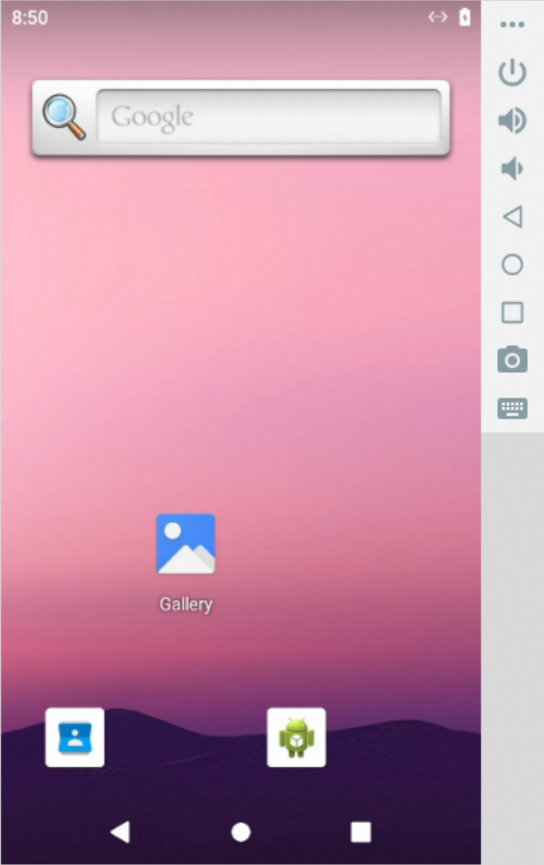
Mobile Sandbox

Prerequisites
  • Linux Host: When running on a Linux host, this sandbox requires the binder and ashmem kernel modules to be loaded. If they are missing, execute the following commands on your host to install and load the required modules:

    # 1. Install extra kernel modules
    sudo apt update && sudo apt install -y linux-modules-extra-`uname -r`# 2. Load modules and create device nodes
    sudo modprobe binder_linux devices="binder,hwbinder,vndbinder"
    sudo modprobe ashmem_linux
  • Architecture Compatibility: When running on an ARM64/aarch64 architecture (e.g., Apple M-series chips), you may encounter compatibility or performance issues. It is recommended to run on an x86_64 host.

# --- Synchronous version ---fromagentscope_runtime.sandboximportMobileSandboxwithMobileSandbox() asbox:
# By default, pulls 'agentscope/runtime-sandbox-mobile:latest' from DockerHubprint(box.list_tools()) # List all available toolsprint(box.mobile_get_screen_resolution()) # Get the screen resolutionprint(box.mobile_tap([500, 1000])) # Tap at coordinate (500, 1000)print(box.mobile_input_text("Hello from AgentScope!")) # Input textprint(box.mobile_key_event(3)) # HOME key eventscreenshot_result=box.mobile_get_screenshot() # Get screenshotprint(screenshot_result)
input("Press Enter to continue...")
# --- Asynchronous version ---fromagentscope_runtime.sandboximportMobileSandboxAsyncasyncwithMobileSandboxAsync() asbox:
# Default image is 'agentscope/runtime-sandbox-mobile:latest'print(awaitbox.list_tools_async()) # List all available toolsprint(awaitbox.mobile_get_screen_resolution()) # Get the screen resolutionprint(awaitbox.mobile_tap([500, 1000])) # Tap at coordinate (500, 1000)print(awaitbox.mobile_input_text("Hello from AgentScope!")) # Input textprint(awaitbox.mobile_key_event(3)) # HOME key eventscreenshot_result=awaitbox.mobile_get_screenshot() # Get screenshotprint(screenshot_result)
input("Press Enter to continue...")

Note

To add tools to the AgentScope Toolkit:

  1. Wrap sandbox tool with sandbox_tool_adapter, so the AgentScope agent can call them:

    fromagentscope_runtime.adapters.agentscope.toolimportsandbox_tool_adapterwrapped_tool=sandbox_tool_adapter(sandbox.browser_navigate)
  2. Register the tool with register_tool_function:

    toolkit=Toolkit()
    Toolkit.register_tool_function(wrapped_tool)

Configuring Sandbox Image Registry, Namespace, and Tag

1. Registry

If pulling images from DockerHub fails (for example, due to network restrictions), you can switch the image source to Alibaba Cloud Container Registry for faster access:

export RUNTIME_SANDBOX_REGISTRY="agentscope-registry.ap-southeast-1.cr.aliyuncs.com"
2. Namespace

A namespace is used to distinguish images of different teams or projects. You can customize the namespace via an environment variable:

export RUNTIME_SANDBOX_IMAGE_NAMESPACE="agentscope"

For example, here agentscope will be used as part of the image path.

3. Tag

An image tag specifies the version of the image, for example:

export RUNTIME_SANDBOX_IMAGE_TAG="preview"

Details:

  • Default is latest, which means the image version matches the PyPI latest release.
  • preview means the latest preview version built in sync with the GitHub main branch.
  • You can also use a specified version number such as 20250909. You can check all available image versions at DockerHub.
4. Complete Image Path

The sandbox SDK will build the full image path based on the above environment variables:

<RUNTIME_SANDBOX_REGISTRY>/<RUNTIME_SANDBOX_IMAGE_NAMESPACE>/runtime-sandbox-base:<RUNTIME_SANDBOX_IMAGE_TAG>

Example:

agentscope-registry.ap-southeast-1.cr.aliyuncs.com/agentscope/runtime-sandbox-base:preview

Serverless Sandbox Deployment

AgentScope Runtime also supports serverless deployment, which is suitable for running sandboxes in a serverless environment, e.g. Alibaba Cloud Function Compute (FC).

First, please refer to the documentation to configure the serverless environment variables. Make CONTAINER_DEPLOYMENT to fc to enable serverless deployment.

Then, start a sandbox server, use the --config option to specify a serverless environment setup:

# This command will load the settings defined in the `custom.env` file
runtime-sandbox-server --config fc.env

After the server starts, you can access the sandbox server at baseurl http://localhost:8000 and invoke sandbox tools described above.

Deployment Example

The AgentApp exposes a deploy method that takes a DeployManager instance and deploys the agent.

  • The service port is set as the parameter port when creating the LocalDeployManager.

  • The service endpoint path is set as the parameter endpoint_path to /process when deploying the agent.

  • The deployer will automatically add common agent protocols, such as A2A, Response API.

After deployment, users can access the service at http://localhost:8090/process:

fromagentscope_runtime.engine.deployersimportLocalDeployManager# Create deployment managerdeployer=LocalDeployManager(
host="0.0.0.0",
port=8090,
)
# Deploy the app as a streaming servicedeploy_result=awaitapp.deploy(
deployer=deployer,
endpoint_path="/process"
)

After deployment, users can also access this service using the Response API of the OpenAI SDK:

fromopenaiimportOpenAIclient=OpenAI(base_url="http://localhost:8090/compatible-mode/v1")
response=client.responses.create(
model="any_name",
input="What is the weather in Beijing?"
)
print(response)

Besides, DeployManager also supports serverless deployments, such as deploying your agent app to ModelStudio.

importosfromagentscope_runtime.engine.deployers.modelstudio_deployerimport (
ModelstudioDeployManager,
OSSConfig,
ModelstudioConfig,
)
# Create deployment managerdeployer=ModelstudioDeployManager(
oss_config=OSSConfig(
access_key_id=os.environ.get("ALIBABA_CLOUD_ACCESS_KEY_ID"),
access_key_secret=os.environ.get("ALIBABA_CLOUD_ACCESS_KEY_SECRET"),
),
modelstudio_config=ModelstudioConfig(
workspace_id=os.environ.get("MODELSTUDIO_WORKSPACE_ID"),
access_key_id=os.environ.get("ALIBABA_CLOUD_ACCESS_KEY_ID"),
access_key_secret=os.environ.get("ALIBABA_CLOUD_ACCESS_KEY_SECRET"),
dashscope_api_key=os.environ.get("DASHSCOPE_API_KEY"),
),
)
# Deploy to ModelStudioresult=awaitapp.deploy(
deployer,
deploy_name="agent-app-example",
telemetry_enabled=True,
requirements=["agentscope", "fastapi", "uvicorn"],
environment={
"PYTHONPATH": "/app",
"DASHSCOPE_API_KEY": os.environ.get("DASHSCOPE_API_KEY"),
},
)

For more advanced serverless deployment guides, please refer to the documentation.


📚 Guides

For a more detailed tutorial, please refer to: Cookbook


💬 Contact

Welcome to join our community on

DiscordDingTalk

🤝 Contributing

We welcome contributions from the community! Here's how you can help:

🐛 Bug Reports

  • Use GitHub Issues to report bugs
  • Include detailed reproduction steps
  • Provide system information and logs

💡 Feature Requests

  • Discuss new ideas in GitHub Discussions
  • Follow the feature request template
  • Consider implementation feasibility

🔧 Code Contributions

  1. Fork the repository
  2. Create a feature branch (git checkout -b feature/amazing-feature)
  3. Commit your changes (git commit -m 'Add amazing feature')
  4. Push to the branch (git push origin feature/amazing-feature)
  5. Open a Pull Request

For detailed contributing guidelines, please see CONTRIBUTE.


📄 License

AgentScope Runtime is released under the Apache License 2.0.

Copyright 2025 Tongyi Lab
Licensed under the Apache License, Version 2.0 (the "License");
you may not use this file except in compliance with the License.
You may obtain a copy of the License at
http://www.apache.org/licenses/LICENSE-2.0
Unless required by applicable law or agreed to in writing, software
distributed under the License is distributed on an "AS IS" BASIS,
WITHOUT WARRANTIES OR CONDITIONS OF ANY KIND, either express or implied.
See the License for the specific language governing permissions and
limitations under the License.

✨ Contributors

All Contributors

Thanks goes to these wonderful people (emoji key):

Weirui Kuang
Weirui Kuang

💻👀🚧📆
Bruce Luo
Bruce Luo

💻👀💡
Zhicheng Zhang
Zhicheng Zhang

💻👀📖
ericczq
ericczq

💻📖
qbc
qbc

👀
Ran Chen
Ran Chen

💻
jinliyl
jinliyl

💻📖
Osier-Yi
Osier-Yi

💻📖
Kevin Lin
Kevin Lin

💻
DavdGao
DavdGao

👀
FlyLeaf
FlyLeaf

💻📖
jinghuan-Chen
jinghuan-Chen

💻
Yuxuan Wu
Yuxuan Wu

💻📖
Fear1es5
Fear1es5

🐛
zhiyong
zhiyong

💻🐛
jooojo
jooojo

💻🐛
Zheng Dayu
Zheng Dayu

💻🐛
quanyu
quanyu

💻
Grace Wu
Grace Wu

💻📖
LiangQuan
LiangQuan

💻
ls
ls

💻🎨
iSample
iSample

💻📖
XiuShenAl
XiuShenAl

💻📖
Farruh Kushnazarov
Farruh Kushnazarov

📖
fengxsong
fengxsong

🐛
Wang
Wang

💻🐛
qiacheng7
qiacheng7

💻📖
Yuexiang XIE
Yuexiang XIE

👀
RTsama
RTsama

🐛💻
YuYan
YuYan

📖
Li Peng (Yuan Yi)
Li Peng (Yuan Yi)

💻📖💡
dorianzheng
dorianzheng

👀📦
Xiangfang Chen
Xiangfang Chen

📖
Zhang Shitian
Zhang Shitian

🐛💻
Chuss
Chuss

🐛
bcfre
bcfre

💻
Add your contributions

This project follows the all-contributors specification. Contributions of any kind welcome!

About

A Production-Ready Runtime Framework for Agent Deployment and Tool Sandbox

Resources

Contributing

Stars

0 stars

Watchers

0 watching

Forks

Releases

Packages

Contributors

Languages