



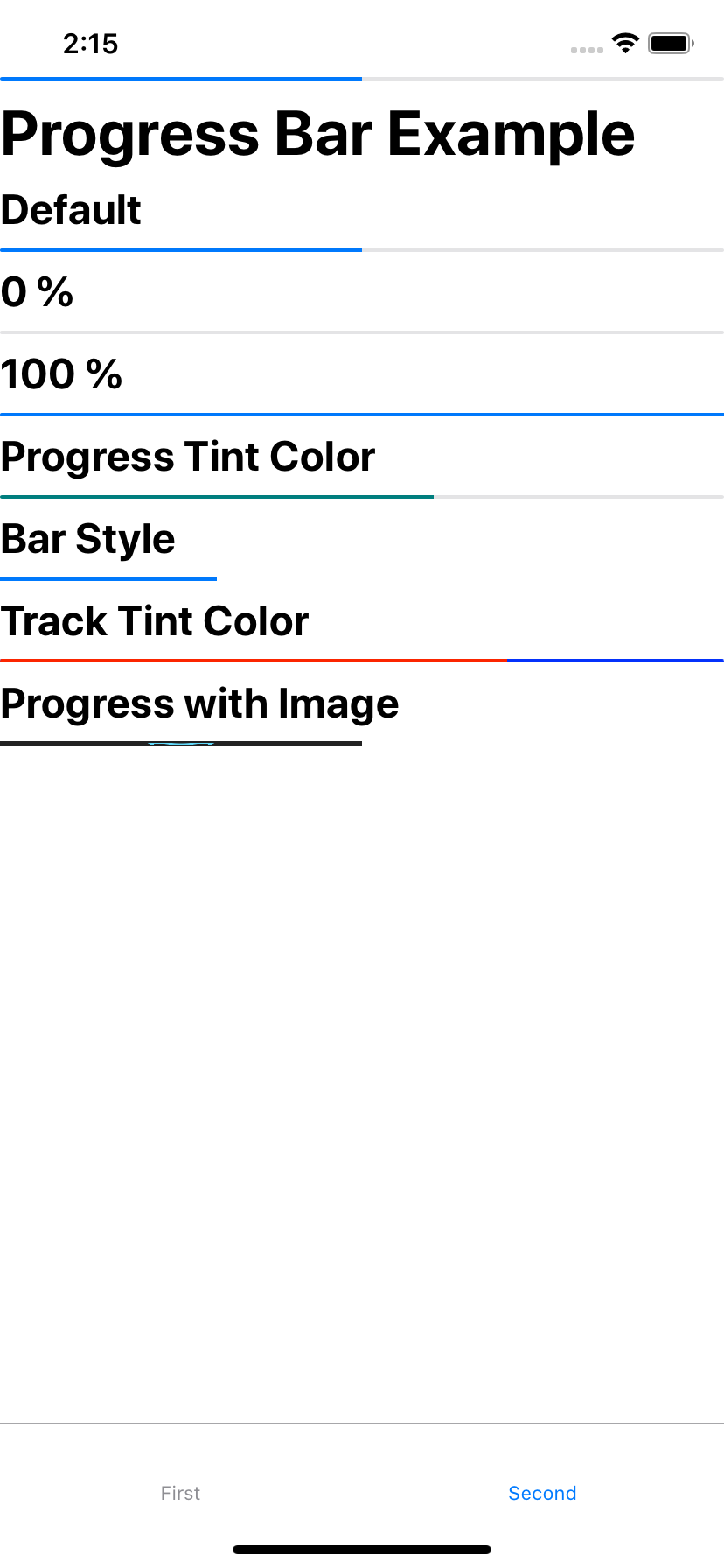
ProgressBar Component for iOS, based on UIProgressView.
$ npm install @react-native-community/progress-view --save
or
$ yarn add @react-native-community/progress-view
- React Native 0.60+
The package is automatically linked when building the app. All you need to do is:
$ cd ios && pod install
- React Native <= 0.59
Run the following commands
$ react-native link @react-native-community/progress-view
Manually linking the library - iOS
- In XCode, in the project navigator, right click
Libraries➜Add Files to [your project's name] - Go to
node_modules➜@react-native-community/progress-viewand addRNCProgressView.xcodeproj - In XCode, in the project navigator, select your project. Add
libRNCProgressView.ato your project'sBuild Phases➜Link Binary With Libraries - Run your project (
Cmd+R)
import{ProgressView}from"@react-native-community/progress-view";The progress value (between 0 and 1).
| Type | Required |
|---|---|
| number | No |
A stretchable image to display as the progress bar.
| Type | Required |
|---|---|
| Image.propTypes.source | No |
The tint color of the progress bar itself.
| Type | Required |
|---|---|
| string | No |
The progress bar style.
| Type | Required |
|---|---|
| enum('default', 'bar') | No |
A stretchable image to display behind the progress bar.
| Type | Required |
|---|---|
| Image.propTypes.source | No |
The tint color of the progress bar track.
| Type | Required |
|---|---|
| string | No |
The library is released under the MIT license. For more information see LICENSE.