A modern Vim-like terminal editor in Rust with LSP, tree-sitter, and IDE features.
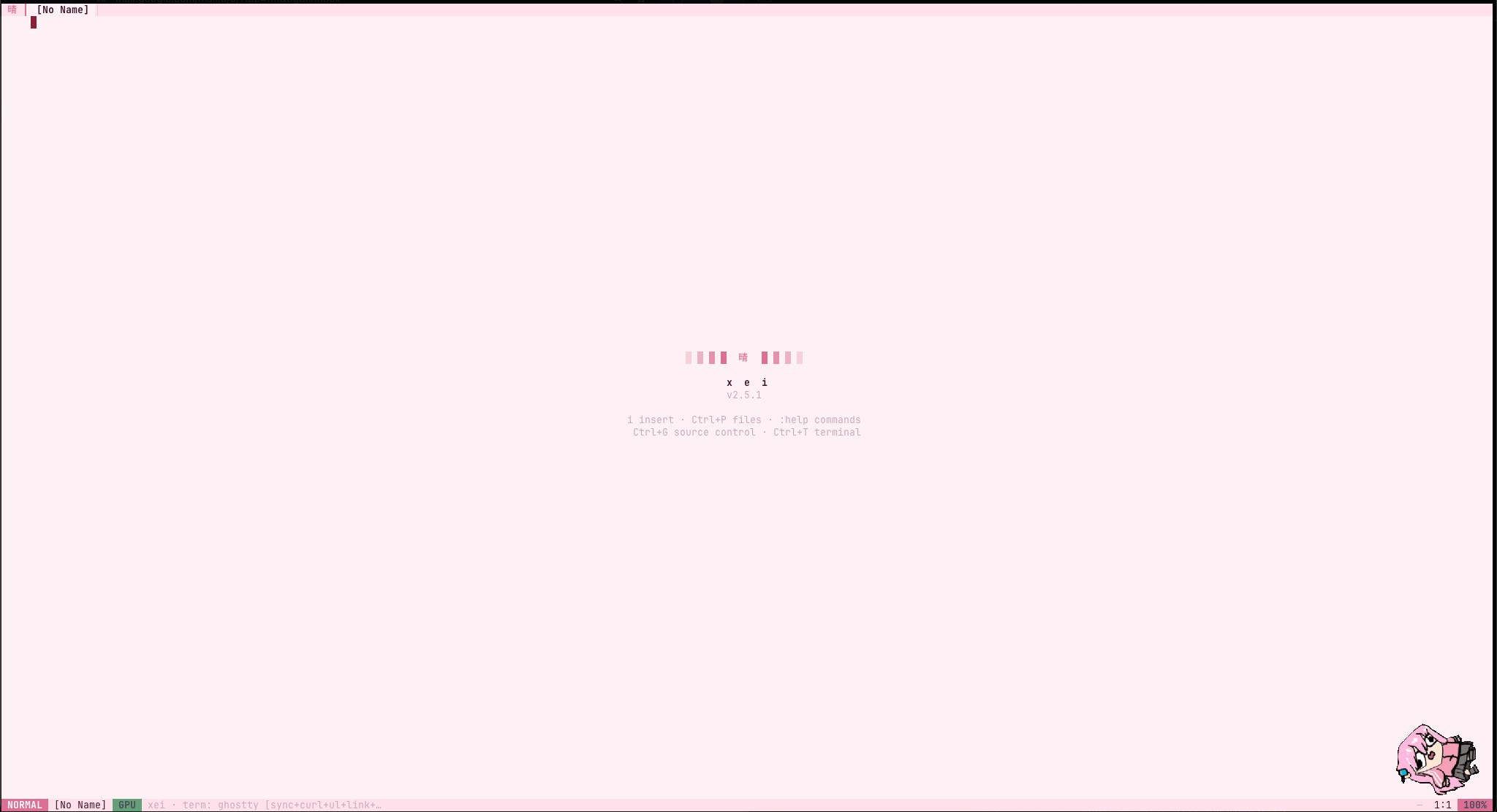
npm install -g xei-editor # npm
brew install stremtec/xei/xei # Homebrew
cargo install xei-editor # Cargo
macOS / Linux:
curl -fsSL https://raw.githubusercontent.com/stremtec/xei/master/xei/install.sh | bashWindows (PowerShell):
iwr https://raw.githubusercontent.com/stremtec/xei/master/xei/install.ps1 | iexIN DEV - Vscode plugin intergration (Using Native vscode plugin in xei)
LSP integration — auto-starts servers when installed (rust-analyzer, pyright, tsserver, clangd, gopls, jdtls, lua-ls, zls, …). Stable init/didOpen/versioned didChange, diagnostics,
gd/gr/K, completion, semantic tokensSyntax highlighting (quality stack) — LSP semantic tokens ▸ tree-sitter
highlights.scmqueries (Rust, Python, JS/TS, C, Go, Bash, JSON) ▸ line-tokenizer fallback for many other languages; CJK-safe char columnsGit gutter —
+/~/▁signs fromgit diff HEADSource Control (
Ctrl+G) — light SCM: commit message, stage/unstage, Changes, commit graphGit workbench (
Ctrl+Shift+G) — near full-screen mini GitHub: Status (stage/discard) · Branches (create/delete) · History (list/graph, cherry-pick/revert) · Commit · Diff · PRs · Issues · Auth; fetch/pull/rebase-pull/push/stashPretty document preview (
Ctrl+Shift+V) — GitHub-flavored Markdown / JSON (h1–h6, setext, tables+align, task/nested lists, alerts, footnotes, autolinks, images, ```/~~~ fences, entities,<kbd>); source transforms into the pretty view behind a ░▒▓ wavefrontBreadcrumbs — VS Code-style path under the tab bar
Code folding — indent folds:
zatoggle ·zc/zo·zM/zRGit blame —
Ctrl+B/gbflame-colored side panel (file slides right)Which-key —
Spaceleader map (files/git/lsp/debug/window/…) + delayed chord popups forg/z/d/Ctrl+WDAP debugger v2 — F5 start/continue · F6 pause · F9 breakpoints (
:bp if expr/:bp log msg) · F10/F11 step · variables tree · console REPL (eval when stopped) ·:DapAttach·.vscode/launch.jsonconfigs · debugpy / dlv / lldb-dap / js-debug (TCP)Call hierarchy —
gC/:callsincoming ·gHoutgoing (LSP); Tab flip · Enter jumpInteractive rebase —
:rebase 8/SPC g r· pick/squash/fixup/drop · reorder · runCode lens — LSP lenses at EOL (
:codelens/SPC t l)PR review — Enter on a PR (or
:pr 12) · files · diff · review commentsHooks —
~/.xei/hooks.tomlshell commands on save/open/quitSnippets — Insert-mode
Tabexpands triggers (fn,for,if,def, …)Session restore — reopens last files + cursors from
~/.xei/sessionwhen started with no argsMulti-buffer tabs —
gt/gTto switch,:eopens in new tab,:bdclosesVim modal editing — Normal, Insert, Visual, Visual Line + operators (
d/c/y) × motions × text objects (diw,ci",daw…)Dot-repeat & redo —
.repeats last change;Ctrl+RredoIncremental search — live
/and reverse?,n/N,*/#File change detection — auto-reload on external modification
System clipboard —
Cmd+C/V/X,y/d/psync to OS (pbcopy / xclip / wl-copy + OSC 52)Inline preview images —
in the Markdown preview renders the actual picture (Kitty graphics; Ghostty/Kitty/WezTerm), sized to the terminal's real cell pixelsTerminal scrollback — wheel / PageUp scrolls history (
↑Nbadge); wheel forwards to mouse-aware TUIs (claude, vim); CJK-correct renderingTerminal paste & file drop —
Cmd+V/Ctrl+Shift+Vpaste into the built-in terminal (bracketed-paste, so agent CLIs see one paste); drag a file onto the window to hand its path to the child (e.g. attach an image to claude-code). A bitmap on the clipboard is saved to a temp PNG and pasted as a pathCommand palette —
Ctrl+Pfiles,Ctrl+Shift+Pcommands,:problemsDiagnostics —
]d/[djump, problems list;KLSP hoverMouse support — click tabs, drag select, double-click word, scroll, panel resize
Auto-pairing — brackets/quotes close automatically, smart indent on Enter
Smart indent — Enter copies indentation, adds extra for
{,[,(,:,=>,->Panel system — file explorer (
Ctrl+F), built-in PTY terminal (Ctrl+T), XLC command bar (:)10 themes — ocean, monokai, nord, solarized, gruvbox, everforest, sakura, newspaper, mono, mono_dark
CJK support — Korean, Japanese, Chinese characters render at full width
Light on large files — row-indexed syntax tokens / folds / search matches (no per-frame whole-file scans), O(n) bulk paste, and an adaptive input loop that idles instead of spinning at 100 Hz
Self-metrics & benchmark —
:statusshows this process's live CPU (one-core-normalized, with cores-in-use) and memory in the status line (plus device GPU% on Linux);:benchtimes the editor's own hot paths on-screen (rrerun ·Escexit)
xei requests the kitty keyboard protocol when the terminal supports it
(Ghostty, Kitty, WezTerm, foot, recent Alacritty) so Ctrl+Shift+… chords are
fully disambiguated. On legacy terminals (Terminal.app, plain xterm) those
chords collapse into plain Ctrl+… — use the built-in fallbacks:
| Chord | Fallback |
|---|---|
Ctrl+Shift+V preview | SPC f p · :preview |
Ctrl+Shift+G git workbench | SPC g g |
Ctrl+Shift+P command palette | SPC p |
Ctrl+Shift+F find in files | SPC s f |
Ctrl+Shift+T terminal window | SPC w t / SPC t T |
Ctrl+Shift+D debug panel | SPC d d |
Ctrl+Shift+I format | SPC l f |
Ctrl+Shift+O symbols | gO |
Ctrl+, settings | :settings |
Ctrl+. code actions | SPC l a |
⚠ On legacy terminals a
Ctrl+Shift+keypress arrives as plainCtrl+keyand triggers that binding instead (e.g.Ctrl+Shift+Vlands on visual block).Ctrl+,andCtrl+.produce no byte at all. This is a terminal limitation — the fallbacks above are the supported path.
Windows: runs in Windows Terminal / ConPTY (PowerShell is spawned for the
built-in terminal; clipboard falls back to clip / Get-Clipboard + OSC 52).
Auto-detected on file open. Status bar shows LSP: clangd (3).
| Command | Action |
|---|---|
:LspStart <cmd> | Manually start a language server |
gd | Go to definition |
Ctrl+A | Completions (keywords + LSP items) |
| Key | Action |
|---|---|
hjkl / ←↓↑→ | Move cursor |
wb | Next / previous word |
0$ | Start / end of line |
ggG | Top / bottom of file |
Space | Leader (which-key): f files · g git · l lsp · w window · … |
]c[c | Next / previous git change |
iaAoO | Enter Insert mode |
x | Delete character |
d/c/y + motion | Operators (dw, d$, dG, cc…) |
diwci"dib … | Text objects (inner/around word, quotes, brackets) |
"a"A"+ | Registers (named / append / clipboard) then y/d/p |
ma'a`a | Set mark / jump (line / exact) |
Ctrl+OCtrl+I | Jumplist back / forward |
f/t then ;, | Find char; repeat / reverse |
. | Repeat last change |
pP | Paste after / before |
u / Ctrl+R | Undo / Redo |
vV | Visual / Visual Line |
/? | Search forward / reverse |
nN | Next / previous match |
*# | Word under cursor (fwd / back) |
gtgT | Next / previous tab |
gd | Go to definition (LSP) |
gp | Peek definition (Enter opens) |
gO / Ctrl+Shift+O | Document symbols (outline) |
Ctrl+W v / s | Vertical / horizontal split (repeat → up to 4 panes) |
Ctrl+W w / q | Cycle pane / close focused pane |
Ctrl+W h/j/k/l | Directional pane focus |
zhzlzHzL | Pan view horizontally (wrap_lines = false) |
Ctrl+Shift+F | Find in files (workspace) |
Ctrl+. | Code actions / quick fix (LSP) |
Ctrl+Shift+I | Format document (LSP) |
: | Command panel (:42 go to line, :w …) |
Ctrl+S | Save |
Ctrl+G | Light Source Control (stage/commit) |
Ctrl+Shift+G | Full Git workbench (branch/sync/diff) |
Ctrl+, | Settings (About / Setting / Help) |
Ctrl+Shift+V | Pretty preview (Markdown / JSON) |
Ctrl+P / Cmd+P | Quick open files |
Ctrl+Shift+P | Command palette |
]d / [d | Next / prev diagnostic |
K | LSP hover |
Cmd+C / Cmd+V / Cmd+X | Copy / paste / cut (system clipboard) |
Ctrl+V | Visual block |
qa … q / @a / @@ | Record / play / replay macro |
gr | LSP references |
gb | Toggle git blame |
zazczozMzR | Fold toggle / close / open / all |
:s/pat/repl/g / :%s//g | Substitute |
:Rename name | LSP rename |
| Key | Action |
|---|---|
d | Delete selection |
y | Yank (copy) |
Cmd+C | Copy to system clipboard |
| Key | Action |
|---|---|
Ctrl+A | Trigger autocomplete (LSP + keywords) |
Cmd+V | Paste from system clipboard |
| Key | Action |
|---|---|
Ctrl+F | Toggle file explorer |
Ctrl+T / F12 | Side terminal panel |
Ctrl+Shift+T | Terminal window (auto split). Close: Ctrl+Shift+W then y. Esc goes to shell. |
Ctrl+E | Toggle XLC panel |
| Command | Action |
|---|---|
:w:save | Save file |
:e <file> | Open file (new tab if already open) |
:q / :q! | Quit / Force quit |
:wq:x | Save and quit |
:bd | Close current tab |
:mv <dest> | Move / rename file |
:rm | Delete file |
:pwd:ls | Directory info |
/pattern | Incremental search |
:theme <name> | Switch theme |
:preview | Pretty document preview |
:pr <N> | PR review surface (gh) |
:bp / :bp if <expr> | Breakpoint / conditional |
:DapLaunch <prog> [args] | Debug a program |
:DapAttach <target> | Attach debugger |
:hooks | Reload ~/.xei/hooks.toml |
:update | Self-update to the latest release |
:mbb | New blank tab (welcome screen) |
:LspStart <cmd> | Start language server |
:bench | Self-benchmark the editor hot paths (r rerun · Esc exit) |
:status | Toggle a live CPU / memory readout in the status line (GPU on Linux) |
:help | List all commands |
ocean · monokai · nord · solarized · gruvbox · everforest · sakura · newspaper · mono · mono_dark
:theme sakura # persists to ~/.xei.toml~/.xei.toml — created on first theme change; every key optional:
theme = "ocean"tab_width = 4clipboard_sync = truerelative_number = falsewrap_lines = true# false = horizontal scroll (zh/zl/zH/zL pan, ↔ badge)update_check = true# startup release check (welcome notice · :update)undo_caching = false# keep undo history across close/reopen (~/.xei/undo)gpu_graphics = true# Kitty-graphics layer (inline images · pet · media)gpu_hyperlinks = true# OSC 8 linksgpu_acc = true# Ghostty/Kitty enhancements (Ctrl+, → Setting)key_hints = true# which-key chord popupslsp_enabled = true# per-language overrides via [lsp] or SettingsPlugin hooks live in ~/.xei/hooks.toml (on_save / on_open / on_quit).
MIT