A high-performance voxel engine built with C++23 and OpenGL 4.3+ compute shaders, capable of rendering 10+ million TNT entities with physics simulation.
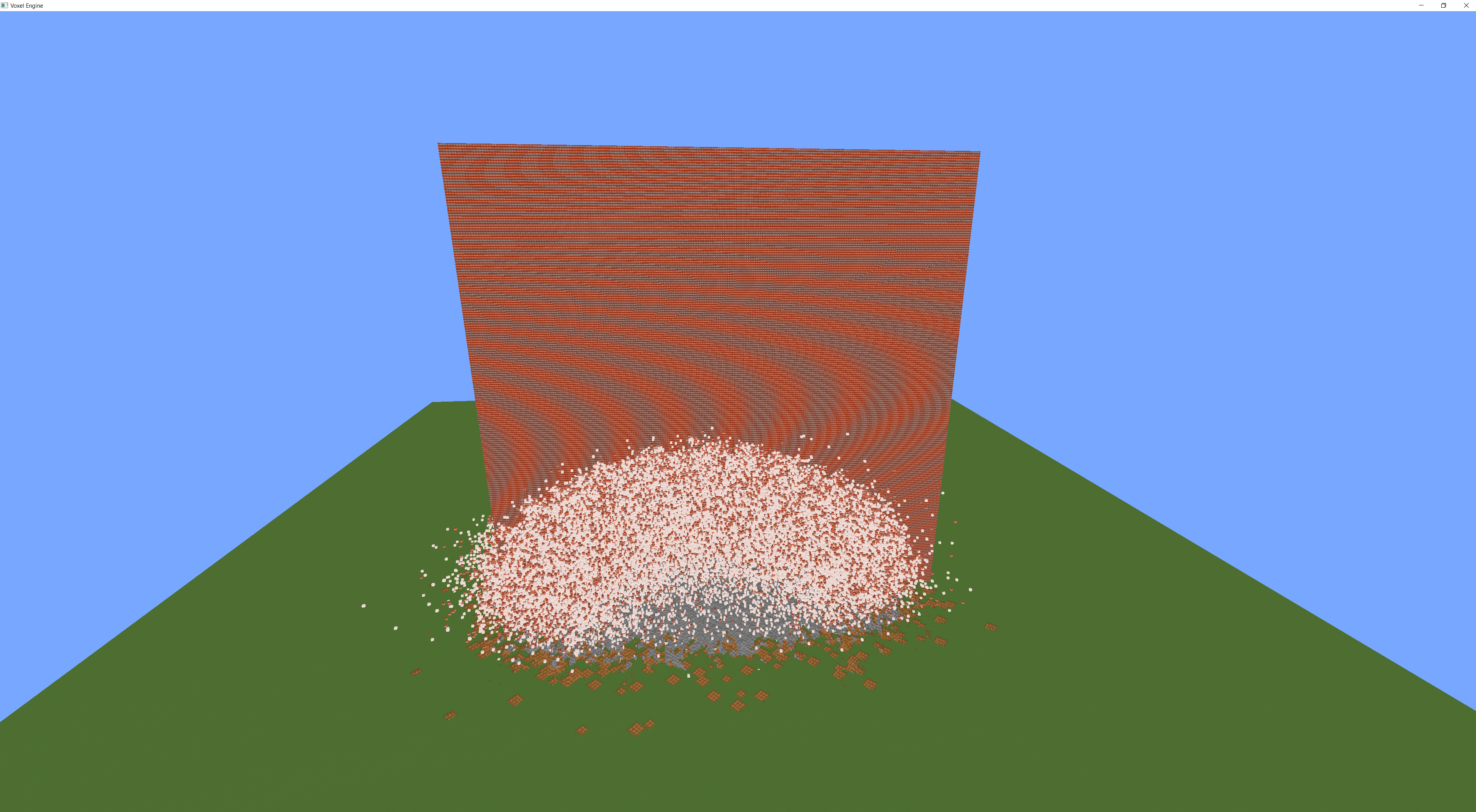
- GPU-accelerated terrain - Compute shaders for world generation and mesh building
- Greedy meshing - Optimized quad generation for efficient rendering
- 10M+ entity physics - TNT blocks with explosion propagation
- Ambient occlusion - Per-vertex AO for realistic lighting
- Distance fog - Atmospheric fog (150-400 block fade)
- Block interaction - Place and break blocks with raycast selection
- Perlin noise terrain - Heightmap-based hills and valleys
- First-person controls - WASD movement + mouse look
- GPU profiler - Real-time timing for compute shaders and draw calls (F3)
# Clone with submodules
git clone --recursive https://github.com/suparious/minecraft.cpp.git
cd minecraft.cpp
# Generate Visual Studio solution
GenerateProjects.bat
# Open VoxelEngine.sln, build with F7, run# Install dependencies (Ubuntu/Debian)
sudo apt install build-essential cmake libglfw3-dev libgl1-mesa-dev \
libx11-dev libxrandr-dev libxi-dev libxxf86vm-dev libasound2-dev
# Clone and build
git clone --recursive https://github.com/suparious/minecraft.cpp.git
cd minecraft.cpp
mkdir -p .build/linux &&cd .build/linux
cmake ../.. -DCMAKE_BUILD_TYPE=Release
make -j$(nproc)# Runcd bin && ./MinecraftClone# Install MinGW
sudo apt install mingw-w64
# Build
mkdir -p .build/windows &&cd .build/windows
cmake ../.. \
-DCMAKE_SYSTEM_NAME=Windows \
-DCMAKE_C_COMPILER=x86_64-w64-mingw32-gcc \
-DCMAKE_CXX_COMPILER=x86_64-w64-mingw32-g++ \
-DCMAKE_BUILD_TYPE=Release
make -j$(nproc)# Output: bin/MinecraftClone.exe (copy to Windows with bin/assets/)| Key | Action |
|---|---|
| WASD | Move |
| Mouse | Look around |
| Space | Move up |
| Shift | Move down |
| Left Click | Break block / Activate TNT |
| Right Click | Place block |
| 1-9 | Select hotbar slot |
| [ | Slow movement (walk) |
| ] | Fast movement (sprint) |
| F3 | Toggle debug overlay (GPU profiler) |
| TAB | Toggle mouse cursor |
| ESC | Release mouse |
Edit MinecraftClone/src/Layers/GameConfig.h:
constexprintWORLD_WIDTH = 35; // Chunks in X/Z (lower for less VRAM)constexprintWORLD_HEIGHT = 20; // Chunks in YconstexprintHOW_MANY_TNT_TO_SPAWN = 10'000'000; // Lower for testingPerformance Tips:
- Lower
WORLD_WIDTHto 25 if you run out of GPU memory - Lower
HOW_MANY_TNT_TO_SPAWNto 100,000 for testing
WSL2 has limited GPU support. Known issues:
AMD GPUs: The D3D12 OpenGL translation layer may crash due to driver bugs in
amdxc64.so. Use software rendering as a workaround:# Software rendering (slow but stable) ./bin/MinecraftClone # Hardware rendering (may crash on AMD) GALLIUM_DRIVER=d3d12 ./bin/MinecraftClone
Debug UI disabled: ImGui is disabled on Linux due to compatibility issues with WSL2's D3D12 layer.
For best performance on native Linux:
- Use proprietary GPU drivers (NVIDIA, AMD AMDGPU-PRO)
- Ensure OpenGL 4.3+ support with compute shaders
The project uses the Bare Bones texture pack by default.
To use a different texture pack:
- Delete
MinecraftClone/assets/textures/texture_pack/assets/ - Extract your texture pack's
assets/folder to that location
To build release packages for both Windows and Linux:
./release.sh v1.2.0This creates:
releases/minecraft.cpp-v1.2.0-windows.zip- Windows executable + assetsreleases/minecraft.cpp-v1.2.0-linux.tar.gz- Linux executable + assets
Pre-built binaries are available on the Releases page.
| Config | Use Case |
|---|---|
| Debug | Development with OpenGL error logging |
| Release | Optimized with some debug symbols |
| Dist | Maximum performance, no debug overhead |
Press F3 to toggle the debug overlay, which includes:
- FPS counter - Always visible in top-left corner
- Camera position - XYZ coordinates and facing direction
- GPU Profiler - Real-time timing for all GPU operations
The GPU profiler uses OpenGL timer queries to measure actual GPU execution time (not CPU time). Timings are color-coded:
- Green: < 5ms (good)
- Yellow: 5-10ms (warning)
- Red: > 10ms (bottleneck)
Profiled operations include:
| Operation | Description |
|---|---|
| explodeTnts | TNT fuse timer updates |
| propagateExplosions | Explosion BFS (8 passes) |
| updateTntTransforms | TNT physics and position |
| clearExplosions | Reset explosion tracking |
| generateQuads | Mesh regeneration |
| selectBlock | Raycast block selection |
| drawTerrain | Multi-draw terrain render |
| drawTnt | TNT entity rendering |
The profiler has minimal overhead (~0.1ms per frame) as it reads the previous frame's results to avoid GPU pipeline stalls.
- Windows: Visual Studio 2022 with C++ Desktop Development
- Linux: GCC 12+ or Clang 15+ with C++23 support
- GPU: OpenGL 4.3+ with compute shader support
- VRAM: 4GB+ recommended for default world size
| Issue | Solution |
|---|---|
| Black screen | Check console for shader compilation errors |
| Crash on startup | Lower WORLD_WIDTH or HOW_MANY_TNT_TO_SPAWN |
| Missing textures | Ensure assets/ folder is in the working directory |
| DLL errors (Windows) | Use the release build or build from source |
This project is available under the MIT License.