Acaia / Bookoo / Felicita Scale Gateway using the ArduinoBLE library for esp32-based devices. This is an Arduino Library which can be found in the Arduino IDE Library Manager.
| Mfr | Model | Submodel | Firmware | Connection Performance | Auto-Tare | Auto-Start/Stop Timer | Auto-Reset Timer |
|---|---|---|---|---|---|---|---|
| Acaia | Lunar | USB-Micro (Pre-2021) | v2.6.019 | Great | Yes | Yes | Untested |
| Acaia | Lunar | USB-C (2021 version) | v1.0.016 | Hit or Miss | Yes | Yes | Yes |
| Acaia | Pearl S | USB-Micro | v1.0.056 | Ok | Yes | Yes | Yes |
| Acaia | Pearl S | USB-C | ---- | Ok | Yes | Yes | Yes |
| Acaia | Pyxis | ---- | v1.0.022 | Good | Not Recommended (too sensitive) | Yes | Yes |
| Bookoo | Themis Mini | ---- | v1.0.5 | Great | Yes | Yes | Yes |
| Bookoo | Themis Ultra | ---- | ---- | Great | Yes | Yes | Yes |
| Felicita | Arc | ---- | ---- | ---- | Yes | Yes | Yes |
This library is intended to be used with any arduino device which is compatible with the ArduinoBLE library.

The included "shotStopper" example code uses the ShotStopper PCB to make it simple to control your espresso machine using the scale.
A kit can also be ordered by visiting tatemazer.com
If you choose to build your own from scratch, v2.0 is recommended as it requires only through-hole components
Join the discord for updates and support: https://discord.gg/NMXb5VYtre
| Model | Powered by Machine (5V) | Brew State Detection Method | Officially Documented |
|---|---|---|---|
| GS3 | No, requires included power supply | Solenoid Valve (Reed Switch) | Yes |
| Linea Micra | Yes | Brew Switch | Yes |
| Linea Mini* | Older, non-IoT machines may require a power supply | Brew Switch | Yes |
| Linea Mini R | Yes | Brew Switch | Yes |
| Silvia Pro (X) | Yes | Brew Button | Yes |
| Stone Espresso | Yes | Solenoid Valve (Reed Switch) | Yes |
| Ascaso Steel Duo PID | Untested | Brew Button | No |
| Profitec Move | Yes | Brew Button | No |
*Ace Dotshot is compatible with the shotStopper. Also note, shot duration is automated at the scale with the shotStopper, making the dotShot redundant.
The following variables at the top of the shotStopper.ino file can be configured by the user:
MOMENTARY
- true for momentary switches such as GS3 AV, Rancilio Silvia Pro, etc.
- false for latching switches such as Linea Mini/Micra, stone, etc.
REEDSWITCH
- true if a reed switch on the brew solenoid is being used to determine the brew state. This is typically not necessary so set to FALSE by default. This feature is only available for non-momentary-switches.
AUTOTARE
- true by default. The scale will automatically tare when the shot is started, and, if MOMENTARY is false, will perform another tare at 3 seconds to notify the user that the switch is latched and should be returned to the home position.
- if set to false, the shotStopper will never send a tare command. It is the user's responsibility to tare before each shot. This may be helpful if the scale is not stable when the shot begins, and thus the scale is unable to tare reliably.
TIMER_ONLY
- false by default. disables brew-by-weight functionality and enables only automatic timer and tare
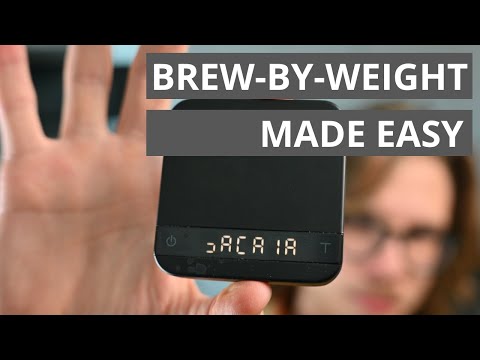
You can find a demo on Youtube:

☑ Acaia Pyxis
☑ Acaia Lunar (usb-micro)
☑ Acaia Lunar 2021 (usb-c)
☑ Pearl S
☑ Felicita Arc
☑ Bookoo
- Tare command is less reliable than pressing the tare button for pyxis
- Only supports grams.
This is largely a basic port of the LunarGateway library written for the ESP32.
In addition to some minor notes from pyacaia library written for raspberryPI.
Felicita Arc support contributions from baettigp and A-TWJ
Bookoo contributions from philgood and same31
lunar 2019 contributions from jniebuhr