


Read this in other languages: English, 日本語.
This is a GitHub Actions that automates the release of GitHub Actions.
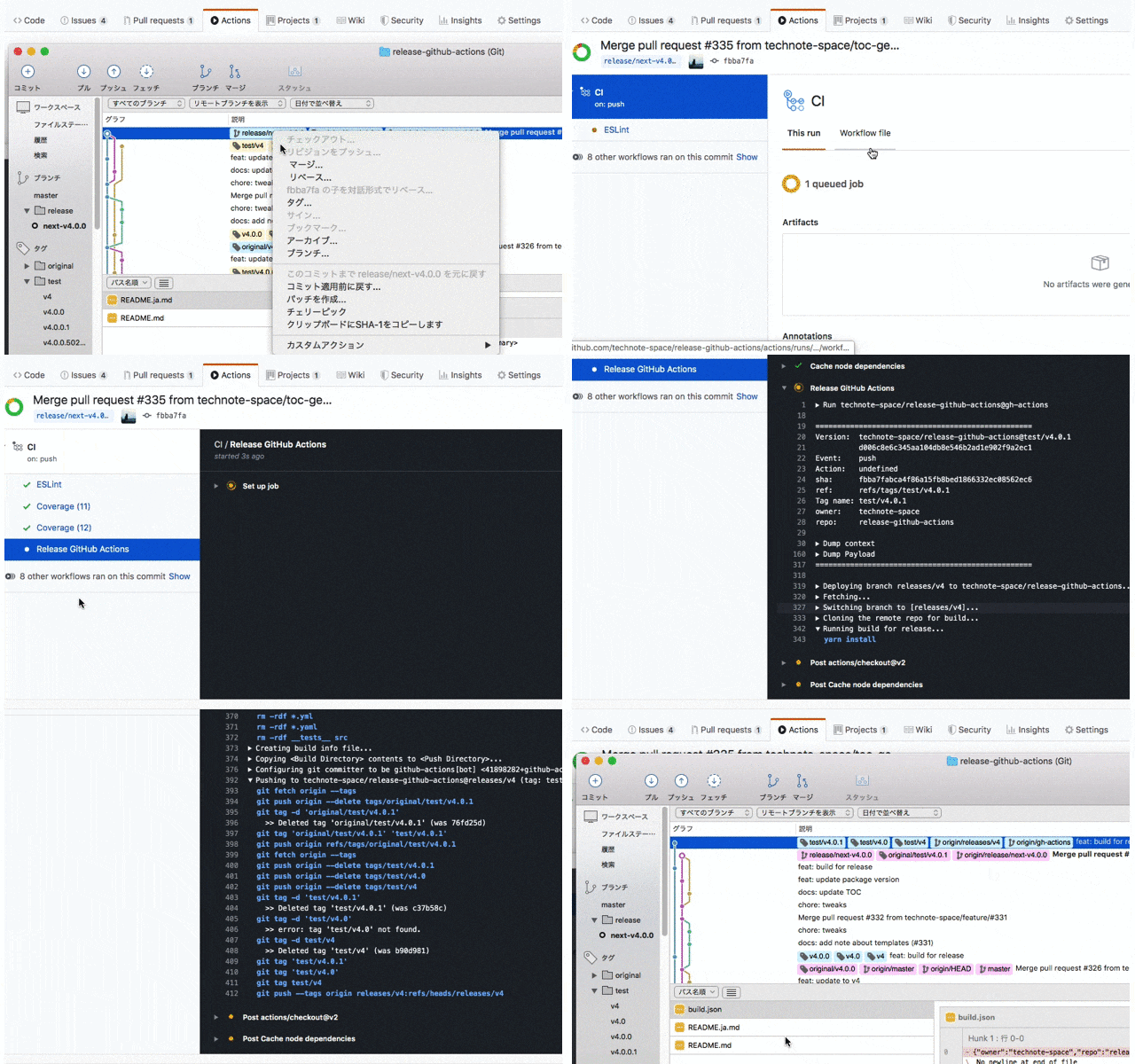
Once you create a new tag, this action will automatically
- Run build
- Create branch for release
- Change tags to release branch
- If there is release which has same tag name and has been published, re-publish it (Because if the tag is changed, the release will be in a draft state).
Details
generated with TOC Generator
e.g. .github/workflows/release.yml
#on:# push:# tags:# - "v*"on: createname: Releasejobs:
release:
name: Release GitHub Actionsruns-on: ubuntu-lateststeps:
- uses: technote-space/release-github-actions@v6
| name | description | default | required | e.g. |
|---|---|---|---|---|
| BUILD_COMMAND | Build command More details of execute command | yarn build:all | ||
| CLEAN_TARGETS | Files or directories to clean before release (Comma separated) Absolute path and .. are not permitted to use.More details of execute command | .[!.]*,__tests__,docs,src,*.[jt]s,*.[mc][jt]s,*.json,*.lock,*.yml,*.yaml | true | .[!.]*,*.txt |
| PACKAGE_MANAGER | Package manager to use to install dependencies If there is yarn.lock or package-lock.json, the action automatically determines the package manager to use, but this option can be used to specify it explicitly.( npm or yarn) | yarn | ||
| COMMIT_MESSAGE | Commit message | feat: build for release | true | feat: release |
| COMMIT_NAME | Commit name | github-actions[bot] | true | |
| COMMIT_EMAIL | Commit email | 41898282+github-actions[bot]@users.noreply.github.com | true | |
| BRANCH_NAME | Branch name for GitHub Actions release | gh-actions | true | gh-actions/${MAJOR}/${MINOR}/${PATCH} |
| BUILD_COMMAND_TARGET | Command for search build command | prepare, build, production, prod, package, pack | compile | |
| ALLOW_MULTIPLE_BUILD_COMMANDS | Whether to allow run multiple build commands. | true | false | |
| CREATE_MAJOR_VERSION_TAG | Whether to create major version tag (e.g. v1) Detail of tags | true | false | |
| CREATE_MINOR_VERSION_TAG | Whether to create minor version tag (e.g. v1.2) Detail of tags | true | false | |
| CREATE_PATCH_VERSION_TAG | Whether to create patch version tag (e.g. v1.2.3) Detail of tags | true | false | |
| FETCH_DEPTH | Limit fetching to the specified number of commits from the tip of each remote branch history | 3 | 5 | |
| TEST_TAG_PREFIX | Prefix for test tag | test/ | ||
| CLEAN_TEST_TAG | Whether to clean test tag | false | true | |
| ORIGINAL_TAG_PREFIX | Prefix to add when leaving the original tag | original/ | ||
| DELETE_NODE_MODULES | Whether to delete node_modules | false | true | |
| GITHUB_TOKEN | Access token | ${{github.token}} | true | ${{secrets.ACCESS_TOKEN}} |
- If package.json includes
prepare,build,production,prod,packageorpackin scripts, the commands are used for build. (You can change this with BUILD_COMMAND_TARGET) - If command does not have install command like
npm run installoryarn install, install commands are added.
so if BUILD_COMMAND is not provided and package.json has build script,
the following commands are executed for build.
yarn install
yarn build
yarn install --production
If build and pack are included, the commands are:
yarn install
yarn build
yarn pack
yarn install --productionTo execute GitHub Actions, src files used for build, test files, test settings, etc. are not required.
And GitHub Actions is downloaded every time when it is used, so fewer files are better.
CLEAN_TARGETS option is used for this purpose.
default: .[!.]*,__tests__,docs,src,*.[jt]s,*.[mc][jt]s,*.json,*.lock,*.yml,*.yaml
rm -rdf .[!.]*
rm -rdf *.js
rm -rdf *.mjs
rm -rdf *.ts
rm -rdf *.cts
rm -rdf *.json
rm -rdf *.lock
rm -rdf *.yml
rm -rdf *.yaml
rm -rdf __tests__ docs src
(action.yml is not subject to deletion.)
| eventName: action | condition |
|---|---|
| push: * | condition |
| release: published | condition |
| create: * | condition |
- tags
- semantic versioning tag (e.g.
v1.2.3) - test tag (e.g.
test/v1.2.3)
- semantic versioning tag (e.g.
Releasing GitHub Actions needs all build files and dependencies like node_modules, but are not usually committed.
So if you want to release GitHub Actions, you have to do following steps.
- Develop locally on the branch for develop
- Build for release
- Commit all source code including dependencies like
node_modulesto branch for release - Add tags (consider major, minor and patch versions)
- Push to GitHub
- Publish release
It is very troublesome to do this steps for every release.
If you use this GitHub Actions, the steps to do are simpler.
- Develop locally on the branch for develop
- Publish release (Create tag)
- Wait for the automated steps to finish
- Build for release
- Commit all source code including dependencies like
node_modulesto branch for release - Add tags (consider major, minor and patch versions)
- Push to GitHub
Tag name format must be Semantic Versioning.
The following tags will be created.
- tag name
- major tag name (generated by tag name)
- e.g.
v1
- e.g.
- minor tag name (generated by tag name)
- e.g.
v1.2
- e.g.
- patch tag name (generated by tag name)
- e.g.
v1.2.3
- e.g.