jessepollak's Card make credit card forms look awesome. card-react is a React component that aims to do the same for React.
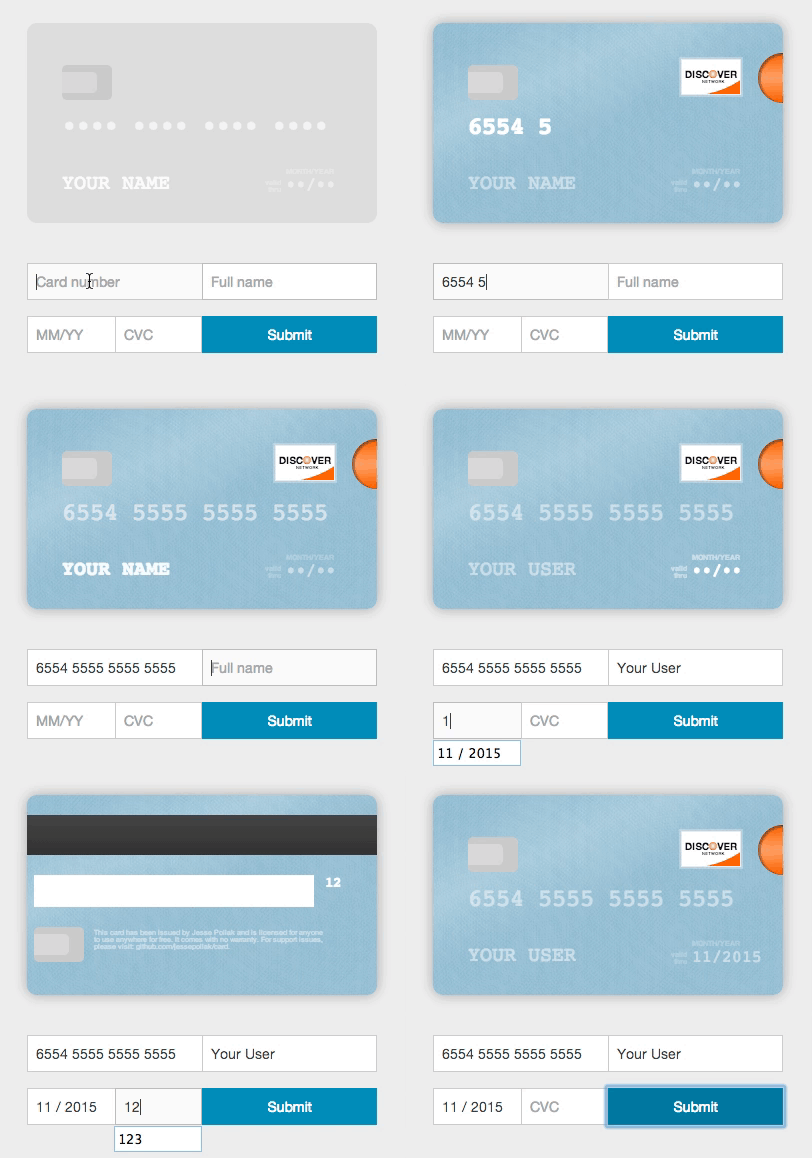
- Validate inputs
- Format form inputs
- Identify card type
- Initialize the card element with user details
- The card element itself don't have to be a child of the form - it can be rendered anywhere
npm install card-react- Add
card.cssfile to your project's stylesheets. You can find it atlib/folder.
Include card-react in your code:
import CardReactFormContainer from 'card-react';Once included, you can initialize the component. you'll need to make the component the container of your form:
<CardReactFormContainer// the id of the container element where you want to render the card element.// the card component can be rendered anywhere (doesn't have to be in ReactCardFormContainer).container="card-wrapper"// required// an object contain the form inputs names.// every input must have a unique name prop.formInputsNames={{number: 'CCnumber',// optional — default "number"expiry: 'CCexpiry',// optional — default "expiry"cvc: 'CCcvc',// optional — default "cvc"name: 'CCname'// optional - default "name"}}// initial values to render in the card elementinitialValues={{number: '4242424242424242',// optional — default •••• •••• •••• ••••cvc: '123',// optional — default •••expiry: '16/12',// optional — default ••/••name: 'Random Name'// optional — default FULL NAME}}// the class name attribute to add to the input field and the corresponding part of the card element,// when the input is valid/invalid.classes={{valid: 'valid-input',// optional — default 'jp-card-valid'invalid: 'invalid-input'// optional — default 'jp-card-invalid'}}// specify whether you want to format the form inputs or notformatting={true}// optional - default true><form><inputplaceholder="Full name"type="text"name="CCname"/><inputplaceholder="Card number"type="text"name="CCnumber"/><inputplaceholder="MM/YY"type="text"name="CCexpiry"/><inputplaceholder="CVC"type="text"name="CCcvc"/></form></CardReactFormContainer>// the container in which the card component will be rendered - can be anywhere in the DOM<divid="card-wrapper"></div>- npm install
- npm start
- npm start
- Open http://localhost:8000/
- npm run build after you make the changes
- move to webpack
- add tests
You are more than welcome to contribute. Enjoy!