


A cli tool for tortoise-orm, build on top of asyncclick and ptpython.
You can just install from pypi.
pip install tortoise-cli> tortoise-cli -h 23:59:38
Usage: tortoise-cli [OPTIONS] COMMAND [ARGS]...
Options:
-V, --version Show the version and exit.
-c, --config TEXT TortoiseORM config dictionary path, like
settings.TORTOISE_ORM
--generate-schemas / --no-generate-schemas
Whether generate schemas after TortoiseORM
inited
-h, --help Show this message and exit.
Commands:
shell Start an interactive shell.First, you need make a TortoiseORM config object, assuming that in settings.py.
TORTOISE_ORM= {
"connections": {
"default": "sqlite://:memory:",
},
"apps": {
"models": {"models": ["examples.models"], "default_connection": "default"},
},
}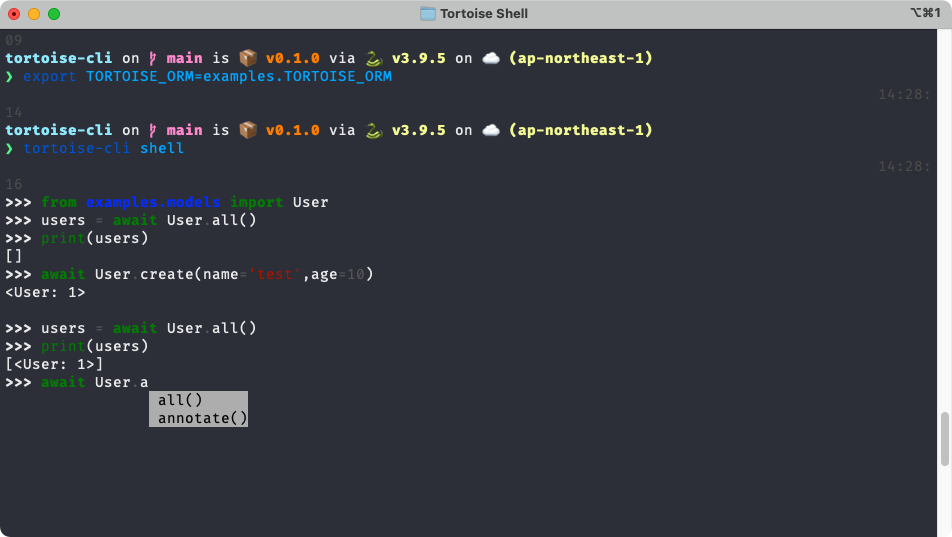
Then you can start an interactive shell for TortoiseORM.
tortoise-cli -c settings.TORTOISE_ORM shellOr you can set config by set environment variable.
export TORTOISE_ORM=settings.TORTOISE_ORMOr you can set it in pyproject.toml.
[tool.aerich]
tortoise_orm = "my_module.TORTOISE_ORM"
Then just run:
tortoise-cli shellThis project is licensed under the Apache-2.0 License.