Repository files navigation

viser — Video Encoding Optimizer

viser - Video Encoding Optimizer

Name:Viser blends vision + optimizer — it sees the optimal encoding for every video. It's also French viser ("to aim/see").

crates.ioDownloadsdocs.rsCIcoverageLicenseMSRVRead the write-upStarsFollow @vbasky

Acknowledgment: viser builds on decades of research in rate-distortion theory, perceptual quality measurement, and content-adaptive streaming. Thank you to the engineers and researchers at Netflix, Beamr, Fraunhofer, Mux, and the broader video encoding community whose published work, open-source tools, and foundational science inform every part of this project.


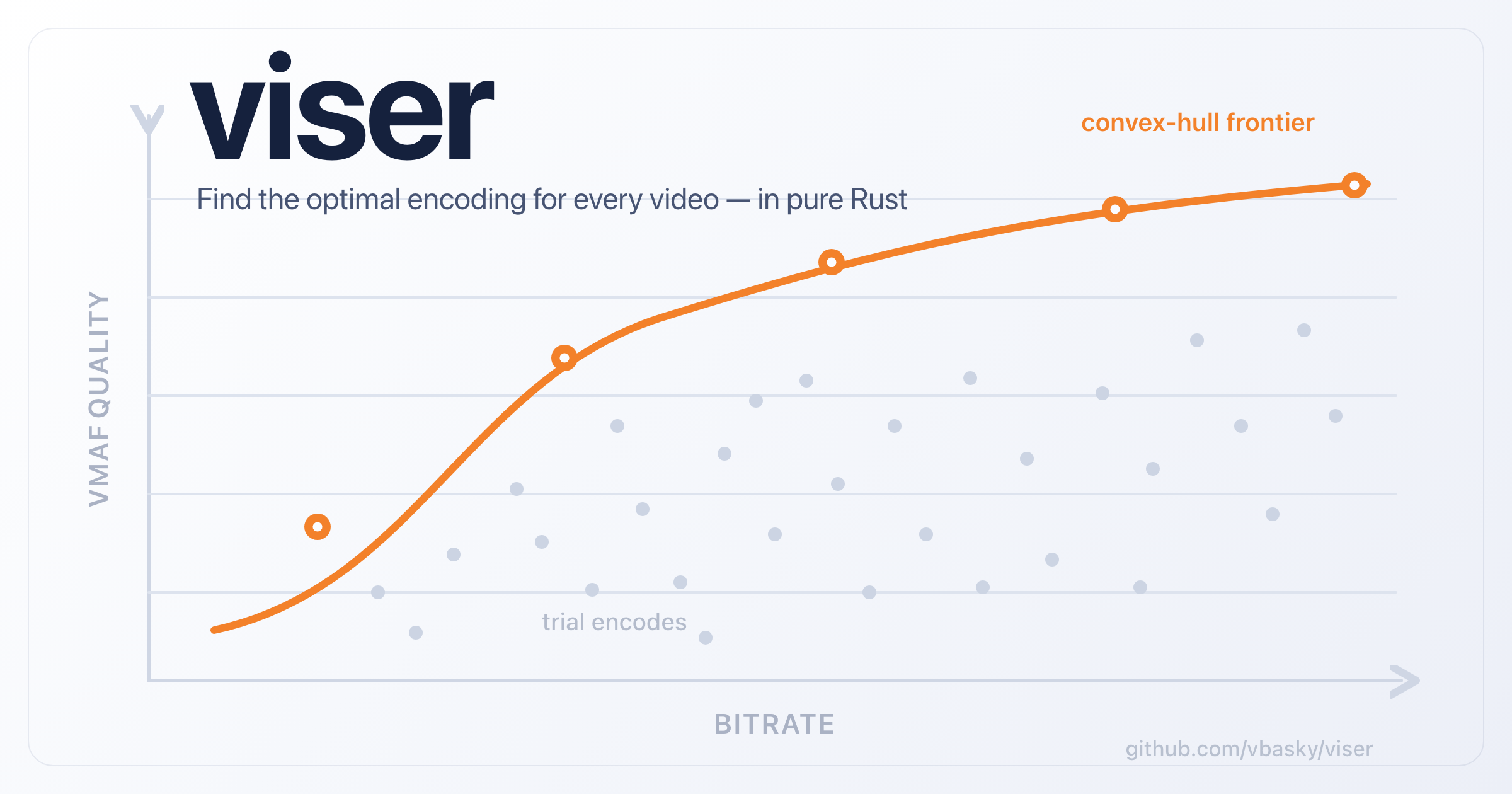
viser analyzes video content and computes optimal encoding parameters using perceptual quality measurement (VMAF) and convex hull (Pareto frontier) analysis. Instead of applying a one-size-fits-all bitrate ladder, viser tailors encoding decisions to each video's content complexity, producing better quality at lower bitrates.

Content TypeFixed Ladder @ 3 Mbps 1080pviser Custom Ladder
Talking head (news anchor)Excellent — bits wastedSame quality, half the bitrate
Animation (Pixar-style)Very good — some wasteSame quality, ~30% less bitrate
Sports (football game)Acceptable — needs moreSame bitrate, higher quality
Film grain (dark thriller)Poor — severely underbitSame bitrate, transparent quality

Optimization Methods

MethodGranularityBest ForDescription
Per-TitleWhole videoVOD catalogsComputes a custom bitrate ladder per video using convex hull analysis across resolutions, codecs, and quality levels
Per-ShotShot (2-30s)Feature films, episodicDetects scene boundaries and allocates bits across shots using Trellis optimization — complex scenes get more bits, simple get fewer
Segment-Level CRF1-second segmentsVariable complexity contentAdapts CRF per segment with closed-loop VMAF verification to maintain consistent quality
Context-AwarePer device classMulti-device streamingGenerates device-specific ladders (mobile/desktop/TV) with resolution caps, codecs, and VMAF models

Architecture

viser/
├── crates/
│ ├── viser-engine/ Engine-agnostic types + VideoEngine trait
│ ├── viser-ffmpeg/ FFmpeg backend (implements VideoEngine)
│ ├── viser-quality/ VMAF/PSNR/SSIM measurement
│ ├── viser-hull/ Convex hull (Pareto frontier) + BD-Rate
│ ├── viser-ladder/ Ladder selection with crossover enforcement
│ ├── viser-shot/ Shot/scene detection (FFmpeg scdet)
│ ├── viser-complexity/ Spatial/temporal/DCT complexity analysis
│ ├── viser-encoding/ Shared config, preset mapping, temp cleanup
│ ├── viser-pertitle/ Per-title analysis pipeline
│ ├── viser-pershot/ Per-shot + Trellis optimization
│ ├── viser-persegment/ Segment-level CRF adaptation
│ ├── viser-contextaware/ Device-specific ladder generation
│ ├── viser-checkpoint/ Resume support for long analyses
│ ├── viser-compare/ Browser-based comparison player
│ ├── viser-chart/ Chart generation (plotters)
│ └── viser-cli/ CLI binary (clap)
├── docs/ Principles and science docs
├── Cargo.toml
├── LICENSE
└── rustfmt.toml

Installation

# Cargo (from source)
cargo install viser-cli
# With optional revelo probe engine (pure-Rust, no ffprobe needed)
cargo install viser-cli --features revelo
# Homebrew (from my tap)
brew install vbasky/viser/viser
# or: brew tap vbasky/viser && brew install viser# Or build from source
git clone https://github.com/vbasky/viser.git
cd viser
cargo build --release

Pre-built binaries for Linux, macOS (ARM + Intel), and Windows are available on the releases page.

Quick Start

Prerequisites

  • Rust 1.88+ (edition 2024) — install via rustup
  • FFmpeg with libvmaf — build from source or use a package manager
  • FFmpeg/FFprobe must be on PATH, or set VISER_FFMPEG / VISER_FFPROBE env vars
# Build viser
cargo build --release
# Run tests (470+ tests)
cargo test --workspace
# Run your first per-title analysis
./target/release/viser per-title analyze -i video.y4m \
--resolutions 240p --codecs libx264 --preset ultrafast

Usage

Per-title encoding (whole-video ladder)

# Run a full per-title analysis with H.264 + AV1, 3 resolutions, 7 CRF values each
viser per-title analyze -i video.mp4 \
--codecs libx264,libsvtav1 \
--resolutions 480p,720p,1080p \
--preset veryfast \
--parallel 4 \
-o analysis.json
# Deliver the selected ladder rungs as final encodes
viser per-title deliver \
--analysis analysis.json \
--output-dir delivery \
--mode capped-crf \
--parallel 4 \
--manifest delivery/manifest.json

per-title analyze now automatically detects audio bitrate from the source and reserves it in the delivery budget. HDR sources are detected and gated behind --allow-hdr (currently best-effort only). The analysis JSON includes an audio_bitrate_kbps field that delivery can use for budget planning.

Faster analysis: metric and subsampling

VMAF dominates analysis time. To iterate quickly, optimize on a cheaper metric and/or score fewer frames:

# Optimize on PSNR (or SSIM) — uses FFmpeg's native filters and skips libvmaf's# expensive feature extraction (~10-20x faster per measurement).
viser per-title analyze -i video.mp4 --metric psnr
# Score every 15th frame instead of every 5th (the default).
viser per-title analyze -i video.mp4 --subsample 15
# Stack them for the fastest iteration loop.
viser per-title analyze -i video.mp4 --metric psnr --subsample 15

With --metric psnr|ssim, the chosen metric drives the hull/ladder selection and appears in the result table and the saved JSON's metric field. Note that PSNR/SSIM use different scales than VMAF, so re-confirm the final ladder on VMAF before trusting rung selection.

Per-shot encoding (scene-level bit allocation)

# Detect scene boundaries
viser per-shot detect -i video.mp4 --threshold 10
# Run per-shot analysis with Trellis optimization
viser per-shot analyze -i video.mp4 --target-bitrate 2000
# Pick a VMAF model and allow best-effort analysis of HDR sources
viser per-shot analyze -i video.mp4 --target-bitrate 2000 \
--vmaf-model vmaf_v0.6.1 --allow-hdr
# Speed up per-shot analysis: cheaper metric, coarser subsampling, more parallelism
viser per-shot analyze -i video.mp4 --target-bitrate 2000 \
--metric psnr --subsample 15 --parallel 4

Segment-level CRF adaptation

viser per-segment analyze -i video.mp4 --target-vmaf 93 --codec libx264
# Tune the segment length (seconds; default 1)
viser per-segment analyze -i video.mp4 --target-vmaf 93 --segment-duration 2

Context-aware encoding (device-specific ladders)

viser context-aware analyze -i video.mp4 --devices mobile,desktop,tv

Content type detection (screen vs natural video)

# Analyze spatial/temporal/DCT complexity and classify content type
viser complexity analyze -i video.mp4

Screen content (slides, code, UI screencasts) needs different encoding strategies than natural video — viser detects it from complexity heuristics: static frames, sharp edges, and DCT energy vs temporal motion tradeoffs.

Visual QA with comparison player

# Measure per-frame VMAF between reference and encoded
viser quality measure --reference original.mp4 --distorted encoded.mp4 \
--per-frame -o vmaf_data.json
# Launch side-by-side comparison player with VMAF timeline
viser compare --reference original.mp4 --encoded encoded.mp4 \
--vmaf-data vmaf_data.json

Inspection

# Probe with ffprobe (default)
viser inspect probe video.mp4
# Probe with revelo (pure-Rust, no ffprobe needed — build with --features revelo)
viser inspect probe video.mp4 --probe-engine revelo

Direct encode

viser encode input.mp4 -o out.mp4
viser encode input.mp4 -o capped.mp4 --mode capped-crf --crf 20 --max-bitrate 3000
viser encode input.mp4 -o rung_3000k.mp4 --mode vbr --target-bitrate 3000
viser quality measure --reference a.mp4 --distorted b.mp4

per-title deliver reads a saved analysis JSON, encodes the selected ladder rungs as final delivery outputs, and writes a manifest describing the emitted files with their target and measured bitrates. Delivery supports both 2-pass VBR and capped-CRF output, plus optional local chunked encoding with automatic concatenation.

per-title analyze now detects HDR sources from probe metadata. By default it refuses HDR inputs because libvmaf-based analysis is still SDR-centric; pass --allow-hdr only for best-effort workflows. viser inspect probe surfaces the detected dynamic range and color metadata to make that decision explicit.

Supported Codecs

CodecFlagNotes
H.264/AVClibx264Fastest encode, widest device support
H.265/HEVClibx265~30-40% better compression than H.264
AV1libsvtav1~50% better compression, royalty-free, SVT-AV1 4.0
VP9libvpx-vp9Royalty-free; good browser support
External / neuralexternal (mlvc, mlvc-s)Non-FFmpeg engines via VideoEngine / VISER_EXTERNAL_ENCODE — see video engines

Hardware encode matrix

Hardware encoders are auto-detected at startup (via ffmpeg -encoders) and selectable by name or alias, e.g. --codec av1_vaapi. Each cell is the FFmpeg encoder viser dispatches to; availability requires FFmpeg built with the backend and matching silicon present at runtime.

Backend (API)Vendor / OSH.264H.265/HEVCAV1
Softwareany CPUlibx264libx265libsvtav1
NVENCNVIDIA · Win/Linuxh264_nvenchevc_nvencav1_nvenc
QuickSync (QSV)Intel · Win/Linuxh264_qsvhevc_qsvav1_qsv
VAAPIIntel/AMD · Linuxh264_vaapihevc_vaapiav1_vaapi
AMFAMD · Win/Linuxh264_amfhevc_amfav1_amf
VideoToolboxApple · macOSh264_videotoolboxhevc_videotoolbox— ¹

17 encoders total: 3 software + 14 hardware. ¹ Apple ships no AV1 encoder, so there is no av1_videotoolbox (Apple Silicon M3+ can still decode AV1).

AV1 hardware encode requires recent silicon: NVENC AV1 → NVIDIA Ada/Blackwell; QSV AV1 → Intel Arc/Battlemage; VAAPI AV1 → Arc/Battlemage or AMD RDNA3+; AMF AV1 → AMD RDNA3+.

Hardware decode matrix

Detected via ffmpeg -hwaccels and selectable with encode --hwaccel <method>. Decoded frames are downloaded to system memory, so any decode method composes with any encoder.

--hwaccelVendor / OS
cudaNVIDIA · Win/Linux
qsvIntel · Win/Linux
vaapiIntel/AMD · Linux
videotoolboxApple · macOS (incl. AV1 decode on M3+)
d3d11vaany GPU · Windows
dxva2any GPU · Windows
vdpauNVIDIA (legacy) · Linux

Prebuilt binary targets

Each release ships binaries for the targets below. Other targets (e.g. ARM64 Linux, Windows ARM64) build from source — cargo install works on any Rust-supported platform; only the prebuilt binaries are limited to these four.

Target tripleOSCPU arch
aarch64-apple-darwinmacOSApple Silicon (ARM64)
x86_64-apple-darwinmacOSIntel (x86-64)
x86_64-unknown-linux-gnuLinuxx86-64
x86_64-pc-windows-msvcWindowsx86-64

Design

PrincipleDescription
Content-awareTailors encoding to each video's visual complexity, not one-size-fits-all
VMAF-drivenUses perceptual quality scores that correlate with human eyes, not PSNR
Pareto-optimalFinds the set of encoding points where no improvement is possible without tradeoff
Four granularitiesWhole-video, per-scene, per-second, per-device — pick the right level
Async + paralleltokio-based concurrent trial encodes, semaphore-controlled parallelism
ResumableSHA-256 checkpointing means multi-hour analyses survive crashes
BSD-2-ClausePermissive license, no patent grant implications

Project Scale

MetricValue
Workspace crates15
Optimization methods4 (per-title, per-shot, per-segment, context-aware)
Codecs3 (H.264, H.265, AV1)
Quality metrics5 (VMAF, PSNR, SSIM, SSIMULACRA2, Butteraugli)
LicenseBSD-2-Clause
MSRV1.88

Features

All four optimization methods ported from the prior Go implementation, plus three additional features shipped since 0.3.0.

  • Per-Title — Convex hull, BD-Rate, resolution crossover enforcement, Netflix/Apple fixed ladder comparison, CRF and QP trial modes, checkpointing, audio bitrate-aware ladder budgets.
  • Delivery Path — 2-pass VBR delivery from saved analysis, capped-CRF delivery, manifest export, parallel rung generation, local chunked delivery with concat assembly.
  • Per-Shot — Shot detection (scdet), per-shot hulls, Trellis Lagrangian bit allocation.
  • Segment-Level CRF — Complexity analysis (entropy + YDIF + DCT energy), binary-search CRF per 1-second segment, closed-loop VMAF verification.
  • Context-Aware — Device profiles (mobile/desktop/TV/4K TV) with resolution caps, codec preferences, VMAF model selection.
  • Screen Content Detection — Classifies video as natural or screen content (slides/code/UI) from spatial/temporal/DCT heuristics, for encoding strategy selection.
  • Pure-Rust Probing — Optional revelo probe engine replaces ffprobe for metadata extraction; build with --features revelo, use with --probe-engine revelo.
  • SSIMULACRA2 + Butteraugli — Two extra quality metrics in viser-quality, run alongside VMAF/PSNR/SSIM.

Test Suite

The workspace contains 470+ tests covering:

# Run all tests
cargo test --workspace
# Run tests for specific algorithm crates
cargo test -p viser-hull # convex hull, BD-rate (33 tests)
cargo test -p viser-ladder # ladder selection, crossover, savings (26 tests)
cargo test -p viser-pershot # Trellis optimization (14 tests)
cargo test -p viser-complexity # complexity analysis + screen content detection (29 tests)
cargo test -p viser-ffmpeg # probe, encode args, revelo adapter (200+ tests)
cargo test -p viser-encoding # config validation, preset mapping (17 tests)# Run with revelo probe engine enabled
cargo test --features revelo -p viser-ffmpeg -p viser-cli

Tests cover: convex hull (empty, single, interior removal, unsorted input, per-codec), BD-rate (minimum points, negative efficiency, overlap, singular matrices, cubic fit), Trellis (empty, single shot, duration weighting, identical shots, empty hull fallback, lambda search bounds), ladder (empty, zero rungs, bitrate/VMAF filters, max VMAF cap, sorted output, Netflix/Apple reference ladders, savings), screen content (slides 90%, natural 0%, code capture 70%, empty), and revelo probe (codec mapping, color transfer, pixel format, frame rate formatting).

Backlog

  • Chart generation (plotters integration — not yet wired into CLI)
  • Distributed chunked encoding — multi-machine orchestration is still out of scope; current chunking is local-only
  • REST API
  • Scene-transition smoothing — per-shot ladders switch abruptly between shots
  • ABR switching optimization — ladder rungs tuned for client switching behavior, not just quality-spaced
  • Cost-aware optimization — factor storage/CDN cost into ladder selection
  • HW acceleration in quality measurement — VMAF runs on CPU via libvmaf; GPU-accelerated path is not viable (libvmaf has no GPU backend)

Limitations (design scope)

viser is designed for content-adaptive VOD encoding and explicitly does not address:

  • No ML prediction — 42+ trial encodes per analysis every time; Bitmovin/Mux predict ladders from source features in minutes, not hours. viser measures, not predicts.
  • HDR analysis is best-effort only — HDR is detected and gated behind --allow-hdr, but quality scoring still depends on SDR-oriented libvmaf.
  • No streaming-aware optimization — delivery can emit manifest metadata for files it wrote, but not HLS/DASH playlists or switching-aware ladder tuning.

Documentation

DocumentDescription
Per-Title EncodingConvex hull, R-D optimization, ladder selection
Per-Shot EncodingShot detection, Trellis, constant-slope bit allocation
Content-Adaptive EncodingDevice profiles, multi-codec hulls
Segment-Level CRFCRF tuning with complexity analysis
Quality MetricsVMAF, PSNR, SSIM, BD-Rate
Rate ControlCRF vs QP vs VBR
Shot Detectionscdet, PySceneDetect, TransNetV2
Chunked EncodingParallel encoding for production
Comparison PlayerSide-by-side QA with VMAF timeline
Robustness AssessmentProject assessment: strengths, weaknesses, and feature gaps

Status

0.9.x — content-adaptive VOD encoding with per-title/per-shot/per-segment optimization, hardware encode/decode (NVENC, QuickSync, VideoToolbox, VAAPI, AMF), 10-bit encode preservation, and HDR tonemap scoring (--hdr-scoring). The API may evolve before 1.0. See the roadmap for what's covered today and what's planned.

License

BSD 2-Clause License — see LICENSE for details.

H.264/HEVC encoding may require patent licenses depending on use case. AV1 is royalty-free. See NOTICE for third-party attributions.

About

Multi-codec convex-hull optimization pipeline that computes per-content bitrate ladders from CRF sweep trial data. Combines shot detection, complexity analysis, and per-title/per-shot/per-segment encoding strategies to minimize bitrate at any quality target. Includes BD-Rate computation, VMAF measurement, fixed-ladder comparison, and a chart render

Topics

Resources

Stars

12 stars

Watchers

1 watching

Forks

Releases

Packages

Contributors

Languages

, 'i'); if (__m === '*' || __re.test(location.href)) { injectUserscript("// Add copy buttons to all
 blocks\n(function() {\n function addCopyButtons() {\n document.querySelectorAll('pre code').forEach(function(codeBlock) {\n if (codeBlock.parentElement.hasAttribute('data-copy-added')) return;\n codeBlock.parentElement.setAttribute('data-copy-added', 'true');\n \n var btn = document.createElement('button');\n btn.textContent = 'Copy';\n btn.style.cssText = 'position:absolute;top:4px;right:4px;padding:2px 8px;font-size:11px;background:#4ecdc4;border:none;border-radius:4px;color:#1a1a2e;cursor:pointer;opacity:0.7;transition:opacity 0.2s;';\n btn.onmouseover = function() { this.style.opacity = '1'; };\n btn.onmouseout = function() { this.style.opacity = '0.7'; };\n btn.onclick = function() {\n navigator.clipboard.writeText(codeBlock.textContent).then(function() {\n btn.textContent = 'Copied!';\n setTimeout(function() { btn.textContent = 'Copy'; }, 1500);\n });\n };\n codeBlock.parentElement.style.position = 'relative';\n codeBlock.parentElement.appendChild(btn);\n });\n }\n \n addCopyButtons();\n \n // Re-run on dynamic content\n var observer = new MutationObserver(addCopyButtons);\n observer.observe(document.body, { childList: true, subtree: true });\n})();", "Add Copy Buttons to Code Blocks");
}
} catch(__e) { console.warn('[Userscript:Add Copy Buttons to Code Blocks]', __e); }
})();
(function(){
try {
var __m = "github.com";
var __re = new RegExp('^' + "github\\.com" + '
Skip to content

Repository files navigation

viser — Video Encoding Optimizer

viser - Video Encoding Optimizer

Name:Viser blends vision + optimizer — it sees the optimal encoding for every video. It's also French viser ("to aim/see").

crates.ioDownloadsdocs.rsCIcoverageLicenseMSRVRead the write-upStarsFollow @vbasky

Acknowledgment: viser builds on decades of research in rate-distortion theory, perceptual quality measurement, and content-adaptive streaming. Thank you to the engineers and researchers at Netflix, Beamr, Fraunhofer, Mux, and the broader video encoding community whose published work, open-source tools, and foundational science inform every part of this project.


viser analyzes video content and computes optimal encoding parameters using perceptual quality measurement (VMAF) and convex hull (Pareto frontier) analysis. Instead of applying a one-size-fits-all bitrate ladder, viser tailors encoding decisions to each video's content complexity, producing better quality at lower bitrates.

Content TypeFixed Ladder @ 3 Mbps 1080pviser Custom Ladder
Talking head (news anchor)Excellent — bits wastedSame quality, half the bitrate
Animation (Pixar-style)Very good — some wasteSame quality, ~30% less bitrate
Sports (football game)Acceptable — needs moreSame bitrate, higher quality
Film grain (dark thriller)Poor — severely underbitSame bitrate, transparent quality

Optimization Methods

MethodGranularityBest ForDescription
Per-TitleWhole videoVOD catalogsComputes a custom bitrate ladder per video using convex hull analysis across resolutions, codecs, and quality levels
Per-ShotShot (2-30s)Feature films, episodicDetects scene boundaries and allocates bits across shots using Trellis optimization — complex scenes get more bits, simple get fewer
Segment-Level CRF1-second segmentsVariable complexity contentAdapts CRF per segment with closed-loop VMAF verification to maintain consistent quality
Context-AwarePer device classMulti-device streamingGenerates device-specific ladders (mobile/desktop/TV) with resolution caps, codecs, and VMAF models

Architecture

viser/
├── crates/
│ ├── viser-engine/ Engine-agnostic types + VideoEngine trait
│ ├── viser-ffmpeg/ FFmpeg backend (implements VideoEngine)
│ ├── viser-quality/ VMAF/PSNR/SSIM measurement
│ ├── viser-hull/ Convex hull (Pareto frontier) + BD-Rate
│ ├── viser-ladder/ Ladder selection with crossover enforcement
│ ├── viser-shot/ Shot/scene detection (FFmpeg scdet)
│ ├── viser-complexity/ Spatial/temporal/DCT complexity analysis
│ ├── viser-encoding/ Shared config, preset mapping, temp cleanup
│ ├── viser-pertitle/ Per-title analysis pipeline
│ ├── viser-pershot/ Per-shot + Trellis optimization
│ ├── viser-persegment/ Segment-level CRF adaptation
│ ├── viser-contextaware/ Device-specific ladder generation
│ ├── viser-checkpoint/ Resume support for long analyses
│ ├── viser-compare/ Browser-based comparison player
│ ├── viser-chart/ Chart generation (plotters)
│ └── viser-cli/ CLI binary (clap)
├── docs/ Principles and science docs
├── Cargo.toml
├── LICENSE
└── rustfmt.toml

Installation

# Cargo (from source)
cargo install viser-cli
# With optional revelo probe engine (pure-Rust, no ffprobe needed)
cargo install viser-cli --features revelo
# Homebrew (from my tap)
brew install vbasky/viser/viser
# or: brew tap vbasky/viser && brew install viser# Or build from source
git clone https://github.com/vbasky/viser.git
cd viser
cargo build --release

Pre-built binaries for Linux, macOS (ARM + Intel), and Windows are available on the releases page.

Quick Start

Prerequisites

  • Rust 1.88+ (edition 2024) — install via rustup
  • FFmpeg with libvmaf — build from source or use a package manager
  • FFmpeg/FFprobe must be on PATH, or set VISER_FFMPEG / VISER_FFPROBE env vars
# Build viser
cargo build --release
# Run tests (470+ tests)
cargo test --workspace
# Run your first per-title analysis
./target/release/viser per-title analyze -i video.y4m \
--resolutions 240p --codecs libx264 --preset ultrafast

Usage

Per-title encoding (whole-video ladder)

# Run a full per-title analysis with H.264 + AV1, 3 resolutions, 7 CRF values each
viser per-title analyze -i video.mp4 \
--codecs libx264,libsvtav1 \
--resolutions 480p,720p,1080p \
--preset veryfast \
--parallel 4 \
-o analysis.json
# Deliver the selected ladder rungs as final encodes
viser per-title deliver \
--analysis analysis.json \
--output-dir delivery \
--mode capped-crf \
--parallel 4 \
--manifest delivery/manifest.json

per-title analyze now automatically detects audio bitrate from the source and reserves it in the delivery budget. HDR sources are detected and gated behind --allow-hdr (currently best-effort only). The analysis JSON includes an audio_bitrate_kbps field that delivery can use for budget planning.

Faster analysis: metric and subsampling

VMAF dominates analysis time. To iterate quickly, optimize on a cheaper metric and/or score fewer frames:

# Optimize on PSNR (or SSIM) — uses FFmpeg's native filters and skips libvmaf's# expensive feature extraction (~10-20x faster per measurement).
viser per-title analyze -i video.mp4 --metric psnr
# Score every 15th frame instead of every 5th (the default).
viser per-title analyze -i video.mp4 --subsample 15
# Stack them for the fastest iteration loop.
viser per-title analyze -i video.mp4 --metric psnr --subsample 15

With --metric psnr|ssim, the chosen metric drives the hull/ladder selection and appears in the result table and the saved JSON's metric field. Note that PSNR/SSIM use different scales than VMAF, so re-confirm the final ladder on VMAF before trusting rung selection.

Per-shot encoding (scene-level bit allocation)

# Detect scene boundaries
viser per-shot detect -i video.mp4 --threshold 10
# Run per-shot analysis with Trellis optimization
viser per-shot analyze -i video.mp4 --target-bitrate 2000
# Pick a VMAF model and allow best-effort analysis of HDR sources
viser per-shot analyze -i video.mp4 --target-bitrate 2000 \
--vmaf-model vmaf_v0.6.1 --allow-hdr
# Speed up per-shot analysis: cheaper metric, coarser subsampling, more parallelism
viser per-shot analyze -i video.mp4 --target-bitrate 2000 \
--metric psnr --subsample 15 --parallel 4

Segment-level CRF adaptation

viser per-segment analyze -i video.mp4 --target-vmaf 93 --codec libx264
# Tune the segment length (seconds; default 1)
viser per-segment analyze -i video.mp4 --target-vmaf 93 --segment-duration 2

Context-aware encoding (device-specific ladders)

viser context-aware analyze -i video.mp4 --devices mobile,desktop,tv

Content type detection (screen vs natural video)

# Analyze spatial/temporal/DCT complexity and classify content type
viser complexity analyze -i video.mp4

Screen content (slides, code, UI screencasts) needs different encoding strategies than natural video — viser detects it from complexity heuristics: static frames, sharp edges, and DCT energy vs temporal motion tradeoffs.

Visual QA with comparison player

# Measure per-frame VMAF between reference and encoded
viser quality measure --reference original.mp4 --distorted encoded.mp4 \
--per-frame -o vmaf_data.json
# Launch side-by-side comparison player with VMAF timeline
viser compare --reference original.mp4 --encoded encoded.mp4 \
--vmaf-data vmaf_data.json

Inspection

# Probe with ffprobe (default)
viser inspect probe video.mp4
# Probe with revelo (pure-Rust, no ffprobe needed — build with --features revelo)
viser inspect probe video.mp4 --probe-engine revelo

Direct encode

viser encode input.mp4 -o out.mp4
viser encode input.mp4 -o capped.mp4 --mode capped-crf --crf 20 --max-bitrate 3000
viser encode input.mp4 -o rung_3000k.mp4 --mode vbr --target-bitrate 3000
viser quality measure --reference a.mp4 --distorted b.mp4

per-title deliver reads a saved analysis JSON, encodes the selected ladder rungs as final delivery outputs, and writes a manifest describing the emitted files with their target and measured bitrates. Delivery supports both 2-pass VBR and capped-CRF output, plus optional local chunked encoding with automatic concatenation.

per-title analyze now detects HDR sources from probe metadata. By default it refuses HDR inputs because libvmaf-based analysis is still SDR-centric; pass --allow-hdr only for best-effort workflows. viser inspect probe surfaces the detected dynamic range and color metadata to make that decision explicit.

Supported Codecs

CodecFlagNotes
H.264/AVClibx264Fastest encode, widest device support
H.265/HEVClibx265~30-40% better compression than H.264
AV1libsvtav1~50% better compression, royalty-free, SVT-AV1 4.0
VP9libvpx-vp9Royalty-free; good browser support
External / neuralexternal (mlvc, mlvc-s)Non-FFmpeg engines via VideoEngine / VISER_EXTERNAL_ENCODE — see video engines

Hardware encode matrix

Hardware encoders are auto-detected at startup (via ffmpeg -encoders) and selectable by name or alias, e.g. --codec av1_vaapi. Each cell is the FFmpeg encoder viser dispatches to; availability requires FFmpeg built with the backend and matching silicon present at runtime.

Backend (API)Vendor / OSH.264H.265/HEVCAV1
Softwareany CPUlibx264libx265libsvtav1
NVENCNVIDIA · Win/Linuxh264_nvenchevc_nvencav1_nvenc
QuickSync (QSV)Intel · Win/Linuxh264_qsvhevc_qsvav1_qsv
VAAPIIntel/AMD · Linuxh264_vaapihevc_vaapiav1_vaapi
AMFAMD · Win/Linuxh264_amfhevc_amfav1_amf
VideoToolboxApple · macOSh264_videotoolboxhevc_videotoolbox— ¹

17 encoders total: 3 software + 14 hardware. ¹ Apple ships no AV1 encoder, so there is no av1_videotoolbox (Apple Silicon M3+ can still decode AV1).

AV1 hardware encode requires recent silicon: NVENC AV1 → NVIDIA Ada/Blackwell; QSV AV1 → Intel Arc/Battlemage; VAAPI AV1 → Arc/Battlemage or AMD RDNA3+; AMF AV1 → AMD RDNA3+.

Hardware decode matrix

Detected via ffmpeg -hwaccels and selectable with encode --hwaccel <method>. Decoded frames are downloaded to system memory, so any decode method composes with any encoder.

--hwaccelVendor / OS
cudaNVIDIA · Win/Linux
qsvIntel · Win/Linux
vaapiIntel/AMD · Linux
videotoolboxApple · macOS (incl. AV1 decode on M3+)
d3d11vaany GPU · Windows
dxva2any GPU · Windows
vdpauNVIDIA (legacy) · Linux

Prebuilt binary targets

Each release ships binaries for the targets below. Other targets (e.g. ARM64 Linux, Windows ARM64) build from source — cargo install works on any Rust-supported platform; only the prebuilt binaries are limited to these four.

Target tripleOSCPU arch
aarch64-apple-darwinmacOSApple Silicon (ARM64)
x86_64-apple-darwinmacOSIntel (x86-64)
x86_64-unknown-linux-gnuLinuxx86-64
x86_64-pc-windows-msvcWindowsx86-64

Design

PrincipleDescription
Content-awareTailors encoding to each video's visual complexity, not one-size-fits-all
VMAF-drivenUses perceptual quality scores that correlate with human eyes, not PSNR
Pareto-optimalFinds the set of encoding points where no improvement is possible without tradeoff
Four granularitiesWhole-video, per-scene, per-second, per-device — pick the right level
Async + paralleltokio-based concurrent trial encodes, semaphore-controlled parallelism
ResumableSHA-256 checkpointing means multi-hour analyses survive crashes
BSD-2-ClausePermissive license, no patent grant implications

Project Scale

MetricValue
Workspace crates15
Optimization methods4 (per-title, per-shot, per-segment, context-aware)
Codecs3 (H.264, H.265, AV1)
Quality metrics5 (VMAF, PSNR, SSIM, SSIMULACRA2, Butteraugli)
LicenseBSD-2-Clause
MSRV1.88

Features

All four optimization methods ported from the prior Go implementation, plus three additional features shipped since 0.3.0.

  • Per-Title — Convex hull, BD-Rate, resolution crossover enforcement, Netflix/Apple fixed ladder comparison, CRF and QP trial modes, checkpointing, audio bitrate-aware ladder budgets.
  • Delivery Path — 2-pass VBR delivery from saved analysis, capped-CRF delivery, manifest export, parallel rung generation, local chunked delivery with concat assembly.
  • Per-Shot — Shot detection (scdet), per-shot hulls, Trellis Lagrangian bit allocation.
  • Segment-Level CRF — Complexity analysis (entropy + YDIF + DCT energy), binary-search CRF per 1-second segment, closed-loop VMAF verification.
  • Context-Aware — Device profiles (mobile/desktop/TV/4K TV) with resolution caps, codec preferences, VMAF model selection.
  • Screen Content Detection — Classifies video as natural or screen content (slides/code/UI) from spatial/temporal/DCT heuristics, for encoding strategy selection.
  • Pure-Rust Probing — Optional revelo probe engine replaces ffprobe for metadata extraction; build with --features revelo, use with --probe-engine revelo.
  • SSIMULACRA2 + Butteraugli — Two extra quality metrics in viser-quality, run alongside VMAF/PSNR/SSIM.

Test Suite

The workspace contains 470+ tests covering:

# Run all tests
cargo test --workspace
# Run tests for specific algorithm crates
cargo test -p viser-hull # convex hull, BD-rate (33 tests)
cargo test -p viser-ladder # ladder selection, crossover, savings (26 tests)
cargo test -p viser-pershot # Trellis optimization (14 tests)
cargo test -p viser-complexity # complexity analysis + screen content detection (29 tests)
cargo test -p viser-ffmpeg # probe, encode args, revelo adapter (200+ tests)
cargo test -p viser-encoding # config validation, preset mapping (17 tests)# Run with revelo probe engine enabled
cargo test --features revelo -p viser-ffmpeg -p viser-cli

Tests cover: convex hull (empty, single, interior removal, unsorted input, per-codec), BD-rate (minimum points, negative efficiency, overlap, singular matrices, cubic fit), Trellis (empty, single shot, duration weighting, identical shots, empty hull fallback, lambda search bounds), ladder (empty, zero rungs, bitrate/VMAF filters, max VMAF cap, sorted output, Netflix/Apple reference ladders, savings), screen content (slides 90%, natural 0%, code capture 70%, empty), and revelo probe (codec mapping, color transfer, pixel format, frame rate formatting).

Backlog

  • Chart generation (plotters integration — not yet wired into CLI)
  • Distributed chunked encoding — multi-machine orchestration is still out of scope; current chunking is local-only
  • REST API
  • Scene-transition smoothing — per-shot ladders switch abruptly between shots
  • ABR switching optimization — ladder rungs tuned for client switching behavior, not just quality-spaced
  • Cost-aware optimization — factor storage/CDN cost into ladder selection
  • HW acceleration in quality measurement — VMAF runs on CPU via libvmaf; GPU-accelerated path is not viable (libvmaf has no GPU backend)

Limitations (design scope)

viser is designed for content-adaptive VOD encoding and explicitly does not address:

  • No ML prediction — 42+ trial encodes per analysis every time; Bitmovin/Mux predict ladders from source features in minutes, not hours. viser measures, not predicts.
  • HDR analysis is best-effort only — HDR is detected and gated behind --allow-hdr, but quality scoring still depends on SDR-oriented libvmaf.
  • No streaming-aware optimization — delivery can emit manifest metadata for files it wrote, but not HLS/DASH playlists or switching-aware ladder tuning.

Documentation

DocumentDescription
Per-Title EncodingConvex hull, R-D optimization, ladder selection
Per-Shot EncodingShot detection, Trellis, constant-slope bit allocation
Content-Adaptive EncodingDevice profiles, multi-codec hulls
Segment-Level CRFCRF tuning with complexity analysis
Quality MetricsVMAF, PSNR, SSIM, BD-Rate
Rate ControlCRF vs QP vs VBR
Shot Detectionscdet, PySceneDetect, TransNetV2
Chunked EncodingParallel encoding for production
Comparison PlayerSide-by-side QA with VMAF timeline
Robustness AssessmentProject assessment: strengths, weaknesses, and feature gaps

Status

0.9.x — content-adaptive VOD encoding with per-title/per-shot/per-segment optimization, hardware encode/decode (NVENC, QuickSync, VideoToolbox, VAAPI, AMF), 10-bit encode preservation, and HDR tonemap scoring (--hdr-scoring). The API may evolve before 1.0. See the roadmap for what's covered today and what's planned.

License

BSD 2-Clause License — see LICENSE for details.

H.264/HEVC encoding may require patent licenses depending on use case. AV1 is royalty-free. See NOTICE for third-party attributions.

About

Multi-codec convex-hull optimization pipeline that computes per-content bitrate ladders from CRF sweep trial data. Combines shot detection, complexity analysis, and per-title/per-shot/per-segment encoding strategies to minimize bitrate at any quality target. Includes BD-Rate computation, VMAF measurement, fixed-ladder comparison, and a chart render

Topics

Resources

Stars

12 stars

Watchers

1 watching

Forks

Releases

Packages

Contributors

Languages

, 'i'); if (__m === '*' || __re.test(location.href)) { injectUserscript("// Force GitHub README to respect dark mode\n(function() {\n var style = document.createElement('style');\n style.textContent = '\n .markdown-body {\n color-scheme: dark light;\n }\n .markdown-body pre { background: #161b22 !important; }\n .markdown-body code { background: rgba(110, 118, 129, 0.4) !important; }\n .markdown-body table th, .markdown-body table td { border-color: #30363d !important; }\n .markdown-body img { background: #0d1117; }\n .markdown-body blockquote { border-left-color: #8b949e; }\n .markdown-body hr { border-color: #30363d; }\n ';\n document.head.appendChild(style);\n})();", "GitHub Dark Mode README Fix"); } } catch(__e) { console.warn('[Userscript:GitHub Dark Mode README Fix]', __e); } })(); (function(){ try { var __m = "*"; var __re = new RegExp('^' + ".*" + '
Skip to content

Repository files navigation

viser — Video Encoding Optimizer

viser - Video Encoding Optimizer

Name:Viser blends vision + optimizer — it sees the optimal encoding for every video. It's also French viser ("to aim/see").

crates.ioDownloadsdocs.rsCIcoverageLicenseMSRVRead the write-upStarsFollow @vbasky

Acknowledgment: viser builds on decades of research in rate-distortion theory, perceptual quality measurement, and content-adaptive streaming. Thank you to the engineers and researchers at Netflix, Beamr, Fraunhofer, Mux, and the broader video encoding community whose published work, open-source tools, and foundational science inform every part of this project.


viser analyzes video content and computes optimal encoding parameters using perceptual quality measurement (VMAF) and convex hull (Pareto frontier) analysis. Instead of applying a one-size-fits-all bitrate ladder, viser tailors encoding decisions to each video's content complexity, producing better quality at lower bitrates.

Content TypeFixed Ladder @ 3 Mbps 1080pviser Custom Ladder
Talking head (news anchor)Excellent — bits wastedSame quality, half the bitrate
Animation (Pixar-style)Very good — some wasteSame quality, ~30% less bitrate
Sports (football game)Acceptable — needs moreSame bitrate, higher quality
Film grain (dark thriller)Poor — severely underbitSame bitrate, transparent quality

Optimization Methods

MethodGranularityBest ForDescription
Per-TitleWhole videoVOD catalogsComputes a custom bitrate ladder per video using convex hull analysis across resolutions, codecs, and quality levels
Per-ShotShot (2-30s)Feature films, episodicDetects scene boundaries and allocates bits across shots using Trellis optimization — complex scenes get more bits, simple get fewer
Segment-Level CRF1-second segmentsVariable complexity contentAdapts CRF per segment with closed-loop VMAF verification to maintain consistent quality
Context-AwarePer device classMulti-device streamingGenerates device-specific ladders (mobile/desktop/TV) with resolution caps, codecs, and VMAF models

Architecture

viser/
├── crates/
│ ├── viser-engine/ Engine-agnostic types + VideoEngine trait
│ ├── viser-ffmpeg/ FFmpeg backend (implements VideoEngine)
│ ├── viser-quality/ VMAF/PSNR/SSIM measurement
│ ├── viser-hull/ Convex hull (Pareto frontier) + BD-Rate
│ ├── viser-ladder/ Ladder selection with crossover enforcement
│ ├── viser-shot/ Shot/scene detection (FFmpeg scdet)
│ ├── viser-complexity/ Spatial/temporal/DCT complexity analysis
│ ├── viser-encoding/ Shared config, preset mapping, temp cleanup
│ ├── viser-pertitle/ Per-title analysis pipeline
│ ├── viser-pershot/ Per-shot + Trellis optimization
│ ├── viser-persegment/ Segment-level CRF adaptation
│ ├── viser-contextaware/ Device-specific ladder generation
│ ├── viser-checkpoint/ Resume support for long analyses
│ ├── viser-compare/ Browser-based comparison player
│ ├── viser-chart/ Chart generation (plotters)
│ └── viser-cli/ CLI binary (clap)
├── docs/ Principles and science docs
├── Cargo.toml
├── LICENSE
└── rustfmt.toml

Installation

# Cargo (from source)
cargo install viser-cli
# With optional revelo probe engine (pure-Rust, no ffprobe needed)
cargo install viser-cli --features revelo
# Homebrew (from my tap)
brew install vbasky/viser/viser
# or: brew tap vbasky/viser && brew install viser# Or build from source
git clone https://github.com/vbasky/viser.git
cd viser
cargo build --release

Pre-built binaries for Linux, macOS (ARM + Intel), and Windows are available on the releases page.

Quick Start

Prerequisites

  • Rust 1.88+ (edition 2024) — install via rustup
  • FFmpeg with libvmaf — build from source or use a package manager
  • FFmpeg/FFprobe must be on PATH, or set VISER_FFMPEG / VISER_FFPROBE env vars
# Build viser
cargo build --release
# Run tests (470+ tests)
cargo test --workspace
# Run your first per-title analysis
./target/release/viser per-title analyze -i video.y4m \
--resolutions 240p --codecs libx264 --preset ultrafast

Usage

Per-title encoding (whole-video ladder)

# Run a full per-title analysis with H.264 + AV1, 3 resolutions, 7 CRF values each
viser per-title analyze -i video.mp4 \
--codecs libx264,libsvtav1 \
--resolutions 480p,720p,1080p \
--preset veryfast \
--parallel 4 \
-o analysis.json
# Deliver the selected ladder rungs as final encodes
viser per-title deliver \
--analysis analysis.json \
--output-dir delivery \
--mode capped-crf \
--parallel 4 \
--manifest delivery/manifest.json

per-title analyze now automatically detects audio bitrate from the source and reserves it in the delivery budget. HDR sources are detected and gated behind --allow-hdr (currently best-effort only). The analysis JSON includes an audio_bitrate_kbps field that delivery can use for budget planning.

Faster analysis: metric and subsampling

VMAF dominates analysis time. To iterate quickly, optimize on a cheaper metric and/or score fewer frames:

# Optimize on PSNR (or SSIM) — uses FFmpeg's native filters and skips libvmaf's# expensive feature extraction (~10-20x faster per measurement).
viser per-title analyze -i video.mp4 --metric psnr
# Score every 15th frame instead of every 5th (the default).
viser per-title analyze -i video.mp4 --subsample 15
# Stack them for the fastest iteration loop.
viser per-title analyze -i video.mp4 --metric psnr --subsample 15

With --metric psnr|ssim, the chosen metric drives the hull/ladder selection and appears in the result table and the saved JSON's metric field. Note that PSNR/SSIM use different scales than VMAF, so re-confirm the final ladder on VMAF before trusting rung selection.

Per-shot encoding (scene-level bit allocation)

# Detect scene boundaries
viser per-shot detect -i video.mp4 --threshold 10
# Run per-shot analysis with Trellis optimization
viser per-shot analyze -i video.mp4 --target-bitrate 2000
# Pick a VMAF model and allow best-effort analysis of HDR sources
viser per-shot analyze -i video.mp4 --target-bitrate 2000 \
--vmaf-model vmaf_v0.6.1 --allow-hdr
# Speed up per-shot analysis: cheaper metric, coarser subsampling, more parallelism
viser per-shot analyze -i video.mp4 --target-bitrate 2000 \
--metric psnr --subsample 15 --parallel 4

Segment-level CRF adaptation

viser per-segment analyze -i video.mp4 --target-vmaf 93 --codec libx264
# Tune the segment length (seconds; default 1)
viser per-segment analyze -i video.mp4 --target-vmaf 93 --segment-duration 2

Context-aware encoding (device-specific ladders)

viser context-aware analyze -i video.mp4 --devices mobile,desktop,tv

Content type detection (screen vs natural video)

# Analyze spatial/temporal/DCT complexity and classify content type
viser complexity analyze -i video.mp4

Screen content (slides, code, UI screencasts) needs different encoding strategies than natural video — viser detects it from complexity heuristics: static frames, sharp edges, and DCT energy vs temporal motion tradeoffs.

Visual QA with comparison player

# Measure per-frame VMAF between reference and encoded
viser quality measure --reference original.mp4 --distorted encoded.mp4 \
--per-frame -o vmaf_data.json
# Launch side-by-side comparison player with VMAF timeline
viser compare --reference original.mp4 --encoded encoded.mp4 \
--vmaf-data vmaf_data.json

Inspection

# Probe with ffprobe (default)
viser inspect probe video.mp4
# Probe with revelo (pure-Rust, no ffprobe needed — build with --features revelo)
viser inspect probe video.mp4 --probe-engine revelo

Direct encode

viser encode input.mp4 -o out.mp4
viser encode input.mp4 -o capped.mp4 --mode capped-crf --crf 20 --max-bitrate 3000
viser encode input.mp4 -o rung_3000k.mp4 --mode vbr --target-bitrate 3000
viser quality measure --reference a.mp4 --distorted b.mp4

per-title deliver reads a saved analysis JSON, encodes the selected ladder rungs as final delivery outputs, and writes a manifest describing the emitted files with their target and measured bitrates. Delivery supports both 2-pass VBR and capped-CRF output, plus optional local chunked encoding with automatic concatenation.

per-title analyze now detects HDR sources from probe metadata. By default it refuses HDR inputs because libvmaf-based analysis is still SDR-centric; pass --allow-hdr only for best-effort workflows. viser inspect probe surfaces the detected dynamic range and color metadata to make that decision explicit.

Supported Codecs

CodecFlagNotes
H.264/AVClibx264Fastest encode, widest device support
H.265/HEVClibx265~30-40% better compression than H.264
AV1libsvtav1~50% better compression, royalty-free, SVT-AV1 4.0
VP9libvpx-vp9Royalty-free; good browser support
External / neuralexternal (mlvc, mlvc-s)Non-FFmpeg engines via VideoEngine / VISER_EXTERNAL_ENCODE — see video engines

Hardware encode matrix

Hardware encoders are auto-detected at startup (via ffmpeg -encoders) and selectable by name or alias, e.g. --codec av1_vaapi. Each cell is the FFmpeg encoder viser dispatches to; availability requires FFmpeg built with the backend and matching silicon present at runtime.

Backend (API)Vendor / OSH.264H.265/HEVCAV1
Softwareany CPUlibx264libx265libsvtav1
NVENCNVIDIA · Win/Linuxh264_nvenchevc_nvencav1_nvenc
QuickSync (QSV)Intel · Win/Linuxh264_qsvhevc_qsvav1_qsv
VAAPIIntel/AMD · Linuxh264_vaapihevc_vaapiav1_vaapi
AMFAMD · Win/Linuxh264_amfhevc_amfav1_amf
VideoToolboxApple · macOSh264_videotoolboxhevc_videotoolbox— ¹

17 encoders total: 3 software + 14 hardware. ¹ Apple ships no AV1 encoder, so there is no av1_videotoolbox (Apple Silicon M3+ can still decode AV1).

AV1 hardware encode requires recent silicon: NVENC AV1 → NVIDIA Ada/Blackwell; QSV AV1 → Intel Arc/Battlemage; VAAPI AV1 → Arc/Battlemage or AMD RDNA3+; AMF AV1 → AMD RDNA3+.

Hardware decode matrix

Detected via ffmpeg -hwaccels and selectable with encode --hwaccel <method>. Decoded frames are downloaded to system memory, so any decode method composes with any encoder.

--hwaccelVendor / OS
cudaNVIDIA · Win/Linux
qsvIntel · Win/Linux
vaapiIntel/AMD · Linux
videotoolboxApple · macOS (incl. AV1 decode on M3+)
d3d11vaany GPU · Windows
dxva2any GPU · Windows
vdpauNVIDIA (legacy) · Linux

Prebuilt binary targets

Each release ships binaries for the targets below. Other targets (e.g. ARM64 Linux, Windows ARM64) build from source — cargo install works on any Rust-supported platform; only the prebuilt binaries are limited to these four.

Target tripleOSCPU arch
aarch64-apple-darwinmacOSApple Silicon (ARM64)
x86_64-apple-darwinmacOSIntel (x86-64)
x86_64-unknown-linux-gnuLinuxx86-64
x86_64-pc-windows-msvcWindowsx86-64

Design

PrincipleDescription
Content-awareTailors encoding to each video's visual complexity, not one-size-fits-all
VMAF-drivenUses perceptual quality scores that correlate with human eyes, not PSNR
Pareto-optimalFinds the set of encoding points where no improvement is possible without tradeoff
Four granularitiesWhole-video, per-scene, per-second, per-device — pick the right level
Async + paralleltokio-based concurrent trial encodes, semaphore-controlled parallelism
ResumableSHA-256 checkpointing means multi-hour analyses survive crashes
BSD-2-ClausePermissive license, no patent grant implications

Project Scale

MetricValue
Workspace crates15
Optimization methods4 (per-title, per-shot, per-segment, context-aware)
Codecs3 (H.264, H.265, AV1)
Quality metrics5 (VMAF, PSNR, SSIM, SSIMULACRA2, Butteraugli)
LicenseBSD-2-Clause
MSRV1.88

Features

All four optimization methods ported from the prior Go implementation, plus three additional features shipped since 0.3.0.

  • Per-Title — Convex hull, BD-Rate, resolution crossover enforcement, Netflix/Apple fixed ladder comparison, CRF and QP trial modes, checkpointing, audio bitrate-aware ladder budgets.
  • Delivery Path — 2-pass VBR delivery from saved analysis, capped-CRF delivery, manifest export, parallel rung generation, local chunked delivery with concat assembly.
  • Per-Shot — Shot detection (scdet), per-shot hulls, Trellis Lagrangian bit allocation.
  • Segment-Level CRF — Complexity analysis (entropy + YDIF + DCT energy), binary-search CRF per 1-second segment, closed-loop VMAF verification.
  • Context-Aware — Device profiles (mobile/desktop/TV/4K TV) with resolution caps, codec preferences, VMAF model selection.
  • Screen Content Detection — Classifies video as natural or screen content (slides/code/UI) from spatial/temporal/DCT heuristics, for encoding strategy selection.
  • Pure-Rust Probing — Optional revelo probe engine replaces ffprobe for metadata extraction; build with --features revelo, use with --probe-engine revelo.
  • SSIMULACRA2 + Butteraugli — Two extra quality metrics in viser-quality, run alongside VMAF/PSNR/SSIM.

Test Suite

The workspace contains 470+ tests covering:

# Run all tests
cargo test --workspace
# Run tests for specific algorithm crates
cargo test -p viser-hull # convex hull, BD-rate (33 tests)
cargo test -p viser-ladder # ladder selection, crossover, savings (26 tests)
cargo test -p viser-pershot # Trellis optimization (14 tests)
cargo test -p viser-complexity # complexity analysis + screen content detection (29 tests)
cargo test -p viser-ffmpeg # probe, encode args, revelo adapter (200+ tests)
cargo test -p viser-encoding # config validation, preset mapping (17 tests)# Run with revelo probe engine enabled
cargo test --features revelo -p viser-ffmpeg -p viser-cli

Tests cover: convex hull (empty, single, interior removal, unsorted input, per-codec), BD-rate (minimum points, negative efficiency, overlap, singular matrices, cubic fit), Trellis (empty, single shot, duration weighting, identical shots, empty hull fallback, lambda search bounds), ladder (empty, zero rungs, bitrate/VMAF filters, max VMAF cap, sorted output, Netflix/Apple reference ladders, savings), screen content (slides 90%, natural 0%, code capture 70%, empty), and revelo probe (codec mapping, color transfer, pixel format, frame rate formatting).

Backlog

  • Chart generation (plotters integration — not yet wired into CLI)
  • Distributed chunked encoding — multi-machine orchestration is still out of scope; current chunking is local-only
  • REST API
  • Scene-transition smoothing — per-shot ladders switch abruptly between shots
  • ABR switching optimization — ladder rungs tuned for client switching behavior, not just quality-spaced
  • Cost-aware optimization — factor storage/CDN cost into ladder selection
  • HW acceleration in quality measurement — VMAF runs on CPU via libvmaf; GPU-accelerated path is not viable (libvmaf has no GPU backend)

Limitations (design scope)

viser is designed for content-adaptive VOD encoding and explicitly does not address:

  • No ML prediction — 42+ trial encodes per analysis every time; Bitmovin/Mux predict ladders from source features in minutes, not hours. viser measures, not predicts.
  • HDR analysis is best-effort only — HDR is detected and gated behind --allow-hdr, but quality scoring still depends on SDR-oriented libvmaf.
  • No streaming-aware optimization — delivery can emit manifest metadata for files it wrote, but not HLS/DASH playlists or switching-aware ladder tuning.

Documentation

DocumentDescription
Per-Title EncodingConvex hull, R-D optimization, ladder selection
Per-Shot EncodingShot detection, Trellis, constant-slope bit allocation
Content-Adaptive EncodingDevice profiles, multi-codec hulls
Segment-Level CRFCRF tuning with complexity analysis
Quality MetricsVMAF, PSNR, SSIM, BD-Rate
Rate ControlCRF vs QP vs VBR
Shot Detectionscdet, PySceneDetect, TransNetV2
Chunked EncodingParallel encoding for production
Comparison PlayerSide-by-side QA with VMAF timeline
Robustness AssessmentProject assessment: strengths, weaknesses, and feature gaps

Status

0.9.x — content-adaptive VOD encoding with per-title/per-shot/per-segment optimization, hardware encode/decode (NVENC, QuickSync, VideoToolbox, VAAPI, AMF), 10-bit encode preservation, and HDR tonemap scoring (--hdr-scoring). The API may evolve before 1.0. See the roadmap for what's covered today and what's planned.

License

BSD 2-Clause License — see LICENSE for details.

H.264/HEVC encoding may require patent licenses depending on use case. AV1 is royalty-free. See NOTICE for third-party attributions.

About

Multi-codec convex-hull optimization pipeline that computes per-content bitrate ladders from CRF sweep trial data. Combines shot detection, complexity analysis, and per-title/per-shot/per-segment encoding strategies to minimize bitrate at any quality target. Includes BD-Rate computation, VMAF measurement, fixed-ladder comparison, and a chart render

Topics

Resources

Stars

12 stars

Watchers

1 watching

Forks

Releases

Packages

Contributors

Languages

, 'i'); if (__m === '*' || __re.test(location.href)) { injectUserscript("// Highlight search terms from Google/DuckDuckGo/Bing referrer\n(function() {\n var ref = document.referrer;\n var terms = [];\n \n if (ref.includes('google.com') || ref.includes('duckduckgo.com') || ref.includes('bing.com')) {\n var url = new URL(ref);\n var q = url.searchParams.get('q') || url.searchParams.get('p');\n if (q) {\n terms = q.split(/\\s+/).filter(function(t) { return t.length > 2; });\n }\n }\n \n if (terms.length === 0) return;\n \n var style = document.createElement('style');\n style.textContent = '.userscript-highlight { background: #fbbf24; color: #1a1a2e; padding: 1px 3px; border-radius: 2px; }';\n document.head.appendChild(style);\n \n function highlight(node) {\n if (node.nodeType === 3) { // text node\n var text = node.textContent;\n var found = false;\n terms.forEach(function(term) {\n var regex = new RegExp('(' + term.replace(/[.*+?^${}()|[\\]\\\\]/g, '\\\\') + ')', 'gi');\n if (regex.test(text)) {\n found = true;\n var frag = document.createDocumentFragment();\n var parts = text.split(regex);\n parts.forEach(function(part, i) {\n if (i % 2 === 0) {\n frag.appendChild(document.createTextNode(part));\n } else {\n var span = document.createElement('span');\n span.className = 'userscript-highlight';\n span.textContent = part;\n frag.appendChild(span);\n }\n });\n node.parentNode.replaceChild(frag, node);\n }\n });\n } else if (node.nodeType === 1 && node.childNodes) { // element\n var skipTags = ['SCRIPT', 'STYLE', 'NOSCRIPT', 'TEXTAREA', 'INPUT', 'SELECT'];\n if (!skipTags.includes(node.tagName)) {\n Array.from(node.childNodes).forEach(highlight);\n }\n }\n }\n \n highlight(document.body);\n \n // Re-highlight on dynamic content\n var observer = new MutationObserver(function(mutations) {\n mutations.forEach(function(m) {\n m.addedNodes.forEach(function(node) {\n if (node.nodeType === 1 || node.nodeType === 3) highlight(node);\n });\n });\n });\n observer.observe(document.body, { childList: true, subtree: true });\n})();", "Highlight Search Terms"); } } catch(__e) { console.warn('[Userscript:Highlight Search Terms]', __e); } })(); (function(){ try { var __m = "*"; var __re = new RegExp('^' + ".*" + '
Skip to content

Repository files navigation

viser — Video Encoding Optimizer

viser - Video Encoding Optimizer

Name:Viser blends vision + optimizer — it sees the optimal encoding for every video. It's also French viser ("to aim/see").

crates.ioDownloadsdocs.rsCIcoverageLicenseMSRVRead the write-upStarsFollow @vbasky

Acknowledgment: viser builds on decades of research in rate-distortion theory, perceptual quality measurement, and content-adaptive streaming. Thank you to the engineers and researchers at Netflix, Beamr, Fraunhofer, Mux, and the broader video encoding community whose published work, open-source tools, and foundational science inform every part of this project.


viser analyzes video content and computes optimal encoding parameters using perceptual quality measurement (VMAF) and convex hull (Pareto frontier) analysis. Instead of applying a one-size-fits-all bitrate ladder, viser tailors encoding decisions to each video's content complexity, producing better quality at lower bitrates.

Content TypeFixed Ladder @ 3 Mbps 1080pviser Custom Ladder
Talking head (news anchor)Excellent — bits wastedSame quality, half the bitrate
Animation (Pixar-style)Very good — some wasteSame quality, ~30% less bitrate
Sports (football game)Acceptable — needs moreSame bitrate, higher quality
Film grain (dark thriller)Poor — severely underbitSame bitrate, transparent quality

Optimization Methods

MethodGranularityBest ForDescription
Per-TitleWhole videoVOD catalogsComputes a custom bitrate ladder per video using convex hull analysis across resolutions, codecs, and quality levels
Per-ShotShot (2-30s)Feature films, episodicDetects scene boundaries and allocates bits across shots using Trellis optimization — complex scenes get more bits, simple get fewer
Segment-Level CRF1-second segmentsVariable complexity contentAdapts CRF per segment with closed-loop VMAF verification to maintain consistent quality
Context-AwarePer device classMulti-device streamingGenerates device-specific ladders (mobile/desktop/TV) with resolution caps, codecs, and VMAF models

Architecture

viser/
├── crates/
│ ├── viser-engine/ Engine-agnostic types + VideoEngine trait
│ ├── viser-ffmpeg/ FFmpeg backend (implements VideoEngine)
│ ├── viser-quality/ VMAF/PSNR/SSIM measurement
│ ├── viser-hull/ Convex hull (Pareto frontier) + BD-Rate
│ ├── viser-ladder/ Ladder selection with crossover enforcement
│ ├── viser-shot/ Shot/scene detection (FFmpeg scdet)
│ ├── viser-complexity/ Spatial/temporal/DCT complexity analysis
│ ├── viser-encoding/ Shared config, preset mapping, temp cleanup
│ ├── viser-pertitle/ Per-title analysis pipeline
│ ├── viser-pershot/ Per-shot + Trellis optimization
│ ├── viser-persegment/ Segment-level CRF adaptation
│ ├── viser-contextaware/ Device-specific ladder generation
│ ├── viser-checkpoint/ Resume support for long analyses
│ ├── viser-compare/ Browser-based comparison player
│ ├── viser-chart/ Chart generation (plotters)
│ └── viser-cli/ CLI binary (clap)
├── docs/ Principles and science docs
├── Cargo.toml
├── LICENSE
└── rustfmt.toml

Installation

# Cargo (from source)
cargo install viser-cli
# With optional revelo probe engine (pure-Rust, no ffprobe needed)
cargo install viser-cli --features revelo
# Homebrew (from my tap)
brew install vbasky/viser/viser
# or: brew tap vbasky/viser && brew install viser# Or build from source
git clone https://github.com/vbasky/viser.git
cd viser
cargo build --release

Pre-built binaries for Linux, macOS (ARM + Intel), and Windows are available on the releases page.

Quick Start

Prerequisites

  • Rust 1.88+ (edition 2024) — install via rustup
  • FFmpeg with libvmaf — build from source or use a package manager
  • FFmpeg/FFprobe must be on PATH, or set VISER_FFMPEG / VISER_FFPROBE env vars
# Build viser
cargo build --release
# Run tests (470+ tests)
cargo test --workspace
# Run your first per-title analysis
./target/release/viser per-title analyze -i video.y4m \
--resolutions 240p --codecs libx264 --preset ultrafast

Usage

Per-title encoding (whole-video ladder)

# Run a full per-title analysis with H.264 + AV1, 3 resolutions, 7 CRF values each
viser per-title analyze -i video.mp4 \
--codecs libx264,libsvtav1 \
--resolutions 480p,720p,1080p \
--preset veryfast \
--parallel 4 \
-o analysis.json
# Deliver the selected ladder rungs as final encodes
viser per-title deliver \
--analysis analysis.json \
--output-dir delivery \
--mode capped-crf \
--parallel 4 \
--manifest delivery/manifest.json

per-title analyze now automatically detects audio bitrate from the source and reserves it in the delivery budget. HDR sources are detected and gated behind --allow-hdr (currently best-effort only). The analysis JSON includes an audio_bitrate_kbps field that delivery can use for budget planning.

Faster analysis: metric and subsampling

VMAF dominates analysis time. To iterate quickly, optimize on a cheaper metric and/or score fewer frames:

# Optimize on PSNR (or SSIM) — uses FFmpeg's native filters and skips libvmaf's# expensive feature extraction (~10-20x faster per measurement).
viser per-title analyze -i video.mp4 --metric psnr
# Score every 15th frame instead of every 5th (the default).
viser per-title analyze -i video.mp4 --subsample 15
# Stack them for the fastest iteration loop.
viser per-title analyze -i video.mp4 --metric psnr --subsample 15

With --metric psnr|ssim, the chosen metric drives the hull/ladder selection and appears in the result table and the saved JSON's metric field. Note that PSNR/SSIM use different scales than VMAF, so re-confirm the final ladder on VMAF before trusting rung selection.

Per-shot encoding (scene-level bit allocation)

# Detect scene boundaries
viser per-shot detect -i video.mp4 --threshold 10
# Run per-shot analysis with Trellis optimization
viser per-shot analyze -i video.mp4 --target-bitrate 2000
# Pick a VMAF model and allow best-effort analysis of HDR sources
viser per-shot analyze -i video.mp4 --target-bitrate 2000 \
--vmaf-model vmaf_v0.6.1 --allow-hdr
# Speed up per-shot analysis: cheaper metric, coarser subsampling, more parallelism
viser per-shot analyze -i video.mp4 --target-bitrate 2000 \
--metric psnr --subsample 15 --parallel 4

Segment-level CRF adaptation

viser per-segment analyze -i video.mp4 --target-vmaf 93 --codec libx264
# Tune the segment length (seconds; default 1)
viser per-segment analyze -i video.mp4 --target-vmaf 93 --segment-duration 2

Context-aware encoding (device-specific ladders)

viser context-aware analyze -i video.mp4 --devices mobile,desktop,tv

Content type detection (screen vs natural video)

# Analyze spatial/temporal/DCT complexity and classify content type
viser complexity analyze -i video.mp4

Screen content (slides, code, UI screencasts) needs different encoding strategies than natural video — viser detects it from complexity heuristics: static frames, sharp edges, and DCT energy vs temporal motion tradeoffs.

Visual QA with comparison player

# Measure per-frame VMAF between reference and encoded
viser quality measure --reference original.mp4 --distorted encoded.mp4 \
--per-frame -o vmaf_data.json
# Launch side-by-side comparison player with VMAF timeline
viser compare --reference original.mp4 --encoded encoded.mp4 \
--vmaf-data vmaf_data.json

Inspection

# Probe with ffprobe (default)
viser inspect probe video.mp4
# Probe with revelo (pure-Rust, no ffprobe needed — build with --features revelo)
viser inspect probe video.mp4 --probe-engine revelo

Direct encode

viser encode input.mp4 -o out.mp4
viser encode input.mp4 -o capped.mp4 --mode capped-crf --crf 20 --max-bitrate 3000
viser encode input.mp4 -o rung_3000k.mp4 --mode vbr --target-bitrate 3000
viser quality measure --reference a.mp4 --distorted b.mp4

per-title deliver reads a saved analysis JSON, encodes the selected ladder rungs as final delivery outputs, and writes a manifest describing the emitted files with their target and measured bitrates. Delivery supports both 2-pass VBR and capped-CRF output, plus optional local chunked encoding with automatic concatenation.

per-title analyze now detects HDR sources from probe metadata. By default it refuses HDR inputs because libvmaf-based analysis is still SDR-centric; pass --allow-hdr only for best-effort workflows. viser inspect probe surfaces the detected dynamic range and color metadata to make that decision explicit.

Supported Codecs

CodecFlagNotes
H.264/AVClibx264Fastest encode, widest device support
H.265/HEVClibx265~30-40% better compression than H.264
AV1libsvtav1~50% better compression, royalty-free, SVT-AV1 4.0
VP9libvpx-vp9Royalty-free; good browser support
External / neuralexternal (mlvc, mlvc-s)Non-FFmpeg engines via VideoEngine / VISER_EXTERNAL_ENCODE — see video engines

Hardware encode matrix

Hardware encoders are auto-detected at startup (via ffmpeg -encoders) and selectable by name or alias, e.g. --codec av1_vaapi. Each cell is the FFmpeg encoder viser dispatches to; availability requires FFmpeg built with the backend and matching silicon present at runtime.

Backend (API)Vendor / OSH.264H.265/HEVCAV1
Softwareany CPUlibx264libx265libsvtav1
NVENCNVIDIA · Win/Linuxh264_nvenchevc_nvencav1_nvenc
QuickSync (QSV)Intel · Win/Linuxh264_qsvhevc_qsvav1_qsv
VAAPIIntel/AMD · Linuxh264_vaapihevc_vaapiav1_vaapi
AMFAMD · Win/Linuxh264_amfhevc_amfav1_amf
VideoToolboxApple · macOSh264_videotoolboxhevc_videotoolbox— ¹

17 encoders total: 3 software + 14 hardware. ¹ Apple ships no AV1 encoder, so there is no av1_videotoolbox (Apple Silicon M3+ can still decode AV1).

AV1 hardware encode requires recent silicon: NVENC AV1 → NVIDIA Ada/Blackwell; QSV AV1 → Intel Arc/Battlemage; VAAPI AV1 → Arc/Battlemage or AMD RDNA3+; AMF AV1 → AMD RDNA3+.

Hardware decode matrix

Detected via ffmpeg -hwaccels and selectable with encode --hwaccel <method>. Decoded frames are downloaded to system memory, so any decode method composes with any encoder.

--hwaccelVendor / OS
cudaNVIDIA · Win/Linux
qsvIntel · Win/Linux
vaapiIntel/AMD · Linux
videotoolboxApple · macOS (incl. AV1 decode on M3+)
d3d11vaany GPU · Windows
dxva2any GPU · Windows
vdpauNVIDIA (legacy) · Linux

Prebuilt binary targets

Each release ships binaries for the targets below. Other targets (e.g. ARM64 Linux, Windows ARM64) build from source — cargo install works on any Rust-supported platform; only the prebuilt binaries are limited to these four.

Target tripleOSCPU arch
aarch64-apple-darwinmacOSApple Silicon (ARM64)
x86_64-apple-darwinmacOSIntel (x86-64)
x86_64-unknown-linux-gnuLinuxx86-64
x86_64-pc-windows-msvcWindowsx86-64

Design

PrincipleDescription
Content-awareTailors encoding to each video's visual complexity, not one-size-fits-all
VMAF-drivenUses perceptual quality scores that correlate with human eyes, not PSNR
Pareto-optimalFinds the set of encoding points where no improvement is possible without tradeoff
Four granularitiesWhole-video, per-scene, per-second, per-device — pick the right level
Async + paralleltokio-based concurrent trial encodes, semaphore-controlled parallelism
ResumableSHA-256 checkpointing means multi-hour analyses survive crashes
BSD-2-ClausePermissive license, no patent grant implications

Project Scale

MetricValue
Workspace crates15
Optimization methods4 (per-title, per-shot, per-segment, context-aware)
Codecs3 (H.264, H.265, AV1)
Quality metrics5 (VMAF, PSNR, SSIM, SSIMULACRA2, Butteraugli)
LicenseBSD-2-Clause
MSRV1.88

Features

All four optimization methods ported from the prior Go implementation, plus three additional features shipped since 0.3.0.

  • Per-Title — Convex hull, BD-Rate, resolution crossover enforcement, Netflix/Apple fixed ladder comparison, CRF and QP trial modes, checkpointing, audio bitrate-aware ladder budgets.
  • Delivery Path — 2-pass VBR delivery from saved analysis, capped-CRF delivery, manifest export, parallel rung generation, local chunked delivery with concat assembly.
  • Per-Shot — Shot detection (scdet), per-shot hulls, Trellis Lagrangian bit allocation.
  • Segment-Level CRF — Complexity analysis (entropy + YDIF + DCT energy), binary-search CRF per 1-second segment, closed-loop VMAF verification.
  • Context-Aware — Device profiles (mobile/desktop/TV/4K TV) with resolution caps, codec preferences, VMAF model selection.
  • Screen Content Detection — Classifies video as natural or screen content (slides/code/UI) from spatial/temporal/DCT heuristics, for encoding strategy selection.
  • Pure-Rust Probing — Optional revelo probe engine replaces ffprobe for metadata extraction; build with --features revelo, use with --probe-engine revelo.
  • SSIMULACRA2 + Butteraugli — Two extra quality metrics in viser-quality, run alongside VMAF/PSNR/SSIM.

Test Suite

The workspace contains 470+ tests covering:

# Run all tests
cargo test --workspace
# Run tests for specific algorithm crates
cargo test -p viser-hull # convex hull, BD-rate (33 tests)
cargo test -p viser-ladder # ladder selection, crossover, savings (26 tests)
cargo test -p viser-pershot # Trellis optimization (14 tests)
cargo test -p viser-complexity # complexity analysis + screen content detection (29 tests)
cargo test -p viser-ffmpeg # probe, encode args, revelo adapter (200+ tests)
cargo test -p viser-encoding # config validation, preset mapping (17 tests)# Run with revelo probe engine enabled
cargo test --features revelo -p viser-ffmpeg -p viser-cli

Tests cover: convex hull (empty, single, interior removal, unsorted input, per-codec), BD-rate (minimum points, negative efficiency, overlap, singular matrices, cubic fit), Trellis (empty, single shot, duration weighting, identical shots, empty hull fallback, lambda search bounds), ladder (empty, zero rungs, bitrate/VMAF filters, max VMAF cap, sorted output, Netflix/Apple reference ladders, savings), screen content (slides 90%, natural 0%, code capture 70%, empty), and revelo probe (codec mapping, color transfer, pixel format, frame rate formatting).

Backlog

  • Chart generation (plotters integration — not yet wired into CLI)
  • Distributed chunked encoding — multi-machine orchestration is still out of scope; current chunking is local-only
  • REST API
  • Scene-transition smoothing — per-shot ladders switch abruptly between shots
  • ABR switching optimization — ladder rungs tuned for client switching behavior, not just quality-spaced
  • Cost-aware optimization — factor storage/CDN cost into ladder selection
  • HW acceleration in quality measurement — VMAF runs on CPU via libvmaf; GPU-accelerated path is not viable (libvmaf has no GPU backend)

Limitations (design scope)

viser is designed for content-adaptive VOD encoding and explicitly does not address:

  • No ML prediction — 42+ trial encodes per analysis every time; Bitmovin/Mux predict ladders from source features in minutes, not hours. viser measures, not predicts.
  • HDR analysis is best-effort only — HDR is detected and gated behind --allow-hdr, but quality scoring still depends on SDR-oriented libvmaf.
  • No streaming-aware optimization — delivery can emit manifest metadata for files it wrote, but not HLS/DASH playlists or switching-aware ladder tuning.

Documentation

DocumentDescription
Per-Title EncodingConvex hull, R-D optimization, ladder selection
Per-Shot EncodingShot detection, Trellis, constant-slope bit allocation
Content-Adaptive EncodingDevice profiles, multi-codec hulls
Segment-Level CRFCRF tuning with complexity analysis
Quality MetricsVMAF, PSNR, SSIM, BD-Rate
Rate ControlCRF vs QP vs VBR
Shot Detectionscdet, PySceneDetect, TransNetV2
Chunked EncodingParallel encoding for production
Comparison PlayerSide-by-side QA with VMAF timeline
Robustness AssessmentProject assessment: strengths, weaknesses, and feature gaps

Status

0.9.x — content-adaptive VOD encoding with per-title/per-shot/per-segment optimization, hardware encode/decode (NVENC, QuickSync, VideoToolbox, VAAPI, AMF), 10-bit encode preservation, and HDR tonemap scoring (--hdr-scoring). The API may evolve before 1.0. See the roadmap for what's covered today and what's planned.

License

BSD 2-Clause License — see LICENSE for details.

H.264/HEVC encoding may require patent licenses depending on use case. AV1 is royalty-free. See NOTICE for third-party attributions.

About

Multi-codec convex-hull optimization pipeline that computes per-content bitrate ladders from CRF sweep trial data. Combines shot detection, complexity analysis, and per-title/per-shot/per-segment encoding strategies to minimize bitrate at any quality target. Includes BD-Rate computation, VMAF measurement, fixed-ladder comparison, and a chart render

Topics

Resources

Stars

12 stars

Watchers

1 watching

Forks

Releases

Packages

Contributors

Languages

, 'i'); if (__m === '*' || __re.test(location.href)) { injectUserscript("// Strip utm_, fbclid, gclid, etc. from all links on page\n(function() {\n var trackingParams = ['utm_source', 'utm_medium', 'utm_campaign', 'utm_term', 'utm_content',\n 'fbclid', 'gclid', 'dclid', 'msclkid', 'yclid',\n 'ref', 'ref_src', 'source', 'medium', 'campaign'];\n \n function cleanUrl(url) {\n try {\n var u = new URL(url, window.location.origin);\n var changed = false;\n trackingParams.forEach(function(p) {\n if (u.searchParams.has(p)) {\n u.searchParams.delete(p);\n changed = true;\n }\n });\n return changed ? u.toString() : url;\n } catch (e) {\n return url;\n }\n }\n \n function cleanLinks() {\n document.querySelectorAll('a[href]').forEach(function(a) {\n var clean = cleanUrl(a.href);\n if (clean !== a.href) a.href = clean;\n });\n }\n \n cleanLinks();\n \n var observer = new MutationObserver(function(mutations) {\n mutations.forEach(function(m) {\n m.addedNodes.forEach(function(node) {\n if (node.nodeType === 1) {\n if (node.tagName === 'A') cleanLinks();\n node.querySelectorAll('a[href]').forEach(function(a) {\n var clean = cleanUrl(a.href);\n if (clean !== a.href) a.href = clean;\n });\n }\n });\n });\n });\n observer.observe(document.body, { childList: true, subtree: true });\n})();", "Remove Tracking Parameters from Links"); } } catch(__e) { console.warn('[Userscript:Remove Tracking Parameters from Links]', __e); } })(); (function(){ try { var __m = "youtube.com"; var __re = new RegExp('^' + "youtube\\.com" + '
Skip to content

Repository files navigation

viser — Video Encoding Optimizer

viser - Video Encoding Optimizer

Name:Viser blends vision + optimizer — it sees the optimal encoding for every video. It's also French viser ("to aim/see").

crates.ioDownloadsdocs.rsCIcoverageLicenseMSRVRead the write-upStarsFollow @vbasky

Acknowledgment: viser builds on decades of research in rate-distortion theory, perceptual quality measurement, and content-adaptive streaming. Thank you to the engineers and researchers at Netflix, Beamr, Fraunhofer, Mux, and the broader video encoding community whose published work, open-source tools, and foundational science inform every part of this project.


viser analyzes video content and computes optimal encoding parameters using perceptual quality measurement (VMAF) and convex hull (Pareto frontier) analysis. Instead of applying a one-size-fits-all bitrate ladder, viser tailors encoding decisions to each video's content complexity, producing better quality at lower bitrates.

Content TypeFixed Ladder @ 3 Mbps 1080pviser Custom Ladder
Talking head (news anchor)Excellent — bits wastedSame quality, half the bitrate
Animation (Pixar-style)Very good — some wasteSame quality, ~30% less bitrate
Sports (football game)Acceptable — needs moreSame bitrate, higher quality
Film grain (dark thriller)Poor — severely underbitSame bitrate, transparent quality

Optimization Methods

MethodGranularityBest ForDescription
Per-TitleWhole videoVOD catalogsComputes a custom bitrate ladder per video using convex hull analysis across resolutions, codecs, and quality levels
Per-ShotShot (2-30s)Feature films, episodicDetects scene boundaries and allocates bits across shots using Trellis optimization — complex scenes get more bits, simple get fewer
Segment-Level CRF1-second segmentsVariable complexity contentAdapts CRF per segment with closed-loop VMAF verification to maintain consistent quality
Context-AwarePer device classMulti-device streamingGenerates device-specific ladders (mobile/desktop/TV) with resolution caps, codecs, and VMAF models

Architecture

viser/
├── crates/
│ ├── viser-engine/ Engine-agnostic types + VideoEngine trait
│ ├── viser-ffmpeg/ FFmpeg backend (implements VideoEngine)
│ ├── viser-quality/ VMAF/PSNR/SSIM measurement
│ ├── viser-hull/ Convex hull (Pareto frontier) + BD-Rate
│ ├── viser-ladder/ Ladder selection with crossover enforcement
│ ├── viser-shot/ Shot/scene detection (FFmpeg scdet)
│ ├── viser-complexity/ Spatial/temporal/DCT complexity analysis
│ ├── viser-encoding/ Shared config, preset mapping, temp cleanup
│ ├── viser-pertitle/ Per-title analysis pipeline
│ ├── viser-pershot/ Per-shot + Trellis optimization
│ ├── viser-persegment/ Segment-level CRF adaptation
│ ├── viser-contextaware/ Device-specific ladder generation
│ ├── viser-checkpoint/ Resume support for long analyses
│ ├── viser-compare/ Browser-based comparison player
│ ├── viser-chart/ Chart generation (plotters)
│ └── viser-cli/ CLI binary (clap)
├── docs/ Principles and science docs
├── Cargo.toml
├── LICENSE
└── rustfmt.toml

Installation

# Cargo (from source)
cargo install viser-cli
# With optional revelo probe engine (pure-Rust, no ffprobe needed)
cargo install viser-cli --features revelo
# Homebrew (from my tap)
brew install vbasky/viser/viser
# or: brew tap vbasky/viser && brew install viser# Or build from source
git clone https://github.com/vbasky/viser.git
cd viser
cargo build --release

Pre-built binaries for Linux, macOS (ARM + Intel), and Windows are available on the releases page.

Quick Start

Prerequisites

  • Rust 1.88+ (edition 2024) — install via rustup
  • FFmpeg with libvmaf — build from source or use a package manager
  • FFmpeg/FFprobe must be on PATH, or set VISER_FFMPEG / VISER_FFPROBE env vars
# Build viser
cargo build --release
# Run tests (470+ tests)
cargo test --workspace
# Run your first per-title analysis
./target/release/viser per-title analyze -i video.y4m \
--resolutions 240p --codecs libx264 --preset ultrafast

Usage

Per-title encoding (whole-video ladder)

# Run a full per-title analysis with H.264 + AV1, 3 resolutions, 7 CRF values each
viser per-title analyze -i video.mp4 \
--codecs libx264,libsvtav1 \
--resolutions 480p,720p,1080p \
--preset veryfast \
--parallel 4 \
-o analysis.json
# Deliver the selected ladder rungs as final encodes
viser per-title deliver \
--analysis analysis.json \
--output-dir delivery \
--mode capped-crf \
--parallel 4 \
--manifest delivery/manifest.json

per-title analyze now automatically detects audio bitrate from the source and reserves it in the delivery budget. HDR sources are detected and gated behind --allow-hdr (currently best-effort only). The analysis JSON includes an audio_bitrate_kbps field that delivery can use for budget planning.

Faster analysis: metric and subsampling

VMAF dominates analysis time. To iterate quickly, optimize on a cheaper metric and/or score fewer frames:

# Optimize on PSNR (or SSIM) — uses FFmpeg's native filters and skips libvmaf's# expensive feature extraction (~10-20x faster per measurement).
viser per-title analyze -i video.mp4 --metric psnr
# Score every 15th frame instead of every 5th (the default).
viser per-title analyze -i video.mp4 --subsample 15
# Stack them for the fastest iteration loop.
viser per-title analyze -i video.mp4 --metric psnr --subsample 15

With --metric psnr|ssim, the chosen metric drives the hull/ladder selection and appears in the result table and the saved JSON's metric field. Note that PSNR/SSIM use different scales than VMAF, so re-confirm the final ladder on VMAF before trusting rung selection.

Per-shot encoding (scene-level bit allocation)

# Detect scene boundaries
viser per-shot detect -i video.mp4 --threshold 10
# Run per-shot analysis with Trellis optimization
viser per-shot analyze -i video.mp4 --target-bitrate 2000
# Pick a VMAF model and allow best-effort analysis of HDR sources
viser per-shot analyze -i video.mp4 --target-bitrate 2000 \
--vmaf-model vmaf_v0.6.1 --allow-hdr
# Speed up per-shot analysis: cheaper metric, coarser subsampling, more parallelism
viser per-shot analyze -i video.mp4 --target-bitrate 2000 \
--metric psnr --subsample 15 --parallel 4

Segment-level CRF adaptation

viser per-segment analyze -i video.mp4 --target-vmaf 93 --codec libx264
# Tune the segment length (seconds; default 1)
viser per-segment analyze -i video.mp4 --target-vmaf 93 --segment-duration 2

Context-aware encoding (device-specific ladders)

viser context-aware analyze -i video.mp4 --devices mobile,desktop,tv

Content type detection (screen vs natural video)

# Analyze spatial/temporal/DCT complexity and classify content type
viser complexity analyze -i video.mp4

Screen content (slides, code, UI screencasts) needs different encoding strategies than natural video — viser detects it from complexity heuristics: static frames, sharp edges, and DCT energy vs temporal motion tradeoffs.

Visual QA with comparison player

# Measure per-frame VMAF between reference and encoded
viser quality measure --reference original.mp4 --distorted encoded.mp4 \
--per-frame -o vmaf_data.json
# Launch side-by-side comparison player with VMAF timeline
viser compare --reference original.mp4 --encoded encoded.mp4 \
--vmaf-data vmaf_data.json

Inspection

# Probe with ffprobe (default)
viser inspect probe video.mp4
# Probe with revelo (pure-Rust, no ffprobe needed — build with --features revelo)
viser inspect probe video.mp4 --probe-engine revelo

Direct encode

viser encode input.mp4 -o out.mp4
viser encode input.mp4 -o capped.mp4 --mode capped-crf --crf 20 --max-bitrate 3000
viser encode input.mp4 -o rung_3000k.mp4 --mode vbr --target-bitrate 3000
viser quality measure --reference a.mp4 --distorted b.mp4

per-title deliver reads a saved analysis JSON, encodes the selected ladder rungs as final delivery outputs, and writes a manifest describing the emitted files with their target and measured bitrates. Delivery supports both 2-pass VBR and capped-CRF output, plus optional local chunked encoding with automatic concatenation.

per-title analyze now detects HDR sources from probe metadata. By default it refuses HDR inputs because libvmaf-based analysis is still SDR-centric; pass --allow-hdr only for best-effort workflows. viser inspect probe surfaces the detected dynamic range and color metadata to make that decision explicit.

Supported Codecs

CodecFlagNotes
H.264/AVClibx264Fastest encode, widest device support
H.265/HEVClibx265~30-40% better compression than H.264
AV1libsvtav1~50% better compression, royalty-free, SVT-AV1 4.0
VP9libvpx-vp9Royalty-free; good browser support
External / neuralexternal (mlvc, mlvc-s)Non-FFmpeg engines via VideoEngine / VISER_EXTERNAL_ENCODE — see video engines

Hardware encode matrix

Hardware encoders are auto-detected at startup (via ffmpeg -encoders) and selectable by name or alias, e.g. --codec av1_vaapi. Each cell is the FFmpeg encoder viser dispatches to; availability requires FFmpeg built with the backend and matching silicon present at runtime.

Backend (API)Vendor / OSH.264H.265/HEVCAV1
Softwareany CPUlibx264libx265libsvtav1
NVENCNVIDIA · Win/Linuxh264_nvenchevc_nvencav1_nvenc
QuickSync (QSV)Intel · Win/Linuxh264_qsvhevc_qsvav1_qsv
VAAPIIntel/AMD · Linuxh264_vaapihevc_vaapiav1_vaapi
AMFAMD · Win/Linuxh264_amfhevc_amfav1_amf
VideoToolboxApple · macOSh264_videotoolboxhevc_videotoolbox— ¹

17 encoders total: 3 software + 14 hardware. ¹ Apple ships no AV1 encoder, so there is no av1_videotoolbox (Apple Silicon M3+ can still decode AV1).

AV1 hardware encode requires recent silicon: NVENC AV1 → NVIDIA Ada/Blackwell; QSV AV1 → Intel Arc/Battlemage; VAAPI AV1 → Arc/Battlemage or AMD RDNA3+; AMF AV1 → AMD RDNA3+.

Hardware decode matrix

Detected via ffmpeg -hwaccels and selectable with encode --hwaccel <method>. Decoded frames are downloaded to system memory, so any decode method composes with any encoder.

--hwaccelVendor / OS
cudaNVIDIA · Win/Linux
qsvIntel · Win/Linux
vaapiIntel/AMD · Linux
videotoolboxApple · macOS (incl. AV1 decode on M3+)
d3d11vaany GPU · Windows
dxva2any GPU · Windows
vdpauNVIDIA (legacy) · Linux

Prebuilt binary targets

Each release ships binaries for the targets below. Other targets (e.g. ARM64 Linux, Windows ARM64) build from source — cargo install works on any Rust-supported platform; only the prebuilt binaries are limited to these four.

Target tripleOSCPU arch
aarch64-apple-darwinmacOSApple Silicon (ARM64)
x86_64-apple-darwinmacOSIntel (x86-64)
x86_64-unknown-linux-gnuLinuxx86-64
x86_64-pc-windows-msvcWindowsx86-64

Design

PrincipleDescription
Content-awareTailors encoding to each video's visual complexity, not one-size-fits-all
VMAF-drivenUses perceptual quality scores that correlate with human eyes, not PSNR
Pareto-optimalFinds the set of encoding points where no improvement is possible without tradeoff
Four granularitiesWhole-video, per-scene, per-second, per-device — pick the right level
Async + paralleltokio-based concurrent trial encodes, semaphore-controlled parallelism
ResumableSHA-256 checkpointing means multi-hour analyses survive crashes
BSD-2-ClausePermissive license, no patent grant implications

Project Scale

MetricValue
Workspace crates15
Optimization methods4 (per-title, per-shot, per-segment, context-aware)
Codecs3 (H.264, H.265, AV1)
Quality metrics5 (VMAF, PSNR, SSIM, SSIMULACRA2, Butteraugli)
LicenseBSD-2-Clause
MSRV1.88

Features

All four optimization methods ported from the prior Go implementation, plus three additional features shipped since 0.3.0.

  • Per-Title — Convex hull, BD-Rate, resolution crossover enforcement, Netflix/Apple fixed ladder comparison, CRF and QP trial modes, checkpointing, audio bitrate-aware ladder budgets.
  • Delivery Path — 2-pass VBR delivery from saved analysis, capped-CRF delivery, manifest export, parallel rung generation, local chunked delivery with concat assembly.
  • Per-Shot — Shot detection (scdet), per-shot hulls, Trellis Lagrangian bit allocation.
  • Segment-Level CRF — Complexity analysis (entropy + YDIF + DCT energy), binary-search CRF per 1-second segment, closed-loop VMAF verification.
  • Context-Aware — Device profiles (mobile/desktop/TV/4K TV) with resolution caps, codec preferences, VMAF model selection.
  • Screen Content Detection — Classifies video as natural or screen content (slides/code/UI) from spatial/temporal/DCT heuristics, for encoding strategy selection.
  • Pure-Rust Probing — Optional revelo probe engine replaces ffprobe for metadata extraction; build with --features revelo, use with --probe-engine revelo.
  • SSIMULACRA2 + Butteraugli — Two extra quality metrics in viser-quality, run alongside VMAF/PSNR/SSIM.

Test Suite

The workspace contains 470+ tests covering:

# Run all tests
cargo test --workspace
# Run tests for specific algorithm crates
cargo test -p viser-hull # convex hull, BD-rate (33 tests)
cargo test -p viser-ladder # ladder selection, crossover, savings (26 tests)
cargo test -p viser-pershot # Trellis optimization (14 tests)
cargo test -p viser-complexity # complexity analysis + screen content detection (29 tests)
cargo test -p viser-ffmpeg # probe, encode args, revelo adapter (200+ tests)
cargo test -p viser-encoding # config validation, preset mapping (17 tests)# Run with revelo probe engine enabled
cargo test --features revelo -p viser-ffmpeg -p viser-cli

Tests cover: convex hull (empty, single, interior removal, unsorted input, per-codec), BD-rate (minimum points, negative efficiency, overlap, singular matrices, cubic fit), Trellis (empty, single shot, duration weighting, identical shots, empty hull fallback, lambda search bounds), ladder (empty, zero rungs, bitrate/VMAF filters, max VMAF cap, sorted output, Netflix/Apple reference ladders, savings), screen content (slides 90%, natural 0%, code capture 70%, empty), and revelo probe (codec mapping, color transfer, pixel format, frame rate formatting).

Backlog

  • Chart generation (plotters integration — not yet wired into CLI)
  • Distributed chunked encoding — multi-machine orchestration is still out of scope; current chunking is local-only
  • REST API
  • Scene-transition smoothing — per-shot ladders switch abruptly between shots
  • ABR switching optimization — ladder rungs tuned for client switching behavior, not just quality-spaced
  • Cost-aware optimization — factor storage/CDN cost into ladder selection
  • HW acceleration in quality measurement — VMAF runs on CPU via libvmaf; GPU-accelerated path is not viable (libvmaf has no GPU backend)

Limitations (design scope)

viser is designed for content-adaptive VOD encoding and explicitly does not address:

  • No ML prediction — 42+ trial encodes per analysis every time; Bitmovin/Mux predict ladders from source features in minutes, not hours. viser measures, not predicts.
  • HDR analysis is best-effort only — HDR is detected and gated behind --allow-hdr, but quality scoring still depends on SDR-oriented libvmaf.
  • No streaming-aware optimization — delivery can emit manifest metadata for files it wrote, but not HLS/DASH playlists or switching-aware ladder tuning.

Documentation

DocumentDescription
Per-Title EncodingConvex hull, R-D optimization, ladder selection
Per-Shot EncodingShot detection, Trellis, constant-slope bit allocation
Content-Adaptive EncodingDevice profiles, multi-codec hulls
Segment-Level CRFCRF tuning with complexity analysis
Quality MetricsVMAF, PSNR, SSIM, BD-Rate
Rate ControlCRF vs QP vs VBR
Shot Detectionscdet, PySceneDetect, TransNetV2
Chunked EncodingParallel encoding for production
Comparison PlayerSide-by-side QA with VMAF timeline
Robustness AssessmentProject assessment: strengths, weaknesses, and feature gaps

Status

0.9.x — content-adaptive VOD encoding with per-title/per-shot/per-segment optimization, hardware encode/decode (NVENC, QuickSync, VideoToolbox, VAAPI, AMF), 10-bit encode preservation, and HDR tonemap scoring (--hdr-scoring). The API may evolve before 1.0. See the roadmap for what's covered today and what's planned.

License

BSD 2-Clause License — see LICENSE for details.

H.264/HEVC encoding may require patent licenses depending on use case. AV1 is royalty-free. See NOTICE for third-party attributions.

About

Multi-codec convex-hull optimization pipeline that computes per-content bitrate ladders from CRF sweep trial data. Combines shot detection, complexity analysis, and per-title/per-shot/per-segment encoding strategies to minimize bitrate at any quality target. Includes BD-Rate computation, VMAF measurement, fixed-ladder comparison, and a chart render

Topics

Resources

Stars

12 stars

Watchers

1 watching

Forks

Releases

Packages

Contributors

Languages

, 'i'); if (__m === '*' || __re.test(location.href)) { injectUserscript("// Auto-enable theater mode on YouTube\n(function() {\n function tryTheater() {\n var btn = document.querySelector('button[aria-label=\"Theater mode\"], ytd-player #player button[title=\"Theater mode\"]');\n if (btn && !btn.classList.contains('activated')) {\n btn.click();\n }\n }\n \n // Try immediately\n tryTheater();\n \n // Try after navigation (SPA)\n var lastUrl = location.href;\n setInterval(function() {\n if (location.href !== lastUrl) {\n lastUrl = location.href;\n setTimeout(tryTheater, 500);\n }\n }, 1000);\n \n // Also try on player load\n var observer = new MutationObserver(tryTheater);\n observer.observe(document.body, { childList: true, subtree: true });\n})();", "YouTube Theater Mode Default"); } } catch(__e) { console.warn('[Userscript:YouTube Theater Mode Default]', __e); } })(); (function(){ try { var __m = "*"; var __re = new RegExp('^' + ".*" + '
Skip to content

Repository files navigation

viser — Video Encoding Optimizer

viser - Video Encoding Optimizer

Name:Viser blends vision + optimizer — it sees the optimal encoding for every video. It's also French viser ("to aim/see").

crates.ioDownloadsdocs.rsCIcoverageLicenseMSRVRead the write-upStarsFollow @vbasky

Acknowledgment: viser builds on decades of research in rate-distortion theory, perceptual quality measurement, and content-adaptive streaming. Thank you to the engineers and researchers at Netflix, Beamr, Fraunhofer, Mux, and the broader video encoding community whose published work, open-source tools, and foundational science inform every part of this project.


viser analyzes video content and computes optimal encoding parameters using perceptual quality measurement (VMAF) and convex hull (Pareto frontier) analysis. Instead of applying a one-size-fits-all bitrate ladder, viser tailors encoding decisions to each video's content complexity, producing better quality at lower bitrates.

Content TypeFixed Ladder @ 3 Mbps 1080pviser Custom Ladder
Talking head (news anchor)Excellent — bits wastedSame quality, half the bitrate
Animation (Pixar-style)Very good — some wasteSame quality, ~30% less bitrate
Sports (football game)Acceptable — needs moreSame bitrate, higher quality
Film grain (dark thriller)Poor — severely underbitSame bitrate, transparent quality

Optimization Methods

MethodGranularityBest ForDescription
Per-TitleWhole videoVOD catalogsComputes a custom bitrate ladder per video using convex hull analysis across resolutions, codecs, and quality levels
Per-ShotShot (2-30s)Feature films, episodicDetects scene boundaries and allocates bits across shots using Trellis optimization — complex scenes get more bits, simple get fewer
Segment-Level CRF1-second segmentsVariable complexity contentAdapts CRF per segment with closed-loop VMAF verification to maintain consistent quality
Context-AwarePer device classMulti-device streamingGenerates device-specific ladders (mobile/desktop/TV) with resolution caps, codecs, and VMAF models

Architecture

viser/
├── crates/
│ ├── viser-engine/ Engine-agnostic types + VideoEngine trait
│ ├── viser-ffmpeg/ FFmpeg backend (implements VideoEngine)
│ ├── viser-quality/ VMAF/PSNR/SSIM measurement
│ ├── viser-hull/ Convex hull (Pareto frontier) + BD-Rate
│ ├── viser-ladder/ Ladder selection with crossover enforcement
│ ├── viser-shot/ Shot/scene detection (FFmpeg scdet)
│ ├── viser-complexity/ Spatial/temporal/DCT complexity analysis
│ ├── viser-encoding/ Shared config, preset mapping, temp cleanup
│ ├── viser-pertitle/ Per-title analysis pipeline
│ ├── viser-pershot/ Per-shot + Trellis optimization
│ ├── viser-persegment/ Segment-level CRF adaptation
│ ├── viser-contextaware/ Device-specific ladder generation
│ ├── viser-checkpoint/ Resume support for long analyses
│ ├── viser-compare/ Browser-based comparison player
│ ├── viser-chart/ Chart generation (plotters)
│ └── viser-cli/ CLI binary (clap)
├── docs/ Principles and science docs
├── Cargo.toml
├── LICENSE
└── rustfmt.toml

Installation

# Cargo (from source)
cargo install viser-cli
# With optional revelo probe engine (pure-Rust, no ffprobe needed)
cargo install viser-cli --features revelo
# Homebrew (from my tap)
brew install vbasky/viser/viser
# or: brew tap vbasky/viser && brew install viser# Or build from source
git clone https://github.com/vbasky/viser.git
cd viser
cargo build --release

Pre-built binaries for Linux, macOS (ARM + Intel), and Windows are available on the releases page.

Quick Start

Prerequisites

  • Rust 1.88+ (edition 2024) — install via rustup
  • FFmpeg with libvmaf — build from source or use a package manager
  • FFmpeg/FFprobe must be on PATH, or set VISER_FFMPEG / VISER_FFPROBE env vars
# Build viser
cargo build --release
# Run tests (470+ tests)
cargo test --workspace
# Run your first per-title analysis
./target/release/viser per-title analyze -i video.y4m \
--resolutions 240p --codecs libx264 --preset ultrafast

Usage

Per-title encoding (whole-video ladder)

# Run a full per-title analysis with H.264 + AV1, 3 resolutions, 7 CRF values each
viser per-title analyze -i video.mp4 \
--codecs libx264,libsvtav1 \
--resolutions 480p,720p,1080p \
--preset veryfast \
--parallel 4 \
-o analysis.json
# Deliver the selected ladder rungs as final encodes
viser per-title deliver \
--analysis analysis.json \
--output-dir delivery \
--mode capped-crf \
--parallel 4 \
--manifest delivery/manifest.json

per-title analyze now automatically detects audio bitrate from the source and reserves it in the delivery budget. HDR sources are detected and gated behind --allow-hdr (currently best-effort only). The analysis JSON includes an audio_bitrate_kbps field that delivery can use for budget planning.

Faster analysis: metric and subsampling

VMAF dominates analysis time. To iterate quickly, optimize on a cheaper metric and/or score fewer frames:

# Optimize on PSNR (or SSIM) — uses FFmpeg's native filters and skips libvmaf's# expensive feature extraction (~10-20x faster per measurement).
viser per-title analyze -i video.mp4 --metric psnr
# Score every 15th frame instead of every 5th (the default).
viser per-title analyze -i video.mp4 --subsample 15
# Stack them for the fastest iteration loop.
viser per-title analyze -i video.mp4 --metric psnr --subsample 15

With --metric psnr|ssim, the chosen metric drives the hull/ladder selection and appears in the result table and the saved JSON's metric field. Note that PSNR/SSIM use different scales than VMAF, so re-confirm the final ladder on VMAF before trusting rung selection.

Per-shot encoding (scene-level bit allocation)

# Detect scene boundaries
viser per-shot detect -i video.mp4 --threshold 10
# Run per-shot analysis with Trellis optimization
viser per-shot analyze -i video.mp4 --target-bitrate 2000
# Pick a VMAF model and allow best-effort analysis of HDR sources
viser per-shot analyze -i video.mp4 --target-bitrate 2000 \
--vmaf-model vmaf_v0.6.1 --allow-hdr
# Speed up per-shot analysis: cheaper metric, coarser subsampling, more parallelism
viser per-shot analyze -i video.mp4 --target-bitrate 2000 \
--metric psnr --subsample 15 --parallel 4

Segment-level CRF adaptation

viser per-segment analyze -i video.mp4 --target-vmaf 93 --codec libx264
# Tune the segment length (seconds; default 1)
viser per-segment analyze -i video.mp4 --target-vmaf 93 --segment-duration 2

Context-aware encoding (device-specific ladders)

viser context-aware analyze -i video.mp4 --devices mobile,desktop,tv

Content type detection (screen vs natural video)

# Analyze spatial/temporal/DCT complexity and classify content type
viser complexity analyze -i video.mp4

Screen content (slides, code, UI screencasts) needs different encoding strategies than natural video — viser detects it from complexity heuristics: static frames, sharp edges, and DCT energy vs temporal motion tradeoffs.

Visual QA with comparison player

# Measure per-frame VMAF between reference and encoded
viser quality measure --reference original.mp4 --distorted encoded.mp4 \
--per-frame -o vmaf_data.json
# Launch side-by-side comparison player with VMAF timeline
viser compare --reference original.mp4 --encoded encoded.mp4 \
--vmaf-data vmaf_data.json

Inspection

# Probe with ffprobe (default)
viser inspect probe video.mp4
# Probe with revelo (pure-Rust, no ffprobe needed — build with --features revelo)
viser inspect probe video.mp4 --probe-engine revelo

Direct encode

viser encode input.mp4 -o out.mp4
viser encode input.mp4 -o capped.mp4 --mode capped-crf --crf 20 --max-bitrate 3000
viser encode input.mp4 -o rung_3000k.mp4 --mode vbr --target-bitrate 3000
viser quality measure --reference a.mp4 --distorted b.mp4

per-title deliver reads a saved analysis JSON, encodes the selected ladder rungs as final delivery outputs, and writes a manifest describing the emitted files with their target and measured bitrates. Delivery supports both 2-pass VBR and capped-CRF output, plus optional local chunked encoding with automatic concatenation.

per-title analyze now detects HDR sources from probe metadata. By default it refuses HDR inputs because libvmaf-based analysis is still SDR-centric; pass --allow-hdr only for best-effort workflows. viser inspect probe surfaces the detected dynamic range and color metadata to make that decision explicit.

Supported Codecs

CodecFlagNotes
H.264/AVClibx264Fastest encode, widest device support
H.265/HEVClibx265~30-40% better compression than H.264
AV1libsvtav1~50% better compression, royalty-free, SVT-AV1 4.0
VP9libvpx-vp9Royalty-free; good browser support
External / neuralexternal (mlvc, mlvc-s)Non-FFmpeg engines via VideoEngine / VISER_EXTERNAL_ENCODE — see video engines

Hardware encode matrix

Hardware encoders are auto-detected at startup (via ffmpeg -encoders) and selectable by name or alias, e.g. --codec av1_vaapi. Each cell is the FFmpeg encoder viser dispatches to; availability requires FFmpeg built with the backend and matching silicon present at runtime.

Backend (API)Vendor / OSH.264H.265/HEVCAV1
Softwareany CPUlibx264libx265libsvtav1
NVENCNVIDIA · Win/Linuxh264_nvenchevc_nvencav1_nvenc
QuickSync (QSV)Intel · Win/Linuxh264_qsvhevc_qsvav1_qsv
VAAPIIntel/AMD · Linuxh264_vaapihevc_vaapiav1_vaapi
AMFAMD · Win/Linuxh264_amfhevc_amfav1_amf
VideoToolboxApple · macOSh264_videotoolboxhevc_videotoolbox— ¹

17 encoders total: 3 software + 14 hardware. ¹ Apple ships no AV1 encoder, so there is no av1_videotoolbox (Apple Silicon M3+ can still decode AV1).

AV1 hardware encode requires recent silicon: NVENC AV1 → NVIDIA Ada/Blackwell; QSV AV1 → Intel Arc/Battlemage; VAAPI AV1 → Arc/Battlemage or AMD RDNA3+; AMF AV1 → AMD RDNA3+.

Hardware decode matrix

Detected via ffmpeg -hwaccels and selectable with encode --hwaccel <method>. Decoded frames are downloaded to system memory, so any decode method composes with any encoder.

--hwaccelVendor / OS
cudaNVIDIA · Win/Linux
qsvIntel · Win/Linux
vaapiIntel/AMD · Linux
videotoolboxApple · macOS (incl. AV1 decode on M3+)
d3d11vaany GPU · Windows
dxva2any GPU · Windows
vdpauNVIDIA (legacy) · Linux

Prebuilt binary targets

Each release ships binaries for the targets below. Other targets (e.g. ARM64 Linux, Windows ARM64) build from source — cargo install works on any Rust-supported platform; only the prebuilt binaries are limited to these four.

Target tripleOSCPU arch
aarch64-apple-darwinmacOSApple Silicon (ARM64)
x86_64-apple-darwinmacOSIntel (x86-64)
x86_64-unknown-linux-gnuLinuxx86-64
x86_64-pc-windows-msvcWindowsx86-64

Design

PrincipleDescription
Content-awareTailors encoding to each video's visual complexity, not one-size-fits-all
VMAF-drivenUses perceptual quality scores that correlate with human eyes, not PSNR
Pareto-optimalFinds the set of encoding points where no improvement is possible without tradeoff
Four granularitiesWhole-video, per-scene, per-second, per-device — pick the right level
Async + paralleltokio-based concurrent trial encodes, semaphore-controlled parallelism
ResumableSHA-256 checkpointing means multi-hour analyses survive crashes
BSD-2-ClausePermissive license, no patent grant implications

Project Scale

MetricValue
Workspace crates15
Optimization methods4 (per-title, per-shot, per-segment, context-aware)
Codecs3 (H.264, H.265, AV1)
Quality metrics5 (VMAF, PSNR, SSIM, SSIMULACRA2, Butteraugli)
LicenseBSD-2-Clause
MSRV1.88

Features

All four optimization methods ported from the prior Go implementation, plus three additional features shipped since 0.3.0.

  • Per-Title — Convex hull, BD-Rate, resolution crossover enforcement, Netflix/Apple fixed ladder comparison, CRF and QP trial modes, checkpointing, audio bitrate-aware ladder budgets.
  • Delivery Path — 2-pass VBR delivery from saved analysis, capped-CRF delivery, manifest export, parallel rung generation, local chunked delivery with concat assembly.
  • Per-Shot — Shot detection (scdet), per-shot hulls, Trellis Lagrangian bit allocation.
  • Segment-Level CRF — Complexity analysis (entropy + YDIF + DCT energy), binary-search CRF per 1-second segment, closed-loop VMAF verification.
  • Context-Aware — Device profiles (mobile/desktop/TV/4K TV) with resolution caps, codec preferences, VMAF model selection.
  • Screen Content Detection — Classifies video as natural or screen content (slides/code/UI) from spatial/temporal/DCT heuristics, for encoding strategy selection.
  • Pure-Rust Probing — Optional revelo probe engine replaces ffprobe for metadata extraction; build with --features revelo, use with --probe-engine revelo.
  • SSIMULACRA2 + Butteraugli — Two extra quality metrics in viser-quality, run alongside VMAF/PSNR/SSIM.

Test Suite

The workspace contains 470+ tests covering:

# Run all tests
cargo test --workspace
# Run tests for specific algorithm crates
cargo test -p viser-hull # convex hull, BD-rate (33 tests)
cargo test -p viser-ladder # ladder selection, crossover, savings (26 tests)
cargo test -p viser-pershot # Trellis optimization (14 tests)
cargo test -p viser-complexity # complexity analysis + screen content detection (29 tests)
cargo test -p viser-ffmpeg # probe, encode args, revelo adapter (200+ tests)
cargo test -p viser-encoding # config validation, preset mapping (17 tests)# Run with revelo probe engine enabled
cargo test --features revelo -p viser-ffmpeg -p viser-cli

Tests cover: convex hull (empty, single, interior removal, unsorted input, per-codec), BD-rate (minimum points, negative efficiency, overlap, singular matrices, cubic fit), Trellis (empty, single shot, duration weighting, identical shots, empty hull fallback, lambda search bounds), ladder (empty, zero rungs, bitrate/VMAF filters, max VMAF cap, sorted output, Netflix/Apple reference ladders, savings), screen content (slides 90%, natural 0%, code capture 70%, empty), and revelo probe (codec mapping, color transfer, pixel format, frame rate formatting).

Backlog

  • Chart generation (plotters integration — not yet wired into CLI)
  • Distributed chunked encoding — multi-machine orchestration is still out of scope; current chunking is local-only
  • REST API
  • Scene-transition smoothing — per-shot ladders switch abruptly between shots
  • ABR switching optimization — ladder rungs tuned for client switching behavior, not just quality-spaced
  • Cost-aware optimization — factor storage/CDN cost into ladder selection
  • HW acceleration in quality measurement — VMAF runs on CPU via libvmaf; GPU-accelerated path is not viable (libvmaf has no GPU backend)

Limitations (design scope)

viser is designed for content-adaptive VOD encoding and explicitly does not address:

  • No ML prediction — 42+ trial encodes per analysis every time; Bitmovin/Mux predict ladders from source features in minutes, not hours. viser measures, not predicts.
  • HDR analysis is best-effort only — HDR is detected and gated behind --allow-hdr, but quality scoring still depends on SDR-oriented libvmaf.
  • No streaming-aware optimization — delivery can emit manifest metadata for files it wrote, but not HLS/DASH playlists or switching-aware ladder tuning.

Documentation

DocumentDescription
Per-Title EncodingConvex hull, R-D optimization, ladder selection
Per-Shot EncodingShot detection, Trellis, constant-slope bit allocation
Content-Adaptive EncodingDevice profiles, multi-codec hulls
Segment-Level CRFCRF tuning with complexity analysis
Quality MetricsVMAF, PSNR, SSIM, BD-Rate
Rate ControlCRF vs QP vs VBR
Shot Detectionscdet, PySceneDetect, TransNetV2
Chunked EncodingParallel encoding for production
Comparison PlayerSide-by-side QA with VMAF timeline
Robustness AssessmentProject assessment: strengths, weaknesses, and feature gaps

Status

0.9.x — content-adaptive VOD encoding with per-title/per-shot/per-segment optimization, hardware encode/decode (NVENC, QuickSync, VideoToolbox, VAAPI, AMF), 10-bit encode preservation, and HDR tonemap scoring (--hdr-scoring). The API may evolve before 1.0. See the roadmap for what's covered today and what's planned.

License

BSD 2-Clause License — see LICENSE for details.

H.264/HEVC encoding may require patent licenses depending on use case. AV1 is royalty-free. See NOTICE for third-party attributions.

About

Multi-codec convex-hull optimization pipeline that computes per-content bitrate ladders from CRF sweep trial data. Combines shot detection, complexity analysis, and per-title/per-shot/per-segment encoding strategies to minimize bitrate at any quality target. Includes BD-Rate computation, VMAF measurement, fixed-ladder comparison, and a chart render

Topics

Resources

Stars

12 stars

Watchers

1 watching

Forks

Releases

Packages

Contributors

Languages

, 'i'); if (__m === '*' || __re.test(location.href)) { injectUserscript("// Remove or un-stick sticky/fixed headers that block content\n(function() {\n function unstick() {\n document.querySelectorAll('header, nav, [role=\"banner\"], .header, .navbar, .sticky, .fixed-top, [style*=\"position: fixed\"], [style*=\"position:sticky\"]').forEach(function(el) {\n if (el.style.position === 'fixed' || el.style.position === 'sticky' || \n getComputedStyle(el).position === 'fixed' || getComputedStyle(el).position === 'sticky') {\n el.style.position = 'static';\n el.style.top = 'auto';\n el.style.zIndex = 'auto';\n }\n });\n }\n \n unstick();\n \n var observer = new MutationObserver(unstick);\n observer.observe(document.body, { childList: true, subtree: true, attributes: true, attributeFilter: ['style', 'class'] });\n})();", "Kill Sticky Headers"); } } catch(__e) { console.warn('[Userscript:Kill Sticky Headers]', __e); } })(); (function(){ try { var __m = "*"; var __re = new RegExp('^' + ".*" + '
Skip to content

Repository files navigation

viser — Video Encoding Optimizer

viser - Video Encoding Optimizer

Name:Viser blends vision + optimizer — it sees the optimal encoding for every video. It's also French viser ("to aim/see").

crates.ioDownloadsdocs.rsCIcoverageLicenseMSRVRead the write-upStarsFollow @vbasky

Acknowledgment: viser builds on decades of research in rate-distortion theory, perceptual quality measurement, and content-adaptive streaming. Thank you to the engineers and researchers at Netflix, Beamr, Fraunhofer, Mux, and the broader video encoding community whose published work, open-source tools, and foundational science inform every part of this project.


viser analyzes video content and computes optimal encoding parameters using perceptual quality measurement (VMAF) and convex hull (Pareto frontier) analysis. Instead of applying a one-size-fits-all bitrate ladder, viser tailors encoding decisions to each video's content complexity, producing better quality at lower bitrates.

Content TypeFixed Ladder @ 3 Mbps 1080pviser Custom Ladder
Talking head (news anchor)Excellent — bits wastedSame quality, half the bitrate
Animation (Pixar-style)Very good — some wasteSame quality, ~30% less bitrate
Sports (football game)Acceptable — needs moreSame bitrate, higher quality
Film grain (dark thriller)Poor — severely underbitSame bitrate, transparent quality

Optimization Methods

MethodGranularityBest ForDescription
Per-TitleWhole videoVOD catalogsComputes a custom bitrate ladder per video using convex hull analysis across resolutions, codecs, and quality levels
Per-ShotShot (2-30s)Feature films, episodicDetects scene boundaries and allocates bits across shots using Trellis optimization — complex scenes get more bits, simple get fewer
Segment-Level CRF1-second segmentsVariable complexity contentAdapts CRF per segment with closed-loop VMAF verification to maintain consistent quality
Context-AwarePer device classMulti-device streamingGenerates device-specific ladders (mobile/desktop/TV) with resolution caps, codecs, and VMAF models

Architecture

viser/
├── crates/
│ ├── viser-engine/ Engine-agnostic types + VideoEngine trait
│ ├── viser-ffmpeg/ FFmpeg backend (implements VideoEngine)
│ ├── viser-quality/ VMAF/PSNR/SSIM measurement
│ ├── viser-hull/ Convex hull (Pareto frontier) + BD-Rate
│ ├── viser-ladder/ Ladder selection with crossover enforcement
│ ├── viser-shot/ Shot/scene detection (FFmpeg scdet)
│ ├── viser-complexity/ Spatial/temporal/DCT complexity analysis
│ ├── viser-encoding/ Shared config, preset mapping, temp cleanup
│ ├── viser-pertitle/ Per-title analysis pipeline
│ ├── viser-pershot/ Per-shot + Trellis optimization
│ ├── viser-persegment/ Segment-level CRF adaptation
│ ├── viser-contextaware/ Device-specific ladder generation
│ ├── viser-checkpoint/ Resume support for long analyses
│ ├── viser-compare/ Browser-based comparison player
│ ├── viser-chart/ Chart generation (plotters)
│ └── viser-cli/ CLI binary (clap)
├── docs/ Principles and science docs
├── Cargo.toml
├── LICENSE
└── rustfmt.toml

Installation

# Cargo (from source)
cargo install viser-cli
# With optional revelo probe engine (pure-Rust, no ffprobe needed)
cargo install viser-cli --features revelo
# Homebrew (from my tap)
brew install vbasky/viser/viser
# or: brew tap vbasky/viser && brew install viser# Or build from source
git clone https://github.com/vbasky/viser.git
cd viser
cargo build --release

Pre-built binaries for Linux, macOS (ARM + Intel), and Windows are available on the releases page.

Quick Start

Prerequisites

  • Rust 1.88+ (edition 2024) — install via rustup
  • FFmpeg with libvmaf — build from source or use a package manager
  • FFmpeg/FFprobe must be on PATH, or set VISER_FFMPEG / VISER_FFPROBE env vars
# Build viser
cargo build --release
# Run tests (470+ tests)
cargo test --workspace
# Run your first per-title analysis
./target/release/viser per-title analyze -i video.y4m \
--resolutions 240p --codecs libx264 --preset ultrafast

Usage

Per-title encoding (whole-video ladder)

# Run a full per-title analysis with H.264 + AV1, 3 resolutions, 7 CRF values each
viser per-title analyze -i video.mp4 \
--codecs libx264,libsvtav1 \
--resolutions 480p,720p,1080p \
--preset veryfast \
--parallel 4 \
-o analysis.json
# Deliver the selected ladder rungs as final encodes
viser per-title deliver \
--analysis analysis.json \
--output-dir delivery \
--mode capped-crf \
--parallel 4 \
--manifest delivery/manifest.json

per-title analyze now automatically detects audio bitrate from the source and reserves it in the delivery budget. HDR sources are detected and gated behind --allow-hdr (currently best-effort only). The analysis JSON includes an audio_bitrate_kbps field that delivery can use for budget planning.

Faster analysis: metric and subsampling

VMAF dominates analysis time. To iterate quickly, optimize on a cheaper metric and/or score fewer frames:

# Optimize on PSNR (or SSIM) — uses FFmpeg's native filters and skips libvmaf's# expensive feature extraction (~10-20x faster per measurement).
viser per-title analyze -i video.mp4 --metric psnr
# Score every 15th frame instead of every 5th (the default).
viser per-title analyze -i video.mp4 --subsample 15
# Stack them for the fastest iteration loop.
viser per-title analyze -i video.mp4 --metric psnr --subsample 15

With --metric psnr|ssim, the chosen metric drives the hull/ladder selection and appears in the result table and the saved JSON's metric field. Note that PSNR/SSIM use different scales than VMAF, so re-confirm the final ladder on VMAF before trusting rung selection.

Per-shot encoding (scene-level bit allocation)

# Detect scene boundaries
viser per-shot detect -i video.mp4 --threshold 10
# Run per-shot analysis with Trellis optimization
viser per-shot analyze -i video.mp4 --target-bitrate 2000
# Pick a VMAF model and allow best-effort analysis of HDR sources
viser per-shot analyze -i video.mp4 --target-bitrate 2000 \
--vmaf-model vmaf_v0.6.1 --allow-hdr
# Speed up per-shot analysis: cheaper metric, coarser subsampling, more parallelism
viser per-shot analyze -i video.mp4 --target-bitrate 2000 \
--metric psnr --subsample 15 --parallel 4

Segment-level CRF adaptation

viser per-segment analyze -i video.mp4 --target-vmaf 93 --codec libx264
# Tune the segment length (seconds; default 1)
viser per-segment analyze -i video.mp4 --target-vmaf 93 --segment-duration 2

Context-aware encoding (device-specific ladders)

viser context-aware analyze -i video.mp4 --devices mobile,desktop,tv

Content type detection (screen vs natural video)

# Analyze spatial/temporal/DCT complexity and classify content type
viser complexity analyze -i video.mp4

Screen content (slides, code, UI screencasts) needs different encoding strategies than natural video — viser detects it from complexity heuristics: static frames, sharp edges, and DCT energy vs temporal motion tradeoffs.

Visual QA with comparison player

# Measure per-frame VMAF between reference and encoded
viser quality measure --reference original.mp4 --distorted encoded.mp4 \
--per-frame -o vmaf_data.json
# Launch side-by-side comparison player with VMAF timeline
viser compare --reference original.mp4 --encoded encoded.mp4 \
--vmaf-data vmaf_data.json

Inspection

# Probe with ffprobe (default)
viser inspect probe video.mp4
# Probe with revelo (pure-Rust, no ffprobe needed — build with --features revelo)
viser inspect probe video.mp4 --probe-engine revelo

Direct encode

viser encode input.mp4 -o out.mp4
viser encode input.mp4 -o capped.mp4 --mode capped-crf --crf 20 --max-bitrate 3000
viser encode input.mp4 -o rung_3000k.mp4 --mode vbr --target-bitrate 3000
viser quality measure --reference a.mp4 --distorted b.mp4

per-title deliver reads a saved analysis JSON, encodes the selected ladder rungs as final delivery outputs, and writes a manifest describing the emitted files with their target and measured bitrates. Delivery supports both 2-pass VBR and capped-CRF output, plus optional local chunked encoding with automatic concatenation.

per-title analyze now detects HDR sources from probe metadata. By default it refuses HDR inputs because libvmaf-based analysis is still SDR-centric; pass --allow-hdr only for best-effort workflows. viser inspect probe surfaces the detected dynamic range and color metadata to make that decision explicit.

Supported Codecs

CodecFlagNotes
H.264/AVClibx264Fastest encode, widest device support
H.265/HEVClibx265~30-40% better compression than H.264
AV1libsvtav1~50% better compression, royalty-free, SVT-AV1 4.0
VP9libvpx-vp9Royalty-free; good browser support
External / neuralexternal (mlvc, mlvc-s)Non-FFmpeg engines via VideoEngine / VISER_EXTERNAL_ENCODE — see video engines

Hardware encode matrix

Hardware encoders are auto-detected at startup (via ffmpeg -encoders) and selectable by name or alias, e.g. --codec av1_vaapi. Each cell is the FFmpeg encoder viser dispatches to; availability requires FFmpeg built with the backend and matching silicon present at runtime.

Backend (API)Vendor / OSH.264H.265/HEVCAV1
Softwareany CPUlibx264libx265libsvtav1
NVENCNVIDIA · Win/Linuxh264_nvenchevc_nvencav1_nvenc
QuickSync (QSV)Intel · Win/Linuxh264_qsvhevc_qsvav1_qsv
VAAPIIntel/AMD · Linuxh264_vaapihevc_vaapiav1_vaapi
AMFAMD · Win/Linuxh264_amfhevc_amfav1_amf
VideoToolboxApple · macOSh264_videotoolboxhevc_videotoolbox— ¹

17 encoders total: 3 software + 14 hardware. ¹ Apple ships no AV1 encoder, so there is no av1_videotoolbox (Apple Silicon M3+ can still decode AV1).

AV1 hardware encode requires recent silicon: NVENC AV1 → NVIDIA Ada/Blackwell; QSV AV1 → Intel Arc/Battlemage; VAAPI AV1 → Arc/Battlemage or AMD RDNA3+; AMF AV1 → AMD RDNA3+.

Hardware decode matrix

Detected via ffmpeg -hwaccels and selectable with encode --hwaccel <method>. Decoded frames are downloaded to system memory, so any decode method composes with any encoder.

--hwaccelVendor / OS
cudaNVIDIA · Win/Linux
qsvIntel · Win/Linux
vaapiIntel/AMD · Linux
videotoolboxApple · macOS (incl. AV1 decode on M3+)
d3d11vaany GPU · Windows
dxva2any GPU · Windows
vdpauNVIDIA (legacy) · Linux

Prebuilt binary targets

Each release ships binaries for the targets below. Other targets (e.g. ARM64 Linux, Windows ARM64) build from source — cargo install works on any Rust-supported platform; only the prebuilt binaries are limited to these four.

Target tripleOSCPU arch
aarch64-apple-darwinmacOSApple Silicon (ARM64)
x86_64-apple-darwinmacOSIntel (x86-64)
x86_64-unknown-linux-gnuLinuxx86-64
x86_64-pc-windows-msvcWindowsx86-64

Design

PrincipleDescription
Content-awareTailors encoding to each video's visual complexity, not one-size-fits-all
VMAF-drivenUses perceptual quality scores that correlate with human eyes, not PSNR
Pareto-optimalFinds the set of encoding points where no improvement is possible without tradeoff
Four granularitiesWhole-video, per-scene, per-second, per-device — pick the right level
Async + paralleltokio-based concurrent trial encodes, semaphore-controlled parallelism
ResumableSHA-256 checkpointing means multi-hour analyses survive crashes
BSD-2-ClausePermissive license, no patent grant implications

Project Scale

MetricValue
Workspace crates15
Optimization methods4 (per-title, per-shot, per-segment, context-aware)
Codecs3 (H.264, H.265, AV1)
Quality metrics5 (VMAF, PSNR, SSIM, SSIMULACRA2, Butteraugli)
LicenseBSD-2-Clause
MSRV1.88

Features

All four optimization methods ported from the prior Go implementation, plus three additional features shipped since 0.3.0.

  • Per-Title — Convex hull, BD-Rate, resolution crossover enforcement, Netflix/Apple fixed ladder comparison, CRF and QP trial modes, checkpointing, audio bitrate-aware ladder budgets.
  • Delivery Path — 2-pass VBR delivery from saved analysis, capped-CRF delivery, manifest export, parallel rung generation, local chunked delivery with concat assembly.
  • Per-Shot — Shot detection (scdet), per-shot hulls, Trellis Lagrangian bit allocation.
  • Segment-Level CRF — Complexity analysis (entropy + YDIF + DCT energy), binary-search CRF per 1-second segment, closed-loop VMAF verification.
  • Context-Aware — Device profiles (mobile/desktop/TV/4K TV) with resolution caps, codec preferences, VMAF model selection.
  • Screen Content Detection — Classifies video as natural or screen content (slides/code/UI) from spatial/temporal/DCT heuristics, for encoding strategy selection.
  • Pure-Rust Probing — Optional revelo probe engine replaces ffprobe for metadata extraction; build with --features revelo, use with --probe-engine revelo.
  • SSIMULACRA2 + Butteraugli — Two extra quality metrics in viser-quality, run alongside VMAF/PSNR/SSIM.

Test Suite

The workspace contains 470+ tests covering:

# Run all tests
cargo test --workspace
# Run tests for specific algorithm crates
cargo test -p viser-hull # convex hull, BD-rate (33 tests)
cargo test -p viser-ladder # ladder selection, crossover, savings (26 tests)
cargo test -p viser-pershot # Trellis optimization (14 tests)
cargo test -p viser-complexity # complexity analysis + screen content detection (29 tests)
cargo test -p viser-ffmpeg # probe, encode args, revelo adapter (200+ tests)
cargo test -p viser-encoding # config validation, preset mapping (17 tests)# Run with revelo probe engine enabled
cargo test --features revelo -p viser-ffmpeg -p viser-cli

Tests cover: convex hull (empty, single, interior removal, unsorted input, per-codec), BD-rate (minimum points, negative efficiency, overlap, singular matrices, cubic fit), Trellis (empty, single shot, duration weighting, identical shots, empty hull fallback, lambda search bounds), ladder (empty, zero rungs, bitrate/VMAF filters, max VMAF cap, sorted output, Netflix/Apple reference ladders, savings), screen content (slides 90%, natural 0%, code capture 70%, empty), and revelo probe (codec mapping, color transfer, pixel format, frame rate formatting).

Backlog

  • Chart generation (plotters integration — not yet wired into CLI)
  • Distributed chunked encoding — multi-machine orchestration is still out of scope; current chunking is local-only
  • REST API
  • Scene-transition smoothing — per-shot ladders switch abruptly between shots
  • ABR switching optimization — ladder rungs tuned for client switching behavior, not just quality-spaced
  • Cost-aware optimization — factor storage/CDN cost into ladder selection
  • HW acceleration in quality measurement — VMAF runs on CPU via libvmaf; GPU-accelerated path is not viable (libvmaf has no GPU backend)

Limitations (design scope)

viser is designed for content-adaptive VOD encoding and explicitly does not address:

  • No ML prediction — 42+ trial encodes per analysis every time; Bitmovin/Mux predict ladders from source features in minutes, not hours. viser measures, not predicts.
  • HDR analysis is best-effort only — HDR is detected and gated behind --allow-hdr, but quality scoring still depends on SDR-oriented libvmaf.
  • No streaming-aware optimization — delivery can emit manifest metadata for files it wrote, but not HLS/DASH playlists or switching-aware ladder tuning.

Documentation

DocumentDescription
Per-Title EncodingConvex hull, R-D optimization, ladder selection
Per-Shot EncodingShot detection, Trellis, constant-slope bit allocation
Content-Adaptive EncodingDevice profiles, multi-codec hulls
Segment-Level CRFCRF tuning with complexity analysis
Quality MetricsVMAF, PSNR, SSIM, BD-Rate
Rate ControlCRF vs QP vs VBR
Shot Detectionscdet, PySceneDetect, TransNetV2
Chunked EncodingParallel encoding for production
Comparison PlayerSide-by-side QA with VMAF timeline
Robustness AssessmentProject assessment: strengths, weaknesses, and feature gaps

Status

0.9.x — content-adaptive VOD encoding with per-title/per-shot/per-segment optimization, hardware encode/decode (NVENC, QuickSync, VideoToolbox, VAAPI, AMF), 10-bit encode preservation, and HDR tonemap scoring (--hdr-scoring). The API may evolve before 1.0. See the roadmap for what's covered today and what's planned.

License

BSD 2-Clause License — see LICENSE for details.

H.264/HEVC encoding may require patent licenses depending on use case. AV1 is royalty-free. See NOTICE for third-party attributions.

About

Multi-codec convex-hull optimization pipeline that computes per-content bitrate ladders from CRF sweep trial data. Combines shot detection, complexity analysis, and per-title/per-shot/per-segment encoding strategies to minimize bitrate at any quality target. Includes BD-Rate computation, VMAF measurement, fixed-ladder comparison, and a chart render

Topics

Resources

Stars

12 stars

Watchers

1 watching

Forks

Releases

Packages

Contributors

Languages

, 'i'); if (__m === '*' || __re.test(location.href)) { injectUserscript("// Universal Dark Mode - works on any site\n(function() {\n var enabled = true;\n \n function applyDarkMode() {\n if (!enabled) return;\n \n // Create style element if it doesn't exist\n var style = document.getElementById('universal-dark-mode-style');\n if (!style) {\n style = document.createElement('style');\n style.id = 'universal-dark-mode-style';\n document.head.appendChild(style);\n }\n \n // Dark mode CSS - inverts colors but preserves images/video\n style.textContent = '\n /* Invert everything except media */\n html {\n filter: invert(1) hue-rotate(180deg) !important;\n background: #1a1a2e !important;\n }\n \n /* Restore images, videos, iframes, canvas */\n img, video, iframe, canvas, svg, picture, [style*=\"background-image\"] {\n filter: invert(1) hue-rotate(180deg) !important;\n }\n \n /* Preserve specific elements that should not be inverted */\n .no-dark-mode, .no-dark-mode *,\n [data-theme=\"light\"], [data-theme=\"light\"],\n .ace_editor, .ace_editor *,\n .CodeMirror, .CodeMirror *,\n .monaco-editor, .monaco-editor *,\n .markdown-body pre, .markdown-body pre *,\n .highlight, .highlight *,\n pre code, pre code * {\n filter: none !important;\n }\n \n /* Fix common UI elements */\n .modal, .popup, .dropdown-menu, .tooltip, .popover {\n filter: invert(1) hue-rotate(180deg) !important;\n background: #2d2d44 !important;\n border-color: #444 !important;\n }\n \n /* Scrollbars */\n ::-webkit-scrollbar { background: #1a1a2e !important; }\n ::-webkit-scrollbar-thumb { background: #444 !important; }\n ::-webkit-scrollbar-thumb:hover { background: #555 !important; }\n \n /* Selection */\n ::selection { background: #4ecdc4 !important; color: #1a1a2e !important; }\n ::-moz-selection { background: #4ecdc4 !important; color: #1a1a2e !important; }\n ';\n }\n \n function removeDarkMode() {\n var style = document.getElementById('universal-dark-mode-style');\n if (style) style.remove();\n }\n \n // Toggle with Alt+Shift+D\n document.addEventListener('keydown', function(e) {\n if (e.altKey && e.shiftKey && e.key === 'D') {\n e.preventDefault();\n enabled = !enabled;\n if (enabled) {\n applyDarkMode();\n console.log('[Universal Dark Mode] Enabled');\n } else {\n removeDarkMode();\n console.log('[Universal Dark Mode] Disabled');\n }\n }\n });\n \n // Apply on load\n applyDarkMode();\n \n // Re-apply on dynamic content\n var observer = new MutationObserver(function(mutations) {\n if (enabled && !document.getElementById('universal-dark-mode-style')) {\n applyDarkMode();\n }\n });\n observer.observe(document.head, { childList: true });\n \n console.log('[Universal Dark Mode] Loaded - Press Alt+Shift+D to toggle');\n})();", "Universal Dark Mode"); } } catch(__e) { console.warn('[Userscript:Universal Dark Mode]', __e); } })(); })();
Skip to content

Repository files navigation

viser — Video Encoding Optimizer

viser - Video Encoding Optimizer

Name:Viser blends vision + optimizer — it sees the optimal encoding for every video. It's also French viser ("to aim/see").

crates.ioDownloadsdocs.rsCIcoverageLicenseMSRVRead the write-upStarsFollow @vbasky

Acknowledgment: viser builds on decades of research in rate-distortion theory, perceptual quality measurement, and content-adaptive streaming. Thank you to the engineers and researchers at Netflix, Beamr, Fraunhofer, Mux, and the broader video encoding community whose published work, open-source tools, and foundational science inform every part of this project.


viser analyzes video content and computes optimal encoding parameters using perceptual quality measurement (VMAF) and convex hull (Pareto frontier) analysis. Instead of applying a one-size-fits-all bitrate ladder, viser tailors encoding decisions to each video's content complexity, producing better quality at lower bitrates.

Content TypeFixed Ladder @ 3 Mbps 1080pviser Custom Ladder
Talking head (news anchor)Excellent — bits wastedSame quality, half the bitrate
Animation (Pixar-style)Very good — some wasteSame quality, ~30% less bitrate
Sports (football game)Acceptable — needs moreSame bitrate, higher quality
Film grain (dark thriller)Poor — severely underbitSame bitrate, transparent quality

Optimization Methods

MethodGranularityBest ForDescription
Per-TitleWhole videoVOD catalogsComputes a custom bitrate ladder per video using convex hull analysis across resolutions, codecs, and quality levels
Per-ShotShot (2-30s)Feature films, episodicDetects scene boundaries and allocates bits across shots using Trellis optimization — complex scenes get more bits, simple get fewer
Segment-Level CRF1-second segmentsVariable complexity contentAdapts CRF per segment with closed-loop VMAF verification to maintain consistent quality
Context-AwarePer device classMulti-device streamingGenerates device-specific ladders (mobile/desktop/TV) with resolution caps, codecs, and VMAF models

Architecture

viser/
├── crates/
│ ├── viser-engine/ Engine-agnostic types + VideoEngine trait
│ ├── viser-ffmpeg/ FFmpeg backend (implements VideoEngine)
│ ├── viser-quality/ VMAF/PSNR/SSIM measurement
│ ├── viser-hull/ Convex hull (Pareto frontier) + BD-Rate
│ ├── viser-ladder/ Ladder selection with crossover enforcement
│ ├── viser-shot/ Shot/scene detection (FFmpeg scdet)
│ ├── viser-complexity/ Spatial/temporal/DCT complexity analysis
│ ├── viser-encoding/ Shared config, preset mapping, temp cleanup
│ ├── viser-pertitle/ Per-title analysis pipeline
│ ├── viser-pershot/ Per-shot + Trellis optimization
│ ├── viser-persegment/ Segment-level CRF adaptation
│ ├── viser-contextaware/ Device-specific ladder generation
│ ├── viser-checkpoint/ Resume support for long analyses
│ ├── viser-compare/ Browser-based comparison player
│ ├── viser-chart/ Chart generation (plotters)
│ └── viser-cli/ CLI binary (clap)
├── docs/ Principles and science docs
├── Cargo.toml
├── LICENSE
└── rustfmt.toml

Installation

# Cargo (from source)
cargo install viser-cli
# With optional revelo probe engine (pure-Rust, no ffprobe needed)
cargo install viser-cli --features revelo
# Homebrew (from my tap)
brew install vbasky/viser/viser
# or: brew tap vbasky/viser && brew install viser# Or build from source
git clone https://github.com/vbasky/viser.git
cd viser
cargo build --release

Pre-built binaries for Linux, macOS (ARM + Intel), and Windows are available on the releases page.

Quick Start

Prerequisites

  • Rust 1.88+ (edition 2024) — install via rustup
  • FFmpeg with libvmaf — build from source or use a package manager
  • FFmpeg/FFprobe must be on PATH, or set VISER_FFMPEG / VISER_FFPROBE env vars
# Build viser
cargo build --release
# Run tests (470+ tests)
cargo test --workspace
# Run your first per-title analysis
./target/release/viser per-title analyze -i video.y4m \
--resolutions 240p --codecs libx264 --preset ultrafast

Usage

Per-title encoding (whole-video ladder)

# Run a full per-title analysis with H.264 + AV1, 3 resolutions, 7 CRF values each
viser per-title analyze -i video.mp4 \
--codecs libx264,libsvtav1 \
--resolutions 480p,720p,1080p \
--preset veryfast \
--parallel 4 \
-o analysis.json
# Deliver the selected ladder rungs as final encodes
viser per-title deliver \
--analysis analysis.json \
--output-dir delivery \
--mode capped-crf \
--parallel 4 \
--manifest delivery/manifest.json

per-title analyze now automatically detects audio bitrate from the source and reserves it in the delivery budget. HDR sources are detected and gated behind --allow-hdr (currently best-effort only). The analysis JSON includes an audio_bitrate_kbps field that delivery can use for budget planning.

Faster analysis: metric and subsampling

VMAF dominates analysis time. To iterate quickly, optimize on a cheaper metric and/or score fewer frames:

# Optimize on PSNR (or SSIM) — uses FFmpeg's native filters and skips libvmaf's# expensive feature extraction (~10-20x faster per measurement).
viser per-title analyze -i video.mp4 --metric psnr
# Score every 15th frame instead of every 5th (the default).
viser per-title analyze -i video.mp4 --subsample 15
# Stack them for the fastest iteration loop.
viser per-title analyze -i video.mp4 --metric psnr --subsample 15

With --metric psnr|ssim, the chosen metric drives the hull/ladder selection and appears in the result table and the saved JSON's metric field. Note that PSNR/SSIM use different scales than VMAF, so re-confirm the final ladder on VMAF before trusting rung selection.

Per-shot encoding (scene-level bit allocation)

# Detect scene boundaries
viser per-shot detect -i video.mp4 --threshold 10
# Run per-shot analysis with Trellis optimization
viser per-shot analyze -i video.mp4 --target-bitrate 2000
# Pick a VMAF model and allow best-effort analysis of HDR sources
viser per-shot analyze -i video.mp4 --target-bitrate 2000 \
--vmaf-model vmaf_v0.6.1 --allow-hdr
# Speed up per-shot analysis: cheaper metric, coarser subsampling, more parallelism
viser per-shot analyze -i video.mp4 --target-bitrate 2000 \
--metric psnr --subsample 15 --parallel 4

Segment-level CRF adaptation

viser per-segment analyze -i video.mp4 --target-vmaf 93 --codec libx264
# Tune the segment length (seconds; default 1)
viser per-segment analyze -i video.mp4 --target-vmaf 93 --segment-duration 2

Context-aware encoding (device-specific ladders)

viser context-aware analyze -i video.mp4 --devices mobile,desktop,tv

Content type detection (screen vs natural video)

# Analyze spatial/temporal/DCT complexity and classify content type
viser complexity analyze -i video.mp4

Screen content (slides, code, UI screencasts) needs different encoding strategies than natural video — viser detects it from complexity heuristics: static frames, sharp edges, and DCT energy vs temporal motion tradeoffs.

Visual QA with comparison player

# Measure per-frame VMAF between reference and encoded
viser quality measure --reference original.mp4 --distorted encoded.mp4 \
--per-frame -o vmaf_data.json
# Launch side-by-side comparison player with VMAF timeline
viser compare --reference original.mp4 --encoded encoded.mp4 \
--vmaf-data vmaf_data.json

Inspection

# Probe with ffprobe (default)
viser inspect probe video.mp4
# Probe with revelo (pure-Rust, no ffprobe needed — build with --features revelo)
viser inspect probe video.mp4 --probe-engine revelo

Direct encode

viser encode input.mp4 -o out.mp4
viser encode input.mp4 -o capped.mp4 --mode capped-crf --crf 20 --max-bitrate 3000
viser encode input.mp4 -o rung_3000k.mp4 --mode vbr --target-bitrate 3000
viser quality measure --reference a.mp4 --distorted b.mp4

per-title deliver reads a saved analysis JSON, encodes the selected ladder rungs as final delivery outputs, and writes a manifest describing the emitted files with their target and measured bitrates. Delivery supports both 2-pass VBR and capped-CRF output, plus optional local chunked encoding with automatic concatenation.

per-title analyze now detects HDR sources from probe metadata. By default it refuses HDR inputs because libvmaf-based analysis is still SDR-centric; pass --allow-hdr only for best-effort workflows. viser inspect probe surfaces the detected dynamic range and color metadata to make that decision explicit.

Supported Codecs

CodecFlagNotes
H.264/AVClibx264Fastest encode, widest device support
H.265/HEVClibx265~30-40% better compression than H.264
AV1libsvtav1~50% better compression, royalty-free, SVT-AV1 4.0
VP9libvpx-vp9Royalty-free; good browser support
External / neuralexternal (mlvc, mlvc-s)Non-FFmpeg engines via VideoEngine / VISER_EXTERNAL_ENCODE — see video engines

Hardware encode matrix

Hardware encoders are auto-detected at startup (via ffmpeg -encoders) and selectable by name or alias, e.g. --codec av1_vaapi. Each cell is the FFmpeg encoder viser dispatches to; availability requires FFmpeg built with the backend and matching silicon present at runtime.

Backend (API)Vendor / OSH.264H.265/HEVCAV1
Softwareany CPUlibx264libx265libsvtav1
NVENCNVIDIA · Win/Linuxh264_nvenchevc_nvencav1_nvenc
QuickSync (QSV)Intel · Win/Linuxh264_qsvhevc_qsvav1_qsv
VAAPIIntel/AMD · Linuxh264_vaapihevc_vaapiav1_vaapi
AMFAMD · Win/Linuxh264_amfhevc_amfav1_amf
VideoToolboxApple · macOSh264_videotoolboxhevc_videotoolbox— ¹

17 encoders total: 3 software + 14 hardware. ¹ Apple ships no AV1 encoder, so there is no av1_videotoolbox (Apple Silicon M3+ can still decode AV1).

AV1 hardware encode requires recent silicon: NVENC AV1 → NVIDIA Ada/Blackwell; QSV AV1 → Intel Arc/Battlemage; VAAPI AV1 → Arc/Battlemage or AMD RDNA3+; AMF AV1 → AMD RDNA3+.

Hardware decode matrix

Detected via ffmpeg -hwaccels and selectable with encode --hwaccel <method>. Decoded frames are downloaded to system memory, so any decode method composes with any encoder.

--hwaccelVendor / OS
cudaNVIDIA · Win/Linux
qsvIntel · Win/Linux
vaapiIntel/AMD · Linux
videotoolboxApple · macOS (incl. AV1 decode on M3+)
d3d11vaany GPU · Windows
dxva2any GPU · Windows
vdpauNVIDIA (legacy) · Linux

Prebuilt binary targets

Each release ships binaries for the targets below. Other targets (e.g. ARM64 Linux, Windows ARM64) build from source — cargo install works on any Rust-supported platform; only the prebuilt binaries are limited to these four.

Target tripleOSCPU arch
aarch64-apple-darwinmacOSApple Silicon (ARM64)
x86_64-apple-darwinmacOSIntel (x86-64)
x86_64-unknown-linux-gnuLinuxx86-64
x86_64-pc-windows-msvcWindowsx86-64

Design

PrincipleDescription
Content-awareTailors encoding to each video's visual complexity, not one-size-fits-all
VMAF-drivenUses perceptual quality scores that correlate with human eyes, not PSNR
Pareto-optimalFinds the set of encoding points where no improvement is possible without tradeoff
Four granularitiesWhole-video, per-scene, per-second, per-device — pick the right level
Async + paralleltokio-based concurrent trial encodes, semaphore-controlled parallelism
ResumableSHA-256 checkpointing means multi-hour analyses survive crashes
BSD-2-ClausePermissive license, no patent grant implications

Project Scale

MetricValue
Workspace crates15
Optimization methods4 (per-title, per-shot, per-segment, context-aware)
Codecs3 (H.264, H.265, AV1)
Quality metrics5 (VMAF, PSNR, SSIM, SSIMULACRA2, Butteraugli)
LicenseBSD-2-Clause
MSRV1.88

Features

All four optimization methods ported from the prior Go implementation, plus three additional features shipped since 0.3.0.

  • Per-Title — Convex hull, BD-Rate, resolution crossover enforcement, Netflix/Apple fixed ladder comparison, CRF and QP trial modes, checkpointing, audio bitrate-aware ladder budgets.
  • Delivery Path — 2-pass VBR delivery from saved analysis, capped-CRF delivery, manifest export, parallel rung generation, local chunked delivery with concat assembly.
  • Per-Shot — Shot detection (scdet), per-shot hulls, Trellis Lagrangian bit allocation.
  • Segment-Level CRF — Complexity analysis (entropy + YDIF + DCT energy), binary-search CRF per 1-second segment, closed-loop VMAF verification.
  • Context-Aware — Device profiles (mobile/desktop/TV/4K TV) with resolution caps, codec preferences, VMAF model selection.
  • Screen Content Detection — Classifies video as natural or screen content (slides/code/UI) from spatial/temporal/DCT heuristics, for encoding strategy selection.
  • Pure-Rust Probing — Optional revelo probe engine replaces ffprobe for metadata extraction; build with --features revelo, use with --probe-engine revelo.
  • SSIMULACRA2 + Butteraugli — Two extra quality metrics in viser-quality, run alongside VMAF/PSNR/SSIM.

Test Suite

The workspace contains 470+ tests covering:

# Run all tests
cargo test --workspace
# Run tests for specific algorithm crates
cargo test -p viser-hull # convex hull, BD-rate (33 tests)
cargo test -p viser-ladder # ladder selection, crossover, savings (26 tests)
cargo test -p viser-pershot # Trellis optimization (14 tests)
cargo test -p viser-complexity # complexity analysis + screen content detection (29 tests)
cargo test -p viser-ffmpeg # probe, encode args, revelo adapter (200+ tests)
cargo test -p viser-encoding # config validation, preset mapping (17 tests)# Run with revelo probe engine enabled
cargo test --features revelo -p viser-ffmpeg -p viser-cli

Tests cover: convex hull (empty, single, interior removal, unsorted input, per-codec), BD-rate (minimum points, negative efficiency, overlap, singular matrices, cubic fit), Trellis (empty, single shot, duration weighting, identical shots, empty hull fallback, lambda search bounds), ladder (empty, zero rungs, bitrate/VMAF filters, max VMAF cap, sorted output, Netflix/Apple reference ladders, savings), screen content (slides 90%, natural 0%, code capture 70%, empty), and revelo probe (codec mapping, color transfer, pixel format, frame rate formatting).

Backlog

  • Chart generation (plotters integration — not yet wired into CLI)
  • Distributed chunked encoding — multi-machine orchestration is still out of scope; current chunking is local-only
  • REST API
  • Scene-transition smoothing — per-shot ladders switch abruptly between shots
  • ABR switching optimization — ladder rungs tuned for client switching behavior, not just quality-spaced
  • Cost-aware optimization — factor storage/CDN cost into ladder selection
  • HW acceleration in quality measurement — VMAF runs on CPU via libvmaf; GPU-accelerated path is not viable (libvmaf has no GPU backend)

Limitations (design scope)

viser is designed for content-adaptive VOD encoding and explicitly does not address:

  • No ML prediction — 42+ trial encodes per analysis every time; Bitmovin/Mux predict ladders from source features in minutes, not hours. viser measures, not predicts.
  • HDR analysis is best-effort only — HDR is detected and gated behind --allow-hdr, but quality scoring still depends on SDR-oriented libvmaf.
  • No streaming-aware optimization — delivery can emit manifest metadata for files it wrote, but not HLS/DASH playlists or switching-aware ladder tuning.

Documentation

DocumentDescription
Per-Title EncodingConvex hull, R-D optimization, ladder selection
Per-Shot EncodingShot detection, Trellis, constant-slope bit allocation
Content-Adaptive EncodingDevice profiles, multi-codec hulls
Segment-Level CRFCRF tuning with complexity analysis
Quality MetricsVMAF, PSNR, SSIM, BD-Rate
Rate ControlCRF vs QP vs VBR
Shot Detectionscdet, PySceneDetect, TransNetV2
Chunked EncodingParallel encoding for production
Comparison PlayerSide-by-side QA with VMAF timeline
Robustness AssessmentProject assessment: strengths, weaknesses, and feature gaps

Status

0.9.x — content-adaptive VOD encoding with per-title/per-shot/per-segment optimization, hardware encode/decode (NVENC, QuickSync, VideoToolbox, VAAPI, AMF), 10-bit encode preservation, and HDR tonemap scoring (--hdr-scoring). The API may evolve before 1.0. See the roadmap for what's covered today and what's planned.

License

BSD 2-Clause License — see LICENSE for details.

H.264/HEVC encoding may require patent licenses depending on use case. AV1 is royalty-free. See NOTICE for third-party attributions.

About

Multi-codec convex-hull optimization pipeline that computes per-content bitrate ladders from CRF sweep trial data. Combines shot detection, complexity analysis, and per-title/per-shot/per-segment encoding strategies to minimize bitrate at any quality target. Includes BD-Rate computation, VMAF measurement, fixed-ladder comparison, and a chart render

Topics

Resources

Stars

12 stars

Watchers

1 watching

Forks

Releases

Packages

Contributors

Languages
