
A dead simple way to to add tooltips to your Android app.
<com.venmo.view.TooltipView
android:layout_width="wrap_content"android:layout_height="wrap_content"android:layout_alignLeft="@+id/anchored_view"android:layout_alignRight="@id/anchored_view"android:padding="8dp"android:gravity="center_horizontal"android:text="Your text here!"app:tooltipColor="#66009900"app:anchoredView="@id/anchored_view" />
Here are the attribute options:
app:tooltipColor="#66009900"
app:anchoredView="@id/anchored_view"
app:arrowWidth="120dp"
app:arrowHeight="120dp"
app:cornerRadius="16dp"
app:arrowAlignmentOffset="32dp"
app:arrowAlignment="end"
app:arrowLocation="top"
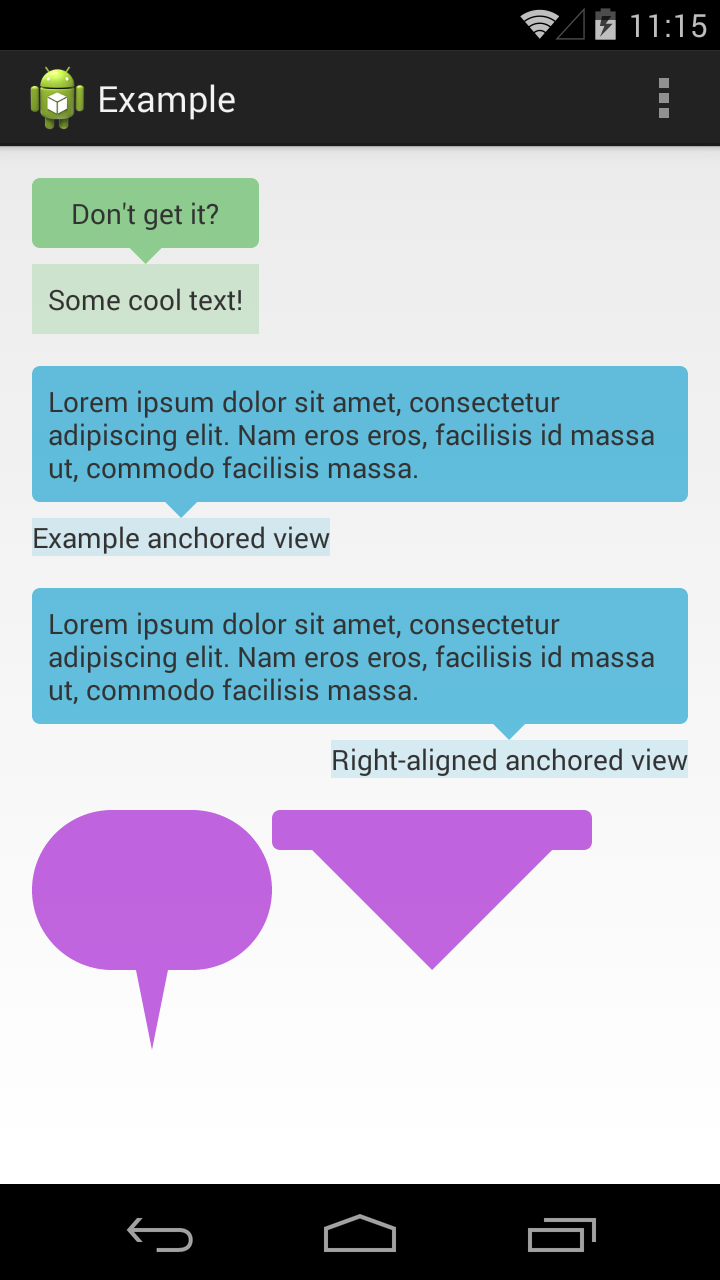
Screenshot:
compile 'com.venmo.view.tooltip:tooltip:0.1.2@aar'- tooltips on the sides of the bubble