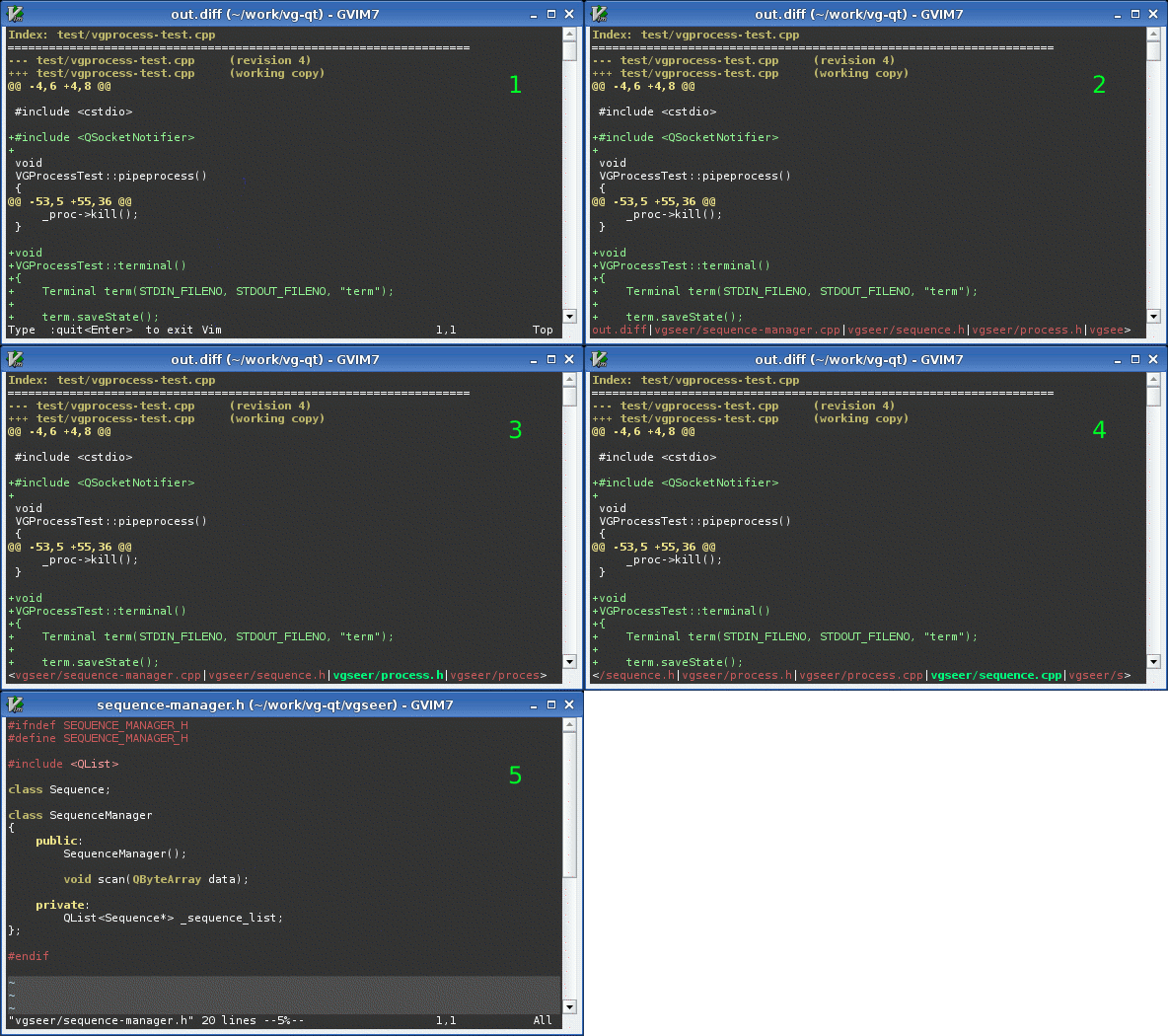
This is a mirror of http://www.vim.org/scripts/script.php?script_id=2050
LustyJuggler is a high speed buffer juggler. Having to consciously think about which buffer you need to switch to sucks, so use this instead.
Someone made a screen cast showing it in action (jump to 6:20):
http://lococast.net/archives/185
Also, a quick video demo:
http://www.youtube.com/watch?v=vQuF0Vm0EG4
Older stuff:
http://sjbach.com/lusty-juggler-animated.gifhttp://sjbach.com/lusty-juggler-annotated.png
Launch the juggler with this key combo:
<Leader>lj
The command bar at bottom is replaced with a new bar showing the names of your currently opened buffers in most-recently-used order.
The buffer names are mapped to these keys:
1st --> a or 1
2nd --> s or 2
3rd --> d or 3
4th --> f or 4
5th --> g or 5
6th --> h or 6
7th --> j or 7
8th --> k or 8
9th --> l or 9
10th --> ; or 0
So if you type "f" or "4", the fourth buffer name will be highlighted and the bar will shift to center it as necessary (and show more of the buffer names on the right).
If you want to switch to that buffer, press "f" or "4" again or press "<ENTER>". Alternatively, press one of the other mapped keys to highlight another buffer.
If you changed your mind, cancel the juggler with any of "q", "<ESC>", "<C-c", "<BS>", "<Del>", or "<C-h>".
If you like LustyJuggler, you may also like LustyExplorer: vimscript #1890
Development repository: http://github.com/sjbach/lusty